Blog

  • UTF-8 to Base64URL Converter Guide (2026)

    UTF-8 to Base64URL Converter Guide (2026)

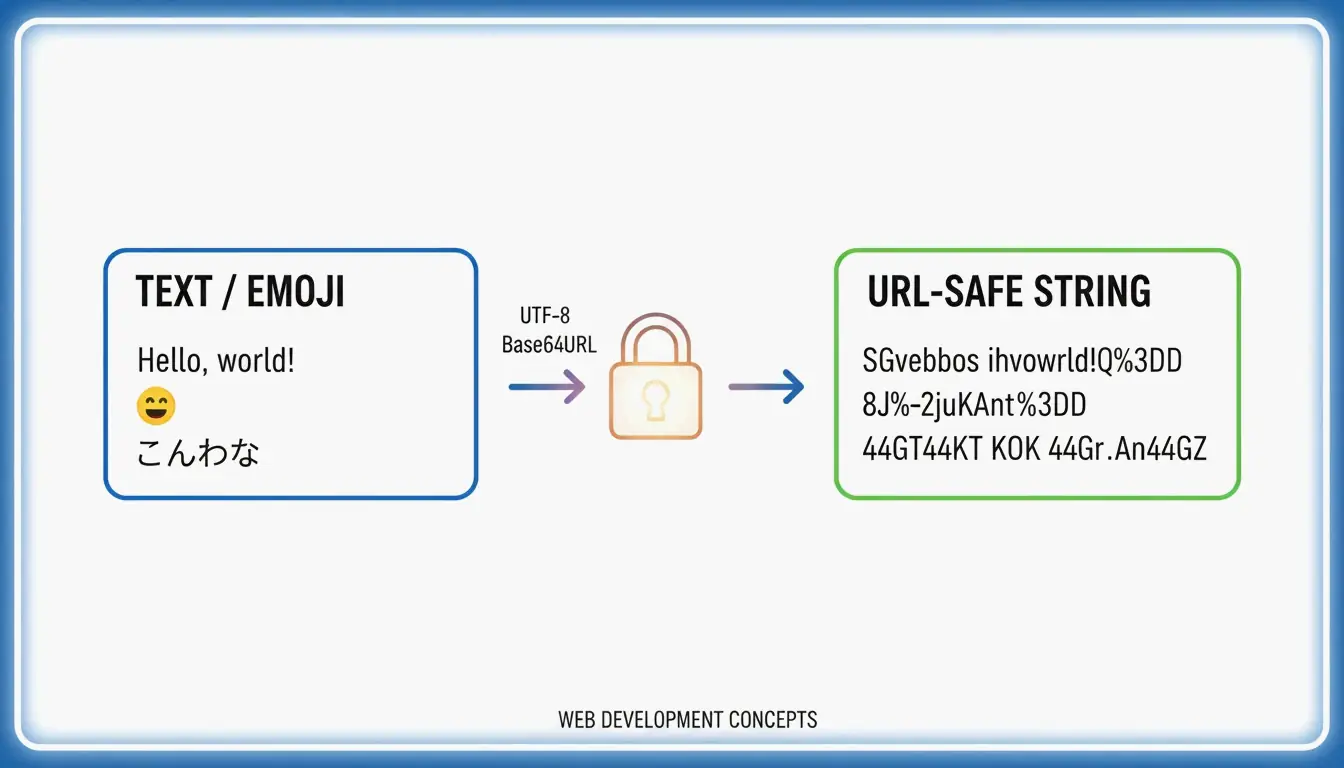
    To convert UTF-8 to Base64URL, follow 4 steps: (1) encode text to UTF-8 bytes, (2) apply standard Base64, (3) swap +- and /_, (4) strip trailing = padding. This produces a URL-safe string per RFC 4648, used in JWTs and API headers.

    Standard Base64 vs. Base64URL

    Character Standard Base64 Base64URL Why
    62nd character + - + means space in URLs
    63rd character / _ / is a path separator in URLs
    Padding = required Omitted = becomes %3D in URLs
    URL-safe No Yes Direct use in query strings, filenames

    Per RFC 4648 §5, this “URL and Filename Safe Alphabet” ensures cross-system compatibility.

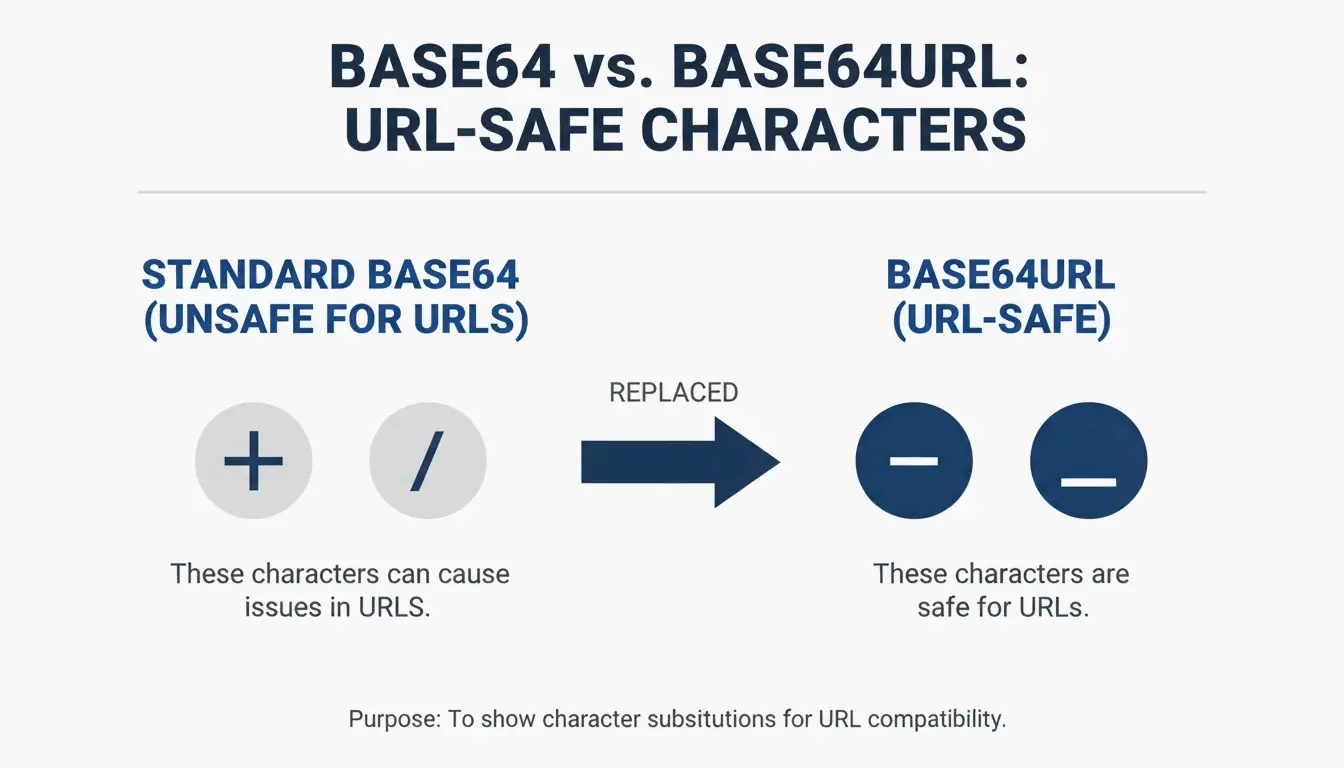
    A simple side-by-side comparison of Standard Base64 vs Base64URL unsafe characters.

    The 4-Step Conversion Process

    Step Operation Example (“Hello”)
    1 UTF-8 text → bytes H e l l o → byte array
    2 Bytes → standard Base64 SGVsbG8=
    3 Swap +-, /_ No change needed here
    4 Strip trailing = padding SGVsbG8

    Base64 encoding increases data size by ~33% per Wikipedia.

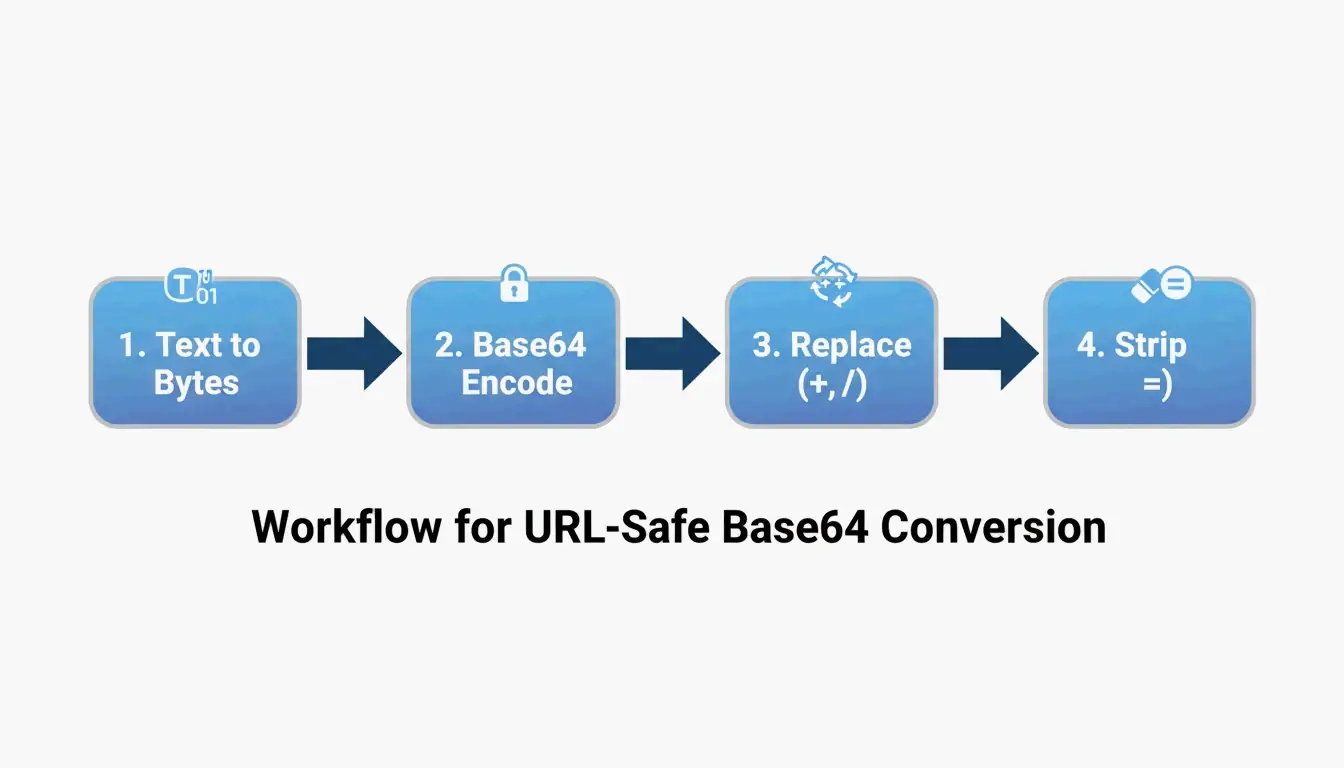
    The 4-step conversion pipe: Text -> Bytes -> Base64 -> Base64URL.

    Unicode and Emoji Handling

    Per NextUtils, Base64 is encoding, not encryption — it moves data through text-only channels. To handle Unicode/emoji without corruption (“Mojibake”), always use TextEncoder to convert to UTF-8 bytes first.

    Input Without TextEncoder With TextEncoder
    Hello 世界! 🌍 Mojibake / TypeError Correct Base64URL

    Code Examples

    JavaScript (Browser) — Unicode-Safe

    function toBase64Url(str) {
        const bytes = new TextEncoder().encode(str);
        const base64 = btoa(String.fromCharCode(...bytes));
        return base64.replace(/\+/g, '-').replace(/\//g, '_').replace(/=+$/, '');
    }
    

    Python 3 — Standard Library

    Per AskPython:

    import base64
    
    data = "Hello 世界! 🌍"
    encoded = base64.urlsafe_b64encode(data.encode('utf-8')).decode('utf-8').rstrip('=')
    print(encoded)
    

    Node.js — Buffer Conversion

    const str = "API_Payload_Data";
    const base64url = Buffer.from(str, 'utf8')
        .toString('base64')
        .replace(/\+/g, '-')
        .replace(/\//g, '_')
        .replace(/=/g, '');
    

    Troubleshooting: Padding Errors

    Error Cause Fix
    binascii.Error: Incorrect padding Missing = padding Add = until length is multiple of 4
    TypeError with atob() Non-ASCII characters Use TextEncoder first
    Garbled output Skipped UTF-8 encoding Always encode to bytes before Base64

    Per AskPython, calculate missing padding: padding_needed = (4 - len(data) % 4) % 4, then append that many = characters.

    Use Cases: JWT and Data URIs

    JWT (JSON Web Token) Structure

    Part Content Encoding
    Header Algorithm + token type Base64URL
    Payload Claims (user data, expiration) Base64URL
    Signature HMAC or RSA signature Base64URL

    JWTs often start with eyJ — the Base64URL encoding of { (opening JSON bracket).

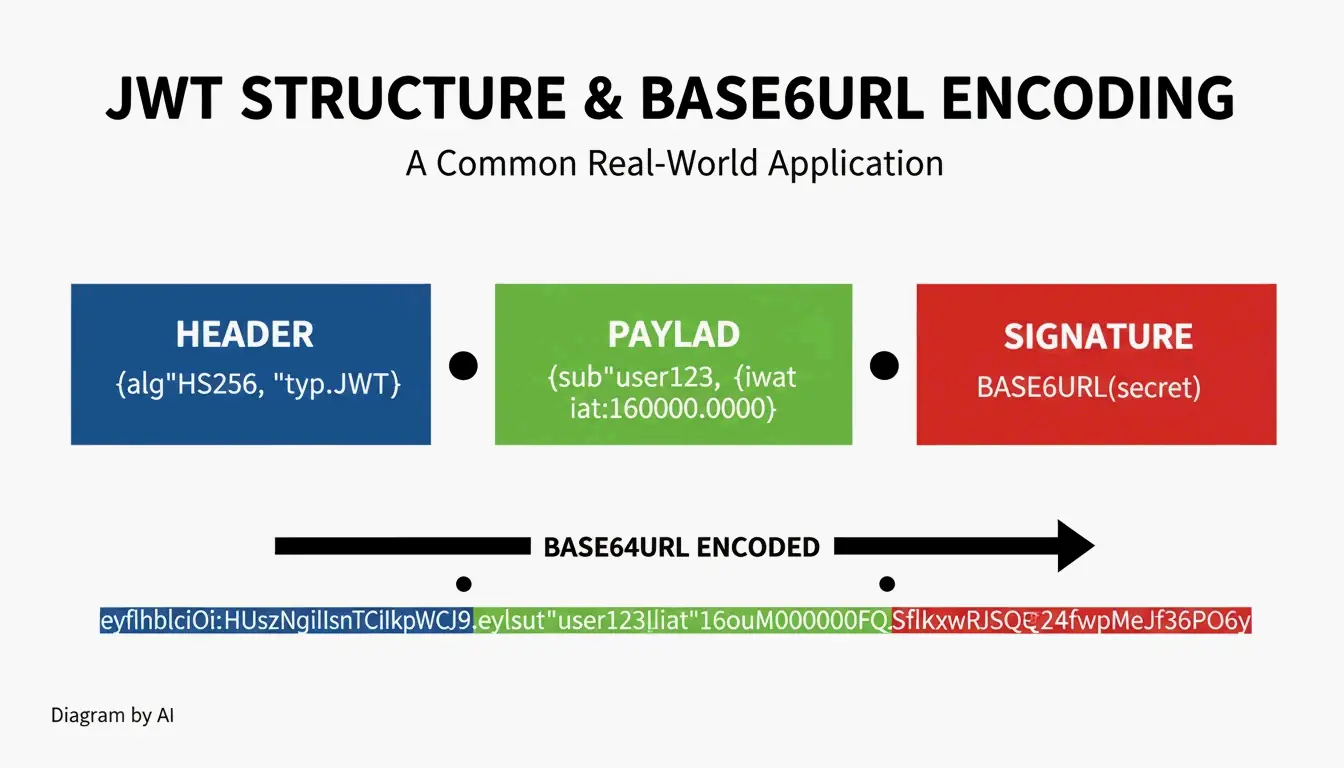
    A simple visualization of a JWT structure showing its 3 Base64URL parts.

    Base64 vs. Base64URL by Use Case

    Use Case Encoding Padding
    JWT tokens Base64URL Omitted
    Data URIs (embedded images) Standard Base64 Required
    HTTP Basic Auth Standard Base64 Required
    URL query parameters Base64URL Omitted

    Conclusion

    4 steps: UTF-8 bytes → Base64 → swap +/ to -_ → strip padding. Use TextEncoder in JavaScript, base64.urlsafe_b64encode() in Python, Buffer in Node.js. Follow RFC 4648 for cross-system compatibility. Base64URL is encoding, not encryption — use AES-256 or TLS for security.

    FAQ

    Is Base64URL the same as encryption?

    No. Base64URL is reversible encoding — anyone can decode it without a key. Use AES-256 or TLS/SSL for securing sensitive data.

    Why does Base64URL fail in a standard Base64 decoder?

    Standard decoders expect +, /, and = padding. Base64URL uses -, _, and omits padding. Reverse the character swaps and restore padding before decoding.

    Why is padding omitted in JWTs?

    The = character becomes %3D in URLs, making strings longer and harder to read. RFC 4648 allows omission because decoders can reconstruct the original length without padding markers.

  • Age Calculator: How to Find Your Exact Age in Years, Months & Days (2026)

    Age Calculator: How to Find Your Exact Age in Years, Months & Days (2026)

    To find your exact age, subtract birth date from current date — start with days, then months, then years, borrowing from the next larger unit when needed. A professional age calculator handles leap years and variable month lengths (28–31 days) automatically.

    The 3-Step Manual Calculation

    Step-by-Step Example

    DOB: July 15, 2016 | Today: May 7, 2026

    Step Operation Calculation Result
    1. Days Borrow 30 days from April (30 + 7) − 15 22 days
    2. Months Borrow 12 months (1 year) (12 + 4) − 7 9 months
    3. Years Subtract remaining years 2025 − 2016 9 years
    Result 9 years, 9 months, 22 days

    Per ChronoAge and AgeChronologicalCalculator, this method follows the Y;M;D standard notation: 9;9;22.

    Simple 3-step calculation order: Days → Months → Years

    Borrowing Rules by Month

    When borrowing days, add the exact number of days from the previous month:

    Previous Month Days to Borrow
    January, March, May, July, August, October, December 31 days
    April, June, September, November 30 days
    February (non-leap) 28 days
    February (leap year) 29 days

    Y;M;D Format for Clinical Assessments

    Per ChronoAge, the Y;M;D format is required for norm-referenced assessments since Pearson’s official age calculator is no longer available.

    Assessment Why Exact Age Matters
    WISC-V (IQ test) Determines correct normative scoring table
    CELF-5 (language) Age bracket placement — 1 day off = wrong bracket
    Brigance Requires “Total Months” count (e.g., 87 months)

    Standardized scoring depends on placing the child in the exact age bracket. Even a single day’s error can shift scores to the wrong norm group.

    Leap Year Rules

    Per Infinity Calculator:

    Year Type Rule Example
    Leap year Divisible by 4, except centuries unless divisible by 400 2024, 2028, 2000
    Common year All others 2025, 2026, 2100

    February 29 Birthdays

    People born on Feb 29 use March 1 as their legal birthday in non-leap years — ensuring the full 365-day cycle has elapsed before incrementing the year count.

    Adjusted Age for Premature Infants

    Per ChronoAge, pediatricians use adjusted (corrected) age for developmental tracking until age 2.

    Formula: Adjusted Age = Chronological Age − Weeks/Months Born Early

    Example Calculation Adjusted Age
    6-month-old born 2 months early 6 months − 2 months 4 months
    12-month-old born 8 weeks early 12 months − 2 months 10 months
    18-month-old born 6 weeks early 18 months − 1.5 months 16.5 months

    Concept of Adjusted Age: Chronological Age minus Prematurity

    Cultural Age Systems

    System How It Works Used In
    International (standard) Age 0 at birth, +1 on birthday Global standard
    East Asian (traditional) Age 1 at birth, +1 every Lunar New Year Social settings (South Korea officially switched to international in 2023 per Calculatorr)

    Generation Classification (2026)

    Per Pew Research Center data:

    Generation Birth Years Age in 2026
    Millennials 1981–1996 30–45
    Gen Z 1997–2012 14–29
    Gen Alpha 2013–Present 0–13

    Age Measurement Precision

    Metric Value Source
    Average calendar year 8,766 hours Standard calculation
    Most precise measure Total days lived Rechneronline — avoids month/year length fluctuation

    Conclusion

    Days → Months → Years, borrowing from the next unit when needed. For clinical work, use the Y;M;D format to ensure correct assessment scoring. For premature infants, calculate adjusted age by subtracting weeks born early. For Feb 29 birthdays, use March 1 in non-leap years. An automated calculator eliminates manual borrowing errors.

    FAQ

    How does an age calculator handle February 29 birthdays?

    Most systems use March 1 in non-leap years as the legal birthday. This ensures the full 365-day cycle completes before incrementing the year count.

    What is the difference between chronological and biological age?

    Chronological age = time elapsed since birth (fixed, Y;M;D). Biological age = how old your cells/tissues appear based on health markers, lifestyle, and genetics (variable).

    How do I calculate adjusted age for a premature infant?

    Adjusted Age = Chronological Age − Weeks/Months Born Early. Example: a 6-month-old born 2 months early has an adjusted age of 4 months. Standard practice uses this until the child reaches 24 months.

  • Best Free Unit Converters You Need (2026)

    Best Free Unit Converters You Need (2026)

    The best free unit converters in 2026: Omni Calculator for technical depth (321+ calculators), UnitKick for fast daily use (90+ categories), and OANDA for currency (31+ years of data). Top tools use NIST-validated factors and browser-based processing for privacy.

    Top Converters Compared

    Tool Categories Best For Privacy Cost
    Omni Calculator 321+ calculators Engineering, physics, dimensional analysis Browser-based Free
    UnitKick 90+ categories Everyday use, kitchen, fast lookups Browser-based (offline) Free
    FastTool 70+ categories Precision work, digital units (px/em/rem) Browser-based Free
    Numeraty Multiple Data transfer (Mbps/Gbps), structured datasets Browser-based Free
    OANDA Currency Financial, historical FX data Server-side (SSL) Free
    UnitConvertNow Multiple AI-driven dataset conversion Varies Free

    Selection Criteria: What Separates Good from Great

    Criterion Why It Matters
    NIST/SI validation Ensures consistent results aligned with international standards
    Significant figures handling Prevents “false precision” — showing more decimals than input supports
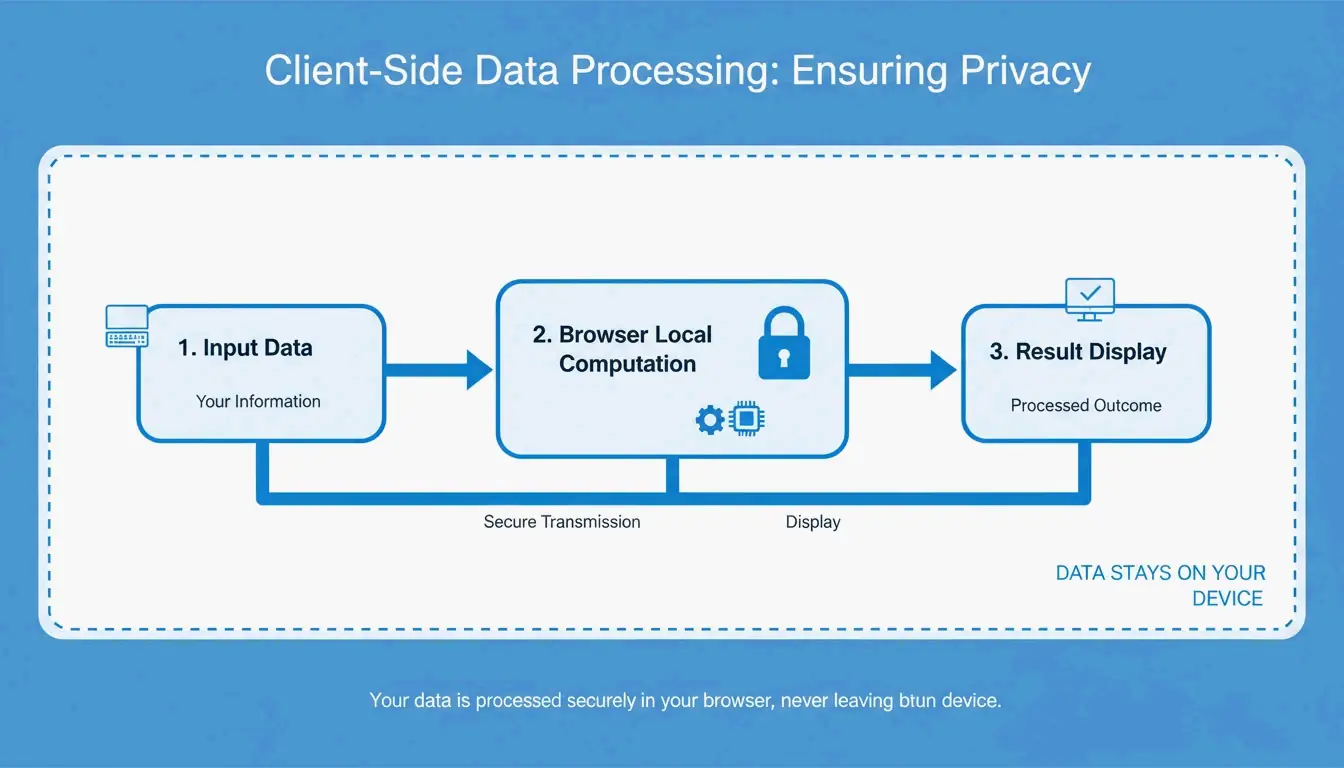
    Browser-based processing Data stays on your device; works offline after initial load
    Formula transparency Shows underlying math for manual verification
    Error handling Clear messages for edge cases (e.g., division by zero)

    Per FastTool: “False precision is a quiet credibility killer.” Reliable tools verify factors against NIST and BIPM standards.

    Browser-based processing privacy flow

    US Customary vs. Imperial Units: A Critical Trap

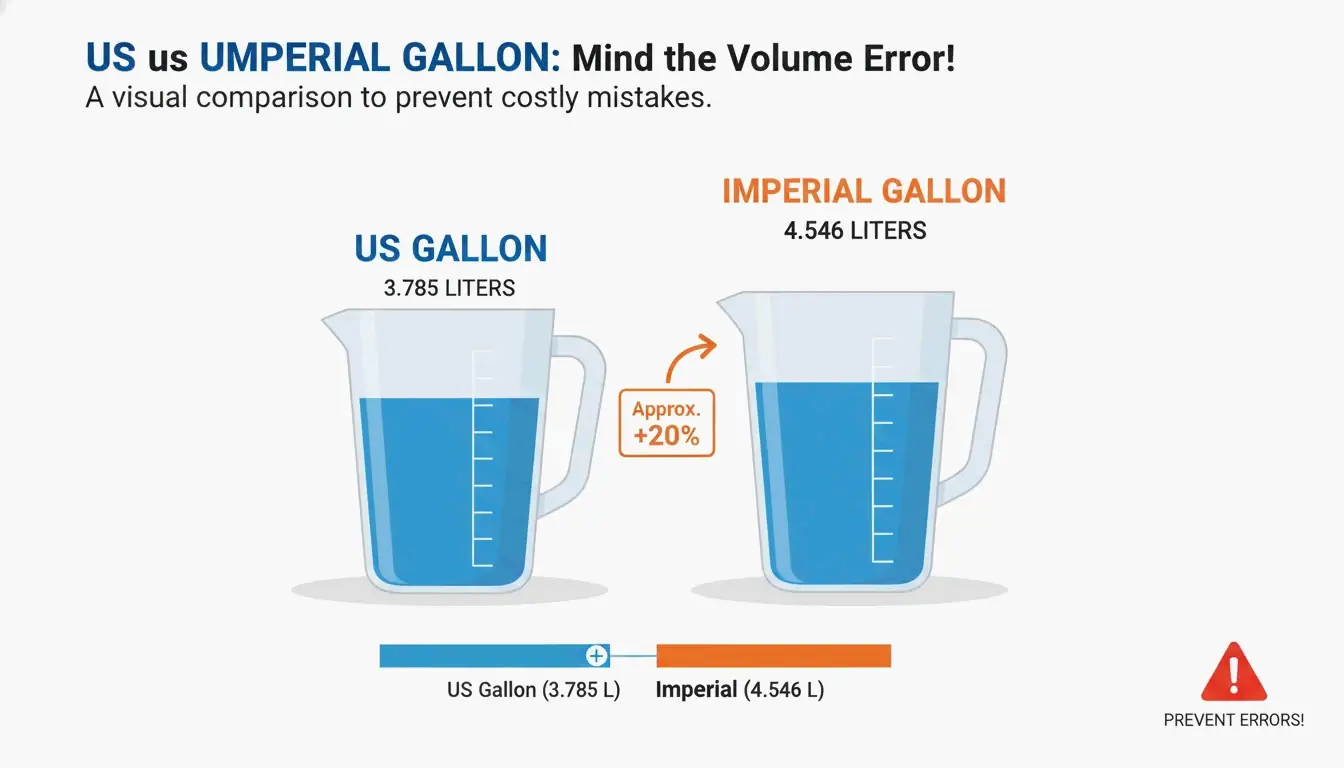
    Units with the same name but different volumes:

    Unit US Customary Imperial (UK) Difference
    Gallon 3.785 L 4.546 L +20% larger
    Fluid Ounce 29.573 mL 28.413 mL −3.9% smaller
    Cup 236.588 mL 284.131 mL +20% larger
    Pint 473.176 mL 568.261 mL +20% larger

    US gallon vs Imperial gallon visual comparison

    Mixing these up causes 20% volume errors — catastrophic in fuel, chemical, and logistics industries.

    Historical Conversion Disasters

    Incident Year Error Cost
    Mars Climate Orbiter 1999 Pound-force seconds vs. newton-seconds $125 million lost per FastTool
    Gimli Glider (Air Canada) 1983 Kilograms confused with pounds for fuel Emergency landing

    Both caused by mixing metric and imperial without validated conversion tools.

    Tool Recommendations by Profession

    Profession Recommended Tool Why
    Engineer Omni Calculator Dimensional analysis, Newtons/Pascals/Joules, BIPM-aligned
    Web Developer FastTool / Omni Calculator px → em → rem → vw/vh conversions
    Chef / Home Cook UnitKick Volume-to-weight by ingredient density
    Network Engineer Numeraty / FastTool Mbps ↔ Gbps ↔ MB/s data transfer units
    Finance / Trading OANDA OANDA Rates™ trusted by corporations and auditors
    Student Omni Calculator Shows formulas for learning and verification

    2026 Trends: AI-Integrated Conversion

    • AI dataset conversion: Tools like UnitConvertNow convert entire structured datasets automatically
    • Data transfer units: Dedicated Mbps/Gbps converters for network engineering per Numeraty and FastTool
    • Precision note: Per FastTool, pi has trillions of known digits but “15 decimal places provide more than enough precision” for practical use

    Conclusion

    Bookmark UnitKick for daily tasks, Omni Calculator for complex projects, and OANDA for currency. Always verify whether you’re using US or Imperial units before finalizing calculations. Use NIST-validated tools to avoid the kind of costly errors seen in aviation and space exploration history.

    FAQ

    Are online unit converters accurate enough for professional engineering?

    Yes — if they use NIST-validated factors. Tools like Omni Calculator display the underlying formula for manual verification. Always maintain awareness of significant figures and rounding.

    What is the difference between a US Gallon and an Imperial Gallon?

    US Gallon = 3.785 L (United States). Imperial Gallon = 4.546 L (UK, ~20% larger). Using the wrong unit causes a 20% volume error — critical in fuel, chemical, and logistics.

    Do free unit converters store my data?

    Most reputable tools (UnitKick, Numeraty, FastTool) use browser-based processing — conversions happen on your device, data never reaches a server. Look for “no server-side storage” or “browser-based” claims in documentation.

  • Convert iPhone HEIC Photos to JPG: Simple Guide (2026)

    Convert iPhone HEIC Photos to JPG: Simple Guide (2026)

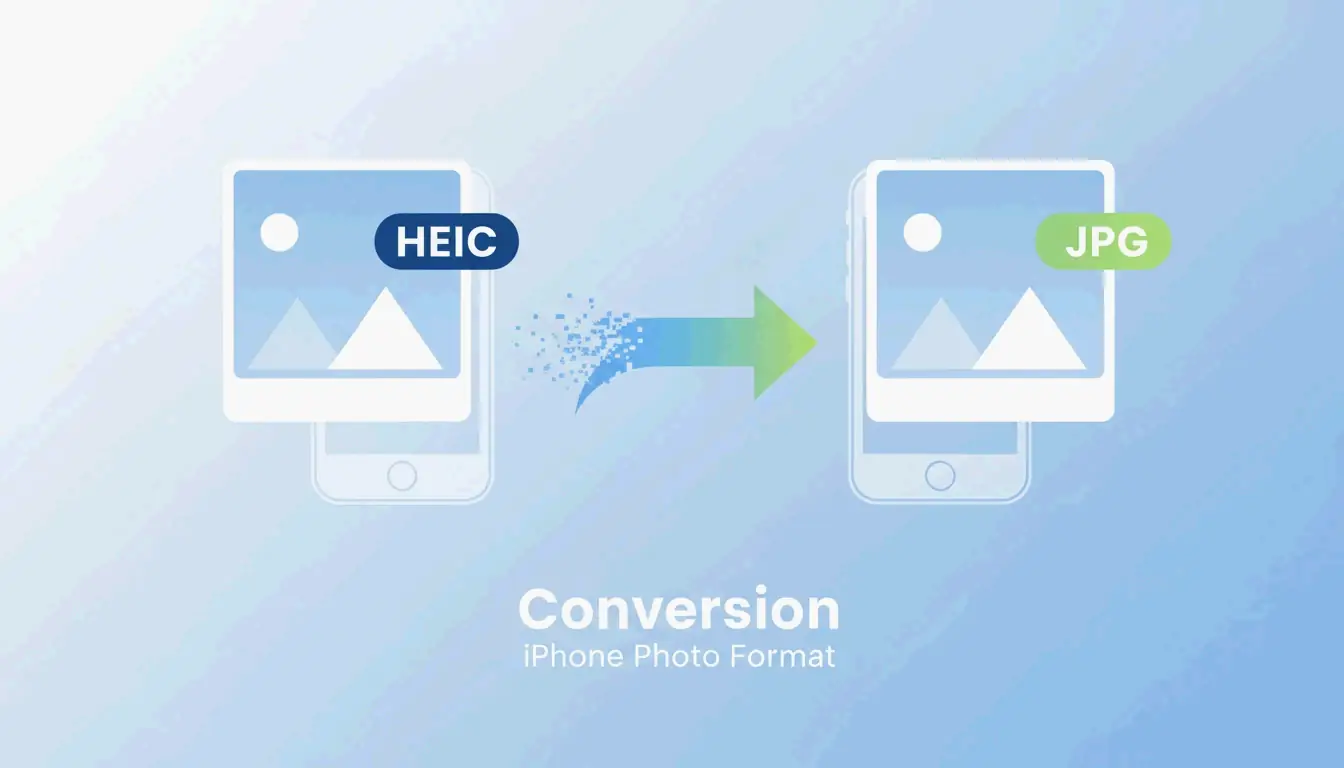
    To convert iPhone HEIC photos to JPG, use the iOS Files app: copy photos from the Gallery, paste into a Files folder — iOS auto-converts to JPEG. On Windows 11, use the Photos app “Save As” with HEIF extensions installed. On Mac, open in Preview → File → Export → JPEG.

    Conversion Methods Compared

    Method Platform Batch Cost Privacy
    iOS Files app iPhone/iPad Yes (select multiple) Free Full offline
    iOS Quick Actions iPhone/iPad Per file Free Full offline
    Windows 11 Photos Windows Per file Free Full offline
    Mac Preview macOS Per file Free Full offline
    IrfanView Windows 1,000+ files Free Full offline
    XnConvert Win/Mac/Linux 1,000+ files Free Full offline
    ImageMagick CLI (all) 10,000+ files Free Full offline
    WebAssembly tools Browser Varies Free Client-side (no upload)

    Method 1: iOS Files App (Built-in, Offline)

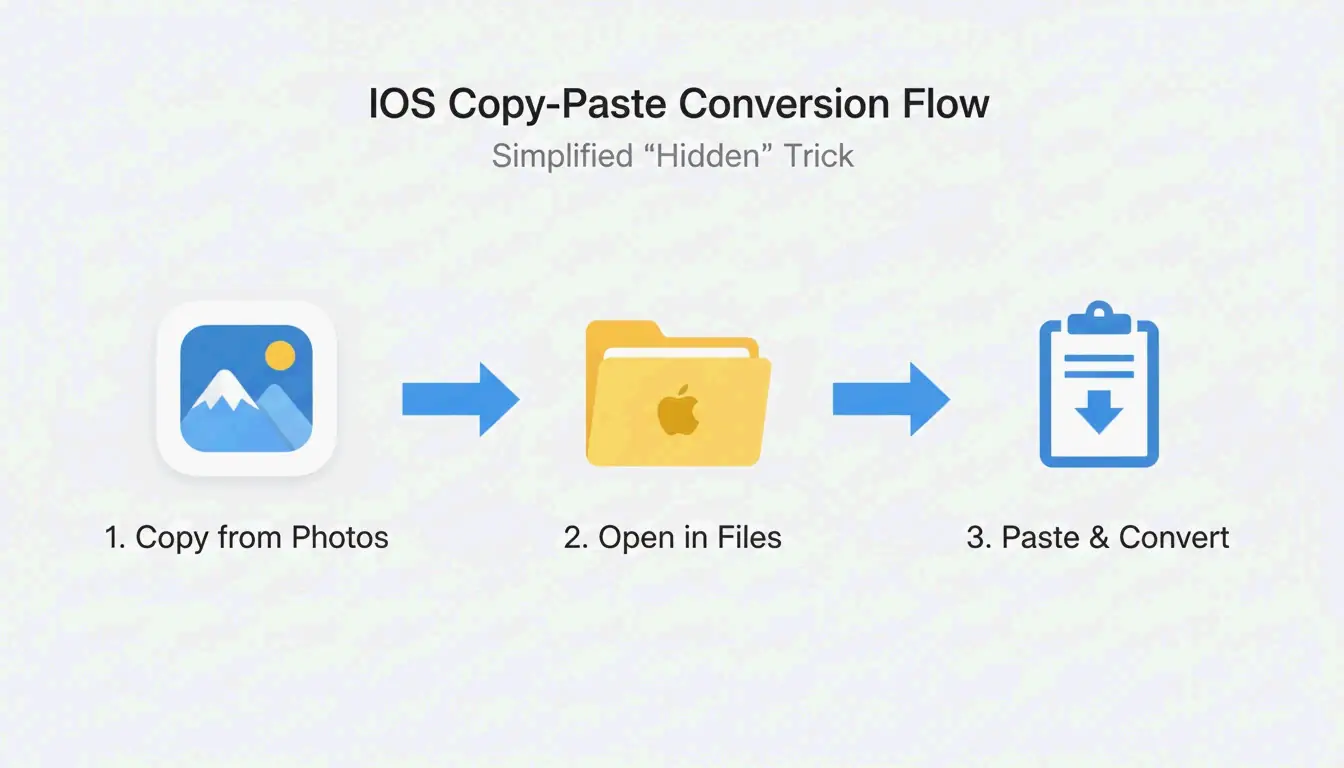
    Per MergeImages.net, the Files app auto-converts HEIC to JPEG during paste.

    1. Open Photos app → select images → tap Copy Photos
    2. Open Files app → navigate to a folder
    3. Long-press empty space → tap Paste
    4. Files appear as JPEGs

    Alternative: long-press a single file → Quick Actions → Convert Image → JPEG

    Simple 3-step process: Select/Copy Photos -> Open Files App -> Paste to Convert

    Method 2: Windows 11

    Prerequisites

    Extension Cost Purpose
    HEIF Image Extensions Free Thumbnail preview + basic viewing
    HEVC Video Extensions $0.99 Full codec support

    Install both from the Microsoft Store for native right-click conversion.

    Steps

    1. Open HEIC in Photos app
    2. Click ⋮ (three dots)Save As
    3. Select JPEG format → Save

    Method 3: Mac Preview

    Per PDF Guru:

    1. Open HEIC files in Preview
    2. File → Export
    3. Select JPEG from format dropdown
    4. Adjust quality slider (balance file size vs. sharpness)
    5. Save

    Privacy: Client-Side vs. Server-Side Conversion

    Model How It Works Your Data
    Client-side (WebAssembly) Conversion runs in browser memory Never leaves your device
    Server-side Photos uploaded to remote server Stored temporarily on third-party server

    Per Ahmer Arain, tools using Canvas API + WebAssembly (like ConvertifyHub, Freetoolonline) process everything locally.

    Privacy Checklist

    Feature What to Look For
    Processing label “No-upload,” “Offline,” “Private”
    Speed Local tools are faster (no upload wait)
    EXIF control Option to keep or strip GPS/timestamp metadata

    HEIC vs. JPG: Technical Comparison

    Property HEIC JPG
    Compression efficiency 50% more efficient Baseline
    Color depth 16-bit 8-bit
    HDR support Yes No
    Live Photos Preserved Lost
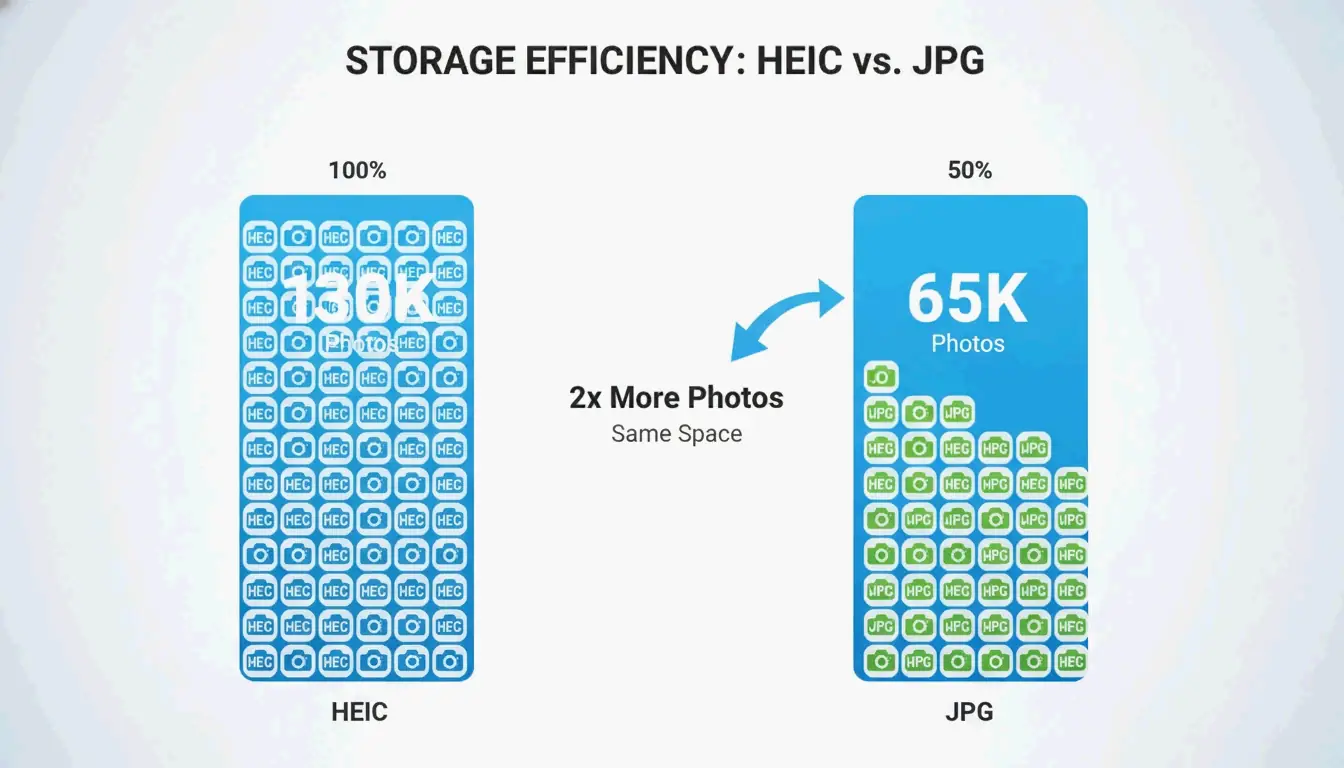
    256GB iPhone capacity ~130,000 photos ~65,000 photos
    Universal compatibility Limited Universal

    Per FyleTools, HEIC is 50% more efficient — a 256GB iPhone holds roughly 130,000 HEIC vs only 65,000 JPEG at equivalent quality.

    Comparison of storage capacity: HEIC vs. JPG on the same device

    Batch Tools for Large Libraries

    Tool Platform Max Batch Best For
    IrfanView Windows 1,000+ Speed per PicTomo
    XnConvert Win/Mac/Linux 1,000+ Preserves EXIF across file types
    ImageMagick CLI (all) 10,000+ Scripted automation

    iPhone Camera Settings: HEIC vs. Most Compatible

    Setting Format Storage Compatibility
    High Efficiency (default) HEIC 50% less space Apple ecosystem
    Most Compatible JPG More space Universal

    Settings → Camera → Formats to switch.

    Recommendation: Keep “High Efficiency” for daily shooting. Convert specific albums only when sharing with non-Apple users or printing.

    Conclusion

    Use the iOS Files app for quick offline conversions. Use IrfanView or XnConvert for batch jobs. For privacy, prefer WebAssembly-based browser tools. Keep HEIC for storage savings; convert to JPG only when compatibility demands it.

    FAQ

    Does converting HEIC to JPG lose quality?

    Yes — re-encoding is lossy. But at 90%+ quality, the difference is invisible. Per Freetoolonline, quality 95 produces a visually identical file ~30% larger than HEIC.

    Why does Windows 11 show blank HEIC thumbnails?

    Missing HEIF Image Extensions (free) or HEVC Video Extensions ($0.99) from the Microsoft Store. Install both to enable native thumbnails without converting.

    Can I convert HEIC to JPG without uploading?

    Yes. iOS Files app works fully offline. On desktop, use WebAssembly-based tools that process in browser memory — images never leave your device.

  • How to Listen to Articles: 7 Best Ways to Hear the Web in 2026

    How to Listen to Articles: 7 Best Ways to Hear the Web in 2026

    To listen to articles in 2026, use AI-driven tools like Speechify (1,000+ voices, 4.5x speed) or built-in browser TTS like Edge Read Aloud (free, natural-sounding). Modern neural TTS makes articles sound like professional podcasts, with conversational AI features for real-time Q&A.

    7 Methods Compared

    # Tool/Method Cost Best For Max Speed
    1 Speechify Freemium Professional productivity, multi-format 4.5x
    2 Noa (News Over Audio) Subscription Curated journalism (FT, Bloomberg, NYT) 2x
    3 Podcast Conversion Varies PDFs, long documents, students 2–3x
    4 Edge Read Aloud Free Quick browser listening, best free voices 2x
    5 Chrome “Listen to this Page” Free Mobile web browsing 2x
    6 News in Levels Free English learners (3 difficulty levels) Adjustable
    7 Pocket / Instapaper Freemium Save-for-later with audio sync 2x

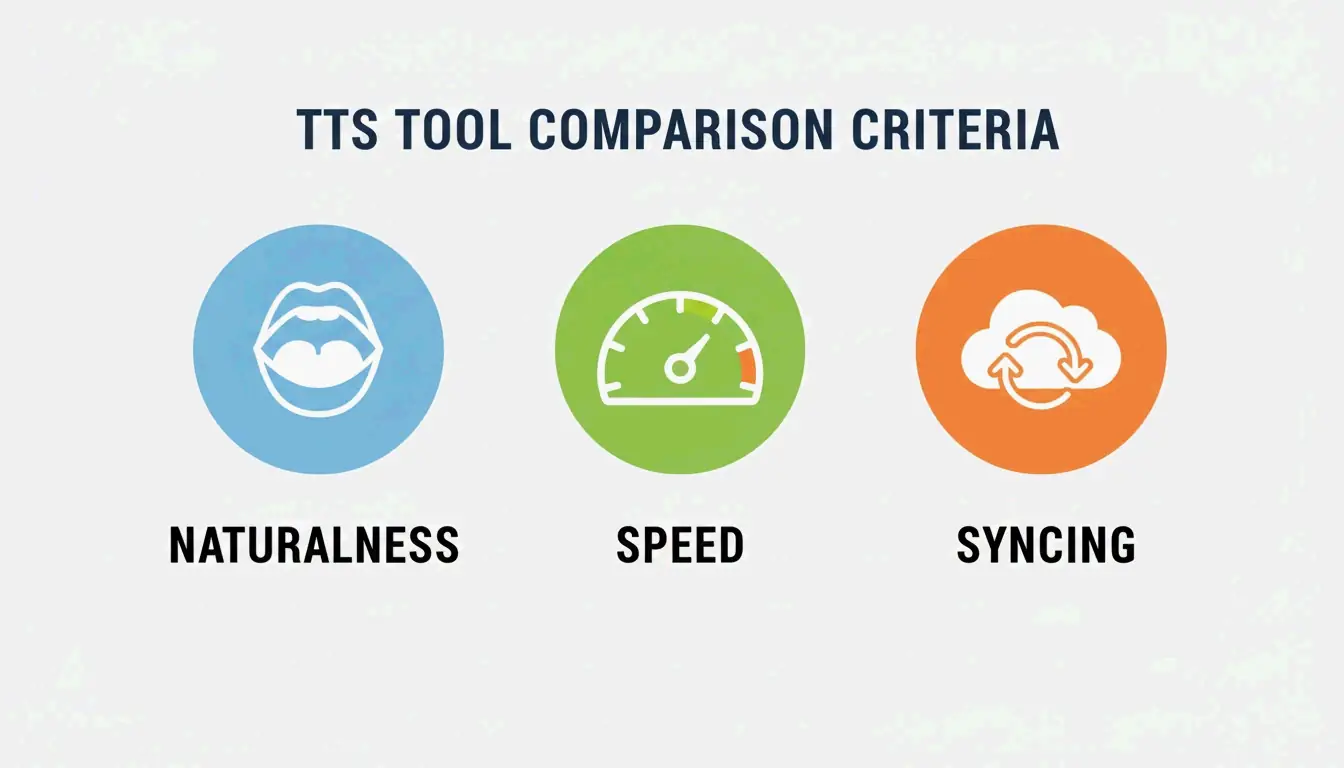
    A clean comparison of the three core evaluation pillars: Naturalness, Speed, and Syncing.

    Evaluation Criteria

    Factor What to Look For Why
    Voice naturalness Neural models with emotion and rhythm Handles jargon, sounds like a podcast
    Speed range Up to 4.5x without distortion Productivity expert Ali Abdaal advocates speed listening for efficient learning
    Cross-device sync Desktop ↔ mobile progress tracking Seamless transition between devices

    Method 1: Speechify — The Leader

    Per Speechify: 55 million users, 1,000+ voices, 60+ languages.

    Feature Detail
    Platforms iOS, Android, Mac, Windows, Chrome
    Input formats PDFs, emails, web articles, photos of text
    Celebrity voices Snoop Dogg, Gwyneth Paltrow, and others
    2026 additions Voice Typing (dictate while listening), Fast Answers (AI quizzes)
    Speed Up to 4.5x with clear articulation

    Method 2: Noa — Curated Journalism

    Noa provides human-narrated articles from premium publishers.

    Feature Detail
    Sources Financial Times, Bloomberg, The Economist, NYT
    Curation Human editors create themed “Series” (e.g., “The State of AI in 2026”)
    Best for Deep-dive journalism, multi-angle topic coverage

    Method 3: Podcast Conversion

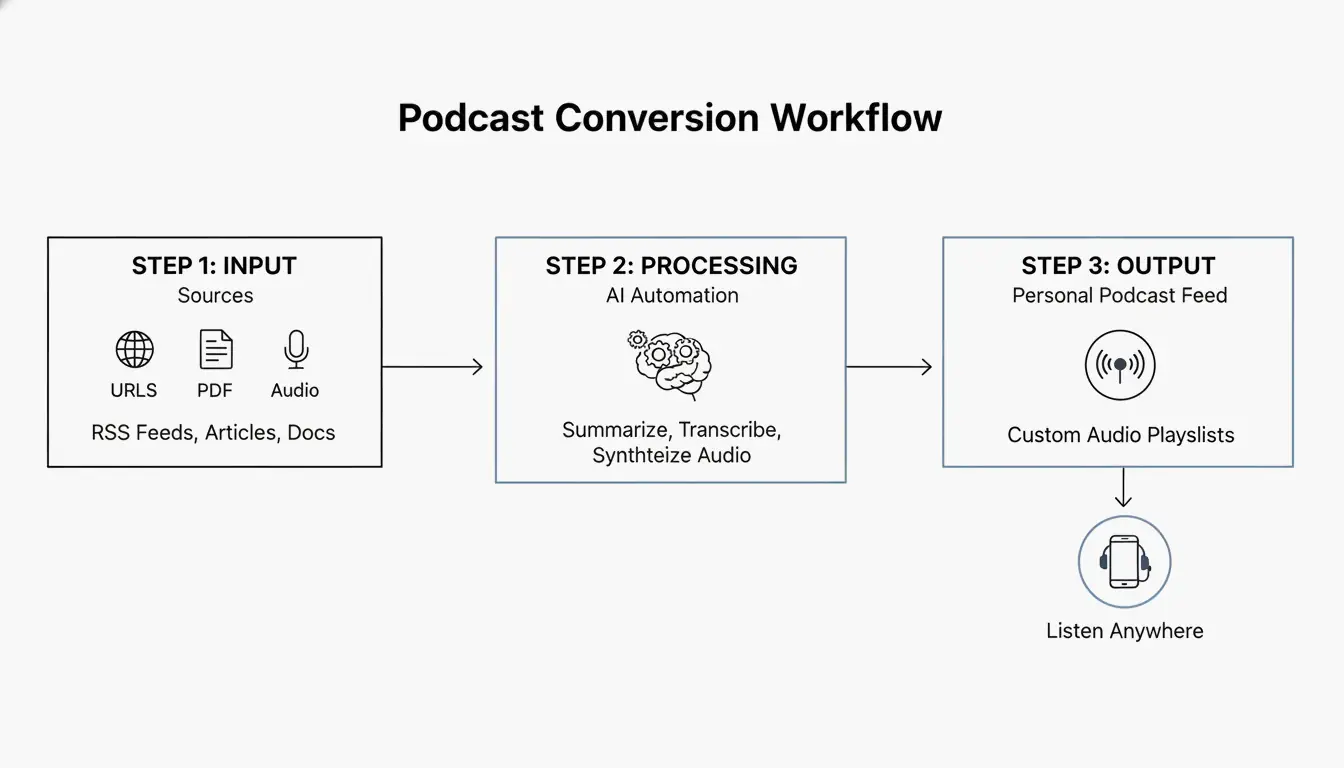
    Turn long documents into structured audio with intro, summary, and host narration.

    Feature Detail
    Input 50-page legal briefs, medical journals, research papers
    Output MP3 or private RSS feed for podcast players
    Voice cloning Record seconds of your voice → use as narrator
    Accessibility Helps dyslexia and visual impairment with familiar voices

    Build a Daily Audio Briefing (Pro Workflow)

    A 3-step workflow: Content Collection -> AI Processing/Summarization -> Audio Stream.

    1. Collect — RSS feeds, newsletters, saved links into one queue
    2. Summarize — AI generates 5-minute executive summary (like The Washington Post’s ‘The 7’ — 10-minute daily briefing)
    3. Listen — Private audio feed plays like a custom radio station
    4. Ask — “Ask While Listening” feature: interrupt for context, then resume

    Free Options: Built-in Browser TTS

    Browser Feature Voices Offline
    Microsoft Edge Read Aloud Natural voices (free) With language packs
    Google Chrome (mobile) “Listen to this page” Multiple regional accents Requires connection
    macOS/iOS Spoken Content (Accessibility) System voices Yes
    Android Select to Speak Google TTS voices With language packs

    Conclusion

    For maximum productivity, use Speechify at 4.5x speed. For curated journalism, use Noa. For free listening, Edge Read Aloud offers the best natural voices. Start by installing a browser extension and turn your next commute into a learning session.

    FAQ

    Can I listen to articles offline?

    Yes — Speechify and Noa support offline downloads via Wi-Fi. Browser TTS (Edge, Chrome) typically requires an active connection unless you download local language packs through OS settings.

    How do I turn a PDF into a podcast?

    Upload the PDF to Speechify or a podcast converter → use AI to generate a summary script → select “Export to Podcast” or “Create Audio File” → get an MP3 or private RSS feed for any podcast player.

    Are there free natural-sounding AI voices?

    Yes. Microsoft Edge “Read Aloud” offers free Natural voices comparable to paid services. Chrome mobile’s “Listen to this page” also provides high-quality narration. For technical users, open-source TTS models on Hugging Face generate quality audio without subscriptions.

  • Creating Electronic Resumes: How to Perfectly Convert Word to PDF (2026)

    Creating Electronic Resumes: How to Perfectly Convert Word to PDF (2026)

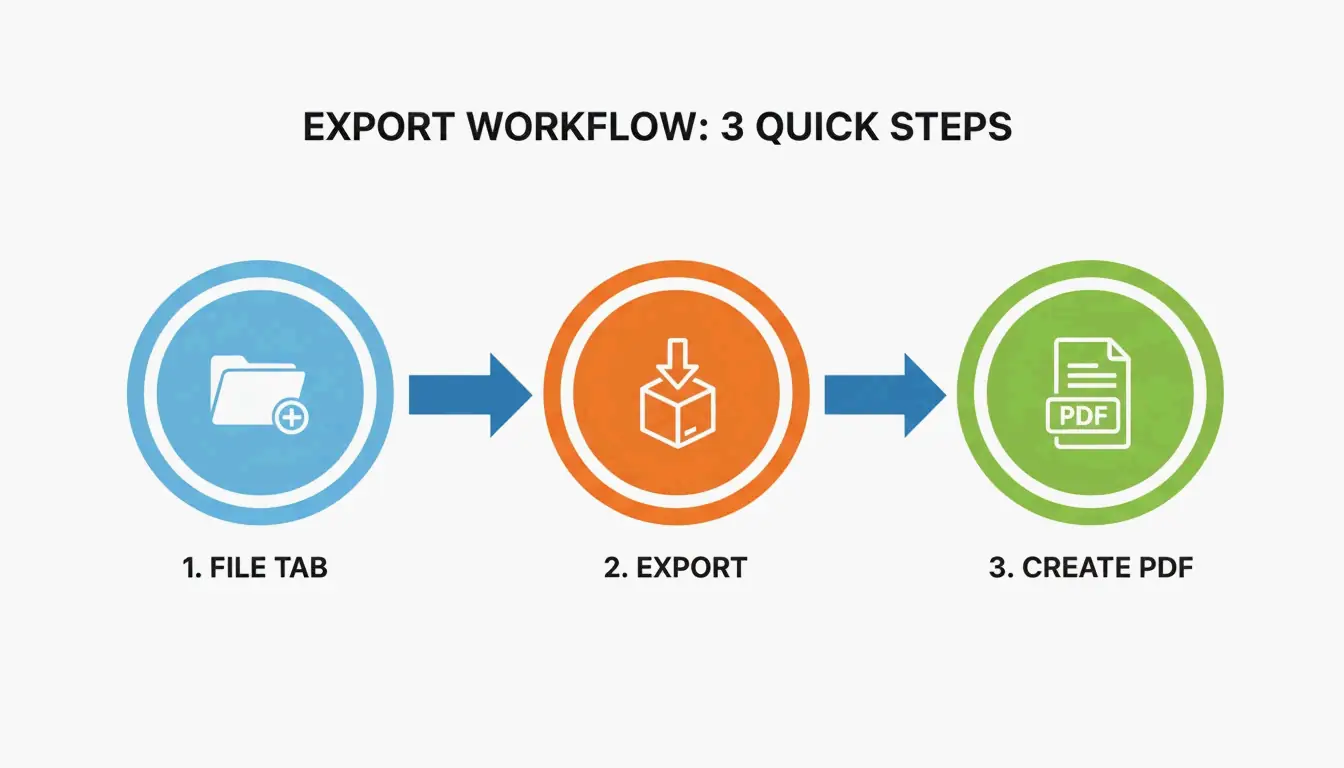
    To convert a Word resume to PDF, open the document in Microsoft Word → File → Export → Create PDF/XPS. Select “Standard (publishing online and printing)” for best quality. This preserves formatting, keeps hyperlinks active, and ensures ATS readability.

    Word to PDF: 6-Step Export

    Step Action Why
    1 Open final draft in Microsoft Word Use your master .docx file
    2 Click File tab Top-left corner
    3 Select Export (or Save As) Both paths work
    4 Choose PDF (*.pdf) format From dropdown
    5 Select “Standard” optimization Preserves metadata + hyperlinks
    6 Click Publish Done

    A simple 3-step visualization of the Word-to-PDF export process.

    Critical: Use Export or Save As — never “Print to PDF”, which flattens hyperlinks and can alter layout.

    Why PDF Over DOCX for Resumes

    Factor DOCX PDF
    Formatting consistency Varies by device/software Locked — identical everywhere
    Font rendering Depends on installed fonts Embedded in file
    Spell-check lines Red/blue squiggles visible Removed — clean output
    Hyperlinks Active Active (via Export)
    ATS readability Good Good (if text-based)
    File tampering Easy to edit Locked

    Doroteya Vasileva, CPRW at Enhancv confirms PDFs eliminate formatting drift and spell-check artifacts.

    ATS Compatibility: The 5-Second Test

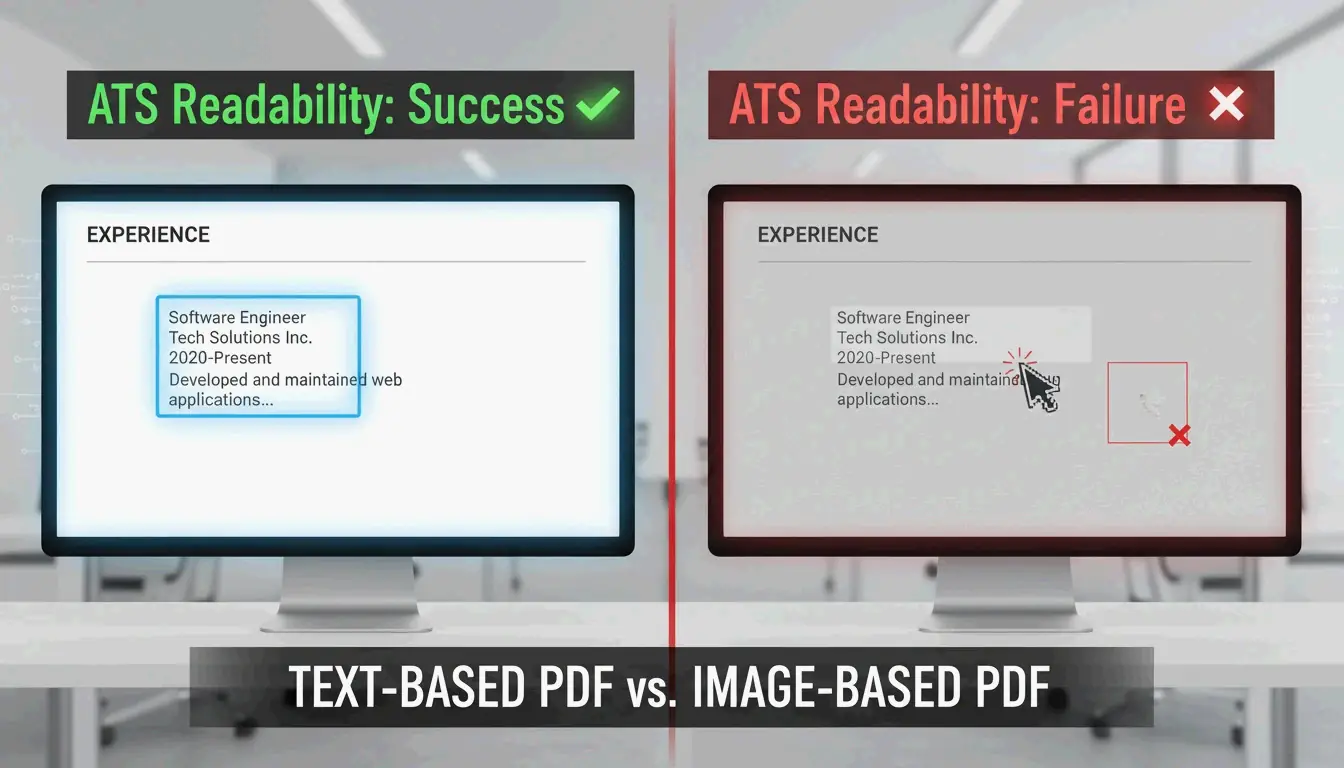
    Modern ATS reads text-based PDFs without issue. Verify with this quick test:

    1. Open your PDF
    2. Highlight a sentence with your mouse
    3. Copy the text
    4. Paste into Notepad (Windows) or TextEdit (Mac)
    Result Meaning ATS Status
    Readable text Text-based PDF Pass — ATS-friendly
    Gibberish / symbols Encoding issues Fail — fix source document
    Can’t select text Image-based PDF Fail — ATS will reject

    Per Enhancv, keep margins at 0.5–1.0 inch to prevent ATS from clipping edge text.

    A visual metaphor for 'Readability'—comparing clear text vs. unreadable image data.

    Export Method Comparison

    Method Hyperlinks Layout Accuracy ATS Readable
    File → Export Preserved High Yes
    File → Save As PDF Preserved High Yes
    Print to PDF Lost May shift Possibly
    Online converter Varies Varies Varies

    Always use Export or Save As — never Print to PDF.

    Alternative Tools

    Tool Best For Limitation
    Microsoft Word (desktop) Full control, hyperlinks Requires license
    Google Docs (File → Download → PDF) Free, basic resumes Complex layouts may break per IBTimes UK
    pdfFiller Batch conversion, eSignatures 12,500+ G2/Capterra reviews
    Adobe Acrobat DC PDF editing, password protection Paid

    Mobile Rendering Check

    Recruiters often scan resumes on phones. Before submitting:

    1. Email the PDF to yourself
    2. Open on your phone in Adobe Acrobat DC or default viewer
    3. Verify: font readable, text boxes intact, no layout collapse
    4. Test hyperlinks: LinkedIn, portfolio links still clickable

    Resume Formatting Best Practices

    Setting Recommendation
    Margins 0.5–1.0 inch (prevents ATS clipping)
    Fonts Standard system fonts (Arial, Calibri, Times New Roman)
    Text boxes Avoid floating — may not convert cleanly
    Images Avoid — ATS can’t read text inside images
    File name FirstName_LastName_Resume.pdf
    File size Under 1 MB for email/portal uploads

    Conclusion

    File → Export → PDF in Microsoft Word preserves formatting, hyperlinks, and ATS readability. Always run the 5-second Notepad test to verify text-based output. Check mobile rendering before submitting. Keep your master .docx for future edits, but always send the PDF.

    FAQ

    What if my layout changes after converting to PDF?

    Use standard system fonts (Arial, Calibri) that embed correctly. Avoid floating text boxes and complex graphics. Per Enhancv, stick to 0.5–1.0 inch margins to prevent content clipping during conversion.

    Are hyperlinks still clickable after saving as PDF?

    Yes — if you use Export or Save As. “Print to PDF” flattens the document and strips all hyperlinks. Always test links in a PDF viewer before submitting.

    Should I submit PDF or DOCX for ATS?

    PDF is preferred — it protects your visual branding. Only use DOCX if the job description explicitly requires it. Modern ATS handles both formats well, but always verify PDF readability with the Notepad test.

  • How to Embed Images into HTML Code Base64 Quickly (2026)

    How to Embed Images into HTML Code Base64 Quickly (2026)

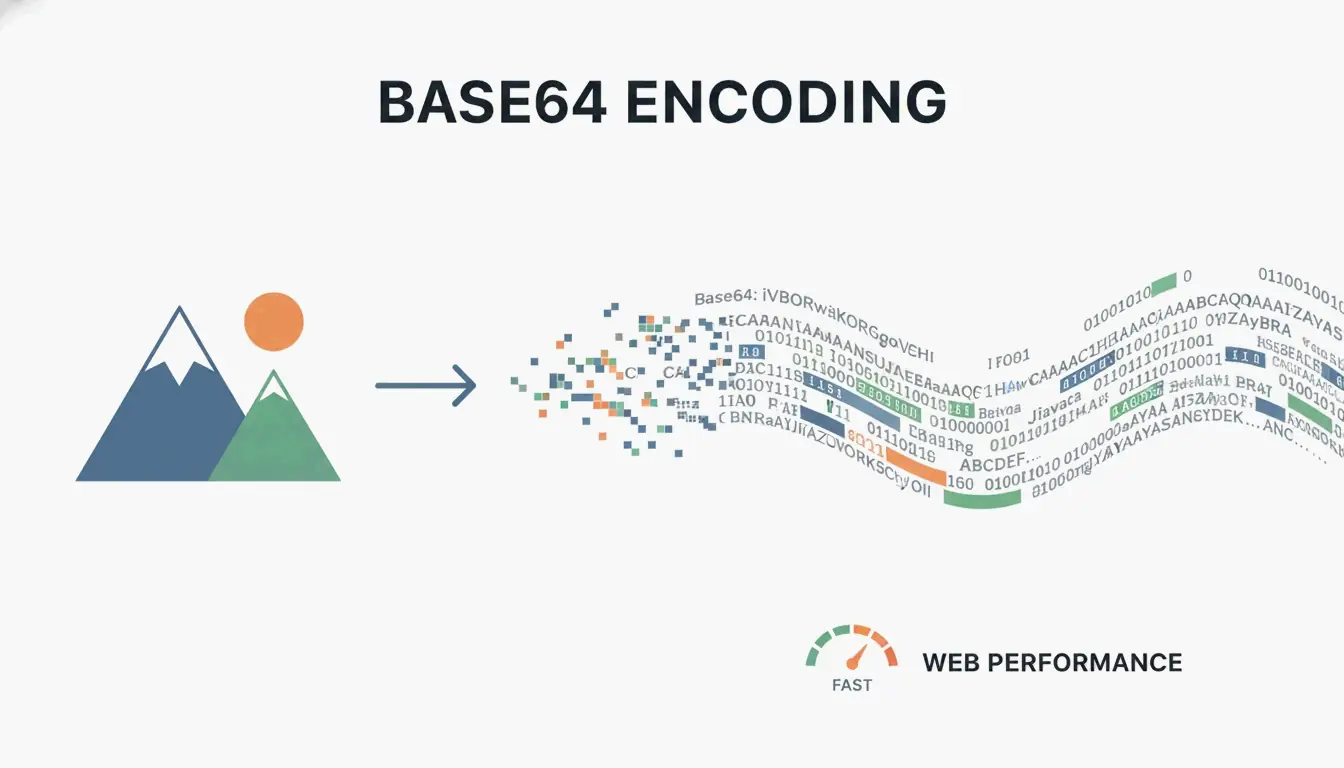
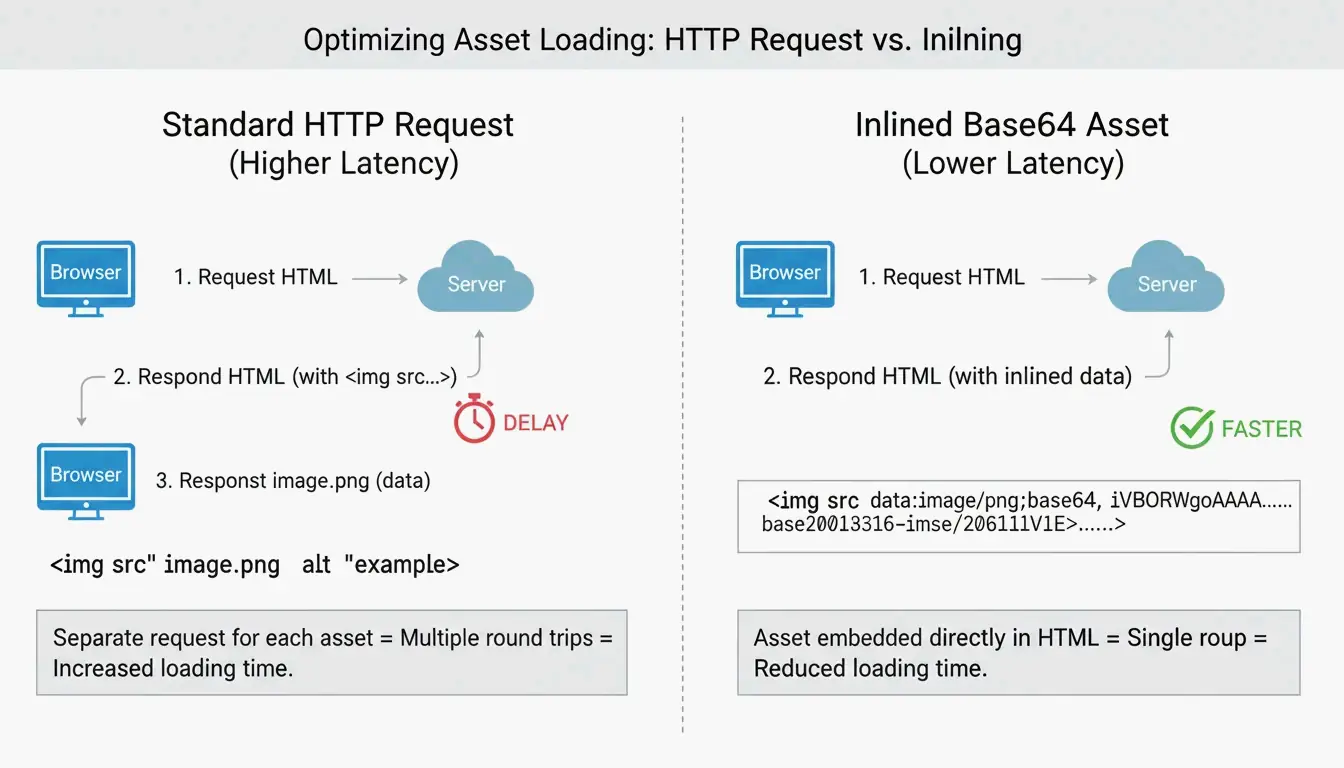
    To embed images in HTML using Base64, convert the image to a Data URI string and place it in the <img> src attribute or CSS background-image property. This eliminates HTTP requests but adds a 33% size overhead — only use for assets under 10 KB.

    Two Methods: HTML and CSS

    Method 1: HTML <img> Tag

    Per DebugBear, the standard format:

    data:image/[format];base64,[encoded_string]
    

    Best for: small logos, above-the-fold icons that must render instantly.

    Method 2: CSS background-image

    background-image: url(data:image/png;base64,PHN2ZyB4bWxucz...);
    

    Per FreeConverto, this works well for navigation icons and buttons — they render the moment CSS is parsed.

    Format Prefixes

    Image Format Data URI Prefix
    PNG data:image/png;base64,
    JPEG data:image/jpeg;base64,
    WebP data:image/webp;base64,
    SVG data:image/svg+xml;base64,
    GIF data:image/gif;base64,
    AVIF data:image/avif;base64,

    Comparison of traditional HTTP request vs. Base64 inlining

    The 33% Size Overhead

    Per Wikipedia, Base64 encoding increases file size by ~33% because it represents binary data using only 64 ASCII characters.

    Original File Base64 Size Overhead
    1 KB ~1.33 KB +0.33 KB
    5 KB ~6.67 KB +1.67 KB
    10 KB ~13.3 KB +3.3 KB
    50 KB ~66.7 KB +16.7 KB
    100 KB ~133 KB +33 KB
    500 KB ~667 KB +167 KB

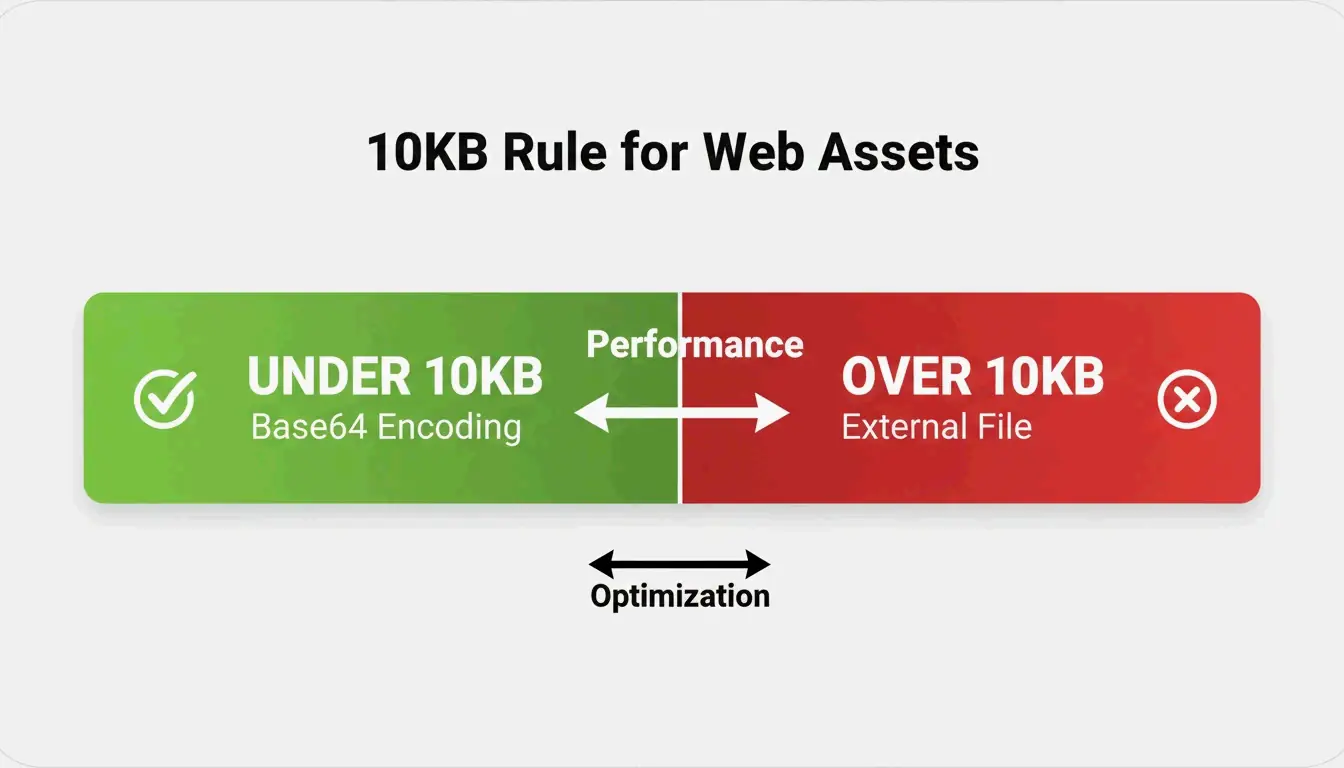
    The 10KB Rule

    Per FreeConverto, keep Base64 assets under 5–10 KB. Above 10 KB, the size overhead hurts performance more than the saved HTTP request helps.

    Impact on Core Web Vitals

    A DebugBear analysis showed that HTML files exceeding 1 MB from embedded images cause browser parsing delays, hurting Largest Contentful Paint (LCP).

    The 10KB decision threshold for Base64

    Efficiency Tip: Convert to WebP First

    Per FreeConverto, convert images to WebP before Base64 encoding. WebP is more compressed than PNG/JPEG, producing a shorter Base64 string.

    Format Original Size Base64 Size
    PNG icon 8 KB ~10.7 KB
    WebP (same icon) 4 KB ~5.3 KB

    WebP + Base64 = half the string length of PNG + Base64.

    Automation Tools

    Tool Method Security
    VS Code Extension (“Image to Base64”) Right-click → copy Base64 string Local
    FreeConverto Browser-based FileReader API Files never leave your device
    Node.js script CI/CD build process automation Local/server

    When to Use vs. Avoid Base64

    Use Base64 When Avoid Base64 When
    Small UI icons (< 10 KB) Large photos (> 10 KB)
    Above-the-fold critical assets Images repeated across multiple pages
    Email HTML templates (blocked external images) Assets that benefit from browser caching
    Single-use decorative elements SVGs (use raw XML instead — smaller + compressible)

    Per JustUse.me, Base64 is particularly valuable for email templates where many clients block external images by default.

    Conclusion

    Use Base64 embedding for small UI assets under 10 KB — convert to WebP first for the shortest strings. Keep large photos and shared assets as external files for caching. For email templates, Base64 ensures images display without user interaction.

    FAQ

    Why is Base64 code so long?

    Base64 represents binary data using only 64 ASCII characters — less efficient than binary storage. Every pixel and color value translates into multiple text characters, adding ~33% overhead. High-resolution images produce massive strings.

    Does Base64 provide security or encryption?

    No. Base64 is encoding, not encryption. Per FreeConverto, it’s easily reversible — anyone with the string can decode it instantly without a key. Never rely on it for protecting image content.

    Can I use Base64 for large photographs?

    Highly discouraged. Large Base64 strings bloat HTML/CSS, delay rendering, and hurt SEO. Per DebugBear, they block critical resource loading. Use external files with caching and lazy loading instead.

  • What Is the Difference Between Celsius and Kelvin: Complete Science Guide (2026)

    What Is the Difference Between Celsius and Kelvin: Complete Science Guide (2026)

    The difference between Celsius and Kelvin is their zero point: Celsius starts at water’s freezing point (0°C), Kelvin starts at absolute zero (0 K). The degree size is identical — a 1°C change = exactly 1 K change. Convert with K = °C + 273.15.

    Celsius vs. Kelvin: Core Comparison

    Property Celsius (°C) Kelvin (K)
    Scale type Interval scale Ratio scale (absolute)
    Zero point Water freezes (0°C) Absolute zero (0 K)
    Negative values Yes Never
    Degree symbol °C K (no degree symbol since 1967)
    Water boiling 99.974°C (ITS-90) 373.124 K
    Defined by Water phase transitions Boltzmann constant (since 2019)
    Primary use Daily life, weather Science, thermodynamics, astronomy

    A minimalist dual-thermometer comparison showing key alignment points (Absolute Zero, Water Freezes, Water Boils).

    Why Absolute Zero Matters

    Per Wikipedia, absolute zero is where particles have minimal thermal motion. This occurs at −273.15°C. Because Kelvin starts at this physical floor, it enables ratio comparisons — 400 K has exactly twice the thermal energy of 200 K. The same logic fails with Celsius: 20°C is not “twice as hot” as 10°C.

    1:1 Interval Ratio

    NIST confirms that 1 kelvin = 1 degree Celsius in magnitude. This makes conversion purely additive — no multiplication or division needed, just the 273.15 offset.

    Conversion: Formula and Examples

    Direction Formula Example
    °C → K K = °C + 273.15 20°C = 293.15 K
    K → °C °C = K − 273.15 300 K = 26.85°C

    Per Vedantu:

    Common Temperature Celsius Kelvin
    Absolute zero −273.15°C 0 K
    Water freezes 0°C 273.15 K
    Room temperature 20°C 293.15 K
    Body temperature 37°C 310.15 K
    Water boils 99.974°C 373.124 K
    Sun’s surface 5,499°C 5,772 K

    A simple 2-step visual showing the conversion direction and the +273.15 offset.

    Common mistake: Writing “300 °K” — incorrect since 1967. The unit is simply “K”.

    2019 SI Redefinition: Boltzmann Constant

    Before 2019 After 2019
    Kelvin defined by Triple Point of Water (273.16 K) Kelvin defined by Boltzmann constant
    Boltzmann constant had measurement uncertainty Boltzmann constant is exact: 1.380649 × 10⁻²³ J/K
    Triple Point was exact Triple Point now has slight uncertainty
    Depended on water isotopic composition Anchored to universal physical constant

    Per NIST, this shift ensures temperature measurement is independent of any substance — critical for quantum computing (milli-kelvin processors) and deep-space sensors.

    Why Scientists Use Kelvin: The Energy Perspective

    Per Chemistry LibreTexts, Kelvin is directly tied to kinetic energy. This makes it essential for:

    Application Why Kelvin Is Required
    Ideal Gas Law (pV=nRT) Using Celsius produces negative pressure/volume — physically impossible
    Astronomy Star temperatures measured in Kelvin (Sun: 5,772 K)
    Cryogenics Liquid nitrogen at 77 K; superconductors near absolute zero
    Thermodynamics Energy ratios (E = k_BT) only work on absolute scale

    The Pioneers

    Scientist Contribution
    Anders Celsius (1701–1744) Proposed centigrade scale (1742); originally 0°=boiling, 100°=freezing; reversed posthumously
    Lord Kelvin (1824–1907) Proposed absolute thermometric scale (1848); calculated absolute zero at ~−273°C

    Conclusion

    Celsius is relative (interval scale); Kelvin is absolute (ratio scale). Both share identical degree sizes, offset by 273.15. For daily life, use Celsius. For any scientific calculation involving energy ratios, gas laws, or thermodynamics, use Kelvin — without the degree symbol.

    FAQ

    Is it correct to say “degrees Kelvin”?

    No. Per SI rules since 1967, the unit is “kelvins” (K). Write “300 K”, never “300 °K”.

    What temperature is the same in both Celsius and Kelvin?

    None. Both scales use identical intervals offset by 273.15 — they move in parallel and never intersect. (Celsius and Fahrenheit meet at −40.)

    Why does Kelvin have no negative numbers?

    Kelvin starts at absolute zero — the point of zero kinetic energy. Since you cannot have less than zero molecular motion, the scale starts at 0 and only increases.

  • How to Convert Square Meters to Acres & Hectares: US Buyer’s Guide (2026)

    How to Convert Square Meters to Acres & Hectares: US Buyer’s Guide (2026)

    To convert square meters to acres, multiply by 0.000247105 (or divide by 4,046.86). One hectare = exactly 10,000 m²2.471 acres. These constants are locked by the 1959 International Yard and Pound Agreement for global real estate and precision farming.

    Conversion Formulas

    Conversion Formula Example
    m² → acres m² × 0.000247105 10,000 m² = 2.471 ac
    m² → hectares m² ÷ 10,000 10,000 m² = 1 ha
    acres → m² acres × 4,046.8564 1 ac = 4,046.86 m²
    hectares → acres ha × 2.47105 1 ha = 2.471 ac
    acres → hectares acres × 0.404686 1 ac = 0.4047 ha
    acres → sq ft acres × 43,560 1 ac = 43,560 ft²

    For legal documents, Intelligent Calculator recommends the 8-decimal constant: 0.0002471054.

    Quick Reference Table

    Square Meters Hectares Acres Visual Comparison
    250 m² 0.025 ha 0.062 ac Standard UK garden allotment per Pro Calculator UK
    1,000 m² 0.1 ha 0.247 ac
    4,047 m² 0.4047 ha 1.0 ac 208.7 ft × 208.7 ft square
    5,350 m² 0.535 ha 1.32 ac American football field (with end zones)
    10,000 m² 1.0 ha 2.471 ac 100 m × 100 m square
    40,469 m² 4.047 ha 10 ac Small farm plot
    100,000 m² 10 ha 24.71 ac
    3,410,000 m² 341 ha 843 ac Central Park, New York

    A simple visual comparison showing the scale difference between 1 Hectare and 1 Acre

    Precision Warning: Rounding Costs Money

    Error Impact At $50,000/acre (CA vineyard)
    0.001 ha rounding 10 m² lost ~$124 error
    Using 0.000247 vs 0.0002471054 0.1 m² per acre Compounds across large parcels
    Omitting decimal entirely Catastrophic Property line disputes

    Intelligent Calculator notes that 0.001 hectares = 10 m² — the size of a small bathroom. In California vineyard country at $50,000+ per acre, precision matters.

    GIS Workflow: ArcGIS Pro Batch Conversion

    Esri Support recommends the “Calculate Field” tool:

    1. Open Attribute Table → add field of type Double
    2. Right-click field → Calculate Field
    3. Set Expression Type to Python 3
    4. Enter: !Shape_Area! * 0.0002471054

    3-step GIS workflow for batch area conversion

    Alternative: use Calculate Geometry tool and select “International Acres” from the menu — ArcGIS handles coordinate systems and geodesic corrections automatically.

    Agriculture: Unit Choice Affects Yield and Cost

    Region Yield Unit Fertilizer Unit
    Global / Metric Tonnes per hectare kg per hectare
    United States Bushels per acre lbs per acre

    Critical: 4 kg/hectare ≠ 4 kg/acre. Applying the wrong rate causes over-application (wasted money) or under-application (lost yield).

    Metric Value
    US farmland average (2026 USDA NASS) $4,170 per acre
    CA vineyard land $50,000+ per acre
    Square feet per acre 43,560 ft² per FuturisticMath

    Conclusion

    m² × 0.000247105 = acres. m² ÷ 10,000 = hectares. For legal land transactions, use the 8-decimal constant. For GIS work, automate with ArcGIS Pro’s Calculate Field. For agriculture, verify your unit system before applying fertilizer or reporting yields.

    FAQ

    How many square feet are in one acre?

    43,560 ft² exactly. This is roughly a 208.71 ft × 208.71 ft square.

    Which is larger, a hectare or an acre?

    A hectare is significantly larger. 1 ha = 2.471 acres. An acre is only ~40% of a hectare.

    What is the difference between international acre and US survey acre?

    The international acre = exactly 0.40468564 hectares (standard for modern real estate). The US survey acre is ~2 ppm larger. The difference matters in large federal land surveys but is negligible for small lots.

    How do I calculate acreage from irregular property?

    Break the area into triangles/rectangles, calculate each in square meters, sum them, then multiply the total by 0.000247105.

  • Relationship Between Celsius and Kelvin: A Simple Guide (2026)

    Relationship Between Celsius and Kelvin: A Simple Guide (2026)

    Celsius (°C) and Kelvin (K) share identical degree sizes but different zero points. Convert with K = °C + 273.15. Celsius is relative (0°C = water freezes); Kelvin is the SI base unit starting at absolute zero (0 K), defined since 2019 by the Boltzmann constant.

    Celsius vs. Kelvin: Core Differences

    Property Celsius (°C) Kelvin (K)
    Type Relative scale Absolute SI base unit
    Zero point Water freezes (0°C) Absolute zero (0 K)
    Degree symbol Yes (°C) No — just “K”
    Negative values Yes Never
    Defined by Water phase points Boltzmann constant (since 2019)
    Primary use Weather, cooking, daily life Science, engineering, quantum computing

    1°C change = exactly 1 K change. Only the starting line differs by 273.15.

    Celsius and Kelvin scale parallel comparison

    Conversion Formulas

    Direction Formula Example
    °C → K K = °C + 273.15 20°C = 293.15 K
    K → °C °C = K − 273.15 300 K = 26.85°C
    °C → °F (bonus) °F = (°C × 9/5) + 32 20°C = 68°F

    Never round to 273. Per Oreate AI Guides, dropping the “.15” creates a 0.27°F error — unacceptable in aerospace or precision manufacturing.

    Simple conversion step flow

    Temperature Reference Table

    Condition Celsius (°C) Kelvin (K)
    Absolute zero −273.15 0
    Boiling point of nitrogen −195.8 77.35
    Freezing point of water 0 273.15
    Standard room temperature 20 293.15
    Normal body temperature 37 310.15
    Boiling point of water 99.98 373.13
    Kelvin = Fahrenheit intersection 301.44 574.59

    Why Kelvin Uses No Degree Symbol

    The unit is “kelvin” (K), not “degrees Kelvin” (°K). This rule was set in 1967 by the General Conference on Weights and Measures. Kelvin is an absolute unit — like meters or kilograms — not a degree measurement.

    The 2019 Boltzmann Constant Redefinition

    Before 2019, the kelvin was defined by the triple point of water (273.16 K) — where water exists as solid, liquid, and gas simultaneously. This was problematic because results varied slightly with water isotopic composition.

    On May 20, 2019, the CIPM redefined the kelvin by fixing the Boltzmann constant ($k_B$) at exactly 1.380649 × 10⁻²³ J/K per NIST.

    Impact on 2026 Industries

    Industry Application Why Kelvin Matters
    Quantum computing Milli-kelvin processor cooling Constant-based calibration replaces water reference
    Aerospace Space probe sensors near 3 K Accurate at extreme cold
    Metrology Primary thermometers (acoustic) Temperature from speed of sound via E = k_B T

    Boltzmann constant and energy relationship

    Absolute Zero and Temperature Extremes

    Absolute zero (0 K = −273.15°C) is the theoretical minimum energy state. The Third Law of Thermodynamics states it can never be fully reached.

    Record Temperature Source
    Coldest lab record (2021) 38 picokelvin (38 × 10⁻¹² K) Guinness World Records
    Coldest natural place ~1 K (Boomerang Nebula) 5,000 light-years away
    Cosmic microwave background 2.725 K Residual Big Bang radiation

    Why the Ideal Gas Law Requires Kelvin

    The formula pV = nRT only works with kelvins. Using 0°C would suggest zero pressure or volume — physically impossible. Kelvin keeps the math consistent across all states of matter.

    The Pioneers

    Scientist Era Contribution
    Anders Celsius 1701–1744 Proposed centigrade scale (1742); originally inverted (0°=boiling, 100°=freezing), later reversed by colleagues
    Lord Kelvin 1824–1907 Proposed absolute thermometric scale (1848); calculated absolute zero at ~−273°C

    Conclusion

    K = °C + 273.15. The degree size is identical; only the zero point shifts. Use Celsius for daily life; use Kelvin for any scientific, engineering, or thermodynamic calculation. Since 2019, Kelvin is anchored to the Boltzmann constant — a universal physical constant, not a property of water.

    FAQ

    Is it correct to say “degrees Kelvin”?

    No. The unit is simply “kelvins” (K). Write “300 K”, never “300 °K”. This rule was formalized in 1967.

    Why is there no negative temperature on the Kelvin scale?

    Kelvin measures energy. Since molecular motion cannot fall below its minimum state (absolute zero), the scale starts at 0 and only increases. You cannot have negative kinetic energy.

    At what temperature are Kelvin and Fahrenheit equal?

    Approximately 574.59 — the only point where both scales show the same numerical value. Celsius and Fahrenheit meet at −40.

    What is the triple point of water’s role today?

    Before 2019, it defined the kelvin (273.16 K exactly). Now the Boltzmann constant is the formal definition, but the triple point is still used in labs to calibrate precision thermometers because it’s easily reproducible.