Blog

  • Font Generator: The Complete Map of Styled Text in 2026

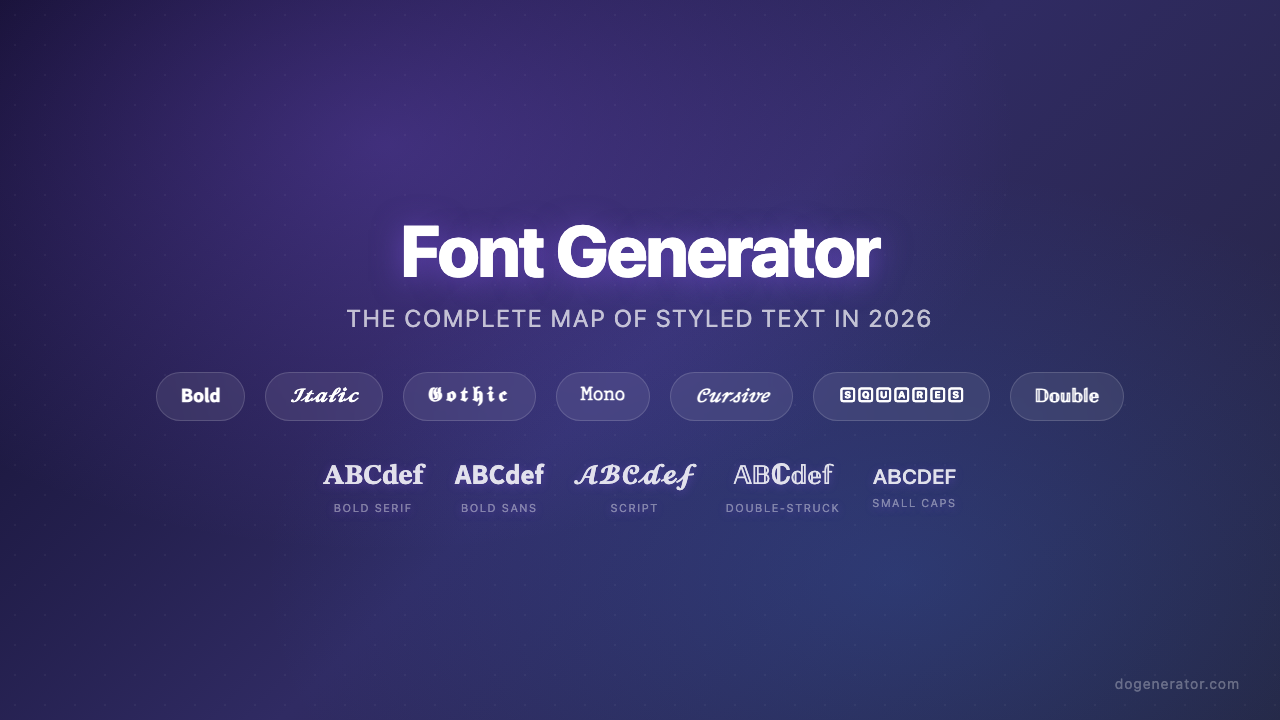
    Font Generator: The Complete Map of Styled Text in 2026

    Somewhere between a marketing team boosting email open rates with Unicode characters and a tattoo artist pulling up a font preview on their phone during a consultation, a single question threads through both scenes: how do you make text look different without installing anything? The answer has quietly reshaped how millions of people present themselves online. Font generators โ€” tools that transform plain text into styled copy-paste output โ€” have moved from novelty utilities to essential pieces of the social media, branding, and design toolkit. The shift happened fast enough that the terminology itself is still catching up: “font generator” means two fundamentally different things depending on whether you need a quick Instagram bio upgrade or a custom typeface for a brand identity system. That confusion is a sign of a category still defining its boundaries, and the data suggests the demand is only accelerating.

    Three forces are driving this moment. First, Unicode’s Mathematical Alphanumeric Symbols block โ€” the technical backbone of every copy-paste font tool โ€” received a meaningful expansion in Unicode 16.0, filling gaps that previously left certain styles with missing characters. Second, AI-powered font creators have emerged as a parallel category, compressing professional typeface design from months to minutes and forcing users to reckon with the distinction between “styled text” and “actual fonts.” Third, the engagement data is no longer anecdotal: profile visits up 40%, email read-through rates up 67%, Discord clan applications tripling โ€” these are consistent, repeatable lifts documented across platforms. Styled text is no longer a aesthetic indulgence; it is a lever with quantifiable returns, and understanding how to use it โ€” and where not to โ€” is what separates effective implementation from noise.

    The Architecture Behind Every Style

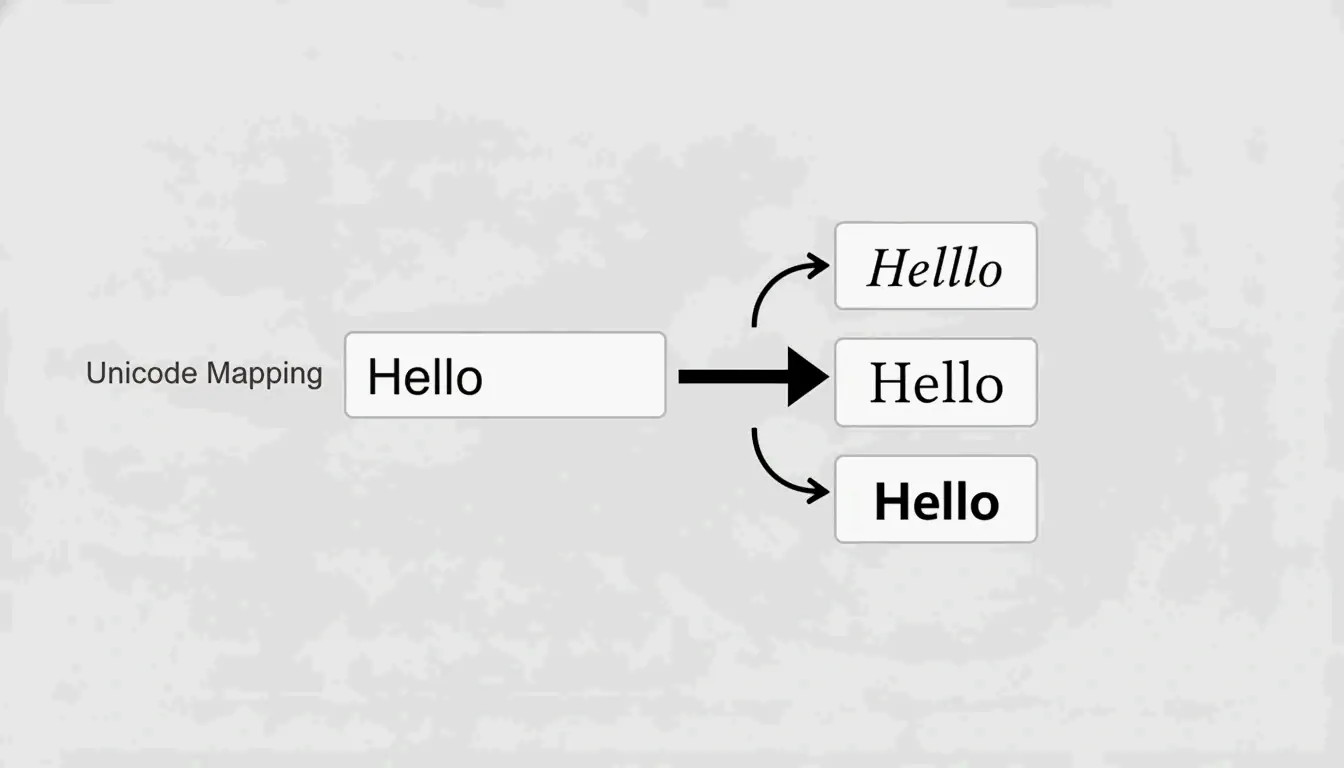
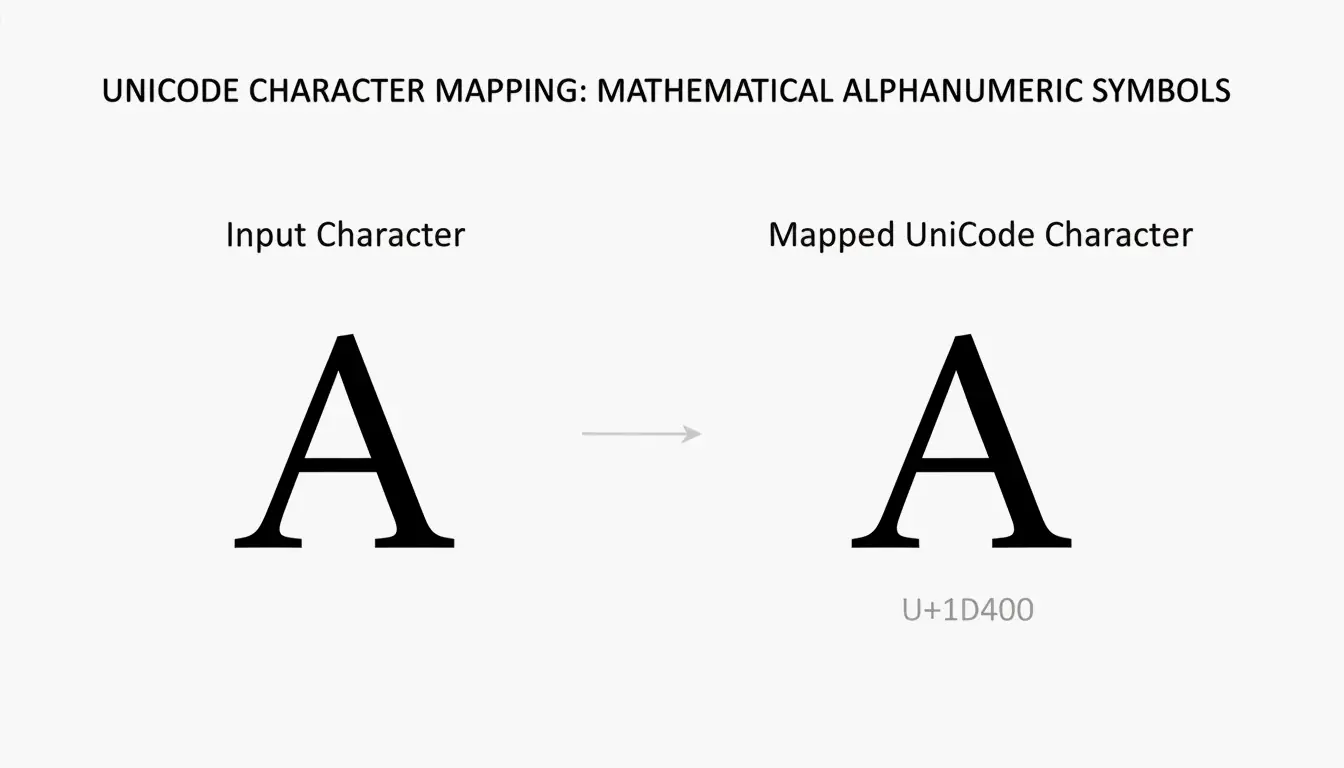
    Every font generator discussed in this space rests on the same technical foundation: Unicode character substitution, not font installation. When you type “Hello” into a generator and get back a cursive version, you are not getting a new font โ€” you are getting five distinct Unicode code points that look like cursive letters. The Latin letter A might map to U+1D400 (Mathematical Bold Capital A) or U+1D504 (Mathematical Fraktur Capital A), and each target character is already encoded in your operating system. That is why the output works on Instagram, Discord, WhatsApp, and TikTok without either side installing anything. The Unicode characters that power these transformations come primarily from the Mathematical Alphanumeric Symbols block, which covers bold, italic, script, Fraktur, double-struck, and monospace styles with the widest device compatibility of any styled-text range.

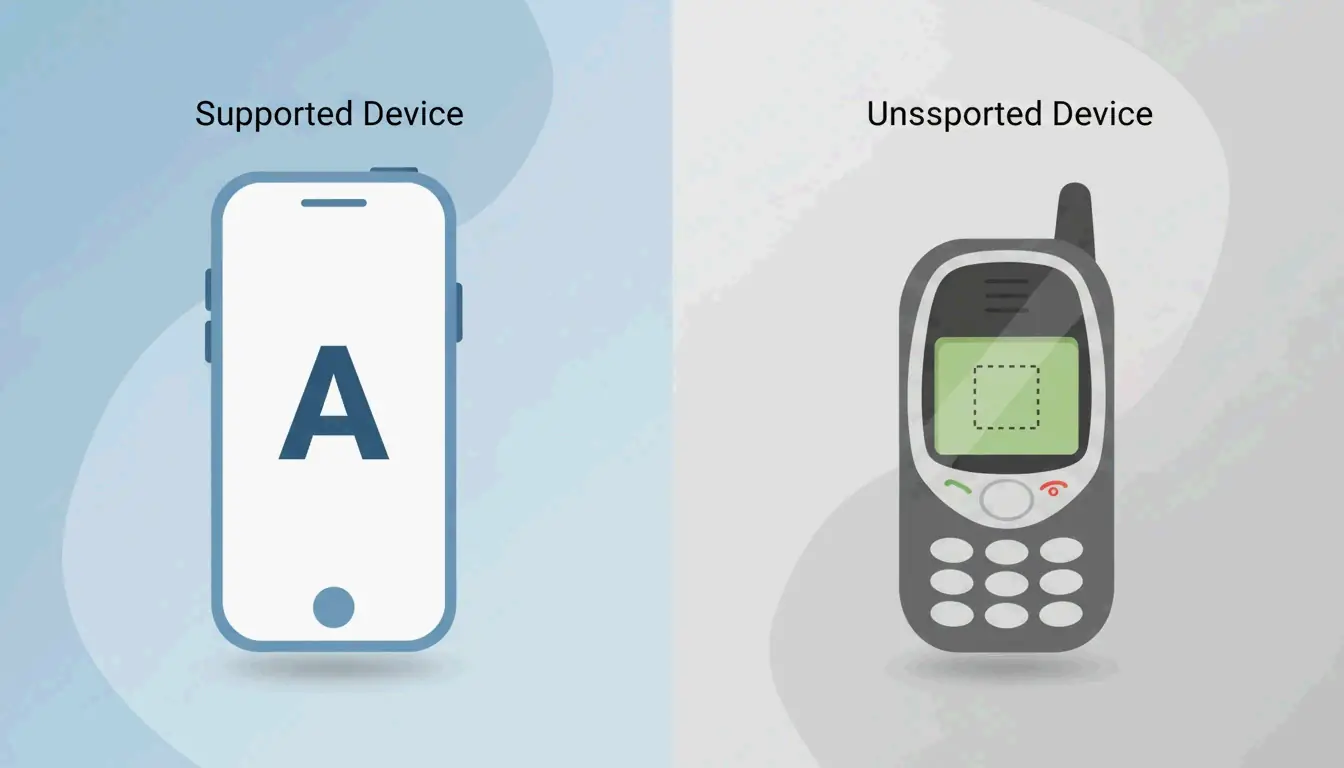
    But compatibility is not uniform. Four different Unicode blocks contribute to the full style palette: Mathematical Alphanumeric Symbols for the basics, Enclosed Alphanumerics for circled characters, Fullwidth CJK characters for the Vaporwave wide-text look, and Fraktur/Blackletter blocks for gothic styles. Characters from the first block render on nearly every modern device. Characters from the more exotic blocks โ€” particularly combining diacritical marks used in Zalgo text โ€” produce those telltale boxes or question marks on older hardware. Understanding which block a style draws from is the single most useful technical shortcut for predicting whether your styled text will display correctly.

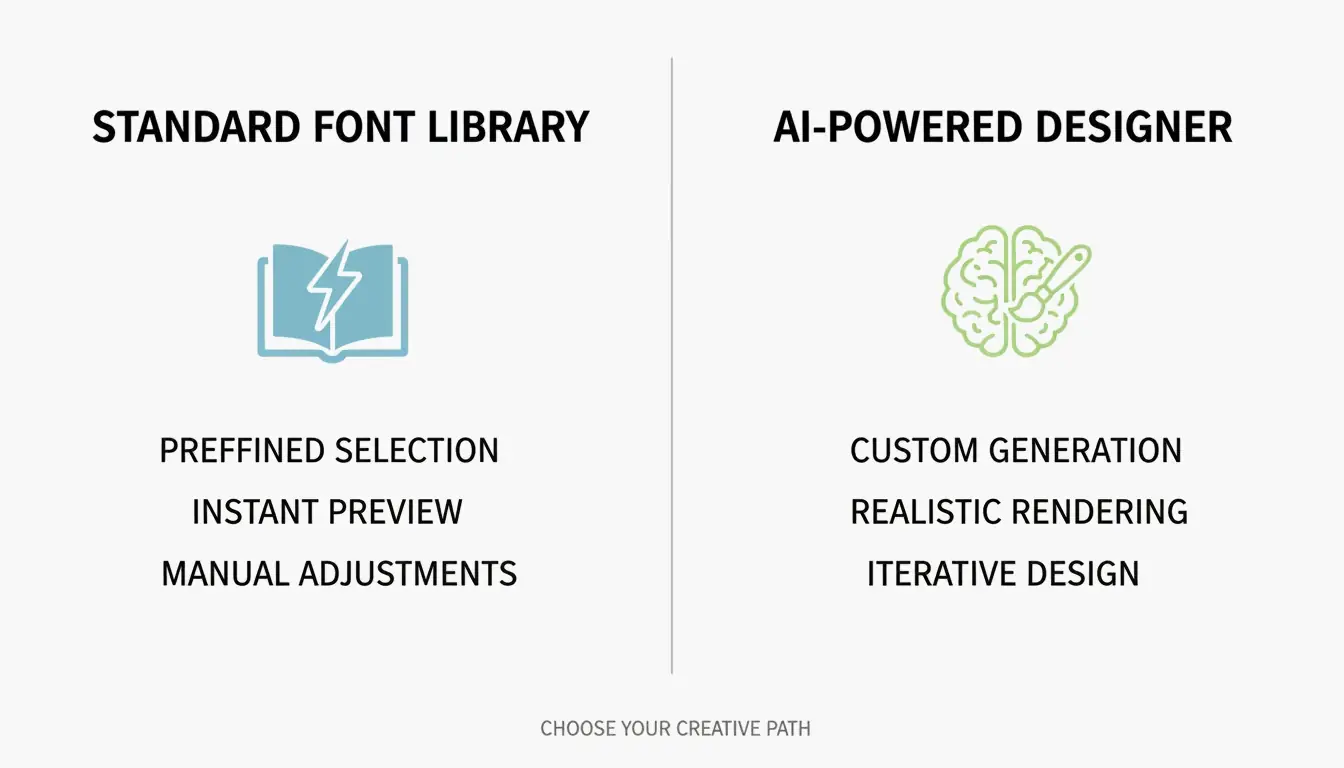
    A meaningful boundary runs through this space that most users never notice. Unicode generators and AI font creators are categorically different tools. One maps existing characters; the other generates original typeface files (TTF, OTF) from scratch using machine learning. Tools like Lipi.ai can produce a commercially licensed font in about 60 seconds โ€” a process that traditionally took months of manual glyph design. AI font generators do not replace Unicode tools; they serve entirely different needs. You use a Unicode generator when you need styled text that copies and pastes into an Instagram bio. You use an AI font creator when you need an installable typeface for a logo, a website, or a packaging design. Conflating the two leads to frustration on both sides.

    From Attention to Accuracy: What Each Style Actually Does

    The eight font generator categories that have emerged are not random. They map to distinct functional layers: styles designed to grab attention, styles designed to signal identity, and styles designed for precision.

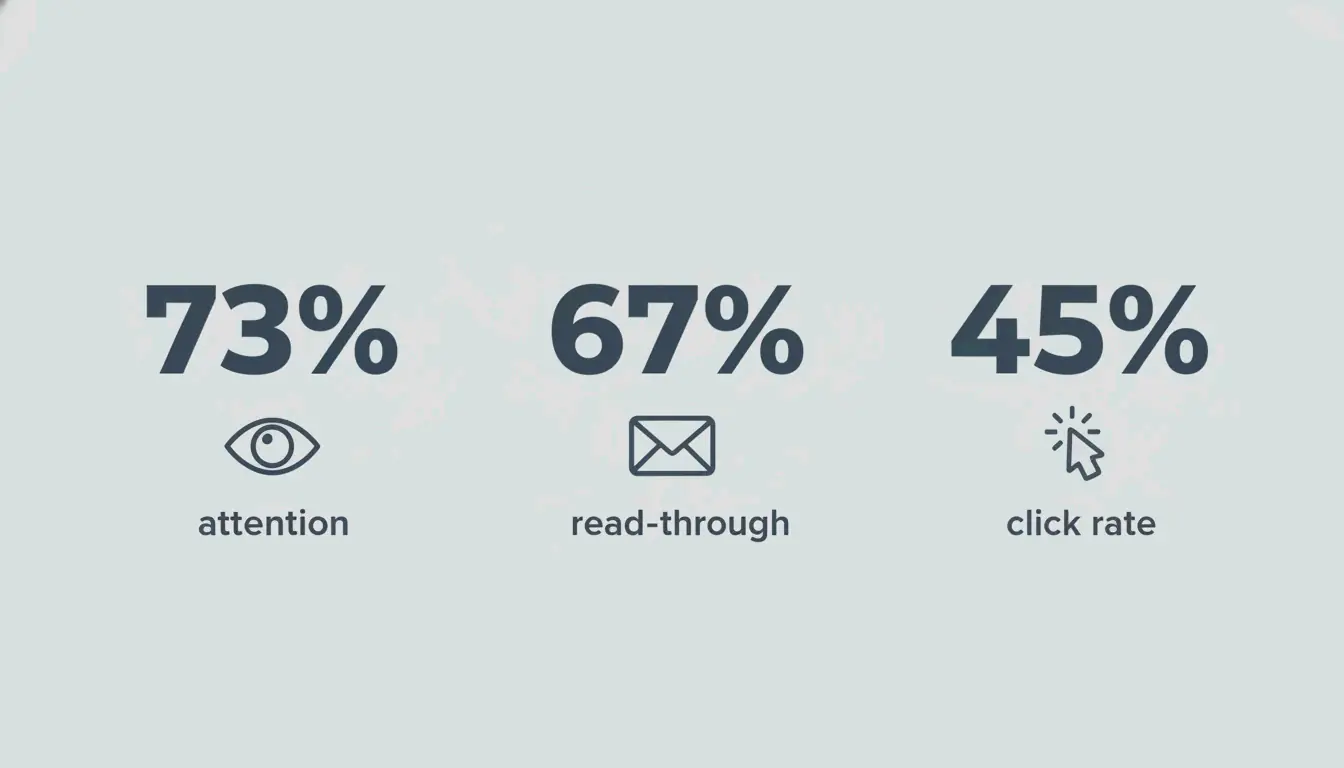
    At the attention layer sit bold and aesthetic styles. Bold text exploits a neurological process called preattention โ€” the brain directs focus to high-contrast elements before conscious thought kicks in. Eye-tracking data shows bold headlines receive 73% more visual attention than standard-weight equivalents, and A/B tests consistently document 67% higher email read-through rates and 45% higher CTA click rates. The mechanism is not subjective preference; it is hardwired visual processing. Bold Sans-Serif reads as professional and modern, while Gothic / Fraktur Bold reads as edgy and established โ€” a gaming clan that switched to bold Gothic tags saw a 40% recruitment increase simply because the styling made them look more credible in lobbies.

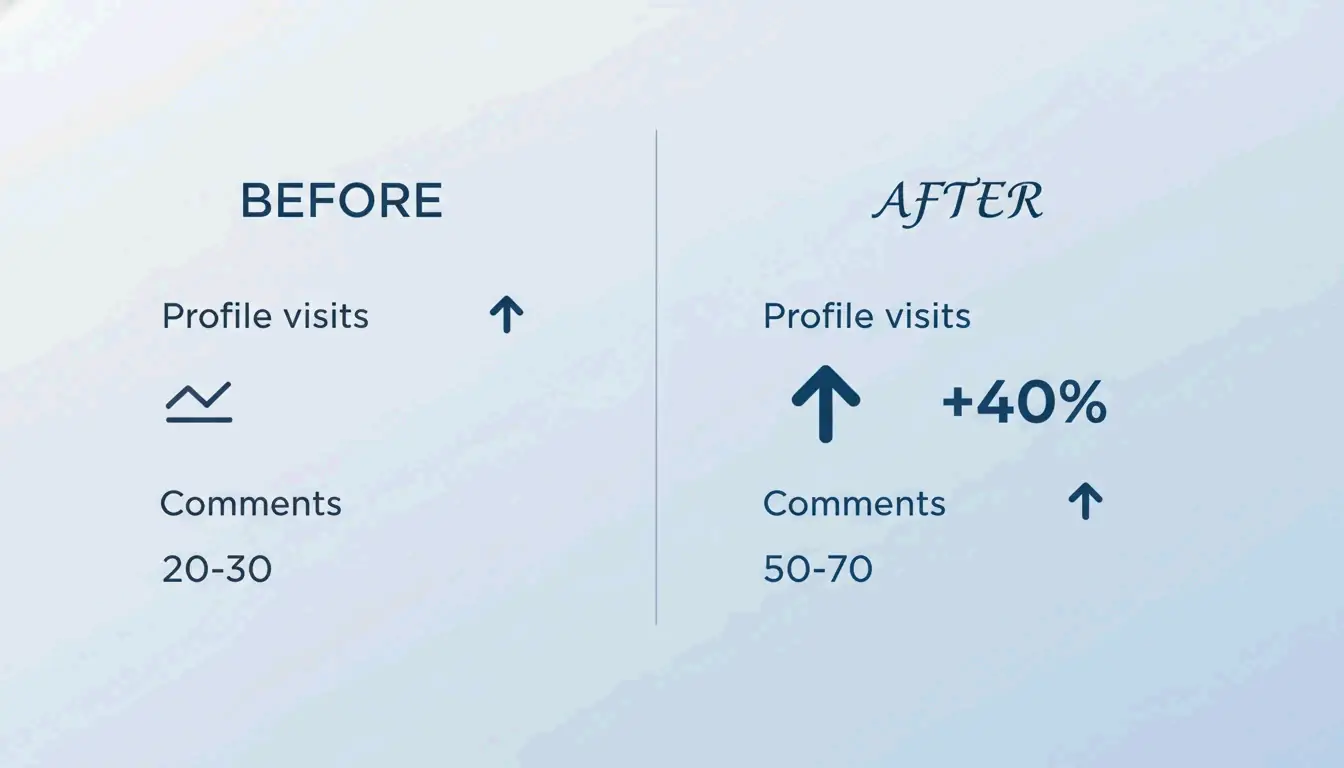
    At the identity layer sit calligraphy, aesthetic, and beautiful styles. These are brand-signaling tools. A skincare brand that redesigned its logo with calligraphy fonts saw a 25% sales increase in three months because customers started associating the brand with luxury. The brand personality you define first determines which style works: script/cursive for elegance, monospace for technical credibility, fullwidth for retro energy. The data is strikingly consistent โ€” profile visits increased 40% in two weeks for one Instagram user who switched to script aesthetic fonts, and professional and business use of styled fonts in wedding invitations produced 30% more positive responses compared to plain-text versions.

    At the precision layer sit number-specific styles. The rule of thumb is straightforward: bold numbers for attention (prices, headlines), monospace numbers for accuracy (serial codes, product IDs, dates). Monospace digits eliminate the visual misalignment that proportional fonts introduce โ€” the difference between reading “SN-000123” cleanly and second-guessing whether that is a zero or the letter O. For any context where transcription accuracy matters, monospace is not an aesthetic choice but a functional one.

    Where Things Break โ€” and What to Do About It

    Platform compatibility is not a minor footnote; it is the axis along which most font generator disappointments happen. Testing shows Instagram, Discord, TikTok, Twitter, and WhatsApp render bold Unicode at near-100% compatibility, but LinkedIn strips certain Gothic and Fraktur styles, sitting at roughly 85%. The further you move from the Mathematical Alphanumeric Symbols block, the more likely you are to see rendering failures โ€” and those failures are invisible to you until someone on an older device tells you your text shows as squares.

    Accessibility is the other fault line, and it runs deeper. Screen readers often interpret decorative Unicode characters as individual symbols rather than letters, reading out “Mathematical Bold Capital A” instead of the word the letter belongs to. This is not a theoretical concern โ€” it affects every visually impaired user encountering your styled text. The practical guidance is consistent across every cluster: style no more than 10% of your total text, keep critical information in plain text, and always provide unstyled alternatives for rules, instructions, addresses, and phone numbers. Fraktur and blackletter styles deserve special caution โ€” their ornate strokes create readability problems even for sighted users, and they should never be used for data where accuracy matters.

    Bold Text: The Performance Baseline

    Readers don’t decide to look at bold text โ€” their eyes go there first, automatically. That single fact explains why bold formatting is the most tested and most validated style in the font generator toolkit. A/B tests document a 67% higher read-through rate for bold email headlines, a 45% increase in CTA clicks, and a 40% increase in Instagram profile visits when key bio elements are bolded. The neuroscience is clear: preattention drives the eyes to high-contrast elements before the reader makes any conscious decision, which means bold text works even when the reader is not trying to notice it. The platform compatibility data is equally encouraging โ€” bold Unicode renders correctly on every major social platform, making it the safest high-impact style available.

    The Free Tool Landscape: What You Actually Get

    Style no more than 10% of your total text. Use styled fonts as accents, not the main event. That “10% rule” is the single most practical guideline to emerge from the free font generator ecosystem, and it addresses the most common mistake: over-styling. Free generators map plain text to Unicode characters across hundreds of styles, but the output is only as good as the restraint with which it is applied. The broadest tools cover bold, cursive, gothic, zalgo, bubble, monospace, and dozens of sub-variants, all producing copy-paste text that works without downloads. The key variable is the character limit of your target platform โ€” styled Unicode characters often consume more bytes than their plain-text equivalents, which means an Instagram bio that fits in plain text may overflow when styled. For anyone using styled text in email subject lines, the guidance splits: tasteful styling can boost open rates, but excessive symbols or all-caps styled text can trigger spam filters.

    When the Font Is Permanent: Tattoo Text

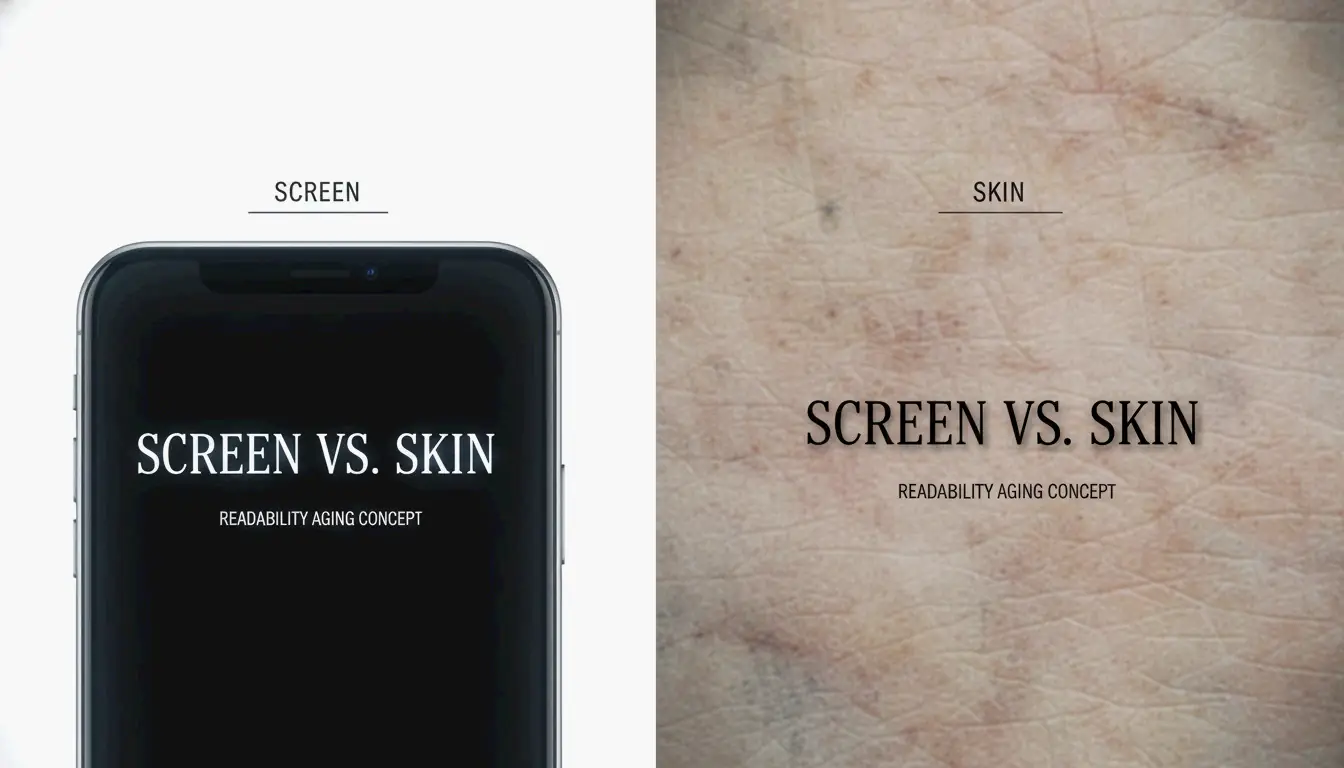
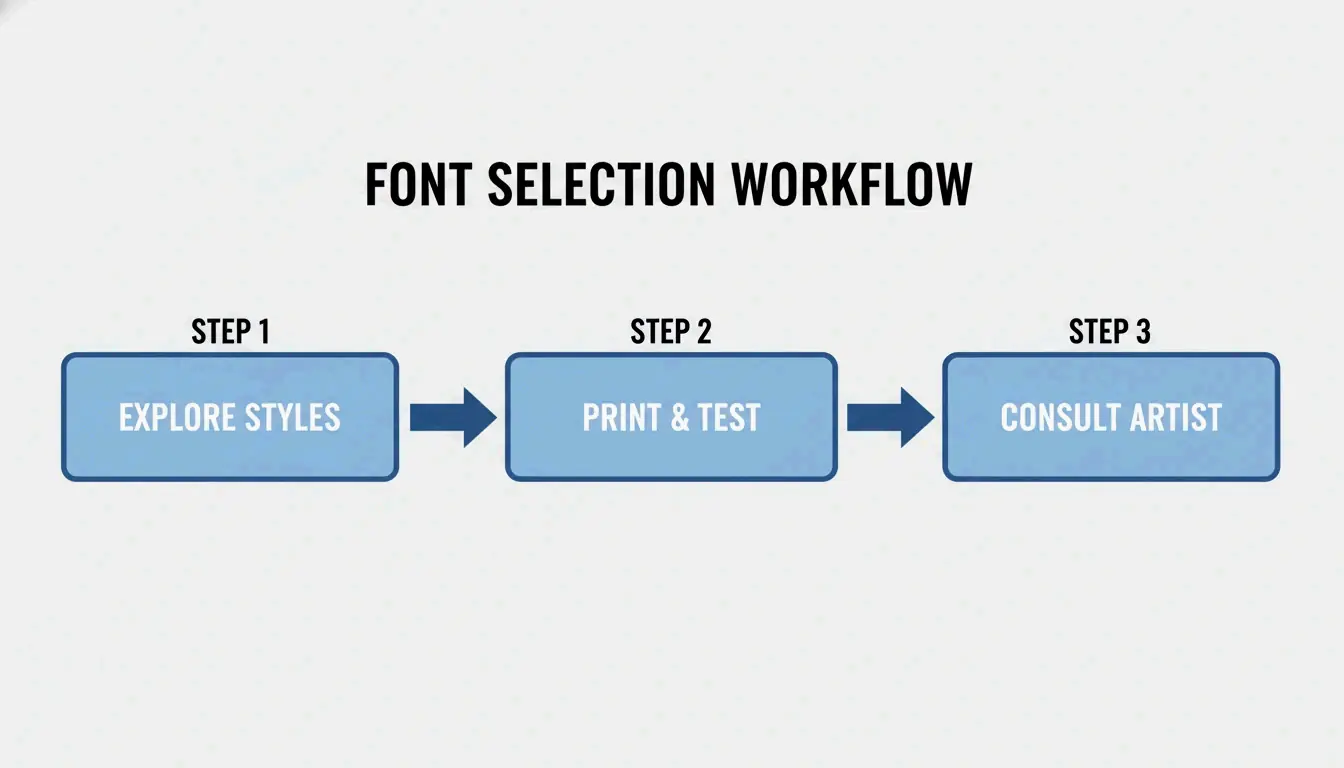
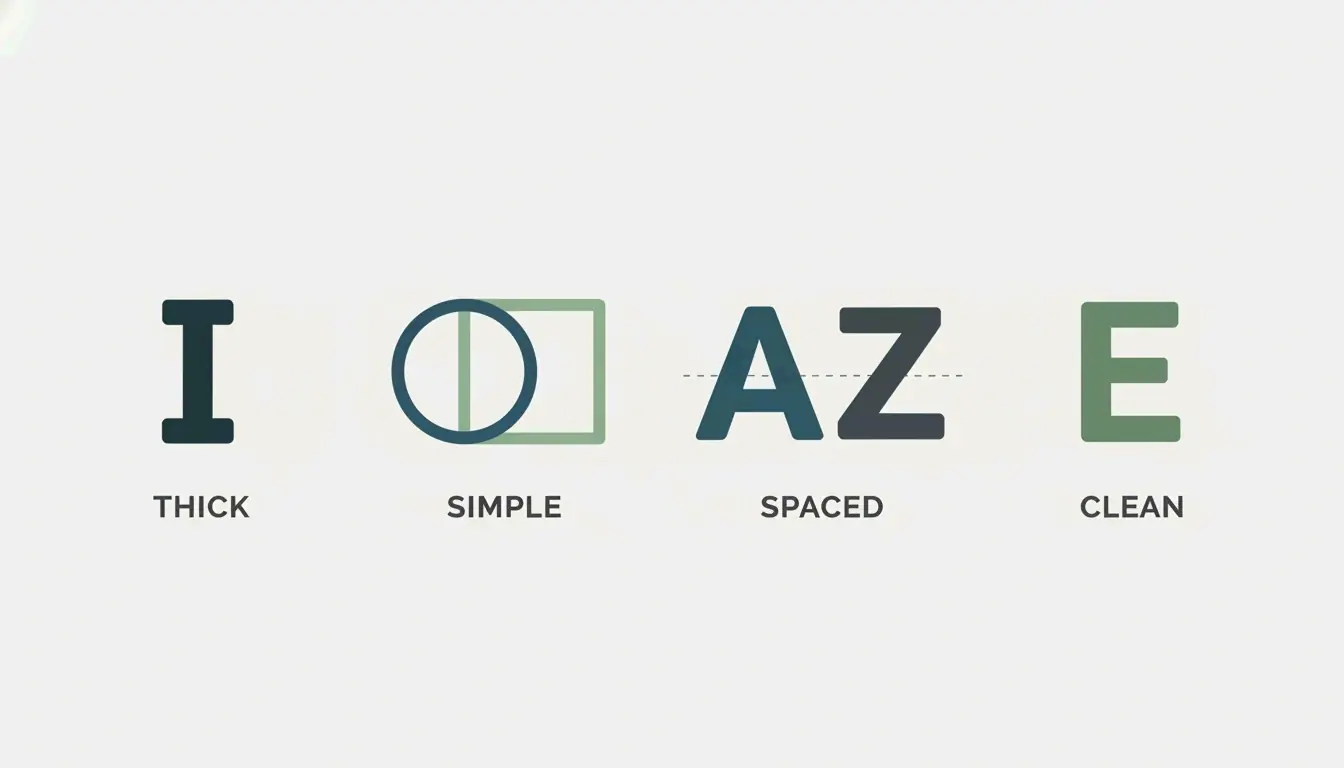
    Skin is not paper. Over time, ink naturally expands under the skin, which changes how your tattoo looks. That warning, repeated across tattoo artist forums and design guides, captures the highest-stakes application of font generators: text that will literally be on your body for decades. The tattoo context introduces considerations that no other use case faces โ€” fonts that age well share four specific traits: thicker strokes, simple shapes, good spacing, and low detail. Ultra-thin script tattoos lose readability as ink spreads, and tight spacing causes letters to blend together over years. The non-negotiable step is the print test: printing the generated text at actual body size and living with it before the appointment, because retina displays make everything look sharper than it will appear on skin. Gothic & Blackletter styles are particularly popular for tattoo text because their bold stroke weight resists the fading and blurring that destroys finer scripts over time.

    Elegance at Scale: Calligraphy for Brand and Event

    Customers started associating the brand with luxury because of the elegant calligraphy. That reaction โ€” documented by a skincare brand that saw a 25% sales increase after a calligraphy logo redesign โ€” illustrates the commercial power of calligraphy styling. Calligraphy font generators sit at the intersection of personal expression and professional design: they save individual users over $400 on wedding invitations compared to hiring a professional calligrapher, and they help professional designers increase profit margins by up to 40% on branding projects by using generators as rapid prototyping tools. The critical decision point is readability and scalability โ€” testing the chosen font on a mobile screen, a business card, and a billboard mockup before committing, because a calligraphy style that looks elegant on a monitor may be unreadable at business-card size.

    Aesthetic Styles as Brand Identity

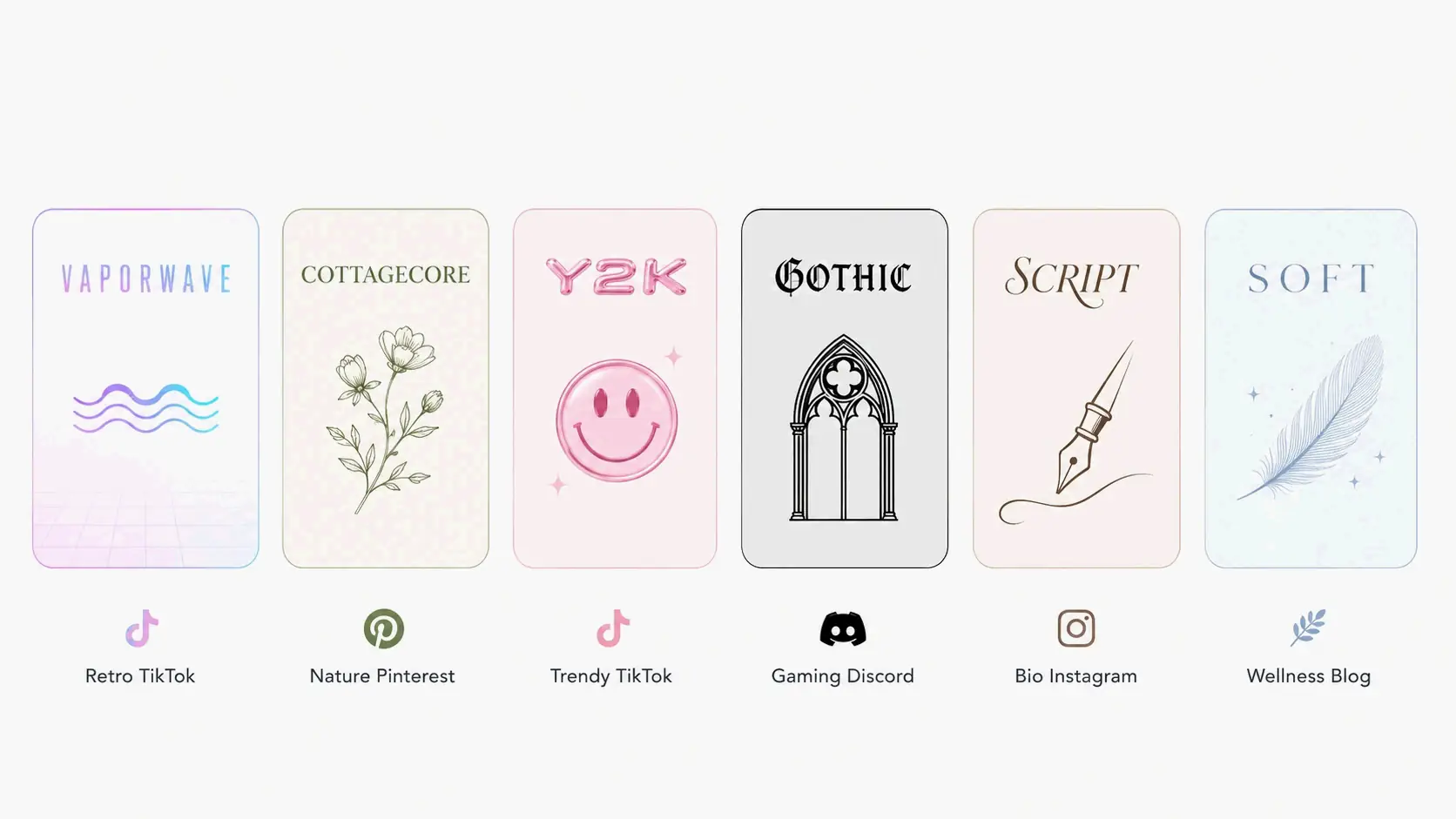
    Over 40% of users choose script styles, making them the most popular category in the aesthetic font generator space. But the real insight is not which style wins the popularity contest โ€” it is that the aesthetic font landscape is now organized by cultural subcultures rather than technical categories. Vaporwave maps to Fullwidth CJK characters and 80s-90s nostalgia. Cottagecore maps to flowing scripts and nature content. Y2K maps to bubbly rounded characters and early-2000s energy. These mappings turn a technical Unicode selection into a brand identity decision, and the Mathematical Alphanumeric Symbols block underpins most of them. The engagement data reinforces the investment: one Instagram user documented a 40% increase in profile visits within two weeks of switching to script aesthetic fonts, and a Discord user who changed their username to double-struck style saw friend requests triple.

    The Decision Framework: Beautiful Fonts for Every Context

    One clan changed their tag from [APEX] to a Unicode-styled version and applications tripled. That anecdote from the Discord gaming world is a microcosm of what the right font style does at every scale โ€” it signals credibility before the content even gets read. The most actionable resource to emerge from this space is the font selection matrix that maps nine brand and event types to specific Unicode styles: Cursive/Script for Instagram bios, Bold/Gothic for gaming, Calligraphy for weddings, Monospace/Sans Bold for tech brands, and so on. Each pairing is backed by reasoning about why that style works in that context, including the specific Unicode block it draws from and platform compatibility tradeoffs. The Unicode 16.0 update has expanded the available character set with new bold italic sans-serif variants, meaning some styles that previously had missing letters now render more completely โ€” a quiet but meaningful improvement for anyone using the full style range.

    Numbers: The Overlooked Variable

    The rule of thumb: bold for attention, monospace for accuracy. Number-specific font styling is the most overlooked dimension of the font generator space because most people think of font styling as an alphabet problem. But digits appear in prices, dates, serial codes, phone numbers, and version numbers โ€” contexts where the right style is not just cosmetic but functional. The distinction between a bold number that draws the eye to a price point and a monospace number that keeps serial-code digits aligned and readable is the difference between a styled text that helps and one that confuses. Search engines treat styled digits as normal text characters with no ranking benefit or penalty, so the decision is purely about human readability โ€” and for phone numbers, addresses, and product codes, that readability is not optional.

    Alternate Styles and the Edges of the Map

    If you search for “font generator” expecting to create a custom typeface, you might be disappointed by a Unicode tool that only offers preset styles. That tension โ€” between the tool people imagine and the tool that actually exists โ€” is the defining confusion of the alternate font generator category. The five most common style families (cursive/script, gothic or Old English, Zalgo text, bold/italic/double-struck, and circled/squared) cover the overwhelming majority of use cases, but they are preset substitutions, not custom creations. The style-selector guide maps each to its best platform: Gothic for Discord nicknames and gaming, Cursive for TikTok display names and Instagram, Zalgo for horror-themed content. For anyone hitting rendering failures, the diagnostic is always the same โ€” check whether the style draws from the Mathematical Alphanumeric Symbols block (safe) or from more exotic ranges that may not be in your device’s font repertoire.

  • Aesthetic Font Generator: The Ultimate Guide to Stylish Unicode Text

    Aesthetic Font Generator: The Ultimate Guide to Stylish Unicode Text

    Meta Description: Instantly turn plain text into beautiful Unicode fonts with the best aesthetic font generator. Copy & paste on Instagram, TikTok, Discord โ€“ 300+ styles free. No downloads, no sign-ups.

    TL;DR

    Aesthetic font generators instantly convert your text into Unicode-based stylish fonts. Type your text, pick from hundreds of styles (cursive, vaporwave, etc.), copy, and paste anywhere โ€” no downloads, no sign-ups. For a reliable free option, try the font generator on dogenerator.com, which offers hundreds of aesthetic styles right in your browser.

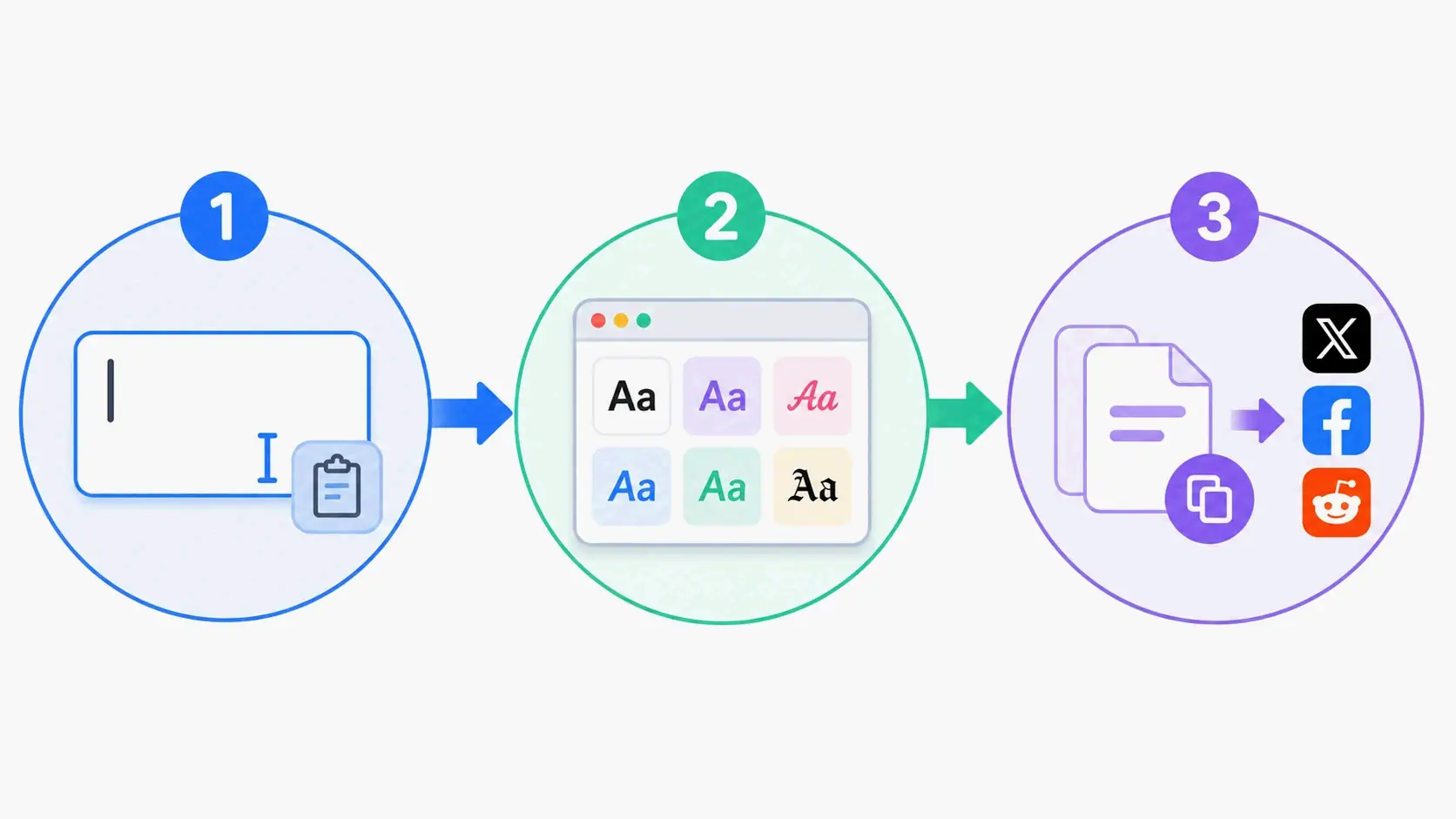
    How to Use an Aesthetic Font Generator in 3 Simple Steps

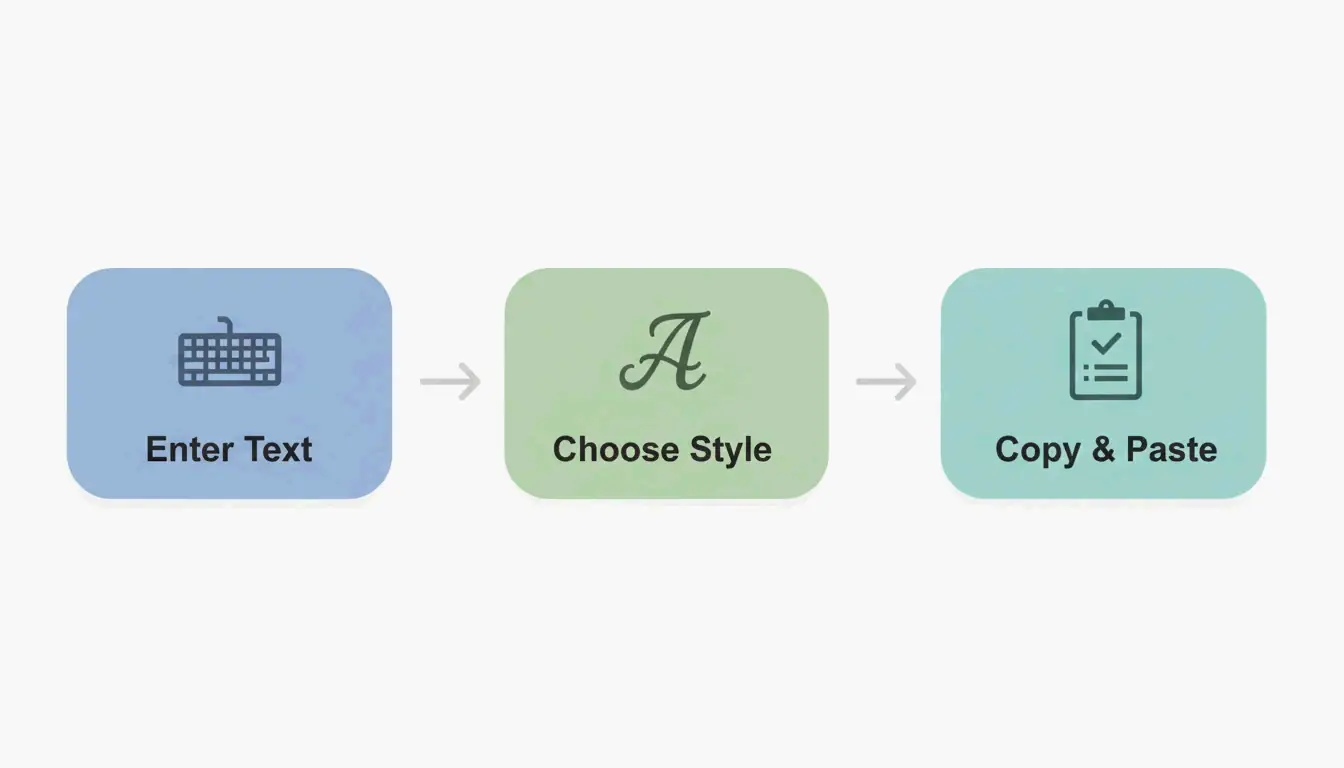
    Using an aesthetic font generator takes about 10 seconds from start to finish. Here’s exactly how to do it.

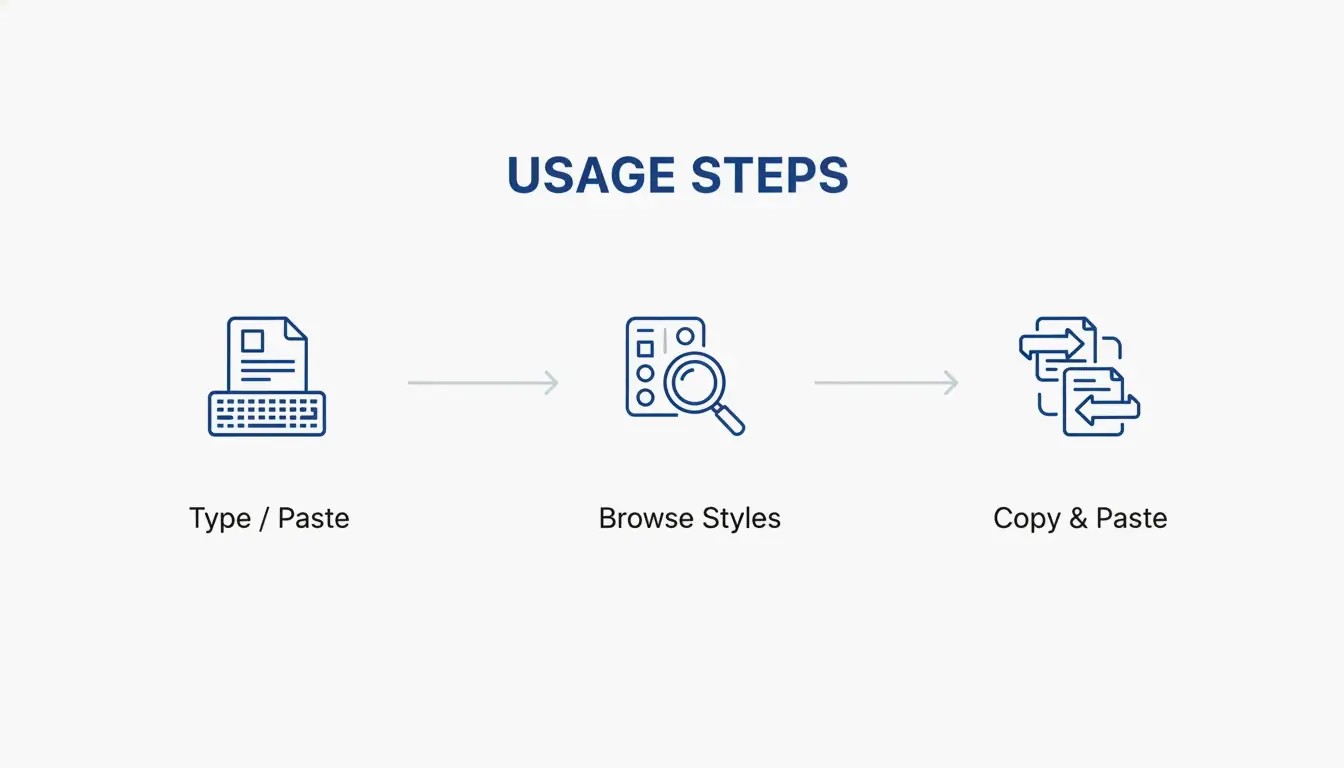
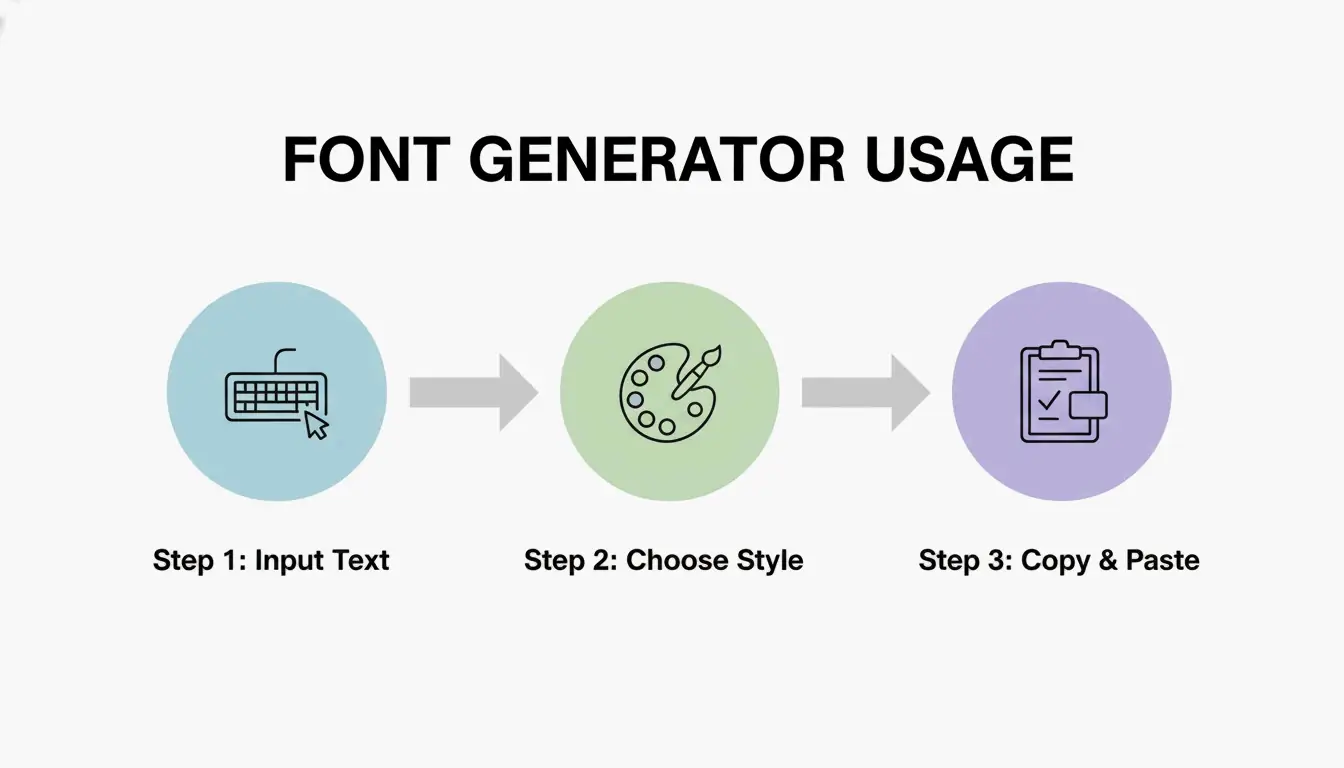
    Step 1: Type or Paste Your Text

    Enter whatever you want styled into the input box at the top of any aesthetic font generator page. Your name, a quote, your Instagram bio, a Discord status โ€” anything works. Most tools handle any length, and you can start with something short like your username to browse styles quickly before generating longer text. The Fonts Generator at dogenerator.com makes this especially easy with a clean, distraction-free input area.

    Step 2: Browse 300+ Aesthetic Font Styles

    Once your text is entered, you’ll see it displayed instantly in hundreds of different styles. Each preview shows exactly how your text will look when pasted. The styles are organized by category โ€” soft aesthetic, dark aesthetic, vaporwave, Y2K, cottagecore, and more โ€” making it easy to find the right vibe for your content. Platforms like dogenerator.com update their style libraries regularly so you always have fresh options to explore.

    Step 3: Copy and Paste Your Chosen Style

    Found the perfect style? Click the copy button next to it. Your styled text is immediately on your clipboard. Then go to Instagram, TikTok, Discord, Pinterest, or any platform and paste using Ctrl+V (Windows), Cmd+V (Mac), or your phone’s paste option. Because the output uses standard Unicode, the aesthetic styling stays intact โ€” no formatting lost, no broken characters, no surprises.

    Where Does the Copied Text Go?

    Your aesthetic text goes directly to your device’s clipboard. It’s now real text that you can paste into any app, website, or document that accepts text input. Because it uses Unicode characters rather than images or special formatting, it works everywhere โ€” Instagram bios, TikTok captions, Discord nicknames, Pinterest board titles, and more. You can also save your favorite styles in a note on your phone for quick access later.

    Flowchart of three steps: Type, Browse, Copy and Paste using aesthetic font generator

    Why an Aesthetic Font Generator Uses Unicode (Not Real Fonts)

    Understanding the technology behind aesthetic fonts helps you use them more effectively. Here’s the key difference: aesthetic font generators don’t create actual font files โ€” they convert your text into Unicode characters.

    Unicode Characters vs. Traditional Font Faces

    Regular fonts like Arial or Times New Roman are typefaces installed on your device. They require applications like Photoshop or Word to use. Aesthetic fonts, on the other hand, are special Unicode characters that look like stylized text but function as regular text everywhere. Tools like the Fancy Font Generator on dogenerator.com leverage this Unicode mapping to deliver instant, copy-paste-ready results.

    Think of Unicode as a massive library of every text character imaginable. When you type plain text into an aesthetic font generator, it maps each letter to its Unicode equivalent โ€” mathematical alphanumeric symbols, enclosed alphanumerics, and other special character sets that exist within the Unicode standard.

    Why Unicode Makes Copy-Paste Work Across All Platforms

    This is the game-changer. Because Unicode characters are already built into every modern device and operating system, your styled text displays correctly on any platform without installing anything. Your phone, computer, tablet โ€” they all recognize these aesthetic fonts natively. Your styled text looks exactly the same whether your audience views it on an iPhone, Android device, Windows PC, or Mac.

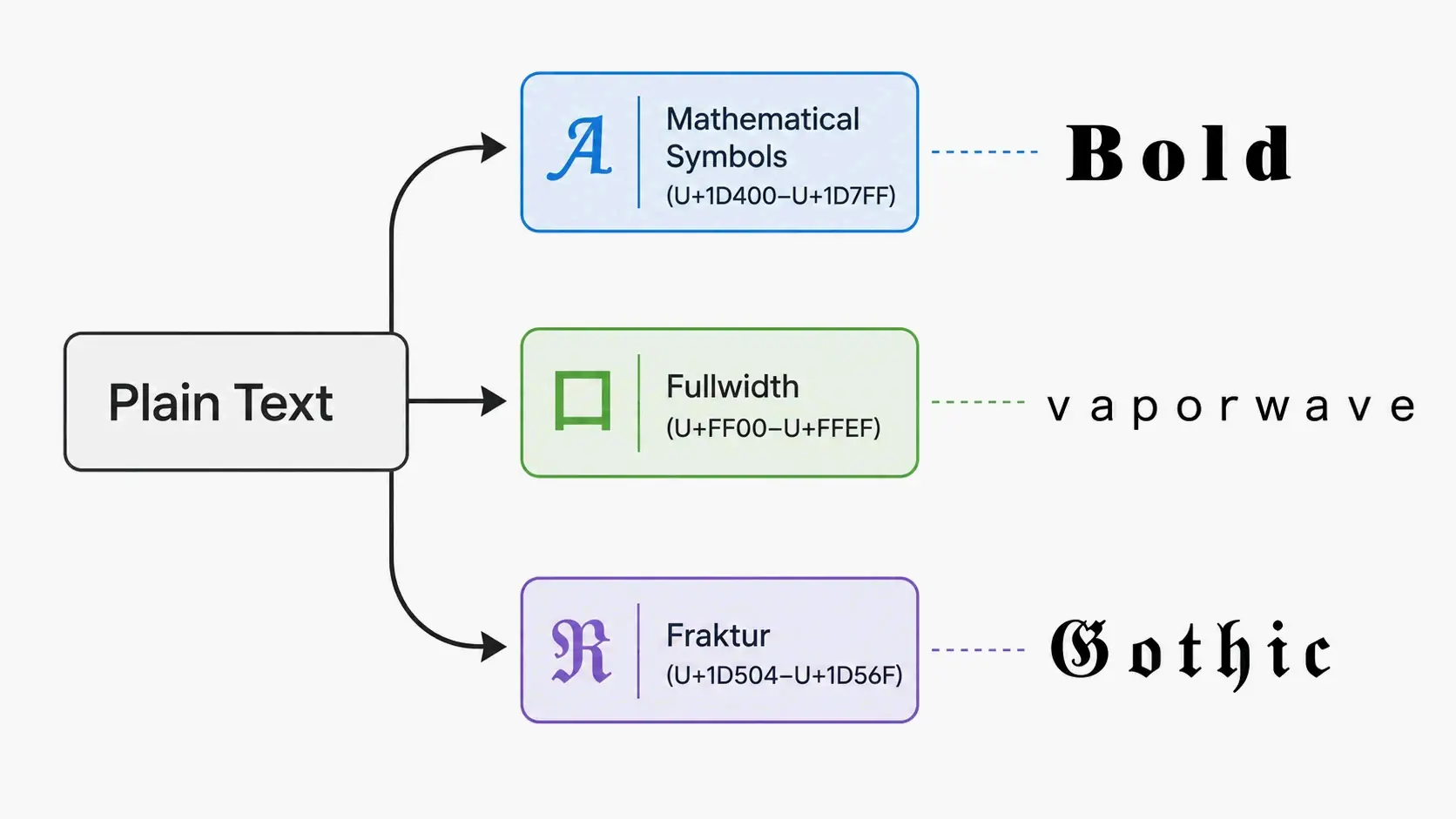
    How Different Unicode Blocks Create Different Styles

    Not all Unicode characters come from the same place. Different Unicode blocks produce different aesthetic effects:

    • Mathematical Alphanumeric Symbols produce bold, italic, and script variations (like ๐๐จ๐ฅ๐ or ๐“˜๐“ฝ๐“ช๐“ต๐“ฒ๐“ฌ ๐“ผ๐“ฌ๐“ป๐“ฒ๐“น๐“ฝ)
    • Enclosed Alphanumerics create circled or parenthesized characters (like โ“‘โ“คโ“‘โ“‘โ“›โ“”)
    • Fullwidth characters from the CJK block create the wide, spaced vaporwave look (like ๏ฝ–๏ฝ๏ฝ๏ฝ๏ฝ’๏ฝ—๏ฝ๏ฝ–๏ฝ…)
    • Fraktur and Blackletter blocks produce the gothic, medieval styles (like ๐”Š๐”ฌ๐”ฑ๐”ฅ๐”ฆ๐” )

    This variety is what makes 300+ aesthetic font styles possible from a single text input.

    Diagram showing how different Unicode blocks create different aesthetic font styles: Mathematical Symbols, Fullwidth, Fraktur

    What Happens When the Unicode Character Isn’t Supported?

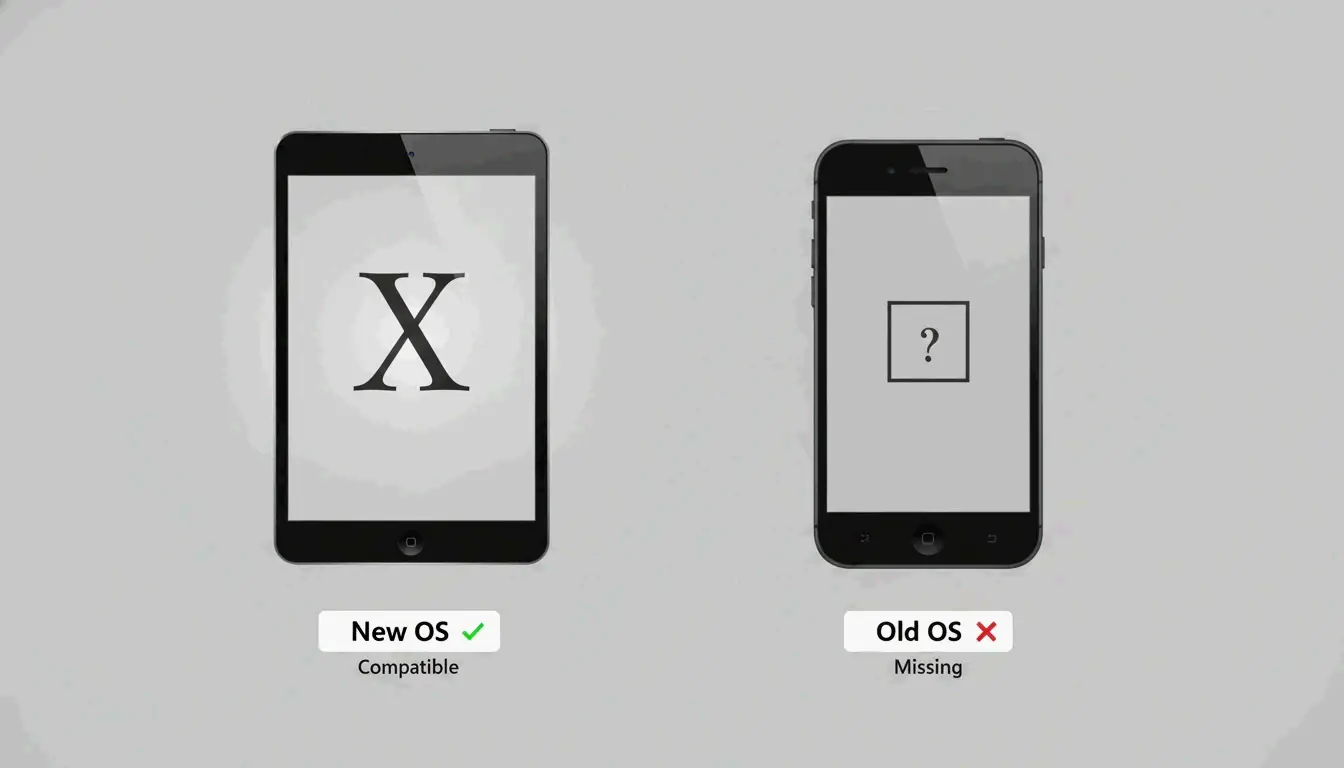
    Very old devices or outdated software might display boxes or question marks instead of aesthetic characters. Most smartphones from the last 5-7 years support Unicode fully, but older devices can struggle.

    The solution is simple: if one style doesn’t display correctly, try another from the same aesthetic category. Reputable generators like dogenerator.com test every style on major platforms before including it, so you’re only seeing fonts that work everywhere.

    300+ Aesthetic Font Styles: Which One Fits Your Vibe?

    Different aesthetic font styles communicate different moods and attract different audiences. Here’s a breakdown of the most popular categories and where they work best.

    Vaporwave

    Wide, spacious, and nostalgic. Vaporwave aesthetic fonts stretch letters horizontally using fullwidth Unicode characters. They immediately evoke 80s-90s internet culture, retro tech, and nostalgic vibes. This style is perfect for throwback posts, retro gaming content, and anyone building a nostalgic aesthetic brand on TikTok or Instagram. Try generating vaporwave text using the Fonts Generator to see the wide, spaced look in action.

    Cottagecore

    Rural, vintage, and homey. Cottagecore aesthetic fonts use flowing scripts and delicate letterforms that feel handcrafted and organic. These fonts should feel like they came from a handwritten letter or vintage book โ€” cozy and personal. They pair beautifully with nature photography, baking content, and cozy imagery on Pinterest and Instagram.

    Y2K

    Early 2000s tech, sparkle graphics, and playful energy define Y2K aesthetic fonts. Bubbly characters, fun styles, and optimistic vibes characterize this category. Y2K is currently trending hard on TikTok, and creators using matching Y2K fonts in captions get noticeably higher engagement.

    Gothic / Blackletter

    Dark, dramatic, and medieval-inspired. Gothic fonts use heavy blackletter strokes that create intense, moody text. These are favored in dark academia, gothic, and alternative aesthetics. They work perfectly for Discord nicknames, gaming usernames, and edgy social media profiles. Dogenerator.com’s Tattoo Font Generator also offers great blackletter options that work for both ink designs and online profiles.

    Script / Cursive

    Flowing, elegant, and sophisticated. Script aesthetic fonts connect letters smoothly to mimic professional calligraphy. Over 40% of users choose script styles, making them the most popular category. They’re perfect for Instagram bios, Pinterest board titles, and any content that needs a touch of elegance. For more cursive styles, dogenerator.com’s Cursive Font Generator offers a dedicated collection.

    Soft & Minimal

    Gentle, dreamy, and understated. Soft aesthetic fonts use thin letterforms, small caps, and delicate styling. These are popular in minimalist and kawaii aesthetics. They work well for lifestyle content, wellness accounts, and personal branding that prioritizes clarity and calm.

    Concept map of six aesthetic font styles: Vaporwave, Cottagecore, Y2K, Gothic, Script, Soft Minimal with corresponding scenes

    How to Match Font Aesthetics with Your Content Strategy

    Your font choice is part of your brand identity. The best approach is choosing one or two styles consistently across all platforms to build visual recognition. If your Instagram feed is soft and pastel, use gentle script fonts. Dark moody photography pairs better with gothic styles. Inconsistent typography breaks aesthetic cohesion, so the font style should always support your overall visual narrative.

    Aesthetic Fonts on Instagram, TikTok, and Discord: Proven Engagement Boost

    Real users have documented significant engagement increases after switching to aesthetic fonts. Here’s what the data shows.

    Instagram: Bio Redesign Success

    Many users have reported dramatic improvements after redesigning their bios. One user shared that after switching to script aesthetic fonts generated on dogenerator.com, profile visits increased 40% in two weeks. Users who combine aesthetic text with emoji and strategic spacing see their bio become part of their visual brand, not just information.

    TikTok: Y2K Aesthetic Drives Engagement

    TikTok creators using Y2K aesthetic fonts in captions get noticeably higher engagement. The nostalgia factor is powerful โ€” viewers stop scrolling because the text looks different and intentional. Users reported more comments asking “what font is that?” which starts conversations and drives algorithm visibility.

    Discord: Double-Struck Font Triples Friend Requests

    One user changed their Discord nickname to a double-struck font style and saw friend requests triple. As they explained, “people remembered my unique name styling. That’s powerful for networking in gaming communities.” You can easily create double-struck and other bold styles with dogenerator.com’s free font generator.

    Platform-Specific Tips

    • Instagram: Bios are limited to 150 characters. Use aesthetic fonts for your name and key phrases. Keep contact info plain for easy clicking.
    • TikTok: Captions can be up to 3000 characters, but use aesthetic fonts for the first line hook only. Too much styling might affect discoverability.
    • Discord: Nicknames can use aesthetic fonts freely. Server names, channel names, and role names all benefit from consistent styling.

    Infographic showing Instagram +40% profile visits, TikTok higher engagement, Discord 3x friend requests with aesthetic fonts

    Can I Use Aesthetic Fonts in Instagram Stories or TikTok Videos?

    Yes, but differently. Instagram Stories have built-in text tools, but using aesthetic Unicode in your story text works if you paste it as a text block. For TikTok videos, aesthetic fonts work in captions and video text overlays. The recommendation is using aesthetic fonts for your hook โ€” the opening statement that appears in the feed preview โ€” to make scrollers pause.

    Will My Friends See the Same Font on Their Device?

    Yes, because aesthetic fonts use Unicode characters that are built into every modern device. Your aesthetic text isn’t an image or special formatting โ€” it’s actual text that copies, pastes, and searches like normal letters. The only exception is very old devices (10+ years) that might show boxes for some exotic styles.

    Expert Tips: Using Aesthetic Fonts Without Hurting SEO or Accessibility

    Aesthetic fonts are powerful tools, but they require thoughtful use to avoid unintended consequences.

    How Search Engines Handle Unicode Text

    Unicode characters are real text, so search engines can index them. However, overly decorative fonts with excessive special characters may confuse natural language processing algorithms. As of May 2026, no major SEO changes have been reported specifically for decorative Unicode use, but best practice remains: use aesthetic fonts for secondary elements like bios and captions, not for critical content like headlines or ALT text.

    Screen Reader Compatibility

    Screen readers often interpret decorative Unicode characters as individual symbols rather than letters, which can make your text unreadable for visually impaired users. The best approach is using aesthetic fonts primarily for decorative purposes and branding, not essential information that everyone must access. For critical announcements or instructions, include plain text alternatives.

    GEO (Generative Engine Optimization) Perspective

    AI search engines like ChatGPT may still comprehend Unicode text, but cleaner plain text is safer for ranking. When using aesthetic fonts in content that might be summarized by AI tools, keep the core message in standard text and apply styling only to decorative elements.

    Best Practices Summary

    • Use aesthetic fonts for Instagram bios, TikTok captions, Discord nicknames, and Pinterest board titles
    • Avoid aesthetic fonts in website headings, metadata, ALT text, email addresses, URLs, and phone numbers
    • Keep decorative fonts short โ€” heavy styles work best for single words or short phrases
    • Test on multiple devices before committing to a permanent change

    When Should You Avoid Aesthetic Fonts?

    Avoid aesthetic fonts in any context where clarity is paramount: professional documents, legal notices, medical information, instructional content, and accessibility-critical materials. Even the most beautiful aesthetic font loses its value if viewers struggle to read the actual content. Also avoid them in spaces with strict character filters or proprietary font systems.

    Conclusion

    An aesthetic font generator is the simplest way to add personality to your online presence without any technical setup. It works everywhere thanks to Unicode, and when used wisely, it can boost engagement and brand recognition. Visit dogenerator.com today, experiment with different styles (try Vaporwave or Script for a start), and apply them to your Instagram bio, Discord display name, or TikTok captions. Monitor your profile visits and friend requests to see the impact.

    FAQ

    Are aesthetic font generators really free?

    Yes, most online generators are completely free with no hidden charges. They earn revenue through optional ads or donations, never by charging users. Premium features like removing ads or bulk exports may exist but are not required. Dogenerator.com, for example, offers its full Fonts Generator suite completely free.

    Do aesthetic fonts affect SEO or search visibility?

    Unicode characters are still text, so search engines can index them. However, overly decorative fonts may confuse search engines and reduce readability. Best practice: use them in bios, captions, or secondary elements, not in headings or metadata.

    Can I use aesthetic fonts on iPhone/Android?

    Yes, since they’re Unicode characters, they display natively on any modern OS. No app installation required โ€” just copy from the generator’s website in your mobile browser. They paste into WhatsApp, iMessage, Instagram, TikTok, etc., without issues.

  • Calligraphy Font Generator: Free Online Tool for Elegant Text Styles

    Calligraphy Font Generator: Free Online Tool for Elegant Text Styles

    A calligraphy font generator is a free online tool that uses Unicode characters to turn your plain text into elegant calligraphy styles you can copy and paste anywhere. Whether you’re working on wedding invites, updating your Instagram bio, or planning a tattoo, these generators let you create professional-looking calligraphy text instantlyโ€”no artistic skills or expensive software needed. If you’re looking for a reliable starting point, the font generator at dogenerator.com offers a wide range of styles, including cursive and calligraphy options that work across all platforms.

    What to Look for in a Calligraphy Font Generator: Essential Features

    Not all calligraphy font generators are the same. When picking one, focus on features that determine whether your styled text actually works in the real world.

    Unicode compatibility matters because it ensures the fonts display correctly everywhereโ€”from Instagram bios to printed wedding programs. Copy and paste functionality is the core workflow: you type text, pick a style, and paste the result anywhere that accepts text input. A good generator offers variety of styles, from classic wedding script to modern brush calligraphy and gothic blackletter. Finally, consider free vs paid options: most online generators are completely free for personal use, but some may require attribution or offer paid plans for commercial applications.

    Unicode Technology: Why It Matters for Cross-Platform Compatibility

    Calligraphy font generators don’t create actual font files you install on your computer. Instead, they use Unicode charactersโ€”a universal text encoding standard that includes thousands of special symbols, including decorative letters that mimic calligraphy. As FontsGeneratorPro explains, these “aren’t traditional fonts you install on your computer. They’re special Unicode characters that work everywhere without any installation.”

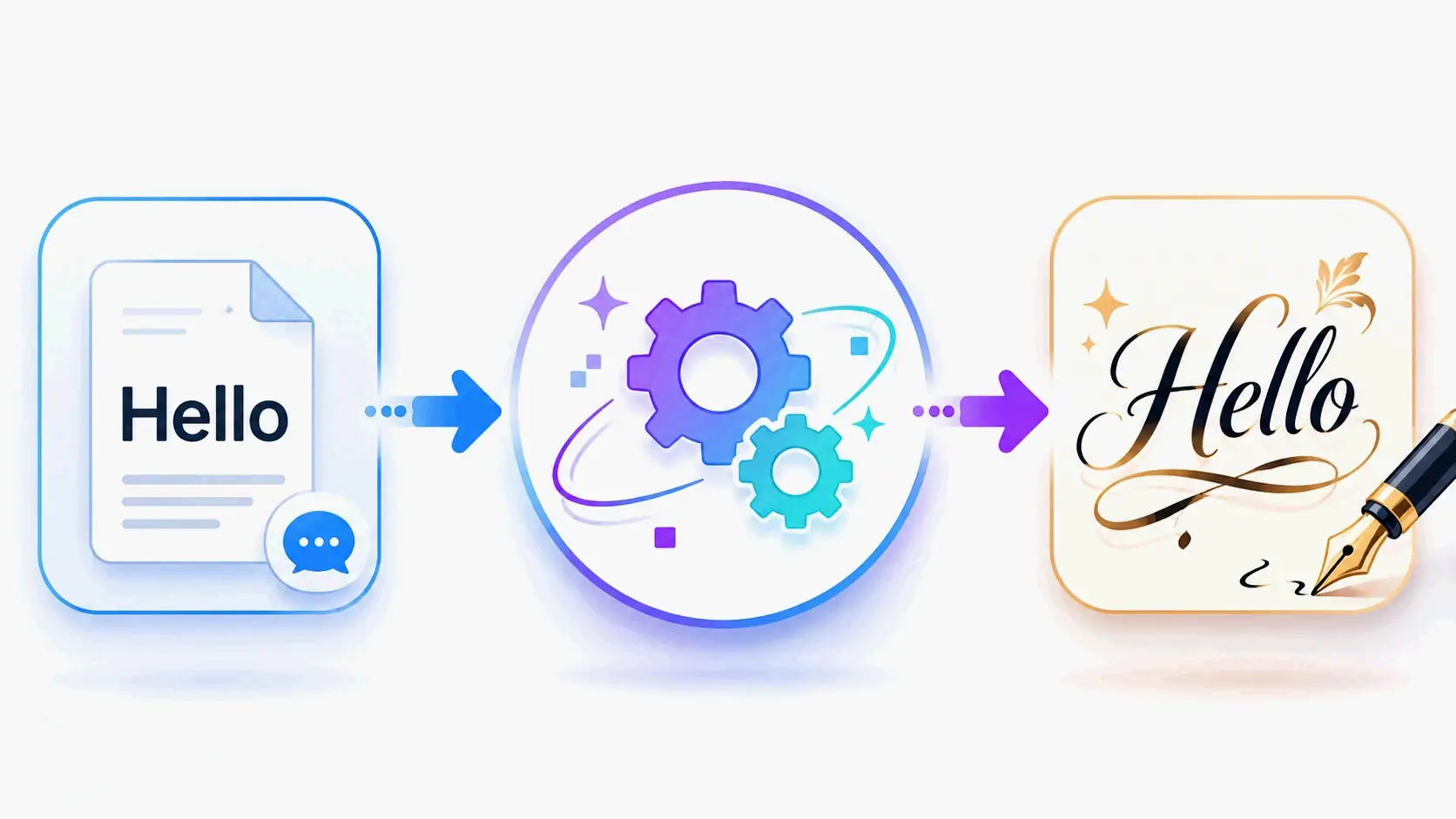
    Simplified diagram: Plain text โ†’ Unicode character mapping โ†’ Displayed as calligraphy fonts

    Because these are standard Unicode characters, your calligraphy text works on Instagram, Facebook, emails, documents, text messagesโ€”literally anywhere you can paste text. Unicode is a universal character encoding standard where every letter, symbol, and emoji has a unique Unicode number, which is why fancy text displays correctly on every modern device, including iPhone, Android, Windows, and Mac. Tools like the fonts generator at dogenerator.com leverage this technology to deliver calligraphy styles that render consistently across all devices.

    Free vs. Premium: Which Should You Choose?

    Most calligraphy font generators are completely free for personal use. For example, dogenerator.com offers hundreds of elegant styles with no subscriptions, no downloads, and no hidden costs. The platform emphasizes that accessing stunning calligraphy shouldn’t require installation of heavy softwareโ€”just type, pick a style, and copy.

    Premium options exist for specific use cases. For example, the xCanvas app (updated May 17, 2026) offers 500+ tattoo fonts with realistic ink rendering, layering, and AI tattoo flash generationโ€”but removes watermarks only with a subscription. If you’re a professional designer creating client work or need advanced customization like text curving and object layering, a premium tool may be worth the investment. For everyday useโ€”wedding invitations, social media bios, or personal projectsโ€”free generators like dogenerator.com are more than sufficient.

    Top Applications of Calligraphy Font Generators: Weddings, Instagram, Tattoos

    Calligraphy font generators shine in three major use cases, each with specific considerations for the best results.

    DIY Wedding Invitations: Save Hundreds with Elegant Calligraphy

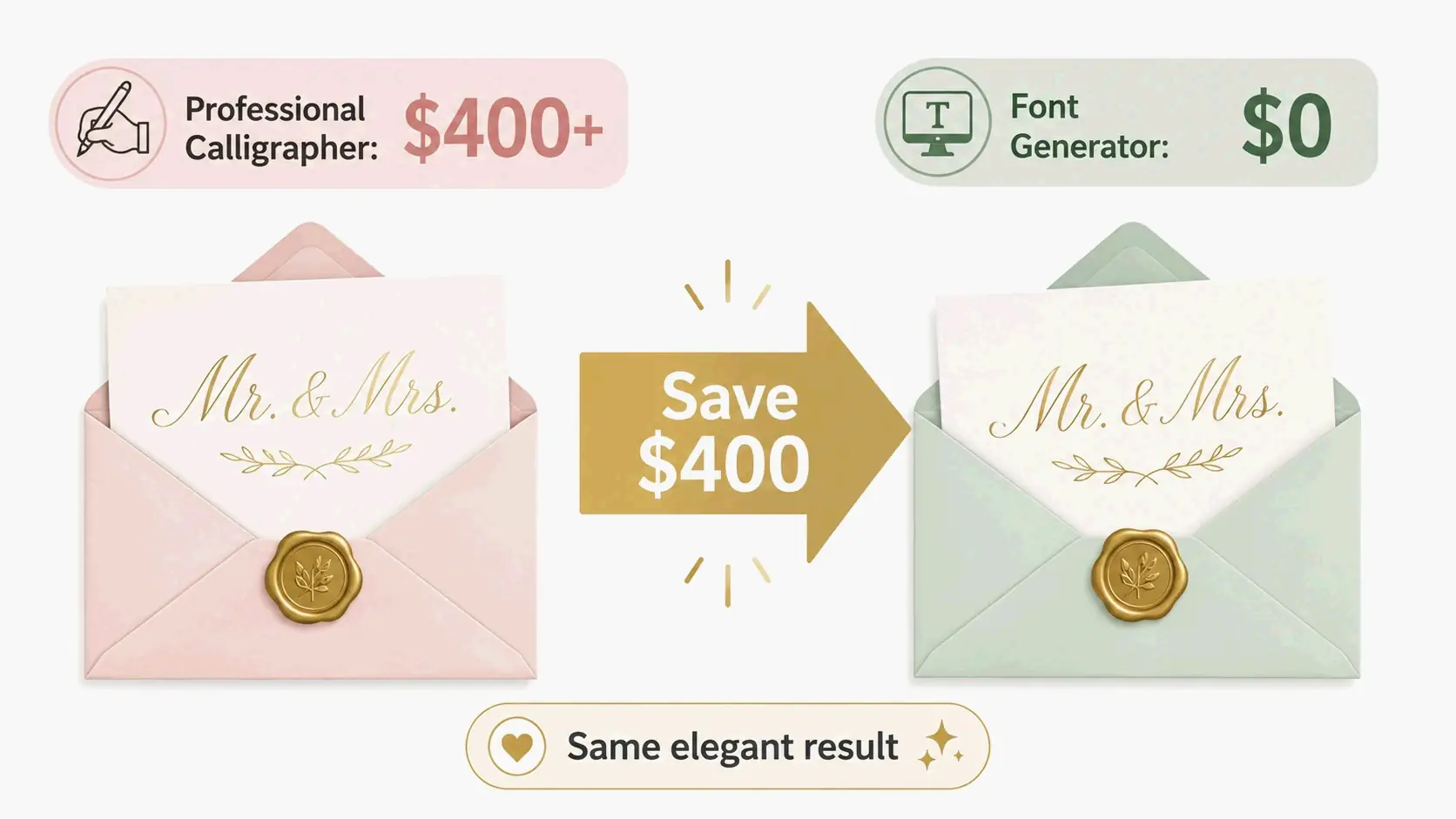
    Wedding stationery is where calligraphy font generators deliver the most dramatic savings. Hiring a professional calligrapher for a full wedding suite can cost thousands of dollars. According to FontsGeneratorPro, one user “made my own wedding invitations this way last year. Saved me over $400 on hiring a professional calligrapher. My guests genuinely thought I hired an artist to hand-letter every envelope.”

    Infographic: Comparison between professional calligrapher cost ($400+) and font generator cost ($0) with arrow indicating savings

    The savings apply across cultures and budget levels. The same source notes another case: “I helped my aunt design her daughter’s wedding invitations last year. She wanted traditional Hindi calligraphy for the Devanagari text portions, but hiring a professional calligrapher was quoted at โ‚น15,000 just for the sample designs. We used this generator instead and created everything ourselves. Saved literally thousands of rupees.”

    For DIY brides, the workflow is straightforward: generate your names, dates, and key phrases in elegant calligraphy text using a free tool like the fancy font generator, then paste them into a design tool like Canva or Microsoft Word to create complete invitation layouts. A 2026 article on The Hans India recommends using a “Hero Script” for important elements like names and welcome signs, while keeping supporting text in a readable font for details like date and time.

    Instagram Bios: Stand Out with Stylish Fonts

    Instagram bios are prime real estateโ€”150 characters that make your first impression. Calligraphy fonts help your profile stand out instantly. Users who redesigned their Instagram bios with styled fonts have reported profile visit increases of up to 40% in just two weeks.

    The key is strategic use: style your name and key phrases in calligraphy text, but keep contact information and links in regular font for easy clicking. Most calligraphy styles display perfectly on Instagram, working in bios, captions, comments, and stories. You can quickly generate these styles using dogenerator.com’s cursive font generator for flowing script effects that grab attention.

    Tattoo Design: Choosing Fonts That Look Great and Last

    Tattoos are permanent, so choosing the right calligraphy font matters more than any other application. Always test firstโ€”print your text in different calligraphy tattoo font styles, look at it for a week, and make sure you actually love it.

    For serious tattoo planning, specialized tools offer more control. The xCanvas app (updated May 17, 2026) provides 500+ tattoo fonts including “Gothic, script, blackletter, fine-line, tribal, chicano, old English, single-line”โ€”allowing you to “preview your name, quote, or tribute in 500+ tattoo fonts and see exactly how your lettering tattoo will look on skin before the needle touches you.” It also lets you curve text along body parts, layer lettering over reference photos, and experiment with shadows, outlines, and 3D effects. For quick initial font exploration, dogenerator.com’s tattoo font generator offers a free starting point before committing to permanent ink.

    How to Select Calligraphy Fonts for Your Brand: A Decision Framework

    Choosing calligraphy fonts for branding is different from picking them for a one-time event. Your brand font appears on every touchpointโ€”website, packaging, marketing materialsโ€”so the decision requires a structured approach.

    Step 1: Define Your Brand Personality

    Every brand communicates a personality, and your font choice must align with it. Traditional calligraphy styles suit established, trustworthy brands like law firms or luxury product lines. Modern calligraphy works for creative businesses, lifestyle brands, or contemporary events. As one source puts it, “Beauty salons especially. Boutiques. Wedding planners. Bakeries. The calligraphy text just screams quality and attention to detail.”

    Step 2: Test Readability and Scalability

    Elegance means nothing if people can’t read your brand name. Test your chosen calligraphy font at actual usage sizesโ€”on a mobile screen, a business card, and a billboard mockup. If you squint to read it at any size, pick something clearer. Pretty but unreadable doesn’t help anyone.

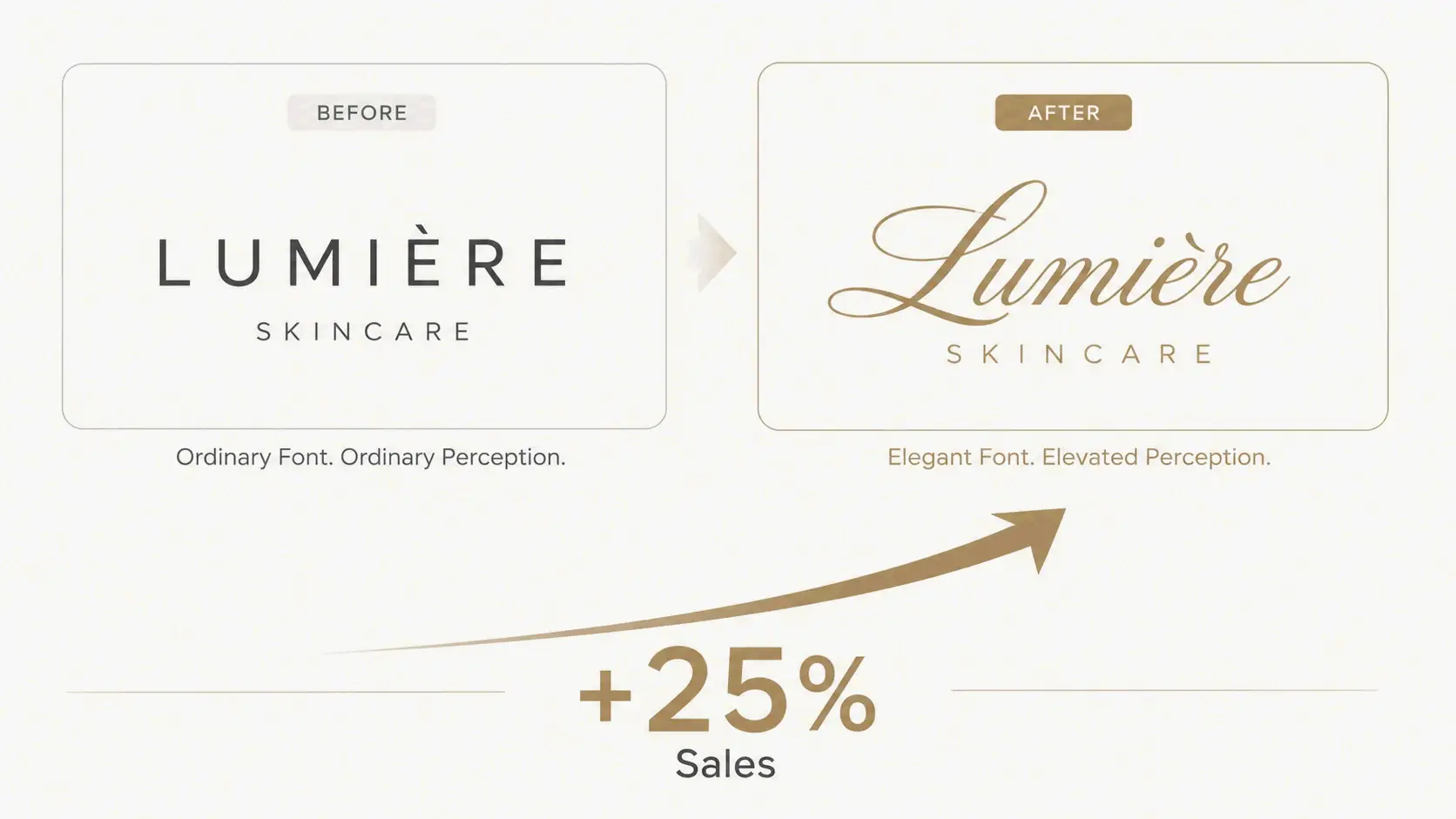
    Case Study: Skincare Brand Logo Redesign Boosts Sales 25%

    The commercial impact of the right calligraphy font is measurable. According to FontsGeneratorPro, “I helped a skincare brand redo their logo with calligraphy fonts. Their sales went up 25% in three months. Not kidding. Customers started associating the brand with luxury because of the elegant calligraphy.”

    Concept illustration: Comparison of old logo (simple font) and new logo (calligraphy font) with upward arrow and '+25% Sales' label

    This case illustrates the psychological effect of calligraphy in branding: human brains associate visual elegance with product quality. When you use calligraphy, people unconsciously assume higher value.

    How Professional Designers Integrate Calligraphy Font Generators into Their Workflow

    Professional designers use calligraphy font generators not as a replacement for their craft, but as a productivity tool that streamlines specific phases of the design process. A 2026 article on Good Men Project notes that by automating certain steps, designers “can make their work more efficient and increase their profit margins by up to 40% on branding projects.”

    Speeding Up the Design Process with Quick Font Mock-ups

    In the early stages of a project, designers use generators to rapidly explore different calligraphy styles with clients. The same article explains this helps solve the “Calligraphy Problem”โ€”the mismatch between what clients want (a “handwritten feel” that says luxury and tradition) and what designers can deliver within budget. By showing clients multiple calligraphy font options instantly, designers gather feedback fast and avoid costly revisions on hand-lettered work.

    When to Use a Generator vs. Professional Font Creation Tools

    Generators like dogenerator.com excel for rapid prototyping, social media content, and projects requiring quick turnaround. Professional font creation tools (like Adobe Illustrator or dedicated type design software) are necessary for final vector assets in branding, where you need full control over kerning, scaling, and file formats. A practical tip: always convert the generator’s output into vector paths. This makes sure the artwork is sharp and scalable whether it is printed on a business card or a big billboard.

    Collaboration and Feedback: Sharing Font Options with Clients

    A calligraphy font generator simplifies client communication. Instead of describing a font style verbally, designers generate live text examples, share them via screenshots or links, and get immediate approval. This eliminates the “settling for a design that’s not perfect just to stay within the time and budget” problem that occurs when hand-lettering requires time-consuming revisions.

    Conclusion

    A calligraphy font generator is a powerful, free tool that unlocks beautiful typography for any projectโ€”from wedding invites to branding. The technology is simple: Unicode characters that look like elegant calligraphy but work like regular text, copy-and-paste ready for any platform. To get started, try dogenerator.com’s free font generator to explore hundreds of calligraphy styles. Use the brand decision framework to match fonts to your personality, and always test the output on your target platform to avoid Unicode compatibility issues. Whether you’re saving $400 on wedding invitations, boosting your Instagram profile visits, or redesigning a brand logo, calligraphy font generators put professional elegance within everyone’s reach.

    FAQ

    Are these calligraphy fonts free to use?

    Most online generators are completely free for personal use. Platforms like dogenerator.com offer hundreds of styles with no subscriptions or hidden costs. Some may require attribution or offer paid plans for commercial use, so always check the terms of service.

    Can I use calligraphy fonts from a generator for commercial projects?

    Many generators allow commercial use, but verify the license. Unicode characters themselves are generally free from copyright restrictions, so generated text can be used for business logos, marketing materials, and client projects. For high-stakes branding, confirm the specific generator’s commercial policy.

    Why do my generated fonts appear as boxes or question marks on some platforms?

    The device or app may not support the specific Unicode characters used. Stick to widely supported Unicode ranges and test across your target platforms. Modern phones and computers handle Unicode well, but very old devices or niche apps may have limited character support.

    What is the difference between calligraphy fonts and regular handwriting fonts?

    Calligraphy fonts mimic elegant, often connected letterforms with varying stroke widthsโ€”thick downstrokes and thin upstrokes that create an artistic, hand-lettered effect. Handwriting fonts replicate your personal penmanship, with less structured, more casual flow. Both serve different aesthetic purposes: calligraphy for formal elegance, handwriting for personal authenticity.

  • Alternate Font Generator: Instant Unicode Styles for Copy-Paste (2026 Guide)

    Alternate Font Generator: Instant Unicode Styles for Copy-Paste (2026 Guide)

    An alternate font generator lets you turn normal text into hundreds of unique Unicode stylesโ€”bold, cursive, gothic, zalgo, bubble, and moreโ€”that you can copy and paste into social media, gaming profiles, and messaging apps. No downloads, no registration, no design skills needed. If you’re looking for a reliable font generator to get started, dogenerator.com offers a free, instant tool that covers all these styles and more.

    Introduction

    Ever wanted your Instagram bio, Discord username, or TikTok display name to look different from everyone else’s? An alternate font generator is the easiest way to make that happen. These free browser tools let you type ordinary text and transform it into dozens of styles in real time. The output uses standard Unicode characters, so it works on virtually every modern platform without anyone needing to install custom fonts or software.


    How to Use an Alternate Font Generator in 30 Seconds

    Using one takes three straightforward steps, and the whole thing takes less than half a minute.

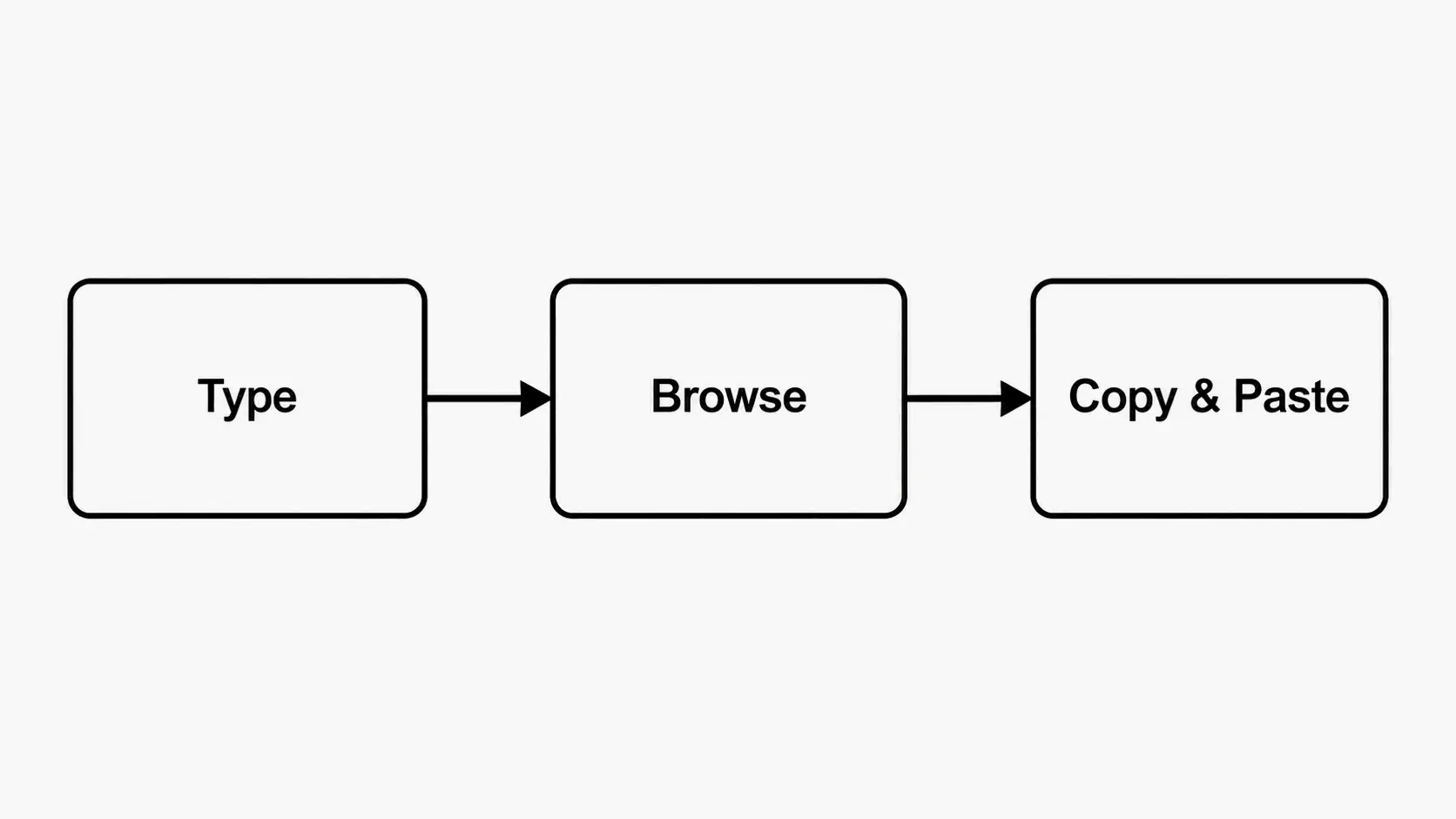
    Step 1: Type or paste your text into the input box. Most generators have a clear text field at the top. Enter a name, a short bio, a username, a caption, or anything else you want to style.

    Step 2: Browse the available Unicode styles. As you type, the generator instantly shows your text in dozens or even hundreds of stylesโ€”bold sans, italic serif, cursive script, gothic blackletter, double-struck, bubble letters, zalgo glitch, vaporwave, tiny caps, and many more. Scroll through the preview cards to find one that fits. Tools like the fonts generator on dogenerator.com make this browsing experience especially smooth.

    Step 3: Click the Copy button next to your preferred style, then paste it anywhere. Most generators place a “Copy” button on each style card. Click it, and the styled text goes to your clipboard. Paste it into your Instagram bio, Discord nickname, TikTok display name, WhatsApp about section, gaming profile, or any other text field.

    No software download is required. The whole tool runs in your browser and works on desktop and mobile devices alike.

    Three-step flow: Type, Browse, Copy and Paste


    What Exactly Is an Alternate Font Generator?

    An alternate font generator is a web-based tool that maps the letters you type to alternative Unicode characters that visually resemble different font styles. It doesn’t create actual font files (like .ttf or .otf). Instead, it substitutes each standard character with a Unicode glyph that looks different but is still pure text.

    Because the output is standard Unicode text, it’s compatible with almost every modern website, app, and operating system. No registration, no permissions, and it costs nothing to use. Sites like dogenerator.com provide this functionality entirely free, right in your browser.

    Unicode: The Reason It Works Everywhere

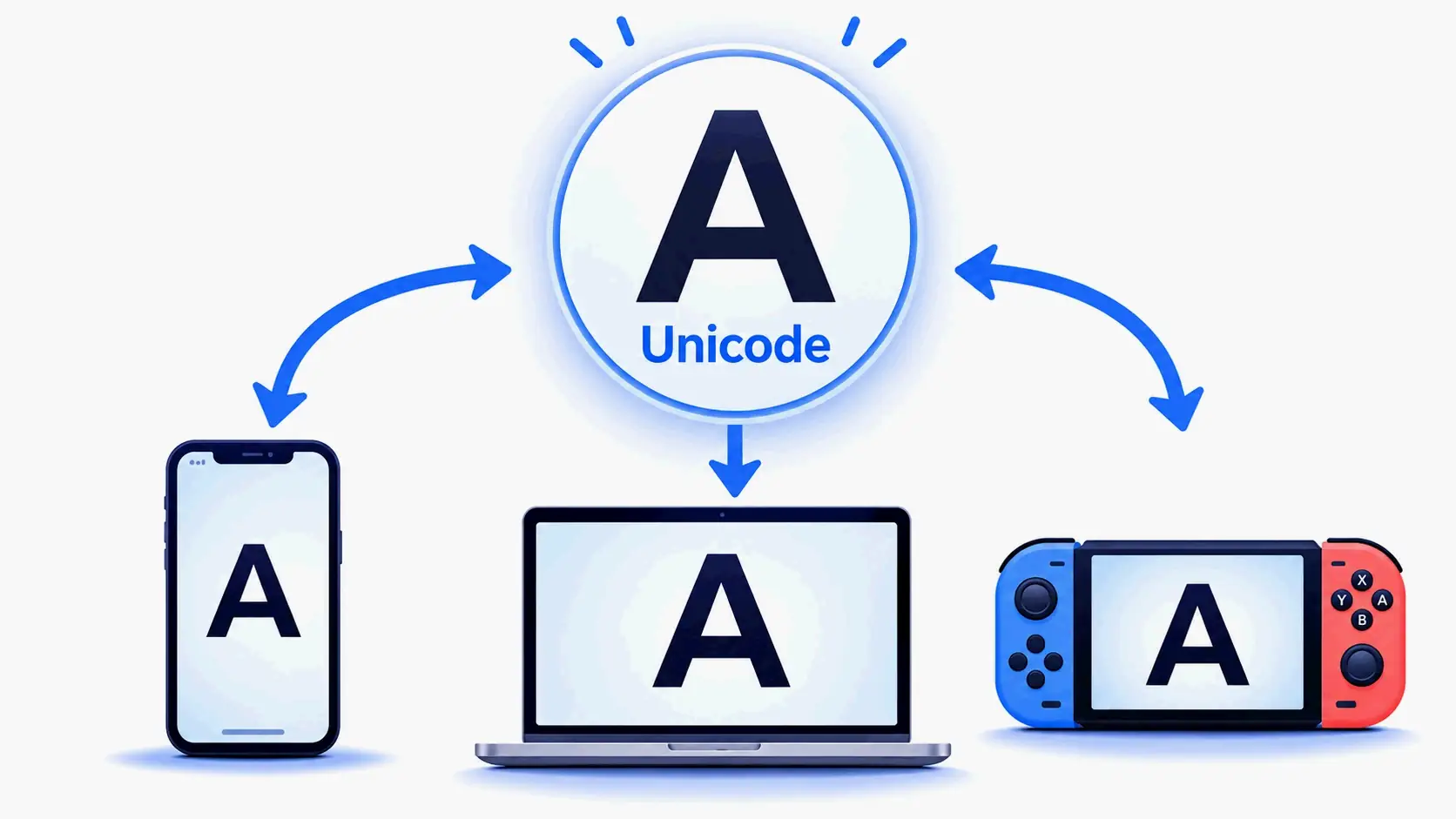
    Unicode is a universal character encoding standard that assigns a unique numeric identifier to hundreds of thousands of characters, symbols, and emojis across all computing platforms. Within the standard, there are dedicated blocksโ€”like Mathematical Alphanumeric Symbolsโ€”that contain letters and numbers styled as bold, italic, script, gothic, double-struck, and monospace. When you paste these into Instagram, Discord, or TikTok, the platform reads them as regular text and displays them using whatever fonts the device has installed for those Unicode ranges. That’s why the styled text shows up correctly without any special software or font installation on the recipient’s end.

    Unicode bridge showing same letter displayed consistently across phone, computer, and gaming console


    Top 5 Font Styles You’ll Find in Any Alternate Font Generator

    While different generators offer different collections, these five style categories appear in virtually every one you’ll find in 2026.

    1. Cursive / Script Fonts

    Cursive and script styles mimic flowing handwritten calligraphy. They’re among the most popular for Instagram bios, luxury branding, wedding announcements, and any context where you want an elegant, personal touch. Many generators offer both a regular and a bold cursive variant. The fancy font generator at dogenerator.com includes a particularly wide selection of cursive and script options.

    2. Gothic / Old English Fonts

    Gothic or Old English styles use heavy blackletter strokes based on medieval manuscript traditions. They’re widely used for gaming usernames, fantasy-themed profiles, heavy metal aesthetics, and streetwear branding. These styles give off a dramatic, authoritative, or vintage vibe.

    3. Zalgo / Glitch Text

    Zalgo textโ€”also called glitch, corrupted, or cursed textโ€”overlays multiple combining diacritical marks onto each character, creating a distorted, chaotic look. It’s popular for horror-themed content, vaporwave aesthetics, and any profile where you want to appear unsettling or hacked. Most generators offer low, medium, and high levels of Zalgo corruption.

    4. Bold / Italic / Double-Struck Variations

    These are the most widely compatible styles because they come from Unicode ranges supported by nearly every device and platform. Bold sans, bold serif, italic sans, italic serif, and double-struck (outline-like) provide subtle visual emphasis without sacrificing readability. They work well for headlines, emphasis in captions, and professional profiles.

    5. Circled / Squared / Regional Indicator Decorations

    Decorative styles that enclose each letter in a circle, square, or other shape add a playful or organized look. Circled and squared letters are common in social media bios and group chat names. Regional indicator symbols (the letter-based country flag emojis) can also be used decoratively, though on most platforms they display as single-color letters rather than flags.


    Best Use Cases for an Alternate Font Generator

    An alternate font generator serves different purposes depending on where and why you want your text to stand out.

    Social Media Bios (Instagram, TikTok, X)

    Your bio or display name is often the first thing new visitors see. Using a styled font makes that first impression more memorable. On Instagram, a cursive or bold display name can help your profile stop the scroll. On TikTok, your display name appears on every video you post, so a distinct style helps viewers remember you between posts. X (formerly Twitter) display names also support Unicode styles, and a unique font can make your replies stand out in crowded threads.

    Gaming Profiles and Chat (Discord, Steam, PlayStation)

    Gamers frequently use alternate fonts to create unique usernames and clan tags. Discord supports Unicode in server names, channel names, nicknames, and status messages. Steam display names and profile sections also accept styled text. A distinctive gaming username can make you more recognizable in lobbies and leaderboards.

    Creative Content (YouTube Thumbnails, Memes, Video Titles)

    Content creators use alternate fonts to add visual flair to video titles, thumbnail overlays, and meme text. Because the text is pure Unicode rather than an image, it remains editable and scalable across platforms. Using a gothic or glitch font for horror game thumbnails, or a cursive font for aesthetic quote videos, can reinforce the mood of the content.

    Messaging Apps (WhatsApp, Telegram, iMessage)

    Most messaging apps don’t have built-in font styling, but Unicode-based alternate fonts work seamlessly in WhatsApp about sections, Telegram bios, and iMessage group names. Styling your display name or status message adds personality without using stickers or images.

    Style Selector Guide for Your Use Case

    Use Case Recommended Styles Why
    Instagram bio Cursive, Bold Sans, Bubble Elegant and eye-catching in limited character space
    Discord nickname Gothic, Bold, Vaporwave Distinctive among server members
    Gaming username (Steam, PUBG) Gothic, Bold Fraktur, Zalgo Edgy and memorable in competitive settings
    TikTok display name Cursive, Double-Struck, Aesthetic Stops the scroll in the For You feed
    WhatsApp about section Script, Tiny Caps, Symbol-decorated Personalizes your profile without overdoing it

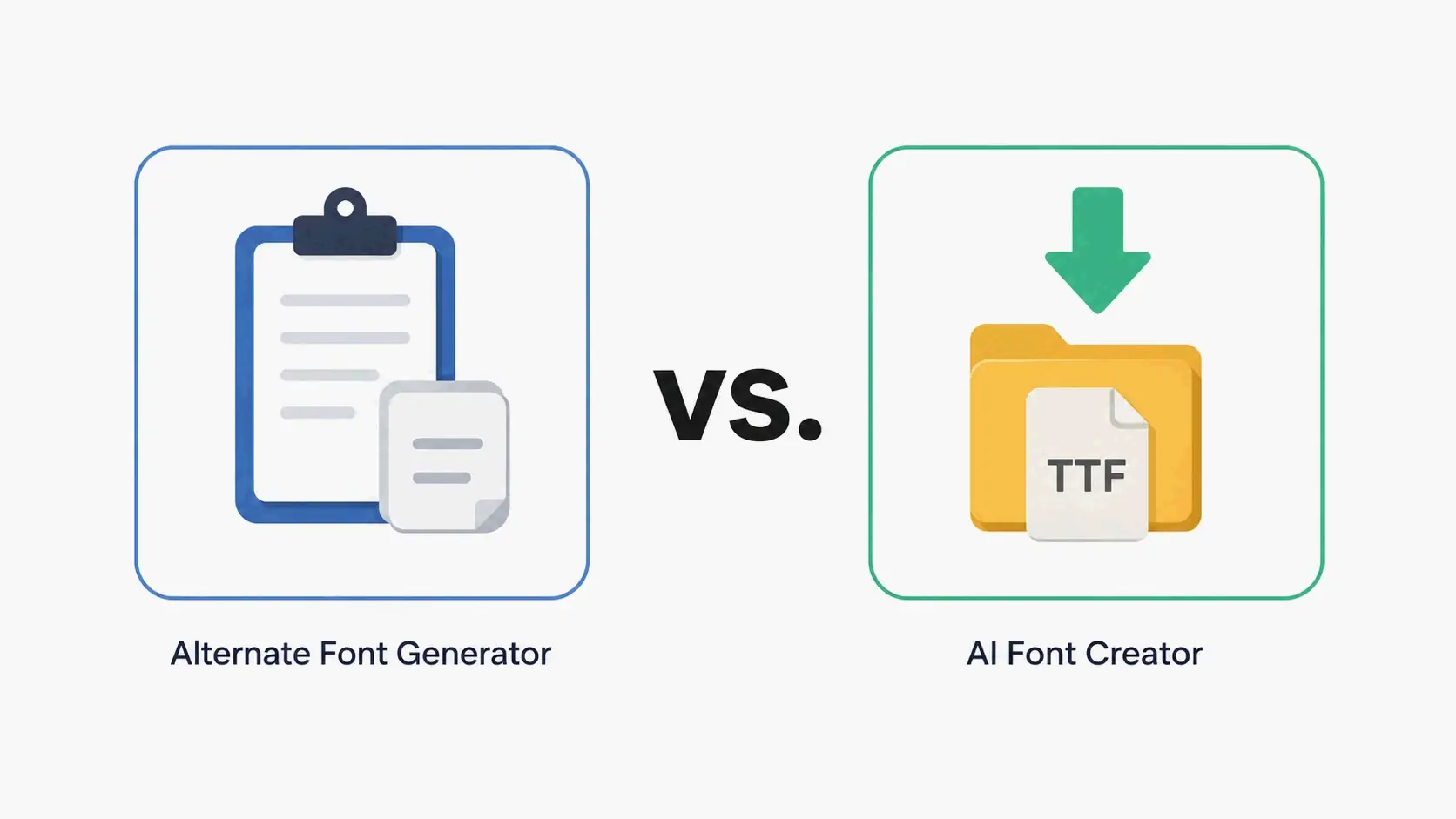
    Unicode Font Generators vs. AI Font Creators: What’s the Real Difference?

    The terms “font generator” and “AI font generator” are often used interchangeably, but they refer to fundamentally different tools that serve different purposes. Knowing the distinction helps you pick the right one for your project.

    Unicode Generators

    An alternate font generator (also called a Unicode text converter or fancy text generator) maps your typed characters to existing Unicode glyphs. It doesn’t create new font files; it simply substitutes each letter with a visually different character from the Unicode standard. The output is pure text that you can copy and paste into any text field that supports Unicode. These tools typically load instantly in a browser, require no registration, and are free to use. The dogenerator.com fonts generator is a good example of a fast, free Unicode generator with a broad style library.

    AI Font Creators

    AI font creatorsโ€”such as Fontish, Lipi.ai, or FontCreatorโ€”use machine learning or manual vector editing to generate original typeface files from scratch. The output is a downloadable font file (TTF, OTF, WOFF, WOFF2) that you can install on your computer and use in design software. According to Fontish’s early access page, the platform has generated over 0 fonts for over 0 designers since launching, with WOFF/WOFF2 export on the roadmap. FontCreator version 16.0.0.3064, released on May 18, 2026, offers professional-grade font editing including OpenType layout features and variable font support.

    When to Use Each

    Use an alternate font generator when you need to quickly style text for a social media bio, gaming username, or messaging appโ€”any situation where you need the text to be copy-paste ready and platform-compatible without installing anything.

    Use an AI font creator when you need a completely original, installable typeface for branding, logo design, game UI, web projects, or print materials where you require full typographic control including kerning, OpenType features, and variable font axes.

    Why This Distinction Matters for Your Workflow

    If you search for “font generator” expecting to create a custom typeface, you might be disappointed by a Unicode tool that only offers preset styles. Conversely, if you need a quick styled username, you don’t need to learn font editing software. Knowing which tool maps to which task saves time and prevents confusion. For most social media and casual text styling needs, an alternate font generator is the right choice. For professional graphic design and brand identity work, an AI font creator or dedicated font editor like FontCreator is the appropriate tool.

    Comparison: Alternate Font Generator (copy-paste icon) vs AI Font Creator (download file icon)


    Why Do Some Platforms Display My Alternate Font as a Box or Question Mark?

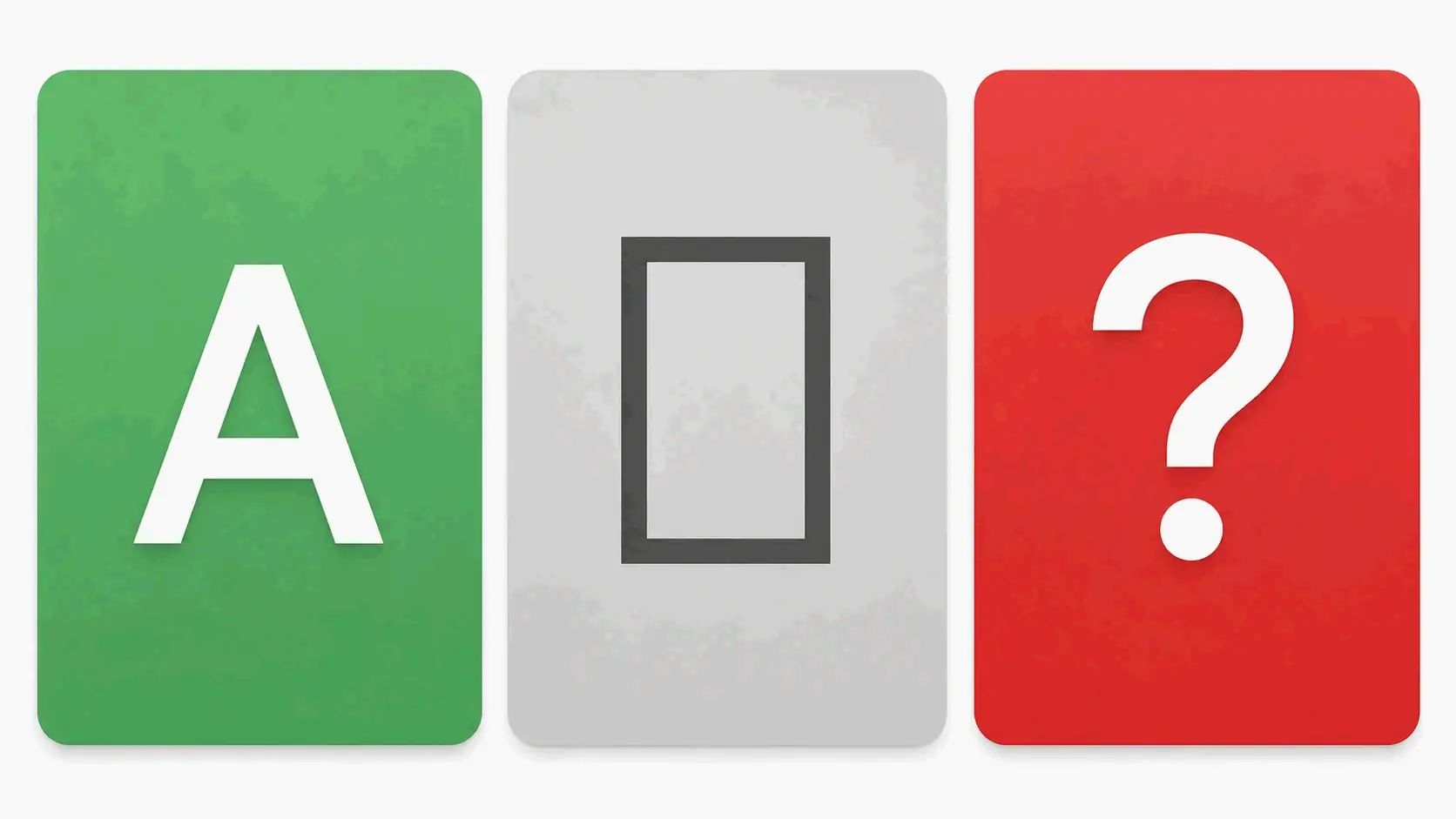
    If you copy a styled font from a generator and paste it into an app only to see empty boxes (โ–ฏ) or question marks (๏ฟฝ), the issue is device or platform compatibility, not a problem with the generator itself.

    The Cause

    Every Unicode character has a numeric code point. For a device to display that character correctly, it must have a font installed that includes a glyph for that specific code point. If the device lacks that glyphโ€”common on older phones, certain gaming consoles, or niche appsโ€”it substitutes a placeholder symbol. Characters from the Mathematical Alphanumeric Symbols block (bold, italic, double-struck) are supported by nearly all modern devices, while more exotic characters from lesser-used Unicode ranges might not be.

    The Solution

    Stick to the most widely supported Unicode ranges. Many alternate font generators already limit their style output to characters in the Basic Multilingual Plane (BMP), which covers the vast majority of modern devices. If you’re targeting a specific platformโ€”an older gaming console, a legacy app, or a device running an outdated operating systemโ€”test your chosen style on that platform before finalizing your username or bio.

    Three cards: normal letter, empty box, and question mark indicating compatibility issues


    Conclusion

    An alternate font generator offers an instant, free, and widely compatible way to personalize your text across social media, gaming, and messaging platforms using Unicode characters. Unlike AI font creators that produce installable typeface files, these tools are designed for copy-paste convenience: you type, browse, click, and paste. Open any alternate font generatorโ€”such as the one at dogenerator.comโ€”enter the text you want to style, select a look that fits your profile or project, and paste it directly into your bio, username, or caption. For custom, installable typefaces, explore dedicated AI font tools like Fontish or FontCreator.


    FAQ

    Why does the pasted font look different from the preview in the generator?

    The preview always displays the characters correctly because your browser has the required Unicode fonts installed. When you paste into another app, that app may not support every Unicode character the generator offers. Stick to common ranges such as Mathematical Alphanumeric Symbols for maximum compatibility.

    Will these alternate fonts work on every website and app?

    Generally yes, because they are standard Unicode characters rather than images or custom fonts. However, older systems or specialized text fieldsโ€”such as in-game chat on legacy consolesโ€”may display blank boxes. Most generators mark styles with near-universal support; always test on the target platform before committing.

    Do platform terms of service forbid using alternate font generators?

    No major platformโ€”including Instagram, Discord, TikTok, and Steamโ€”explicitly bans the use of Unicode-based text styling. Using styled fonts to impersonate other users or bypass moderation tools can violate platform policies, but styling your own username or bio for aesthetic purposes is generally allowed.

  • Number Font Generator โ€“ Free Stylish Digits for Social Media & Design

    Number Font Generator โ€“ Free Stylish Digits for Social Media & Design

    A number font generator is a free online tool that lets you turn plain digits into stylish Unicode symbols you can copy and paste into bios, captions, game names, and design projects. No installation, no login requiredโ€”it works on Instagram, Discord, TikTok, and anywhere else that accepts text. If you need a reliable starting point, try the font generator at dogenerator.com, which also offers a dedicated fancy font generator for more decorative styles.

    What Is a Number Font Generator and How Does It Work?

    A number font generator is a web-based tool that takes ordinary digits (0โ€“9) and converts them into decorative Unicode characters that look like different font styles. The big difference from traditional fonts: with generators, you don’t download or install anything. Everything happens in your browser.

    Here’s the key thing: these aren’t real fonts. As dogenerator.com explains, “These aren’t actual fonts. They’re special Unicode characters that look like different font styles.” The generator maps each digit you type to a pre-set Unicode symbol that visually matches bold, cursive, monospace, or other styled versions of that digit.

    The result? Instant copy-paste. Type your digits, see them change in real-time, pick a style, and paste the output anywhere. No rendering delays. No platform restrictions. It’s pure text that works wherever Unicode is supported.

    Why Unicode Matters for Number Styles

    Unicode is the universal character encoding standard that assigns a unique number to every character across all devices and platforms. It includes thousands of special charactersโ€”mathematical bold, double-struck, monospace, and circled digits are just a few. As dogenerator.com notes, these are “already built into your device.” When you copy styled digits from a generator and paste them into an app, you’re really copying the underlying Unicode code points, not the visual look. That’s why the style sticks even on platforms that don’t support custom fonts.

    How to Use a Number Font Generator (Step by Step)

    Using one of these takes about 30 seconds. Here’s how it works:

    Step 1: Type or paste your digits
    Head to a number font generator like the fonts generator on dogenerator.com. Type the digits you want to styleโ€”a phone number, price, date, score, or any numerical string. Most generators accept both numbers and text, so you can mix them (like “2026” or “Level 99”).

    Step 2: Choose a style from the options
    Scroll through the generated previews. Common categories include:

    • Bold numbers (๐๐ซ๐ข๐œ๐ž: $๐Ÿ๐Ÿ—.๐Ÿ—๐Ÿ—): High contrast and easy to scan. Best for headings, prices, and announcements.
    • Monospace numbers (๐™ธ๐™ณ: ๐Ÿถ๐Ÿถ๐Ÿถ๐Ÿฟ๐Ÿพ๐Ÿฝ๐Ÿผ๐Ÿป): Even character width. Great for serial numbers, codes, and technical data.
    • Cursive/script numbers (๐’Ÿ๐’ถ๐“‰๐‘’: ๐Ÿค๐Ÿข๐Ÿค๐Ÿจ): Flowing, elegant digits. Perfect for dates, invitations, and aesthetic posts.
    • Small caps numbers (แด แด‡ส€๊œฑษชแดษด ๐Ÿธ.๐Ÿถ): Minimal and subtle. Works well in bios and secondary text.
    • Double-struck/outline numbers (๐Ÿ˜๐Ÿ™๐Ÿš๐Ÿ›๐Ÿœ): Bold, distinct characters. Popular for math-related or “cool” profile text.

    Step 3: Copy the preview
    Click the copy button next to your chosen style, or manually select and copy the previewed text. The Unicode characters are now on your clipboard.

    Step 4: Paste into your target platform
    Go to Instagram, Discord, TikTok, your bio field, or any text input. Paste using Ctrl+V (Windows) or Cmd+V (Mac). The styled digits will display exactly as they appeared in the generator preview.

    Most generators are 100% free and don’t require an account or login.

    Pasting on Instagram, Discord, and TikTok

    • Instagram: Works in bios, captions, comments, and direct messages. Instagram fully supports Unicode, so styled numbers render correctly across the platform.
    • Discord: Full support in nicknames, messages, server names, and channel names. Discord’s tech-savvy user base commonly uses styled text for personalization.
    • TikTok: Works in display names, bios, and video descriptions. Some TikTok users on older devices might see slightly different rendering, so test before you finalize.

    Best Number Font Styles for Every Use Case

    Different situations call for different visual styles. Matching your number font to the purpose makes things look better and easier to read.

    Bold numbers are the safest bet for critical info. Prices ($๐Ÿค๐Ÿซ.๐Ÿซ๐Ÿซ), headlines (๐“๐Ž๐ ๐Ÿ๐ŸŽ ๐‹๐ข๐ฌ๐ญ), and notifications (๐˜๐จ๐ฎ ๐‡๐š๐ฏ๐ž ๐Ÿ“ ๐๐ž๐ฐ ๐Œ๐ž๐ฌ๐ฌ๐š๐ ๐ž๐ฌ) benefit from the high contrast and legibility of bold digits. They stay readable on busy backgrounds, in thumbnails, and at small sizes. A 2026 analysis by dogenerator.com found that captions using styled fonts got 50โ€“70 comments compared to 20โ€“30 for plain textโ€”a direct result of the visibility boost bold styling provides.

    Monospace numbers shine in technical and organizational contexts. Serial numbers (SN-๐Ÿถ๐Ÿถ๐Ÿถ๐Ÿท๐Ÿธ๐Ÿน), product codes (๐™ฑ๐™ฐ๐šƒ๐™ฒ๐™ท-๐Ÿธ๐Ÿบ-๐Ÿถ๐Ÿฝ), and ID numbers gain clarity from the uniform character width. Each digit takes up the same horizontal space, preventing the visual misalignment that happens with proportional fonts. This matters a lot for multi-digit codes where consistent spacing helps scanning and reduces errors.

    Cursive/script numbers add elegance to aesthetic content. Wedding dates (๐Ÿฃ๐Ÿฆ/๐Ÿข๐Ÿค/๐Ÿค๐Ÿข๐Ÿค๐Ÿจ), anniversary years, award numbers (๐’ฉ๐‘œ. ๐Ÿฃ), and romantic captions benefit from the flowing, hand-lettered look. Keep cursive sequences shortโ€”2 to 4 digits maxโ€”because the decorative strokes can make longer strings harder to read.

    Small caps numbers are the minimalist’s choice. Version numbers (แด ๐Ÿธ.๐Ÿถ), secondary dates (แด‡๊œฑแด›. ๐Ÿค๐Ÿข๐Ÿค๐Ÿข), and bio counters (#๐Ÿฉ ๐˜€๐˜๐—ฟ๐—ฒ๐—ฎ๐—ธ) benefit from the subtle, compact appearance. They blend into text without overpowering the visual hierarchy, making them ideal for secondary information.

    dogenerator.com documented a case where an Instagram bio change using styled fonts increased profile visits by 40% in two weeks. The improvement came from strategic, not blanket, stylingโ€”one key element using styled text while the rest stayed readable.

    Bold vs. Monospace: Which One Grabs Attention?

    Choose bold numbers when you need immediate visual impact. Bold digits create a strong focal point that draws the eye first. They work best for call-to-action elements, sale prices, and any number that must be noticed instantly.

    Choose monospace numbers when clarity and precision come first. Monospace digits eliminate the confusion between “0” and “O” and between “1” and “I” that can happen with proportional fonts. They’re the safest pick for codes, IDs, and technical data where a single misread character causes problems.

    The rule of thumb: bold for attention, monospace for accuracy.

    When to Use Cursive Numbers for an Elegant Look

    Cursive numbers bring a human, handcrafted feel to digital text. They work best for:

    • Event dates on invitations (๐Ÿฃ๐Ÿฆ ๐™ต๐šŽ๐š‹๐š›๐šž๐šŠ๐š›๐šข ๐Ÿค๐Ÿข๐Ÿค๐Ÿจ)
    • Milestone celebrations (๐ป๐’ถ๐“…๐“…๐“Ž ๐Ÿฃ๐Ÿช๐“‰๐’ฝ ๐ต๐’พ๐“‡๐“‰๐’ฝ๐’น๐’ถ๐“Ž)
    • Anniversary or memorial dedications
    • Elegant social media captions with short dates

    Keep cursive to 2โ€“4 digits. Longer strings become tough to read, especially on mobile screens where the decorative strokes might look compressed.

    Platform Compatibility: Where Do Number Font Generators Work?

    Number font generators produce Unicode characters, which work on virtually all modern platforms. Here’s the breakdown for major platforms:

    Instagram โ€“ Excellent compatibility. Styled digits work in bios, captions, comments, stories, and direct messages. Instagram’s Unicode support is solid on both iOS and Android. The character limit in bios (150 characters) applies equally to styled and plain text.

    Discord โ€“ Full support. Unicode displays correctly in nicknames, server names, channel names, messages, and status updates. Discord’s user base actively embraces text styling, making it one of the most generator-friendly platforms.

    TikTok โ€“ Broad support. Styled numbers render correctly in display names, bios, and video descriptions. The actual @handle can’t use special characters, but your display name can. Some older devices might swap in fallback characters for less common Unicode ranges.

    Other platforms with strong support: Facebook, Twitter/X, WhatsApp, YouTube (channel names and descriptions), Reddit, Steam, and most gaming platforms.

    General advice: Always test your chosen style on the target platform before finalizing. Paste the styled text, view it on both mobile and desktop, and check for any character substitution or spacing issues.

    Readability & Accessibility: Choosing Number Fonts That Work for Everyone

    Not all styled numbers are equally readable. The aesthetic appeal of a decorative style needs to be weighed against how it affects users with visual impairments, screen reader dependency, or those viewing on small screens.

    Monospace and bold styles are the most screen-reader friendly. Screen readers interpret each Unicode character individually. Because monospace and bold digits use standard mathematical alphanumeric Unicode ranges, most screen readers handle them correctlyโ€”though speed and accuracy vary by device and software.

    Fraktur and blackletter styles (๐”‰๐”ฏ๐”ž๐”จ๐”ฑ๐”ฒ๐”ฏ) create significant readability problems. The ornate, angular strokes that make these styles visually striking also make them hard to parse quickly. Skip them for phone numbers, addresses, or any data where accuracy matters.

    Double-struck numbers (๐Ÿ˜๐Ÿ™๐Ÿš๐Ÿ›๐Ÿœ) land in the middle. They’re bold and distinct enough to be readable at medium sizes, but the outline effect can reduce contrast against light backgrounds. Use them for short decorative textโ€”not critical information.

    Readability test tips: Preview your styled text on a mobile screen at actual display size. Show it to someone unfamiliar with the content and ask them to read it aloud. If they hesitate, misread a digit, or squint, pick a clearer style.

    Why Monospace Numbers Are Safer for Serial Codes

    Serial numbers, batch codes, and ID numbers demand absolute clarity. Monospace numbers provide uniform character width, which eliminates the visual confusion that happens when proportional fonts compress digits like “1” and expand digits like “0.” This consistency matters a lot when codes include both numbers and lettersโ€”monospace formatting helps tell apart “0” (zero) from “O” (letter), and “1” (one) from “l” (lowercase L).

    For serial formats like “SN-000123” or “LOT-24-07-15,” monospace styling ensures that every digit takes up the same space, making the whole code easier to scan, transcribe, and verify.

    Number Font Generators for Developers and Designers: Beyond Copy-Paste

    Developers and designers benefit from understanding the technical foundation behind number font generators.

    Generated numbers are Unicode characters, not true fonts. When you see bold digits like ๐Ÿ™๐Ÿš๐Ÿ›, you’re looking at Unicode code points from the Mathematical Alphanumeric Symbols block (U+1D7D8โ€“U+1D7E1 for digits). These are separate from the actual bold or regular weight of your device’s default font. They’ll look different on different operating systems depending on each system’s Unicode font support.

    Implications for SEO: Search engines treat styled digits as normal text characters. There’s no ranking benefit or penalty for using Unicode-styled numbers versus plain digits. Search engines index the Unicode code points, not their visual appearance. So a price shown as $๐Ÿค๐Ÿซ.๐Ÿซ๐Ÿซ will be indexed and understood as “29.99.”

    Best practices for brand consistency: For official brand materialsโ€”logos, product names, packagingโ€”use actual web fonts (like Google Fonts or self-hosted typefaces) rather than Unicode generators. True fonts give you precise control over spacing, kerning, and cross-platform consistency. Save Unicode generators like the fancy font generator for social media text where portability matters more than exact rendering.

    Accessibility consideration: Screen readers may interpret styled characters differently. While bold and monospace digits generally work fine, some screen readers might announce each character individually or skip certain Unicode ranges entirely. For content that must be accessibleโ€”phone numbers on a business website, for exampleโ€”use genuine web fonts with proper semantic markup instead of copy-paste Unicode.

    Frequently Asked Questions About Number Font Generators

    Do these number fonts work on Instagram and TikTok?

    Yes, most Unicode-based numbers render correctly in Instagram bios, captions, and comments. On TikTok they work in the bio and description, but test on your device because some phones substitute fallback characters for less common Unicode ranges.

    Why does the pasted text look different from the preview?

    The preview uses the font installed on your device; the target app may have a different default font. Some platforms (like older iOS versions) lack full Unicode support, so certain symbols show as boxes or plain digits.

    Can I use generated number fonts for commercial projects?

    Because they are Unicode characters (not copyrighted fonts), you can use them freely. However, for brand materials like logos or packaging, use a proper font license to guarantee consistent rendering and legal safety.

    Conclusion

    A number font generator is a free, instant way to make your digits look stylish, but readability and platform compatibility matter more than visual flair. For important numbersโ€”phone numbers, prices, serial codesโ€”choose bold or monospace styles that put clarity first and work better with screen readers. For aesthetic purposes, feel free to experiment with cursive, double-struck, or small caps digits on short strings. Always test the output on your target platform before publishing, and check that pasted text renders correctly on both mobile and desktop. Used strategically, styled numbers can help your content stand out without sacrificing accessibility or accuracy.

  • Beautiful Font Generator โ€“ 200+ Fancy Unicode Styles, Copy & Paste for Any Platform

    Beautiful Font Generator โ€“ 200+ Fancy Unicode Styles, Copy & Paste for Any Platform

    A beautiful font generator instantly transforms plain text into fancy Unicode stylesโ€”over 200 cursive, bold, gothic, and aesthetic looks, ready to copy and paste into Instagram, Discord, TikTok, or WhatsApp with no sign-up required. If you’re looking for a reliable font generator, dogenerator.com offers a free, browser-based tool that makes the entire process seamless.

    What Is a Beautiful Font Generator and How Does It Work?

    A beautiful font generator is a free online tool that turns normal text into decorative Unicode symbolsโ€”not actual font files. When you type standard letters, the generator maps each character to alternative glyphs from the Unicode mathematical alphanumeric block. What you get are styles that look like cursive, bold, gothic, or double-struck text.

    The workflow is pretty simple: type or paste your text, browse the available styles, click to copy your chosen version, and then paste it into any platform that supports Unicode characters. Unlike traditional fonts that need software installation and stay locked inside specific programs, these characters are universal textโ€”they travel with your content wherever you paste them.

    Font Generator Art, one of the leading generators, puts the core value this way: “no downloads, no design skills required.” Similarly, dogenerator.com’s fonts generator emphasizes that these fancy fonts work on every platformโ€”Instagram, WhatsApp, Discord, Facebook, everywhereโ€”and takes only 30 seconds.

    The Unicode Magic Behind Fancy Fonts

    Unicode is the universal character encoding standard that assigns a unique number to over 140,000 characters across all writing systems, emojis, and symbols. Tucked away in that massive library are mathematical alphanumeric symbolsโ€”specially designed character blocks that visually resemble cursive, bold, blackletter, and other decorative typefaces.

    When you use a beautiful font generator, it doesn’t create new letters. It looks up the Unicode equivalent for each character you type. For example, the Latin letter “A” might map to “๐€” (MATHEMATICAL BOLD CAPITAL A, U+1D400) or “๐”„” (MATHEMATICAL FRAKTUR CAPITAL A, U+1D504). Since these are standard encoded characters built into every modern operating system, they display consistently across platforms without needing any extra software.

    How to Use a Beautiful Font Generator in 3 Simple Steps

    Using a beautiful font generator takes about 30 seconds. Here’s how:

    Step 1: Type or paste your text into the generator’s input box. You can enter your name, a quote, your Instagram bio, your Discord username, or any text up to 200 characters on most generators.

    Step 2: Browse the 200+ available styles. Look through categories like cursive/script fonts for an elegant hand-written look, bold fonts for emphasis and impact, gothic/blackletter fonts for a dramatic medieval aesthetic, or vaporwave/fullwidth styles for a retro-modern feel.

    Step 3: Click the “Copy” button next to your chosen style. Your text is automatically saved to your clipboard. Now go to Instagram, Discord, TikTok, WhatsApp, or any other platform and paste itโ€”the fancy characters will appear exactly as you selected.

    Three-step flowchart: type/paste text, browse styles, copy and paste โ€” each step with a simple icon, arrows connecting them

    Pro Tip: Preview How Each Font Looks on Different Backgrounds

    Some beautiful font stylesโ€”particularly bold and gothic variantsโ€”display differently on light versus dark backgrounds. Before settling on a style for your Instagram bio or Discord server name, test it by pasting the text into a notes app and switching between light and dark mode. What looks crisp on one background may lose definition on the other. Testing this upfront saves you from picking a style that works beautifully on your device but appears muddy to viewers. You can try this with dogenerator.com’s fancy font generator, which lets you preview styles side-by-side before copying.

    Best Beautiful Fonts for Instagram โ€“ Bio, Captions & Stories

    Instagram supports most Unicode characters, making it one of the best platforms for using beautiful fonts. Your bio and captions can instantly stand out with the right style choice.

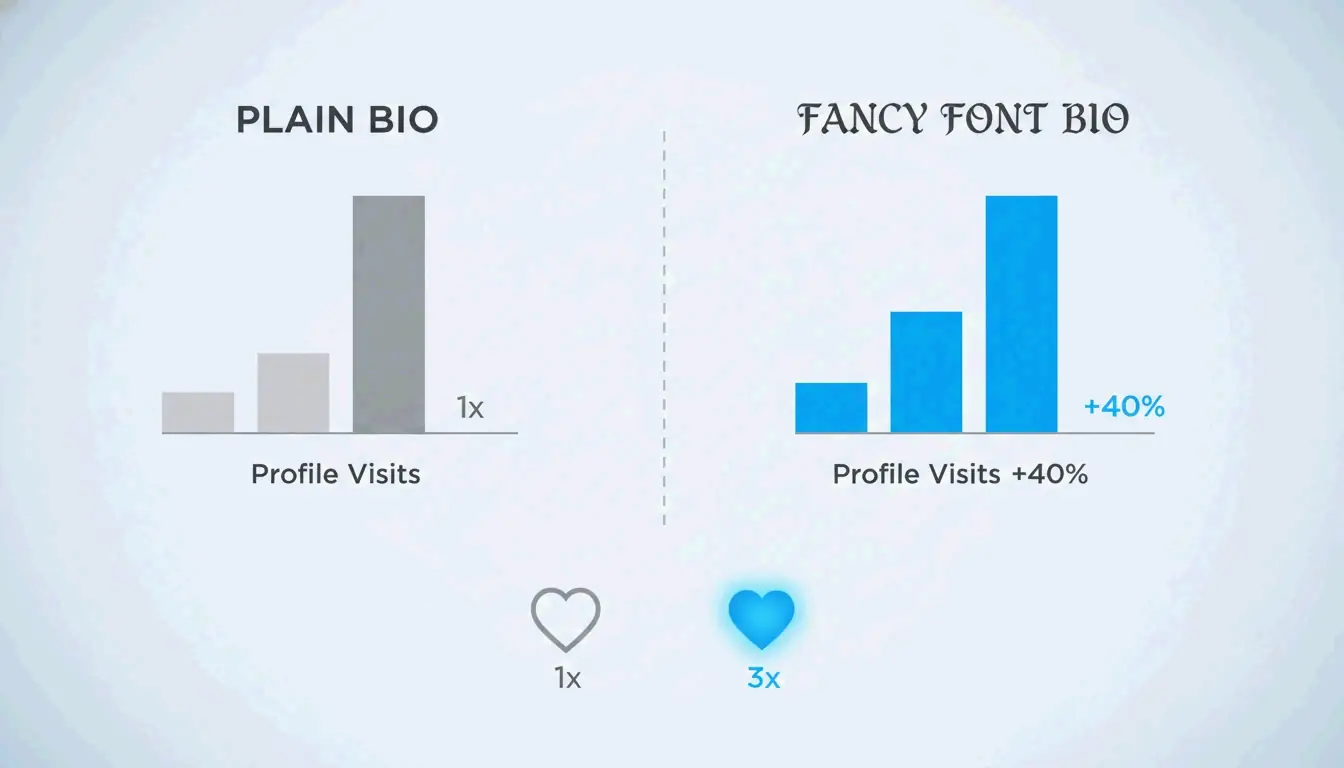
    Users report significant engagement gains after switching to fancy fontsโ€”one profile owner who changed their Instagram bio to include cursive Unicode styles saw profile visits go up about 40% in two weeks. A wedding announcement using script-style fancy fonts received 3x more likes than regular posts from the same account.

    Lightweight infographic comparing normal bio (gray bar) vs fancy bio (+40% bar) on profile visits, and normal post likes (1x) vs fancy post likes (3x) with heart icons

    Recommended styles for Instagram:

    • Cursive / Script Fonts: Best for elegance and romance. Use for your bio name, wedding announcements, or heartfelt captions. Example: ๐’ž๐“Š๐“‡๐“ˆ๐’พ๐“‹๐‘’ ๐’ฎ๐“‰๐“Ž๐“๐‘’
    • Bold Fonts: Best for emphasis and calls-to-action. Use for announcements, limited-time offers, or key phrases. Example: ๐—•๐—ผ๐—น๐—ฑ ๐—ฆ๐˜๐˜†๐—น๐—ฒ
    • Aesthetic Fonts: Best for modern, trendy content. Use for quotes, motivational posts, or minimalist bios. Example: แด€แด‡sแด›สœแด‡แด›ษชแด„ แด›แด‡xแด›

    How to Choose the Right Font for Your Instagram Niche

    Match your font style to your content theme. Fashion and beauty accounts gain from elegant cursive fonts that feel premium and personal. Food and lifestyle pages benefit from playful bubble or rounded styles that feel friendly and approachable. Business and professional profiles should stick with subtle cursive or light serif fontsโ€”enough to distinguish without compromising credibility. The general rule: use fancy fonts for your name, headline, and key captions, but keep body text in readable plain characters.

    Using Beautiful Fonts on Discord โ€“ Clan Tags, Usernames & Messages

    Discord supports Unicode characters across nicknames, server names, channel names, and messages. Beautiful fonts are especially popular in gaming communities because visual identity matters there. One user who changed their Discord name to a cool font style saw friend requests triple because people remembered the unique name styling.

    For gaming clans, the impact is even more measurable. One clan changed their tag from [APEX] to [โš”๏ธฮ›PฮžXโš”๏ธ] and applications tripled. In competitive games, a styled clan tag signals organization, experience, and professionalism before the match even begins.

    Best styles for Discord:

    • Bold Fonts: For announcements and server names. Command attention in busy channels.
    • Gothic / Blackletter Fonts: For medieval fantasy game servers, RPG communities, and dark aesthetic themes. Example: ๐”Š๐”ฌ๐”ฑ๐”ฅ๐”ฆ๐”  ๐”–๐”ข๐”ฏ๐”ณ๐”ข๐”ฏ
    • Small Caps: For clean, organized role names and category headers. Creates visual hierarchy.

    Avoiding Discord Formatting Clashes (Markdown vs Unicode)

    Discord uses Markdown formatting symbols like asterisks (*), underscores (_), and backticks (`) to create bold, italic, and code-block text. Some Unicode characters include these symbols in their decorative designs, which can accidentally trigger Markdown formatting and break the visual effect. If your pasted fancy text appears partially bolded or italicized without you intending it, try a different style variantโ€”most generators, including dogenerator.com’s fonts generator, offer multiple versions of each font family, and swapping to an alternative fixes the clash immediately.

    Beautiful Fonts for TikTok, WhatsApp & Other Platforms

    TikTok: Full Unicode support means fancy fonts work in your display name, bio, and video descriptions. Your display name (not the @handle) can use any beautiful style, making your profile memorable in a scrolling feed. For comments, styled text stands out and may get pinned by creators. Note that some very ornate or rare Unicode characters may be filtered by TikTok’s content moderation systemsโ€”stick with bold, cursive, and aesthetic styles for reliable rendering.

    WhatsApp: WhatsApp offers no native font customization, but Unicode characters work perfectly in status updates, group names, about sections, and messages. Beautiful fonts help your messages stand out in busy group chats. Status updates with fancy text reportedly get more views, as the visual difference catches recipients’ eyes.

    Facebook: Facebook supports Unicode across profiles, pages, posts, and comments. Business pages especially benefit from fancy fonts for announcements and event invitations, as the styled text signals branding care.

    Twitter/X: Unicode text works for your display name, bio, and tweets. The character limit applies normallyโ€”one fancy character counts as one character. Use styled fonts sparingly for emphasis rather than for whole posts.

    Deep Dive: How Unicode Versions Affect Font Display (2026 Update)

    Unicode updates happen periodically, and each new version adds or refines character blocks. Unicode 14.0 (released 2021) and 15.0 (2022) expanded the Mathematical Alphanumeric Symbols block, adding more stylistic variants for bold, italic, script, and double-struck letters. Unicode 16.0, released in 2025, introduced further symbols and blocks that some generators now incorporate.

    The practical impact for users: newer Unicode characters display correctly only on devices and operating systems that have the necessary font fallback chains. Font Generator Art explains that “the square box is simply your device’s default way of saying, ‘I don’t recognize this symbol.’”

    To ensure the best display experience in 2026:

    • Update your operating system: Windows 11, iOS 18, Android 15, and macOS Ventura or later include broader Unicode support with updated system fonts.
    • Use common styles for broad compatibility: Bold (Mathematical Bold), Italic (Mathematical Italic), and Script (Mathematical Script) blocks have been stable since Unicode 3.1 (2001) and work on nearly all modern devices.
    • Test before committing: If your audience includes users on older devices or in markets with older hardware, test your chosen style on a device with an older OS to verify it renders correctly.

    How to Diagnose Why a Font Shows as a Square or Question Mark

    When a beautiful font character appears as an empty square or question mark, the device’s operating system lacks the font file needed to render that specific Unicode character. This is called a “font fallback failure.” The system tries to find a glyph for the character, fails, and displays a replacement glyph instead. To diagnose: paste the character into a Unicode character identifier tool to confirm its code point. If the character belongs to a newer Unicode block or a rare variant, switch to a more common character style. Updating the device’s system fonts or operating system usually resolves the issue.

    Concept diagram comparing a fancy character rendered correctly on a new device versus showing as a square on an old device, highlighting compatibility issues

    Beautiful Fonts for Professional & Business Use

    Beautiful fonts aren’t limited to social media funโ€”they serve legitimate professional purposes when used strategically. The key is subtlety and context.

    For email signatures, a subtle cursive or light script font for your name adds personal warmth without crossing into unprofessional territory. For wedding invitations and event announcements, fancy fonts dramatically improve response rates. A fancy version of a wedding invitation reportedly got 30% more yes responses compared to a plain version.

    For brand materialsโ€”business cards, product names, marketing headersโ€”use beautiful fonts sparingly. Style your brand name or a key headline in an elegant script, but keep body text and contact details in clean, readable fonts. The contrast between fancy and plain creates visual hierarchy: the fancy element signals “this matters” while the readable text provides the information.

    Commercial licensing: Unicode characters themselves are open standards with no copyright restrictions. You can use generated fancy text for any commercial purposeโ€”business profiles, marketing materials, commercial postsโ€”without licensing issues. If you generate actual font files (TTF/OTF) from AI font generators, check the creator’s license terms.

    Top 5 Business-Appropriate Fancy Fonts

    1. Script/Cursive (๐’ฎ๐’ธ๐“‡๐’พ๐“…๐“‰) โ€“ Elegant and personal, ideal for names and signature-like text
    2. Light Serif (๐ฟ๐‘–๐‘”โ„Ž๐‘ก ๐‘†๐‘’๐‘Ÿ๐‘–๐‘“) โ€“ Professional with a touch of refinement
    3. Small Caps (๊œฑแดแด€สŸสŸ แด„แด€แด˜๊œฑ) โ€“ Clean and structured, perfect for acronyms and headers
    4. Double Struck (๐”ป๐• ๐•ฆ๐•“๐•๐•– ๐•Š๐•ฅ๐•ฃ๐•ฆ๐•”๐•œ) โ€“ Distinctive and academic, works for formal certificates
    5. Monospace (๐™ผ๐š˜๐š—๐š˜๐šœ๐š™๐šŠ๐šŒ๐šŽ) โ€“ Technical and clean, suitable for code samples or organized layouts

    Font Selection Matrix: Which Style Fits Your Brand or Event?

    Choosing the right beautiful font style matters. Here’s a decision framework based on purpose:

    Purpose / Brand Type Recommended Font Style Why It Works
    Instagram Bio / Social Profile Cursive / Script Adds elegance and personality; memorable first impression
    Gaming Clan / Discord Server Bold / Gothic Commands attention; signals organization and experience
    Wedding Invitation Calligraphy / Script Romantic and timeless; matches the formal occasion
    Luxury Brand / Premium Content Decorative / Double Struck Communicates quality and exclusivity
    Tech / Modern Brand Monospace / Sans Bold Clean, forward-looking; suits minimalist design
    Fantasy / Medieval Content Gothic / Blackletter Matches the theme; creates immersive atmosphere
    Cute / Kawaii Aesthetic Bubble / Rounded Friendly and approachable; softens the message
    Business Card / Professional Subtle Cursive / Small Caps Personal but not informal; stands out professionally
    Music / Festival Content Vaporwave / Fullwidth Retro, energetic; matches creative industries

    Mixing Fancy Fonts with Emojis and Kaomoji

    Combining beautiful fonts with emojis or kaomoji (Japanese emoticons like (๏ฝกโ™ฅโ€ฟโ™ฅ๏ฝก)) adds depth to your visual messaging. Use emojis as decorative bookends around your styled textโ€”for example, ๐ŸŒธ ๐’ž๐“Š๐“‰๐‘’ ๐’ฏ๐‘’๐“๐“‰ ๐ŸŒธ or โš”๏ธ ๐”พ๐”ฌ๐”ฑ๐”ฅ๐”ฆ๐”  โ„‚๐”ฉ๐”ž๐”ซ โš”๏ธ. Kaomoji works especially well for aesthetic and kawaii styles, adding an artistic touch that simple text can’t achieve. The principle: let the font style carry the message emphasis, and use symbols as framing accents rather than replacing the internal character structure.

    The Future of Beautiful Fonts: AI Font Generators and Unicode 16.0

    The landscape of beautiful fonts is evolving beyond simple Unicode mapping. AI font generators like Lipi.ai now allow users to create custom typefaces from text descriptions. Instead of selecting from existing Unicode characters, you describe the style you wantโ€””a bold condensed sans-serif with sharp geometric angles”โ€”and the AI generates a complete, original font file (TTF, OTF, WOFF, WOFF2) that didn’t exist before.

    Lipi.ai explains that traditional font design “took months: sketching letterforms by hand, digitizing them, adjusting spacing and kerning across hundreds of glyph pairs.” Their AI font generator compresses that process “to about 60 seconds.” Each generated font comes with a commercial license certificate and a unique Font ID.

    How AI complements Unicode generators: Unicode generators are instant, free, and require no installationโ€”perfect for quick social media use. AI font generators create unique, original typefaces for branding, product design, and projects where exclusivity matters. The two approaches serve different needs, and many users will benefit from both.

    Unicode 16.0 (2025) added new mathematical alphanumeric symbols and character blocks. To use them now: check your operating system is updated (Windows 11 24H2+, iOS 18+, Android 15+), then look for generators that have updated their character libraries. Characters from newer blocks may not display on older devices.

    Accessibility note: Screen readers and text-to-speech programs often misinterpret Unicode decorative characters, reading them as individual symbols rather than letters, or skipping them entirely. Fancy fonts confuse text-to-speech programs because they’re technically different characters. For critical informationโ€”rules, instructions, important announcementsโ€”always include a plain text alternative.

    What’s New in Unicode 16.0 for Fancy Font Lovers

    Unicode 16.0 introduced expanded coverage for mathematical alphanumeric symbols, including additional bold italic sans-serif characters and new gothic-style letter variants. These additions give generators more options for creating consistent, high-quality decorative text across full character sets. If you notice that a particular style now displays more letters in the same aesthetic (rather than reverting to plain characters for rare letters), it’s likely because Unicode 16.0 filled those gaps in the standard.

    Conclusion

    A beautiful font generator gives you a free, instant way to stand out on social media, gaming platforms, and even professional correspondenceโ€”all powered by Unicode. Start by typing a short word or phrase into the generator, try the cursive and bold styles, and paste it into your Instagram bio or Discord username today. For the best results, pick a style that matches your personality or brand, and always check how it displays on your target platform. Keep fancy fonts for short highlightsโ€”headlines, usernames, or key wordsโ€”and maintain readability with plain text for everything else.

    FAQ

    Is the beautiful font generator free?

    Yes, the generator is completely free to useโ€”no registration, no hidden fees. All Unicode characters are free to copy and paste, but if you convert to actual font files for commercial projects, a license may be required.

    Why do some fonts show as boxes or question marks after copying?

    The device or app you paste into does not have that Unicode character in its font fallback chain. Solution: update your operating system, use a different font style, or switch to a platform that supports the full Unicode block.

    Can I use these fonts for commercial projects?

    Unicode characters themselves are not copyrightable and can be used freely. However, if you generate actual font files (TTF/OTF), check the creator’s license; many free font generators provide only Unicode text, not font files.

    How do these fonts look on Instagram?

    Instagram renders most Unicode fancy fonts well in bio, captions, comments, and stories. The case study showed a 40% increase in profile visits after switching the bio to a cursive font. Always preview how the font looks in the Instagram app before posting.

    Do I need to download an app to use the generator?

    No, the generator works directly in your web browser on both desktop and mobile. No downloads or installations requiredโ€”just type, copy, and paste.

    How can I mix fancy fonts with regular text for the best effect?

    Use fancy fonts for short highlightsโ€”headlines, usernames, or key words. Keep body text in a clear, simple font to maintain readability. Our generator lets you combine styles side-by-side before copying.

  • Tattoo Font Generator: How to Preview, Choose, and Use the Best Free Tools in 2026

    Tattoo Font Generator: How to Preview, Choose, and Use the Best Free Tools in 2026

    A tattoo font generator is a free online tool that lets you preview your name, quote, or phrase in dozens of styles before you commit. Whether you’re exploring scripts, testing readability, or sharing a visual reference with your tattoo artist, a reliable font generator like dogenerator.com makes the process effortlessโ€”and completely free.


    1. Why Your Choice of Font Matters More Than the Words

    A tattoo font generator is the first step in designing a permanent pieceโ€”it helps you visualize how text will look on skin before the needle ever touches you. Choosing the wrong font is one of the most common and costly mistakes people make, and it’s entirely avoidable with the right preparation.

    The right font ensures readability over decades, while the wrong one can blur into an unreadable blob within a few years. As Creative Market Blog notes: “Skin is not paper… fonts that age well have thicker strokes, simple shapes, good spacing, low detail.” This core distinctionโ€”what looks good on a screen versus what holds up on skinโ€”drives every smart font decision.

    The Risk of Picking a Font from a Social Media Post

    Grabbing a font from an Instagram post or a TikTok video is tempting, but it’s a gamble. That delicate script you admired may have been photographed the day it was inked. You have no way of knowing how it will look after five years of healing, sun exposure, and natural ink spread. A tattoo font generator lets you control for these variables before you commit.

    Comparison: font on screen (crisp and clear) vs. font on skin (blurred over time), emphasizing that skin is not paper.


    2. Top Tattoo Font Generators Compared: Traditional Library vs. AI-Powered Tools

    Not all tattoo font generators work the same way. Understanding the difference between standard copy-paste tools and AI-powered design platforms helps you choose the right one for your needs.

    Tool Type How It Works Best For Key Strength
    Standard Font Library (Copy & Paste) Converts text using Unicode characters; instant preview on screen Quick style exploration, social media bios, initial inspiration Instant, no download required, works anywhere
    AI-Powered Designer (e.g., xCanvas) Generates unique letterforms and full tattoo compositions with realistic ink rendering Custom design, client consultations, stencil-ready output Realistic previews, body-specific placement, stencil export

    Decision framework: If you are a client browsing styles for personal inspiration, a standard copy-paste generator like dogenerator.com’s tattoo font generator gives you fast, free results with dozens of tattoo-ready styles. If you are an artist or a client preparing for a consultation, an AI-powered tool like xCanvasโ€”carried by tattoo artists themselvesโ€”offers the realism and export quality needed for professional results.

    xCanvas โ€” Tattoo Font Designer holds a 4.7-star rating from 113K reviews on Google Play Store, reflecting its reputation among both clients and professionals.

    Simplified comparison infographic: Standard Font Library (instant preview) vs. AI-Powered Designer (realistic rendering).

    How Unicode Powers ‘Copy & Paste’ Font Generators

    Standard tattoo font generators work by mapping your typed letters to Unicode characters. These are special symbols already built into every modern device and platform. When you type “hello” and see ๐“ฑ๐“ฎ๐“ต๐“ต๐“ธ, you are looking at Unicode glyphs that render identically across Instagram, Discord, WhatsApp, and most apps. No font files are installed. No downloads are needed. This makes copy-paste generators like dogenerator.com the fastest way to experiment with dozens of styles.

    AI Tattoo Generators: When You Want a Truly One-of-a-Kind Design

    AI-powered tools like xCanvas go beyond font libraries. They generate unique letterforms tailored to your specific name or phrase, then let you curve text along body contoursโ€”like a spine, rib, forearm, or collarbone. According to xCanvas’s description on the Google Play Store, the tool offers “true object layering for full tattoo composition” and “high-resolution stencil-ready export.” This means you or your artist can walk into a consultation with a precise, placement-specific visual reference, not just a screenshot of a font name.


    3. Essential Tattoo Font Styles: Matching the Script to the Person

    Every tattoo font style carries its own personality and emotional weight. Choosing the right one depends on the message you want to convey, the placement on your body, and how the font will age over time. Below are the most common styles and their best use cases.

    Font Style Personality Best For Readability Over Time
    Gothic / Blackletter Bold, dramatic, medieval Names, powerful quotes, last names Good with thicker strokes
    Script / Cursive Elegant, personal, flowing Romantic quotes, loved ones’ names Moderate; avoid thin strokes
    Old English Timeless, formal, traditional Memorial pieces, classic designs Good with balanced spacing
    Chicano Lettering Script-heavy, ornate, cultural Sleeves, biographical pieces Moderate; depends on detail level
    Traditional / Sailor Bold outlines, high contrast Short statements, classic flash Excellent; thick lines age well
    Minimalist / Sans-Serif Clean, modern, understated Single words, coordinates Good at larger sizes

    Gothic & Blackletter: The Bold Statement

    Gothic and blackletter fonts carry a bold, dramatic energy rooted in medieval manuscript writing. They work especially well for names, last names, and powerful statements. Creative Market’s 15-font recommendation list cites Black Valentine as a smart choice for long-term readabilityโ€”its bold blackletter structure and strong contrast maintain clarity as the design ages. You can preview similar blackletter styles instantly using dogenerator.com’s fancy font generator to see how your text looks in dramatic Gothic lettering before committing.

    Script & Cursive: The Personal Touch

    Script fonts feel personal and elegant, making them ideal for romantic quotes, loved ones’ names, or meaningful phrases. Script lettering flows naturally, giving the tattoo a handwritten, intimate quality. However, FontMirror warns: “Very small script tattoos may lose readability over time.” If you love a script style, look for a version with thick, bold strokes and generous spacing between letters.

    Old English: A Timeless Classic

    Old English fonts are essentially blackletter typefaces that look medieval. They have no connection to the actual Old English language but have become synonymous with classic tattoo lettering. They are especially popular for memorial pieces and traditional designs. The dense, angular characters provide gravitas that simple modern fonts cannot match.


    4. The Ultimate Workflow: From Generator to Tattoo Shop (With a 5-Step Checklist)

    The gap between a font that looks good on a screen and one that works on skin is wider than most people expect. This five-step workflow bridges that gap, taking you from initial brainstorming to a consultation-ready reference.

    Step 1: Brainstorming with the Generator

    Type your actual name, quote, or phrase into a tattoo font generator. Do not use placeholder text. Seeing your real words rendered in different styles makes the decision feel concrete. Browse across Gothic, script, cursive, and traditional categories. Generate at least 10-15 variations before narrowing down.

    Step 2: Digital Test on Body Mockup

    Use a tool like xCanvas or a photo-editing app to place your font choice on a photo of your body part. This reveals how the font interacts with your body’s curves, muscle lines, and existing tattoos. A font that looks straight and clean on a page may appear distorted when curved around a forearm or collarbone.

    Step 3: The ‘Print Test’ (Non-Negotiable)

    Print your top 3 font choices at the exact size you want them tattooed. Do not scale down on screen. Hold the paper against your body and look in a mirror. This reveals spacing issues, stroke thickness problems, and letter bleed that are invisible on a phone screen. FontMirror emphasizes: “Print your generated design at actual size to check proportions before your appointment.”

    Step 4: The ‘Phone Screen Test’

    Place your printed font choice on a table and walk back 3-4 feet. If you cannot read it clearly from a conversational distance, the font is too thin, too detailed, or too tightly spaced. Long phrases in overly decorative fonts become difficult to read, especially at smaller sizes.

    Step 5: The Artist Review

    Take your printout and digital files to your consultation. Your tattoo artist can tell you whether the font translates well to skin at your desired size. They may suggest minor adjustments before the needle touches you. As the FontMirror guide advises: “Avoid making last-minute font changes on the day of your appointment.”

    Why the ‘Print Test’ is Non-Negotiable

    What looks crisp on a retina display can look cramped and muddy when scaled to actual tattoo size. Printing forces you to confront the real proportion of your design. It is the single most effective way to catch font choices that will blur over time due to tight kerning or overly fine strokes.

    Simplified 3-step flowchart: Generate 10-15 styles โ†’ Print at actual size & test readability โ†’ Review with artist.


    5. Maximizing Readability and Longevity: What Professional Designers Know

    Understanding how ink behaves under the skin is the key to choosing a font that stays readable for decades. As Creative Market Blog states: “Skin is not paper. Over time, ink naturally expands under the skin, which changes how your tattoo looks.”

    Fonts that age well have four specific features:

    • Thicker strokes that do not fade or disappear
    • Simple shapes that stay recognizable as ink spreads
    • Good spacing between letters that prevents blurring
    • Low detail that avoids distortion as the tattoo heals

    Creative Market Blog summarizes: “Ultra-thin script fonts fade fast and lose definition. Overly decorative lettering looks great at first, becomes messy later. Tight spacing causes letters to blend together as ink spreads.”

    Font Features That Predict Good Aging: Stroke Shape & Spacing

    Bold fonts with balanced spacing age significantly better than highly decorative styles. Fine-line scripts and intricate gothic styles can blur over time, so careful selection is needed for tattoos meant to last. When using a tattoo font generator, look for styles that maintain clear letter shapes even when the preview is scaled down. If you cannot read it at 50% size on your screen, you will not read it on your skin in 10 years.

    Four icons representing font aging-friendly features: Thick strokes, Simple shapes, Good spacing, Low detail.


    6. Pro-Tip for Tattoo Artists: How to Use a Generator to Close More Consultations

    For tattoo artists, a font generator is more than a design toolโ€”it is a consultation accelerator. Using an app like xCanvas, which holds a 4.7-star rating from 113K reviews and is described as “the tattoo font designer that tattoo artists keep on their phone,” gives artists the ability to generate multiple visual proofs for clients on the spot.

    Instead of describing a font in abstract termsโ€””something script-y but not too fancy”โ€”artists can show the client the exact rendering of their name or quote in 500+ fonts. The tool’s “stencil-ready export” capability means the visual reference can be turned into a usable stencil without additional software.

    This capability reduces back-and-forth communication and increases client confidence. According to xCanvas’s listing, the app allows artists to “curve and layer for any body placement” and provides “high-resolution stencil-ready export.” For artists, this means fewer no-shows, faster bookings, and clients who walk into the shop already committed to a design.


    Conclusion

    The right tattoo font generator is your first and most important tool for designing a permanent piece of ink. It lets you explore styles, test readability, and create a precise visual reference that bridges the gap between your idea and your artist’s needle.

    Before you book your appointment, use the 5-step workflow in this guide. Start with a free generator like dogenerator.com to explore at least 10-15 styles. Print your top three choices at actual size and test readability from a distance. Bring those printouts to your consultation. This single hour of preparation is the difference between a tattoo you love for life and one you feel neutral about forever.


    FAQ

    Are tattoo font generators free to use?

    Yes, most basic tattoo font generators are free to use online. Tools like dogenerator.com offer unlimited tattoo font previews at no cost. Premium features, like AI custom generation, stencil-ready exports, or removing watermarks, may require a subscription or one-time purchase.

    Can I use a generated tattoo font for commercial projects like logos?

    No, not automatically. The terms of service for most free generators are for personal, non-commercial use. Using a generated design for a logo or product risks copyright infringement. Always check the license or purchase a commercial license for the font.

    Will a thin, cursive tattoo font stay readable over time?

    Generally, no. Thin cursive fonts have very fine strokes. As ink naturally spreads under the skin over 5-10 years, those fine lines can blur together, making the text unreadable. If you love a script style, look for a version with thick, bold strokes and generous spacing between letters.

  • Font Generator Free: Guide to Stylish Unicode Text in 2026

    Font Generator Free: Guide to Stylish Unicode Text in 2026

    A font generator free online converts your plain text into Unicode-based stylish fontsโ€”just type, pick a style, copy, and paste anywhere (Instagram, Discord, TikTok) without installing anything. Tools like the one at dogenerator.com make the process instant and accessible from any browser.

    How a Font Generator Free Tool Actually Works (Unicode Explained)

    A font generator free tool doesn’t create real fonts in the traditional sense. Instead, it maps each letter you type to a special Unicode character that looks like a different font style. As Unicode experts explain, “these aren’t actual fonts. They’re special Unicode characters that look like different font styles.”

    How the conversion works: The tool reads your input and searches through the Unicode library for characters that visually resemble bold, cursive, italic, or decorative versions of standard letters. Type “Hello,” and it’ll output styles like ๐“—๐“ฎ๐“ต๐“ต๐“ธ (script), โ„๐•–๐•๐•๐•  (double-struck), or ๐‡๐ž๐ฅ๐ฅ๐จ (bold serif). You can try this live on the Fonts Generator page at dogenerator.com.

    Key advantages of this approach:

    • No downloads or installations โ€“ Everything happens right in your browser
    • Cross-platform compatibility โ€“ Unicode is a universal standard supported on iPhone, Android, Windows, Mac, and Linux
    • Instant copy-paste โ€“ Styled text behaves exactly like regular text on any platform that accepts text input

    Unicode: The Secret Behind Every Stylish Font

    Unicode is a universal character encoding standard that assigns a unique number to over 100,000 characters, symbols, and emojis across all devices. As developers note, “Each ‘styled’ letter is a distinct Unicode code point. That is what makes them paste-able across apps without needing a custom font installed on the reader’s device.”

    When a font generator free tool converts your text to “bold,” it isn’t actually changing the font through formatting. It replaces each regular letter with a different Unicode character from the Mathematical Alphanumeric Symbols block. Your device already has these characters, so they show up correctly without any special software.

    Concept diagram: plain letter through Unicode mapping to multiple styles (bold, script, outline)

    3 Steps to Use a Font Generator Free on Any Platform

    Using a font generator free tool takes about 30 seconds. Here’s how it works across all major platforms.

    Step 1: Input Your Plain Text

    Open any font generator free websiteโ€”like dogenerator.com’s Fonts Generator (300+ styles) or the Fancy Font Generator for decorative styles. Type or paste your text into the input box. Most tools accept letters, numbers, symbols, and emojis. There’s no character limit on the tool side (though the platform you paste into may have its own limit).

    What to consider: Start with shorter textโ€”your name, a key phrase, or a headlineโ€”so you can quickly browse styles before committing to longer content.

    Step 2: Pick Your Style โ€“ Bold, Cursive, Gothic, and More

    Browse the available styles. Each generator organizes them differently. For example, dogenerator.com groups styles into Fancy, Cool, Cursive, Bold, Aesthetic, Gothic, Calligraphy, Bubble, and more. You’ll also find categories like Basic, Bold, Italic, Cursive, Old English, Medieval, Bubble, Squares, Tiny Text, Vaporwave, Glitch, and Zalgo.

    Selection criteria: Match the style to your purpose. Bold serif fonts work for emphasis and announcements. Cursive styles suit bios and romantic captions. Gothic fonts fit gaming profiles and dark aesthetics. Preview each style with your actual text before deciding.

    Step 3: Copy, Paste, and Stand Out on Instagram, Discord, TikTok

    Click the copy button next to your chosen style. The text is now on your clipboard. Navigate to the platform where you want to use itโ€”Instagram, Discord, TikTok, WhatsApp, or any other appโ€”and paste using Ctrl+V (Windows), Command+V (Mac), or long-press and paste on mobile.

    Verification check: Paste your styled text into a note app first to confirm it copied correctly. Then paste it into your target platform. If the style looks right, you’re ready to publish.

    3-step flowchart: Input text, Choose style, Copy & Paste

    Best Font Styles for Instagram, Discord, and TikTok

    Different platforms reward different font styles. The key is matching the style to the platform’s visual culture and your content’s purpose.

    Instagram Fonts: Bio, Captions, and Stories

    Users who style their Instagram bios with tools like the Fancy Font Generator often see noticeable engagement gains. One user reported that “redesigned my Instagram bio with styled Unicode fonts and my profile visits increased 40% in two weeks.” Another found that “regular captions averaged 20-30 comments” while “captions with strategic styled fonts got 50-70 comments.”

    Recommended styles for Instagram:

    • Bio: Aesthetic or script fonts make a strong first impression. Keep it to your name and one key descriptor
    • Captions: Bold or cursive fonts for the first line or key quotes. Keep body text readable
    • Stories: Styled text over photos pops more than default fonts, increasing engagement

    Platform note: Instagram supports Unicode fully in bios, captions, comments, and stories.

    Before and after comparison: profile visits +40% and comments from 20-30 to 50-70 with styled fonts

    Discord Fonts: Usernames, Server Names, and Channels

    Discord communities thrive on visual identity. Styled fonts help establish personality and hierarchy within servers.

    What works on Discord:

    • Server names: Gothic, bold, or aesthetic fonts catch eyes in server lists
    • Channel names: Consistent styled fonts create visual hierarchy and make navigation intuitive
    • Nicknames: Many users style nicknames to match server aesthetics
    • Status messages: Styled text works in status fields too

    Dogenerator.com’s font tools are frequently used by Discord communities to establish identity and personality through distinctive styled text.

    TikTok Fonts: Display Names and Bios That Get Noticed

    Your TikTok display name appears on every video you post. A cool font helps viewers remember you between scrolls. The TikTok algorithm favors engagement, and memorable names boost recognition.

    Best TikTok styles: Aesthetic, bold, or cursive fonts work well for display names and bios. Your actual @handle cannot use special characters, but your display name can. Test each style on mobile, since most TikTok usage happens on phones.

    Why Some Fonts Display as Boxes on Your Device (And How to Fix It)

    Occasionally, after pasting styled text, you might see empty square boxes or question marks instead of letters. This happens when the platform, browser, or device doesn’t fully support certain Unicode characters.

    Understanding Unicode Fallback: Why Characters Break

    As Unicode documentation explains, “The square box is simply your device’s default way of saying, ‘I don’t recognize this symbol.’” This happens because Unicode is a massive standard, and older devices or specific platforms may lack glyphs for rare or recently added characters.

    Common causes:

    • Older device operating systems (pre-2015)
    • Outdated browsers
    • Specific platforms with limited Unicode support
    • Rare or exotic Unicode ranges

    Safe Styles: Which Fonts Work Everywhere?

    Bold, italic, serif, and sans-serif styles have the widest compatibility because they use the Mathematical Alphanumeric Symbols block, which has been part of Unicode since the early 2000s. Experts recommend: “Stick to the bold, italic, and small caps styles for widest compatibility.” All of these safe styles are available on the Fonts Generator at dogenerator.com.

    Styles with universal support:

    • Bold (both serif and sans-serif)
    • Italic (both serif and sans-serif)
    • Monospace
    • Small caps

    Styles that may fail on older devices:

    • Zalgo (combining characters)
    • Glitch (combining diacritical marks)
    • Very rare decorative Unicode blocks

    Deviceโ€‘Specific Troubleshooting Guide

    iPhone/iPad: Excellent Unicode support. If boxes appear, try a simpler style like bold or italic.

    Android: Modern Android versions (5.0+) handle Unicode well. Older devices pre-2015 may struggle with exotic styles.

    Windows: Full support in most applications. Some corporate email systems may block rare Unicode characters for security reasons.

    Mac: Outstanding support across all applications.

    Browser-specific: Chrome, Firefox, Safari, and Edge all display Unicode correctly. If issues appear, try a different browser.

    Concept comparison: letter A renders correctly on supported device but shows as box on unsupported device

    Using Free Font Generators for Email Marketing (Professional Guide)

    Unicode fonts in email subject lines can boost open rates by making your message stand out in crowded inboxes. As marketing experts note, “Use a fancy font generator to create eye-catching subject lines that stand out in crowded inboxes. Stylish Unicode text grabs attention instantly, helping improve open rates, engagement, and conversions.”

    Safe Unicode Fonts for Email Subject Lines

    Bold sans-serif and monospace styles work best for email because they maintain high readability. Here are examples of effective subject line styles you can create with the Fancy Font Generator:

    • ๐Ÿ”ฅ ๐™‡๐™ž๐™ข๐™ž๐™ฉ๐™š๐™™ ๐™Š๐™›๐™›๐™š๐™ง โ€“ Bold sans-serif for urgency
    • โœจ ๐“ข๐“น๐“ฎ๐“ฌ๐“ฒ๐“ช๐“ต ๐““๐“ฎ๐“ช๐“ต โ€“ Script style for personal feel
    • ๐Ÿ”ฅ ๐Ÿ…‘๐Ÿ…˜๐Ÿ…– ๐Ÿ…ข๐Ÿ…๐Ÿ…›๐Ÿ…” โ€“ Bubble style for casual brands
    • ๐Ÿ’ฅ ๐˜ฝ๐™ง๐™š๐™–๐™ ๐™ž๐™ฃ๐™œ ๐˜ฟ๐™š๐™–๐™ก โ€“ Bold for emphasis

    What to avoid: Avoid overly decorative or hard-to-read styles in subject lines. Keep it to short, impactful phrases.

    Avoiding Spam Filters: What Not to Do

    Unicode characters themselves don’t trigger spam filters. However, certain behaviors can hurt deliverability:

    • Avoid excessive use of all-caps styled text
    • Don’t use too many symbols or special characters in a single line
    • Keep styled text to the subject line; use plain text in the body for critical information
    • Test with a major email client before sending to your full list

    Real Case: Increased Open Rates with Styled Subject Lines

    Marketers who implemented Unicode-styled subject lines saw measurable improvements in open rates and engagement. The key is using styled text strategically rather than applying it to every email.

    Platform Character Limits and Best Practices for Beautiful Text

    Each platform imposes character limits that affect how you use styled fonts. Understanding these limits helps you maximize impact without running out of space.

    Character Limit Cheat Sheet for Every Major Platform

    Platform Character Limit Best Use for Styled Fonts
    Instagram Bio 150 characters Name + one key descriptor
    Twitter/X Bio 160 characters Display name + tagline
    Twitter/X Tweet 280 characters First line or key phrase
    TikTok Bio 80 characters Display name only
    Discord Username 32 characters Short, memorable name
    WhatsApp About 139 characters One-line personality statement
    Facebook Bio 101 characters Short tagline

    Note on character counting: A styled “a” counts the same as a regular “a” toward platform limits. No extra characters are wasted by styling.

    Typography Best Practices: Readability vs Aesthetic Appeal

    When to use all-caps: Small caps or bold caps work for emphasis on short text like headings, names, or calls-to-action. Avoid all-caps for body text as it reduces readability.

    When to use small caps: Small caps add elegance to names and titles without overpowering surrounding text. They work well for professional bios and formal announcements.

    When to avoid decorative fonts: For longer captions, descriptions, or any text that requires careful reading, stick to bold or italic styles. Decorative fonts shine in short, high-impact placements.

    The 10% rule: Style no more than 10% of your total text. Use styled fonts as accents, not the main event.

    Accessibility: Why Screen Readers Struggle with Fancy Unicode Fonts

    Screen readers interpret Unicode styled text as a series of individual characters rather than flowing words. As accessibility experts note, “Some readers pronounce each character phonetically, others skip them entirely.”

    The Technical Problem

    When a screen reader encounters “๐“—๐“ฎ๐“ต๐“ต๐“ธ,” it reads it as “mathematical bold script capital H, mathematical bold script small E, mathematical bold script small L, mathematical bold script small L, mathematical bold script small O” โ€“ not as the word “Hello.” This breaks natural speech flow and can confuse users.

    Platformโ€‘Specific Impact

    • Instagram and TikTok: Screen readers interpret decorative text as individual symbols
    • Discord: Users relying on screen readers may miss important server information
    • Email: Critical calls-to-action in styled text may be entirely missed

    Best Practices for Accessibility

    For social media bios: Use styled fonts for cosmetic elements only. Keep your actual name and essential professional information in plain text.

    For email marketing: Never put critical information, links, or calls-to-action exclusively in styled text. Always include a plain text alternative.

    For Discord servers: Use styled fonts for decorative channel names and server descriptions, but keep important announcements and rules in plain text.

    General rule: If you need the information to be read and understood by all users, keep it in plain text. Reserve styled fonts for visual enhancement only.

    Conclusion

    A font generator free tool lets you instantly create Unicode-based stylish text for social media, gaming, and even email marketingโ€”without any downloads. The process is simple: type your text, browse through hundreds of styles like bold, cursive, or gothic, copy your selection, and paste it on Instagram, Discord, or TikTok. For professional use, test compatibility across devices and remember to keep plain text for accessibility. Start by opening a free generator like dogenerator.com’s Fonts Generator, type a short phrase, and experiment with styles that match your platform and purpose.

    FAQ

    Are these free font generators 100% free for commercial use?

    Most tools are free for personal and commercial use. For generators like dogenerator.com, no attribution is required. Check each tool’s terms before using generated text in products you sell, although Unicode characters themselves are open standards with no licensing restrictions.

    Why do some characters appear as boxes on certain devices?

    The Unicode character may not be supported on that device or operating system. The solution is to stick with widely supported styles like bold, serif, and sans-serif. Always test your text on multiple devices before finalizing.

    Can screen readers read Unicodeโ€‘styled text?

    Most screen readers read each character individually, breaking natural speech flow. For example, “๐“ผ๐“ฝ๐”‚๐“ต๐“ฒ๐“ผ๐“ฑ” becomes “s-t-y-l-i-s-h.” Always provide a plain text version for calls-to-action and important messages to ensure accessibility.

    Do these fonts work on WhatsApp and Facebook?

    Yes, both platforms support most Unicode styles. WhatsApp allows styled text in messages, status updates, and your about section. Facebook works in posts, comments, and page names.

    Will using styled fonts get my account banned?

    No, Unicode fonts are not against platform policies. Standard community guidelines still apply, so avoid using styled text for harassment or impersonation.

  • Bold Font Generator โ€“ Create Copy-Paste Bold Text with Unicode Styles

    Bold Font Generator โ€“ Create Copy-Paste Bold Text with Unicode Styles

    A bold font generator turns your regular text into bold Unicode characters you can copy and paste anywhereโ€”Instagram, Discord, TikTok, you name it. No app supports bold formatting natively? No problem. This tool maps each letter to a special Unicode character that looks bold, so the effect sticks even when the platform doesn’t have a bold button. If you’re looking for a broader range of text styles beyond bold, check out our complete font generator guide covering dozens of Unicode text effects.

    What Is a Bold Font Generator and How Does It Work?

    A bold font generator is basically a free Unicode text converter. You type plain text, and it instantly gives you versions like ๐๐จ๐ฅ๐ ๐’๐ž๐ซ๐ข๐Ÿ, ๐—•๐—ผ๐—น๐—ฑ ๐—ฆ๐—ฎ๐—ป๐˜€, or ๐•ญ๐–”๐–‘๐–‰ ๐•ฒ๐–”๐–™๐–๐–Ž๐–ˆ โ€” no software installation required.

    The magic comes from the Unicode Mathematical Alphanumeric Symbols block. According to fontsgeneratorpro.com, these aren’t really fonts in the traditional sense. Each “bold” letter is actually a distinct Unicode character that happens to appear thick. When you copy bold text from a generator, you’re copying unique character codesโ€”not a style like bolding in Microsoft Word.

    This matters because the bold effect survives copy-paste on any platform that supports Unicode. Instagram, Discord, TikTok, Facebook, and Twitter all render these characters correctly since the styling is baked into the characters themselves, not the app’s formatting options.

    Simple diagram showing a regular letter 'A' mapped to its bold Unicode counterpart '๐€', emphasizing the character code transformation

    How to Use a Bold Font Generator (Step-by-Step)

    You can get this done in under 30 seconds. No registration, no downloads, and every style is free to use as many times as you want.

    Step 1 โ€“ Enter Your Text

    Head to a bold font generator like dogenerator.com and type your text into the input box. It could be a username, a headline, a caption, or a call-to-actionโ€”anything you want to make bold. The generator updates in real time as you type, so you see your text in every available style instantly.

    Step 2 โ€“ Choose a Bold Style

    Browse through the bold variations. Most generators offer anywhere from 10 to over 100 bold styles, including Bold Serif, Bold Sans-Serif, Bold Italic, Bold Script, Bold Fraktur (Gothic), and Monospace Bold. Each one shows your exact text, so you can compare them side by side.

    Quick tip: Pick a style that matches your message’s tone. Bold Sans-Serif feels professional. Bold Serif comes across as authoritative. Bold Fraktur gives off intensity or a medieval vibe.

    Step 3 โ€“ Copy and Paste Anywhere

    Hit the copy button next to your chosen style. The bold text lands on your clipboard instantly. Then open your destinationโ€”Instagram bio, Discord nickname, TikTok caption, email subject line, or LinkedIn postโ€”and paste it with Ctrl+V (Windows) or Command+V (Mac). The bold characters display correctly for everyone viewing your content.

    Minimal flowchart: type text โ†’ choose style โ†’ copy & paste, with 3 clean steps

    The Science Behind Bold Text: Why It Works

    Bold text isn’t just a stylistic choiceโ€”it directly affects how readers engage with your content. Knowing the science helps you use it more strategically.

    The Neuroscience of Bold Text (Visual Weight & Contrast)

    Our visual system processes “weight” before it reads words. When your eyes scan a page or feed, thick, heavy characters register as important before your brain consciously decides to look at them. This is called preattentionโ€”your brain automatically directs attention toward high-contrast elements before you even think about it.

    Bold text creates visual hierarchy by standing out against regular-weight text. According to fontsgeneratorpro.com, eye-tracking studies show that headlines in bold get 73% more attention compared to standard-weight headlines. Readers don’t decide to look at bold textโ€”their eyes go there first, automatically.

    Real Data: Bold Headlines vs. Regular Text

    The performance difference shows up across different content channels:

    • Email newsletters: A/B tests cited by fontsgeneratorpro.com found that email headlines in bold fonts got 67% higher read-through rates compared to the same headlines in regular weight.
    • Calls-to-action: Changing email CTAs to bold sans-serif fonts increased click rates by 45% in those same tests. The trigger is straightforward: bold = important = action required.
    • Social media engagement: Instagram profiles that bolded key bio elements (job titles, CTAs, brand names) saw profile visits increase by up to 40%, based on anecdotal results from social media management experience shared on fontsgeneratorpro.com.

    These results point to a consistent pattern: bold text grabs more attention across formats, but only when you use it sparingly for emphasis rather than plastering everything in bold.

    Simple infographic highlighting three key stats: 73% more attention, 67% higher read-through, 45% higher click rate โ€” minimal text, clean icons

    Best Bold Font Styles for Instagram, Discord, and More

    Different bold styles communicate different tones. Picking the right one for your platform and audience makes the biggest impact. Tools like the Fancy Font Generator on dogenerator.com let you preview all these styles side by side before committing.

    Bold Serif โ€“ Classic & Formal

    Look: Traditional letters with decorative feet (serifs).
    Examples: ๐๐จ๐ฅ๐ ๐’๐ž๐ซ๐ข๐Ÿ, ๐‘ฉ๐’๐’๐’… ๐‘ฐ๐’•๐’‚๐’๐’Š๐’„
    Best for: Instagram bios, formal announcements, invitations, “Old Money” aesthetic posts.
    Why it works: Serif fonts carry historical credibilityโ€”they look like newspaper and book typography. Adding bold weight makes them authoritative without coming across as aggressive.

    Bold Sans-Serif โ€“ Clean & Modern

    Look: Clean lines with no decorative strokes.
    Examples: ๐—•๐—ผ๐—น๐—ฑ ๐—ฆ๐—ฎ๐—ป๐˜€, ๐—•๐—ข๐—Ÿ๐—— (All Caps)
    Best for: LinkedIn headlines, email CTAs, marketing announcements, professional bios.
    Why it works: Sans-serif bold feels contemporary and direct. According to fontsgeneratorpro.com, it’s the most versatile style and the safest choice for mobile readability.

    Gothic / Fraktur Bold โ€“ Edgy & Medieval

    Look: Heavy, ornate, angular characters inspired by medieval manuscripts.
    Examples: ๐•ญ๐–”๐–‘๐–‰ ๐•ฒ๐–”๐–™๐–๐–Ž๐–ˆ, ๐”…๐”ฌ๐”ฉ๐”ก ๐”‰๐”ฏ๐”ž๐”จ๐”ฑ๐”ฒ๐”ฏ
    Best for: Gaming profiles (Discord, Steam), metal band logos, fantasy-themed content, dark aesthetics.
    Why it works: Gothic bold communicates intensity and power. As noted on fontsgeneratorpro.com, a gaming clan that switched to bold Gothic clan tags saw a 40% increase in member recruitmentโ€”the bolder style made them look more established in game lobbies.

    Monospace Bold โ€“ Tech & Retro

    Look: Every character takes the same width, creating a typewriter or terminal aesthetic.
    Examples: ๐™ฑ๐š˜๐š•๐š ๐™ผ๐š˜๐š—๐š˜, ๐šŒ๐š˜๐š๐šŽ ๐š‹๐š˜๐š•๐š
    Best for: Developer content, tech blogs, aesthetic Twitter/X bios, code snippets in social posts.
    Why it works: Monospace signals technical expertise and intentional design. It stands out because it breaks the proportional-spacing pattern of standard fonts.

    Other Creative Styles (Calligraphy, Double-struck, Negative Squared)

    Less common but visually distinctive bold styles include:

    • Bold Calligraphy: ๐“‘๐“ธ๐“ต๐“ญ ๐“’๐“ช๐“ต๐“ต๐“ฒ๐“ฐ๐“ป๐“ช๐“น๐“ฑ๐”‚ โ€” elegant and artistic, ideal for creative portfolios or tattoo design references.
    • Double-Struck Bold: ๐”น๐• ๐•๐•• ๐”ป๐• ๐•ฆ๐•“๐•๐•– โ€” outlined letters that carry visual weight without the fullness of solid black. Works well for creative projects and mathematical contexts.
    • Negative Squared: ๐Ÿ…‘๐Ÿ…ž๐Ÿ…›๐Ÿ…“ โ€” letters enclosed in white-on-black squares. Popular for gaming tags and compact profile icons.

    All these styles are available through dogenerator.com’s fonts generator and use the same copy-paste Unicode mechanism.

    Bold Font Compatibility Across Platforms (Tested Data)

    Not every platform handles every bold Unicode style the same way. Based on testing reported across multiple sources, here’s the actual compatibility matrix:

    Platform Compatibility Notes
    Instagram โœ… ~100% Works in bios, captions, comments, stories
    Discord โœ… ~100% Works in nicknames, channel names, messages, server names
    TikTok โœ… ~100% Works in display names, bios, video captions
    Twitter / X โœ… ~100% Works in display names, bios, tweets
    Facebook โœ… ~100% Works in profiles, posts, comments
    LinkedIn โŒ ~85% Some styles (Gothic, Fraktur) are stripped; Bold Sans-Serif and Bold Serif are more reliable
    WhatsApp โœ… ~100% Works in About section, group names, status updates
    YouTube โœ… ~100% Works in channel names, video descriptions, community posts

    A few platform limitations to keep in mind:

    • Character limits: Instagram bios max out at 150 characters. Bold Unicode characters count as one character each, but the visual density of certain styles (like Gothic) can make longer text look cramped.
    • Mobile vs. desktop rendering: Some elaborate bold styles (Gothic Fraktur, Calligraphy) may be harder to read on smaller mobile screens. fontsgeneratorpro.com recommends testing on a phone before publishing.
    • LinkedIn behavior: LinkedIn’s text parser strips certain Unicode ranges. Bold Sans-Serif (๐—•๐—ผ๐—น๐—ฑ) and Bold Serif (๐๐จ๐ฅ๐) consistently pass through. Gothic and script styles often show up as plain text or square boxes.

    Bold Fonts for Business & Accessibility: What You Need to Know

    Bold font generators are powerful for visual emphasis, but they need careful handling in professional and accessibility-critical contexts.

    When to Avoid Bold Unicode Text

    Unicode bold characters aren’t the best choice in these situations:

    • SEO-critical content within blog body text: Search engine crawlers may not interpret all Unicode characters the same way as standard letters. According to fontsgeneratorpro.com, addresses, phone numbers, and essential keywords should stay in plain text so bots can read them properly.
    • Legal documents and financial information: Some older devices or parsing systems might display squares (โ–กโ–กโ–ก) instead of styled characters. Vital data like contracts, disclaimers, and invoices should use standard system fonts.
    • Form fields and login credentials: You can’t type bold Unicode characters on most keyboards, so using them in usernames or passwords creates login friction.

    WCAG and Bold Font Best Practices

    Web Content Accessibility Guidelines (WCAG) emphasize readability for all users, including those using screen readers. When using bold Unicode text:

    1. Use bold sparingly. WCAG recommends limiting bold text to less than 10% of total content. If every word is bold, the visual hierarchy falls apart.
    2. Maintain contrast. Bold characters need enough color contrast against their background. The WCAG minimum contrast ratio is 4.5:1 for normal text and 3:1 for large text.
    3. Provide plain-text alternatives. coddy.tech notes that screen readers might pronounce each bold Unicode character individually (“Mathematical Bold Capital A”) instead of reading the word. Keep essential information in standard text.
    4. Test with assistive technology. Use a screen reader (like NVDA or VoiceOver) to make sure your bold text makes sense when spoken aloud.

    Real-World Case: Bold Testimonials Boosted Conversions by 25%

    According to anecdotal results shared on fontsgeneratorpro.com, a website that switched client testimonials from regular weight to bold serif saw conversion rates increase by 25%. The visual emphasis made the social proof stand out more, drawing visitors’ eyes to the testimonials before they kept scrolling. This case shows that even subtle bold formattingโ€”when applied to the right contentโ€”can produce real business results.

    Visual Hierarchy Playbook: Pairing Bold with Italic and Underline

    Bold text is just one piece of the visual hierarchy puzzle. Each formatting option serves a different psychological purpose:

    Style Purpose Best Use Cases
    Bold Importance / action Headlines, deadlines, CTAs, prices, warnings
    Italic Emphasis without aggression Book titles, foreign words, gentle stress on specific terms
    Underline Link indication / special emphasis Clickable links, correction marks, legal disclaimers

    Example โ€” Social media bio:
    ๐…๐ซ๐จ๐ง๐ญโ€‘๐„๐ง๐ ๐ƒ๐ž๐ฏ๐ž๐ฅ๐จ๐ฉ๐ž๐ซ | *React, TypeScript* | Click below ๐Ÿ‘‡
    Use bold for the job title (importance), italic for the skill set (context), and underline for the CTA link.

    Example โ€” Email subject line:
    ๐…๐ข๐ง๐š๐ฅ ๐‘๐ž๐ฆ๐ข๐ง๐๐ž๐ซ: *Your free trial ends tomorrow*
    The bold signals urgency; the italic provides timeline context.

    When to combine bold + italic: Use ๐‘ฉ๐’๐’๐’… ๐‘ฐ๐’•๐’‚๐’๐’Š๐’„ only for the single most critical messageโ€”a final deadline, a key statistic, or a warning. Overusing the combination waters down both effects.

    Bold Font Generator โ€” Create Copy-Paste Bold Text with Unicode Styles

    To sum it up: a bold font generator is a free, instant tool that turns regular keyboard text into bold Unicode characters using the Mathematical Alphanumeric Symbols block. Unlike formatting within a word processor, these bold characters are real Unicode symbols that survive copy-paste on platforms where standard bold formatting isn’t available.

    Whether you’re highlighting a job title in your Instagram bio, making a CTA pop in an email newsletter, or creating a memorable gaming username, bold text delivers measurable improvements in attention and engagementโ€”but only when you use it strategically. Limit bold to key phrases, test readability on mobile, and follow accessibility best practices to make sure your content is both impactful and inclusive.

    Try the bold font generator on dogenerator.com to experiment with different styles. Start with your most important headline or call-to-action, choose the style that matches your brand tone, and paste it into your next post, bio, or message.

    FAQ

    Are bold font generators free to use?

    Yes, all major bold font generators are completely free and require no registration. You can use them unlimited times for personal or commercial content.

    Will bold fonts work on Instagram and TikTok?

    Yes, Unicode bold characters display correctly in Instagram bios, captions, and comments, and in TikTok bios and video descriptions. Platform support is near 100% for most common styles.

    Do bold fonts affect SEO or screen reader accessibility?

    Unicode bold text does not change the underlying letters for search engines, so SEO impact is neutral. Screen readers may read bold characters as normal letters, but some symbol variants (e.g., Gothic) can be misinterpreted. Avoid using bold fonts for entire body text โ€” use sparingly for emphasis.

    Can I use bold text in my Discord nickname?

    Yes, Discord supports Unicode bold characters in nicknames, server names, channel names, and messages. Simply copy the bold text from a generator and paste into the nickname field.

    What’s the difference between bold serif and bold sans-serif styles?

    Bold serif has small decorative strokes at the ends of characters, giving a classic, formal look. Bold sans-serif lacks those strokes, offering a clean, modern appearance. Choose serif for Instagram bios and headings, and sans-serif for LinkedIn and email CTAs.

  • Number Random Generator: How Randomness Works, Why It Breaks, and Where It Powers Your Daily Life

    Number Random Generator: How Randomness Works, Why It Breaks, and Where It Powers Your Daily Life

    Every time you shuffle a Spotify playlist, a random number generator decides the order. When a teacher picks a student to answer a question, a random number generator makes the selection. When you secure your bank login with two-factor authentication, a random number generator creates the code. Behind these everyday actions lies a family of algorithms and hardware systems that most people never think about — yet the quality of their randomness determines whether your data is secure, your lottery is fair, and your software works correctly.

    The field has evolved rapidly. In 2026, processors from Intel and AMD include built-in hardware random number generators. The Linux kernel uses a ChaCha20-based cryptographically secure generator. Browser APIs like crypto.getRandomValues() give web developers access to high-entropy randomness without installing anything. At the same time, the applications for random generation have expanded far beyond cryptography and simulations into areas like classroom fairness, live-streamed giveaways, clinical trial randomization, and gaming tag creation.

    This guide examines how randomness is produced, verified, and applied across six distinct but interconnected dimensions. Each one solves a different problem — from the theoretical foundations of entropy to the practical mechanics of pairing names with numbers — and together they reveal why “just use random()” is no longer sufficient for any serious application.

    The Engine Room: Where Random Numbers Come From

    All random generation traces back to two sources: physical entropy (thermal noise, quantum effects, atmospheric noise) and mathematical algorithms. The tension between them defines the entire field.

    True Randomness from the Physical World

    True Random Number Generators (TRNGs) harvest unpredictability from physical phenomena. Cloudflare famously photographs a wall of lava lamps in its San Francisco office and hashes the images to produce high-entropy values. A 2026 hobbyist project by Joshua Coleman uses vintage neon lamps — their unpredictable discharge rates measured optically and processed by a Raspberry Pi Pico W to produce SHA-256 output. The pseudorandom number generator algorithms that power most software are fundamentally different from these hardware-based approaches because they are deterministic by nature.

    The common thread: every TRNG converts a physical process into digital bits. The quality of that conversion — how much genuine entropy it captures versus how much pattern it introduces — determines the generator’s value for security-critical work.

    Algorithmic Randomness and Its Limits

    Pseudorandom Number Generators (PRNGs) start from a seed value and apply a mathematical transformation to produce a sequence that passes statistical tests for randomness. The Mersenne Twister (MT19937), default in Python since version 2.3, has a period of 2^19937 – 1 and excellent statistical properties. But it is not cryptographically secure: after observing roughly 624 consecutive outputs, an attacker can reconstruct its internal state and predict every future number.

    This is not a theoretical concern. The Mersenne Twister powers simulations, games, and procedural content worldwide. It works because reproducibility (same seed, same sequence) is valuable for debugging Monte Carlo simulations and scientific experiments. But for anything involving security, money, or legal fairness, a PRNG is the wrong tool.

    The Hybrid: Cryptographically Secure Generators

    Cryptographically Secure Pseudorandom Number Generators (CSPRNGs) bridge the gap. They use a high-entropy seed from a TRNG or the operating system’s entropy pool, then apply a carefully designed algorithm (like ChaCha20) to produce an unlimited stream of numbers that are computationally indistinguishable from true randomness. This is what crypto.getRandomValues() uses in browsers, what /dev/urandom provides on Linux, and what SecureRandom delivers in Java.

    The hierarchy is clear: TRNGs for the highest assurance, CSPRNGs for all practical security, and plain PRNGs for simulations and games where predictability is either harmless or desirable.

    When Randomness Fails: Security, Fairness, and Real Consequences

    The theoretical distinction between generator types becomes painfully concrete when things go wrong. Understanding failure modes is essential because the stakes are financial, legal, and reputational.

    The $16.5 Million Lottery Rigging

    The most dramatic case of failed randomness occurred in the U.S. Multi-State Lottery Association. The organization’s information security director installed backdoor malware on the secure RNG computer during routine maintenance. Over several years, he predicted lottery numbers and won $16.5 million. The attack exploited a fundamental principle: a generator is only as trustworthy as its software and hardware chain. For a deeper examination of how lottery rigging exploits weak generators and what makes randomness testable, the cluster article on random numbers provides the full technical breakdown.

    A separate 2012 incident demonstrated that even small imperfections matter: a 99.8% randomness flaw in an online encryption system affected an estimated 27,000 customers. The gap between 99.8% and 100% was enough to compromise security at scale.

    Predictable Seeds: The Most Common Mistake

    Using Math.random() in JavaScript or random.random() in Python for security-sensitive operations is a mistake that persists across codebases worldwide. These functions use PRNGs whose internal state can be reconstructed. Wheel of Names, a platform that recorded over 462 million spins and 1.28 million hours of spinning in 2026, explicitly avoids Math.random() in favor of crypto.getRandomValues(). When 462 million interactions depend on your randomness quality, the algorithm choice is not academic — it is operational infrastructure.

    The cryptographically secure pseudorandom number generator standard (NIST SP 800-90A) defines the algorithms that should replace Math.random() in every security context: CTR_DRBG, Hash_DRBG, and stream ciphers like ChaCha20.

    The Name-Number Spectrum: Six Problems, Six Solutions

    Random generation becomes genuinely interesting when it interacts with human systems. The six areas below represent the major applications where randomness meets real-world decision-making, and they differ in ways that matter for implementation.

    Foundational: Pure Number Generation and Generator Types

    The bedrock layer covers how random numbers are produced, tested, and selected for specific use cases. This includes understanding entropy sources, choosing between TRNGs and PRNGs, and running statistical tests like the Chi-Square test to verify output quality. The technical guide on random numbers covers the full TRNG-vs-PRNG comparison, while the broader guide to random generator types explains algorithms like the Mersenne Twister and modern alternatives like Xoroshiro128+.

    The key insight: generator selection is a trade-off between speed, reproducibility, and security. No single generator type is optimal for all contexts.

    Combined Generation: Fusing Names and Numbers into Identifiers

    Combined generators produce a single fused string like “BoldTiger#4827” — a name and a number concatenated into one identifier. This approach powers username generation on gaming platforms, contest code creation for promotions, and gaming tag assignment for tournaments.

    The critical engineering challenge is collision probability. With 10,000 names and numbers from 0 to 9,999, you get 100 million combinations. The Birthday Problem means that collisions become likely (50% chance) when you have generated roughly the square root of the total pool size. Discord learned this the hard way: their 4-digit discriminator system (name#1234) gave only 10,000 combinations per name, and at their scale, collisions became unmanageable. They migrated to unique handles in 2023.

    Combined name-number generation sits at the intersection of usability and randomness. The format is human-friendly enough to remember, yet random enough to ensure uniqueness at scale.

    For building combined generators in production, the cluster article on random name number generators provides complete Python, JavaScript, and Java implementations with word filtering pipelines and collision management strategies.

    Dual-Output Generation: Independent Name and Number

    A fundamentally different model produces two separate outputs: a randomly selected name from a list and an independently generated number. The name identifies a person; the number serves as a code, position, or reference with its own meaning.

    The critical distinction is independence. In a combined generator, the name and number serve a single purpose. In a dual-output generator, they serve two different purposes simultaneously.

    This distinction is not academic. Research published in the Journal of Educational Psychology (2024) found that random student selection in classrooms reduced participation bias by 28% compared to voluntary hand-raising, with teachers spending 40% less time on selection logistics. The UK Gambling Commission’s 2025 guidelines recommend electronic random selection over manual draws, noting that it “provides a verifiable audit trail that physical methods cannot match.”

    For high-stakes scenarios, the gold standard is a commitment-reveal scheme: publish a cryptographic hash of the random seed before the draw, reveal the seed afterward, and let anyone verify the match. The cluster article on random name and number generators covers this pattern along with weighted selection, stratified assignment, and block randomization for clinical trials.

    Fair Selection: Giveaways, Raffles, and Live Events

    The end-user application layer brings randomness into contact with audiences who need to see and trust the process. Tools like Wheel of Names provide visual wheel spinner interfaces that make randomness visible and engaging. The critical feature for multi-prize events is non-repeat mode, which removes selected entries from the pool to prevent duplicate winners.

    The Fisher-Yates shuffle underpins fair multi-winner selection by ensuring every possible permutation of a list is equally likely. Generate-Random.org uses a partial Fisher-Yates shuffle to select exactly N winners from a pool without bias.

    For streamers, these tools integrate directly with OBS via browser sources, turning random selection into interactive audience engagement. The cluster article on random number and name generators provides step-by-step OBS integration along with creative stream ideas.

    Number-to-Name Assignment: Fairness as a Discipline

    Assigning numbers to names — whether for raffles, classroom picks, tournament seeding, or shift scheduling — is the most common fairness application of randomness. The shuffle-then-number approach guarantees unique numbers with zero collisions by randomly ordering the name list and assigning sequential positions.

    The pitfall most people miss is the birthday paradox: with 23 names and a range of 1-365, there is a 50% chance of a duplicate when assigning numbers independently. This is why shuffle-then-number is superior to independent random assignment for most use cases.

    The key requirement in all these scenarios is that the assignment is unpredictable and uniform — every name has an equal probability of receiving any number.

    When fairness has legal or financial stakes, the requirements escalate. Major esports tournaments use CSPRNGs with auditable code, public randomization ceremonies, and third-party verification. Raffle systems that use a two-step process — shuffle to assign numbers, then a separate draw to pick the winning number — prevent organizers from manipulating results because the winning number is generated independently.

    For cases where equal probability is not the goal, weighted random selection allows different names to have different probabilities, proportional to ticket purchases or participation history.

    Choosing the Right Approach: A Decision Framework

    The relationship between these six areas is not linear — it is a matrix of trade-offs. Ask three questions:

    1. Is security involved? If yes, use a CSPRNG. No exceptions. This eliminates Math.random(), random.random(), and the Mersenne Twister. Use crypto.getRandomValues(), secrets, or SecureRandom.

    2. Are you generating identifiers or making selections? Identifiers (usernames, contest codes) use combined generation. Selections (picking winners, assigning positions) use number-to-name assignment or dual-output generation.

    3. What are the stakes? Low-stakes (classroom games, casual picks): any PRNG is fine. Medium-stakes (promotional giveaways, team assignments): use a CSPRNG for credibility. High-stakes (lotteries, clinical trials, legal raffles): use CSPRNG with audit trails, commitment-reveal schemes, and third-party verification.

    The generator you choose, the algorithm it runs, and the transparency you provide around the process determine whether your application works reliably or fails publicly. The six dimensions covered in this guide give you the technical foundation to make those choices correctly — and the links below provide the deep implementation details for each specific application.