Blog

  • How to Create a Unique Username with Numbers: Aesthetic Ideas and Security Tips

    How to Create a Unique Username with Numbers: Aesthetic Ideas and Security Tips

    With over 2 billion active Instagram accounts, almost every common name was claimed years ago. In 2026, standing out requires more than appending your birth year to your first name — that approach is both generic and a security risk.

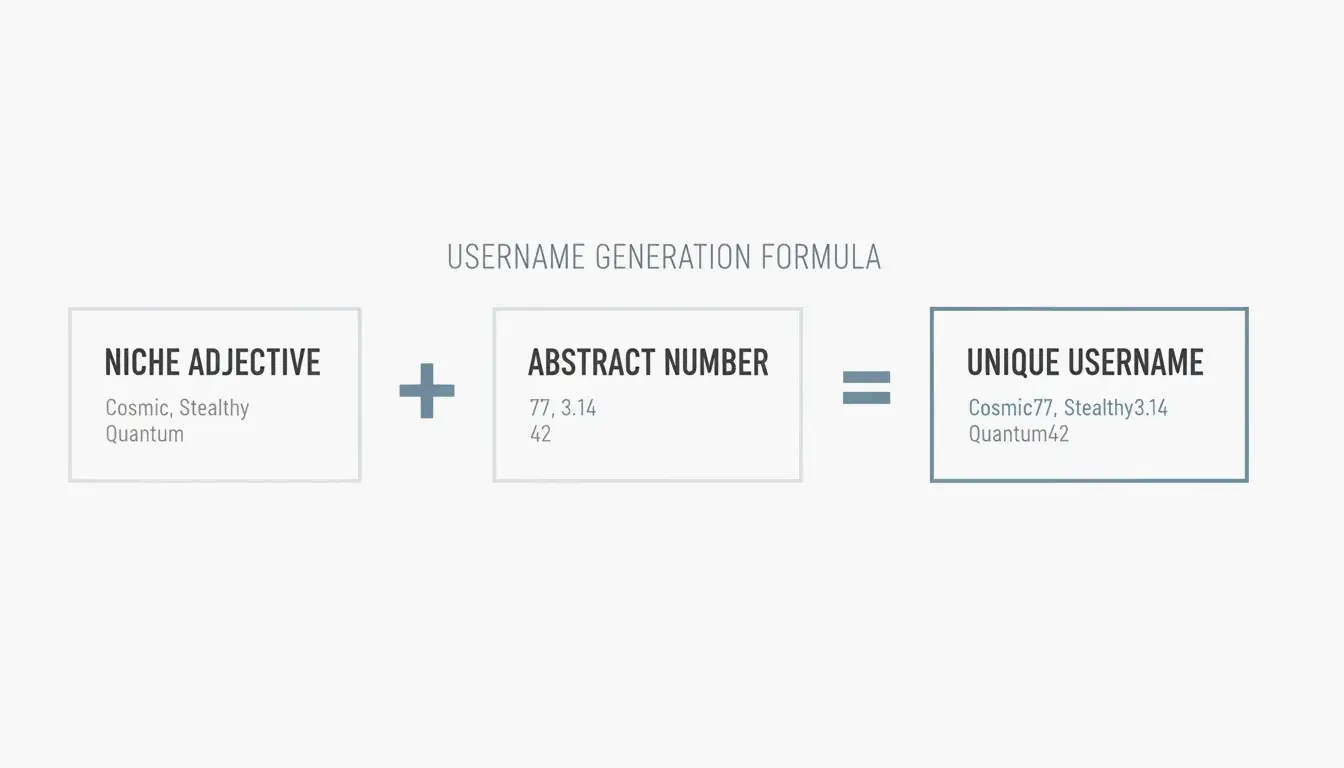
    This guide covers a formula-based method for creating usernames that look great and keep you safe: [Niche Adjective] + [Abstract Number], plus platform-specific formatting tips and security practices that are non-negotiable.

    The 2026 Username Formula

    The most effective strategy right now is combining a mood-specific word with a non-obvious number:

    [Niche Adjective] + [Abstract Number]
    Example: velvet404, dusk000, pulse777
    

    This beats the old “Name + Birth Year” format in two ways: it’s visually cleaner, and it doesn’t leak personal information. Aim for the 12–18 character sweet spot — long enough to be unique, short enough for people to remember and type.

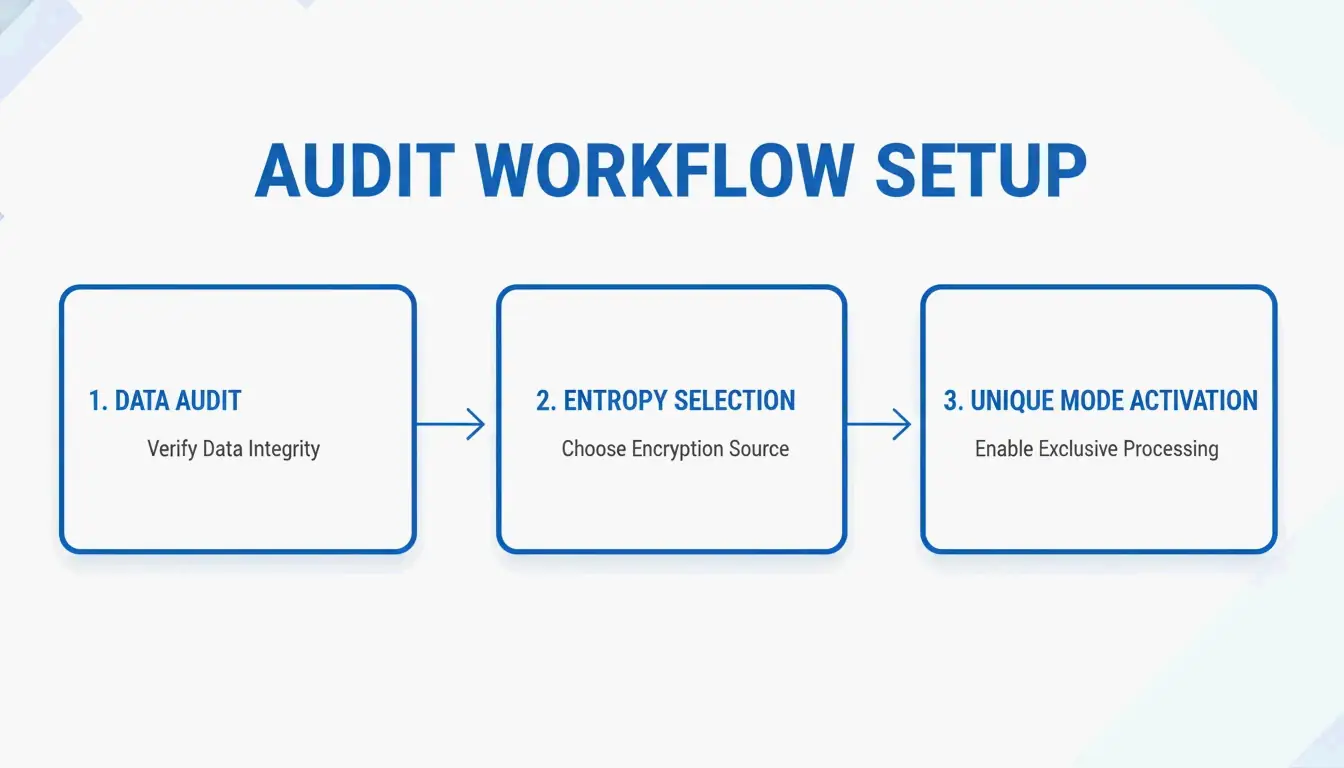
    A simple 3-node diagram showing the 2026 username formula

    Step 1: Pick Your Aesthetic Style

    Style Example Words Best Platforms
    Minimalist Base, Form, Still, Mono, Zero LinkedIn, professional portfolios
    Lo-fi / Dreamy Vapor, Velvet, Dusk, Ethereal, Satin Instagram, Pinterest, Tumblr
    Tech / Cyber Neon, Pulse, Syntax, Node, Hex Discord, Steam, GitHub
    Gamer Shadow, Cyber, Phantom, Apex Xbox, PlayStation, Twitch

    CodeItBro suggests matching your aesthetic to the platform — visual apps favor dreamy styles, gaming platforms favor bold or edgy ones.

    Step 2: Add Numbers That Look Intentional

    Avoid long random strings like user123456Zeptempmail warns these look like bot accounts. Instead, use numbers that add visual balance:

    Number Why It Works Example
    000 or 777 Symmetrical, balanced dusk000, neon777
    404 Tech-savvy nod to “not found” velvet404
    99 Clean minimalist suffix form99
    101 Academic / tutorial vibe syntax101

    Security: Why CSPRNG and PII Avoidance Are Non-Negotiable

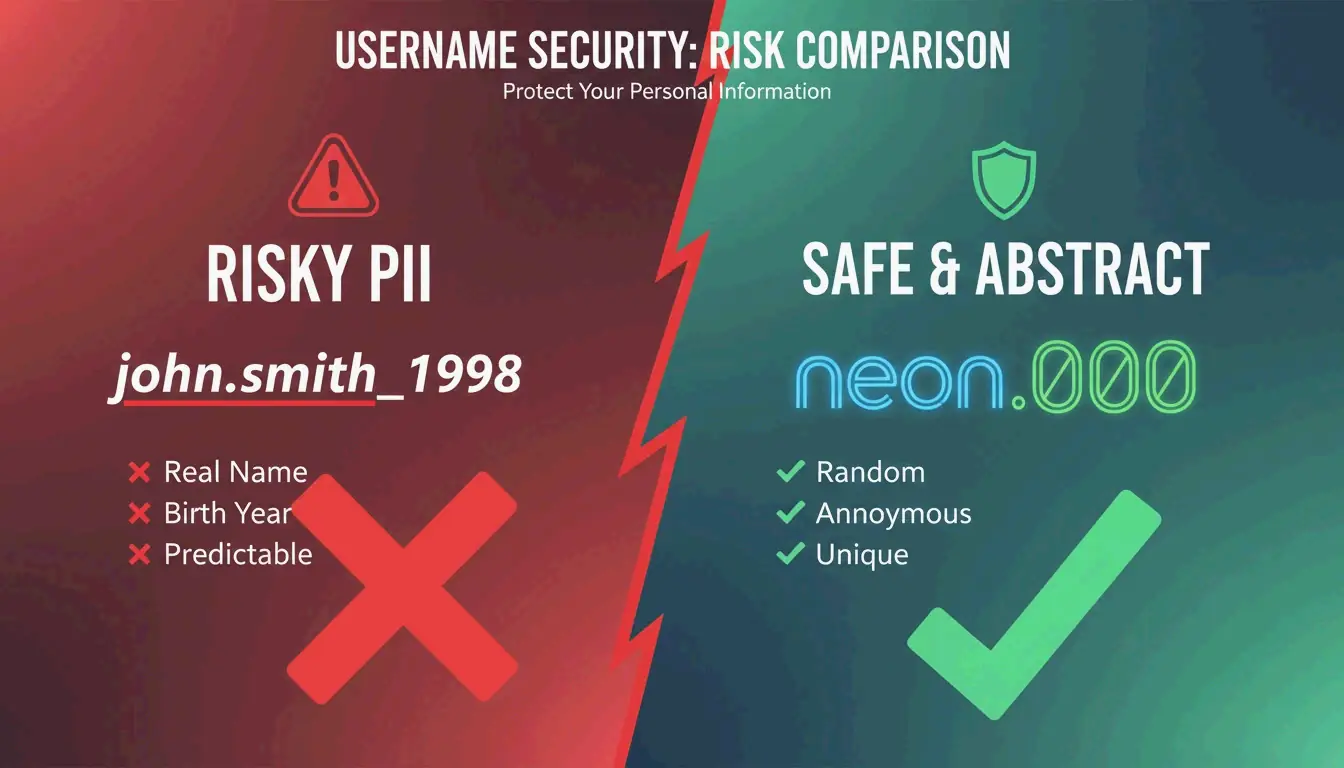
    Putting your birth year, full name, or location in a username makes you a target for Username Harvesting — bad actors collecting data across sites to build a profile for doxing or phishing.

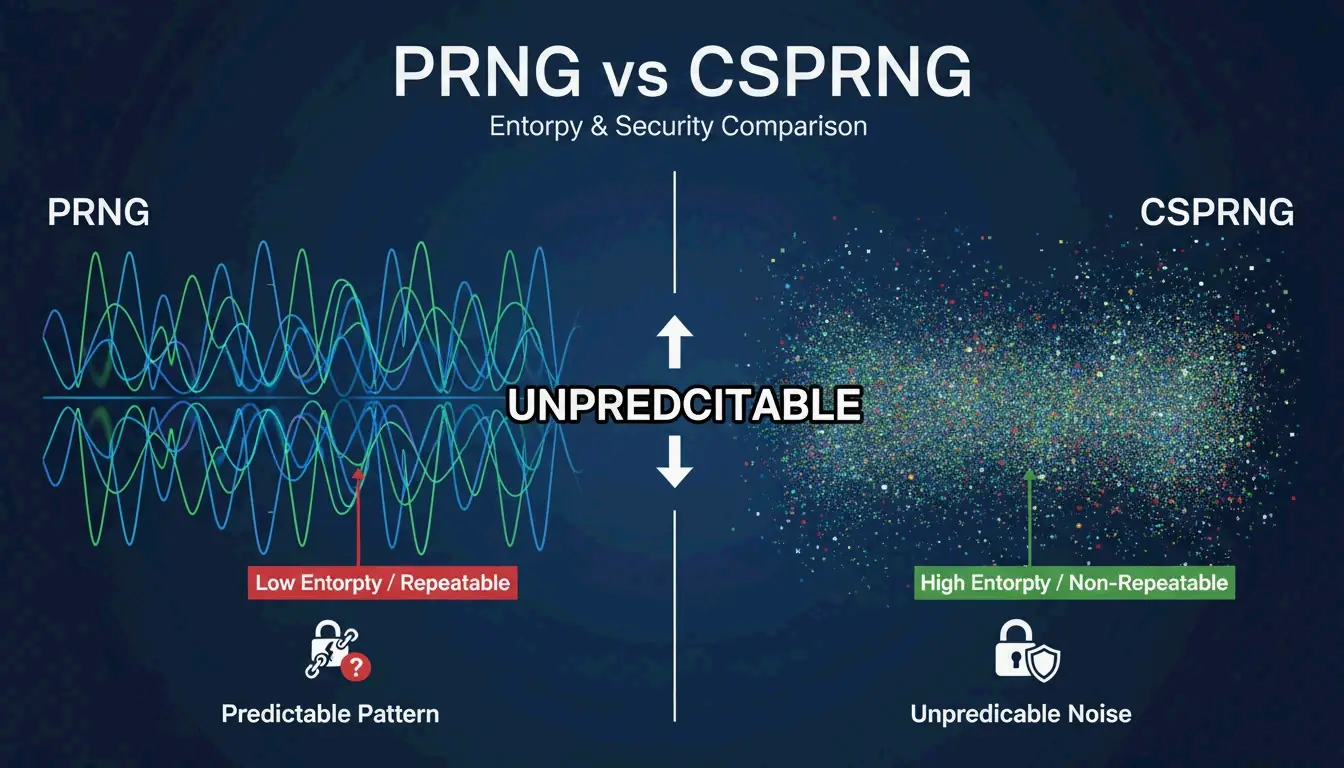
    For high-security accounts, use a CSPRNG (Cryptographically Secure Pseudo-Random Number Generator). According to Generate-Random.org, this ensures your combinations are truly random, not based on predictable patterns.

    A high-contrast comparison between 'Bad/Risky' and 'Good/Safe' username patterns

    The Security-Aesthetic Matrix

    Number Choice Aesthetic Value Security Rating
    Birth year (e.g., 1998) Low — feels dated High Risk (PII)
    Repeating (e.g., 000) High — symmetrical Low Risk
    Abstract (e.g., 404) High — tech vibe Low Risk
    CSPRNG random Moderate Maximum Security

    Don’t Reuse Usernames Across Sensitive and Public Platforms

    Dashlane notes that a unique username is only the first step. If your aesthetic Instagram handle is the same one you use for banking or crypto, a data leak on one site could lead attackers straight to your financial accounts.

    Rule: Your financial/crypto usernames should be completely different from your social ones — use a high-randomness handle generated by a password manager or CSPRNG tool.

    Cross-Platform Consistency

    Building a recognizable brand means using the same (or very similar) handle everywhere. If you’re @velvet.404 on Instagram but @velvet_404_official on TikTok, you lose brand recognition.

    The Social Cat recommends using tools like Namechk to scan availability across multiple platforms before committing.

    Platform Formatting Differences

    Platform Character Limit Style Notes
    Instagram 30 chars Periods (.) feel more editorial/professional
    TikTok 30 chars Same rules as Instagram
    Discord 32 chars Underscores (_) common in lo-fi/gamer communities
    Gaming (Xbox/Steam) 15 chars Edgier prefixes work well (Shadow, Cyber, Neon)

    If your handle is taken on one platform, CodeItBro suggests slightly tweaking the number or adding a minimalist suffix (.co, .edit, hq) to maintain the vibe.

    Advanced: Privacy-First Sign-ups and Rare Handles

    Temporary Email for Sign-ups

    Zeptempmail suggests using a temporary email for social sign-ups to prevent your primary email from entering the advertising ecosystems of Meta or ByteDance. This keeps your real identity separate from your social persona.

    Hunting Rare Handles (4-Letter Names)

    Short usernames are highly prized. If you find a 4-letter handle available, register it on every major platform immediately — even ones you don’t plan to use yet. These names appreciate in value and become unavailable quickly.

    The Crypto/Finance Rule

    Never use your social media handle for financial or crypto accounts. BYDFI and security experts warn that linking financial assets to a public aesthetic handle makes you a phishing target. Use a completely different, high-randomness handle for money-related services.

    Conclusion

    Creating a unique username in 2026 means balancing visual appeal with real security:

    1. Pick your aesthetic — Minimalist, Lo-fi, Tech, or Gamer
    2. Add an abstract number — 000, 404, 777, 99
    3. Check availability everywhere — Use Namechk or similar tools
    4. Separate identities — Social handles ≠ financial handles
    5. Use temp emails for sign-ups to protect your primary identity

    The formula [Niche Adjective] + [Abstract Number] gives you a name that’s memorable, visually clean, and doesn’t leak your personal information.

    FAQ

    Are underscores or periods better for Instagram username aesthetics?

    Periods (.) look cleaner and more editorial — popular with photographers and lifestyle creators. Underscores (_) fit lo-fi, grunge, and gamer aesthetics. Both work as visual breaks, but avoid mixing them in a single name — it looks cluttered.

    How many characters can an Instagram or TikTok username have?

    Both platforms allow up to 30 characters. For SEO and brand recall, stay under 20. The sweet spot is 12–18 characters — unique enough to stand out, short enough to remember.

    Is it safe to use my real name in a crypto wallet username?

    No. Using your real name or social handle links financial assets to your real-world identity. Publicly searchable financial usernames increase the risk of phishing, doxing, and social engineering. Use a completely different, non-aesthetic handle for all financial services.

    How can I check username availability across all platforms?

    Use aggregation tools like Namechk or Social Cat to scan multiple databases at once. If your desired name is taken on a specific platform, tweak it with an abstract number or minimal suffix without losing the aesthetic. Register on major platforms immediately — even ones you don’t plan to use yet.

  • Best Markdown Table Generator: Convert Excel, CSV, JSON to GFM Fast

    Best Markdown Table Generator: Convert Excel, CSV, JSON to GFM Fast

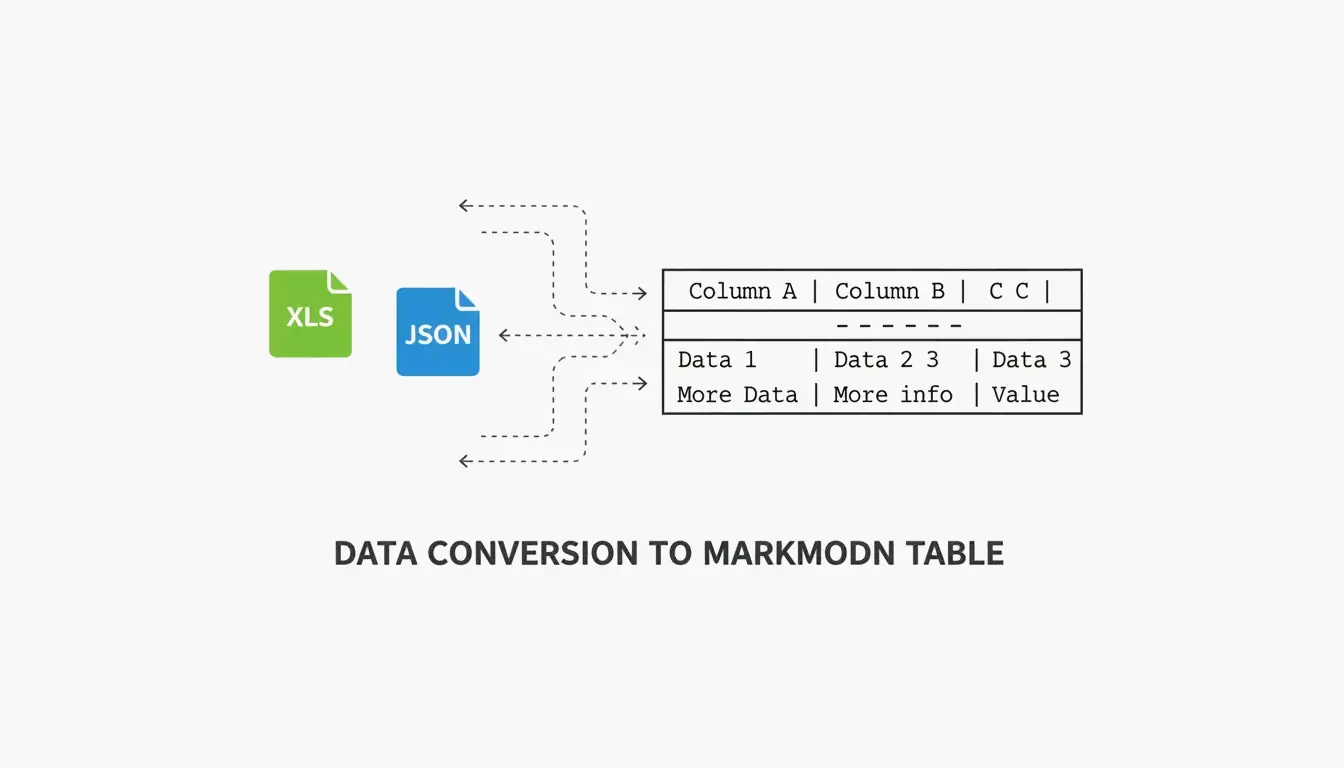
    Need to turn a spreadsheet, CSV, or JSON file into a clean Markdown table? In 2026, the process is straightforward — the right tool depends on whether you’re doing a quick one-off conversion or automating documentation at scale.

    This guide covers the best tools for each scenario: visual editors for manual work, CLI tools for automation, and CI/CD integration for keeping documentation in sync with your codebase.

    Top Tools at a Glance

    Tool Best For Type Key Strength
    TableGenerator.com Quick visual edits Web (client-side) Grid-based editor, alignment controls
    AnywayData Messy JSON files Web / library Flattening nested structures, AST parsing
    MarkItDown (Microsoft) Excel/Word automation Python CLI Preserves headers and table grids from Office files
    Pandoc Multi-format conversion CLI Supports dozens of formats, stable at scale
    EaseCloud Excel → GFM Web Simple browser-based converter
    GoConverter Excel → GFM Web Fast conversion with alignment options

    According to DasRoot (2026), modern Markdown tools can process 15–30 tables per second for mid-sized datasets — and the best ones use client-side processing, meaning your data never leaves your browser.

    Why GFM Compliance Matters

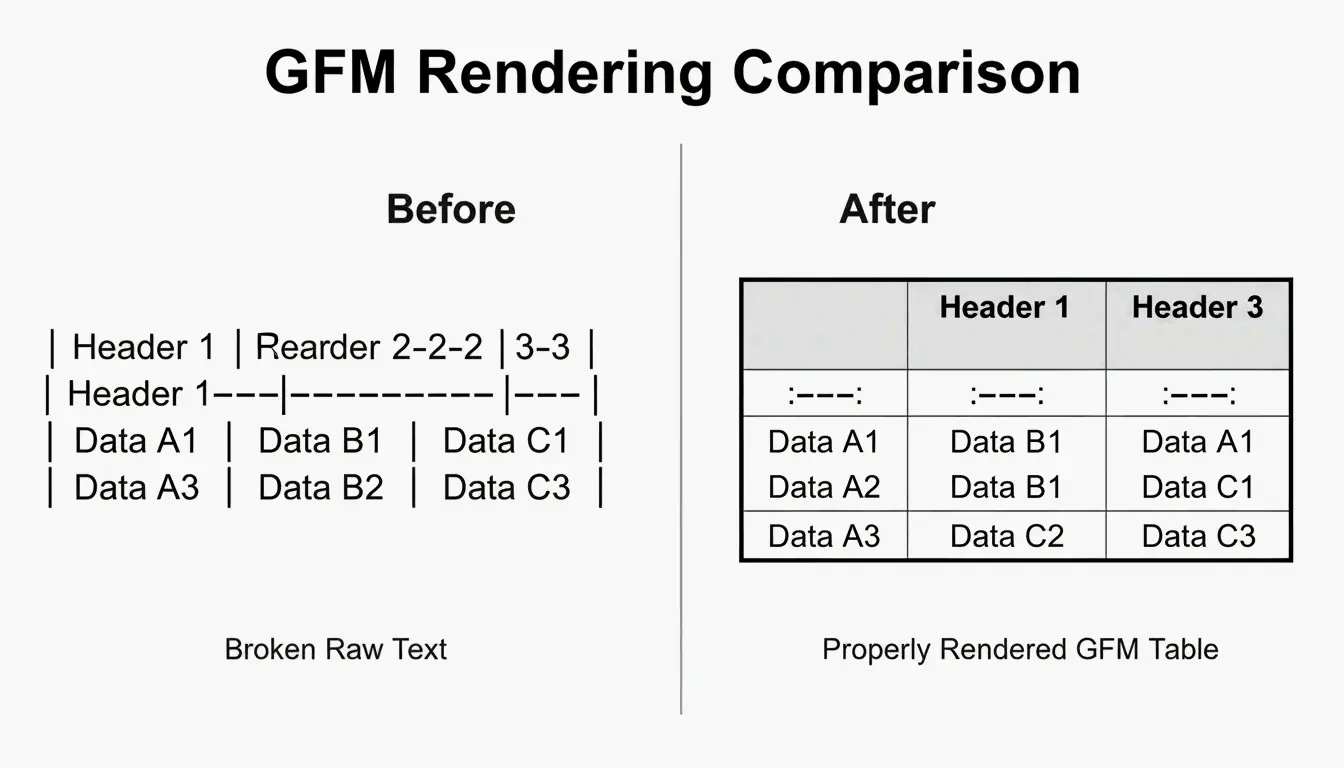
    GitHub Flavored Markdown (GFM) is the specific dialect used by GitHub, GitLab, and Discord. The original Markdown spec didn’t support tables at all — GFM added the familiar “pipe-and-dash” syntax. A GFM-compliant generator ensures your tables render correctly with bold headers and aligned columns, rather than appearing as raw text.

    Visual comparison of raw data vs. a rendered GFM table

    How to Convert Excel and CSV to GFM

    The process is two steps:

    1. Export to CSV — Save your Excel or Google Sheets file as CSV. This strips heavy formatting while preserving the data grid.
    2. Convert — Use a browser-based tool like EaseCloud or GoConverter to generate GFM code.

    Column Alignment

    GFM controls alignment through the separator row (the line under the header):

    Syntax Alignment
    :--- Left-aligned (default)
    ---: Right-aligned
    :---: Center-aligned

    Escaping Pipe Characters

    Markdown uses | to mark column edges. If your data contains a pipe (in a code snippet or formula, for example), it will break the table. Escape it with:

    • HTML entity: |
    • Backslash: \|
    • Code backticks: `|`

    Handling Large Datasets (100+ Rows)

    For datasets over 100 rows, web-based visual editors may lag. Modern converters use incremental parsing to stay responsive. According to AnywayData, using “pairwise combinatorial data logic” can reduce necessary test cases by 90–99%, which helps when documenting complex configurations.

    For truly large datasets, consider splitting into multiple tables or providing a downloadable CSV link alongside the Markdown version.

    Converting JSON to GFM: Flattening Nested Data

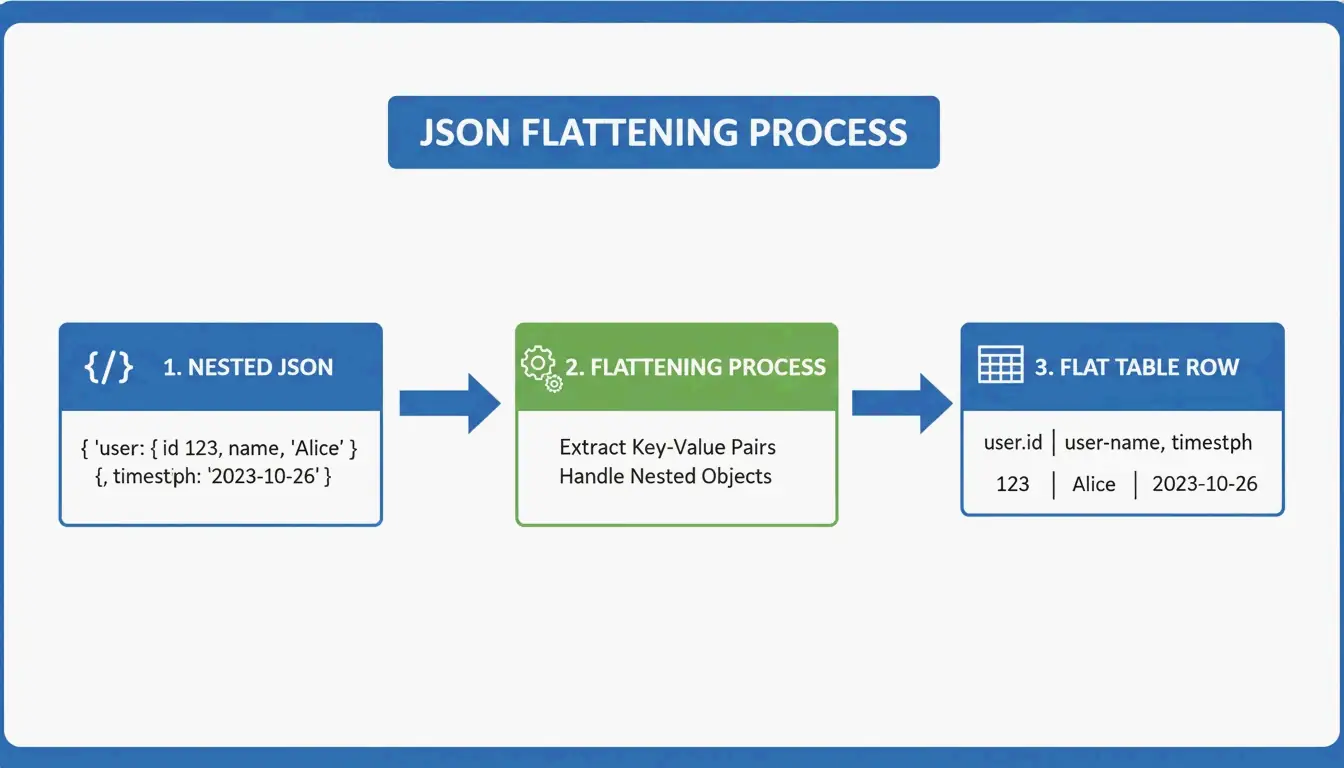
    JSON is hierarchical — data nested like Russian dolls. Markdown tables are flat 2D grids. The conversion requires flattening logic:

    user.address.city  →  "User Address City" (single column header)
    

    3-step visualization of flattening nested JSON into a flat table row

    AnywayData’s Grid Table Editor excels here — it lets you import JSON and manually control how nested layers get flattened. The quality of the conversion depends on whether the tool uses AST (Abstract Syntax Tree) construction rather than simple text pattern matching. AST-based parsers build a logical map of the data structure, handling deeper nesting and inconsistent schemas far more accurately.

    Automating with CI/CD

    For engineering teams, manual conversion is a waste of time. Integrating table generation into your CI/CD pipeline ensures README files stay current automatically:

    • Convert JSON API responses into GFM during the build process
    • Treat documentation as code — it updates when your data changes
    • Prevent the common problem of stale or incorrect information in your repo

    Tools like Terraform-docs v0.17.0 (2026) automatically inject resource tables directly into README files — proving that CLI tools often beat web interfaces for infrastructure-level documentation.

    MarkItDown vs. Pandoc: Which Should You Use?

    Factor MarkItDown (Microsoft) Pandoc
    Optimized for Office files (Excel, Word) Universal document conversion
    Markdown flavors GFM-focused CommonMark, GFM, and many others
    Best for Quick XLSX → GitHub table Multi-format, high-volume CLI work
    Latest version 2026 3.9.0.2 (stable)
    Speed Faster for single Office files Better for batch processing
    Use when You need one Excel file converted You need to convert between dozens of formats

    For most developers, MarkItDown is faster for the common case (Excel → GitHub table). Pandoc is the better choice when you’re juggling many document formats or running large-scale batch conversions.

    Conclusion

    Converting data to GFM tables in 2026 comes down to volume and workflow:

    • One-off edits → TableGenerator.com or AnywayData for visual control
    • Recurring Office conversions → MarkItDown integrated into your Python workflow
    • Multi-format or high-volume → Pandoc for CLI batch processing
    • Infrastructure docs → CI/CD automation with terraform-docs or custom scripts

    The key principle: documentation should update when your data updates. Automating the conversion prevents stale tables and keeps your project’s documentation trustworthy.

    FAQ

    How do I escape pipe characters (|) within a Markdown table cell?

    Use the HTML entity | instead of the literal pipe. Alternatively, use a backslash escape \| if your GFM parser supports it, or wrap the content in code backticks. All three methods prevent the pipe from being interpreted as a column separator.

    Does GFM support merged cells or multi-line content?

    No. Standard GFM doesn’t support colspan or rowspan. Each cell must be independent. For multi-line content within a cell, use HTML <br> tags to force line breaks while keeping the data in a single row.

    What’s the best approach for datasets over 100 rows?

    Skip web-based visual editors (they’ll lag). Use CLI tools like MarkItDown or Pandoc instead. If the resulting table is too large for a single page, split it into multiple tables or provide a link to a downloadable CSV file to maintain readability.

  • VIN Barcode Guide: How to Locate, Scan, and Generate Vehicle Barcodes

    VIN Barcode Guide: How to Locate, Scan, and Generate Vehicle Barcodes

    Every vehicle has a unique fingerprint — a 17-character Vehicle Identification Number (VIN) that encodes its manufacturer, model, engine type, and production sequence. Whether you’re sourcing parts, running a history check, or processing vehicle intake at a dealership, the VIN is the key that unlocks everything.

    This guide covers where to find the VIN barcode, how to scan it with modern OCR tools (99.8% accuracy), how to generate compliant barcodes, and what’s changing with the 2026 EU Digital Product Passport.

    Locating Your VIN: Where to Look

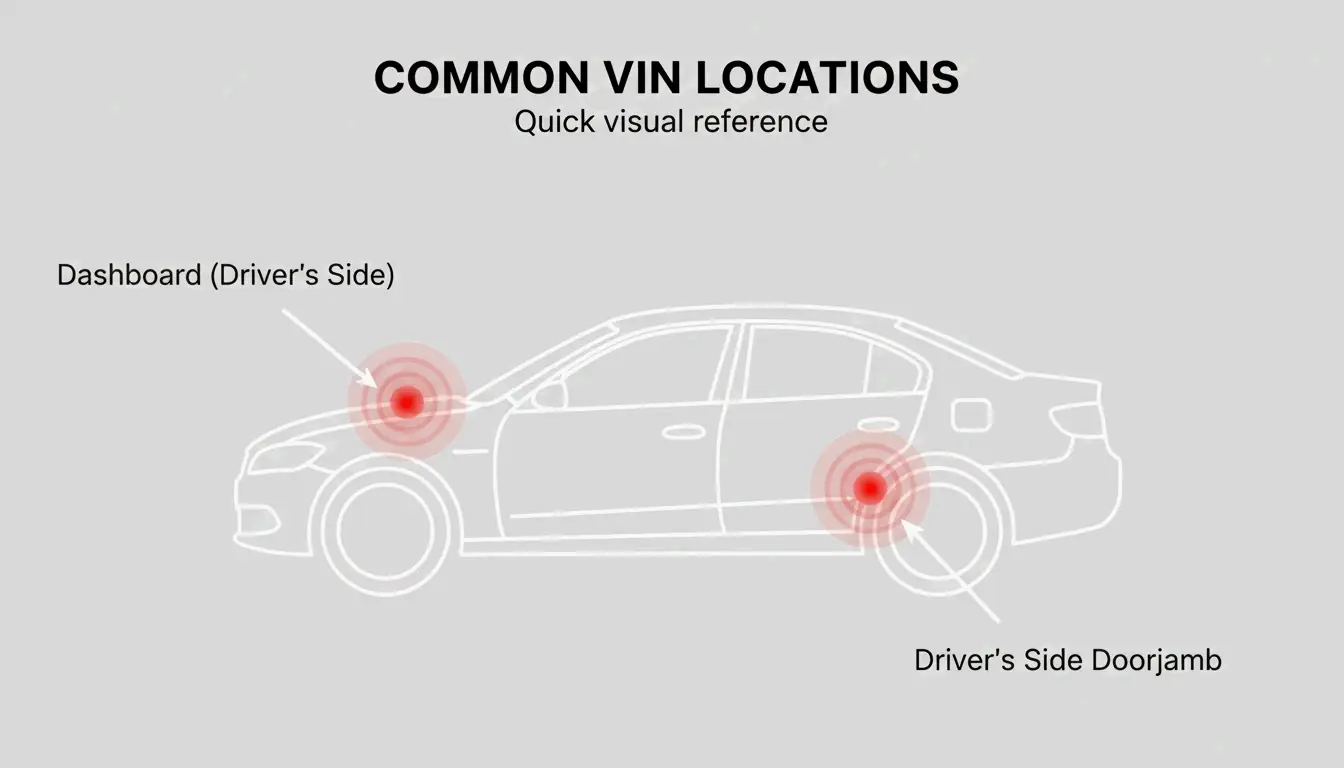
    Since 1981, every vehicle sold in the U.S. carries a standardized 17-character VIN. You’ll typically find the barcode or stamped plate in two primary locations:

    Location How to Find It
    Dashboard (driver’s side) Stand outside the car, look through the bottom corner of the windshield at the metal plate where the dash meets the hood
    B-pillar doorjamb Open the driver’s door, check the post for a compliance sticker listing the VIN, tire pressure, and manufacture date

    Minimalist diagram showing the two primary VIN locations on a car outline.

    For vehicles where these aren’t accessible:

    Vehicle Type Alternative Location
    Trucks / SUVs Front-right frame rail
    Motorcycles Steering head tube
    Trailers Tongue (front hitch area)

    If physical tags are missing or damaged, the NHTSA suggests checking the engine block, spare tire well, or your state registration card, insurance policy, or vehicle title.

    Troubleshooting: Faded or Missing Tags

    For rusted frames or damaged plates, FatBoysOffroad recommends using a wire brush to clear grime and rust from the chassis stamp. If the physical tags are completely gone, your registration card, insurance policy, or vehicle title will have the VIN.

    Scanning Technology: OCR at 99.8% Accuracy

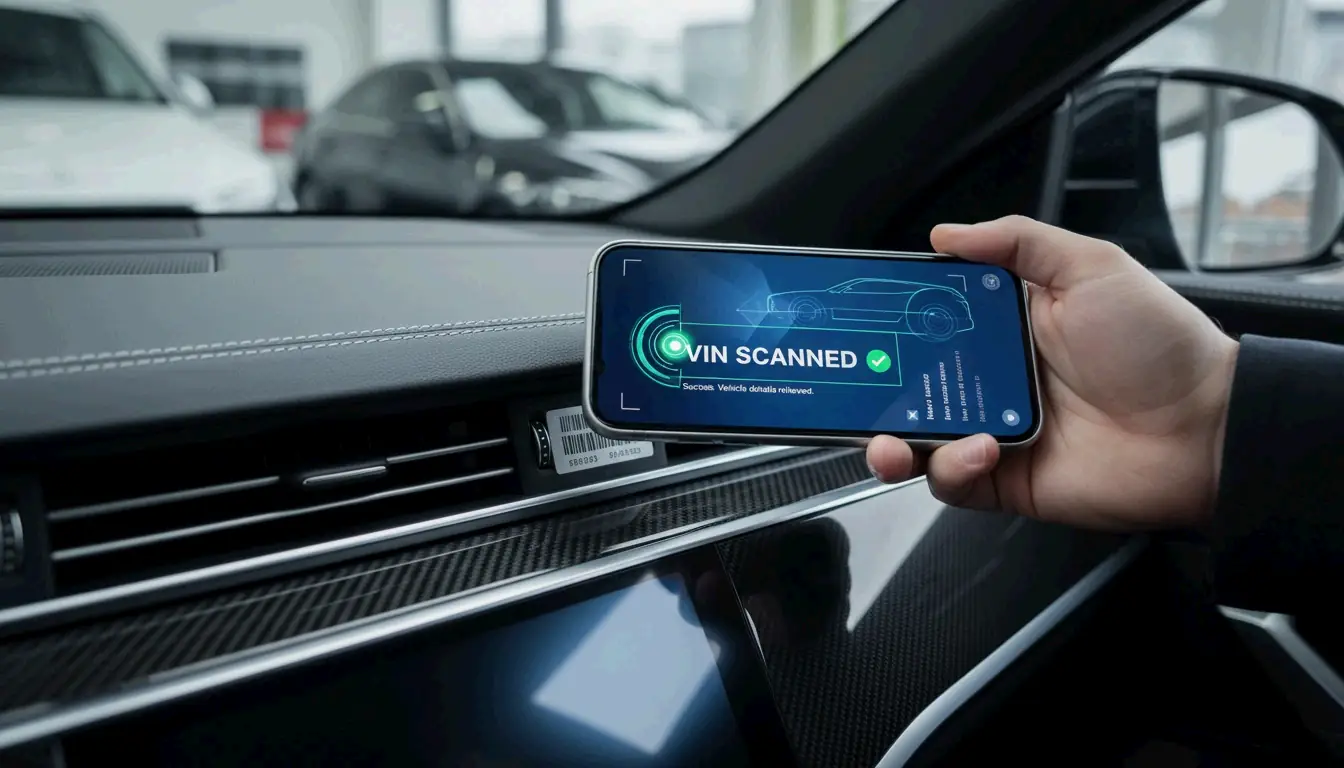
    Typing 17-character codes by hand is error-prone and slow. Modern scanning uses Optical Character Recognition (OCR) to convert a photo into digital text. According to Vincario, professional scanners in 2026 hit a 99.8% accuracy rate — eliminating the typos that lead to wrong parts orders or incorrect valuations.

    Top Tools for 2026

    Tool Type Strength
    Vincario Business platform Decodes VINs + shows market values
    GroupDocs Online scanner Upload photos or use webcam
    Carketa Dealership API Integrated with Dealer Management Systems

    The time savings are significant. Vincario reports dealerships cut manual processing time by ~48% using integrated scanners during vehicle intake and auctions.

    Tips for Scanning Damaged Barcodes

    Scanning through a windshield or reading a faded code can be tricky. GroupDocs uses AI algorithms to reconstruct partial patterns. For best results:

    • Ensure plenty of light but no direct glare on the surface
    • If the barcode won’t scan, switch to “text” mode to read the alphanumeric characters printed beside the barcode lines
    • Try a high-contrast filter within the app

    How to Generate ISO 3779 Compliant VIN Barcodes

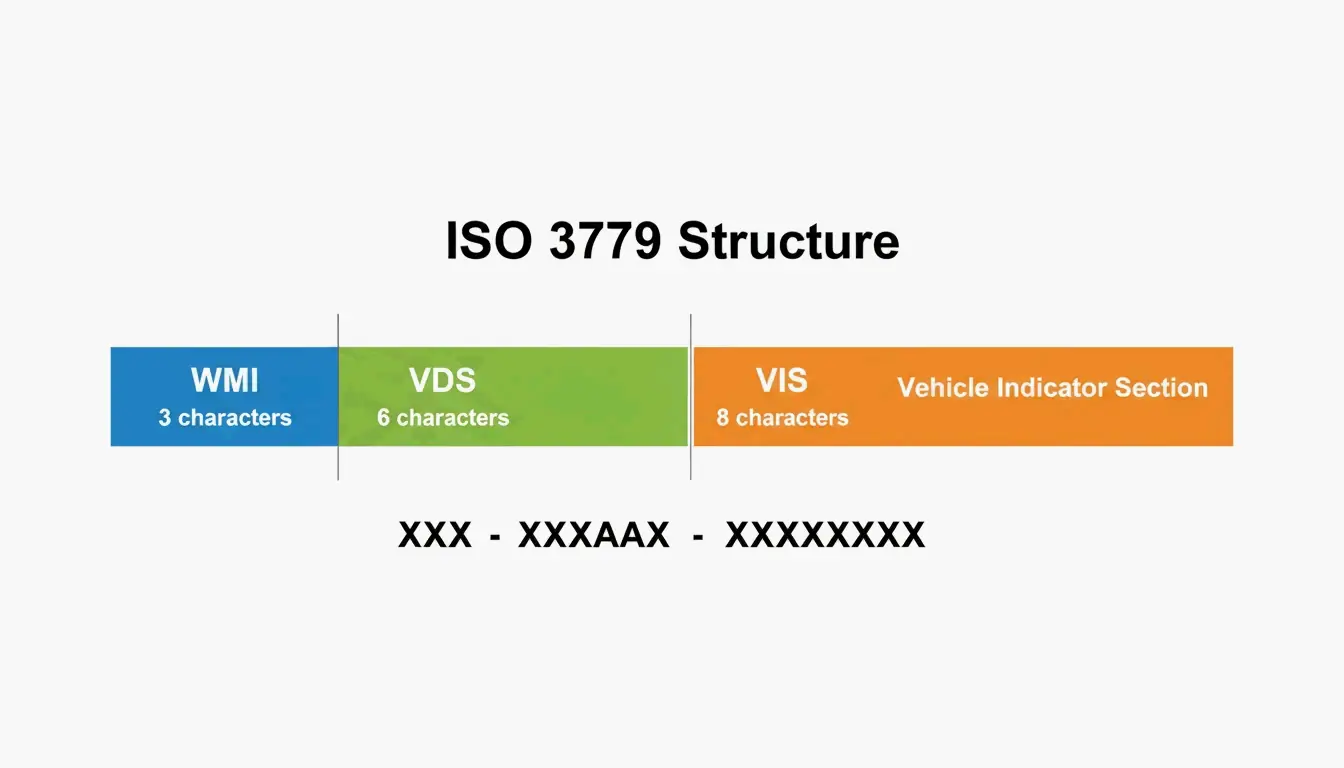
    Generating a VIN barcode for industrial or official use requires following international standards. ISO 3779 defines the 17-character structure:

    Segment Characters What It Encodes
    WMI (World Manufacturer Identifier) 1–3 Country and manufacturer
    VDS (Vehicle Descriptor Section) 4–9 Model, engine type, body style
    VIS (Vehicle Identifier Section) 10–17 Model year, assembly plant, production number

    A simple 3-segment breakdown of a 17-character VIN string.

    Critical Rule: No I, O, or Q

    ISO 3779 bans the letters I, O, and Q to prevent confusion with the numbers 1 and 0. This applies whether you’re typing, printing, or scanning.

    Barcode Format Options

    Format Best For Notes
    Code 39 DMV, insurance, government work Industry standard for official documents
    Code 128 Small labels, high-density needs More compact than Code 39

    Tools like Abundera can generate these codes, though web-based tools typically limit you to 500 codes per session.

    The Check Digit (Character 9)

    The 9th character of a North American VIN is a Check Digit — a number (0–9) or the letter “X” calculated from the other characters to verify accuracy. The EAN Check team notes that U.S. and Chinese markets require this check digit to prevent fraud, while European and Japanese manufacturers follow it less consistently.

    NHTSA 2024 WMI Update

    In a 2024 update, the NHTSA clarified that automakers can use U.S.-issued WMIs for vehicles built outside the U.S. under certain conditions. Some Fords built overseas, for example, still carry a U.S. WMI (starting with 1, 4, or 5). To determine where a car was actually assembled, check the 11th digit, which identifies the specific assembly plant.

    Industrial Applications: Marking and Digital Passports

    Permanently marking a VIN onto a chassis requires specialized techniques:

    Method How It Works Best For
    Dot peen marking Metal pin dents the code into metal Chassis — survives painting and powder-coating (HeatSign)
    Laser engraving Etches the code onto the surface Dashboard plates, engine parts — clean, high-contrast finish

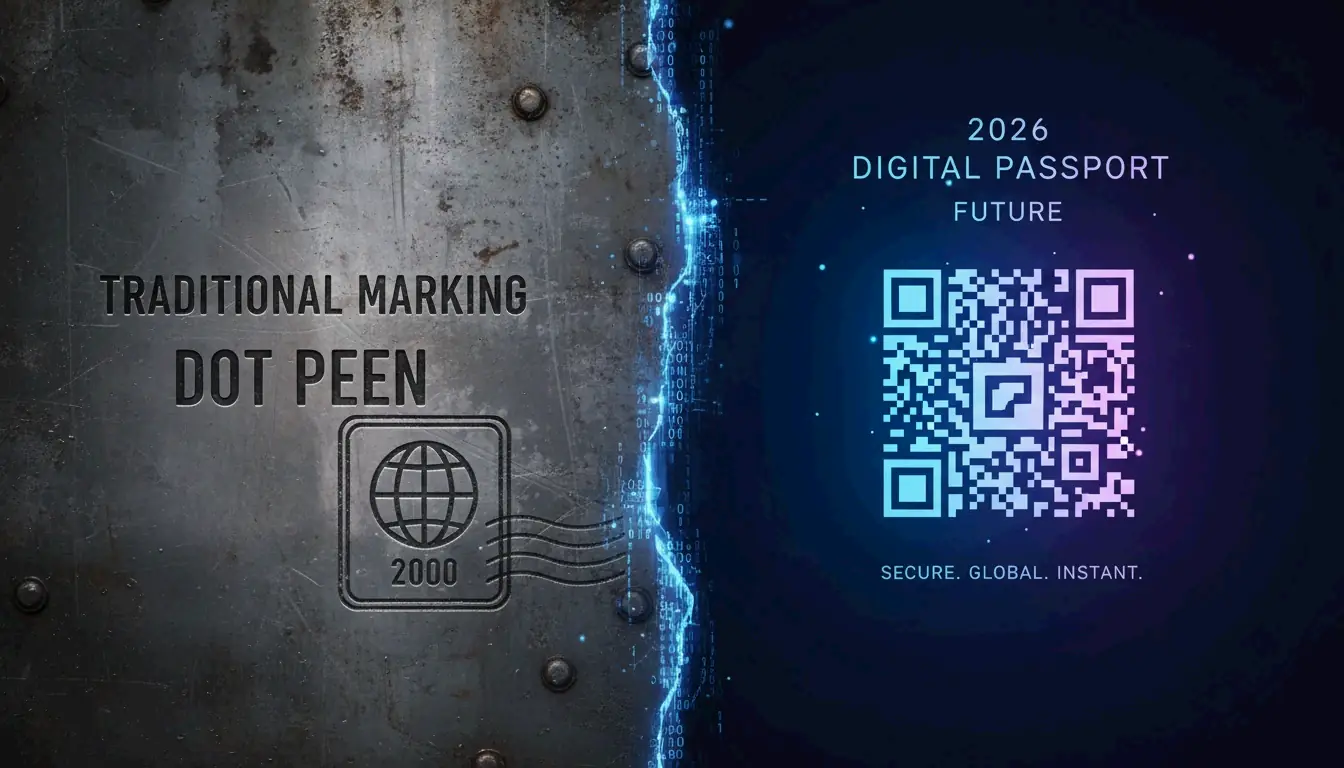
    Visual contrast between industrial dot peen marking and digital QR code passports.

    The EU Digital Product Passport (2026)

    As of July 19, 2026, the EU Digital Product Passport (DPP) is reshaping global standards. Under Regulation (EU) 2024/1781, automotive parts sold in the EU must carry a scannable QR or Data Matrix code linking to digital product data. The industry is moving toward a “Digital Passport” for every vehicle.

    Paper Labels vs. Metal Marking

    Feature Paper/Vinyl Labels Metal Dot Peen/Engraving
    Durability Low — can peel or fade Permanent — forged into metal
    Location Doorjambs, windows Chassis, engine block, frame
    Use case Consumer info, tire specs Anti-theft, legal identification
    2026 trend Moving toward QR/DPP Standard for heavy industrial use

    For developers, creating random VINs for testing is legal and common. Tools like the Random VIN Generator produce ISO 3779-compliant strings without using real vehicle data.

    Conclusion

    From the moment a VIN is generated under ISO rules to the day it’s scanned by a mechanic or dealership, it’s the single most important piece of data attached to a vehicle. In 2026:

    • Personal use — A good OCR scanner app with 99.8% accuracy is your best tool
    • Business use — Ensure your tools comply with the 2024 NHTSA rulings and 2026 EU Digital Product Passport standards
    • Generation — Follow ISO 3779 strictly (no I/O/Q, validate check digits), choose Code 39 for official use or Code 128 for compact labels

    FAQ

    Where is the VIN barcode on a motorcycle or trailer?

    Motorcycles: Steering head tube or frame near the engine mount. Trailers: Tongue (front hitch area) or front-left frame rail. If the sticker is missing, look for a physical stamp on the metal chassis.

    Why are the letters I, O, and Q never used in a VIN?

    They’re excluded by ISO 3779 to prevent confusion with the numbers 1 and 0. Removing these visually similar characters significantly improves accuracy during both manual entry and automated OCR scanning.

    Can I scan a damaged VIN barcode with a smartphone?

    Yes — 2026 AI-enhanced OCR apps can reconstruct partial patterns. Ensure good lighting without glare, and try high-contrast filters. If the barcode is unreadable, most apps can use OCR on the alphanumeric characters printed next to the code.

  • Code 128 vs Code 39: Barcode Differences Explained (2026)

    Code 128 vs Code 39: Barcode Differences Explained (2026)

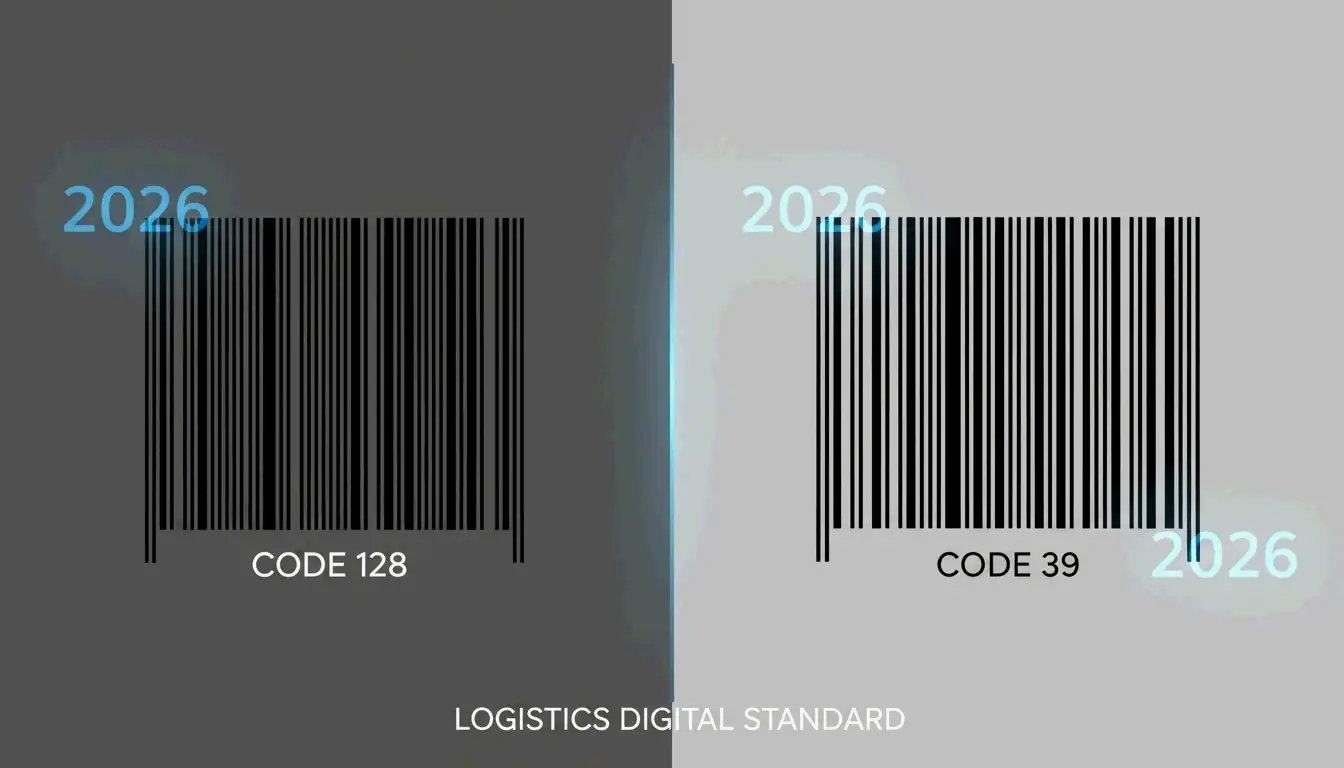
    If you work with barcodes — whether in shipping, healthcare, manufacturing, or retail — you’ve likely encountered both Code 128 and Code 39. They’re two of the most common 1D barcode formats, and in 2026, the choice between them comes down to how much data you need to encode and how much label space you have.

    Code 128 is the modern standard: high-density, full ASCII support, and a mandatory check digit. Code 39 is the older, simpler alternative that works well for short strings but becomes unwieldy with longer data. This guide breaks down the differences and helps you pick the right one.

    Code 128 vs Code 39 at a Glance

    Feature Code 128 Code 39
    Data density High — fits more data in less space Low — gets wide quickly
    Character set Full 128 ASCII characters 43 characters (uppercase, digits, few symbols)
    Lowercase support Native Only via “Extended” mode (doubles barcode length)
    Check digit Mandatory (Modulo 103) Optional
    Bar/space widths 4 widths (1, 2, 3, 4 units) 2 widths (narrow and wide)
    Best for Logistics, shipping, complex data Simple internal tracking, legacy systems

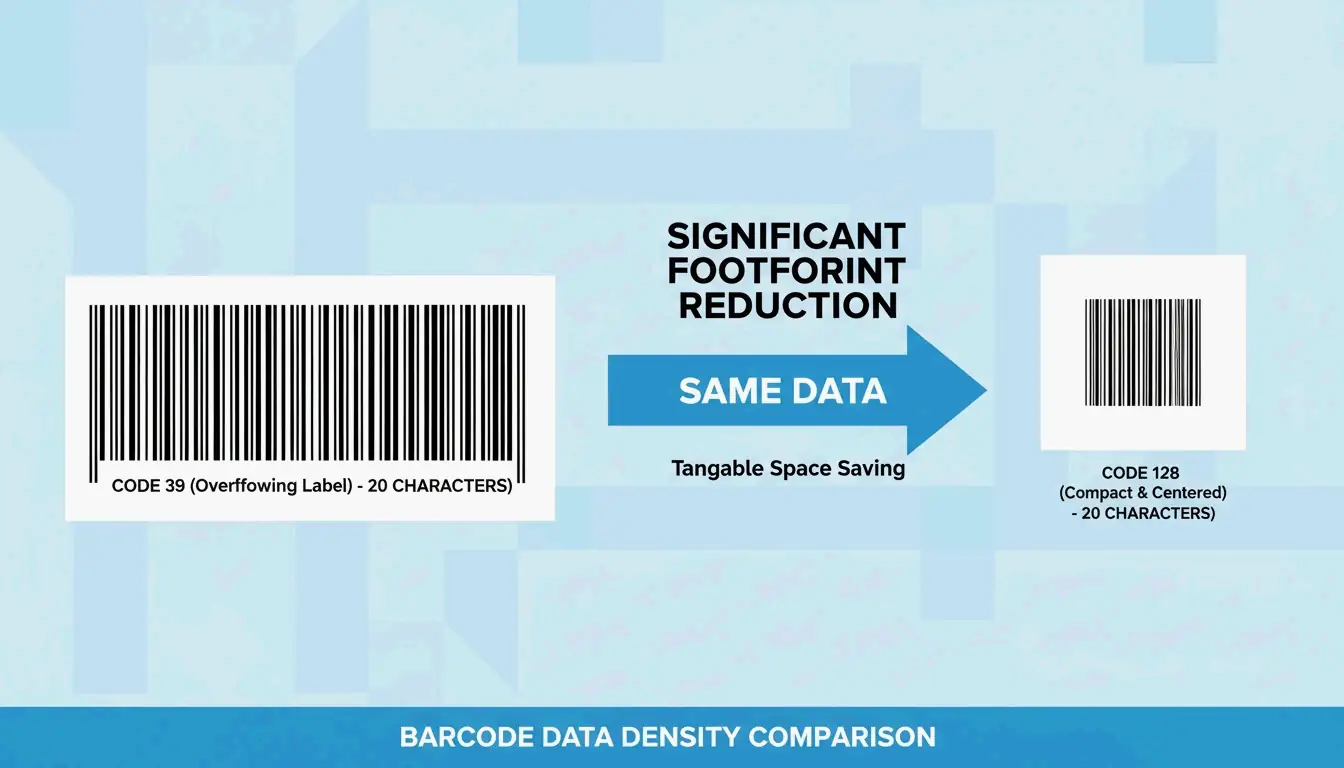
    The physical footprint difference is striking. According to Peak Technologies, you should switch from Code 39 to Code 128 if your data string is longer than 15 characters. A 20-character ID in Code 39 might not fit on a standard 2-inch label, while Code 128 keeps it compact.

    A side-by-side scale comparison showing Code 128 is much shorter than Code 39 for the same data

    Modern scanners (area imagers and smartphone apps) read both formats easily. But Code 128 has the edge in reliability because its built-in error detection prevents misreads in high-volume environments.

    Data Density: Why It Matters

    Data density is how many characters fit into a single inch of barcode. Wikipedia explains that Code 128 uses four different widths for bars and spaces, while Code 39 uses only two. This precision makes Code 128 roughly twice as dense for numeric data — often the only 1D barcode that works for tiny items like medical vials or small electronics.

    Character Support

    • Code 39 (Standard): 43 characters — uppercase A–Z, digits 0–9, and a handful of symbols (-, ., $, /, +, %, space).
    • Code 128: All 128 ASCII characters — uppercase, lowercase, symbols, and even control characters like carriage returns.
    • Code 39 Extended: Can encode lowercase via character pairs (e.g., “+A” for lowercase “a”), but as Peak Technologies notes, this is “wasteful of space” and makes the barcode unnecessarily long.

    Why Code 128 Is the Modern Logistics Standard

    Code 128 powers global shipping through the GS1-128 standard, which uses “Application Identifiers” to structure data like batch numbers, expiration dates, and serial numbers.

    Mandatory Check Digit (Modulo 103)

    In Code 39, a checksum is optional. In Code 128, it’s built-in — the barcode appends a calculated value that the scanner verifies on every read. This virtually eliminates the risk of a “wrong” scan in busy warehouses.

    Optimization Through Code Sets A, B, and C

    Code 128 stays compact by switching between three internal modes:

    Code Set Optimized For Key Advantage
    A Uppercase letters + control codes Industrial applications
    B Standard alphanumeric + lowercase General-purpose text
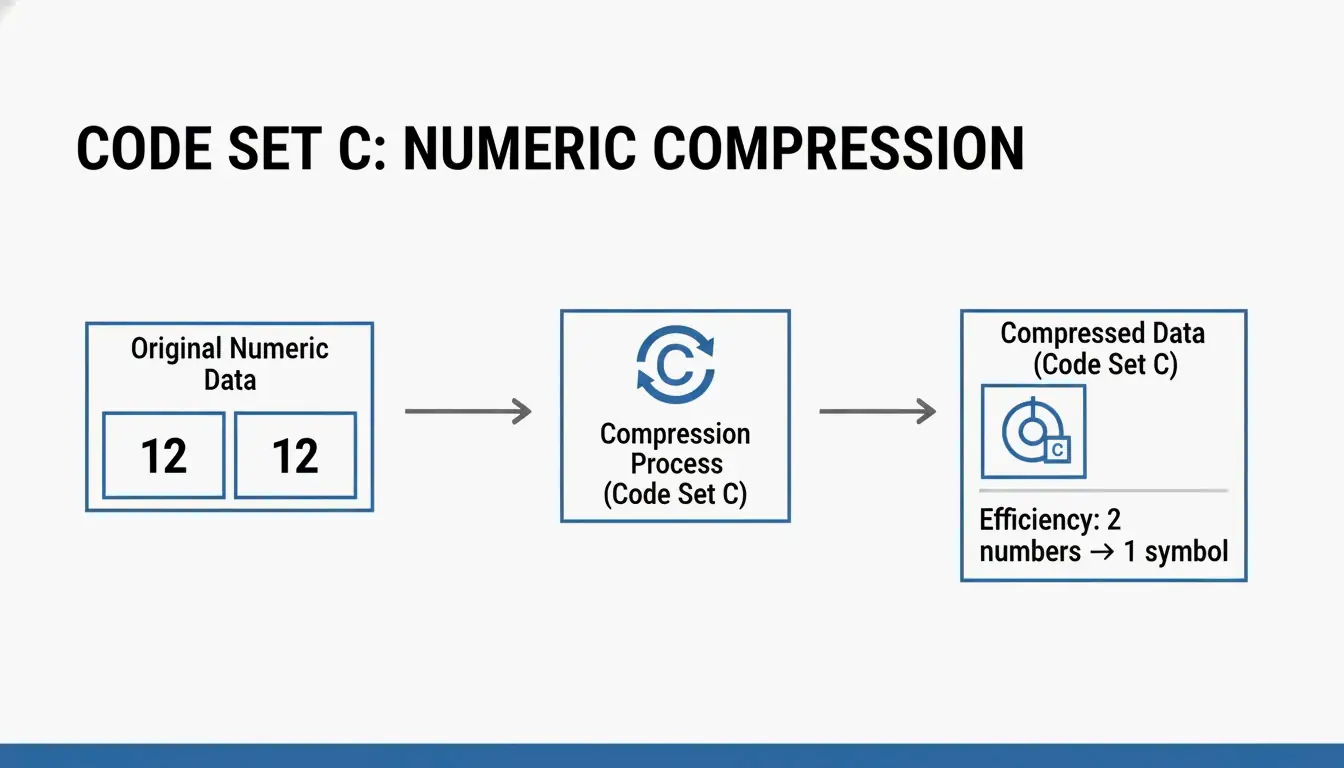
    C Numeric-only data Two digits per symbol — most efficient for numbers

    Wikipedia explains that Code Set C packs two digits into a single barcode symbol. For long numeric strings, this is incredibly efficient. Research by Steven Skiena shows that smart Code Set selection can make a barcode 8% smaller on average than using a static setting.

    Simple visual showing how Code Set C pairs two digits into one symbol

    Is Code 39 Still Relevant?

    Code 39 still has a place in 2026 because it’s simple and forgiving. It’s “self-checking” — the gaps between characters help isolate errors — which makes it work well with low-resolution printers or older industrial scanners.

    You’ll still find Code 39 in:
    US Department of Defense (LOGMARS standard)
    Healthcare internal tracking
    Automotive legacy systems

    The problem arises with Code 39 Extended. Encoding a single lowercase “a” requires printing “+A” — doubling the barcode length. If your tracking IDs use mixed-case letters, Code 39 Extended is a poor choice.

    Technical Specs: X-Dimension and Quiet Zones

    How well a barcode scans depends on the X-dimension — the width of the narrowest bar. According to GS1 2026 standards, the minimum X-dimension for retail checkouts is 0.264 mm (0.0104 inches).

    Both formats also need a Quiet Zone — blank white space on both ends of the barcode, at least 10× the width of the narrowest bar. Without it, scanners can’t determine where the barcode starts and stops.

    Scanner Compatibility

    Scanner Type Works Best With Notes
    Laser scanners Longer, taller barcodes Need a clear laser path across all bars
    Area imagers (2026 standard) Both formats, including high-density Code 128 Can read damaged or tilted labels
    Smartphone cameras Both Native support in iOS/Android

    Per Gitnux 2024, the retail sector handles 42% of global daily scans — which is why the industry is moving toward more reliable area imaging standards.

    Conclusion

    Code 39 is fine for simple, short internal tracking IDs — especially in legacy systems with older scanners. Code 128 is the clear choice for anything else: it’s smaller, supports more characters, includes mandatory error checking, and is the backbone of modern logistics.

    Decision rule:
    – Data shorter than 10–15 characters, uppercase only → Code 39 is acceptable
    – Anything longer, or with mixed case / symbols → Code 128
    – GS1-128 compliance required → Code 128 (no other option)

    When designing labels, ensure your narrowest bar meets the 0.264 mm GS1 standard to guarantee readability worldwide.

    FAQ

    Can Code 39 encode lowercase letters?

    Standard Code 39 only supports uppercase letters, digits, and a few symbols. To encode lowercase, you need Code 39 Extended, which uses character pairs (e.g., “+A” for “a”). This significantly increases the barcode’s physical length, making it far less efficient than Code 128.

    Why is Code 128 more “dense” than Code 39?

    Code 128 uses four bar/space widths (vs. Code 39’s two), and its Code Set C encodes two digits per symbol. This makes Code 128 roughly twice as dense as Code 39 for numeric data, saving valuable label space.

    Do I need a check digit for Code 39 barcodes?

    It’s optional for Code 39 but recommended in high-stakes environments. Code 128 has a mandatory Modulo 103 checksum built into its specification, making it inherently more reliable for high-volume scanning.

    Which barcode type is better for small items with limited label space?

    Code 128 — its higher density means you can print it at a larger X-dimension (easier for scanners to read) within the same physical space where a Code 39 barcode would be cramped and hard to scan.

  • What Is a UUID? The Complete Guide to RFC 9562 and Modern Unique Identifiers

    What Is a UUID? The Complete Guide to RFC 9562 and Modern Unique Identifiers

    Every modern database, distributed system, and API uses unique identifiers — and in 2026, the standard that governs them has fundamentally changed. UUID (Universally Unique Identifier) is a 128-bit label that can identify information across computer systems without any central coordination. Under the new RFC 9562 (which replaced RFC 4122 in May 2024), the landscape has shifted: UUID v4 remains the go-to for random IDs, but UUID v7 is now the recommended standard for database primary keys because its time-ordered structure prevents B-tree index fragmentation.

    This guide covers the full picture: how UUIDs work, which version to use when, and how to implement them correctly.

    Understanding RFC 9562: The Modern UUID Standard

    A UUID is a 128-bit number that’s practically guaranteed to be unique — no central authority needed. According to Wikipedia, the chance of two UUIDs colliding is so close to zero it’s considered impossible for real-world applications. Different teams can label data independently, confident their IDs won’t clash.

    In May 2024, the IETF published RFC 9562, retiring the old RFC 4122. The update responded to the demands of modern distributed systems, which needed IDs that are both unique and sortable by time. Three new versions were introduced: v6, v7, and v8.

    Anatomy of a UUID: Versions and Variants

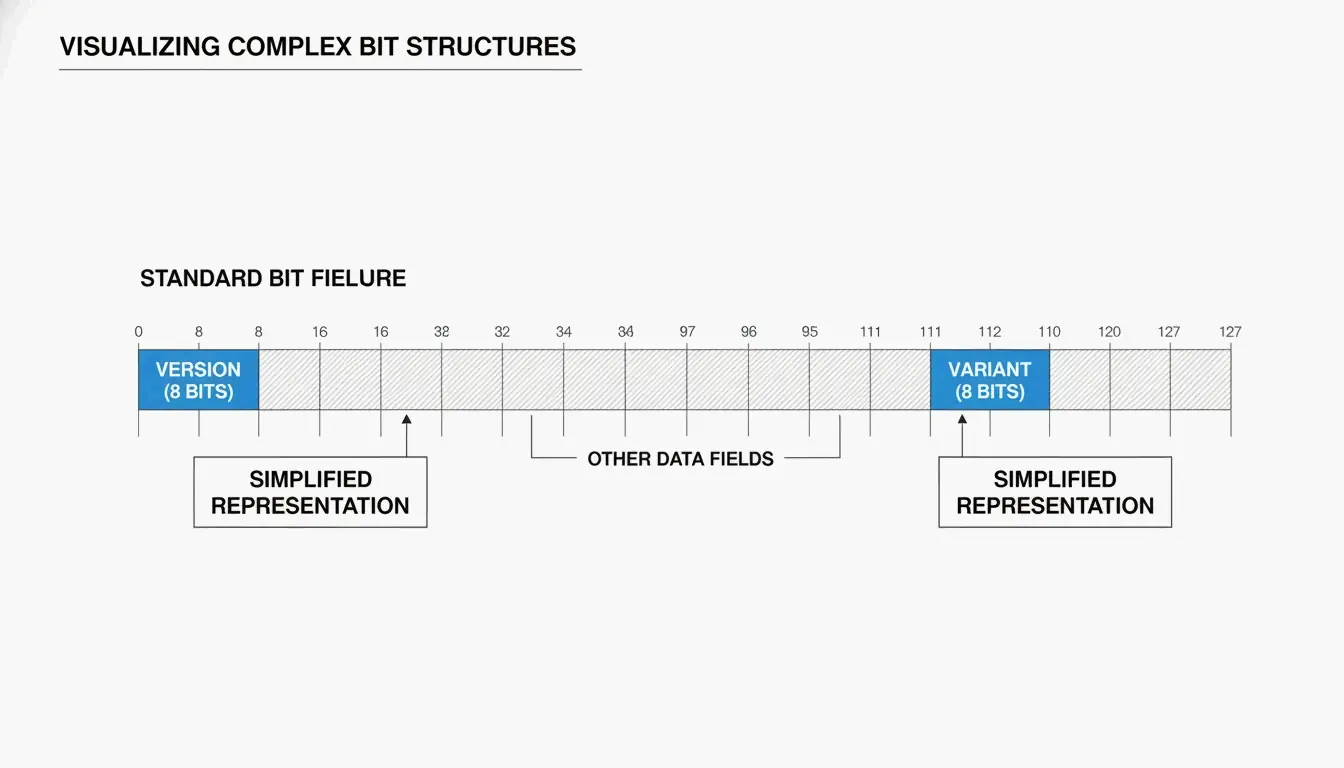
    You’ll typically see a UUID as 32 hexadecimal characters split into five groups by hyphens (8-4-4-4-12):

    550e8400-e29b-41d4-a716-446655440000
                ^
              version
    

    Two key fields tell you how the UUID was generated:

    Field Location What It Tells You
    Version bits First 4 bits of the 7th byte (first char of the 3rd group) Which algorithm was used (e.g., “4” = v4, “7” = v7)
    Variant bits 9th byte The UUID variant — RFC 9562 uses a 10 bit pattern

    As SnapUtils explains, the variant bits separate modern RFC 9562 UUIDs from older Apollo or Microsoft formats.

    UUID 结构拆解示意图

    Why UUID v7 Is the New Gold Standard for Databases

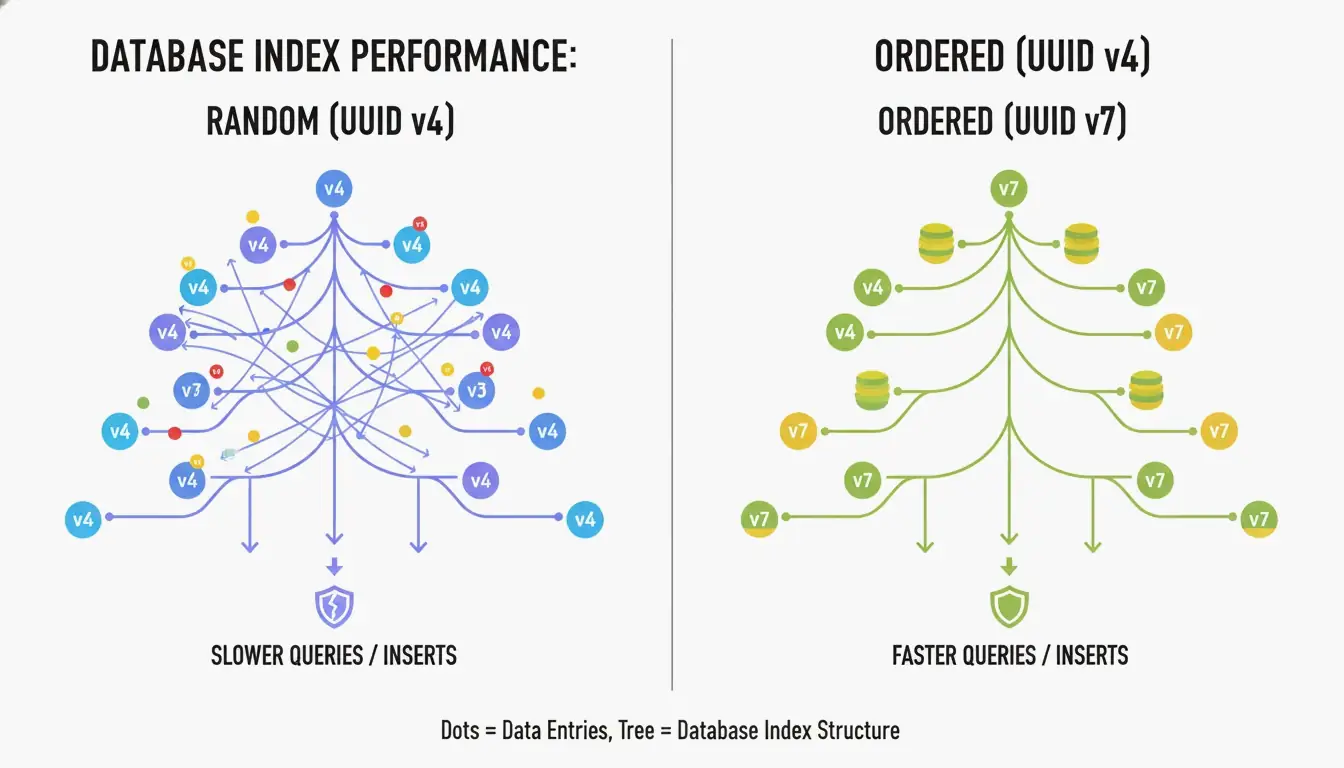
    The biggest drawback of UUID v4 is that it’s completely random. When used as a primary key in a B-tree index, the database has to insert new rows at unpredictable positions. According to CreateUUID, this causes “page splits” — the database must constantly reorganize data to make room, leading to slower writes and wasted memory.

    UUID v7 solves this by placing a 48-bit Unix Epoch timestamp (millisecond precision) at the start of the ID. This makes IDs monotonically increasing — new ones are always larger than old ones. The database can simply append to the end of the index, giving you the performance of a sequential integer with the global uniqueness of a UUID.

    UUID v4 随机插入 vs UUID v7 顺序插入的对比

    How UUID v7 Balances Time and Entropy

    UUID v7 fills the remaining 74 bits using a CSPRNG (Cryptographically Secure Pseudo-Random Number Generator). According to Wikipedia, you’d need to generate about 1 billion UUIDs per second for 85 years to reach a 50% collision probability. For any real application, UUID v7 is effectively collision-proof.

    Storage Best Practices: Binary(16) vs. String(36)

    How you store UUIDs matters as much as which version you use:

    Storage Format Space Index Performance Recommendation
    Binary(16) 16 bytes High (compact) Best practice
    Native UUID type 16 bytes High (optimized) Best for PostgreSQL
    String (Char 36) 36–72 bytes Low (fragmented) Avoid

    SnapUtils recommends always using native types over strings. In PostgreSQL, the native uuid type stores data in a compact 16-byte binary format while still supporting standard string-based queries.

    UUID vs GUID: Is There a Difference?

    A GUID (Globally Unique Identifier) is Microsoft’s implementation of the UUID standard. Historically, there was a difference in byte ordering (endianness) — early Microsoft GUIDs used little-endian for the first three fields, while standard UUIDs used big-endian (network byte order) (SnapUtils).

    By 2026, this is mostly a naming convention. Under RFC 9562, they work identically. A Guid.NewGuid() in .NET is fully compatible with a uuid.uuid4() in Python. You’ll hear “GUID” in Windows/Azure circles and “UUID” in Linux and open-source communities.

    Implementing Modern UUIDs: Language-by-Language

    Language UUID v4 UUID v7
    Python Built-in uuid module uuid6 or uuid7 package
    JavaScript crypto.randomUUID() uuid npm package (v10+)
    PostgreSQL gen_random_uuid() (PG 13+) Native uuidv7() (PG 17+) or extensions
    .NET Guid.NewGuid() Community packages
    Rust uuid crate (v1.7+) uuid crate with v7 feature

    Deterministic IDs: UUID v5

    If you need the same ID every time for a given input (like a URL or username), use UUID v5. It hashes a Namespace UUID and a name string using SHA-1 — perfect for deduplication when you can’t check a central database.

    The Privacy Lesson of UUID v1

    UUID v1 uses a timestamp and the computer’s MAC address. It’s been largely abandoned because it leaks hardware information. A famous example: the Melissa Virus creator was caught because UUIDs in infected Word documents contained his specific MAC address.

    Advanced RFC 9562: v6, v8, and Special UUIDs

    RFC 9562 added specialized versions for niche distributed system needs:

    Version Purpose Use When
    v6 Reordered v1 timestamp — sortable while keeping v1’s precision Migrating legacy v1 systems
    v8 Custom — 122 bits for developer-defined data Experimental or vendor-specific schemes
    Nil UUID 00000000-0000-0000-0000-000000000000 Null placeholder
    Max UUID FFFFFFFF-FFFF-FFFF-FFFF-FFFFFFFFFFFF Range endpoint marker

    Conclusion

    RFC 9562 has updated unique identifiers for the modern cloud era. The practical guidance:

    • Database primary keys → Use UUID v7 for time-ordered, fragmentation-free inserts
    • General randomness → UUID v4 remains perfectly fine
    • Deduplication → UUID v5 gives you deterministic IDs
    • Storage → Always use Binary(16) or native UUID types, never strings

    Action item: Check your database schemas. If you’re using UUID v4 as a primary key in tables with millions of rows, migrating to UUID v7 is a straightforward change that can significantly reduce index fragmentation and speed up queries.

    FAQ

    Is a UUID the same as a GUID?

    Functionally, yes. A GUID is Microsoft’s implementation of the UUID standard. Under RFC 9562, they are identical in behavior — you can use them interchangeably across .NET, Java, and Python applications.

    Can two UUIDs ever collide in a real-world scenario?

    Mathematically possible, practically impossible. For UUID v4, you’d need to generate approximately 2.71 quintillion IDs to reach a 50% collision probability. According to Generate-Random.org, generating 1 billion UUIDs per second for 85 years gives you only a 50% chance of a single collision.

    Should I store UUIDs as strings or binary in my database?

    Always prefer Binary(16) or the native UUID type (available in PostgreSQL). A 36-character string consumes more than twice the space and significantly slows down index lookups and joins. SnapUtils notes that the performance benefits of RFC 9562 are maximized when storage stays compact.

    When should I use UUID v5 instead of UUID v4?

    Use v5 when you need deterministic IDs — the same input always produces the same UUID, without checking a database. Use v4 when you need complete randomness and want to ensure the identifier can’t be reverse-engineered to its source.

  • Master AI Image Generator Prompts: The 2026 Framework for Pro Visuals

    Master AI Image Generator Prompts: The 2026 Framework for Pro Visuals

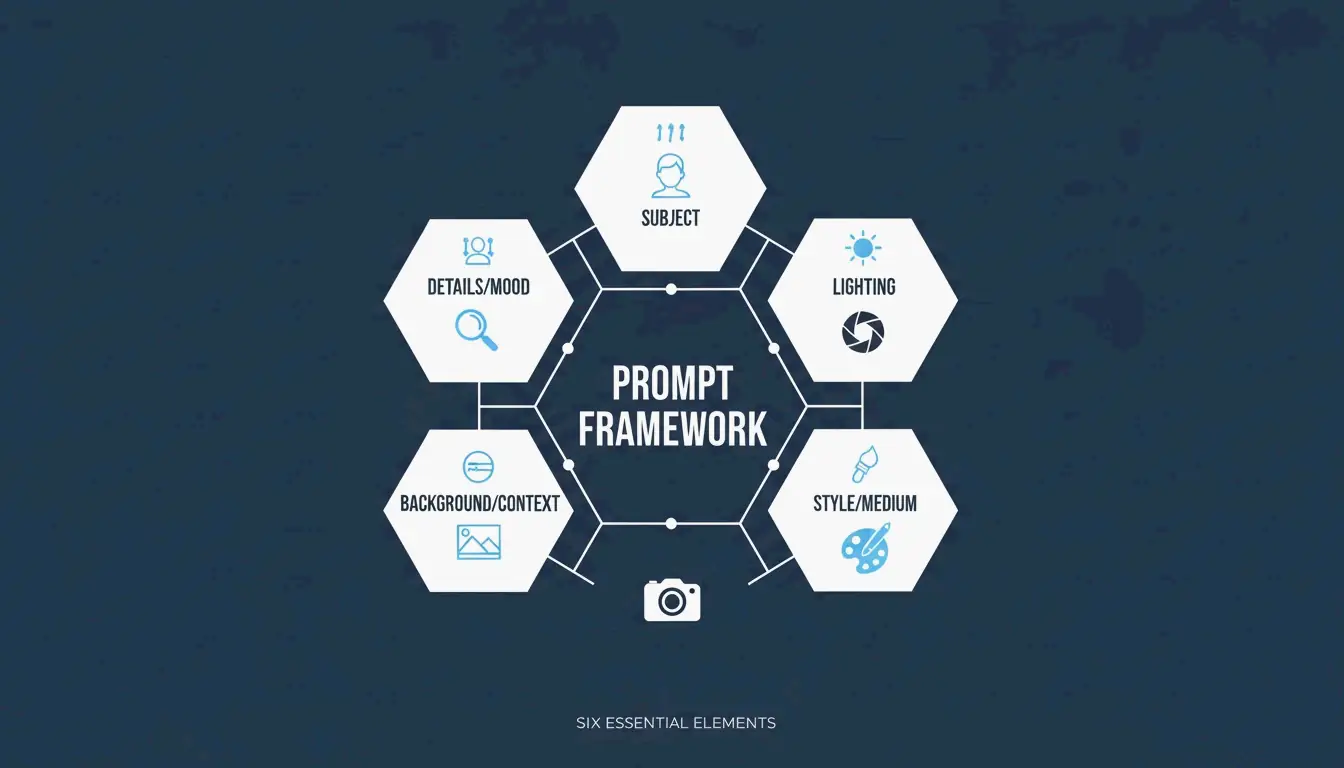
    Getting great results from an AI image generator isn’t about luck or typing “make it beautiful.” In 2026, professional visuals come from structured prompting — treating the AI like a camera and art director combined. The approach that’s emerged as the industry standard is the Six-Element Framework: Subject, Environment, Style, Lighting, Composition, and Quality Modifiers.

    This guide covers the full framework, compares the top models (GPT Image 2, Nano Banana 2, Flux 1.1 Pro, Midjourney), and shows you how to iterate from a rough draft to a production-ready image.

    The Six-Element Prompt Framework

    The key shift: stop describing and start instructing. Data from Adobe shows that by 2025, 67% of marketing teams had integrated AI generation into daily workflows — making prompt engineering a core professional skill.

    Here’s the framework that ensures every element of your image is a deliberate choice:

    Element What to Specify Example
    Subject Main focus with physical details “a slim silver laptop open at a 90-degree angle on a white oak desk”
    Environment Background or setting “minimalist studio with soft gray walls”
    Style Medium or visual genre “editorial photography,” “flat illustration,” “3D render”
    Lighting Direction, quality, temperature “soft natural window light from the left, warm tone”
    Composition Camera angle and framing “wide angle, eye-level perspective, shallow depth of field”
    Quality Technical output targets “4K, ultra-realistic, high-fidelity”

    A clean, minimalist diagram showing the 6 interconnected elements of the prompt framework.

    Why Precision Beats Adjectives

    Words like “stunning” or “beautiful” don’t tell an AI model anything useful. Specifying a “50mm lens” or “DSLR-style photography” forces the AI to simulate real-world optics — including natural background blur (bokeh). According to the ImagineArt Guide, controlling the lighting is the single most effective way to move from a “fake AI look” to a professional photograph.

    Case Study: 75% Cost Reduction in E-commerce

    This framework isn’t just about aesthetics — it’s changing the economics of content production. As reported by Pixazo, one e-commerce platform used structured prompting with Seedream 4.5 and 5.0 to generate over 10,000 product images per month. By replacing traditional photoshoots (typically $2,000–$10,000 each), the company cut creative costs by 75% and accelerated time-to-market.

    GPT Image 2: Typography and Complex Instructions

    GPT Image 2 is a 2026 breakthrough because it handles layered instructions and renders legible text within images — something earlier models struggled with. To get clean typography:

    • Put the desired text in quotes: "SALE 50% OFF"
    • Specify the font style: “bold sans-serif” or “thin serif”
    • Define placement: “centered on a white banner, top third of the image”

    The 2K Reliability Boundary

    Technical precision extends to resolution. While GPT Image 2 can target 4K (3840×2160), OpenAI’s documentation suggests treating anything above 2560×1440 (2K) as an “experimental boundary.” For consistent textures and logic in production, stay within 2K. Always ensure dimensions are a multiple of 16.

    Prompting for Brand Consistency

    GPT Image 2 is built for “Context-Rich Prompts.” Instead of just describing the image, tell the AI what it’s for. IndianPrompt recommends framing like: “Generate a professional image for a blog article about productivity… the mood should be optimistic.” This helps the model select color palettes and layouts that fit professional design standards automatically.

    Nano Banana 2 and Flux 1.1 Pro: Photorealism Leaders

    If your goal is absolute photographic realism, here’s how the top models compare:

    Model Strength Best For
    Nano Banana 2 (Gemini 3 Pro Image) Micro-textures: skin pores, fabric weaves, aged materials at 4K Architecture, product photography, hyper-realism
    Flux 1.1 Pro Natural light simulation — how light bounces, where shadows fall Developer pipelines, consistent lighting, high-volume work
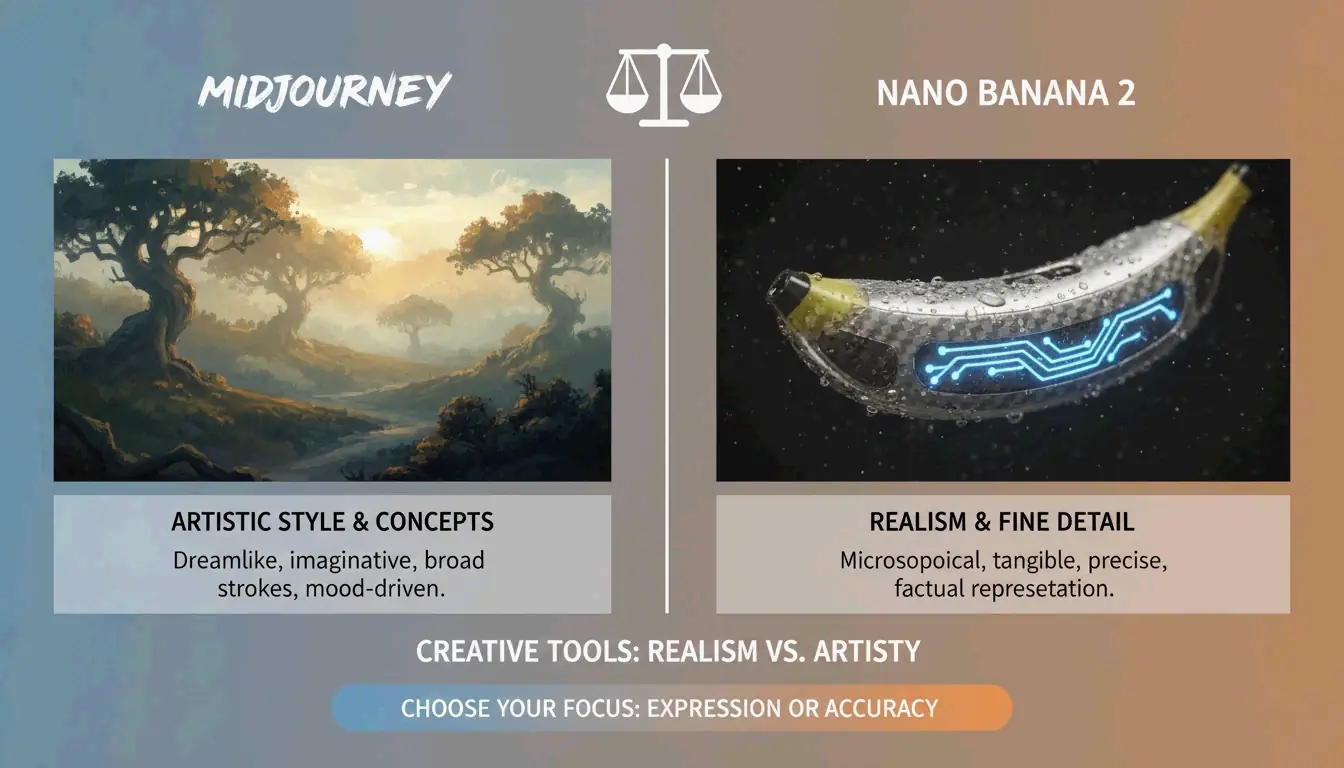
    Midjourney Artistic mood, atmospheric imagery, editorial style Abstract concepts, brand storytelling, “feeling over accuracy”

    AIMLAPI notes that Nano Banana 2 is currently the most detailed model for architecture and product shots. Midjourney still holds a 26.8% market share in 2026 (Prodia), making it the go-to when you need an “artistic vibe” rather than a literal document.

    A high-contrast comparison between 'Artistic Mood' (Midjourney) and 'Photorealistic Truth' (Nano Banana 2).

    Advanced Techniques: Iterative Refinement

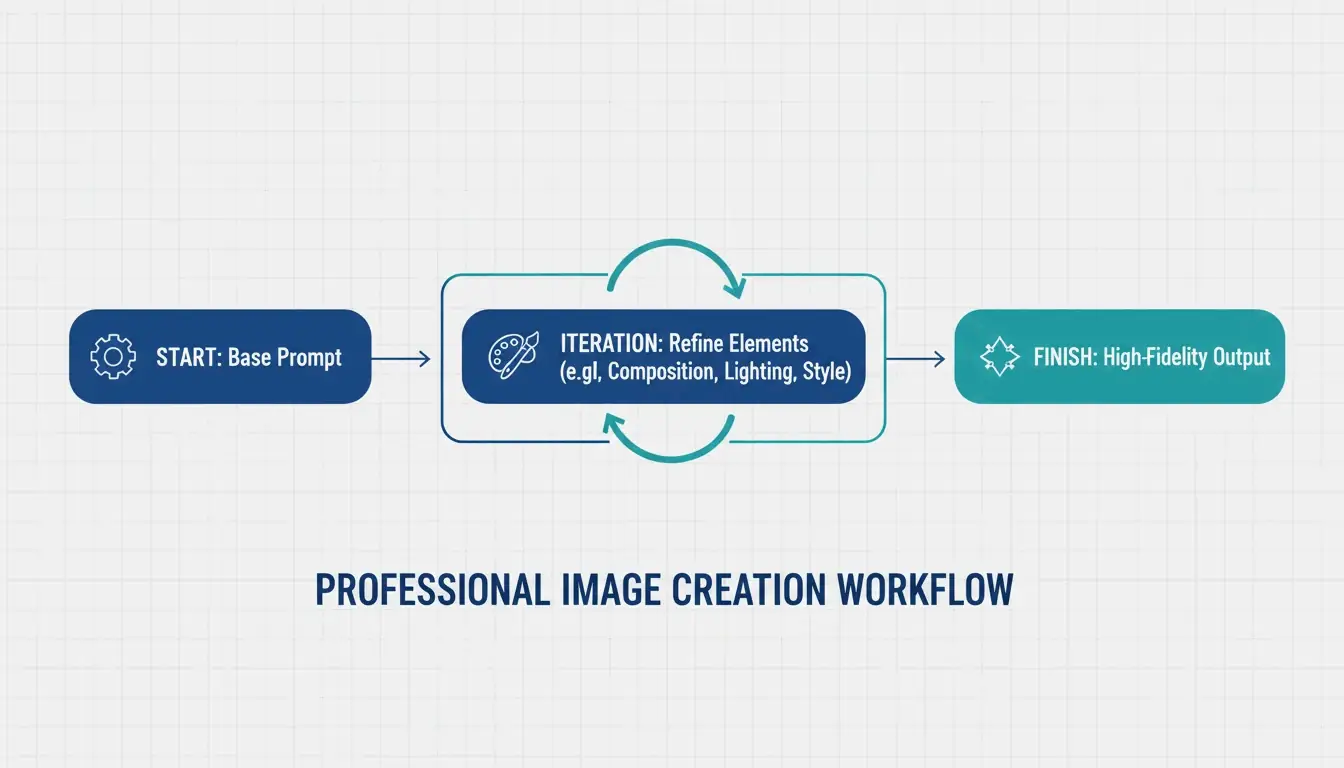
    Professional AI images are rarely perfect on the first try. The industry standard is a 3–5 step refinement loop:

    1. Base prompt — Get the composition and subject right
    2. Refinement passes — Use targeted instructions like “change only the jacket color, keep the face identical”
    3. Final polish — Adjust lighting, fix artifacts, ensure brand alignment

    ImagineArt emphasizes the importance of restating invariants — explicitly telling the AI what should not change between iterations. Without this, the model tends to drift.

    A 3-step iterative loop: Base Prompt -> Refinement -> Final Polish.

    Negative Prompts for Quality Control

    Negative prompting remains essential — tell the AI what to exclude:
    "extra fingers, extra limbs" — Classic AI artifacts
    "text overlays, watermarks" — Unwanted additions
    "stock photo aesthetic, over-smoothed skin" — The generic “plastic” look common in high-saturation outputs

    Preparing for Image-to-Video

    A major 2026 trend: generating static images optimized for video tools like Kling or Grok. When creating visuals for the Image-to-Video (I2V) pipeline, ensure high-resolution keyframes with consistent features so the AI can animate the scene without glitches.

    Specialized Workflows: SVG Output and Brand Consistency

    For designers who need scalable files, Recraft V4 is the standout — the only major model that outputs true SVG (scalable vector) files. According to AIMLAPI, its native brand kit support lets you upload your own color palettes and logos, ensuring every generation fits your company’s design language.

    Character Consistency Across Scenes

    Tools like Midjourney and Nano Banana 2 now support “Character Reference” (Cref) tags, allowing the same character to appear consistently across different scenes. Combined with a “Character Seed” prompt that defines fixed traits (age, hair color, clothing), this is a major win for brand storytelling.

    Legal Safety for Commercial Use

    Adobe Firefly, with over 6.5 billion visuals created, remains the top choice for enterprise use because it’s trained on licensed content and offers commercial protection that open-source models can’t match. Always verify the latest AI disclosure requirements for your market.

    Conclusion

    Professional AI imagery in 2026 has moved from creative guesswork to structured engineering. The practical approach:

    • Use the Six-Element Framework for every prompt — Subject, Environment, Style, Lighting, Composition, Quality
    • Choose the right model — GPT Image 2 for typography and layouts, Nano Banana 2 for photorealism, Midjourney for artistic mood
    • Iterate 3–5 times — Start with composition, refine details, then polish
    • Think beyond static — Optimize for the Image-to-Video pipeline when needed

    Mastering these technical instructions turns AI from a novelty toy into a high-performance digital studio.

    FAQ

    Which AI image generator is best for rendering clear text in 2026?

    GPT Image 2 is the current leader for typography (AIMLAPI). It follows complex layout instructions better than Nano Banana 2 or Midjourney. For best results, place text in quotes and specify font style and placement.

    Can I use AI-generated images for commercial marketing?

    Yes, but it depends on the tool’s license. Enterprise tiers of GPT Image 2 and Adobe Firefly generally allow commercial use. Prodia notes that Adobe Firefly is particularly safe as it’s trained on licensed content. Always check current AI disclosure requirements for your region.

    How do I maintain character consistency across multiple scenes?

    Use Character Reference (Cref) tags in Midjourney or Nano Banana 2. Create a “Character Seed” prompt defining fixed physical traits. ImagineArt suggests using iterative refinement to adjust backgrounds while keeping the subject static.

    What are the recommended resolution settings for GPT Image 2?

    For production use, stay at 2560×1440 (2K). While 3840×2160 (4K) is possible, OpenAI’s Cookbook treats the 3840px cap as experimental. Always ensure dimensions are multiples of 16.

  • What Is a Data Matrix Barcode? Definition, Specs, and Industrial Uses

    What Is a Data Matrix Barcode? Definition, Specs, and Industrial Uses

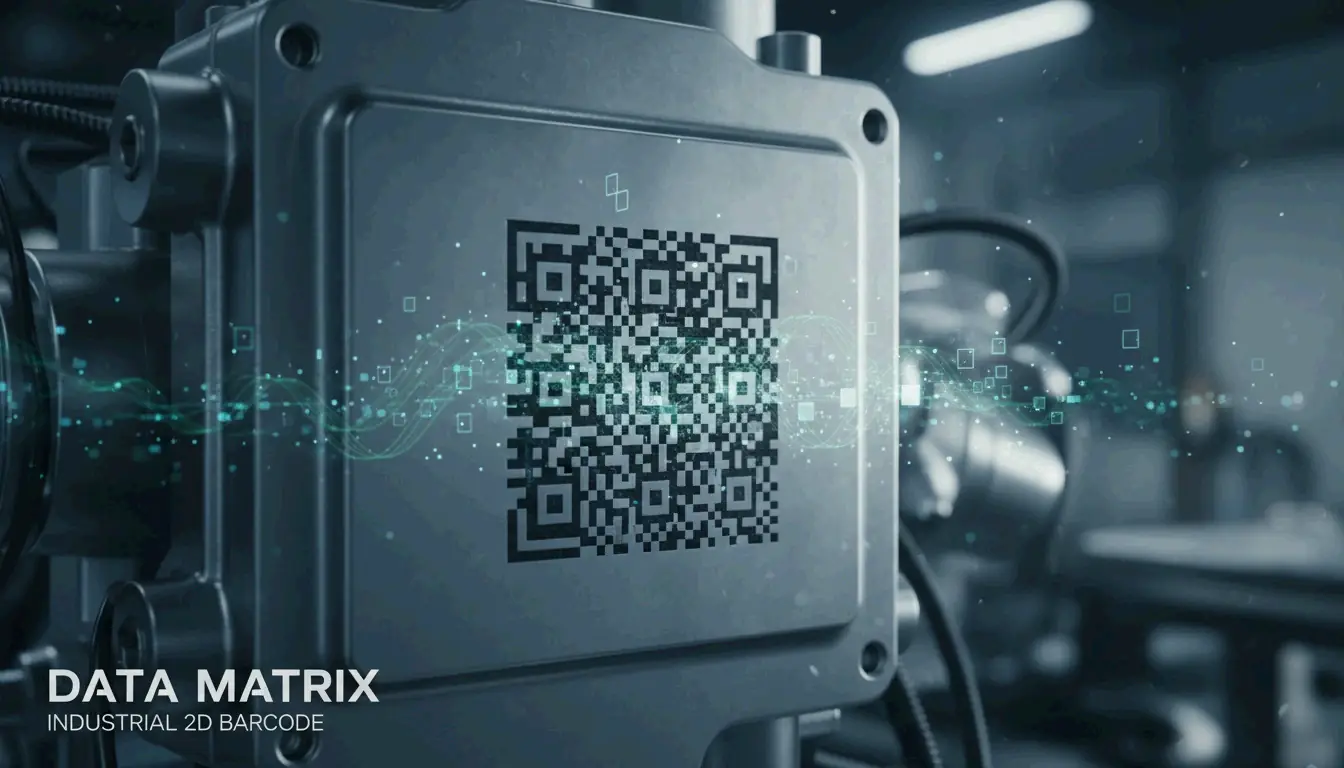
    A Data Matrix is a high-density 2D barcode — a grid of black and white cells arranged in a square or rectangle — defined by ISO/IEC 16022. It uses ECC200 (Reed-Solomon) error correction to remain readable even when damaged, and it can store up to 2,335 alphanumeric characters in a space smaller than a fingernail. As of 2026, it’s the global standard for marking small industrial components and regulated pharmaceutical items.

    This guide covers what a Data Matrix is, how it works technically, where it’s used in the real world, and how to choose between it and a QR code.

    Technical Definition: What Is a Data Matrix Barcode?

    Unlike traditional 1D barcodes that encode data in the width and spacing of parallel lines, a Data Matrix encodes information in both dimensions — horizontally and vertically. This 2D approach allows it to pack significantly more data into a much smaller physical footprint.

    Every Data Matrix features an L-shaped Finder Pattern — two solid borders that tell the scanner exactly where the symbol is and how it’s oriented, even if the code is upside down or tilted. According to Wikipedia, the current rules are defined by ISO/IEC 16022:2024 (Edition 3). The standard is in the public domain, so anyone can use it without paying royalties.

    Anatomy: Cells, Modules, and the Quiet Zone

    Component Purpose
    Finder Pattern (“L”) Two solid borders that help the scanner locate the code and determine orientation
    Timing Pattern Alternating dark/light cells opposite the “L” — tells the reader the grid dimensions
    Data Region The interior area where actual information is encoded (grows as data increases)
    Quiet Zone A mandatory blank margin outside the pattern that prevents nearby text/graphics from confusing the scanner

    The technology is remarkably scalable. Wikipedia notes that you’ll find Data Matrix codes as small as 300 micrometers etched onto silicon chips, and as large as one-meter squares painted on the roofs of train cars.

    Why ECC200 and Reed-Solomon Error Correction Matter

    Modern Data Matrix reliability comes from ECC200, which uses the Reed-Solomon algorithm to add redundant “backup” data to each symbol. This means the code still works even when part of it is scratched, dirty, or torn.

    Wikipedia reports that ECC200 can reconstruct the full data string even with up to 30% damage — as long as the L-shaped finder pattern remains visible. This makes it the top choice for harsh environments where parts face chemicals, heavy friction, or extreme heat.

    Feature ECC200 (Current Standard) ECC 000–140 (Legacy)
    Error correction Reed-Solomon Older methods
    Damage tolerance Up to 30% Lower
    Use today Global standard Only in closed systems
    Data capacity Up to 3,116 digits Lower

    Error rates are incredibly low. Wikipedia notes that scanners typically report only one error per 15,000 to 36 trillion characters, depending on code quality.

    Core Specifications: Capacity, Size, and Data Density

    The Data Matrix’s biggest advantage is data density — it holds a massive amount of information relative to its physical size.

    Data Type Maximum Capacity
    Alphanumeric characters 2,335
    Numeric digits 3,116
    Binary / byte data 1,556 bytes

    Grid sizes for ECC200 range from 10×10 up to 144×144 modules. The key measurement for calibration is the X-dimension — the size of a single module (dot or square). Most industrial scanners are calibrated for an X-dimension of at least 10 mil (0.254 mm) to ensure reliable reads.

    As Peak Technologies explains, the physical length of the code adjusts based on data content, and a checksum is always required. This flexibility lets manufacturers squeeze serial numbers, lot codes, and expiration dates onto something as small as the head of a screw.

    Industrial Uses: From Aerospace to Healthcare Compliance

    Data Matrix barcodes are the hidden engine behind global supply chains. Here’s where they show up in the real world.

    Pharmaceuticals: FDA Compliance

    In the U.S., the GS1 DataMatrix is the official standard for the FDA’s Drug Supply Chain Security Act (DSCSA). Pharmaceutical companies must mark every unit with a unique identifier to prevent counterfeit drugs from entering the market.

    Direct Part Marking (DPM) in Automotive and Electronics

    For permanent part identification, Direct Part Marking (DPM) etches the code directly into the material rather than applying a label:

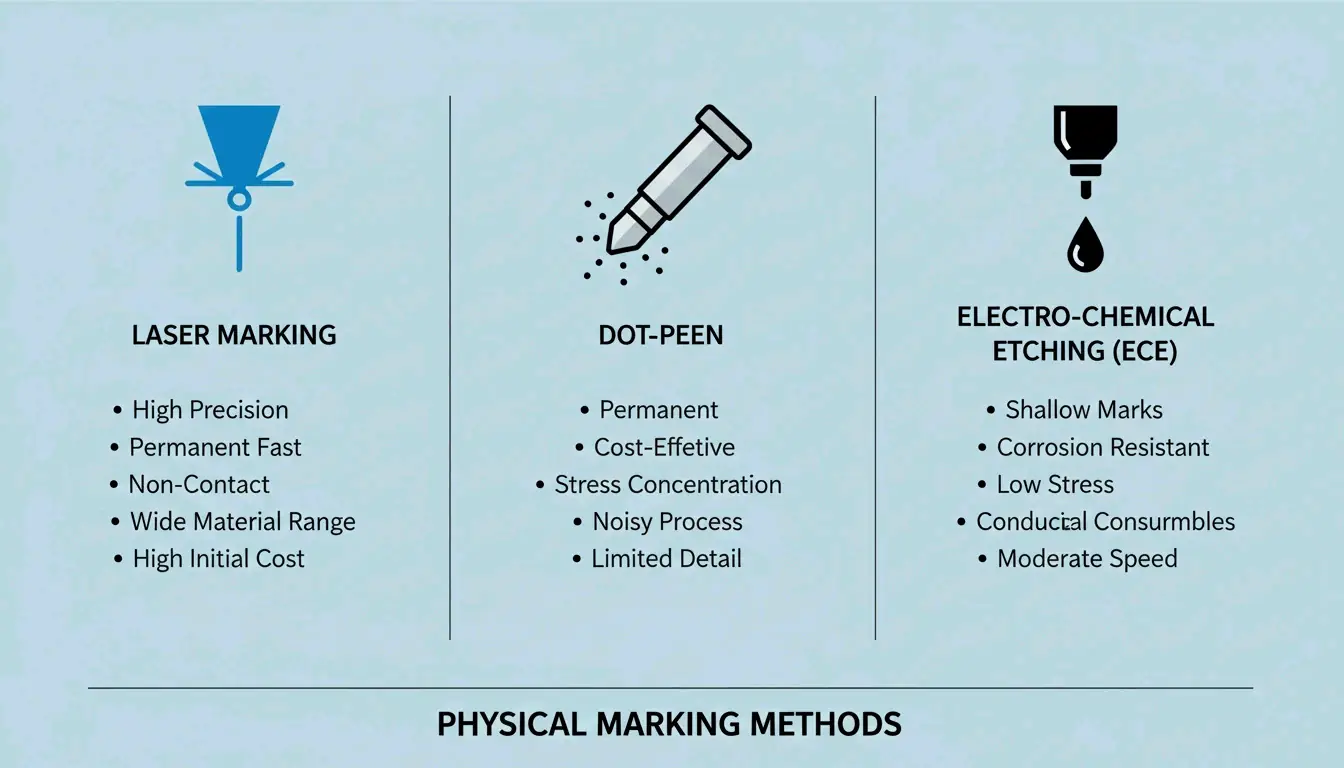
    Method How It Works Best For
    Laser marking Etches the code into metal or plastic with high-precision lasers Metal parts, plastics
    Dot-peen marking A metal stylus punches a grid of round dots into the surface Hard metals, harsh environments
    Electrolytic Chemical Etching (ECE) Chemical process creates a permanent mark on metal Conductive metals

    Comparison of different DPM marking methods

    Labels vs. Direct Marking: How to Choose

    When setting up a marking system, the choice depends on the application:

    1. Polyimide labelsCleverence calls these the “gold standard” for circuit boards (PCBs) because they survive reflow ovens and chemical washes.
    2. Laser etching — The go-to for aerospace parts where labels might peel off, or for tiny silicon chips with no room for a sticker.
    3. Contrast requirements — No matter the method, Elmed emphasizes that you need sharp contrast between light and dark cells for camera-based scanners to read the code reliably.

    Data Matrix vs. QR Code: Which Should You Choose?

    Both are 2D barcodes, but they’re designed for different purposes:

    Feature Data Matrix QR Code
    Physical size (same data) Smaller Larger
    GS1-approved for healthcare Yes (only 2D code approved) No
    Smartphone scanning Requires specialized app Native on most phones
    Best for Industrial tracking, small parts, pharma Consumer marketing, URLs, menus
    Durability Excellent (DPM compatible) Lower (typically printed labels)

    For industrial tracking — where space is tight and environments are harsh — the Data Matrix wins due to its smaller footprint, higher durability, and DPM compatibility. For consumer-facing applications, QR codes are the practical choice because anyone with a smartphone can scan them.

    Conclusion

    The Data Matrix barcode remains the gold standard for high-density industrial tracking in 2026, backed by the updated ISO/IEC 16022:2024 standards. Its ability to encode thousands of characters into a microscopic footprint — and survive 30% damage through ECC200 error correction — makes it indispensable from factory floors to pharmaceutical supply chains.

    When implementing a system:
    Always use ECC200 for global compatibility
    Choose DPM (laser/dot-peen) for parts facing harsh conditions
    Use polyimide labels for PCBs and high-temperature applications
    Ensure strong contrast between light and dark cells for reliable scanning

    FAQ

    What is the maximum data capacity of a Data Matrix barcode?

    Under ISO/IEC 16022, a Data Matrix can store up to 2,335 alphanumeric characters or 3,116 numeric digits. The physical size of the code depends on the X-dimension (module size) chosen for the application and scanner capabilities.

    Can a Data Matrix barcode be read if it is partially damaged?

    Yes — provided it uses the ECC200 standard. The Reed-Solomon error correction algorithm allows the symbol to remain fully scannable even when up to 30% of the surface area is damaged or obscured. This makes it ideal for parts exposed to chemicals, abrasion, or high heat.

    Do I need a license to use Data Matrix barcodes?

    No. The Data Matrix symbology is in the public domain. The original patents (held by International Data Matrix, Inc.) have expired. The specifications are now governed by ISO/IEC standards, and any organization can generate and use Data Matrix barcodes freely without paying royalty fees.

  • ISBN 10 vs 13: Key Differences, Conversion Guide, and the 979 Prefix Explained

    ISBN 10 vs 13: Key Differences, Conversion Guide, and the 979 Prefix Explained

    Every book published today carries a 13-digit ISBN — the universal identifier that makes it scannable at any checkout counter worldwide. But if you’ve been around books long enough, you’ve probably seen the older 10-digit format too. Understanding the difference between them, how to convert between the two, and why the newer “979” prefix changes everything is essential knowledge for publishers, librarians, and anyone working with book metadata in 2026.

    This guide covers the structural differences, walks through the conversion math, explains why 979-prefixed ISBNs can’t go back to 10 digits, and breaks down what you’ll pay for ISBNs today.

    ISBN-10 vs ISBN-13: Core Differences

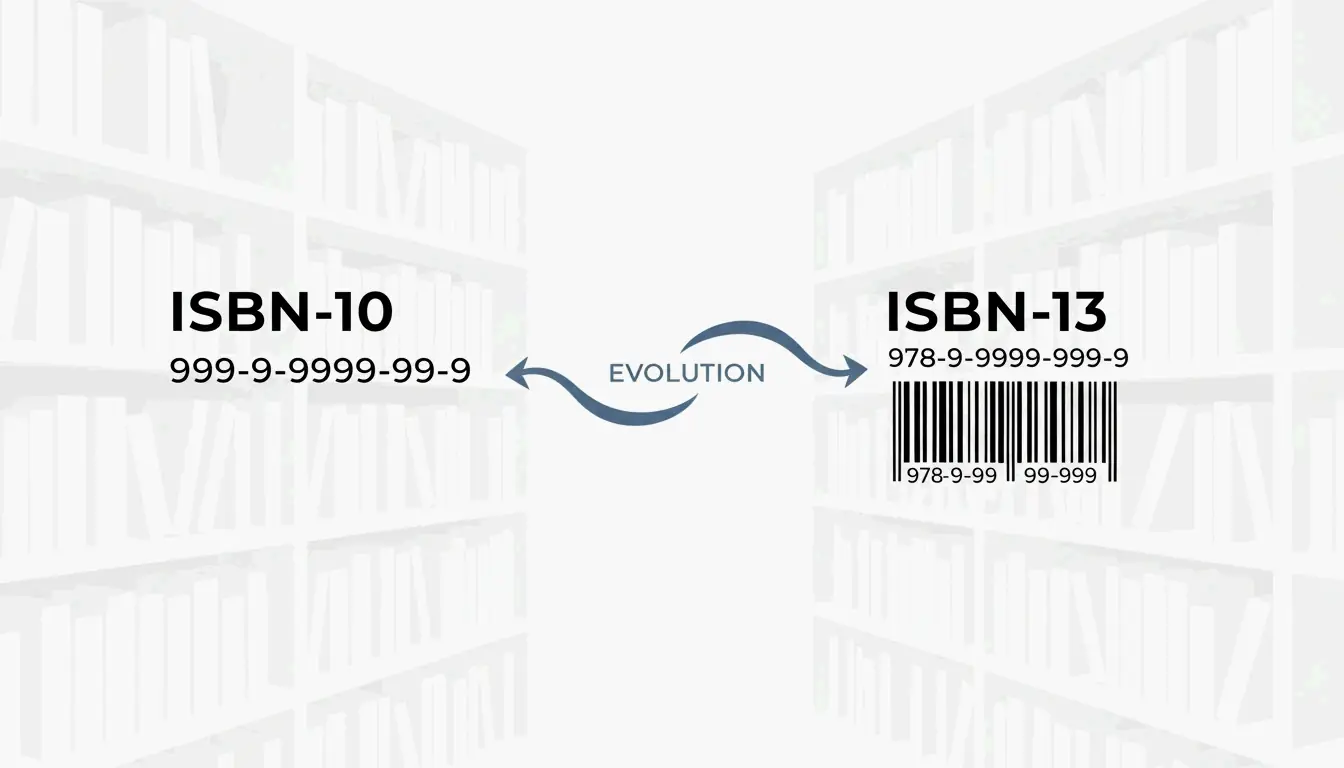
    The ISBN system’s biggest transition happened on January 1, 2007, when the industry moved from 10 digits to 13. As Wikipedia documents, the change served two purposes: expanding the pool of available numbers globally and aligning books with the EAN-13 barcode system used by virtually every retailer.

    Structural Breakdown

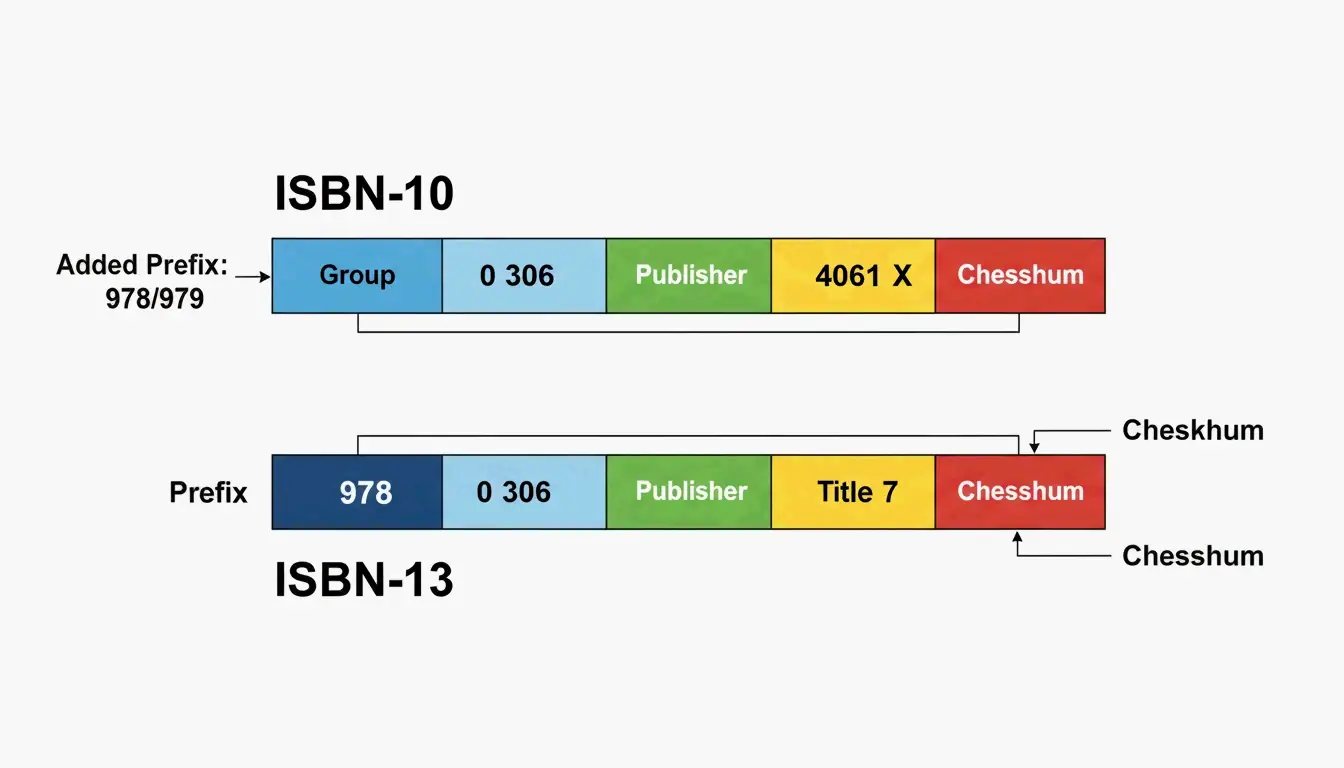
    Component ISBN-10 ISBN-13
    Total digits 10 13
    GS1 prefix None 978 or 979
    Registration group Language/country Language/country
    Registrant Publisher Publisher
    Publication Specific title/edition Specific title/edition
    Check digit Modulus 11 (0–9 or X) Modulus 10 (0–9 only)

    LiteDevTools notes that ISBN-13 is now required for modern inventory systems — it allows a book to be scanned at checkout using the same GTIN-13 data fields as any other consumer product.

    ISBN-10与ISBN-13结构的直观对比

    When to Use Which Format

    • Modern publications — Any book published after 2007 must have an ISBN-13.
    • Legacy databases — ISBN-10 is still useful for tracking old backstock or organizing library catalogs.
    • Barcodes — The scannable EAN-13 barcode on a book’s back cover requires the 13-digit version.

    The 979 Prefix: Why You Can’t Convert It Back

    The “979” prefix was a turning point for the ISBN system. Originally, all 13-digit ISBNs started with “978” — essentially a bridge connecting the 10-digit world to the 13-digit one. But as the supply of 978 numbers began running out in certain regions, GS1 introduced the 979 prefix as a new namespace.

    Regional 979 Assignments (2026)

    According to EAN Check, specific 979 prefixes are now locked in for high-output regions:

    Prefix Region / Use
    979-8 United States
    979-10 France
    979-11 Republic of Korea
    979-12 Italy
    979-0 International Standard Music Numbers (ISMN)

    Why 979 Has No ISBN-10 Equivalent

    This is a common source of confusion. While 978-prefixed ISBNs have a direct mathematical link to a 10-digit equivalent, 979 ISBNs have no ISBN-10 counterpart. As Wikipedia explains, these registration groups never existed in the old 10-digit system. If your book is assigned a 979-8 prefix in the US, it exists only as a 13-digit identifier — there is no way to “downgrade” it.

    Step-by-Step ISBN Conversion Guide

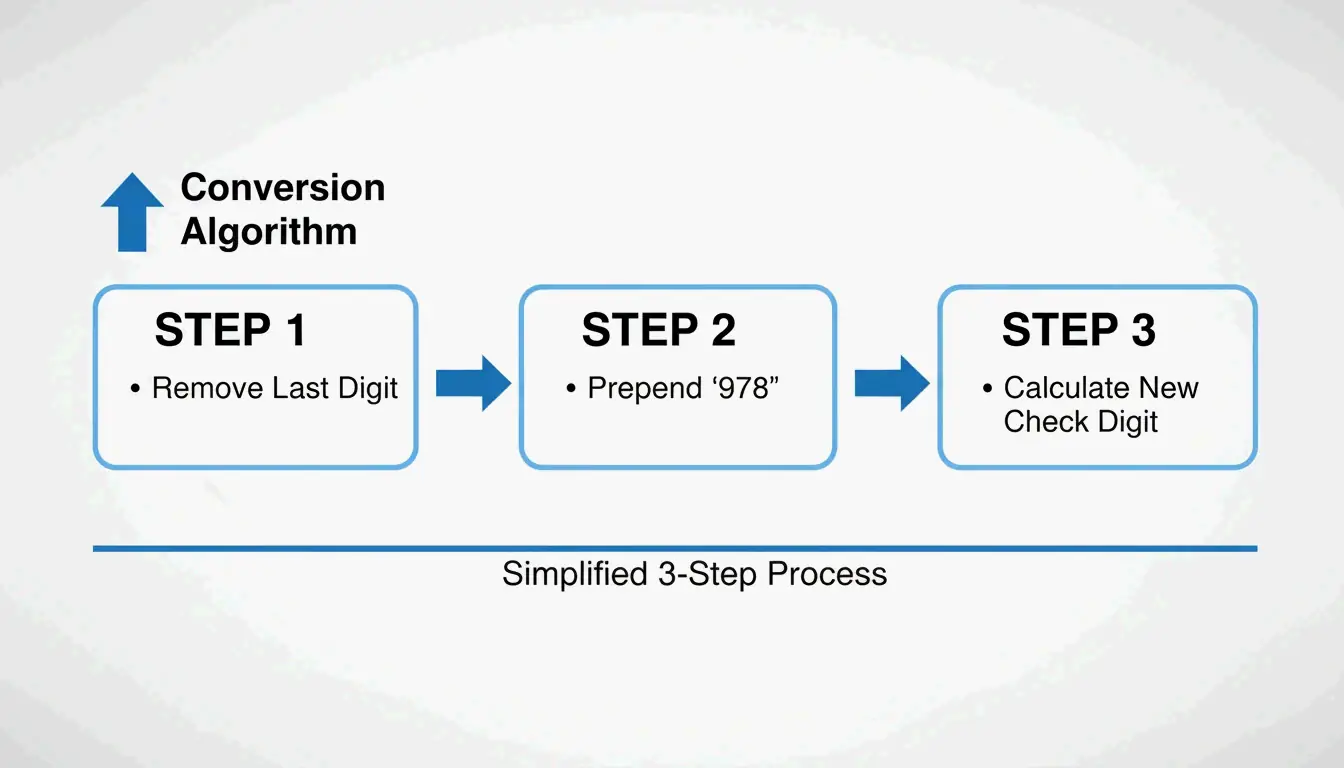
    Converting an ISBN-10 to ISBN-13 isn’t just about adding “978” to the front — the final check digit must be recalculated from scratch.

    How to Convert ISBN-10 to ISBN-13

    1. Drop the check digit — Remove the last character (the 10th digit) from your ISBN-10.
    2. Prepend “978” — Add it to the front of the remaining 9 digits.
    3. Calculate the new check digit using the GS1 Modulo-10 algorithm:
    4. Multiply each of the 12 digits by alternating weights of 1 and 3 (starting with 1).
    5. Add up all the products.
    6. Find the remainder when divided by 10.
    7. Subtract the remainder from 10. (If the result is 10, the check digit is 0.)

    ISBN-10到13的转换三步法

    Worked Example

    EAN Check demonstrates that ISBN-10 0-306-40615-2 converts to ISBN-13 978-0-306-40615-7. Notice the check digit changed from 2 to 7 — this happens because the weighting and modulus are different between the two systems.

    Why the Check Digit Changes

    ISBN-10 uses Modulus 11 (which allows the letter “X” to represent 10), while ISBN-13 uses Modulus 10 (digits 0–9 only). Because the math and weights differ, the check digit almost always changes during conversion.

    2026 Publishing Standards: Costs and Requirements

    In the US, Bowker is the sole authorized ISBN agency. For self-published authors, the cost structure matters.

    Bowker Pricing (2026)

    According to Books.by:

    Quantity Price Per ISBN
    1 ISBN $125 $125.00
    10 ISBNs $295 $29.50
    100 ISBNs $575 $5.75

    Books.by points out that the $125 single-ISBN price is a bit of a trap — since every format of your book (paperback, hardcover, ebook, audiobook) needs its own ISBN, a 10-pack is almost always the smarter choice for indie publishers.

    You Need a Separate ISBN for Each Format

    Format ISBN Required? Notes
    Print (paperback/hardcover) Yes Required for bookstores and libraries
    Ebook (Amazon KDP) Optional Amazon assigns its own ASIN
    Ebook (other platforms) Yes OverDrive and library platforms require it
    Audiobook Yes Required by ACX, Findaway Voices

    International Comparison

    The US is unusual in charging for ISBNs. Wikipedia and Books.by report that ISBNs are free in Canada, India, and New Zealand, where the government manages the system directly.

    Conclusion

    The shift from ISBN-10 to ISBN-13 isn’t just a technical detail — it’s a requirement for getting your book into the modern supply chain. ISBN-10 remains useful as a historical tool for legacy databases, but the 13-digit format is the global language of the 2026 book market. The rise of the 979 prefix in the US and Europe reinforces this: the old 10-digit system has reached its limits.

    For most publishers, the practical takeaway is simple: buy ISBN-13 codes in bulk (10 or 100 packs) to cover every format, use validation tools to keep your metadata clean, and don’t try to convert 979-prefixed numbers back to 10 digits — it can’t be done.

    FAQ

    Why did the ISBN change from 10 to 13 digits in 2007?

    To prevent a shortage of available numbers as global book production grew, and to align the ISBN system with the GS1 EAN-13 barcode standard used by retailers worldwide. This allows books to be scanned using the same equipment as any other consumer product.

    Can every ISBN-13 be converted to an ISBN-10?

    No. Only ISBN-13 numbers beginning with “978” can be converted back to 10 digits. Numbers starting with “979” belong to a newer namespace that was never part of the 10-digit system — they have no ISBN-10 equivalent.

    What is the “X” found in some ISBN-10 numbers?

    The “X” represents the value 10 as a check digit. Because ISBN-10 uses Modulus 11 for error detection, there are 11 possible remainders (0–10). To keep the ISBN at exactly 10 characters, the Roman numeral “X” was adopted for a remainder of 10.

    Do I need a different ISBN for my ebook and my paperback?

    Yes. Every distinct format and edition — paperback, hardcover, ebook, and audiobook — requires its own unique ISBN. This allows retailers and libraries to track each product separately, even when the text content is identical.

    Where should the ISBN be placed on a physical book?

    According to the ISBN User’s Manual, the number must appear on the copyright page (verso of the title page) and on the lower section of the outside back cover. For print books, the ISBN is typically integrated into an EAN-13 barcode for retail scanning.

  • Everything About Your Xbox Gamertag: How to Change It, Rules for 2026, and the Asha Sharma Controversy

    Everything About Your Xbox Gamertag: How to Change It, Rules for 2026, and the Asha Sharma Controversy

    The Xbox ecosystem in 2026 looks very different from even a year ago. Under new CEO Asha Sharma, the brand has dropped the “Microsoft Gaming” label, restructured Game Pass pricing, and modernized its identity systems. Your gamertag now serves as a unified ID across consoles, PCs, phones, and cloud setups — part of a platform that has grown to over 500 million players.

    This guide covers everything: the 12-character naming rules, how to change your gamertag on any device, the new shared account policies, and the leadership changes reshaping Xbox.

    The Post-Spencer Era: Who Is Asha Sharma?

    In February 2026, the gaming world saw a major leadership shift when Asha Sharma replaced Phil Spencer as Xbox CEO. Coming from executive roles at Meta (VP of Messenger and Instagram Direct) and Instacart (COO), with a background leading Microsoft’s CoreAI division, Sharma was a surprising pick — beating out internal favorites like Sarah Bond.

    GeekWire reports her appointment was driven by a “Challenger Mindset” — a push for aggressive growth after years of flat console sales.

    The initial controversy centered on her background outside of gaming. Critics questioned whether someone from social media and grocery delivery could protect Xbox’s identity. Sharma addressed this directly in a company-wide memo, vowing to reject “soulless AI slop” and refocus on creators.

    As Asha Sharma wrote in her “We Are Xbox” message:

    “Xbox will be where the world plays and creates… we will build a global platform that connects players and creators everywhere.”

    The “We Are Xbox” Memo: 10 Core Principles

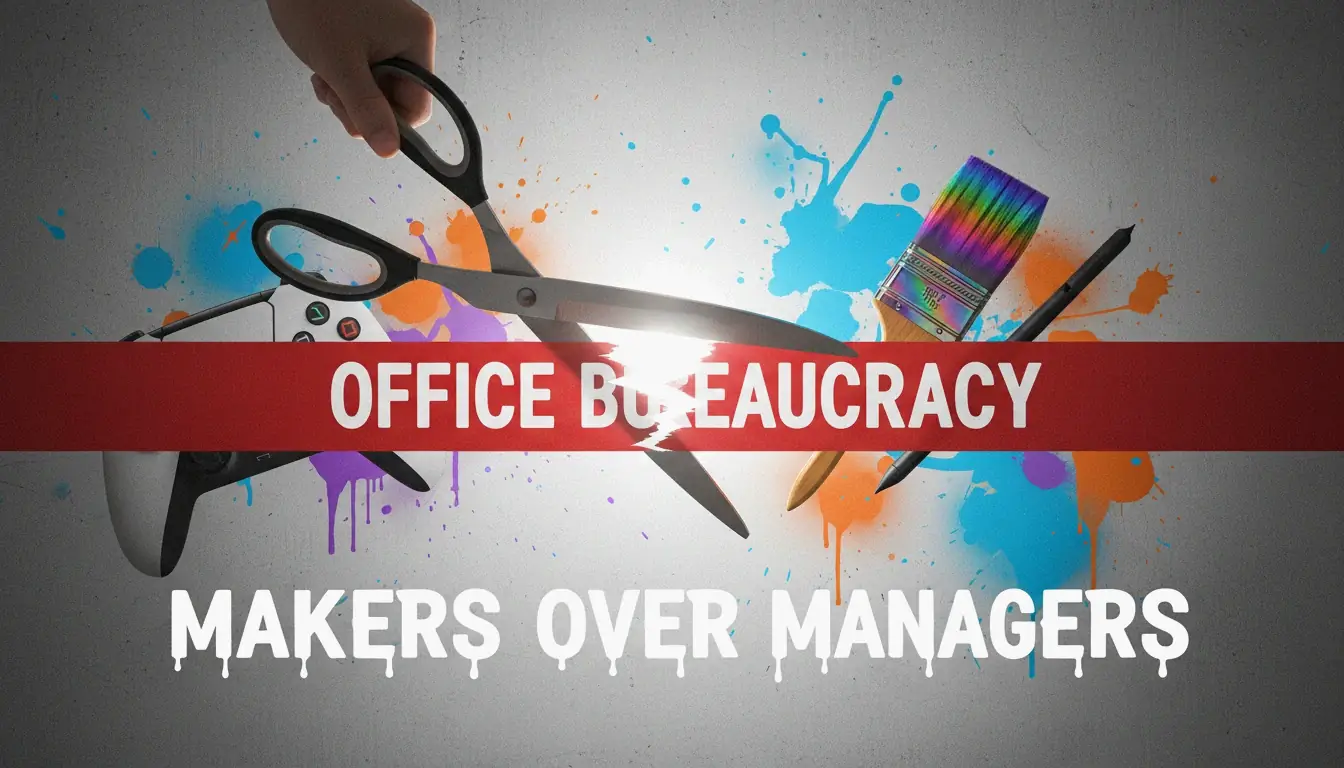
    Sharma and Chief Content Officer Matt Booty rolled out ten guiding principles for the team. The central theme: “Makers over managers” — cutting corporate red tape to prioritize game development and the player experience. With slogans like “Earn every player,” “Protect our art,” and “Stay rebellious,” the company is trying to recapture its 2001 roots as the scrappy underdog of the living room.

    "创作者优先"的视觉隐喻:打破官僚束缚

    Xbox Gamertag Rules for 2026

    By 2026, your Xbox gamertag functions as a single identity across the entire ecosystem. According to Xbox Wire, the updated system keeps your name, friends list, and progress synced across consoles, PCs, mobile apps, and cloud sessions.

    The core rules:

    Rule Detail
    Character limit 12 characters for the base name (spaces included)
    Suffix system If your name is taken, Xbox adds #1234 automatically — doesn’t count toward the 12-char limit
    International support Non-Latin scripts and alphabets supported
    Classic tags Legacy 15-character tags remain valid if never changed
    First change Free
    Subsequent changes $9.99 USD, with a 30-day cooldown

    The suffix system is especially important as Xbox expands into emerging markets like China — it allows millions of new players to use display names they want without global name conflicts.

    Personal vs. Shared: The New Account Policy

    A notable 2026 update addresses Personal Gamertags versus Shared Home Accounts. This became a talking point after a small controversy involving Sharma’s own tag, AMRAHSAHSA, which displayed a mix of achievements from different players. Sharma explained on X that she had been using a “shared home account” with her family.

    The 2026 rules now recommend:
    Individual profiles for personal achievements and saves
    “Project Helix” sharing to distribute your full game library to everyone in the household

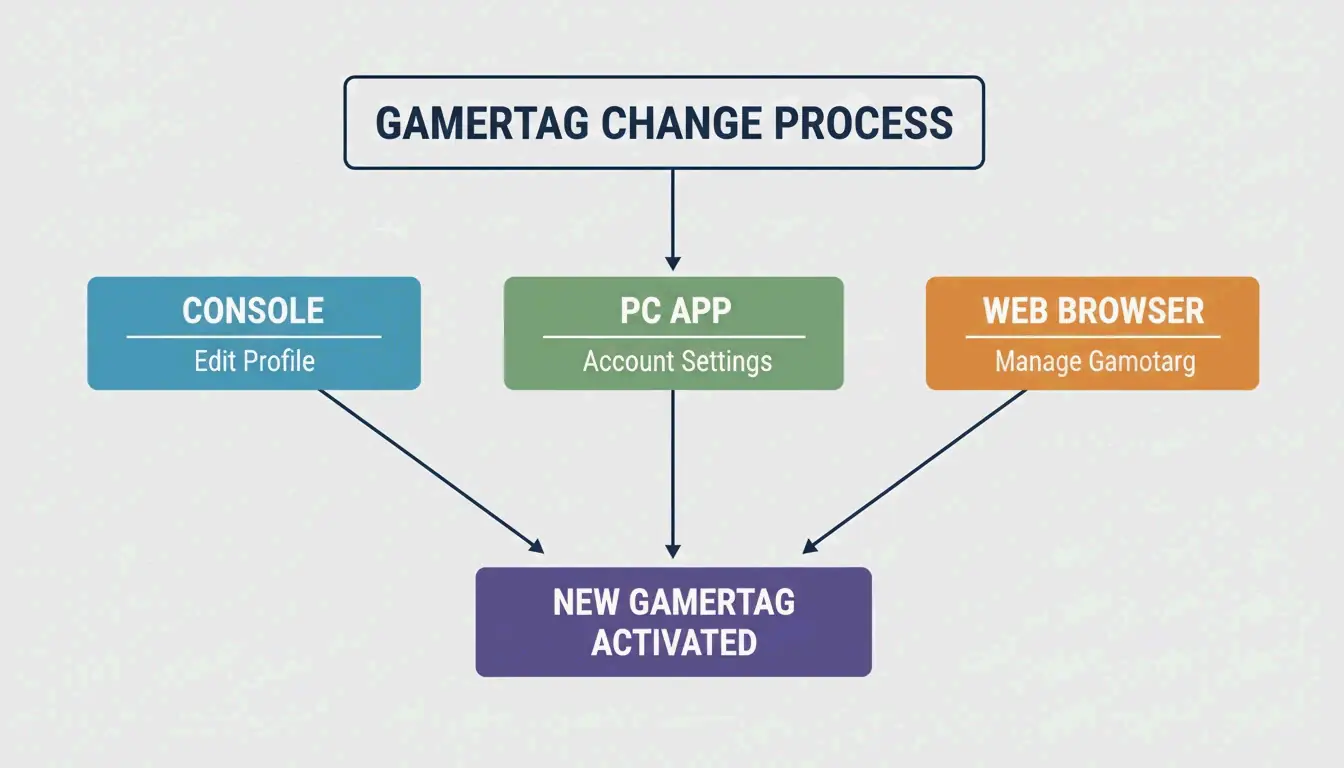
    How to Change Your Xbox Gamertag in 2026

    The process works across all devices. Your cloud saves, friends list, and game purchases are tied to a hidden internal ID — changing your display name won’t affect any of them.

    On Console (Series X|S or Project Helix)

    1. Press the Xbox button to open the guide
    2. Go to Profile & system → select your profile
    3. Choose My profileCustomize profile
    4. Click your current gamertag and type the new one
    5. Confirm

    On PC (Xbox App)

    1. Click your profile photo (top-left corner)
    2. Go to SettingsChange Gamertag
    3. Complete the change on the secure web page

    On the Web

    1. Go to xbox.com and sign in
    2. Navigate to your profile and follow the prompts

    修改Gamertag的三个核心渠道流程

    Updating on Project Helix Hardware

    If you’re using Project Helix — the 2026 initiative to make consoles and PCs perform identically — name changes propagate instantly. Your updated gamertag appears in multiplayer lobbies and friend lists across all active sessions without needing a restart.

    Why Is Xbox Game Pass Changing?

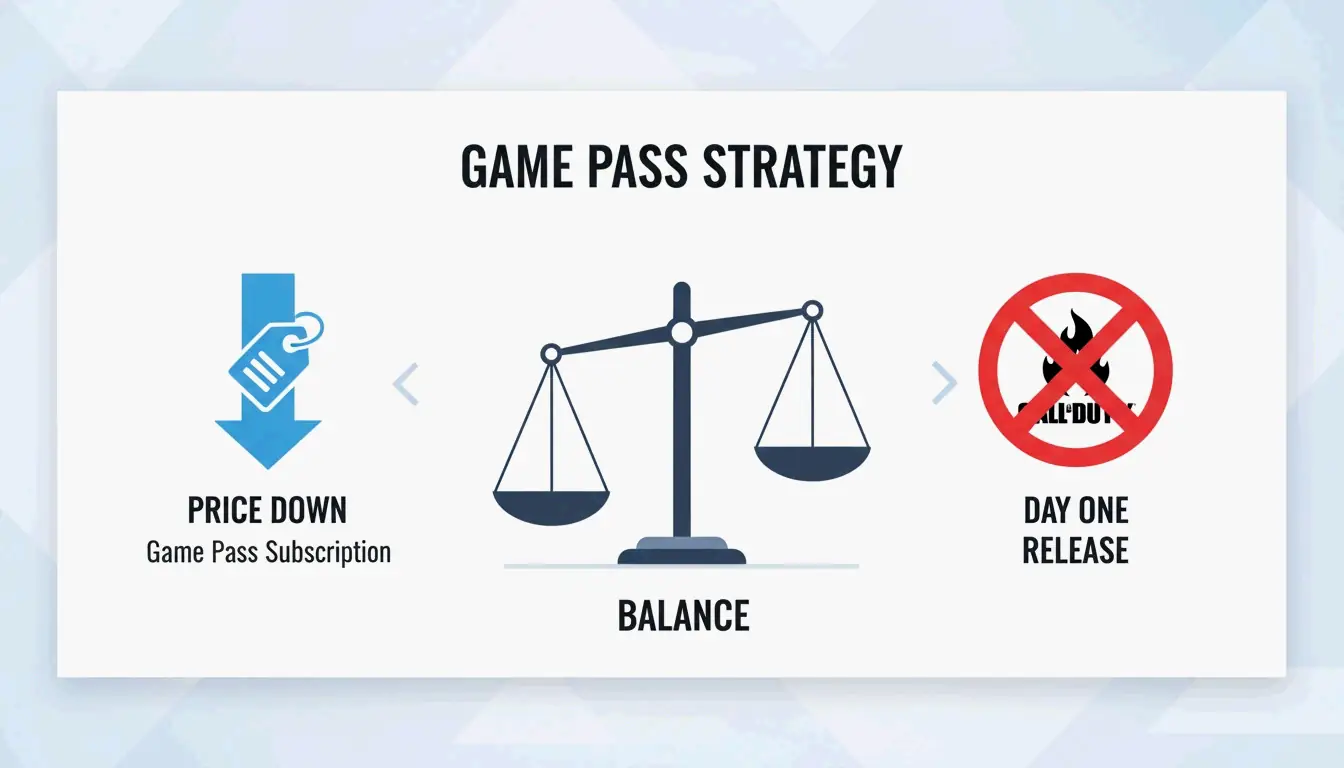
    Under Sharma, Game Pass has seen its biggest shake-up yet. The most controversial move: Microsoft stopped putting new Call of Duty games on the service on “Day One.”

    Change Detail
    Call of Duty on Game Pass No longer available on release day
    Reason Drive direct sales for Activision Blizzard titles, help recoup the $69.7B acquisition
    Subscription price Lowered in early 2026, reversing a 50% hike from 2025
    Success metric Shifted from subscriber count to daily active users (DAU)

    In Game News reports the CoD decision was made to increase direct sales. To offset the loss, Sharma lowered subscription prices — Pure Xbox notes the goal is to make Game Pass “affordable and open” again.

    2026年Game Pass策略对比:价格下降 vs 独占权调整

    Additionally, leadership is taking a “data-driven” approach to exclusives — evaluating which titles might perform better on other platforms to reach wider audiences, rather than locking everything behind the Xbox brand.

    Conclusion

    The 2026 Xbox era is defined by a return to the “Xbox” identity and a more sustainable business model. By moving away from the “Microsoft Gaming” corporate feel and adjusting Game Pass pricing, the company is trying to recapture its challenger energy.

    For players, it’s a good time to:
    Review your gamertag settings — Make sure they align with the new shared home account rules
    Reevaluate Game Pass — The 2026 price drops may change the value equation for you
    Watch for Project Helix — Cross-device identity syncing is coming

    Even though losing Day-One Call of Duty is a disappointment for some, the focus on affordability and creators suggests a more stable path forward for the 500 million people playing on Xbox.

    FAQ

    Is Call of Duty still available on Xbox Game Pass on day one in 2026?

    No. Starting in early 2026, under CEO Asha Sharma’s new strategy, Call of Duty titles no longer launch on Game Pass on their release date. This change was made to increase direct sales for Activision Blizzard’s biggest games.

    Who is Asha Sharma and what is her professional background?

    Asha Sharma became Xbox CEO in February 2026, replacing Phil Spencer. Before this, she led Microsoft’s CoreAI division and held major leadership roles at Instacart (COO) and Meta (VP of Messenger and Instagram Direct).

    What is “Project Helix” and how does it affect Xbox hardware?

    Project Helix is a 2026 hardware initiative focused on unifying the experience across Xbox consoles and PCs. Players get the same performance, identity, and progress tracking on any high-end device — gamertag changes propagate instantly across all sessions.

    How much does it cost to change an Xbox Gamertag in 2026?

    Your first gamertag change is free. After that, it costs $9.99 USD with a 30-day cooldown between changes. Changing your name won’t affect your achievements, friends list, cloud saves, or game purchases.

  • No Photoshop? Compress TIFF Files in 1 Second with Web Tools (2026)

    No Photoshop? Compress TIFF Files in 1 Second with Web Tools (2026)

    To compress TIFF files without Photoshop, use browser-based tools that apply LZW (lossless, for color/grayscale) or CCITT Group 4 (for black-and-white documents). These web tools reduce TIFF file sizes by up to 80% in under a second, with no desktop software required.

    Quick Comparison: TIFF Compression Methods

    Method Type Best For Typical Reduction
    LZW Lossless Color photos, digital art, medical scans 40–60%
    CCITT Group 4 Lossless (bitonal) Text documents, invoices, legal contracts 70–90%
    PackBits Lossless (RLE) Simple graphics, screenshots 10–30%
    JPEG-in-TIFF Lossy Photos where some quality loss is acceptable 80–95%
    Uncompressed None When no compatibility risk is tolerated 0%

    The 3-Step Compression Workflow

    Simple 3-step workflow: Upload, Process, Download

    1. Upload — Drag TIFF files into the browser. HitPaw supports batch processing for dozens of files at once.
    2. Select Compression — Choose LZW for color images or CCITT Group 4 for black-and-white documents.
    3. Download — Hit “Compress” and save. Aspose notes processing typically takes under 1 second after upload completes.

    Online-Convert, which has processed over 1.9 billion files, confirms browser-based TIFF compression has replaced desktop software for most workflows.

    LZW vs. CCITT Group 4: When to Use Each

    LZW — Lossless Color Compression

    LZW (Lempel–Ziv–Welch) finds repeating data patterns without discarding any information. The image stays 100% pixel-identical to the original.

    Attribute Detail
    Type Lossless
    Best For Color photos, grayscale scans, digital art, medical imaging
    Fidelity Bit-identical to original
    Industry Use Medical and scientific imaging per Aspose — every pixel must remain for analysis

    CCITT Group 4 — Maximum Compression for Text

    Originally built for fax transmission, CCITT Group 4 is optimized for bitonal (pure black and white) images. It compresses text-heavy documents far more efficiently than LZW.

    Attribute Detail
    Type Lossless (bitonal only)
    Best For Invoices, legal contracts, historical records, scanned text
    Efficiency Much higher than LZW on monochrome content
    Technical Note reaConverter confirms Group 4 converts images to bitonal format, ideal for archiving thousands of documents

    Side-by-side comparison: LZW (Color) vs CCITT (B&W)

    Decision Guide

    Your Image Type Recommended Method Why
    Color photo or scan LZW Preserves all color data losslessly
    Grayscale X-ray / medical LZW Every pixel matters for diagnosis
    Black-and-white text document CCITT Group 4 Highest compression for bitonal
    Mixed content (text + images) LZW Group 4 would destroy color information

    Security: Client-Side vs. Server-Side Processing

    Model How It Works Privacy Level Tools
    Client-Side (WASM) Compression runs in your browser’s RAM Highest — file never leaves your device ToolsFlow
    Server-Side (SSL) File travels to remote server via encrypted connection High — files auto-deleted within 24 hours Aspose, Online-Convert

    For medical records, legal documents, or corporate data, prefer client-side tools. For general use, reputable server-side tools with SSL encryption and auto-deletion are safe.

    Technical Standards: TIFF 6.0 and BigTIFF

    Wikipedia documents TIFF as a flexible format supporting everything from simple scans to deep-color images.

    Standard Max File Size Use Case
    Baseline TIFF 6.0 4 GB Standard documents, photos, scans
    BigTIFF (64-bit offsets) 18 exabytes Geographic maps, scientific datasets

    Aspose.Imaging for .NET gives developers programmatic control over TIFF tags like StripOffsets to ensure files meet TIFF 6.0 specs for maximum compatibility.

    Web Tools for TIFF Compression

    Tool Method Batch Security Model
    HitPaw Smart auto-detect Yes Server-side
    Aspose LZW, CCITT, JPEG Yes Server-side (SSL + auto-delete)
    Online-Convert Multiple codecs Yes Server-side
    ToolsFlow Browser-based Yes Client-side (never uploads)

    Conclusion

    For color/grayscale TIFFs, use LZW compression — lossless and pixel-perfect. For black-and-white documents, use CCITT Group 4 — maximum compression for text. Both are available in browser-based tools that process files in under a second. For sensitive documents, choose client-side (WASM) tools where files never leave your device.

    FAQ

    Is it safe to compress sensitive TIFF documents online?

    Yes, with the right tool. Client-side tools process files in your browser’s memory — data never leaves your device. Server-side tools like Aspose use SSL encryption and auto-delete files within 24 hours. For medical or legal data, prefer client-side processing.

    What is the difference between LZW and CCITT Group 4?

    LZW is a lossless algorithm for color and grayscale images — preserves all pixels. CCITT Group 4 is designed for bitonal (black-and-white) images — achieves much higher compression on text documents but destroys color information.

    Can I compress TIFF files on mobile?

    Yes. All modern browser-based compression tools work on mobile via Safari or Chrome. Upload from phone storage or cloud drives. Processing speed remains under 1 second on 5G or Wi-Fi.

    What is BigTIFF and when do I need it?

    Standard TIFF uses 32-bit offsets with a 4 GB file size limit. BigTIFF uses 64-bit offsets, supporting files up to 18 exabytes. Only needed for massive geographic or scientific datasets exceeding 4 GB.