Blog

  • Best Locale Converter Online: BCP 47 and Currency Standards Guide (2026)

    Best Locale Converter Online: BCP 47 and Currency Standards Guide (2026)

    A locale converter online transforms language tags and regional settings into standardized formats like IETF BCP 47. It controls how dates, numbers, and currency appear to users — switching from en-US (MM/DD/YYYY, $) to en-GB (DD/MM/YYYY, £) automatically.

    BCP 47 Language Tags: The Standard Structure

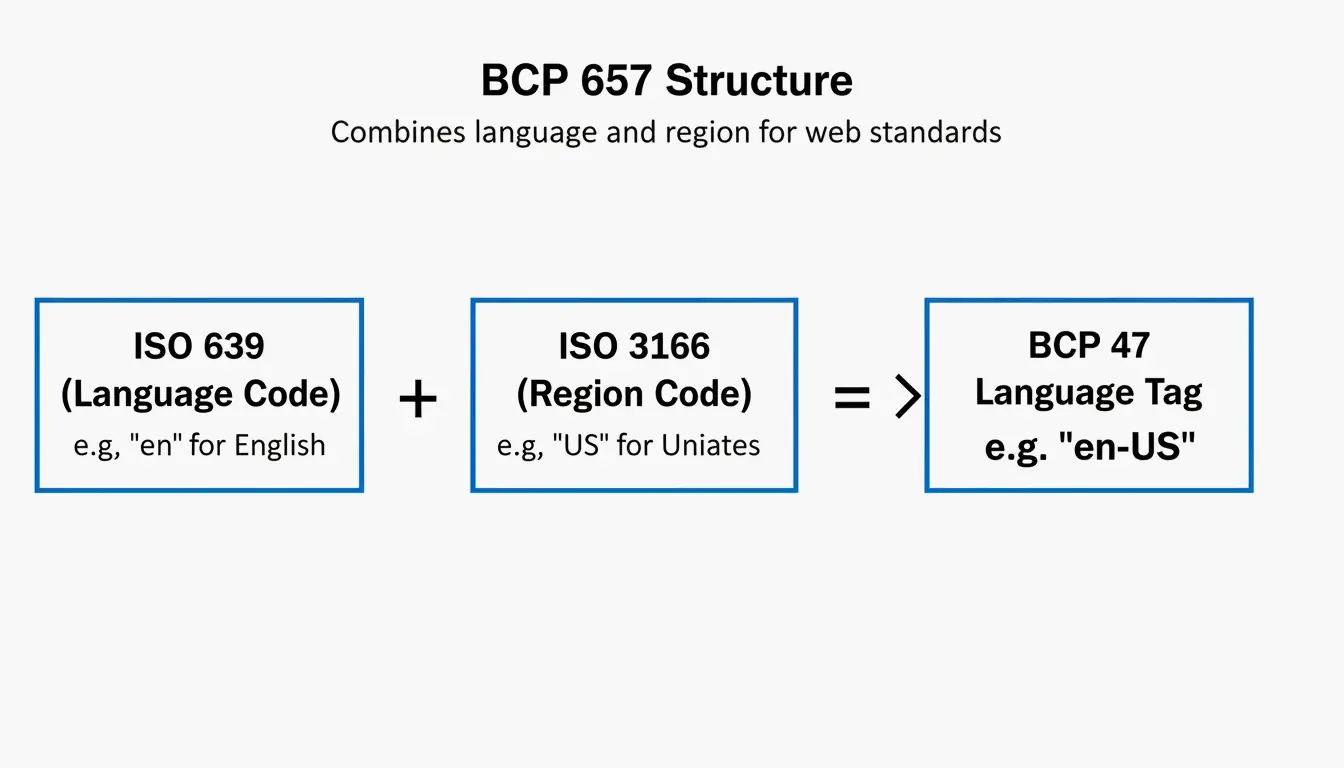
    Every locale tag combines two ISO codes:

    Component Standard Example Meaning
    Language ISO 639 en, ja, zh Language identifier
    Region ISO 3166 US, GB, JP Country/territory
    Script (optional) ISO 15924 Hant, Hans Writing system
    Variant (optional) IANA valencia Dialect or variant

    Full tag example: zh-Hant-TW = Chinese + Traditional script + Taiwan

    According to Java Documentation, a Locale object is a “mechanism for identifying objects” — not a container for data itself.

    BCP 47 language tag structure breakdown

    Language Tag Matching (RFC 4647)

    Method Behavior Use Case
    Filtering Returns all matching tags Content negotiation
    Lookup Returns single best match User preference fallback

    How Locale Changes Date, Number, and Currency Formats

    Locale Date Format Number Format Currency
    en-US MM/DD/YYYY 1,234.56 $1,234.56
    en-GB DD/MM/YYYY 1,234.56 £1,234.56
    de-DE DD.MM.YYYY 1.234,56 1.234,56 €
    ja-JP YYYY/MM/DD 1,234 ¥1,234
    zh-Hans-CN YYYY-MM-DD 1,234.56 ¥1,234.56

    Unicode Locale Extensions

    Advanced locale tags use u- extensions for granular control:

    Extension Example Effect
    u-ca-japanese en-US-u-ca-japanese Japanese Imperial calendar
    u-nu-thai th-TH-u-nu-thai Thai digit rendering
    u-cf-standard en-US-u-cf-standard Standard currency format

    Without BCP 47 compliance, systems may confuse zh-Hant (Traditional Chinese) with zh-Hans (Simplified Chinese), producing unreadable content.

    Currency Conversion: Mid-Market Exchange Rate

    When locale conversion handles money, accuracy depends on the exchange rate source.

    Rate Type What It Is Who Gets It
    Mid-market rate Midpoint between buy/sell prices Interbank traders
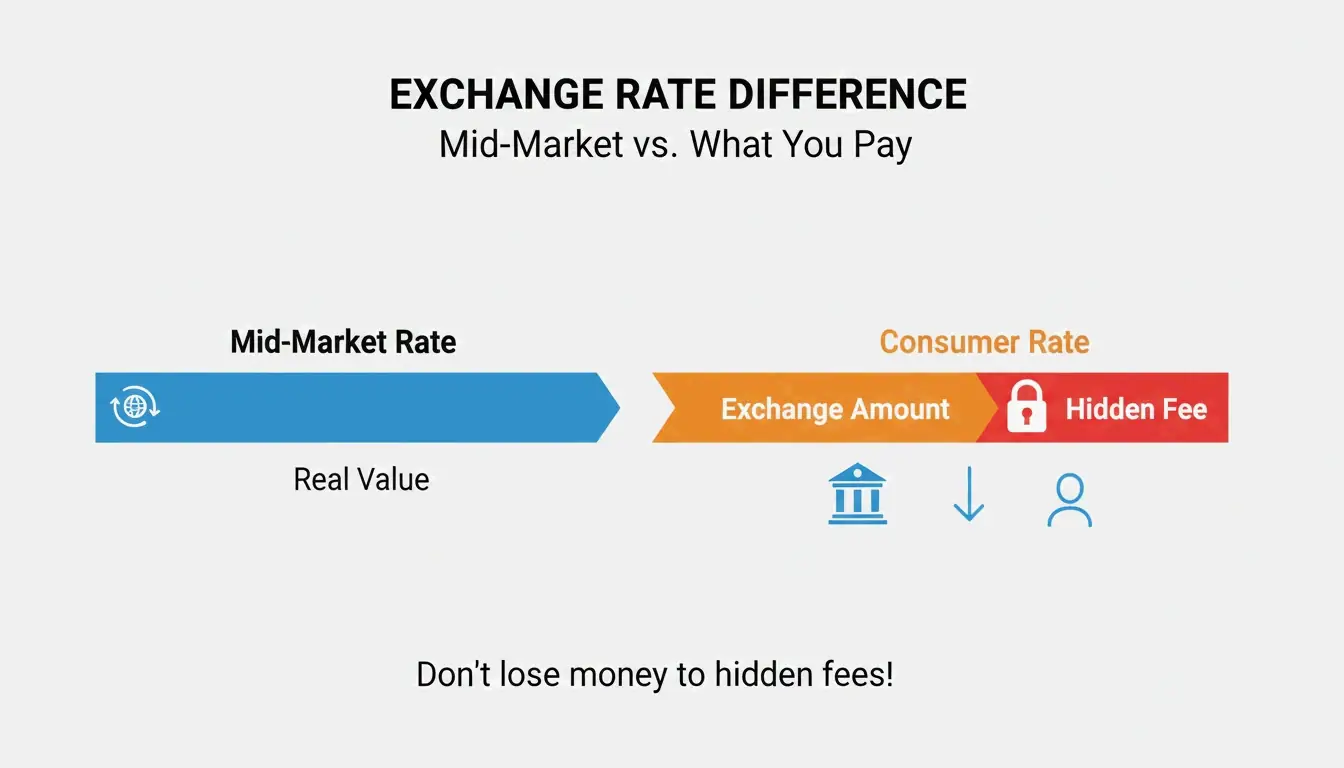
    Consumer rate Mid-market + hidden markup Most individuals and businesses

    Wise emphasizes using the mid-market rate for transparency. OANDA tracks 31+ years of data across 38,000+ currency pairs for enterprise accuracy.

    Mid-market rate vs consumer rate comparison

    Developer Tools: Java Locale and BCP 47

    // Convert Java Locale to BCP 47 tag
    Locale locale = Locale.US;
    String tag = locale.toLanguageTag(); // Returns "en-US"
    
    // Create Locale from BCP 47 tag
    Locale fromTag = Locale.forLanguageTag("zh-Hant-TW");
    

    Java Documentation requires toLanguageTag() for modern web API compatibility.

    Enterprise Localization: Translation and Privacy

    PII Anonymization

    When creating localized test datasets, businesses must protect Personally Identifiable Information (PII). Tools like those shared by Rekhu Chinnarathod automatically mask Social Security numbers, credit card details, and other sensitive data — ensuring GDPR, HIPAA, and DPDP compliance.

    Prompt-to-Dataset Generation

    Rekhu Chinnarathod demonstrates AI tools that generate structured multi-locale datasets (JSON, CSV, SQL) from plain English descriptions, automatically respecting regional formats for US, UK, and India.

    Community Impact

    Queens Public Library uses LanguageLine to offer interpretation in 190+ languages, connecting residents with services in their preferred locale.

    Conclusion

    A locale converter does three things: standardize language tags via BCP 47, format data (dates, numbers, currency) by region, and enable accurate currency conversion using mid-market rates. For developers, integrate BCP 47-compliant APIs. For business users, always verify your converter uses the mid-market exchange rate.

    FAQ

    What is the difference between a language tag and a locale?

    A language tag (e.g., en) identifies only the language. A locale (e.g., en-US) adds regional rules for formatting dates, currency symbols, and cultural preferences specific to a country.

    How do I convert a Java Locale to a BCP 47 tag?

    Use Locale.toLanguageTag() — it converts the Locale object into an IETF BCP 47-compliant string. For reverse conversion, use Locale.forLanguageTag("en-US").

    Why do different currency converters show different rates?

    Some tools show the mid-market rate (transparent), while others embed a hidden markup. Rate freshness and data source (OANDA vs. a specific bank) also cause variation. Always check if your converter uses the mid-market rate as the baseline.

  • What Is a Data Matrix 2D Barcode? A Technical Guide for 2026

    What Is a Data Matrix 2D Barcode? A Technical Guide for 2026

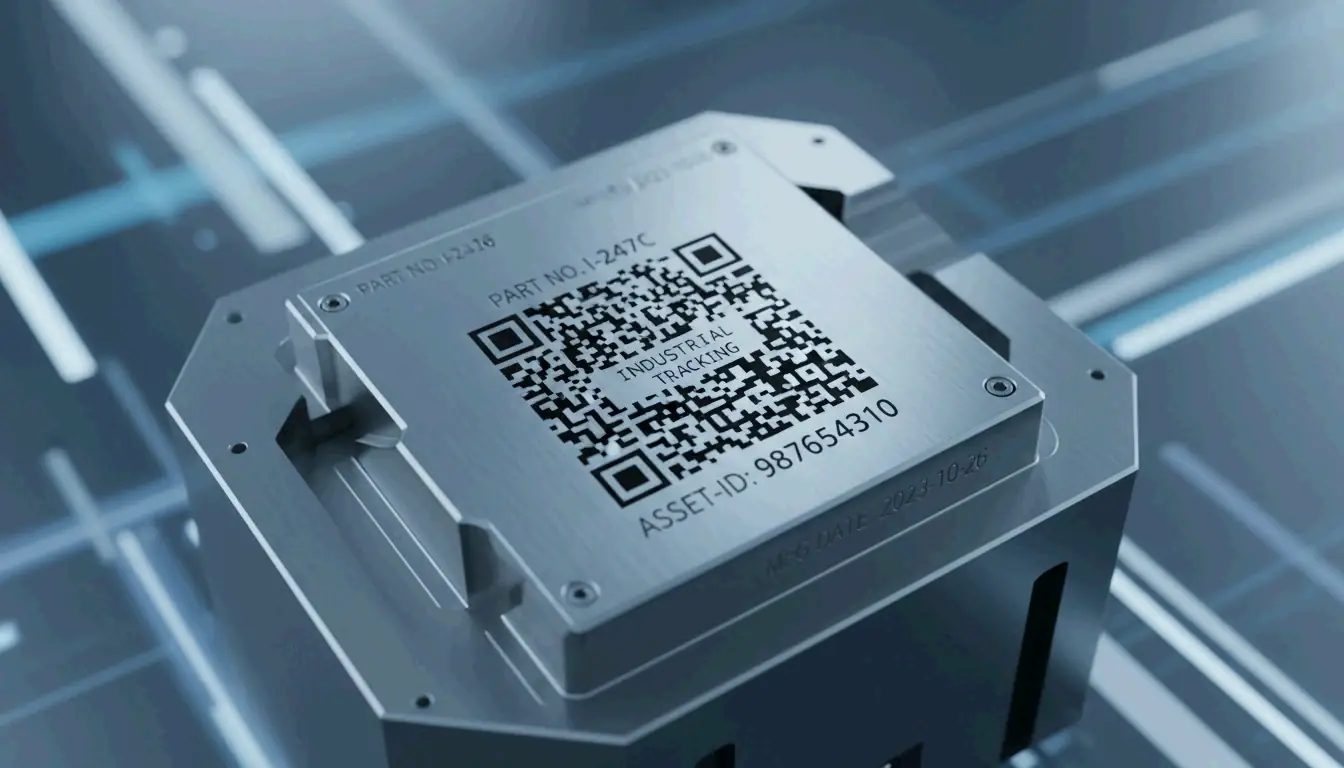
    If you’ve ever looked closely at a tiny electronic component, a pharmaceutical package, or an aerospace part, you might have spotted a small square pattern of black and white cells. That’s a Data Matrix 2D barcode — and unlike the QR codes you scan with your phone, this one is built for the industrial world.

    Defined by ISO/IEC 16022 and using ECC200 error correction, Data Matrix is the go-to standard for tracking small items across global supply chains. As of 2026, it’s the required format for pharmaceutical serialization and Direct Part Marking on metal and plastic components.

    This guide covers how Data Matrix works, when to choose it over a QR code, what the GS1 Sunrise 2027 deadline means for your business, and even how to generate one programmatically.

    Understanding the Data Matrix 2D Barcode: Definition and Core Principles

    A Data Matrix is a grid of black and white “cells” (modules) arranged in a square or rectangle. Unlike traditional 1D barcodes that store data in a single horizontal line, Data Matrix encodes information in both dimensions — horizontally and vertically. This 2D approach lets it pack significantly more data into a much smaller footprint.

    According to Wikipedia, a single Data Matrix symbol can hold:
    – Up to 2,335 alphanumeric characters
    – Up to 3,116 numeric digits

    The technology is governed by the ISO/IEC 16022 standard, which is in the public domain — meaning anyone can implement it without licensing fees. Its ability to encode complex data into a space smaller than 1 mm² has made it indispensable in electronics manufacturing, aerospace, and medical device tracking.

    The Anatomy of a Data Matrix Symbol

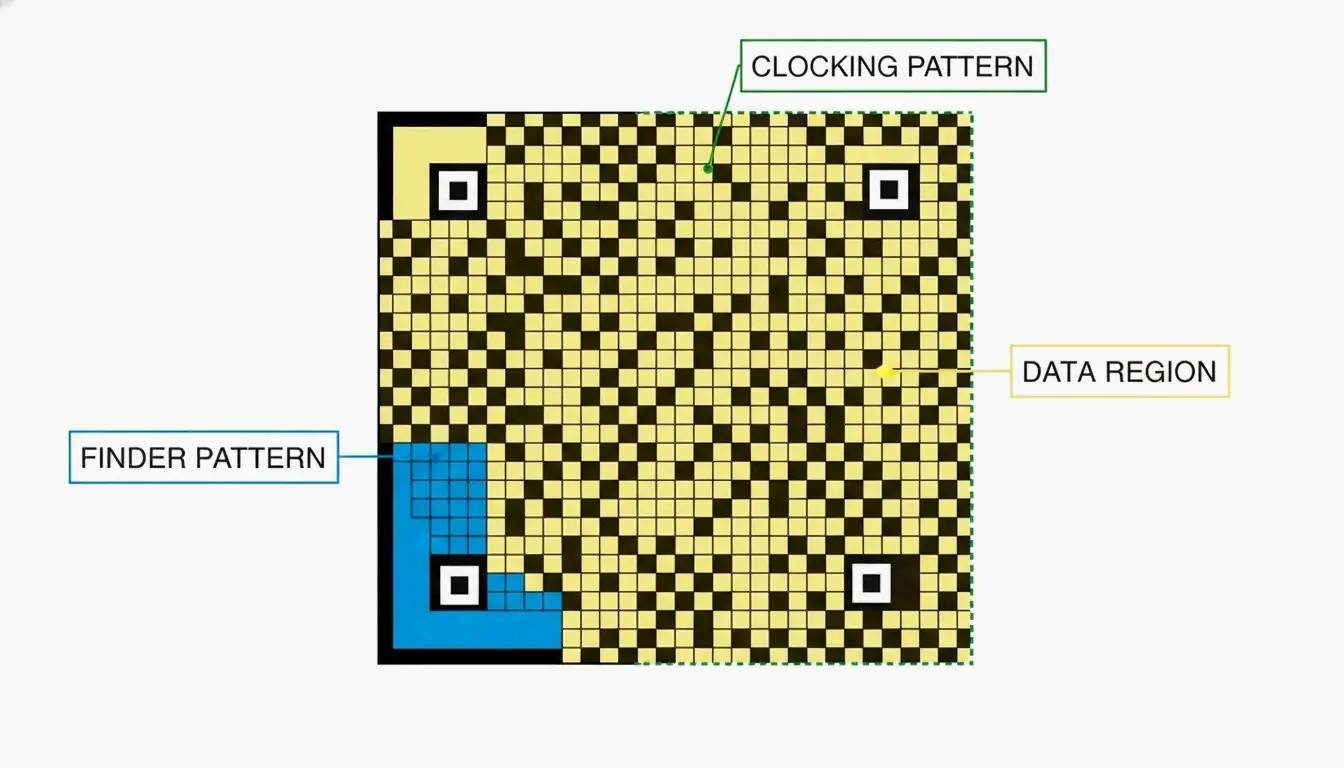
    Every Data Matrix code has three structural components that tell a scanner how to read it:

    Component What It Does
    Finder Pattern An “L” shape formed by two solid borders. Helps the scanner locate the code and determine its orientation.
    Clocking Pattern The two borders opposite the “L,” made of alternating dark and light cells. Tells the reader the grid’s row/column count.
    Data Region The interior area where actual information is stored. The grid grows as more data is added (10×10 up to 144×144 modules).

    A minimalist diagram identifying the three structural components of a Data Matrix code.

    Why ECC200 Is the Industry Standard for Error Correction

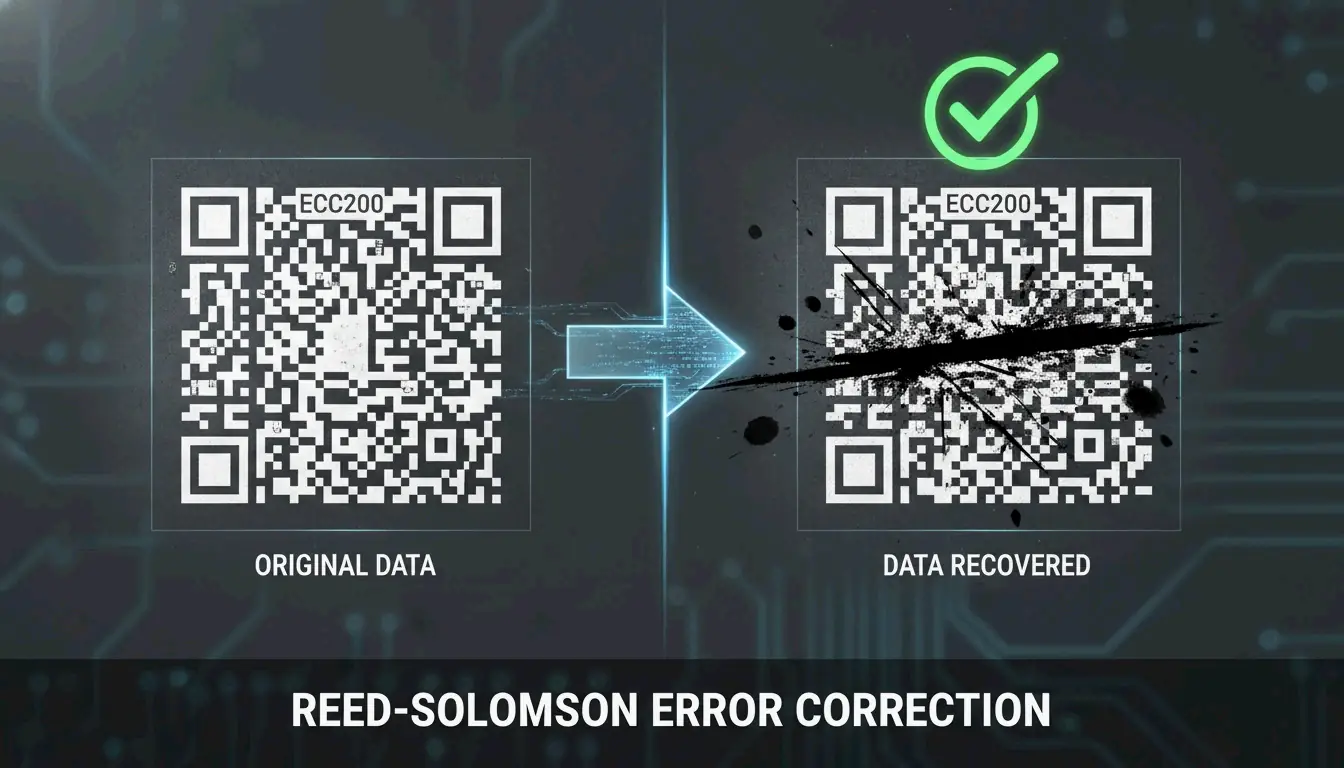
    The reliability of modern Data Matrix codes comes from ECC200, which uses Reed-Solomon error correction to add redundant data to each symbol. This backup information allows a scanner to reconstruct the original message even when the code is partially damaged.

    How much damage can it survive? Wikipedia notes that ECC200 can typically be read even when up to 30% of the symbol is damaged — as long as the “L” finder pattern remains intact.

    This is a significant upgrade over older error correction versions (ECC000–ECC140), which are now largely retired and only appear in “closed” systems where the same organization handles both printing and scanning.

    Feature ECC200 (Current) ECC000–140 (Legacy)
    Error tolerance Up to 30% damage Varies, generally lower
    Standard today Yes — global standard Only in closed systems
    Data capacity Up to 3,116 digits Lower

    A visual demonstration of error correction: a partially obscured barcode still being successfully scanned.

    Data Matrix vs. QR Code: Which 2D Symbology Should You Choose?

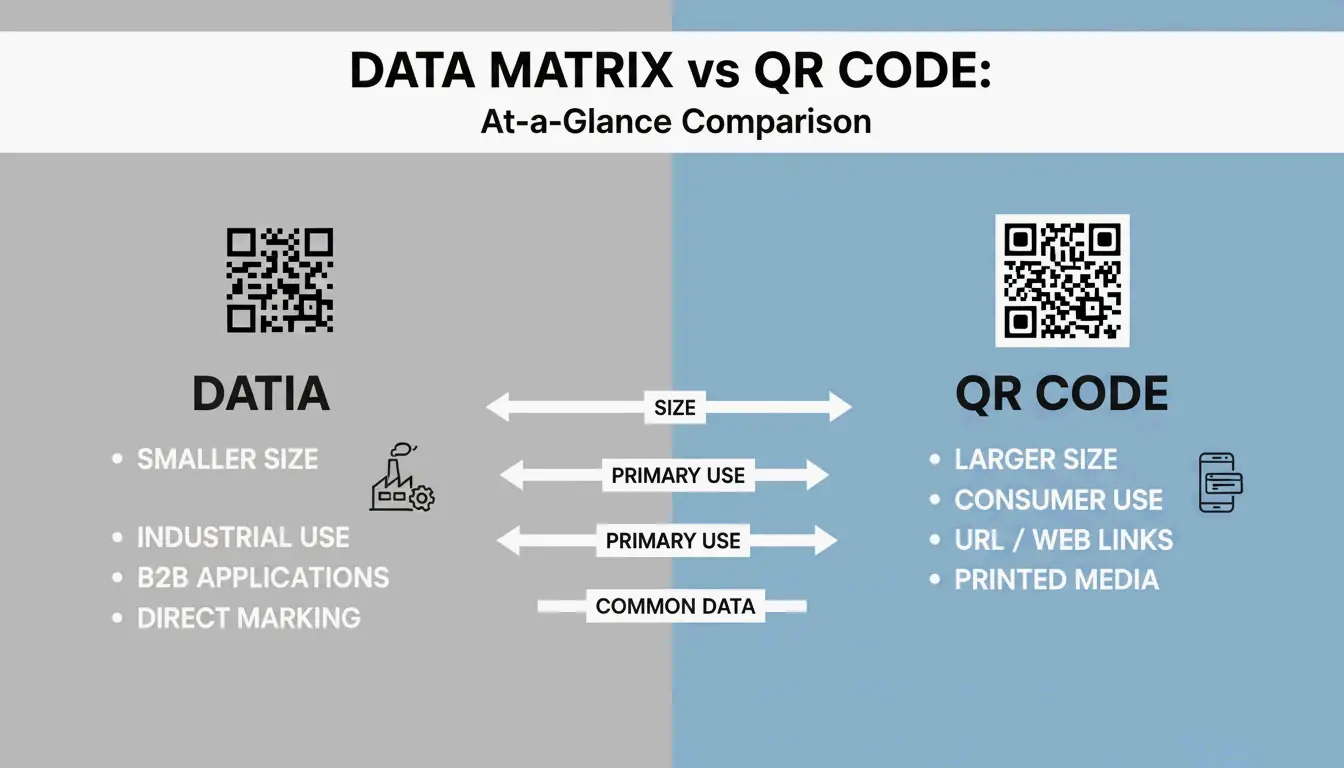
    Both are 2D barcodes, but they’re built for different purposes. Data Matrix serves industrial B2B applications; QR Codes are designed for consumer-facing marketing and engagement.

    When Data Matrix Is the Right Choice

    • Small parts and tight spaces — Data Matrix modules can be as small as 0.1 mm, making the overall code much smaller than a QR Code carrying the same data (Alsace Techniques Etiquetage).
    • Pharmaceutical serialization — Legally required for drug tracking in many markets.
    • Direct Part Marking (DPM) — Etched directly onto metal or plastic parts for permanent identification.

    When QR Codes Make More Sense

    • Consumer engagement — Almost any smartphone (iOS 11+ and Android 8+) can scan QR codes natively, no special app required.
    • URLs and marketing — QR Codes support branding elements like logos in the center.
    • General public use — While Data Matrix can technically hold a URL, most consumers don’t have software that reads it.

    A side-by-side scale comparison between a Data Matrix and a QR Code containing the same data.

    2026 Update: GS1 DataMatrix and the Sunrise 2027 Deadline

    If you work in logistics or healthcare, GS1 DataMatrix is likely already on your radar. It’s important to understand that a standard Data Matrix and a GS1 DataMatrix aren’t identical — the GS1 version embeds a hidden “Function 1” (FNC1) character at the start to signal that the data follows GS1 global standards.

    Two major regulatory forces are driving adoption:

    1. DSCSA (Drug Supply Chain Security Act) — In the U.S., GS1 DataMatrix is required for pharmaceutical tracking.
    2. GS1 Sunrise 2027 — A global initiative to ensure all Point of Sale (POS) systems can scan 2D barcodes by 2027 (GS1 Sweden).

    Sunrise 2027 Preparation Checklist

    1. Hardware audit — Verify your scanners are imagers, not older laser models. Laser scanners cannot read 2D codes.
    2. Software update — Ensure your inventory systems recognize GS1-specific fields like Expiration Dates and Batch Numbers.
    3. Label redesign — Begin transitioning from 1D UPC barcodes to GS1 DataMatrix or GS1 QR Codes to carry richer product data.

    Industrial Implementation: Direct Part Marking (DPM) and Verification

    For parts that need to be tracked for years — or decades — companies use Direct Part Marking (DPM). Instead of printing a label, the Data Matrix is etched directly into the metal or plastic surface using lasers or chemical etching. The mark survives heat, chemicals, abrasion, and heavy wear.

    The accuracy is remarkable. BarcodeFactory reports that barcode scanners make a substitution error roughly once in every 15,000 to 36 trillion characters — making Data Matrix one of the most reliable identification methods available.

    To maintain this accuracy in production, businesses use ISO/IEC 15415 verification, which grades codes on a scale from A (best) to F (fail). For most industrial applications, a grade of C or better is required to ensure the code can be read reliably by different scanners across the supply chain.

    Developer’s Corner: Generating Data Matrix in C#/.NET

    If you’re building barcode generation into your own software, libraries like IronBarcode make it straightforward. Iron Software demonstrates that creating a compliant ECC200 symbol takes just a few lines:

    using IronBarCode;
    
    // Generate a Data Matrix barcode
    var myBarcode = BarcodeWriter.CreateBarcode(
        "GS1-GTIN-12345",
        BarcodeWriterEncoding.DataMatrix
    );
    
    // Customize size and save
    myBarcode.ResizeTo(250, 250);
    myBarcode.SaveAsPng("datamatrix-label.png");
    

    Tip for 2026: Always leave a Quiet Zone (blank border) of at least 1–2 module widths around your code. Without it, scanners may misread the edges.

    Conclusion

    The Data Matrix 2D barcode is the workhorse of industrial and healthcare identification — small enough to fit on a pill bottle, durable enough to survive laser etching onto metal, and reliable enough to remain readable even when 30% damaged.

    With the GS1 Sunrise 2027 deadline approaching, now is the time to audit your scanning hardware, update your software to handle GS1 fields, and start transitioning your labels. Whether you’re a supply chain manager or a developer building the next barcode tool, understanding Data Matrix is no longer optional — it’s a competitive advantage.

    FAQ

    Can a standard smartphone camera app read a Data Matrix code?

    Most iPhone and Android cameras default to QR code scanning. For Data Matrix, you’ll typically need a third-party app or a specific “business mode.” For professional or industrial environments, dedicated scanning hardware or specialized apps are strongly recommended.

    What is the maximum data capacity of a Data Matrix ECC200 symbol?

    An ECC200 symbol can hold up to 3,116 numeric digits or 2,335 alphanumeric characters. The physical size of the code grows as you add more data, reaching a maximum grid of 144×144 modules.

    What is the difference between a standard Data Matrix and a GS1 DataMatrix?

    A GS1 DataMatrix begins with a hidden “Function 1” (FNC1) character that tells the scanner the data follows GS1 standards — using specific Application Identifiers for fields like Expiration Date, Batch Number, or GTIN. This is required for pharmaceutical and food safety regulations in most markets.

  • The Ultimate Guide to Lossless Image Compression: Maximize Quality and Performance in 2026

    The Ultimate Guide to Lossless Image Compression: Maximize Quality and Performance in 2026

    As of March 2026, lossless image compression reduces file sizes by 5-30% — and up to 50% with modern formats like AVIF and WebP — by removing redundant data without sacrificing a single pixel. Unlike lossy methods, lossless compression ensures bit-for-bit reconstruction of the original image, making it essential for logos, text-heavy graphics, and professional workflows that demand pixel-perfect fidelity and optimized Core Web Vitals.

    What Is Lossless Image Compression? Understanding the Mechanics

    Lossless image compression is a technical standard that shrinks a digital file while allowing exact reconstruction of the original data. According to Wikipedia, this works by eliminating statistical redundancy rather than discarding visual details.

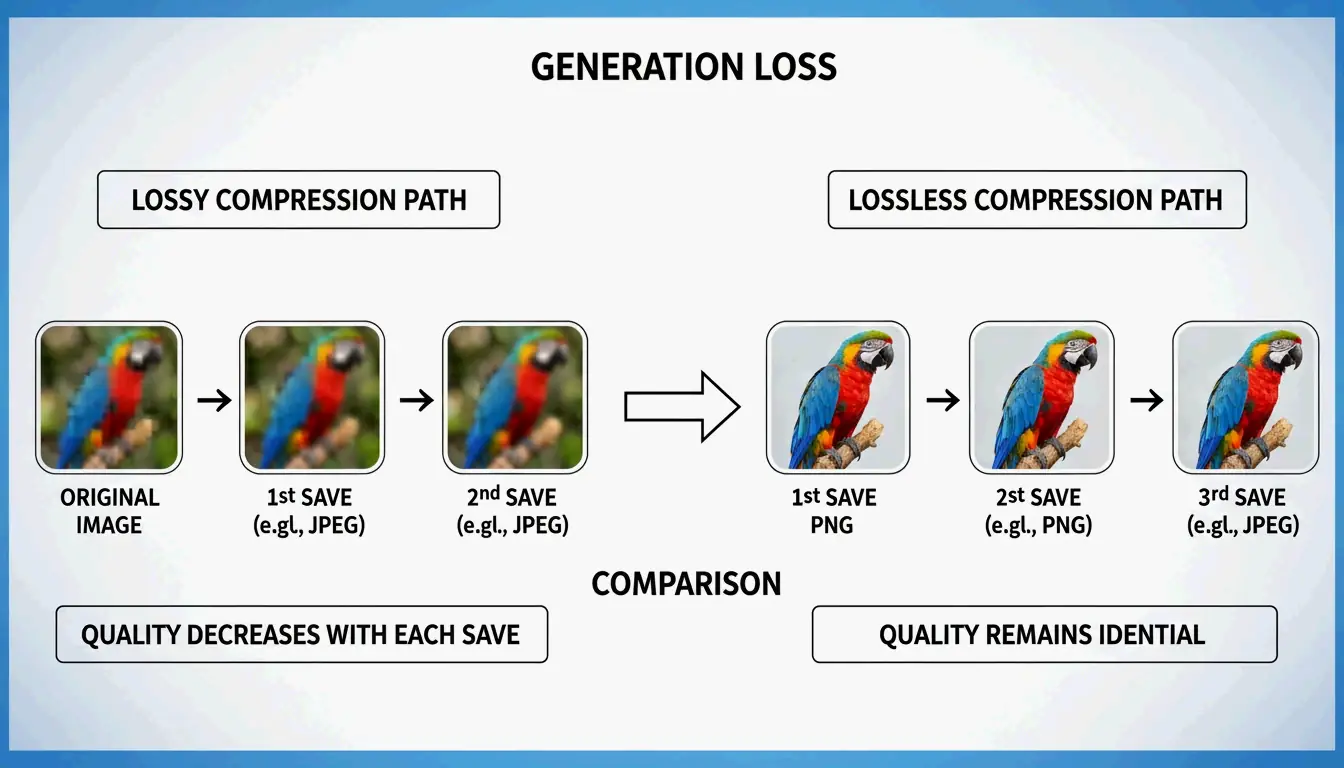
    The core difference is mathematical. Lossy formats like JPEG use the Discrete Cosine Transform (DCT) to approximate pixel values and discard fine details. Lossless compression preserves every R, G, B, and alpha channel value exactly as recorded in the source. This prevents Generation Loss — the progressive quality degradation that occurs when a file is repeatedly opened, edited, and saved in a lossy format. Convertio reports that JPEG quality can visibly degrade after just 3-5 save cycles, while lossless files remain identical regardless of how many times they are saved.

    Comparison of Lossy (data loss) vs. Lossless (data preservation) after multiple saves

    The Science of DEFLATE: How PNGs Stay Sharp

    The most common lossless engine on the web is the DEFLATE algorithm, which powers the PNG format. As Pixotter explains, this operates in two stages:

    1. Filtering: Converts raw pixels into “residuals” (differences between neighboring pixels).
    2. Compression: Packs residuals using LZ77 dictionary matching and Huffman coding.

    This two-stage process is why sharp edges and solid colors in logos remain perfectly crisp in PNG format.

    Lossless WebP vs. PNG: The 2026 Standard for Web Performance

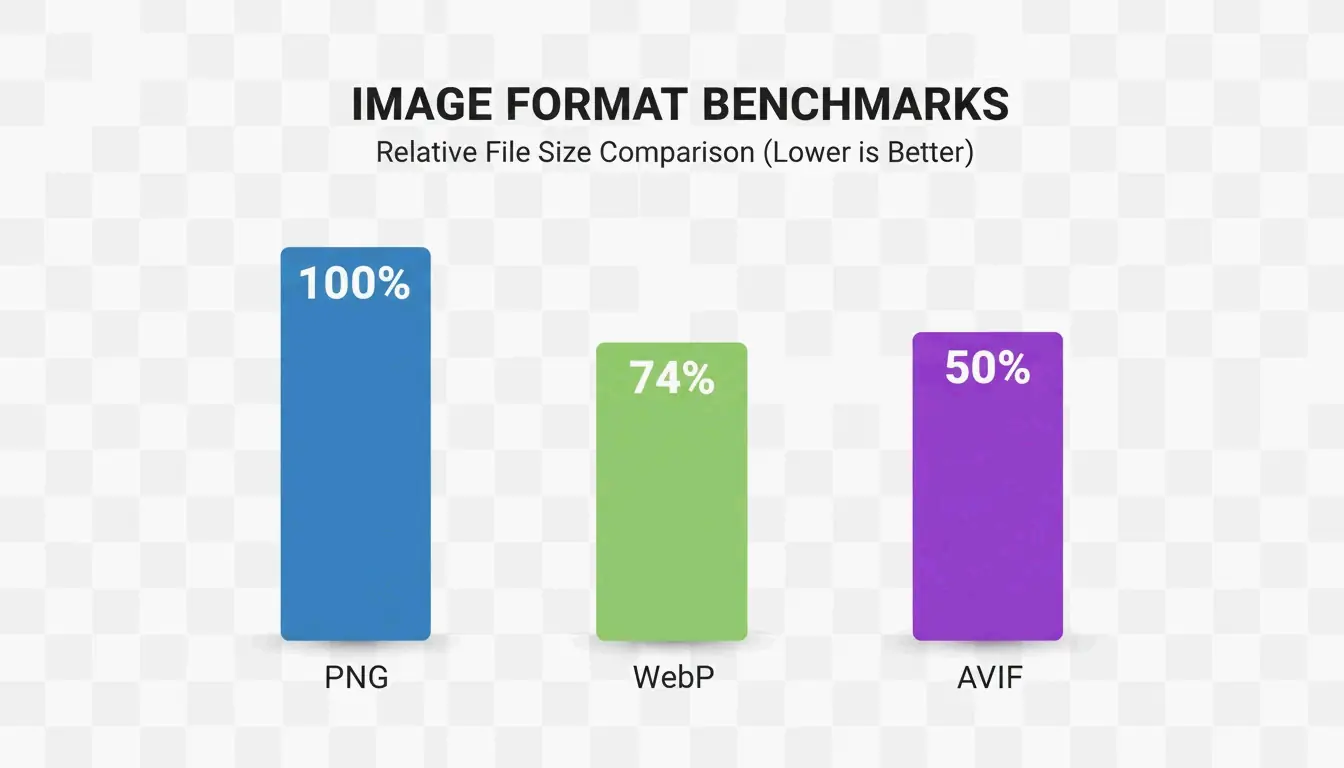
    By 2026, Lossless WebP has largely replaced PNG as the default choice for web graphics. Benchmarks cited by MeloTools show that Lossless WebP produces files approximately 26% smaller than PNGs while maintaining identical pixel-perfect quality.

    Format Compression Ratio Transparency Browser Support (2026) Best Use Case
    PNG Baseline Full alpha 100% Legacy compatibility
    Lossless WebP ~26% smaller than PNG Full alpha 97% Web graphics, logos
    AVIF ~50% smaller than PNG Full alpha 93-95% Maximum compression

    The shift toward WebP is driven by Core Web Vitals targets, specifically Largest Contentful Paint (LCP). Smaller files mean hero images and UI elements load faster, directly improving search rankings. Resizo confirms that switching from PNG to Lossless WebP is the fastest way to save bandwidth without any visible quality loss.

    Is AVIF the Future of Lossless Compression?

    AVIF represents the next efficiency tier. It uses the advanced AV1 encoder to achieve superior compression ratios. According to MeloTools, AVIF can cut total payload sizes by 50% compared to older formats. One case study documented a 73% reduction in total page weight simply by migrating to AVIF and WebP.

    Bar chart comparing file size savings across PNG, WebP, and AVIF

    The trade-off is encoding speed. Data from Pixotter shows that AVIF encoding can be 47x slower than WebP or JPEG. For most production sites, the bandwidth savings justify the processing time. The recommended 2026 approach: serve AVIF to the 93-95% of browsers that support it, with WebP or PNG as a fallback.

    The Decision Matrix: When to Choose Lossless vs. Visually Lossless

    Image Type Recommended Format Quality Setting Rationale
    Logos and UI Graphics Lossless WebP or PNG 100% Prevents ringing artifacts on sharp edges
    Hero Photography Lossy WebP or AVIF 80-85% Visually identical, 10-18x smaller
    Archives / Medical / Legal True Lossless PNG 100% Every bit must be preserved
    Mixed-Content Sites Lossy at 80% quality 80% Sweet spot for quality and size

    Convertio reports that a 36 MB raw image can compress to a 2-4 MB JPEG at quality 85 with no perceptible difference. Additionally, removing EXIF metadata (GPS, camera info) saves 10-25 KB per image without affecting visual quality, as noted by MeloTools.

    Local Tools and Privacy: Compressing Without Data Leaks

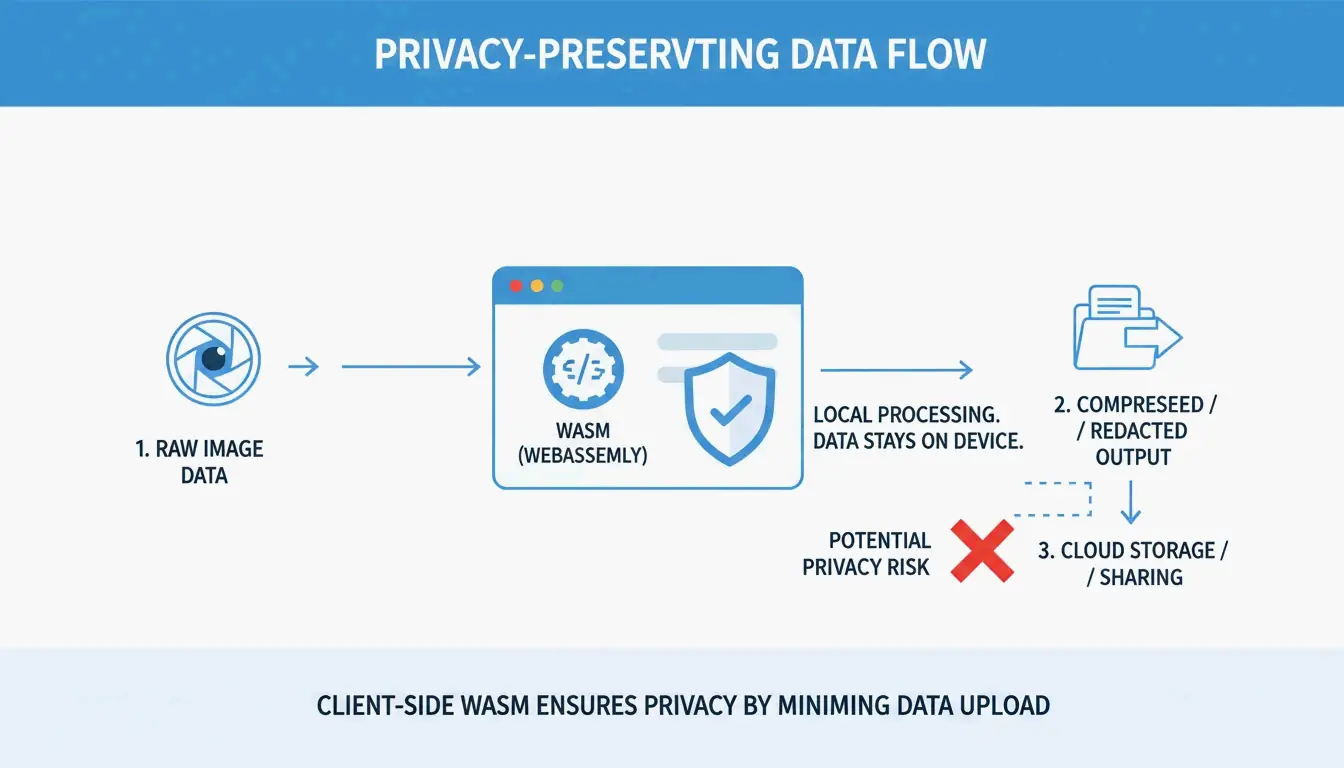
    In high-security fields like healthcare and law, privacy is as critical as file size. Many online compressors upload files to remote servers, creating potential GDPR or HIPAA exposure. MeloTools and Resizo recommend browser-based local processing via WASM. With this method, compression happens entirely in your computer’s memory — the image never leaves your device.

    3-step visualization of local vs. cloud processing for privacy

    Privacy verification test: Open the tool, then disable Wi-Fi. If it continues to function, it uses WASM or HTML5 Canvas and is safe for sensitive documents.

    Conclusion

    In 2026, lossless image compression extends well beyond PNG. WebP and AVIF are now essential for balancing pixel-perfect quality with modern web performance. While PNG remains a reliable fallback, newer formats deliver equivalent quality with significantly less data.

    Actionable steps:

    1. Audit your current image assets.
    2. Migrate sharp UI elements and logos to Lossless WebP for ~26% file size savings.
    3. Use AVIF with proper fallbacks for hero images to boost LCP scores.
    4. Adopt local, browser-based compression tools to protect both performance and privacy.

    FAQ

    Can I convert a lossy JPEG back to a lossless PNG to restore its original quality?

    No. Once data is discarded during lossy compression (JPEG), it is permanently lost. Converting a JPEG to PNG will prevent further quality loss during future saves, but it cannot repair existing artifacts or reconstruct the original pixels that were removed by the JPEG algorithm.

  • Master PromptKit iOS: From Panic’s SSH Client to AI-Powered Vibe Coding

    Master PromptKit iOS: From Panic’s SSH Client to AI-Powered Vibe Coding

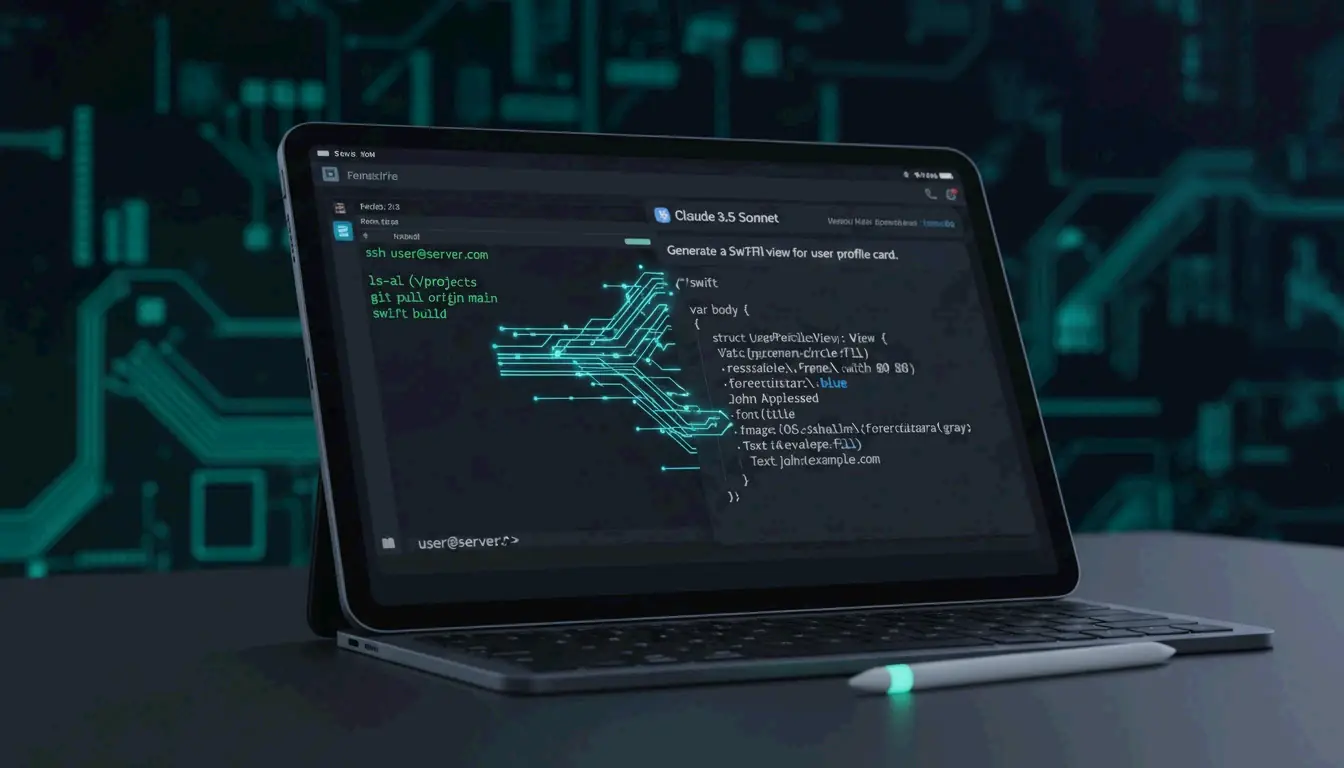
    PromptKit iOS represents a dual frontier in mobile development: professional remote server management through Panic’s Prompt 3 and the emerging “vibe coding” workflow powered by AI. Whether the task is managing backend infrastructure through SSH terminals or generating Swift code via natural language with Claude 3.5 Sonnet, iOS has become a primary platform for high-speed application deployment in 2026.

    What is Prompt by Panic? The Gold Standard for iOS SSH Terminals

    Prompt by Panic (version 3) is widely regarded as the premium terminal emulator for iPhone and iPad. It is designed for developers who need desktop-grade SSH capabilities on mobile devices. For engineers who operate in a mobile-first workflow, it provides a bridge that enables server infrastructure management with the same responsiveness expected from a macOS terminal.

    According to AppsTorrent, the text engine in Prompt 3 is 10x faster than previous versions. It uses GPU acceleration to handle large log files and complex terminal output without lag, and integrates with the iOS Secure Enclave for FaceID and TouchID authentication while keeping private keys hardware-encrypted.

    Key features that define the Prompt 3 experience:

    • Panic Sync: Keeps servers, passwords, and private keys in sync across iOS and macOS.
    • Clips: A library for saving frequent commands (such as sudo systemctl restart nginx) that can be triggered with one tap.
    • Mosh and Eternal Terminal: Support for roaming connections that stay alive when switching from Wi-Fi to 5G or waking a device from sleep.

    Prompt 3 vs. Termius: Which SSH Client Wins?

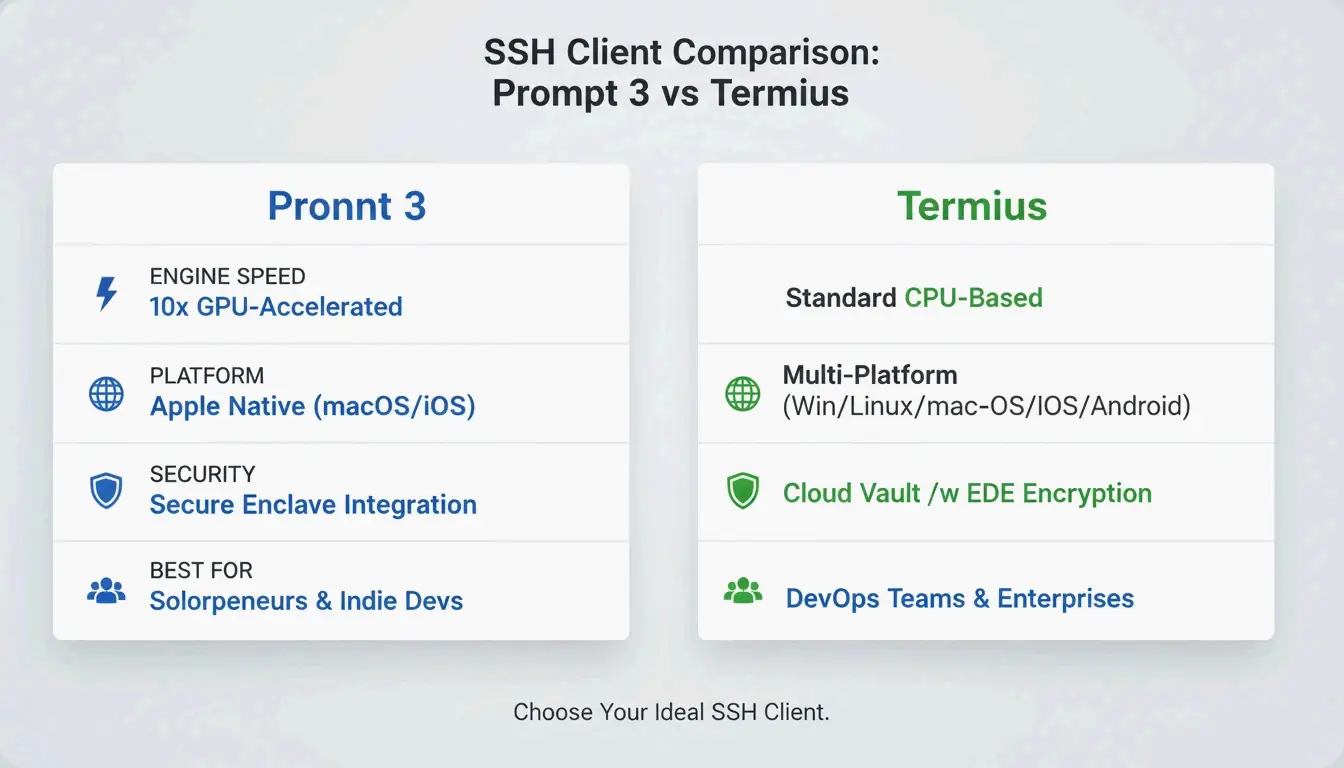
    Feature Prompt 3 Termius
    Platform Focus Apple ecosystem (iOS + macOS) Cross-platform (iOS, Android, Windows, Linux)
    Text Engine GPU-accelerated, 10x faster than prior versions Standard rendering
    Security Secure Enclave integration, FaceID/TouchID Cloud Vault for team credential sharing
    SFTP Support Basic Comprehensive
    Best For Individual developers in Apple ecosystem DevOps teams across multiple platforms

    Prompt 3 excels within the Apple ecosystem because of its native feel and GPU speed. However, Termius is often preferred by DevOps teams working across Windows and Linux. Termius offers broader SFTP support and a “Cloud Vault” for team-based credential sharing. For individual developers who want the fastest, most Mac-like terminal experience on an iPad, Prompt’s engine and Secure Enclave integration provide a clear edge in both security and responsiveness.

    Comparison table between Prompt 3 and Termius.

    What is Vibe Coding? Building iOS Apps with AI Prompts

    “Vibe coding” represents a shift in software construction. Instead of writing Swift code line by line, creators use natural language instructions — prompts — to direct AI agents. The developer provides the “vibe” (intent, design, and logic), and models like Claude 3.5 Sonnet handle the implementation.

    In the current iOS landscape, Claude 3.5 Sonnet and the “Claude Code” interface are the primary tools driving this approach. Developers often begin with a “Genesis Prompt” — a detailed, comprehensive instruction — to scaffold an entire SwiftUI project in minutes. Code becomes a commodity rather than a manually crafted artifact.

    The speed is significant. As one Reddit case study demonstrates, a developer built a functional, store-ready iOS app in 5 hours using a single well-structured prompt. However, as Dragos Roua observes, this ease of creation changes market dynamics: the real value now lies in rapid iteration and unique product vision rather than the ability to write syntax.

    The Dual-Prompt Workflow: Managing Servers and Code Simultaneously

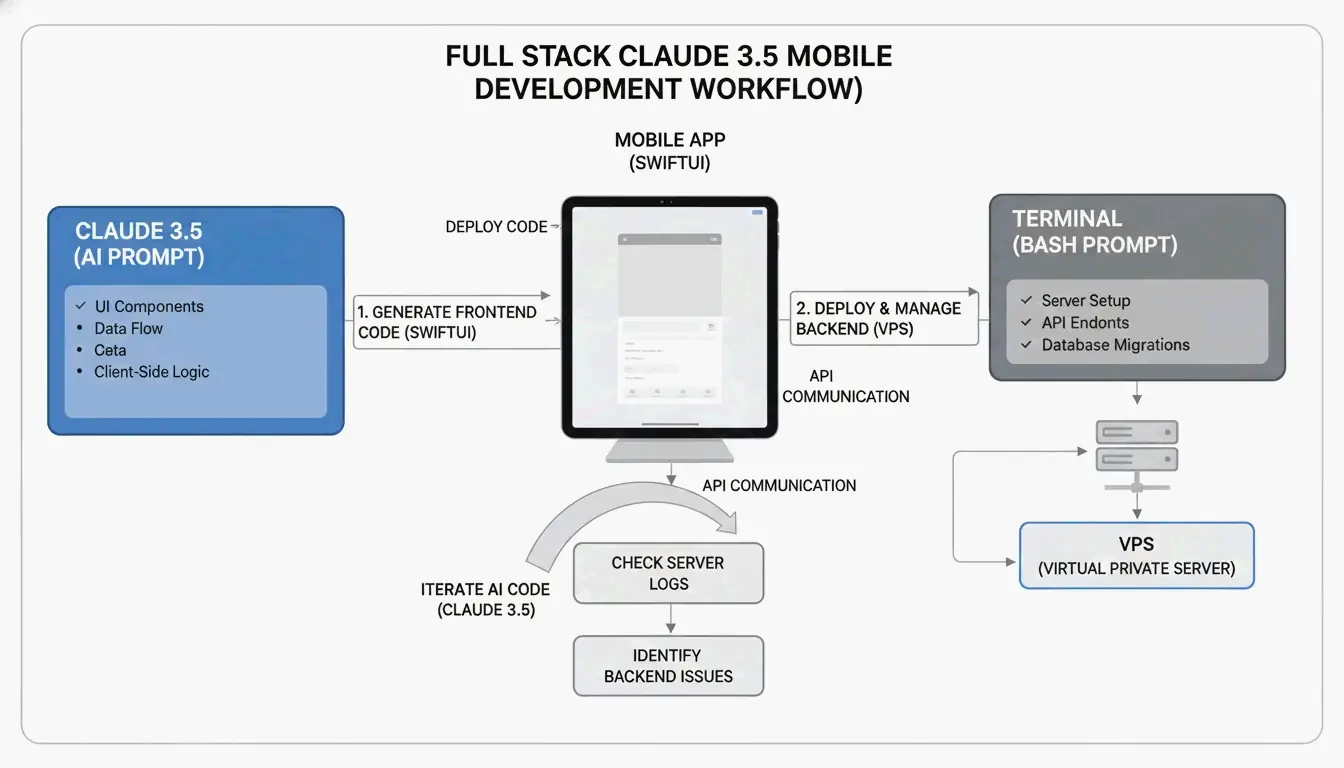
    Modern iOS development increasingly relies on a “Dual-Prompt” strategy: AI prompts for the frontend and Panic’s Prompt 3 for the backend. This workflow allows developers to stay within the iOS ecosystem while building complex, data-driven applications.

    1. AI Prompting: Use Claude 3.5 Sonnet to generate SwiftUI views, state management, and API logic.
    2. Terminal Management: Use Prompt 3 to SSH into a VPS (such as DigitalOcean or AWS), set up a Node.js or Python backend, and manage databases.

    The Dual-Prompt Workflow architecture.

    By bridging AI-generated code and manual server management, it becomes possible to deploy full-stack solutions directly from an iPad. A developer might prompt an AI to write a Swift function that fetches data from a REST API, then switch to Prompt 3 to check server logs in real time and confirm the endpoint is responding correctly.

    The Ultimate Genesis Mega Prompt for iOS and StoreKit 2

    Effective vibe coding requires a structured template to ensure the AI does not overlook technical requirements. A “Genesis Mega Prompt” should cover:

    Component What to Specify Example
    Project Overview App name, core features, target iOS version “Fitness tracker app, iOS 18+”
    Technical Stack Framework, architecture, concurrency model SwiftUI, MVVM, Swift Concurrency
    StoreKit 2 Integration Modern purchase APIs Product.products(for:), product.purchase()
    Design System Colors, typography, spacing Hex codes, 44pt touch targets

    When integrating StoreKit 2 via AI, explicitly specify “modern StoreKit 2 Swift API” to avoid legacy code generation. This ensures the AI implements reactive purchase buttons and entitlement checks that update the UI automatically when a user subscribes.

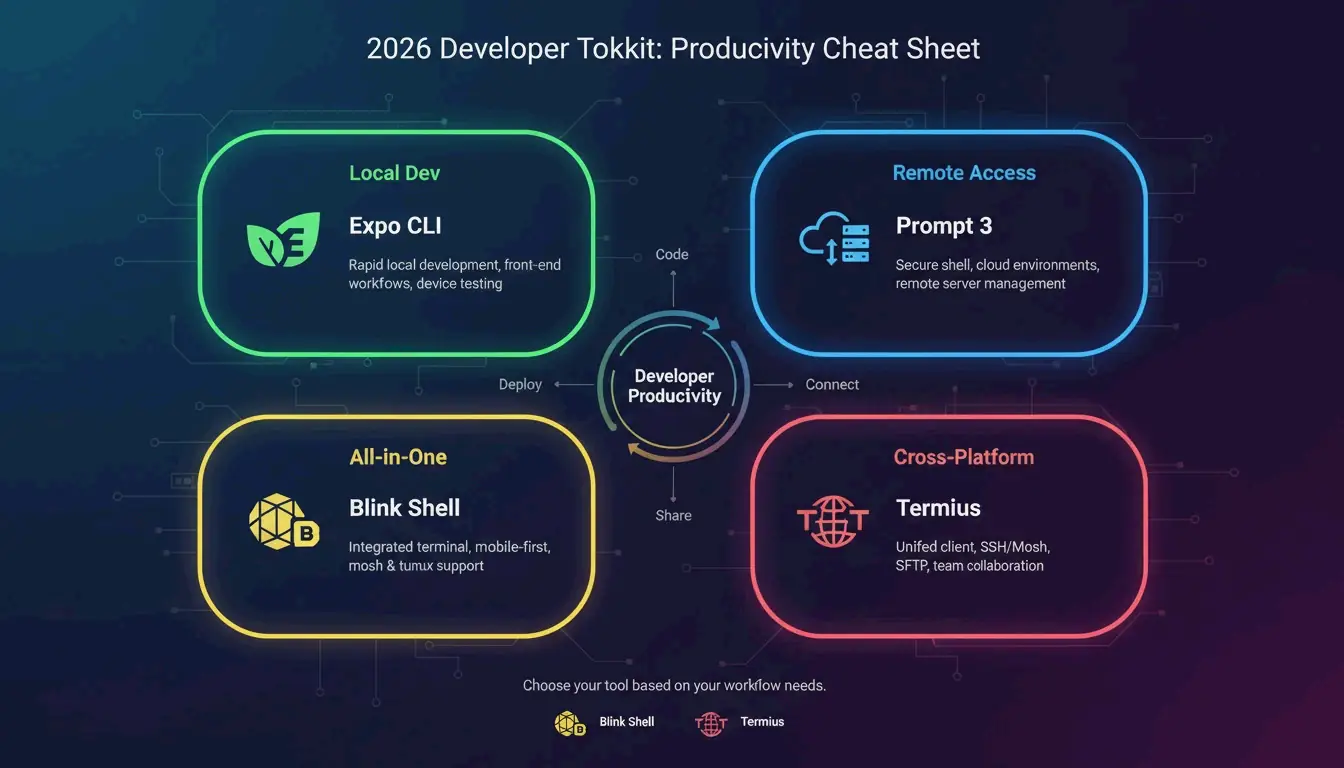
    Essential Developer Tools: From Expo CLI to Blink Shell

    Beyond Panic’s tools, the 2026 iOS developer toolkit includes several utilities for cross-platform and local development:

    Tool Primary Use Case Standout Feature
    Expo CLI React Native development npx expo run:ios for native compilation
    Blink Shell Integrated terminal + IDE Built-in VS Code (Code Server) module
    Termius Cross-platform SSH Sync between iOS, Android, Windows
    • Expo CLI is best for rapid JavaScript and TypeScript mobile development with native module prebuilding.
    • Blink Shell is ideal for developers who want a VS Code interface alongside Mosh and SSH terminals on an iPad.
    • Termius excels at syncing server lists across iOS, Android, and Windows devices.

    2026 iOS Developer Toolkit Summary.

    Conclusion

    The convergence of high-performance SSH management in Prompt 3 and AI-driven vibe coding with Claude 3.5 Sonnet has turned the iPhone and iPad into legitimate professional workstations. By combining a 10x faster GPU-accelerated terminal for server management with rapid AI-assisted app generation, developers can move from concept to the App Store faster than ever.

    The practical next step is to set up Prompt 3 for secure remote server access and experiment with a Genesis Mega Prompt in Claude 3.5 Sonnet to begin shipping SwiftUI projects directly from an iPad.

    FAQ

    What is the best SSH terminal app for iPad and iPhone in 2026?

    Prompt 3 by Panic is the top choice for users seeking speed and deep iOS integration, featuring a GPU-accelerated text engine that is 10x faster than competitors. Termius is a better fit for teams requiring cross-platform synchronization across Windows and Linux. Blink Shell is ideal for developers who need a built-in VS Code environment on their iPad.

    How do I use a Genesis Prompt to build an iOS app with AI?

    Provide an AI model like Claude 3.5 Sonnet with a high-level architectural overview that includes SwiftUI requirements, MVVM patterns, and specific framework needs such as StoreKit 2. The AI uses this specification as a “source of truth” to generate boilerplate code, UI components, and application logic, allowing you to iterate on the product vision rather than the syntax.

    What is the difference between Prompt 3 and Termius for iOS developers?

    Prompt 3 is built exclusively for the Apple ecosystem, prioritizing macOS and iOS depth, Secure Enclave security, and high-speed text rendering. Termius is a multi-platform tool that offers broader protocol support (SFTP, Telnet) and features designed for collaborative teams who do not exclusively use Apple hardware.

    Can I really deploy a full-stack application from an iPad?

    Yes. Using the Dual-Prompt workflow, you can generate SwiftUI frontend code with Claude 3.5 Sonnet and manage the backend infrastructure through Prompt 3’s SSH terminal. This allows you to write code, configure servers, manage databases, and deploy applications — all from an iPad without needing a traditional desktop development environment.

  • Xbox Gamertag Character Limit in 2026: Rules, Costs, and the 12-Character Rule

    Xbox Gamertag Character Limit in 2026: Rules, Costs, and the 12-Character Rule

    Your Xbox gamertag is your identity across the entire Xbox Network — the name that shows up in multiplayer lobbies, friend lists, and achievement feeds. But if you’re thinking about changing yours in 2026, there’s a hard rule you need to know: all new gamertags are capped at 12 characters, including spaces.

    Legacy “Classic Gamertags” from the Xbox 360 era can still be up to 15 characters long — but only if they’ve never been changed since the modern system took over. Once you modify your name, there’s no going back to the old length.

    This guide covers everything: the current character limit, how the suffix system works, what it costs to change, and tips for finding a short, clean name.

    Understanding the 12-Character Limit in 2026

    Every new Xbox gamertag — whether you’re creating a fresh account or renaming an existing one — must fit within 12 characters. According to CodeItBro, this standard replaced the old 15-character cap from the Xbox 360 era to create a more consistent, globally unified naming system.

    The limit applies across the entire ecosystem:
    – Xbox Series X|S consoles
    – Xbox One consoles
    – Xbox App on PC
    – Xbox mobile apps (iOS and Android)

    With over 120 million active users on the network as of early 2023 (Wikipedia), finding a truly unique name has become harder over the years. To address this, Xbox now supports non-Latin scripts and alphabets — but even those must still fit within the 12-character display window.

    The Suffix System: How Duplicate Names Work

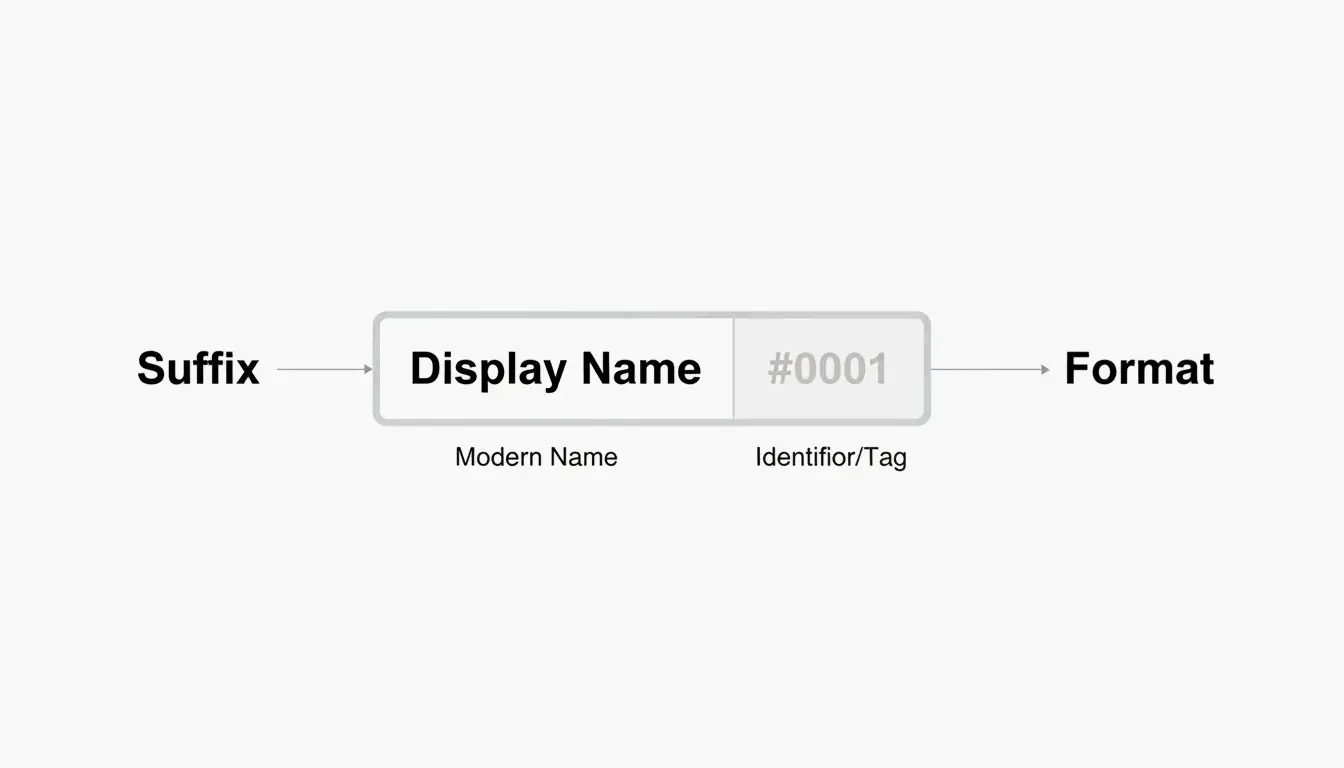
    Here’s where things get interesting. If the name you want is already taken, you can still claim it — Xbox appends a hashtag suffix (like #1234) to differentiate you from the person who had it first.

    A few things worth knowing about suffixes:
    – They’re assigned automatically — you don’t pick the numbers.
    – They don’t count toward your 12-character limit.
    – They appear in a smaller font in most game UIs, so your core name still looks clean.
    – Friends can find you by searching just your base name.

    So a full-length name like “ShadowWalker” would display as “ShadowWalker#9999” — but only the “ShadowWalker” part needs to fit within 12 characters.

    现代 Gamertag 的组成结构:名字 + 后缀

    The “Point of No Return”: Classic vs. Modern Gamertags

    This is the most important thing to understand before changing your name in 2026.

    If your current gamertag was created before the 2019 update and is longer than 12 characters, changing it means you permanently lose that extra length. Think of it as a one-way door.

    According to Microsoft Q&A, there is no technical way to revert to a classic-length tag once you’ve made the switch. The current infrastructure simply doesn’t support creating tags longer than 12 characters — not even for legacy users.

    A Real Example from 2026

    In April 2026, a user named Armonster attempted to restore their 13-character legacy tag after a name change. The system blocked the request entirely. Even though the name had been theirs originally, the modern system couldn’t process a tag longer than 12 characters.

    Bottom line: If you’re sitting on a classic 13–15 character gamertag that you like, think carefully before changing it.

    How to Change Your Xbox Gamertag (Step-by-Step)

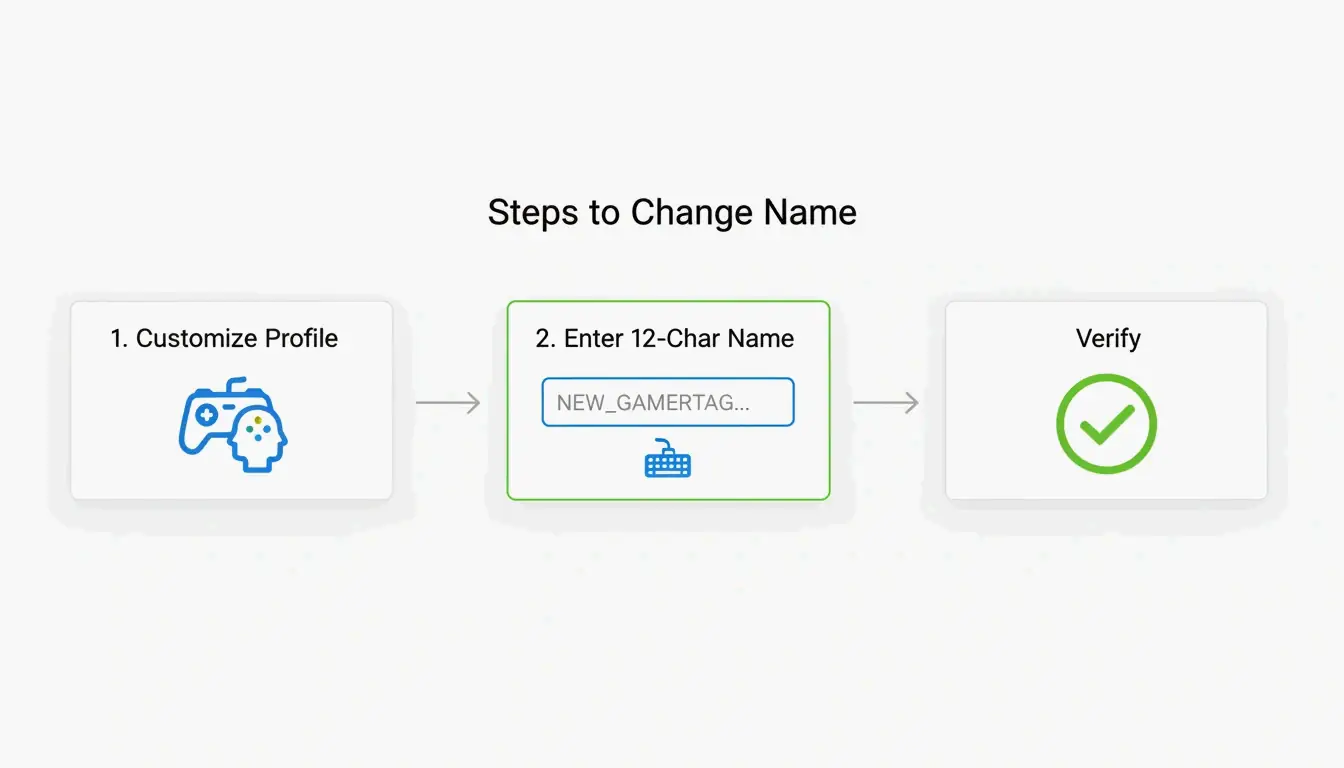
    Whether you’re on a console or your phone, the process is straightforward. The system checks name availability in real time as you type.

    On Console (Xbox Series X|S)

    1. Press the Xbox button on your controller.
    2. Navigate to Profile & System.
    3. Select your profile, then choose Customize Profile.
    4. Click your current gamertag.
    5. Type your new name (up to 12 characters).
    6. Confirm the change.

    On the Xbox Mobile App

    1. Open the Xbox App.
    2. Tap your profile picture.
    3. Go to SettingsEdit Gamertag.
    4. Enter your new name and confirm.

    Verification

    According to Theportablegamer, you’ll see a green checkmark if the name is available, or a red X if it’s taken. If it’s taken, the system will automatically offer you a suffix version.

    修改 Gamertag 的精简步骤

    Troubleshooting: Verification Loops

    Some players in 2026 have reported getting stuck in “verification loops” — the app keeps asking them to sign in repeatedly without completing the name change. If this happens:

    1. Clear the app cache (Settings → Apps → Xbox → Clear Cache).
    2. Try the change through a web browser at account.xbox.com instead.
    3. Check your Enforcement Status — if you have an active ban or strike, name changes are blocked until the penalty expires.

    How Much Does It Cost to Change Your Gamertag?

    Microsoft uses a simple pricing model:

    Change Cost
    First change (new accounts) Free
    Every subsequent change $9.99 USD or 800 Microsoft Points
    Cooldown between changes 30 days

    The fee exists to discourage abuse — without it, people could constantly rename themselves to evade moderation or confuse other players. As Theportablegamer notes, this price has remained unchanged for years.

    The Rare Name Hunt: Finding a 4-Letter Gamertag

    Short gamertags — especially 4-letter ones — are the holy grail. They look clean, never need a suffix, and are easy to remember.

    The reality: most 4-letter English words were claimed years ago. But you can still find options if you’re persistent:

    • Alphanumeric combos — Mix letters and numbers (e.g., “K7VR”, “N3XT”).
    • Non-dictionary words — Unique letter combinations that are pronounceable but not real words.
    • Generator tools — The CodeItBro Gamertag Generator has a “Hunt 4-Letter Tags” mode that checks availability for short handles.

    If your dream 4-letter name is taken, the suffix system is a solid fallback. Since suffixes render in a smaller font in most game menus, a name like “Raven#3847” still looks relatively clean on-screen.

    Conclusion

    The 12-character limit is the firm standard for the Xbox Network in 2026. The suffix system makes it possible to share a display name with others, but the length cap itself is non-negotiable for any new or changed gamertag.

    Before making a change:
    Count your characters carefully — 12 is the max, spaces included.
    Protect your classic tag — If you have a legacy 15-character name you like, think twice before changing it. You can’t go back.
    Budget for the fee — Your first change is free, but every one after that costs $9.99 with a 30-day cooldown.

    FAQ

    Can I change my 12-character modern tag back to a 15-character classic tag?

    No. Once you move to the modern system, the 15-character legacy option is permanently lost. There is no tool, setting, or support path that can revert your tag to the old length.

    Why do some players still have 15-character names in 2026?

    Those are “Classic Gamertags” created before the 2019 system update. As long as those players never change their name, they keep the old length. But the moment they modify it — even to fix a typo — they’ll be moved to the 12-character system.

    What special characters are allowed in Xbox gamertags?

    Spaces are allowed and count as one of your 12 characters. Numbers are fine too. Most special symbols (!, @, #, %, etc.) are blocked to maintain compatibility across all Xbox games. The # symbol is reserved exclusively for the system-generated suffix and can’t be used in the name itself.

  • How to Compress PNG Files in 2026: Lossless, Lossy, and PNG 3.0

    How to Compress PNG Files in 2026: Lossless, Lossy, and PNG 3.0

    To compress PNG files effectively in 2026, use oxipng for lossless optimization (zero quality loss) or pngquant for lossy quantization (60–80% reduction with barely visible impact). Browser tools like ToolTea handle quick jobs locally via WebAssembly, while CLI tools automate bulk processing in dev pipelines.

    Lossless vs. Lossy: Which Method for Which File?

    Method Tool How It Works Best For Typical Savings
    Lossless oxipng Re-encodes DEFLATE, strips metadata Logos, text screenshots, icons 15–40%
    Lossy quantization pngquant Reduces color palette (32-bit → 8-bit) Illustrations, photos, UI elements 60–80%

    Lossless is like reorganizing a suitcase without throwing anything away — every pixel stays identical. Lossy quantization actually removes data by limiting unique colors, but the human eye rarely notices.

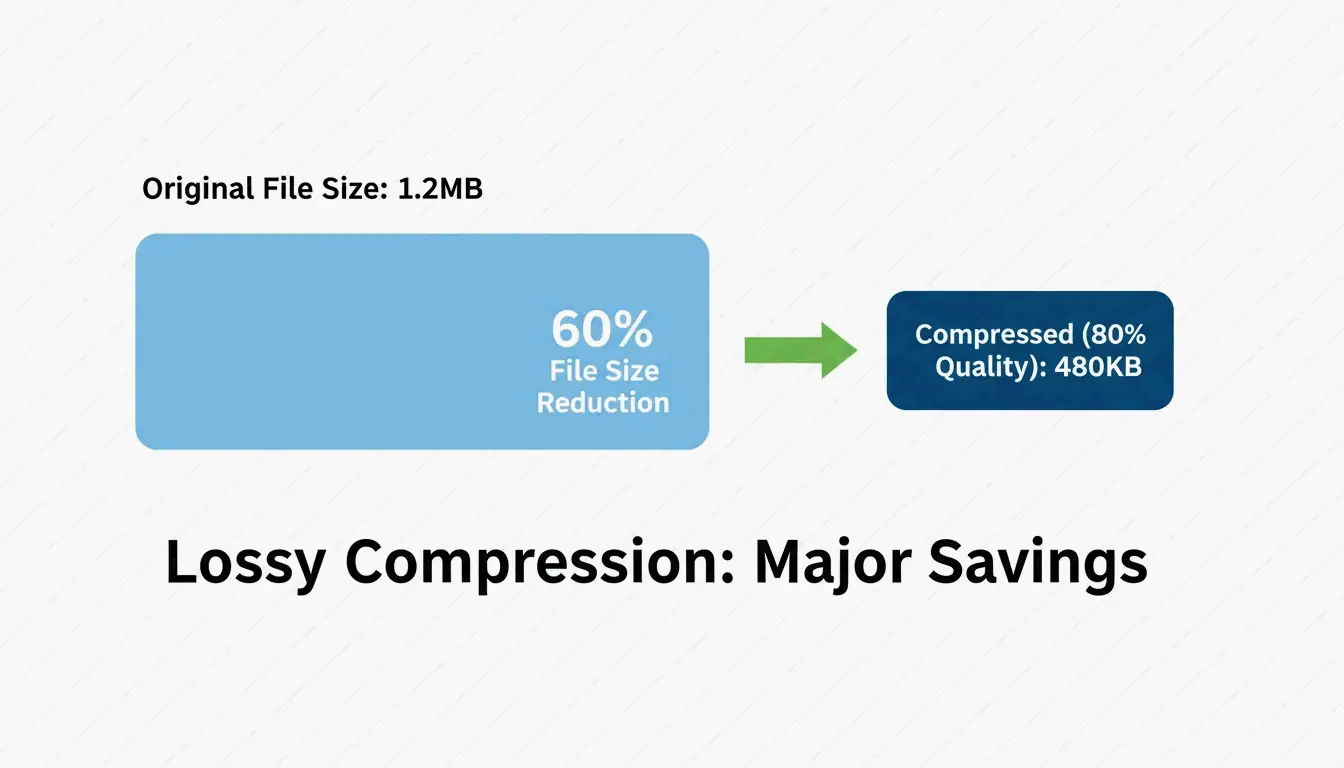
    Pixotter shared a case study: a UI screenshot dropped from 1.2MB to 480KB at 80% quality — virtually indistinguishable from the original.

    Both methods preserve the alpha channel. Unlike JPEG, PNG keeps transparency intact even after aggressive compression.

    Side-by-side comparison of file size vs. visual quality

    Browser Compression: Quick and Private

    For daily tasks, browser tools are fastest — and keep your data private.

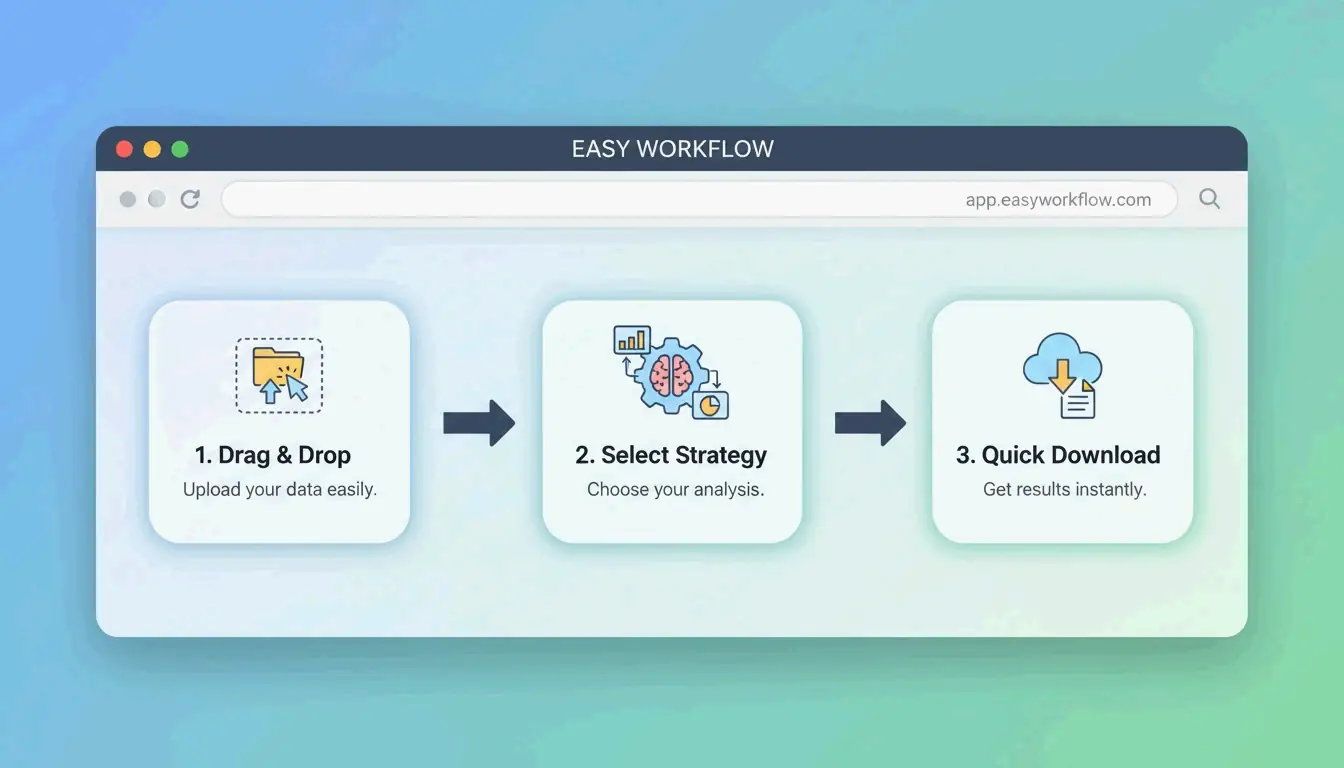
    ToolTea processes images locally using WebAssembly, meaning files never leave your computer:

    1. Upload — Drag PNGs or a ZIP file into the browser
    2. Choose strategy — “Lossless” for pixel-perfect results, or a specific color count (e.g., 256) for maximum shrinkage
    3. Resize — Drop to web-standard widths (e.g., 1920px) for additional savings
    4. Download — Hit “Compress All” and save

    Simple 3-step browser compression workflow

    CLI Tools: Developer-Grade Optimization

    oxipng (v9.1.1) — Lossless Gold Standard

    Built in Rust, oxipng is significantly faster than older tools. Pixotter recommends it as the current best-in-class for lossless PNG optimization.

    
    oxipng --opt 4 --strip all input.png
    
    # Batch process
    oxipng --opt 4 --strip all *.png
    

    pngquant (v3.0) — Lossy Quantization

    Converts 32-bit PNGs to 8-bit palettes, achieving 60–80% size reduction. ToolTea benchmarks confirm this is nearly invisible for logos and UI elements.

    # Compress to 256 colors (80% quality)
    pngquant --quality=65-80 --output output.png input.png
    
    # Batch with fallback
    pngquant --force --quality=65-80 --ext .png *.png
    

    PNG 3.0: The 2025 Update

    The PNG 3.0 release (June 24, 2025) brought major improvements:

    Feature Impact
    HDR support Higher dynamic range for modern displays
    Native APNG Animated PNGs now a W3C Recommendation
    Improved Exif chunks Cleaner metadata handling

    PNG vs. WebP vs. AVIF: When to Switch

    Even with PNG 3.0, PNG is not always the right choice for the web:

    Format Compression Transparency Browser Support Use Case
    PNG Lossless or lossy Yes (alpha) Universal Logos, icons, pixel-perfect assets
    WebP 25–34% smaller than JPEG Yes 97%+ General web images, photos
    AVIF 50% smaller than JPEG Yes 92%+ Maximum compression, modern browsers

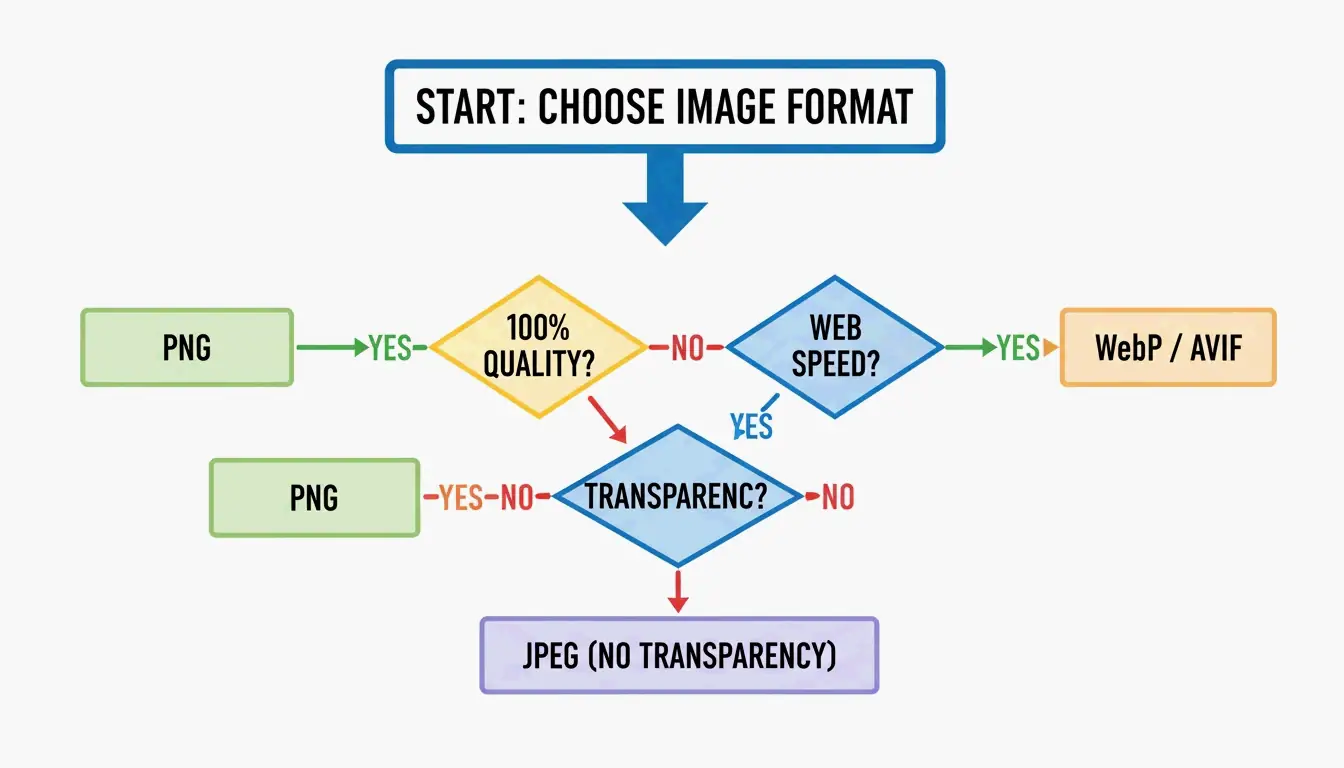
    SammaPix notes: if your only goal is fast page loads, convert PNG to WebP or AVIF. Keep PNG only when you need pixel-perfect rendering or email compatibility.

    Format selection nodes: PNG vs. WebP/AVIF

    How DEFLATE and Filtering Work Together

    PNG compression is a two-stage process:

    1. Filtering — Before compression, the encoder applies one of five filter types (Sub, Up, Average, Paeth, None) to predict pixel values from neighboring pixels. This makes the data more predictable.
    2. DEFLATE — The LZ77 + Huffman coding engine finds repeating patterns in the filtered data and compresses them.

    The better the filtering, the more effective DEFLATE becomes. Tools like oxipng test all five filter strategies per row and pick the optimal one — this is why they outperform basic encoders.

    For user experience, the Adam7 interlacing algorithm renders a blurry preview almost instantly while the full image loads — valuable for slow mobile connections.

    Conclusion

    PNG compression in 2026 means choosing the right tool for the job: oxipng for lossless precision (logos, icons), pngquant for aggressive savings (60–80% on illustrations and UI). For web performance, consider converting to WebP or AVIF unless pixel-perfect transparency is required.

    Action plan: Run your heaviest PNGs through pngquant. If the 60–80% savings look good, adopt it. For dev pipelines, add oxipng or Sharp to your build process to strip metadata and optimize automatically.

    FAQ

    Can I compress a PNG without losing any quality?

    Yes. Use lossless tools like oxipng or ToolTea’s lossless mode. These re-encode the DEFLATE data and strip metadata without changing a single pixel. Expect 15–40% savings.

    How much can I compress a PNG with lossy methods?

    60–80% is typical with pngquant, which reduces the color palette from millions to 256 or fewer colors. For logos and UI elements, the visual difference is nearly invisible. For photographs, consider switching to WebP instead.

    Should I convert PNG to WebP for my website?

    For general web use, yes. WebP files are 25–34% smaller than equivalent JPEGs and support transparency like PNG. Keep PNG only for assets that require pixel-perfect rendering (logos with sharp edges, email templates) or when targeting clients with outdated software.

  • How to Compress JPG: Reduce File Size Without Losing Quality (2026)

    How to Compress JPG: Reduce File Size Without Losing Quality (2026)

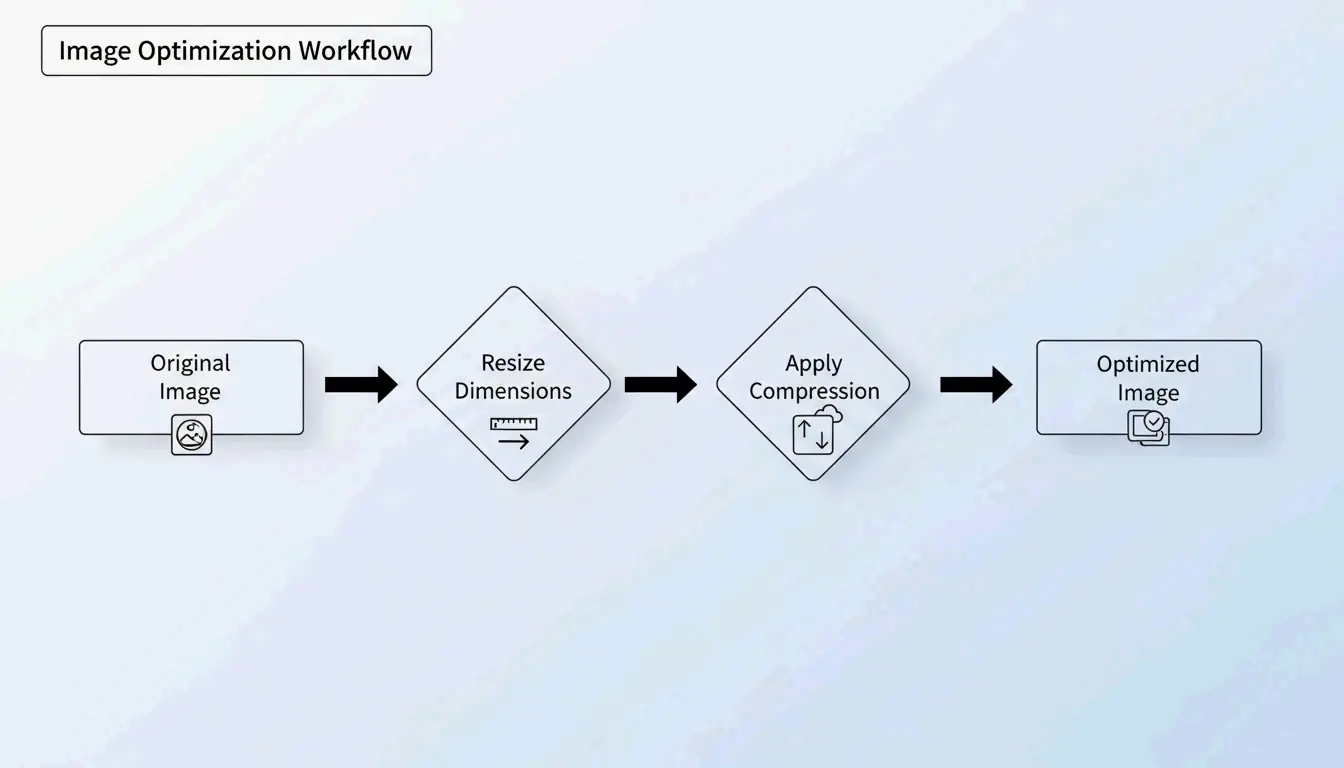
    The most effective way to compress JPG files is a two-step process: resize the image dimensions to match your display needs, then apply lossy compression at 75–85% quality. This approach can cut file sizes by up to 98% — from 5MB to 100KB — while keeping images crisp to the naked eye, according to ShortPixel.

    The “Resize Then Compress” Protocol

    If you compress a massive 5MB photo without changing its dimensions, the result is often blurry or pixelated. Professionals avoid this by tackling two variables independently:

    1. Resize — Reduce the pixel dimensions to match the actual display size
    2. Compress — Apply lossy quality reduction at 75–85%

    Why Resize First?

    If your website displays an image at 1200px wide, uploading a 4000px original wastes bandwidth on “ghost pixels” that no one sees. Resizing first lets the compression algorithm focus its power on visible data.

    ShortPixel demonstrated that a 5MB image resized then compressed drops to 100KB — a 98% reduction — while remaining visually crisp.

    The 2-step optimization workflow: Resize then Compress

    How Lossy Compression Works: DCT in Plain Terms

    JPG compression relies on Discrete Cosine Transform (DCT). The algorithm divides the image into 8×8 pixel blocks and converts visual data into frequency components. It then rounds off high-frequency details — subtle color variations your eyes ignore — to save space.

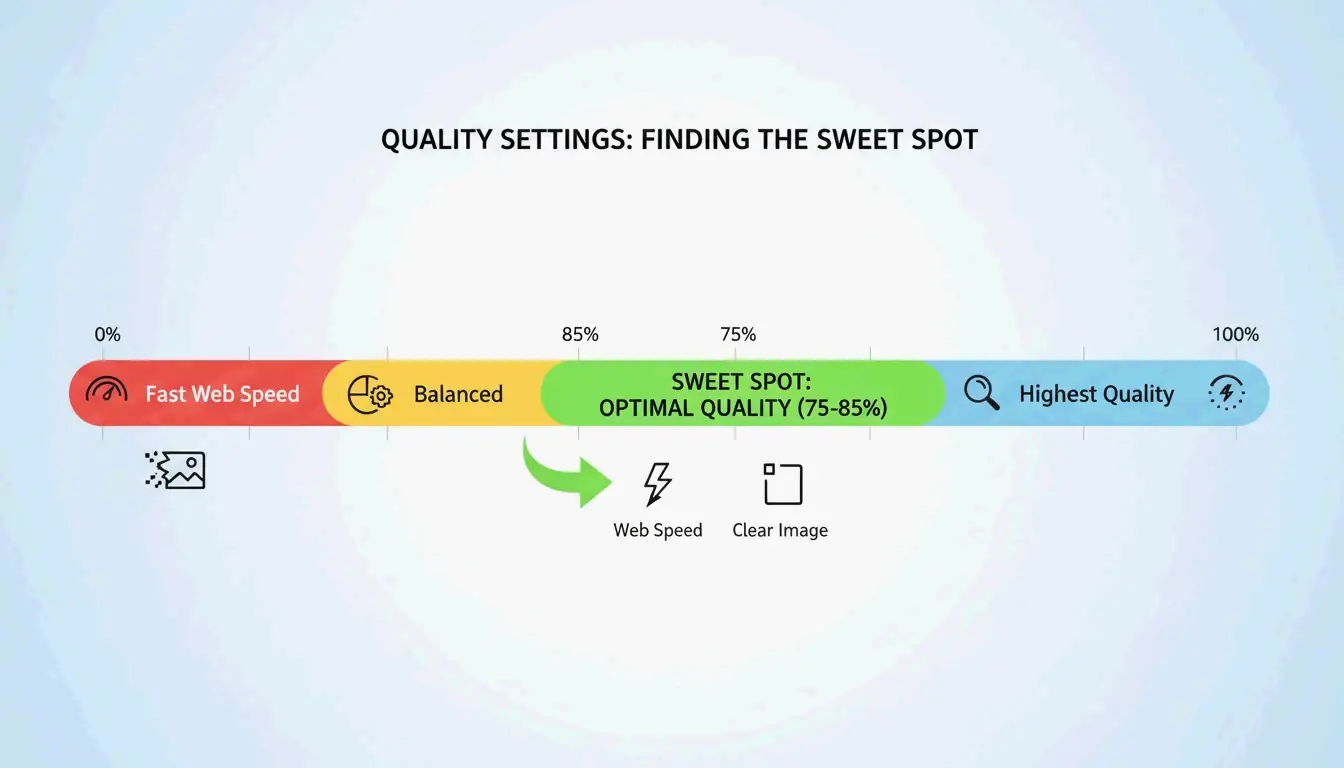
    As GWAA explains, the 75–85% quality range is the sweet spot for web use:

    Quality Setting File Size Reduction Visual Impact
    90–100% Minimal (10–20%) Virtually no visible difference
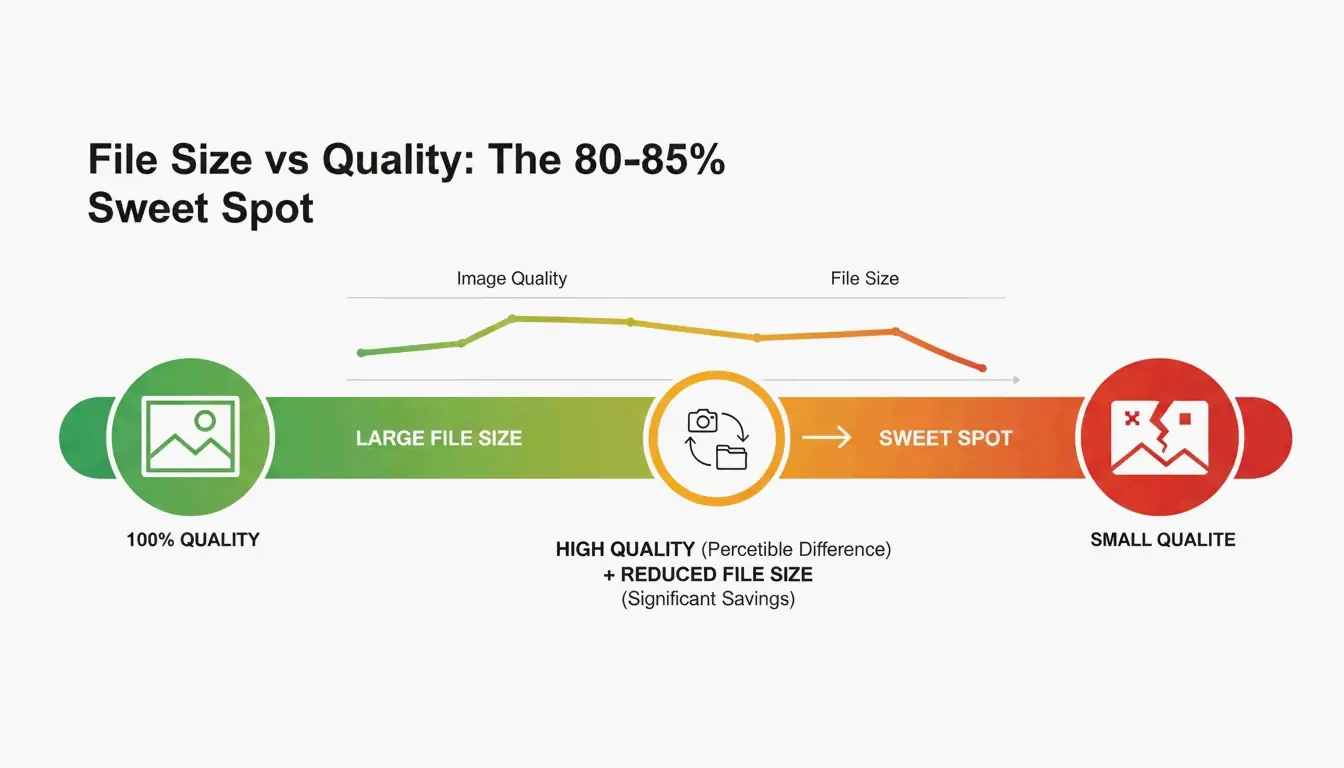
    75–85% 40–70% Barely noticeable without side-by-side comparison
    50–70% 70–85% Slight softening, acceptable for thumbnails
    30–40% 85–95% Visible artifacts, suitable only for strict upload limits

    Visual Quality vs. File Size "Sweet Spot" (75-85%)

    Best Tools to Compress JPG in 2026

    Online Tools

    Tool Best For Key Feature Privacy
    TinyIMG Shopify stores, bulk web use AI-driven, up to 98% reduction Server-side
    ShortPixel WordPress sites, developers API + plugin, batch processing Server-side
    AllImageTools Privacy-first compression Client-side processing (never uploaded) Browser-only
    GWAA Quick one-off compression No account needed Server-side

    Native Desktop Tools

    • Windows: Open the Photos app → “Resize image” → adjust quality slider
    • Mac: Open Preview → Tools → Adjust Size → reduce resolution and quality

    For Developers: ImageMagick

    Bitget Academy recommends ImageMagick for batch processing:

    
    convert input.jpg -quality 85 output.jpg
    
    # Batch process entire folder
    mogrify -quality 85 -path ./optimized/ *.jpg
    

    Strip EXIF Metadata for Extra Savings

    Every JPG contains hidden EXIF metadata — camera settings, dates, GPS coordinates. Dead weight for websites. Uncheck “Keep Exif” in your compression tool to save a few extra KB per image without changing a single pixel.

    SEO Impact: Core Web Vitals and Image Weight

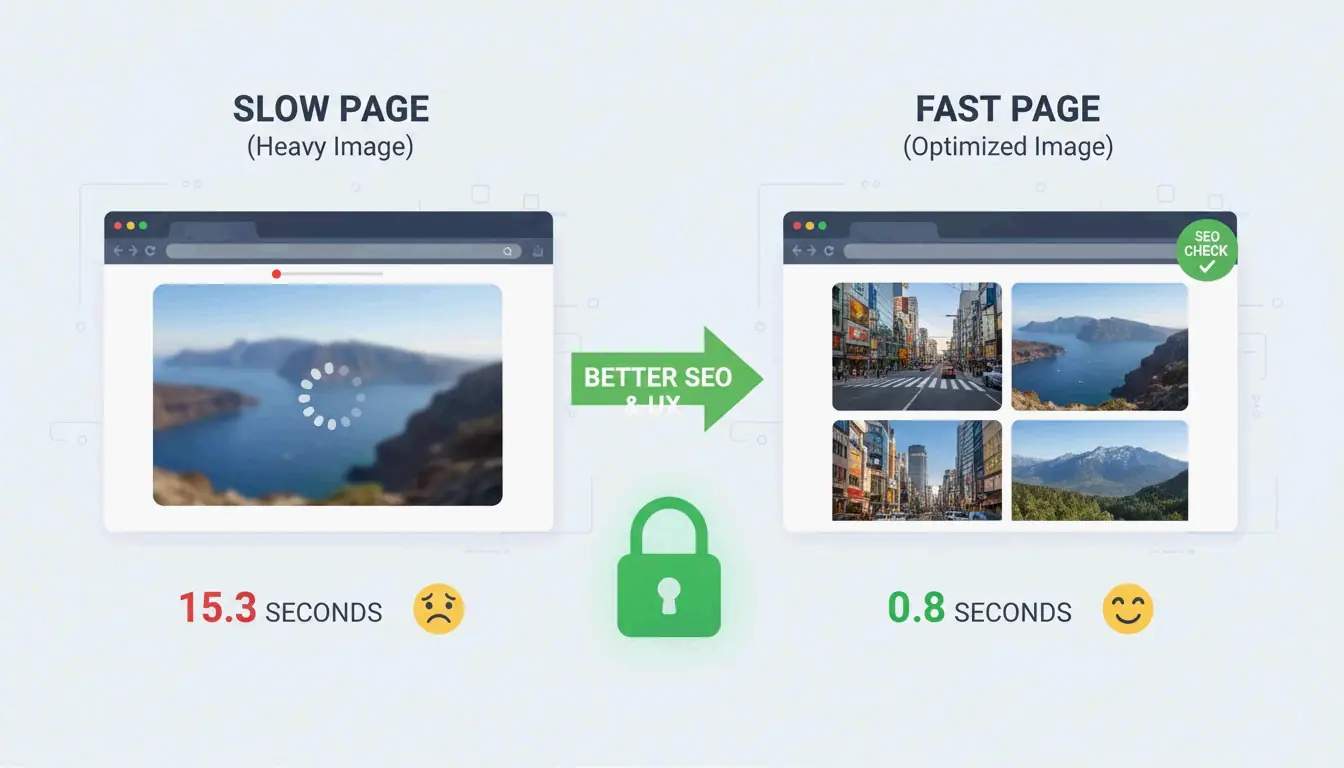
    Image file size is the #1 reason sites fail the Largest Contentful Paint (LCP) test — a Core Web Vitals metric Google uses for ranking.

    • 53% of mobile users abandon sites that take more than 3 seconds to load (AllImageTools)
    • WebP and AVIF formats are 25–34% smaller than JPEG at equivalent quality (Google Developers)

    For 2026 SEO, compress JPGs to under 200KB for hero images and under 100KB for standard content images.

    Connection between image size and page loading speed

    Troubleshooting: When Your JPG Is Still Too Large

    If you need to hit a strict limit (e.g., 100KB for a government form):

    1. Drop the quality slider to 30–40% — You will see some noise, but the file shrinks dramatically
    2. Never re-compress a compressed JPG — This causes “generation loss,” degrading quality exponentially. Always start from the original
    3. Try AI neural compression — Tools like Nero AI and TinyIMG remove detail only where the human eye is least sensitive

    Conclusion

    Compressing JPGs effectively means resizing first, then applying 75–85% lossy compression. This two-step protocol delivers 40–98% file size reduction with minimal visible impact. For 2026, make optimization a pre-upload habit: check Google PageSpeed Insights, use ShortPixel or TinyIMG on your heaviest images, and consider switching to WebP or AVIF for additional SEO gains.

    FAQ

    Is 50 KB small enough for most web forms?

    Yes. Most government, school, and job portals set limits between 100KB and 500KB. For profile pictures, 50KB is an excellent target. For homepage hero images, stay under 200KB.

    Does compressing a JPG multiple times ruin quality?

    Yes — this causes generation loss. JPEG is lossy, so every re-compression deletes more data, creating visible artifacts. Always compress from the original high-quality file, never from an already-compressed version.

    Why use JPEG instead of PNG for photographs?

    JPEG’s lossy compression is designed for photos with millions of colors, producing files 5–10x smaller than PNG for the same photograph. PNG is lossless and better for logos, text, and images requiring transparency — but it makes photo files unnecessarily large.

  • How to Compress Image Without Losing Quality (2026): Resize, Compress, Convert

    How to Compress Image Without Losing Quality (2026): Resize, Compress, Convert

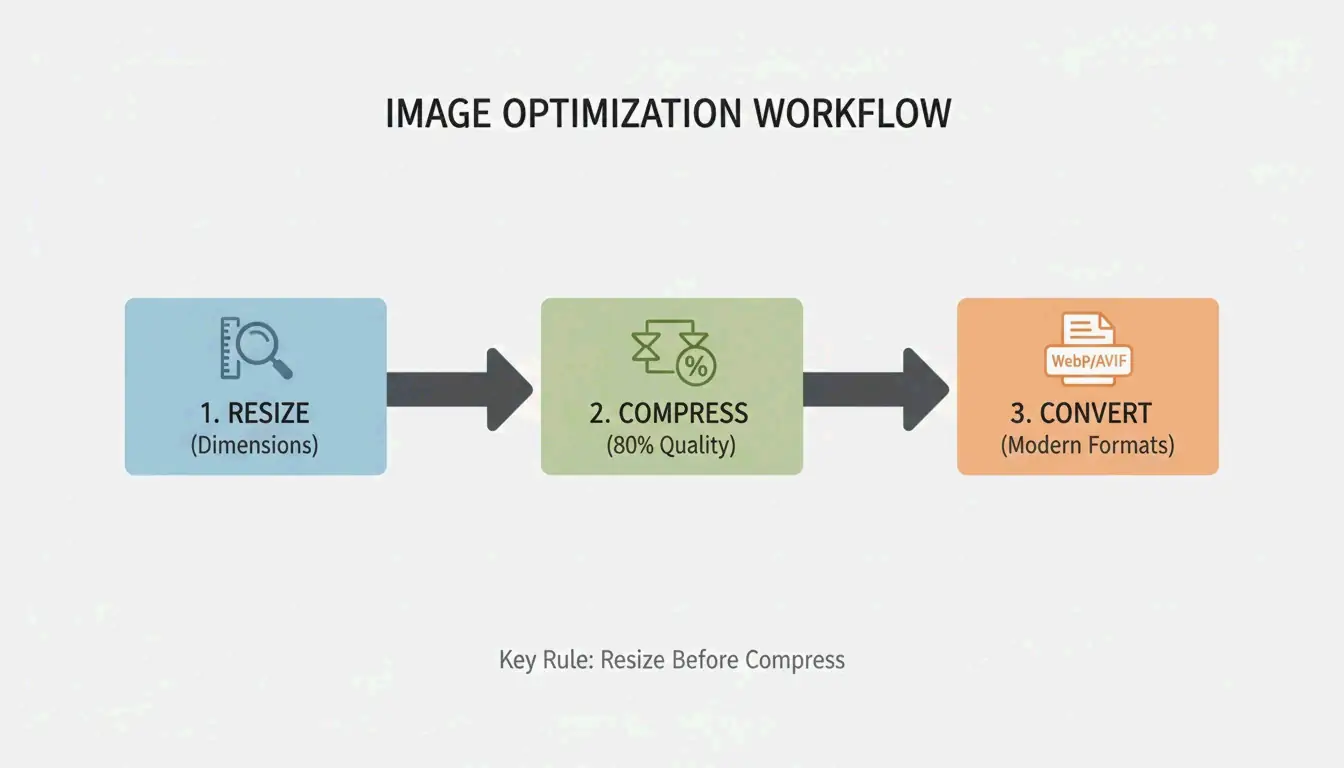
    Resize to display dimensions, compress at 75-85% quality, convert to WebP or AVIF. This 3-step workflow delivers up to 90% file size reduction with no perceptible quality loss. Here is the complete 2026 method.

    3-Step Workflow: Resize → Compress → Convert

    3-step compression workflow

    Step 1: Resize to Display Dimensions

    The largest single optimization is matching pixel dimensions to display size. Modern phones shoot 4000-6000px wide — far beyond web needs. As G Saunders demonstrates, scaling from 18,000px to 800px achieved a 99% file size reduction before any compression.

    Use Case Recommended Width Typical File Size After Resize
    Blog hero image 1200px 200-400 KB
    Product photo 800px 80-200 KB
    Thumbnail 300-400px 20-50 KB
    Social media 1080px 100-300 KB

    Step 2: Apply Lossy Compression at 75-85%

    After resizing, apply lossy compression using encoders like MozJPEG. The 75-85% quality range is the sweet spot. Per Intellure, dropping from 100% to 85% quality cuts file size by 60% with virtually no visible difference.

    Quality Setting File Size Reduction Visual Impact
    90-100% 10-20% Identical to original
    75-85% 50-70% Imperceptible to human eye
    50-70% 70-85% Slight artifacts on close inspection
    Below 50% 85%+ Visible banding and softness

    Step 3: Convert to WebP or AVIF

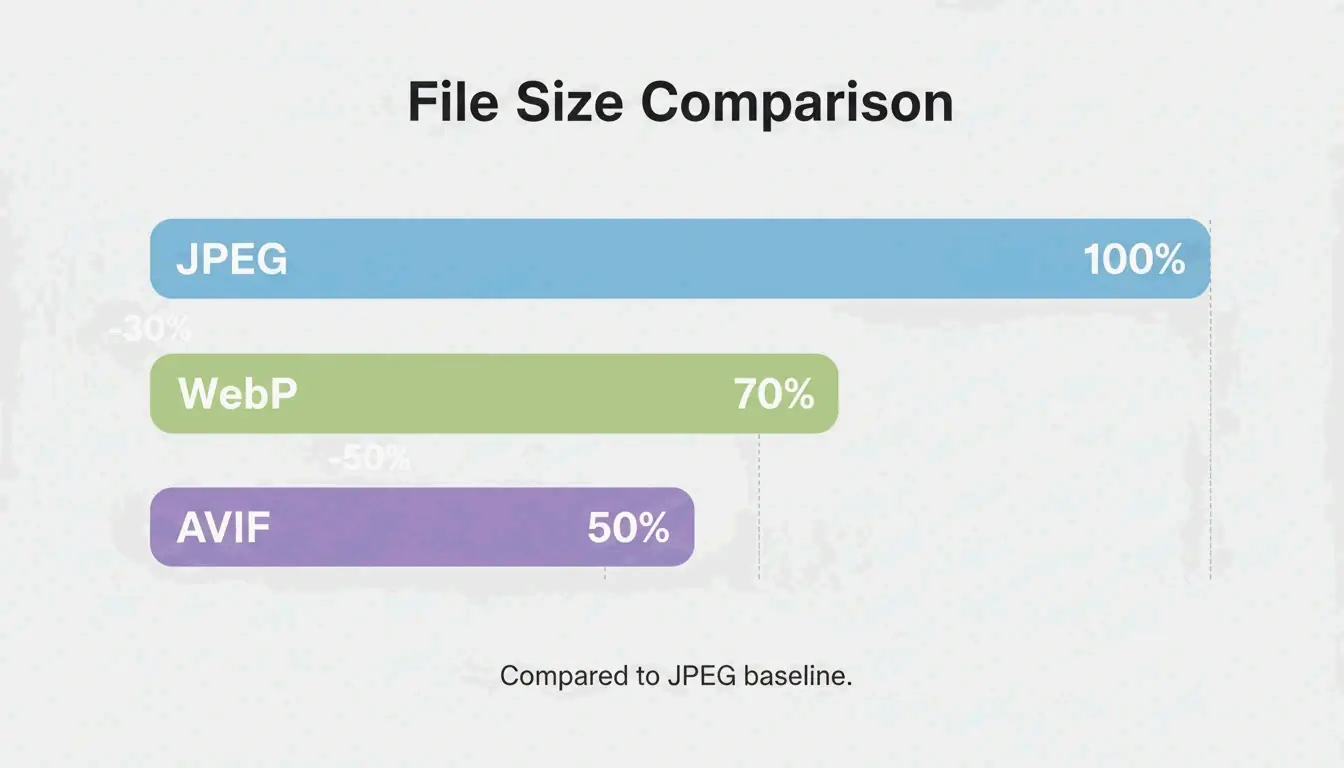
    Format comparison: JPEG vs WebP vs AVIF file sizes

    Format Size vs. JPEG Browser Support (2026) Best For
    WebP 25-34% smaller 97%+ General web use, LCP images
    AVIF Up to 50% smaller 92%+ Maximum compression
    JPEG Baseline 100% Universal fallback

    Data from Google Developers confirms WebP is 25-34% smaller than JPEG at equivalent quality. AVIF pushes further with up to 50% better compression.

    Also strip non-essential EXIF metadata (GPS, camera settings, timestamps) — saves 5-50 KB per file and protects privacy.

    Lossy vs. Lossless: When to Use Each

    Mode How It Works Savings Use For
    Lossless (PNG, OptiPNG) Preserves every pixel 5-30% Logos, icons, text screenshots, sharp edges
    Lossy (JPEG, WebP, AVIF) Removes imperceptible data 50-80% Photos, hero images, product shots

    For web photographs and complex images, lossy at 75-85% quality is the standard. For logos and text-heavy graphics, use lossless to preserve sharpness.

    SEO Impact: Core Web Vitals and LCP

    Google’s Core Web Vitals use Largest Contentful Paint (LCP) as a ranking signal. Images account for approximately 70% of all LCP elements (web.dev).

    Metric Impact
    53% of mobile users leave if load exceeds 3 seconds Bounce rate directly tied to image weight
    LCP threshold: 2.5 seconds Heavy hero images are the #1 cause of failure
    Page speed is a confirmed ranking factor Optimized images = higher search position

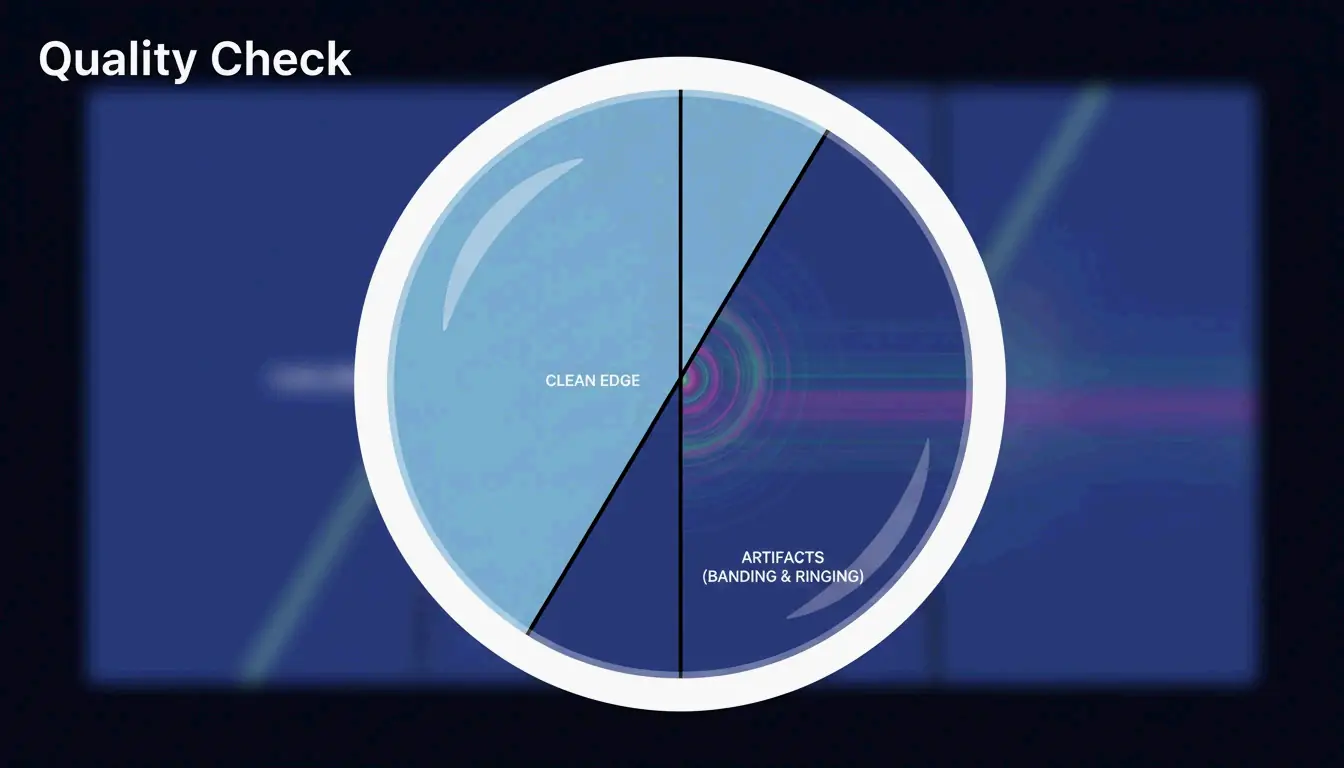
    Quality Verification Checklist

    After compression, zoom to 100% and check for three artifacts:

    Artifact What to Look For Cause
    Banding Stepped color transitions in gradients (e.g., sky) Quality set too low
    Ringing Halos around text or high-contrast edges Over-compression
    Softness Fine details (hair, fabric) turned to blur Excessive lossy reduction

    Visual quality check: focus on detail

    For privacy-conscious workflows, tools like Pixotter and SammaPix use WebAssembly (WASM) for in-browser processing — files never leave your device.

    Conclusion

    Compress images in three steps: resize to display width, apply lossy at 75-85% quality, convert to WebP or AVIF. This workflow delivers up to 90% size reduction with no visible quality loss. Audit your 10 most visited pages — convert hero images to AVIF and target under 200 KB per file.

    FAQ

    Can I compress a PNG without losing any data?

    Yes. Tools like OptiPNG and oxipng optimize the internal DEFLATE algorithm and strip metadata without altering pixels. Savings are modest (5-20%) compared to lossy methods, but pixel-perfect fidelity is preserved.

    Does image compression affect SEO rankings?

    Yes. Page speed is a confirmed Google ranking factor. Images are typically the heaviest page elements. Optimized images improve LCP scores, which directly impacts Core Web Vitals performance and search visibility.

    Is it safe to upload personal photos to online compression tools?

    Use tools with client-side WASM processing — compression happens in your browser, files never touch a server. If using a server-side tool, verify the service deletes files immediately after processing.

  • 世界,您好!

    欢迎使用 WordPress。这是您的第一篇文章。编辑或删除它,然后开始写作吧!