Category: beconverter

  • CM to Inches: Complete Guide to Formulas, Height Conversion & Standards

    CM to Inches: Complete Guide to Formulas, Height Conversion & Standards

    To convert cm to inches, divide by 2.54. Formula: inches = cm ÷ 2.54. For quick estimates, multiply by 0.39. This ratio is fixed by the NIST and the 1959 International Yard and Pound Agreement — it applies to every conversion, from height tracking to CNC machining.

    Conversion Methods

    Method Formula Example (30 cm) Precision
    Exact cm ÷ 2.54 30 ÷ 2.54 = 11.811 in Full
    Multiply cm × 0.3937 30 × 0.3937 = 11.811 in Full
    Mental estimate cm × 0.39 30 × 0.39 ≈ 11.7 in ~1% error
    Halve & subtract 20% (cm ÷ 2) × 0.8 50 cm → 25 → 20 in ~1.5% error

    Go Tools confirms a standard 30 cm ruler = 11.81 inches.

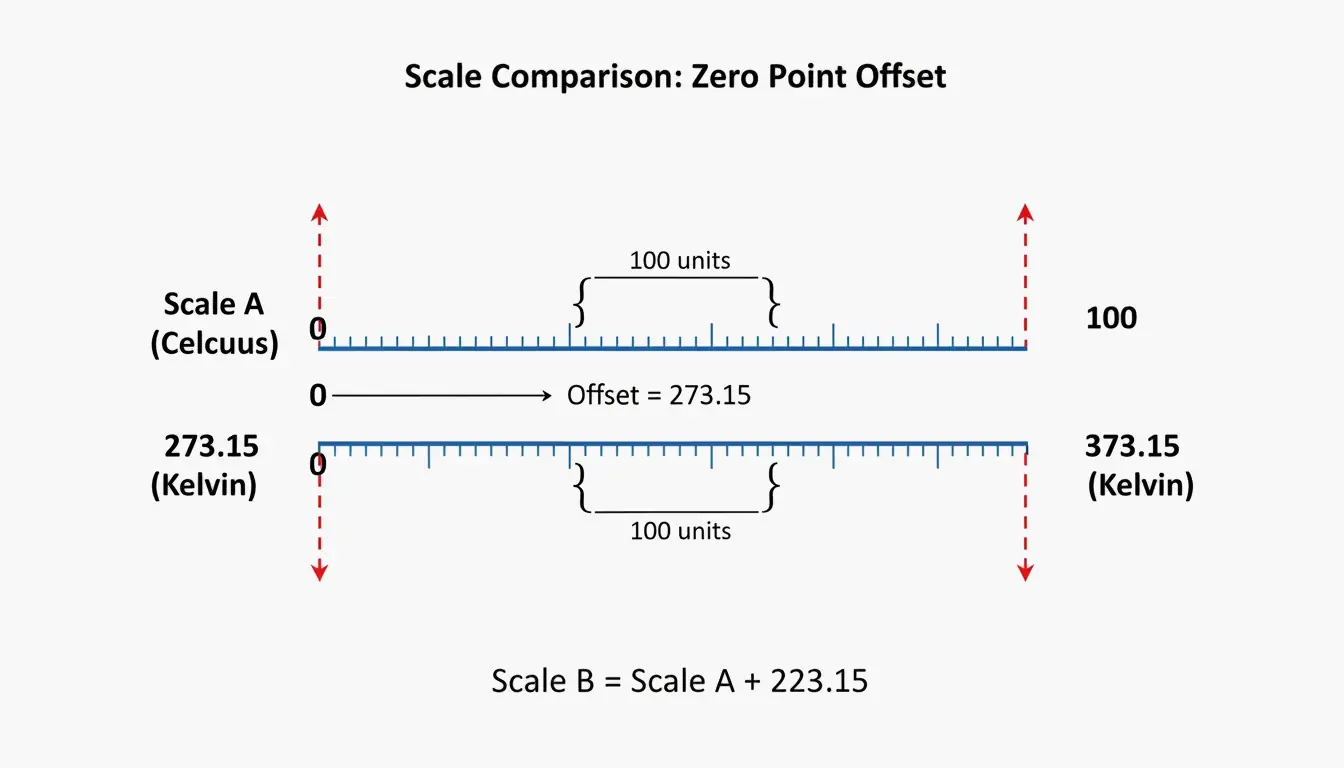
    A 3-step visualization of the 'halve and subtract 20%' mental math shortcut

    Quick Conversion Table

    Centimeters Inches (exact) Feet + Inches
    1 cm 0.394 in
    10 cm 3.937 in 3′ 15/16″
    30 cm 11.811 in 11′ 13/16″
    50 cm 19.685 in 1′ 7 11/16″
    100 cm 39.370 in 3′ 3 3/8″
    150 cm 59.055 in 4′ 11 1/16″
    159 cm 62.598 in 5′ 3″ (avg woman)
    171 cm 67.323 in 5′ 7″ (avg man)
    178 cm 70.079 in 5′ 10″

    Height averages per Best Calculators.

    Height Conversion: cm to Feet + Inches

    Critical: Decimal feet ≠ feet + inches. 5.8 feet is 5 feet + 9.6 inches, NOT 5 feet 8 inches.

    Two-Step Method

    1. Total inches: cm ÷ 2.54 (e.g., 171 ÷ 2.54 = 67.32 in)
    2. Split: ÷ 12 for feet, remainder is inches (67.32 ÷ 12 = 5 ft, 7.32 in → 5’7″)

    Comparison showing why 5.8 feet is not 5'8"

    Best Calculators and the WHO recommend recording height in centimeters for medical accuracy.

    Standards: NIST and the 1959 Agreement

    Standard Definition Status (2026)
    International inch Exactly 2.54 cm (25.4 mm) Active
    International foot Exactly 0.3048 m Active
    US Survey Foot 1 m = 39.37 in (slightly different) Retired Jan 1, 2023 per NIST

    All professional mapping and engineering in 2026 must use the international foot (0.3048 m).

    Precision Warning

    Using 0.39 instead of 0.3937 creates a 0.7 mm error per meter — exceeding the ±0.05 mm tolerance for precision CNC machining, per Go Tools.

    Practical Applications

    Screen Diagonals

    Screen Size Diagonal (cm) Approximate Width (cm)
    55-inch TV 139.7 cm ~121.8 cm
    27-inch monitor 68.6 cm ~59.8 cm
    13-inch laptop 33.0 cm ~28.6 cm

    Go Tools notes screen width is always less than the diagonal measurement.

    Paper Sizes

    Standard Size In Inches
    US Letter 21.59 × 27.94 cm 8.5 × 11 in
    A4 21.0 × 29.7 cm 8.27 × 11.69 in

    A4 is 0.6 cm narrower but 1.76 cm taller than US Letter. Incorrect scaling between these standards ruins print layouts.

    Developer Implementation

    // Exact factor per 1959 Agreement
    const CM_PER_INCH = 2.54;
    const cmToInches = (cm) => cm / CM_PER_INCH;
    
    
    def cm_to_inches(cm):
        inches = cm / 2.54
        assert abs(inches * 2.54 - cm) < 1e-10
        return inches
    

    Excel: =CONVERT(A1, "cm", "in") — uses official international standards.

    Conclusion

    cm ÷ 2.54 = inches. For casual use, the 0.39 shortcut works. For engineering, medical, or construction work, always use the exact 2.54 factor — small rounding errors compound over distance. As of 2026, the international foot (0.3048 m) is the only legal standard for professional work.

    FAQ

    Why is 1 inch exactly 2.54 cm?

    The 1959 International Yard and Pound Agreement unified US and British imperial systems with the metric system. The international yard was set at exactly 0.9144 meters, making 1 inch = 25.4 mm = 2.54 cm.

    How do I convert cm to fractional inches for woodworking?

    1. Divide cm by 2.54 to get decimal inches
    2. Take the decimal portion and multiply by your desired denominator (e.g., 16 for 1/16ths)
    3. Round to nearest whole number for the fraction

    Is a centimeter larger than an inch?

    No. 1 inch = 2.54 cm. A centimeter is roughly fingernail width; an inch is closer to adult thumb width.

    How to use Excel for cm to inches conversion?

    Use =CONVERT(number, "cm", "in") — this uses NIST international standards and is the most accurate method for bulk spreadsheet conversions.

  • What Is WAV Audio Format? Professional Guide to Lossless Sound (2026)

    What Is WAV Audio Format? Professional Guide to Lossless Sound (2026)

    The WAV format (Waveform Audio File Format) is an uncompressed audio container by Microsoft and IBM that stores raw PCM data — preserving 100% of original sound quality. It uses roughly 10 MB per minute of audio at CD quality. In 2026, WAV remains the standard for professional mastering, studio recording, and AI audio workflows.

    WAV Technical Structure

    Component Role
    RIFF Header Identifies file format and overall structure
    fmt Chunk Sample rate, bit depth, channels, byte rate
    data Chunk Raw PCM audio samples

    Wikipedia notes WAV launched in 1991 as the native uncompressed sound format for Windows.

    Bit Depth and Sample Rate Settings

    Setting Bit Depth Sample Rate File Size (per min) Use Case
    CD Quality 16-bit 44.1 kHz ~10.1 MB Standard digital distribution
    Film/TV 16-bit 48 kHz ~11 MB BBC broadcast standard per Wikipedia
    Professional Studio 24-bit 48 kHz ~16.5 MB Film, TV, studio production
    High-Res 24-bit 96 kHz ~33 MB Archival, mastering
    32-bit Float 32-bit float 48 kHz+ ~22 MB+ Field recording, clipping prevention

    Flipper File confirms CD-quality audio requires 10.1 MB per minute.

    32-bit Float: Clipping Prevention

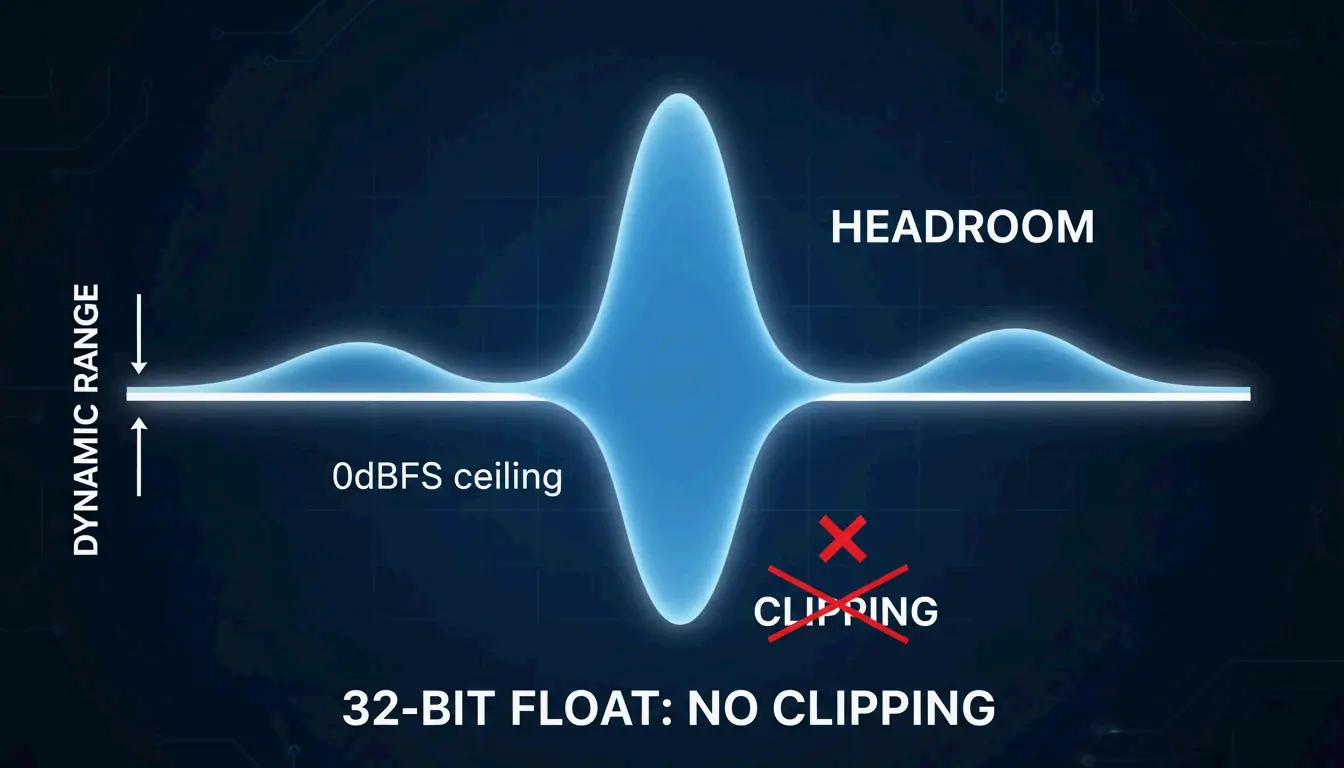
    32-bit float offers a dynamic range of up to 1,528 dB, making it nearly impossible to clip during recording. If audio exceeds the input level, you can recover it perfectly in post-production — impossible with 16-bit or 24-bit.

    A visual metaphor for 32-bit float headroom, showing a wave that exceeds a boundary but remains intact/retrievable.

    WAV vs. FLAC vs. MP3

    Format Compression Quality Size (per min) CPU Decode Best For
    WAV None (raw PCM) 100% lossless ~10 MB Zero Recording, mixing, DJing
    FLAC Lossless Mathematically identical ~5 MB Low Archival, streaming
    MP3 Lossy Perceptually close at 320 kbps ~2.4 MB Low Casual listening, sharing

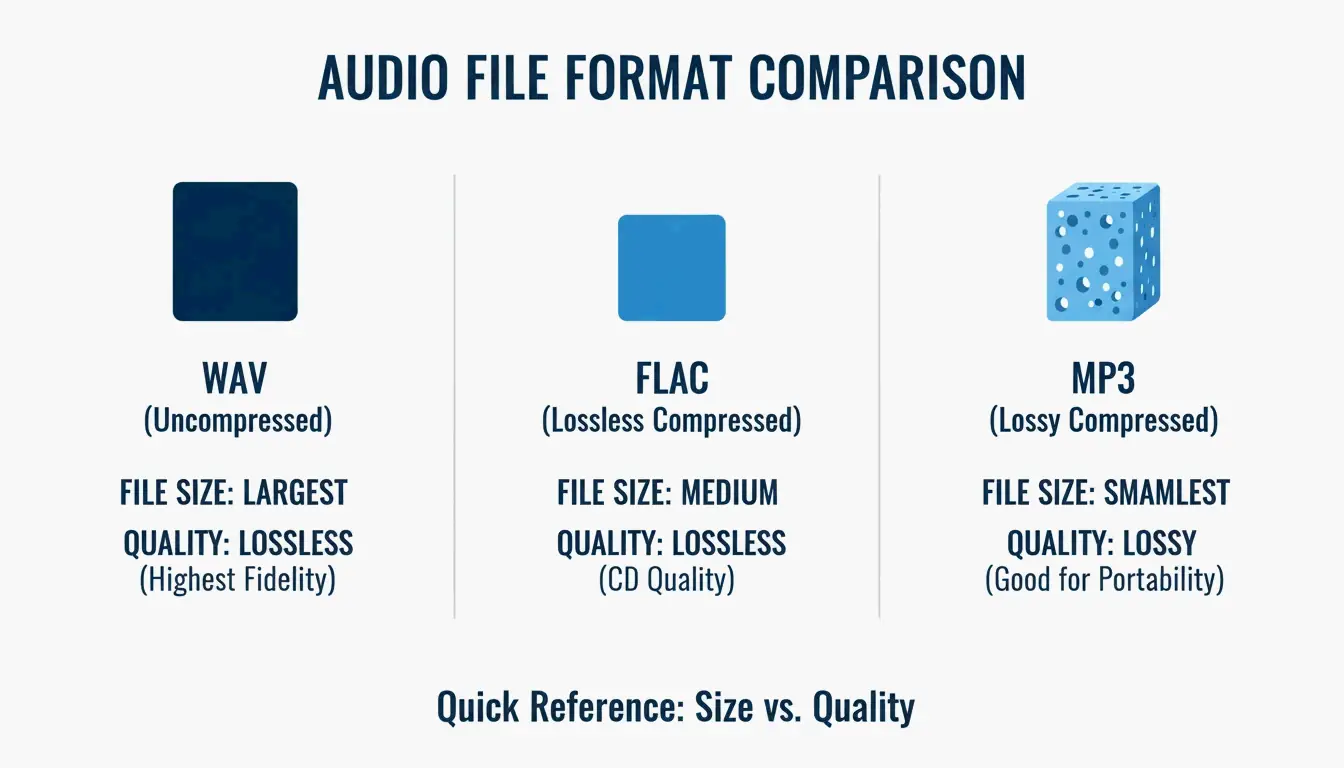
    Studio Supplies notes FLAC reduces size by 50–60% while keeping audio mathematically identical. Per FastPix, even pro engineers struggle to distinguish 320 kbps MP3 from WAV in blind tests — but discarded MP3 data is gone forever.

    A simple 3-way comparison of WAV, FLAC, and MP3 focusing on the trade-off between file size and data integrity.

    The 4GB File Size Limit

    The original RIFF header uses a 32-bit unsigned integer for file size, capping at 4 GB. Workarounds:

    Extension Max Size Maintainer
    RF64 Virtually unlimited European Broadcasting Union
    W64 Virtually unlimited Sound Forge

    WAV for AI Audio Workflows (2026)

    FastPix reports AI noise reduction and frequency repair tools require lossless source files. Starting from MP3 deprives AI models of the high-frequency data they need — WAV is the only way to get professional AI audio results.

    Conversion: FFmpeg Commands

    
    ffmpeg -i input.wav -codec:a libmp3lame -b:a 320k output.mp3
    
    # WAV to FLAC
    ffmpeg -i input.wav -codec:a flac output.flac
    
    # WAV to OAC (Open Audio Codec, 2026)
    ffmpeg -i input.wav -codec:a libopus -b:a 128k output.opus
    

    Loudness Normalization (EBU R128)

    Modern platforms normalize to -23 LUFS per EBU R128 standard. FastPix offers automated normalization to ensure consistent volume across platforms.

    2026 Streaming Landscape

    Platform Lossless Support Codec
    Spotify Added late 2025 FLAC/ALAC
    Apple Music Yes (since 2021) ALAC
    Amazon Music Yes FLAC
    YouTube Supports WAV uploads Transcodes to AAC/Opus

    The global audio codec market is valued at $13.07 billion in 2026 (Fortune Business Insights).

    Conclusion

    Use WAV for all recording, mixing, and production work — zero CPU overhead, maximum quality. Switch to FLAC for archival storage (50–60% smaller, mathematically lossless). Use MP3/OAC only for final delivery to listeners. For AI audio workflows, always start from WAV.

    FAQ

    Is WAV truly lossless compared to FLAC?

    Both are lossless with identical audio data. WAV is uncompressed (raw), FLAC is compressed (smaller). WAV is preferred for active editing because the CPU doesn’t need to decompress in real time.

    Why are WAV files limited to 4 GB?

    The RIFF header uses a 32-bit unsigned integer for file size. Use RF64 or W64 extensions for long-form recordings exceeding 4 GB.

    Can I convert MP3 back to WAV to restore quality?

    No. MP3 permanently discards data via perceptual coding. Converting MP3 to WAV creates a larger file but cannot reconstruct lost harmonics. The result only matches the source MP3 quality.

    Does YouTube recommend WAV for uploads?

    Yes. YouTube re-encodes all audio to AAC or Opus, so uploading WAV ensures the highest-quality source for transcoding, minimizing generation loss.

  • How to Convert Centimeters to Kilometers: Formula, Examples & Visual Guide

    How to Convert Centimeters to Kilometers: Formula, Examples & Visual Guide

    To convert centimeters (cm) to kilometers (km), divide by 100,000. The formula is km = cm ÷ 100,000 (or equivalently, km = cm × 0.00001). For example, 250,000 cm = 2.5 km. Per NIST, the conversion factor is exactly 10⁻⁵.

    The Conversion Formula

    Method Formula Example
    Division km = cm ÷ 100,000 500,000 cm = 5 km
    Multiplication km = cm × 0.00001 500,000 cm = 5 km
    Decimal shift Move decimal 5 places left 250,000 → 2.5 km

    Two-Stage Method (via Meters)

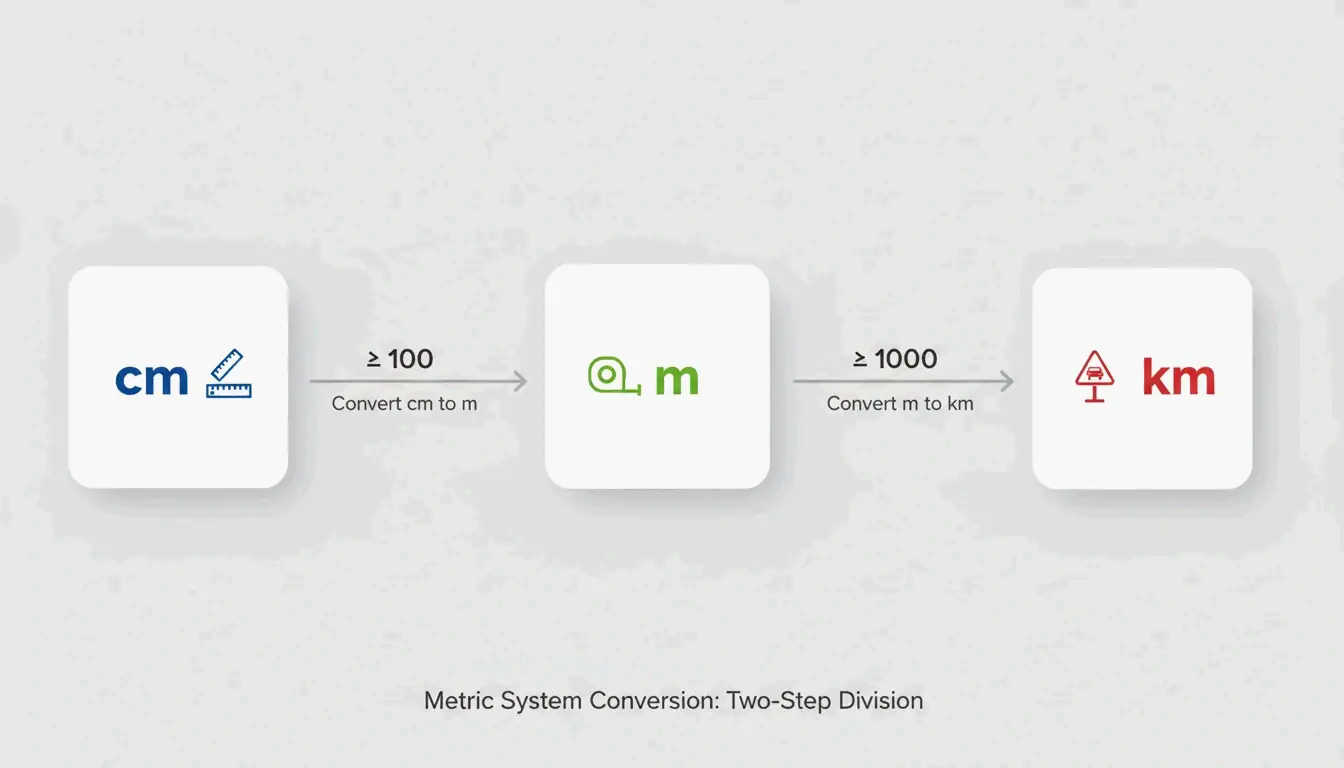
    1. cm → m: Divide by 100 (e.g., 100,000 cm = 1,000 m)
    2. m → km: Divide by 1,000 (e.g., 1,000 m = 1 km)

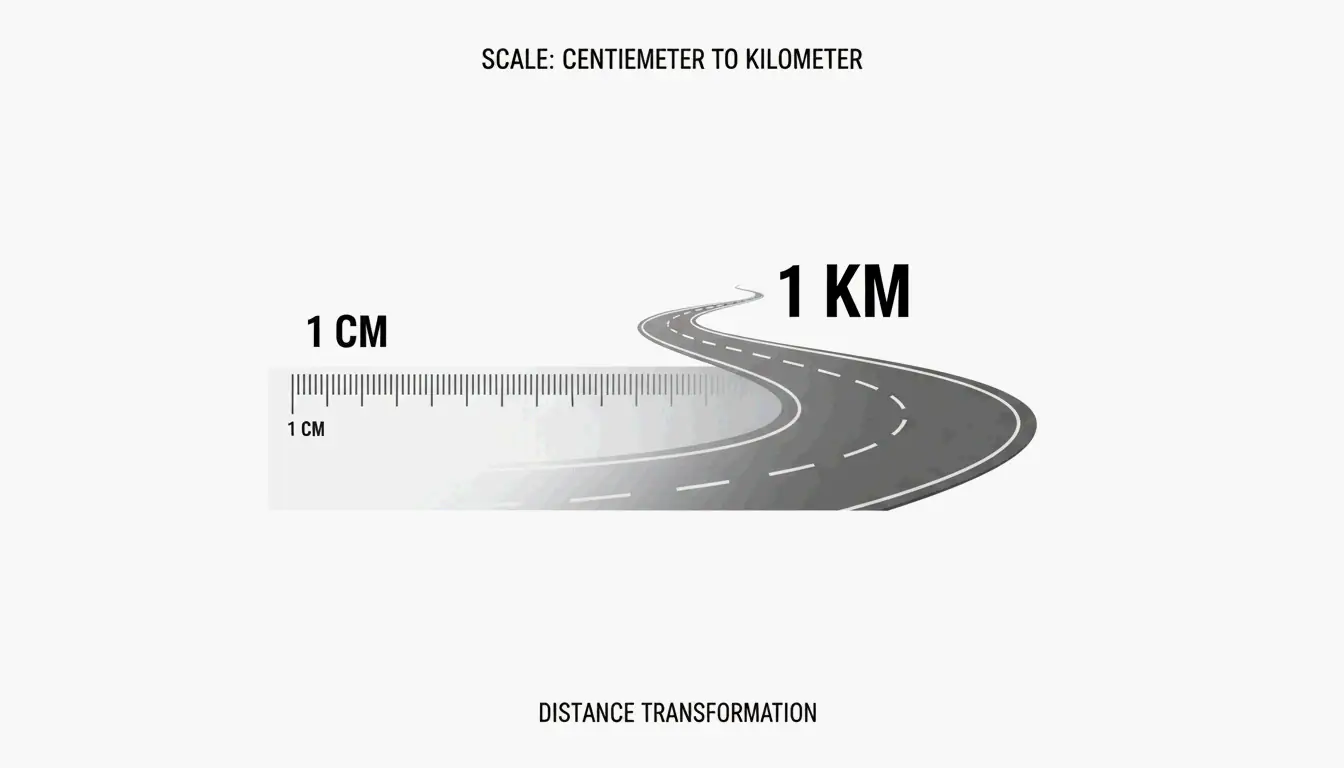
    A simple 3-step transition from cm to m to km

    Step-by-Step: Manual Conversion

    1. Identify the value — e.g., 250,000 cm
    2. Find the decimal point — 250,000.0
    3. Shift 5 places left — 2.50000 → 2.5 km

    Quick Conversion Table

    Centimeters Kilometers Scientific Notation
    1 cm 0.00001 km 1 × 10⁻⁵ km
    100 cm 0.001 km 1 × 10⁻³ km
    1,000 cm 0.01 km 1 × 10⁻² km
    10,000 cm 0.1 km 1 × 10⁻¹ km
    45,000 cm 0.45 km 4.5 × 10⁻¹ km
    100,000 cm 1 km 1 × 10⁰ km
    250,000 cm 2.5 km 2.5 × 10⁰ km
    1,000,000 cm 10 km 1 × 10¹ km

    As CoolConversion notes, describing a distance as 0.45 km is far more practical than 45,000 cm.

    Why the Metric System Uses This Scale

    The metric system is decimal-based, governed by ISO 80000-3 for length units. A centimeter measures small objects (button width, pencil thickness). A kilometer measures geographic distances (road lengths, city-to-city). The 100,000:1 ratio keeps both scales manageable.

    Visualizing the Scale

    Object Measurement Scale
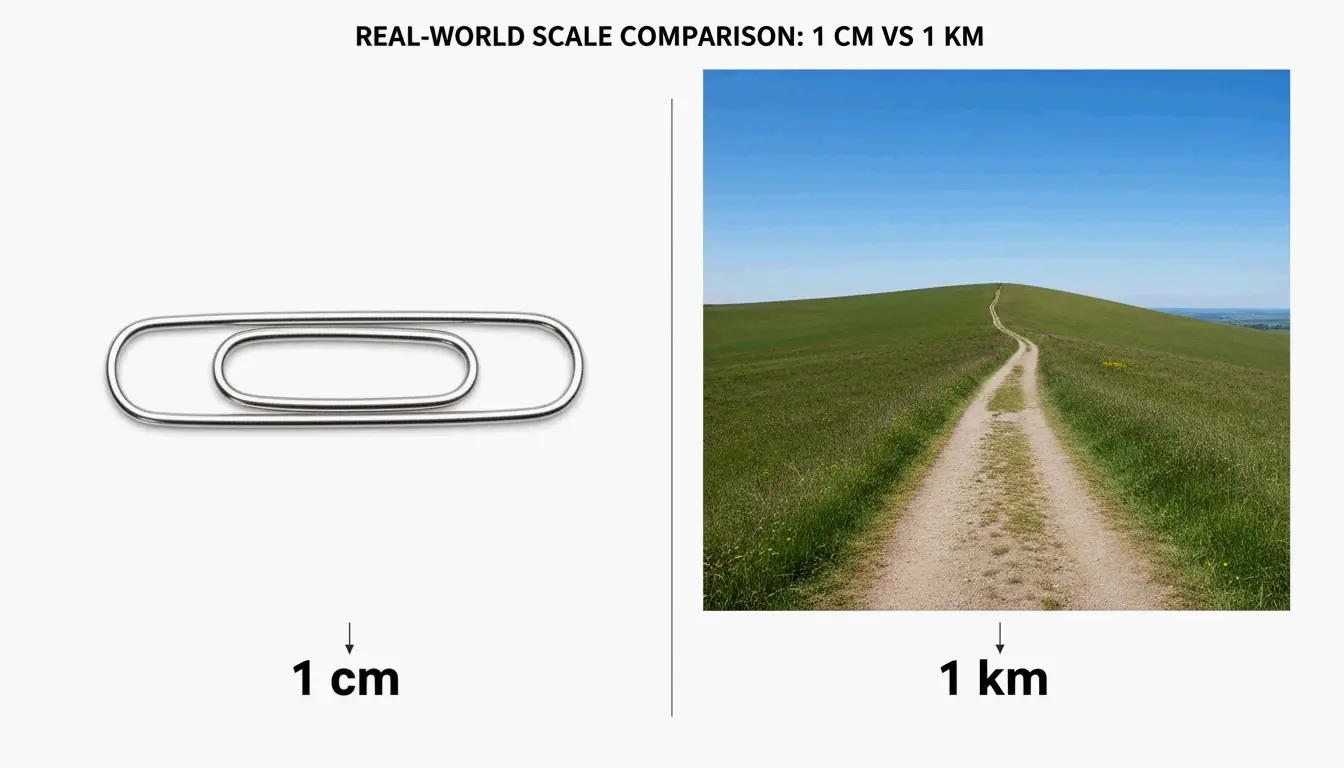
    Paperclip thickness ~1 cm Hand-held
    Pencil width ~0.7 cm Hand-held
    10-minute brisk walk ~1 km Navigational
    1.5 km road segment 150,000 cm Navigational

    A clean side-by-side comparison of a paperclip and a long path

    Per CoolConversion, 0.001 cm is thinner than pencil lead (microscopic), while 150,000 cm represents a 1.5 km road segment.

    Speed Conversion: cm/s to km/h

    To convert centimeters per second (cm/s) to kilometers per hour (km/h), multiply by 0.036.

    Formula Derivation
    km/h = cm/s × 0.036 (cm ÷ 100,000) × 3,600 seconds
    cm/s km/h
    1 cm/s 0.036 km/h
    100 cm/s 3.6 km/h
    1,000 cm/s 36 km/h
    10,000 cm/s 360 km/h
    100,000 cm/s 3,600 km/h

    Per Tradukka, this conversion is essential for drone altitude tracking, conveyor belt rates, and robotics.

    Scientific Notation Reference

    Per CoolConversion, 90,000 cm = 9 × 10⁴ cm = 0.9 km. For extremely small values, 0.01 cm = 1 × 10⁻⁷ km.

    Precision Level Format Example
    Everyday Decimal 2.5 km
    Engineering Scientific notation 2.5 × 10⁰ km
    Standards compliance NIST factor 250,000 cm × 10⁻⁵

    Conclusion

    cm to km = divide by 100,000 (decimal shift 5 places left). For speed, multiply cm/s by 0.036 to get km/h. For professional or scientific work, verify against NIST and ISO 80000-3 standards.

    FAQ

    How many kilometers are in 1 centimeter?

    0.00001 km (1 × 10⁻⁵ km). This is an exact metric conversion per NIST.

    What is the conversion factor between cm and km?

    1/100,000 = 0.00001. Multiply cm by 0.00001 or divide by 100,000.

    How do I convert cm/s to km/h?

    Multiply cm/s by 0.036. Formula: (cm ÷ 100,000) × 3,600 = km/h.

    Is this different from imperial system conversions?

    Yes. cm-to-km is purely metric (SI), based on powers of ten. Imperial units (inches, feet, miles) use non-decimal factors and require entirely different conversion formulas.

  • Best Locale Converter Online: BCP 47 and Currency Standards Guide (2026)

    Best Locale Converter Online: BCP 47 and Currency Standards Guide (2026)

    A locale converter online transforms language tags and regional settings into standardized formats like IETF BCP 47. It controls how dates, numbers, and currency appear to users — switching from en-US (MM/DD/YYYY, $) to en-GB (DD/MM/YYYY, £) automatically.

    BCP 47 Language Tags: The Standard Structure

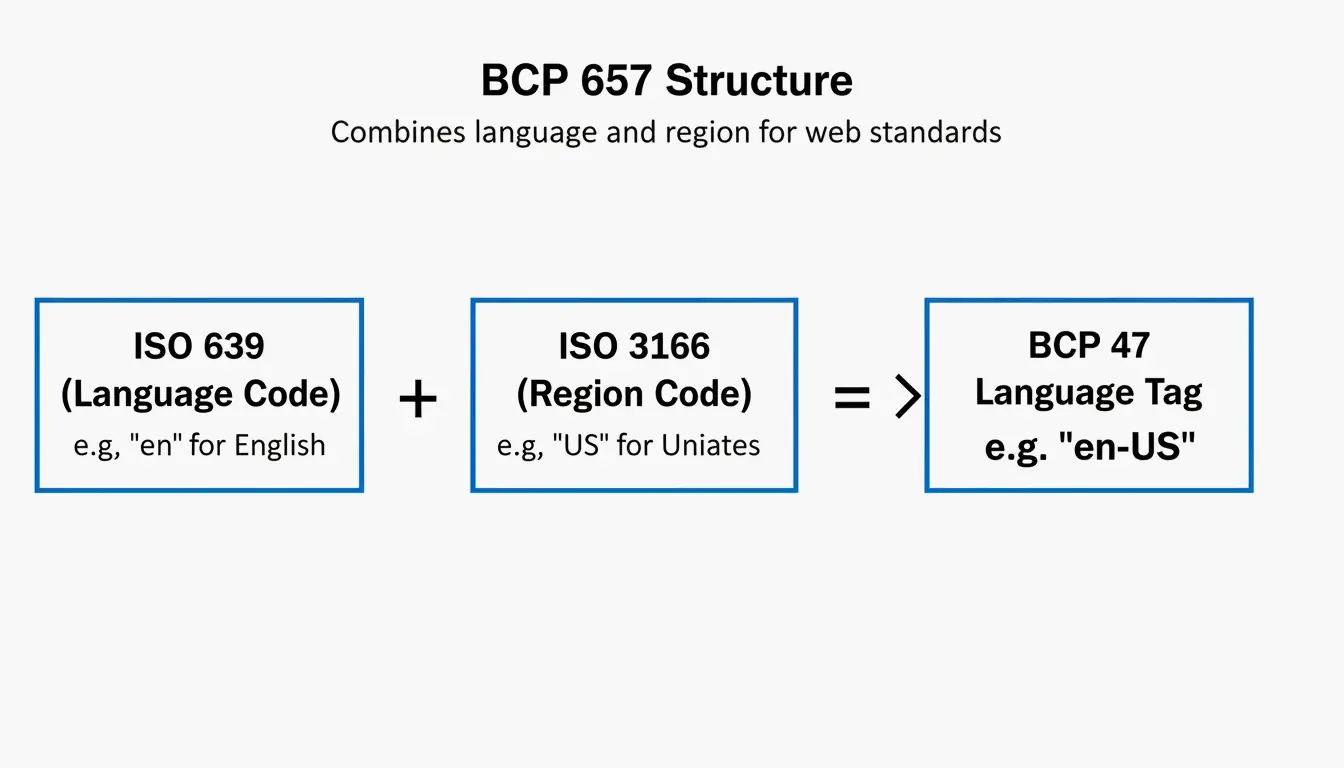
    Every locale tag combines two ISO codes:

    Component Standard Example Meaning
    Language ISO 639 en, ja, zh Language identifier
    Region ISO 3166 US, GB, JP Country/territory
    Script (optional) ISO 15924 Hant, Hans Writing system
    Variant (optional) IANA valencia Dialect or variant

    Full tag example: zh-Hant-TW = Chinese + Traditional script + Taiwan

    According to Java Documentation, a Locale object is a “mechanism for identifying objects” — not a container for data itself.

    BCP 47 language tag structure breakdown

    Language Tag Matching (RFC 4647)

    Method Behavior Use Case
    Filtering Returns all matching tags Content negotiation
    Lookup Returns single best match User preference fallback

    How Locale Changes Date, Number, and Currency Formats

    Locale Date Format Number Format Currency
    en-US MM/DD/YYYY 1,234.56 $1,234.56
    en-GB DD/MM/YYYY 1,234.56 £1,234.56
    de-DE DD.MM.YYYY 1.234,56 1.234,56 €
    ja-JP YYYY/MM/DD 1,234 ¥1,234
    zh-Hans-CN YYYY-MM-DD 1,234.56 ¥1,234.56

    Unicode Locale Extensions

    Advanced locale tags use u- extensions for granular control:

    Extension Example Effect
    u-ca-japanese en-US-u-ca-japanese Japanese Imperial calendar
    u-nu-thai th-TH-u-nu-thai Thai digit rendering
    u-cf-standard en-US-u-cf-standard Standard currency format

    Without BCP 47 compliance, systems may confuse zh-Hant (Traditional Chinese) with zh-Hans (Simplified Chinese), producing unreadable content.

    Currency Conversion: Mid-Market Exchange Rate

    When locale conversion handles money, accuracy depends on the exchange rate source.

    Rate Type What It Is Who Gets It
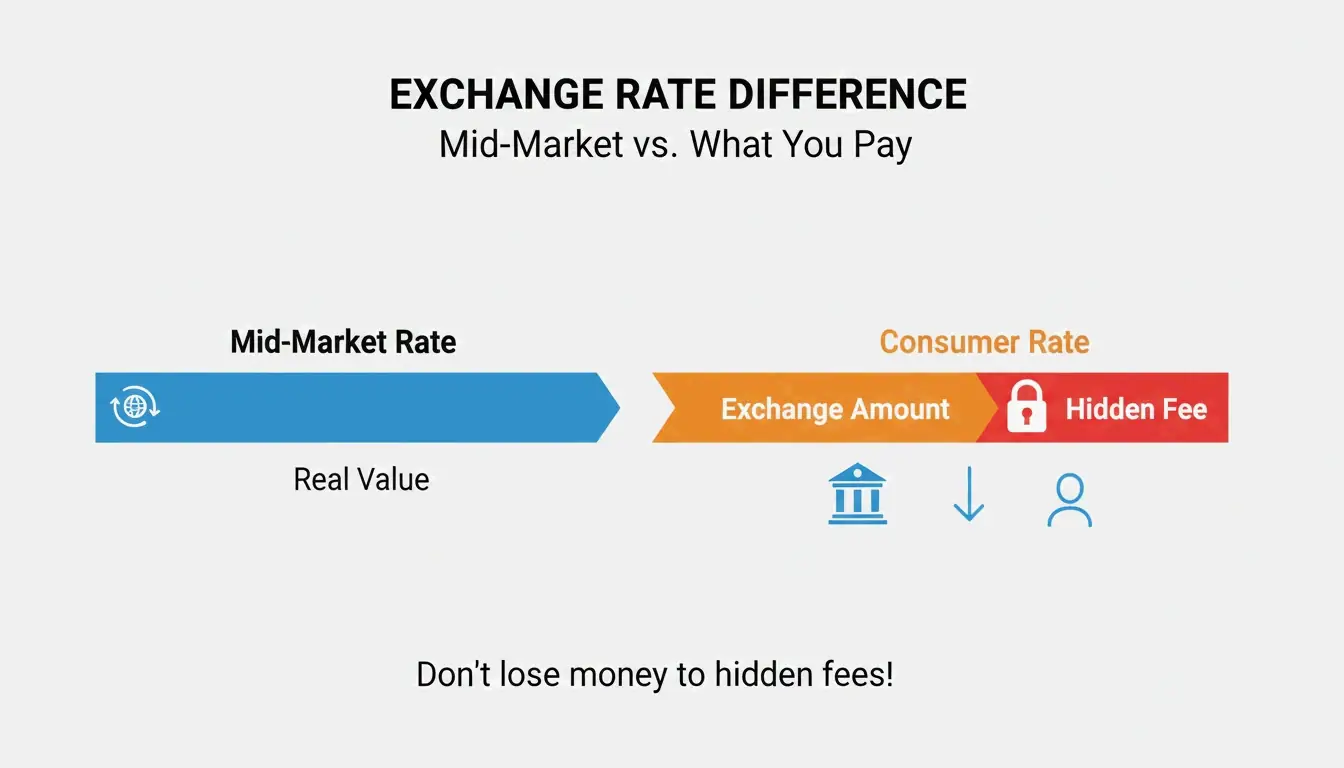
    Mid-market rate Midpoint between buy/sell prices Interbank traders
    Consumer rate Mid-market + hidden markup Most individuals and businesses

    Wise emphasizes using the mid-market rate for transparency. OANDA tracks 31+ years of data across 38,000+ currency pairs for enterprise accuracy.

    Mid-market rate vs consumer rate comparison

    Developer Tools: Java Locale and BCP 47

    // Convert Java Locale to BCP 47 tag
    Locale locale = Locale.US;
    String tag = locale.toLanguageTag(); // Returns "en-US"
    
    // Create Locale from BCP 47 tag
    Locale fromTag = Locale.forLanguageTag("zh-Hant-TW");
    

    Java Documentation requires toLanguageTag() for modern web API compatibility.

    Enterprise Localization: Translation and Privacy

    PII Anonymization

    When creating localized test datasets, businesses must protect Personally Identifiable Information (PII). Tools like those shared by Rekhu Chinnarathod automatically mask Social Security numbers, credit card details, and other sensitive data — ensuring GDPR, HIPAA, and DPDP compliance.

    Prompt-to-Dataset Generation

    Rekhu Chinnarathod demonstrates AI tools that generate structured multi-locale datasets (JSON, CSV, SQL) from plain English descriptions, automatically respecting regional formats for US, UK, and India.

    Community Impact

    Queens Public Library uses LanguageLine to offer interpretation in 190+ languages, connecting residents with services in their preferred locale.

    Conclusion

    A locale converter does three things: standardize language tags via BCP 47, format data (dates, numbers, currency) by region, and enable accurate currency conversion using mid-market rates. For developers, integrate BCP 47-compliant APIs. For business users, always verify your converter uses the mid-market exchange rate.

    FAQ

    What is the difference between a language tag and a locale?

    A language tag (e.g., en) identifies only the language. A locale (e.g., en-US) adds regional rules for formatting dates, currency symbols, and cultural preferences specific to a country.

    How do I convert a Java Locale to a BCP 47 tag?

    Use Locale.toLanguageTag() — it converts the Locale object into an IETF BCP 47-compliant string. For reverse conversion, use Locale.forLanguageTag("en-US").

    Why do different currency converters show different rates?

    Some tools show the mid-market rate (transparent), while others embed a hidden markup. Rate freshness and data source (OANDA vs. a specific bank) also cause variation. Always check if your converter uses the mid-market rate as the baseline.