Category: dogenerator

  • How Can I Make a QR Code? A Complete Guide to Free & Custom Generators (2026 Update)

    How Can I Make a QR Code? A Complete Guide to Free & Custom Generators (2026 Update)

    Need a QR code? You’re closer than you think. Open a free generator like QR Code Generator or Adobe Express, paste your link, tweak the design if you want, and download it as a PNG or SVG. In 2026, you can even create one straight from Chrome or Safari’s built-in Share menu — no extra tools required.

    Whether you’re putting a QR code on a business card, a restaurant menu, or a conference banner, this guide walks through every method, helps you pick the right type (static vs. dynamic), and shows you how to make sure it actually scans every time.

    The Fastest Way to Make a QR Code (Step-by-Step)

    Creating a QR code has become a basic digital skill. According to Wikipedia, 89 million US users scanned a QR code in 2022 — a 26% increase from 2020 — mostly to open digital menus or make payments.

    Method 1: Online Generators (Best for Customization)

    Online tools give you the most control over branding, format, and image quality. According to QR Code Generator, the standard workflow is three steps:

    1. Select the data type — Choose what you want to share: a URL, vCard (contact info), plain text, or WiFi credentials.
    2. Enter your information — Paste your link or type your text. If your URL is very long, Freetool24 recommends using a URL shortener first. Shorter URLs produce simpler patterns that are easier for older phones to scan.
    3. Customize and download — Adjust colors, add a frame, or choose your format. Use PNG for digital use (emails, social media) and SVG for anything that will be printed — vector files stay sharp at any size.
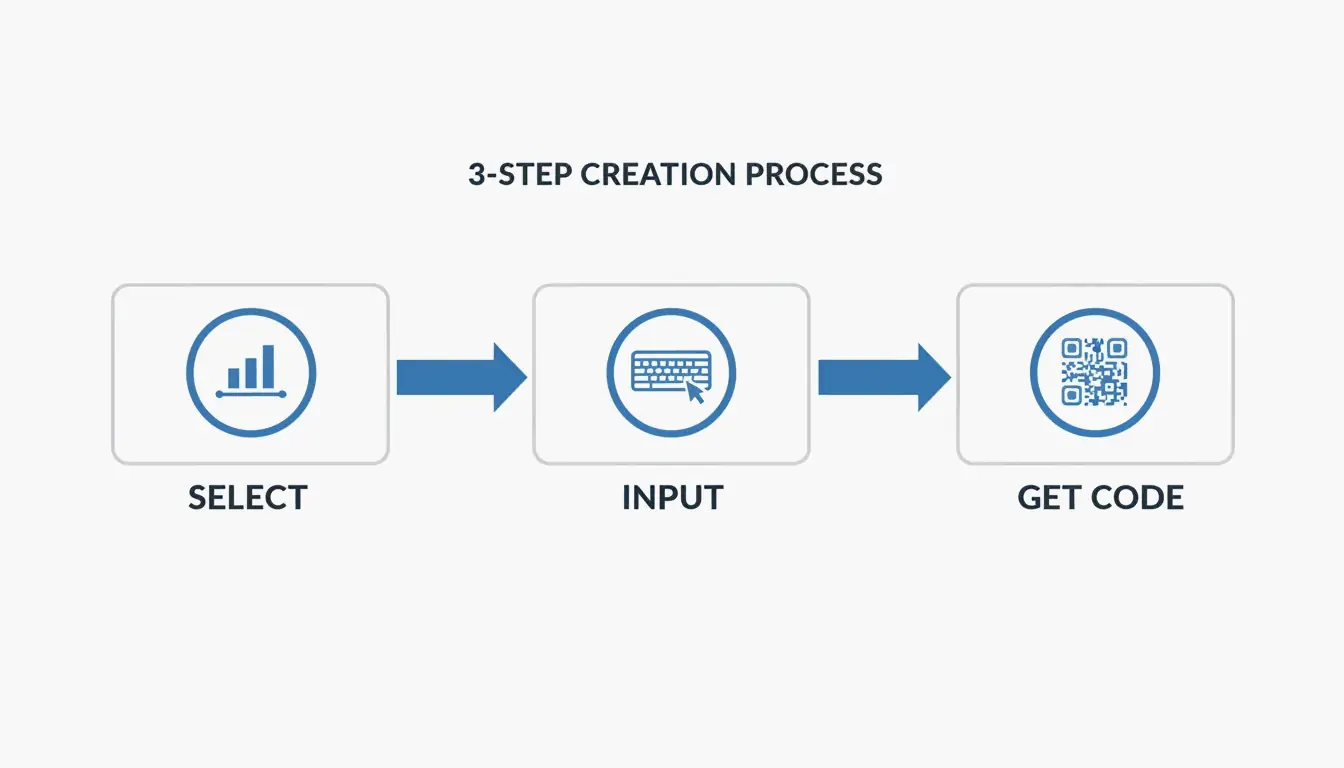
    3-step creation process: Select Data -> Input Info -> Customize/Download

    Pro tip: Always test the scan on your screen before you finalize. If it takes more than two seconds to register, try increasing the contrast or simplifying the design.

    Method 2: Built-in Browser Tools (Chrome & Safari)

    If you just need a quick code for a webpage, your browser already has this built in:

    • Chrome (Desktop): Go to the page → three-dot menu → “Cast, Save, and Share” → “Create QR Code.”
    • Chrome / Safari (Mobile): Tap the Share icon in the address bar → “Create a QR Code.”

    This is the fastest option for instant sharing, though customization is limited to the standard black-and-white pattern (plus the occasional Chrome dinosaur logo).

    Static vs. Dynamic QR Codes: Which Should You Choose?

    This is the most important decision for any QR code you plan to use long-term.

    Feature Static QR Code Dynamic QR Code
    Data storage Baked directly into the pattern Uses a redirect short link
    Can change the URL later? No — permanent once printed Yes — update anytime
    Expires? Never Only if subscription ends
    Scan analytics Not available Location, time, device type
    Cost Free Typically requires paid plan

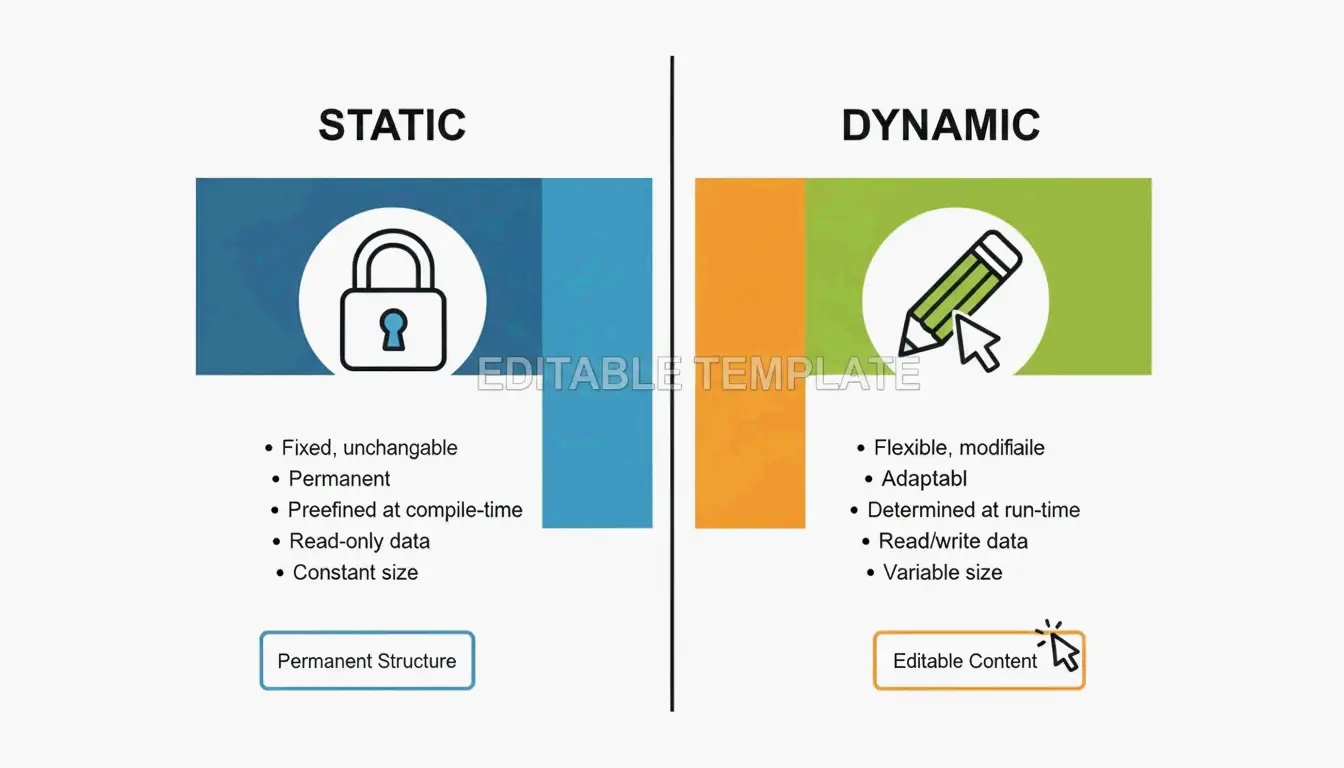
    Side-by-side comparison of Static (permanent) vs Dynamic (editable) codes

    According to QR Code AI, custom-branded codes can produce a +30% marketing engagement lift over plain black-and-white designs. That said, be aware of “quishing” (QR phishing). By 2026, security best practices recommend using dynamic links from reputable providers that offer encrypted, GDPR-compliant redirection to prevent malicious link swaps.

    Optimizing for Scannability: The 10:1 Rule and Error Correction

    A QR code that looks great but doesn’t scan is wasted space. Most scanning failures come down to two things: size and error correction.

    The 10:1 Distance Rule

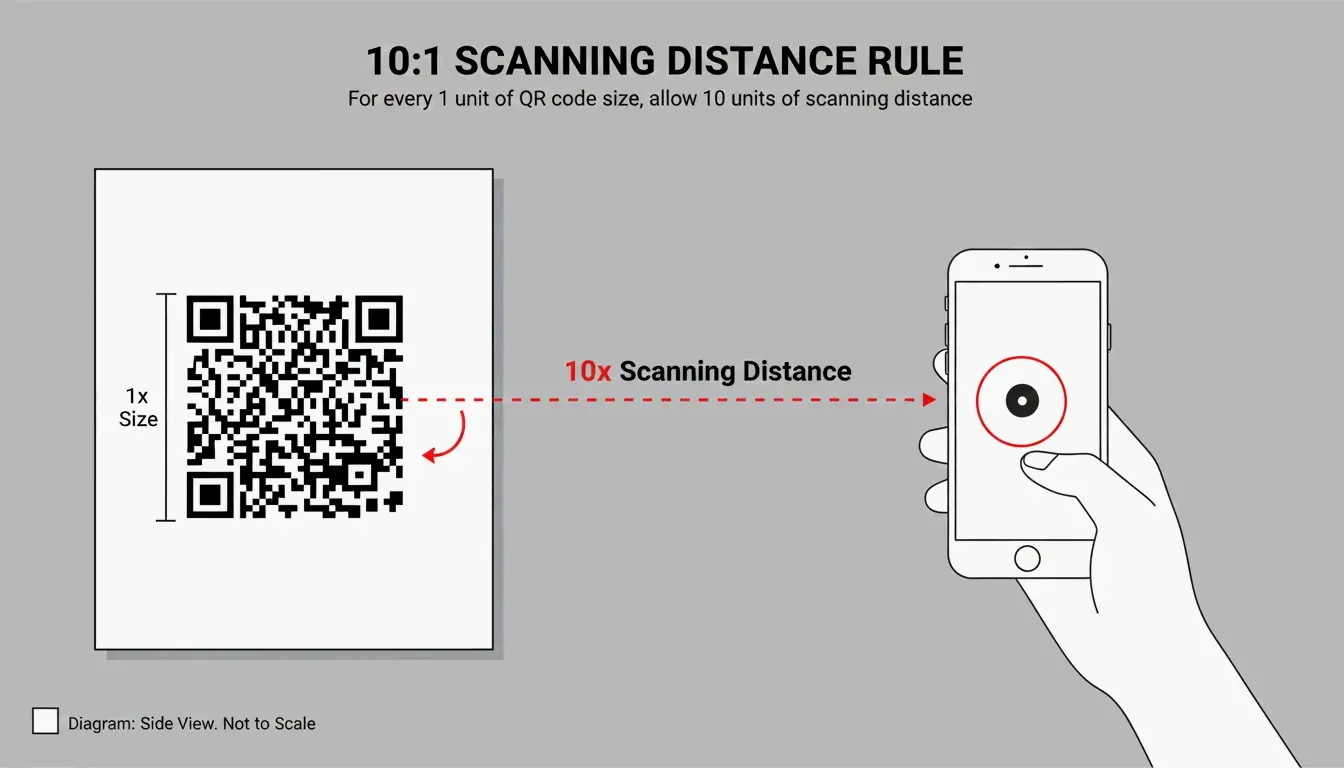
    Your QR code’s physical size should be about 1/10th of the expected scanning distance:

    Use Case Scanning Distance Minimum QR Code Size
    Business card ~20 cm 2 × 2 cm
    Table tent / menu ~50 cm 5 × 5 cm
    Poster on a wall ~1 meter 10 × 10 cm
    Billboard ~5 meters 50 × 50 cm

    Visualization of the 10:1 ratio between scanning distance and QR code size

    Error Correction Levels (L, M, Q, H)

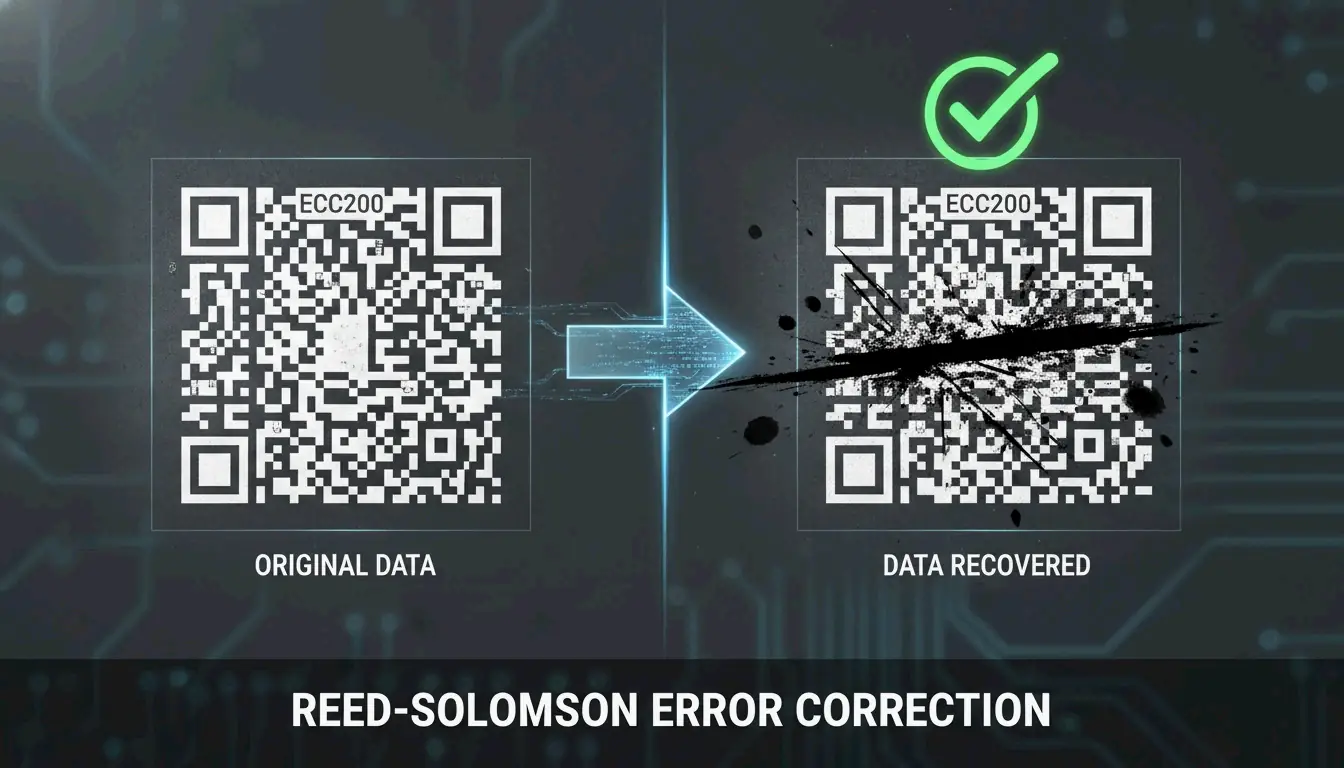
    QR codes use Reed-Solomon error correction, which acts as a built-in backup system. The code remains scannable even when partially damaged or covered.

    Level Damage Tolerance Best For
    L 7% Digital screens — always clear, no damage risk
    M 15% General marketing materials (default choice)
    Q 25% Adding a small logo in the center of the code
    H 30% Heavy customization, outdoor signage, harsh environments

    If you’re adding a logo overlay, use Level Q or H to compensate for the data area you’re covering.

    Advanced Use Cases: vCards, WiFi, and Design Integration

    QR codes aren’t limited to URLs — they can trigger specific actions on a smartphone:

    vCard / Digital Business Card
    Instead of a link, encode your name, phone, and email. When scanned, the phone prompts “Add to Contacts.” SkyToolz recommends the vCard 3.0 format for the best cross-platform compatibility between iPhones and Androids.

    WiFi Credentials
    Let guests join your network without typing a password. Use this format:

    WIFI:S:NetworkName;T:WPA;P:Password;;
    

    Scan it and the phone connects automatically.

    Design Integration
    Tools like Canva and Adobe Express now let you generate QR codes directly inside your design project. This makes it easy to match the code’s colors to your brand while keeping the Quiet Zone (the required white border) intact.

    The global reach of QR technology is remarkable — Wikipedia notes that China had an 83% QR payment adoption rate as far back as 2018.

    Conclusion

    Making a QR code comes down to three steps: choose your data, generate the pattern, and download the file. The key decisions are:

    • Static vs. Dynamic — Use static for simple, permanent links; use dynamic if you need to track scans or update the URL later.
    • PNG vs. SVG — PNG for digital, SVG for print.
    • Size it right — Follow the 10:1 distance rule and test before you print.

    With the right generator and a basic understanding of error correction, anyone can create a professional, reliable QR code in under a minute.

    FAQ

    Do QR codes expire?

    Static QR codes never expire — the data is hardcoded into the pattern. They’ll work as long as the destination (your website) stays online. Dynamic QR codes may stop working if your subscription to the generator service ends or if the provider deletes the redirect link from their database.

    Why is my QR code not scanning?

    The most common culprits: low contrast (light-colored code on a light background), the code being too small for the scanning distance, or a missing Quiet Zone (the white border around the code). For print, always use SVG files — pixelation from raster images is a leading cause of scan failures.

    Can I track QR code scans for free?

    Most free generators only track scans for dynamic codes, which typically require a paid plan. A practical workaround for static codes: use a free URL shortener with built-in analytics (like Bitly) as your destination link. You won’t track the QR scan itself, but you’ll see every click that came through it.
  • What Is a Data Matrix 2D Barcode? A Technical Guide for 2026

    What Is a Data Matrix 2D Barcode? A Technical Guide for 2026

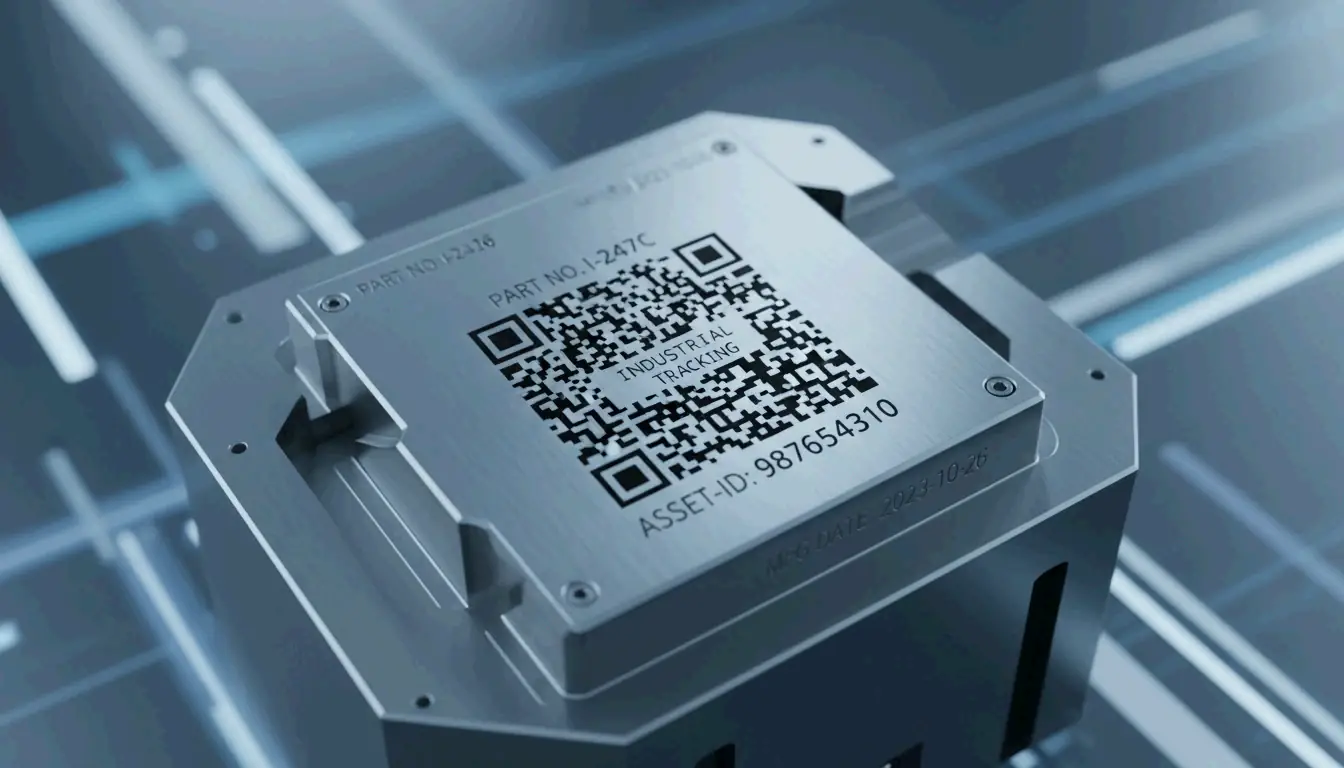
    If you’ve ever looked closely at a tiny electronic component, a pharmaceutical package, or an aerospace part, you might have spotted a small square pattern of black and white cells. That’s a Data Matrix 2D barcode — and unlike the QR codes you scan with your phone, this one is built for the industrial world.

    Defined by ISO/IEC 16022 and using ECC200 error correction, Data Matrix is the go-to standard for tracking small items across global supply chains. As of 2026, it’s the required format for pharmaceutical serialization and Direct Part Marking on metal and plastic components.

    This guide covers how Data Matrix works, when to choose it over a QR code, what the GS1 Sunrise 2027 deadline means for your business, and even how to generate one programmatically.

    Understanding the Data Matrix 2D Barcode: Definition and Core Principles

    A Data Matrix is a grid of black and white “cells” (modules) arranged in a square or rectangle. Unlike traditional 1D barcodes that store data in a single horizontal line, Data Matrix encodes information in both dimensions — horizontally and vertically. This 2D approach lets it pack significantly more data into a much smaller footprint.

    According to Wikipedia, a single Data Matrix symbol can hold:
    – Up to 2,335 alphanumeric characters
    – Up to 3,116 numeric digits

    The technology is governed by the ISO/IEC 16022 standard, which is in the public domain — meaning anyone can implement it without licensing fees. Its ability to encode complex data into a space smaller than 1 mm² has made it indispensable in electronics manufacturing, aerospace, and medical device tracking.

    The Anatomy of a Data Matrix Symbol

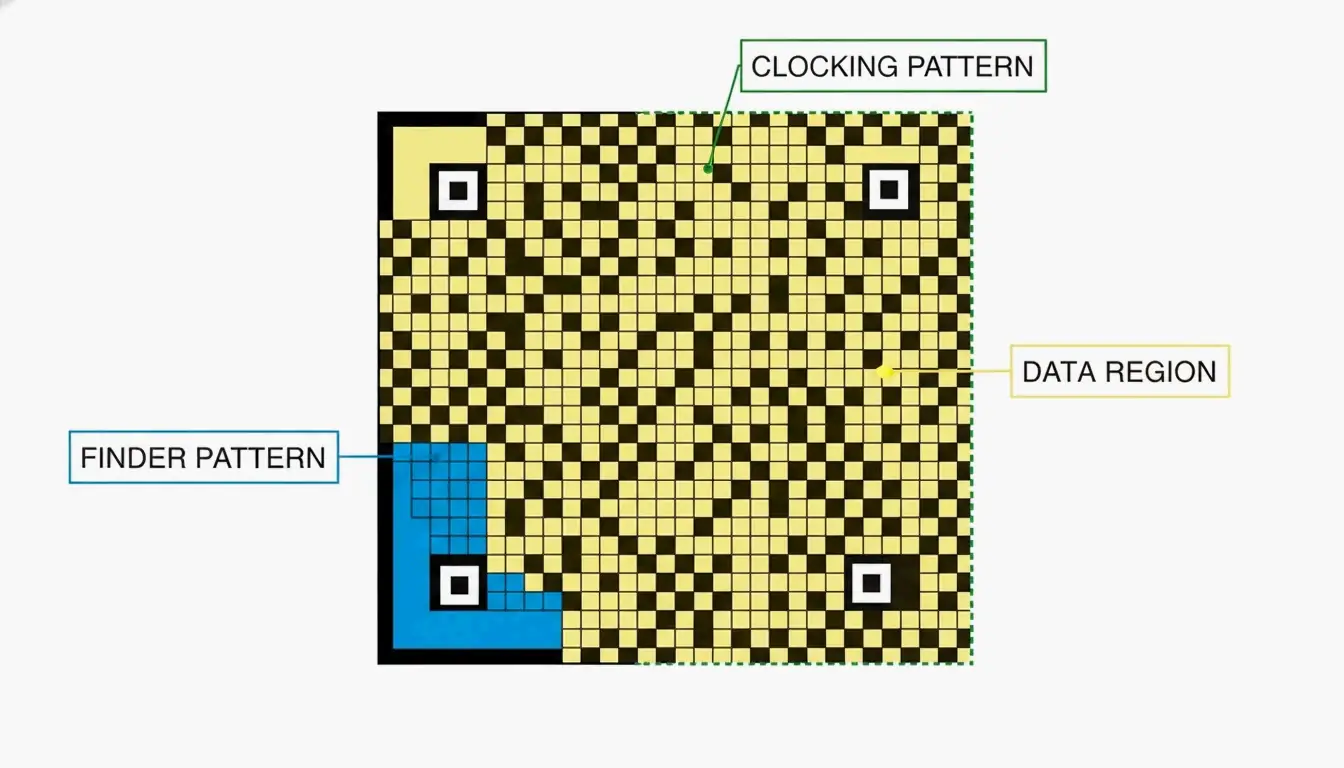
    Every Data Matrix code has three structural components that tell a scanner how to read it:

    Component What It Does
    Finder Pattern An “L” shape formed by two solid borders. Helps the scanner locate the code and determine its orientation.
    Clocking Pattern The two borders opposite the “L,” made of alternating dark and light cells. Tells the reader the grid’s row/column count.
    Data Region The interior area where actual information is stored. The grid grows as more data is added (10×10 up to 144×144 modules).

    A minimalist diagram identifying the three structural components of a Data Matrix code.

    Why ECC200 Is the Industry Standard for Error Correction

    The reliability of modern Data Matrix codes comes from ECC200, which uses Reed-Solomon error correction to add redundant data to each symbol. This backup information allows a scanner to reconstruct the original message even when the code is partially damaged.

    How much damage can it survive? Wikipedia notes that ECC200 can typically be read even when up to 30% of the symbol is damaged — as long as the “L” finder pattern remains intact.

    This is a significant upgrade over older error correction versions (ECC000–ECC140), which are now largely retired and only appear in “closed” systems where the same organization handles both printing and scanning.

    Feature ECC200 (Current) ECC000–140 (Legacy)
    Error tolerance Up to 30% damage Varies, generally lower
    Standard today Yes — global standard Only in closed systems
    Data capacity Up to 3,116 digits Lower

    A visual demonstration of error correction: a partially obscured barcode still being successfully scanned.

    Data Matrix vs. QR Code: Which 2D Symbology Should You Choose?

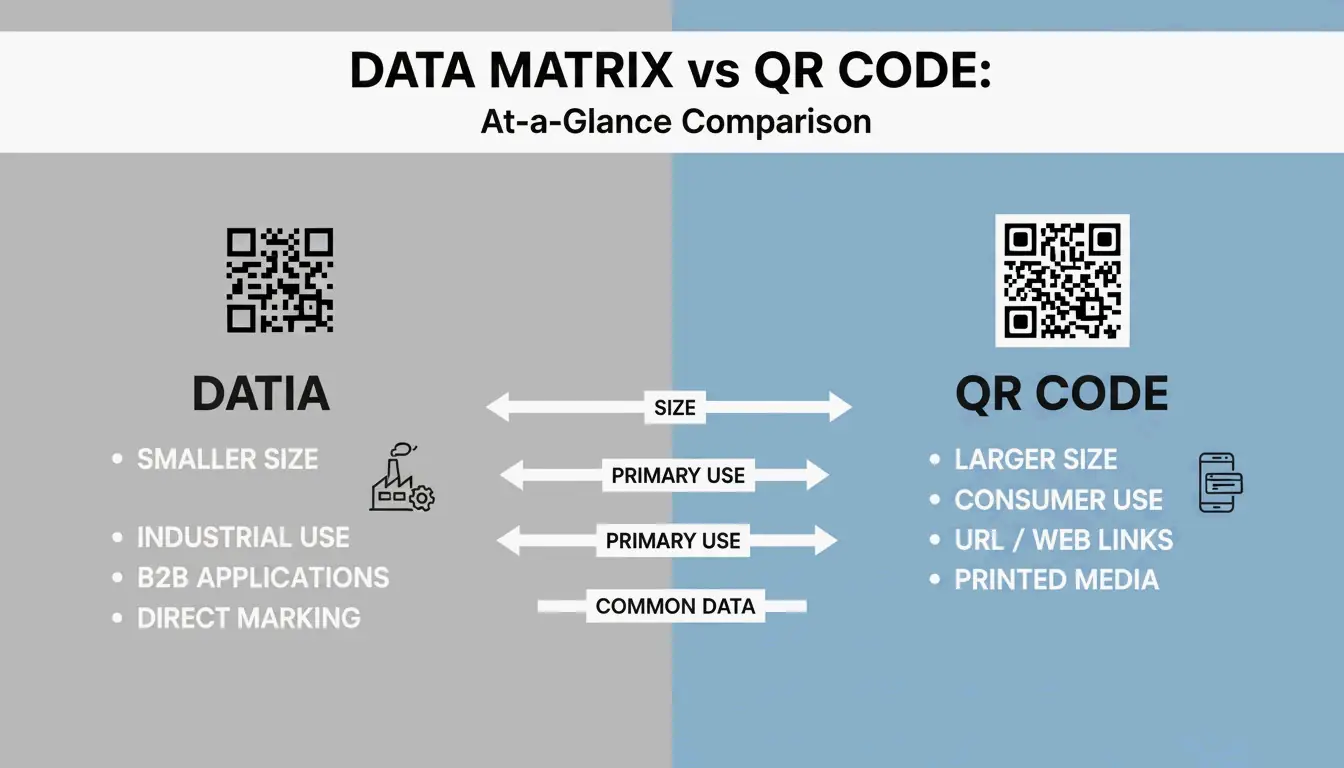
    Both are 2D barcodes, but they’re built for different purposes. Data Matrix serves industrial B2B applications; QR Codes are designed for consumer-facing marketing and engagement.

    When Data Matrix Is the Right Choice

    • Small parts and tight spaces — Data Matrix modules can be as small as 0.1 mm, making the overall code much smaller than a QR Code carrying the same data (Alsace Techniques Etiquetage).
    • Pharmaceutical serialization — Legally required for drug tracking in many markets.
    • Direct Part Marking (DPM) — Etched directly onto metal or plastic parts for permanent identification.

    When QR Codes Make More Sense

    • Consumer engagement — Almost any smartphone (iOS 11+ and Android 8+) can scan QR codes natively, no special app required.
    • URLs and marketing — QR Codes support branding elements like logos in the center.
    • General public use — While Data Matrix can technically hold a URL, most consumers don’t have software that reads it.

    A side-by-side scale comparison between a Data Matrix and a QR Code containing the same data.

    2026 Update: GS1 DataMatrix and the Sunrise 2027 Deadline

    If you work in logistics or healthcare, GS1 DataMatrix is likely already on your radar. It’s important to understand that a standard Data Matrix and a GS1 DataMatrix aren’t identical — the GS1 version embeds a hidden “Function 1” (FNC1) character at the start to signal that the data follows GS1 global standards.

    Two major regulatory forces are driving adoption:

    1. DSCSA (Drug Supply Chain Security Act) — In the U.S., GS1 DataMatrix is required for pharmaceutical tracking.
    2. GS1 Sunrise 2027 — A global initiative to ensure all Point of Sale (POS) systems can scan 2D barcodes by 2027 (GS1 Sweden).

    Sunrise 2027 Preparation Checklist

    1. Hardware audit — Verify your scanners are imagers, not older laser models. Laser scanners cannot read 2D codes.
    2. Software update — Ensure your inventory systems recognize GS1-specific fields like Expiration Dates and Batch Numbers.
    3. Label redesign — Begin transitioning from 1D UPC barcodes to GS1 DataMatrix or GS1 QR Codes to carry richer product data.

    Industrial Implementation: Direct Part Marking (DPM) and Verification

    For parts that need to be tracked for years — or decades — companies use Direct Part Marking (DPM). Instead of printing a label, the Data Matrix is etched directly into the metal or plastic surface using lasers or chemical etching. The mark survives heat, chemicals, abrasion, and heavy wear.

    The accuracy is remarkable. BarcodeFactory reports that barcode scanners make a substitution error roughly once in every 15,000 to 36 trillion characters — making Data Matrix one of the most reliable identification methods available.

    To maintain this accuracy in production, businesses use ISO/IEC 15415 verification, which grades codes on a scale from A (best) to F (fail). For most industrial applications, a grade of C or better is required to ensure the code can be read reliably by different scanners across the supply chain.

    Developer’s Corner: Generating Data Matrix in C#/.NET

    If you’re building barcode generation into your own software, libraries like IronBarcode make it straightforward. Iron Software demonstrates that creating a compliant ECC200 symbol takes just a few lines:

    using IronBarCode;
    
    // Generate a Data Matrix barcode
    var myBarcode = BarcodeWriter.CreateBarcode(
        "GS1-GTIN-12345",
        BarcodeWriterEncoding.DataMatrix
    );
    
    // Customize size and save
    myBarcode.ResizeTo(250, 250);
    myBarcode.SaveAsPng("datamatrix-label.png");
    

    Tip for 2026: Always leave a Quiet Zone (blank border) of at least 1–2 module widths around your code. Without it, scanners may misread the edges.

    Conclusion

    The Data Matrix 2D barcode is the workhorse of industrial and healthcare identification — small enough to fit on a pill bottle, durable enough to survive laser etching onto metal, and reliable enough to remain readable even when 30% damaged.

    With the GS1 Sunrise 2027 deadline approaching, now is the time to audit your scanning hardware, update your software to handle GS1 fields, and start transitioning your labels. Whether you’re a supply chain manager or a developer building the next barcode tool, understanding Data Matrix is no longer optional — it’s a competitive advantage.

    FAQ

    Can a standard smartphone camera app read a Data Matrix code?

    Most iPhone and Android cameras default to QR code scanning. For Data Matrix, you’ll typically need a third-party app or a specific “business mode.” For professional or industrial environments, dedicated scanning hardware or specialized apps are strongly recommended.

    What is the maximum data capacity of a Data Matrix ECC200 symbol?

    An ECC200 symbol can hold up to 3,116 numeric digits or 2,335 alphanumeric characters. The physical size of the code grows as you add more data, reaching a maximum grid of 144×144 modules.

    What is the difference between a standard Data Matrix and a GS1 DataMatrix?

    A GS1 DataMatrix begins with a hidden “Function 1” (FNC1) character that tells the scanner the data follows GS1 standards — using specific Application Identifiers for fields like Expiration Date, Batch Number, or GTIN. This is required for pharmaceutical and food safety regulations in most markets.

  • Xbox Gamertag Character Limit in 2026: Rules, Costs, and the 12-Character Rule

    Xbox Gamertag Character Limit in 2026: Rules, Costs, and the 12-Character Rule

    Your Xbox gamertag is your identity across the entire Xbox Network — the name that shows up in multiplayer lobbies, friend lists, and achievement feeds. But if you’re thinking about changing yours in 2026, there’s a hard rule you need to know: all new gamertags are capped at 12 characters, including spaces.

    Legacy “Classic Gamertags” from the Xbox 360 era can still be up to 15 characters long — but only if they’ve never been changed since the modern system took over. Once you modify your name, there’s no going back to the old length.

    This guide covers everything: the current character limit, how the suffix system works, what it costs to change, and tips for finding a short, clean name.

    Understanding the 12-Character Limit in 2026

    Every new Xbox gamertag — whether you’re creating a fresh account or renaming an existing one — must fit within 12 characters. According to CodeItBro, this standard replaced the old 15-character cap from the Xbox 360 era to create a more consistent, globally unified naming system.

    The limit applies across the entire ecosystem:
    – Xbox Series X|S consoles
    – Xbox One consoles
    – Xbox App on PC
    – Xbox mobile apps (iOS and Android)

    With over 120 million active users on the network as of early 2023 (Wikipedia), finding a truly unique name has become harder over the years. To address this, Xbox now supports non-Latin scripts and alphabets — but even those must still fit within the 12-character display window.

    The Suffix System: How Duplicate Names Work

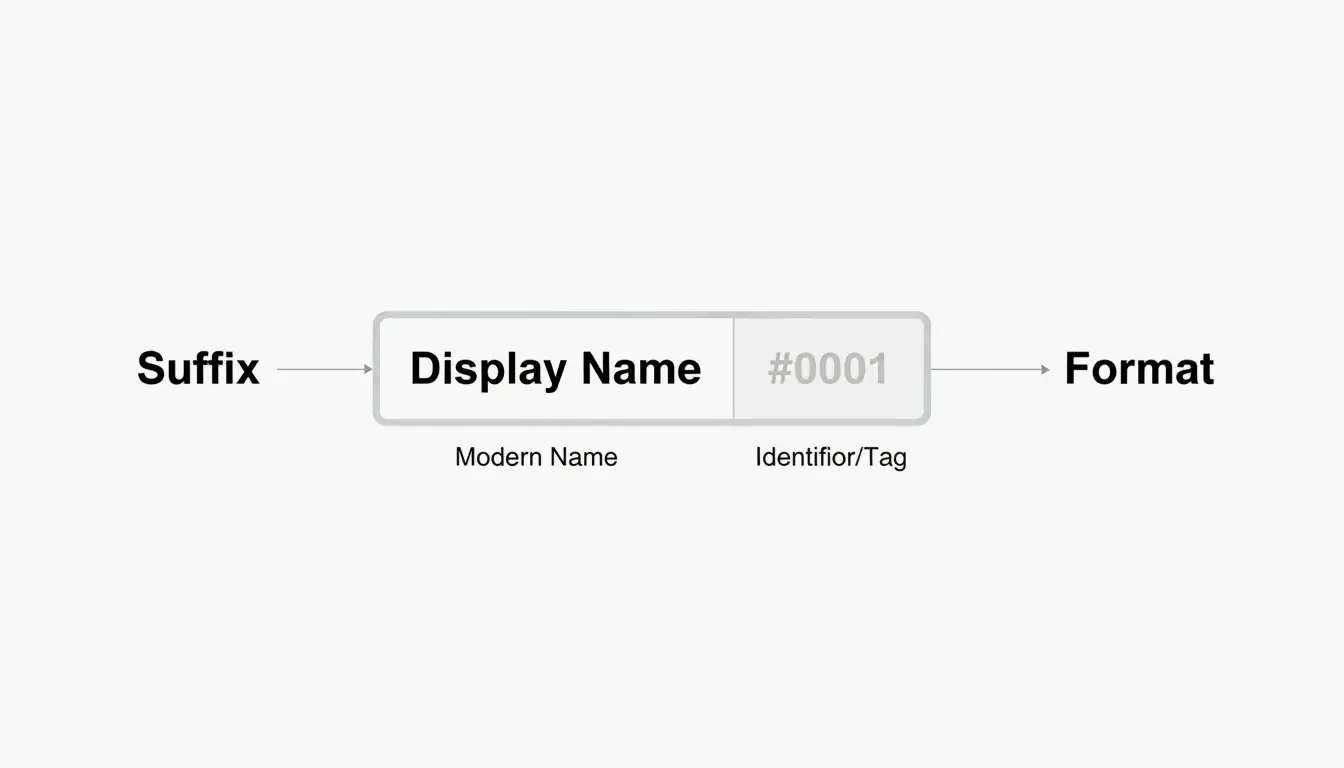
    Here’s where things get interesting. If the name you want is already taken, you can still claim it — Xbox appends a hashtag suffix (like #1234) to differentiate you from the person who had it first.

    A few things worth knowing about suffixes:
    – They’re assigned automatically — you don’t pick the numbers.
    – They don’t count toward your 12-character limit.
    – They appear in a smaller font in most game UIs, so your core name still looks clean.
    – Friends can find you by searching just your base name.

    So a full-length name like “ShadowWalker” would display as “ShadowWalker#9999” — but only the “ShadowWalker” part needs to fit within 12 characters.

    现代 Gamertag 的组成结构:名字 + 后缀

    The “Point of No Return”: Classic vs. Modern Gamertags

    This is the most important thing to understand before changing your name in 2026.

    If your current gamertag was created before the 2019 update and is longer than 12 characters, changing it means you permanently lose that extra length. Think of it as a one-way door.

    According to Microsoft Q&A, there is no technical way to revert to a classic-length tag once you’ve made the switch. The current infrastructure simply doesn’t support creating tags longer than 12 characters — not even for legacy users.

    A Real Example from 2026

    In April 2026, a user named Armonster attempted to restore their 13-character legacy tag after a name change. The system blocked the request entirely. Even though the name had been theirs originally, the modern system couldn’t process a tag longer than 12 characters.

    Bottom line: If you’re sitting on a classic 13–15 character gamertag that you like, think carefully before changing it.

    How to Change Your Xbox Gamertag (Step-by-Step)

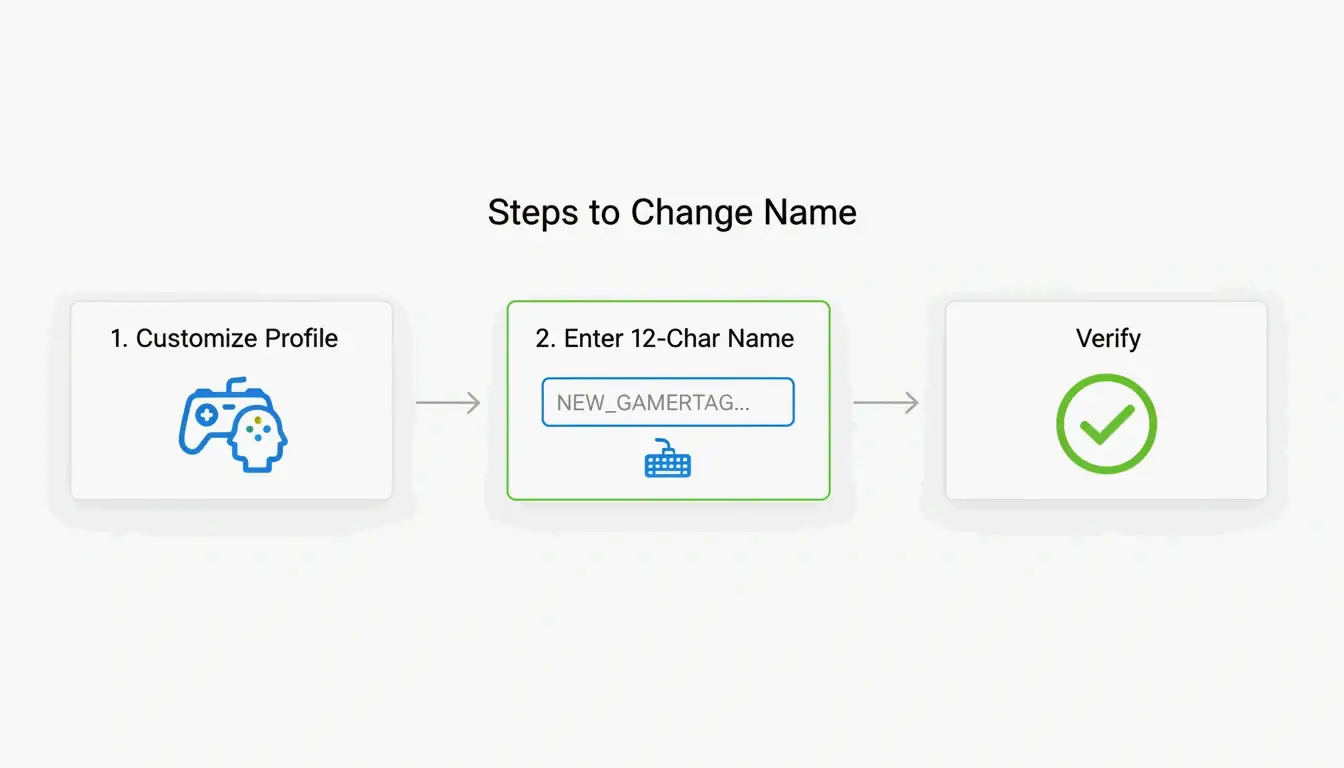
    Whether you’re on a console or your phone, the process is straightforward. The system checks name availability in real time as you type.

    On Console (Xbox Series X|S)

    1. Press the Xbox button on your controller.
    2. Navigate to Profile & System.
    3. Select your profile, then choose Customize Profile.
    4. Click your current gamertag.
    5. Type your new name (up to 12 characters).
    6. Confirm the change.

    On the Xbox Mobile App

    1. Open the Xbox App.
    2. Tap your profile picture.
    3. Go to Settings → Edit Gamertag.
    4. Enter your new name and confirm.

    Verification

    According to Theportablegamer, you’ll see a green checkmark if the name is available, or a red X if it’s taken. If it’s taken, the system will automatically offer you a suffix version.

    修改 Gamertag 的精简步骤

    Troubleshooting: Verification Loops

    Some players in 2026 have reported getting stuck in “verification loops” — the app keeps asking them to sign in repeatedly without completing the name change. If this happens:

    1. Clear the app cache (Settings → Apps → Xbox → Clear Cache).
    2. Try the change through a web browser at account.xbox.com instead.
    3. Check your Enforcement Status — if you have an active ban or strike, name changes are blocked until the penalty expires.

    How Much Does It Cost to Change Your Gamertag?

    Microsoft uses a simple pricing model:

    Change Cost
    First change (new accounts) Free
    Every subsequent change $9.99 USD or 800 Microsoft Points
    Cooldown between changes 30 days

    The fee exists to discourage abuse — without it, people could constantly rename themselves to evade moderation or confuse other players. As Theportablegamer notes, this price has remained unchanged for years.

    The Rare Name Hunt: Finding a 4-Letter Gamertag

    Short gamertags — especially 4-letter ones — are the holy grail. They look clean, never need a suffix, and are easy to remember.

    The reality: most 4-letter English words were claimed years ago. But you can still find options if you’re persistent:

    • Alphanumeric combos — Mix letters and numbers (e.g., “K7VR”, “N3XT”).
    • Non-dictionary words — Unique letter combinations that are pronounceable but not real words.
    • Generator tools — The CodeItBro Gamertag Generator has a “Hunt 4-Letter Tags” mode that checks availability for short handles.

    If your dream 4-letter name is taken, the suffix system is a solid fallback. Since suffixes render in a smaller font in most game menus, a name like “Raven#3847” still looks relatively clean on-screen.

    Conclusion

    The 12-character limit is the firm standard for the Xbox Network in 2026. The suffix system makes it possible to share a display name with others, but the length cap itself is non-negotiable for any new or changed gamertag.

    Before making a change:
    – Count your characters carefully — 12 is the max, spaces included.
    – Protect your classic tag — If you have a legacy 15-character name you like, think twice before changing it. You can’t go back.
    – Budget for the fee — Your first change is free, but every one after that costs $9.99 with a 30-day cooldown.

    FAQ

    Can I change my 12-character modern tag back to a 15-character classic tag?

    No. Once you move to the modern system, the 15-character legacy option is permanently lost. There is no tool, setting, or support path that can revert your tag to the old length.

    Why do some players still have 15-character names in 2026?

    Those are “Classic Gamertags” created before the 2019 system update. As long as those players never change their name, they keep the old length. But the moment they modify it — even to fix a typo — they’ll be moved to the 12-character system.

    What special characters are allowed in Xbox gamertags?

    Spaces are allowed and count as one of your 12 characters. Numbers are fine too. Most special symbols (!, @, #, %, etc.) are blocked to maintain compatibility across all Xbox games. The # symbol is reserved exclusively for the system-generated suffix and can’t be used in the name itself.