Category: dogenerator

  • Code 128 vs Code 39: Barcode Differences Explained (2026)

    Code 128 vs Code 39: Barcode Differences Explained (2026)

    If you work with barcodes — whether in shipping, healthcare, manufacturing, or retail — you’ve likely encountered both Code 128 and Code 39. They’re two of the most common 1D barcode formats, and in 2026, the choice between them comes down to how much data you need to encode and how much label space you have.

    Code 128 is the modern standard: high-density, full ASCII support, and a mandatory check digit. Code 39 is the older, simpler alternative that works well for short strings but becomes unwieldy with longer data. This guide breaks down the differences and helps you pick the right one.

    Code 128 vs Code 39 at a Glance

    Feature Code 128 Code 39
    Data density High — fits more data in less space Low — gets wide quickly
    Character set Full 128 ASCII characters 43 characters (uppercase, digits, few symbols)
    Lowercase support Native Only via “Extended” mode (doubles barcode length)
    Check digit Mandatory (Modulo 103) Optional
    Bar/space widths 4 widths (1, 2, 3, 4 units) 2 widths (narrow and wide)
    Best for Logistics, shipping, complex data Simple internal tracking, legacy systems

    The physical footprint difference is striking. According to Peak Technologies, you should switch from Code 39 to Code 128 if your data string is longer than 15 characters. A 20-character ID in Code 39 might not fit on a standard 2-inch label, while Code 128 keeps it compact.
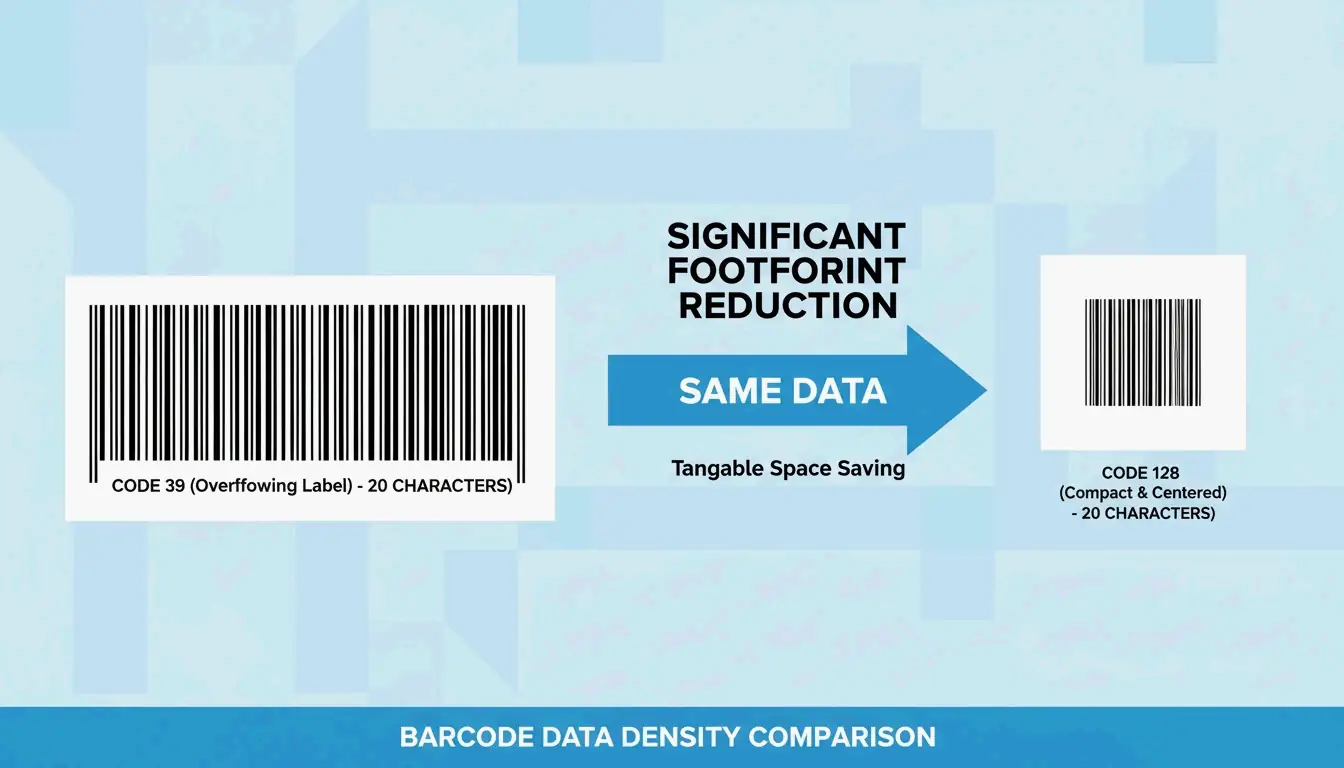
    A side-by-side scale comparison showing Code 128 is much shorter than Code 39 for the same data

    Modern scanners (area imagers and smartphone apps) read both formats easily. But Code 128 has the edge in reliability because its built-in error detection prevents misreads in high-volume environments.

    Data Density: Why It Matters

    Data density is how many characters fit into a single inch of barcode. Wikipedia explains that Code 128 uses four different widths for bars and spaces, while Code 39 uses only two. This precision makes Code 128 roughly twice as dense for numeric data — often the only 1D barcode that works for tiny items like medical vials or small electronics.

    Character Support

    • Code 39 (Standard): 43 characters — uppercase A–Z, digits 0–9, and a handful of symbols (-, ., $, /, +, %, space).
    • Code 128: All 128 ASCII characters — uppercase, lowercase, symbols, and even control characters like carriage returns.
    • Code 39 Extended: Can encode lowercase via character pairs (e.g., “+A” for lowercase “a”), but as Peak Technologies notes, this is “wasteful of space” and makes the barcode unnecessarily long.

    Why Code 128 Is the Modern Logistics Standard

    Code 128 powers global shipping through the GS1-128 standard, which uses “Application Identifiers” to structure data like batch numbers, expiration dates, and serial numbers.

    Mandatory Check Digit (Modulo 103)

    In Code 39, a checksum is optional. In Code 128, it’s built-in — the barcode appends a calculated value that the scanner verifies on every read. This virtually eliminates the risk of a “wrong” scan in busy warehouses.

    Optimization Through Code Sets A, B, and C

    Code 128 stays compact by switching between three internal modes:

    Code Set Optimized For Key Advantage
    A Uppercase letters + control codes Industrial applications
    B Standard alphanumeric + lowercase General-purpose text
    C Numeric-only data Two digits per symbol — most efficient for numbers

    Wikipedia explains that Code Set C packs two digits into a single barcode symbol. For long numeric strings, this is incredibly efficient. Research by Steven Skiena shows that smart Code Set selection can make a barcode 8% smaller on average than using a static setting.
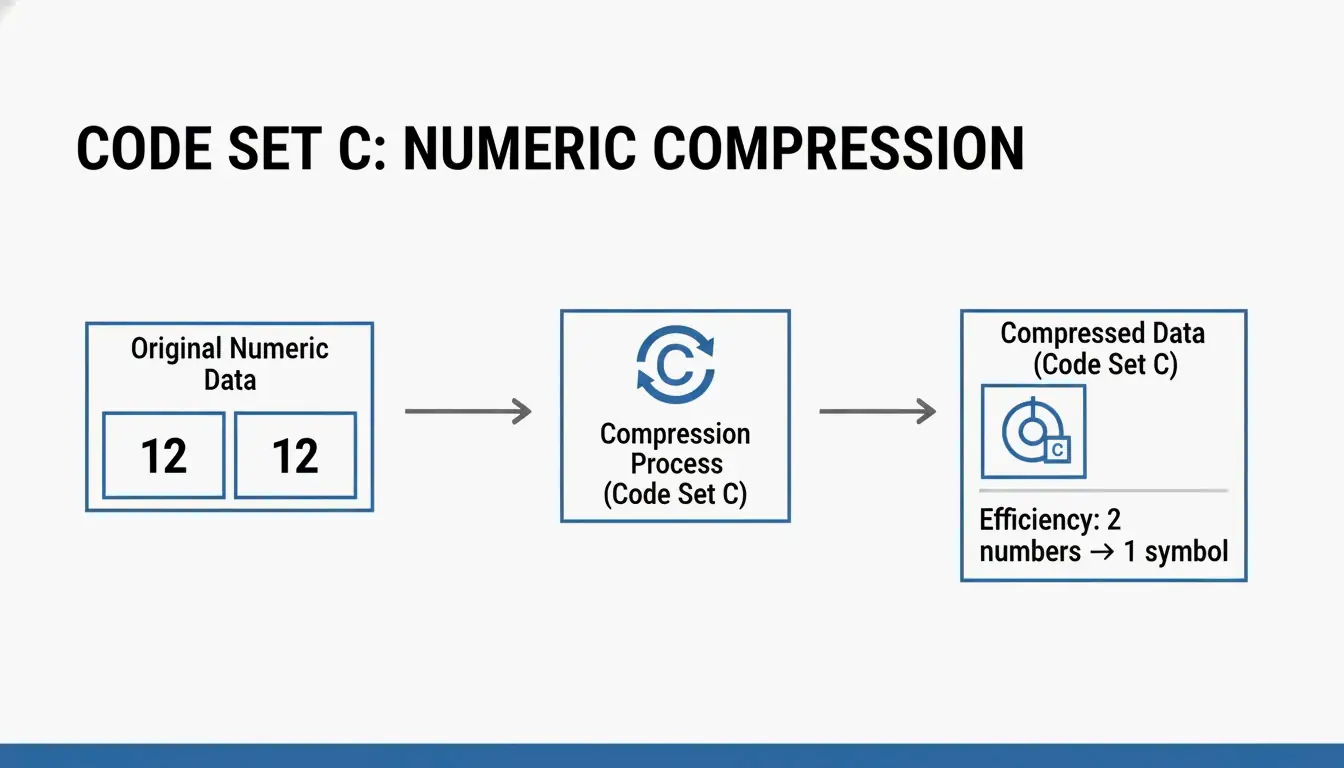
    Simple visual showing how Code Set C pairs two digits into one symbol

    Is Code 39 Still Relevant?

    Code 39 still has a place in 2026 because it’s simple and forgiving. It’s “self-checking” — the gaps between characters help isolate errors — which makes it work well with low-resolution printers or older industrial scanners.

    You’ll still find Code 39 in:
    US Department of Defense (LOGMARS standard)
    Healthcare internal tracking
    Automotive legacy systems

    The problem arises with Code 39 Extended. Encoding a single lowercase “a” requires printing “+A” — doubling the barcode length. If your tracking IDs use mixed-case letters, Code 39 Extended is a poor choice.

    Technical Specs: X-Dimension and Quiet Zones

    How well a barcode scans depends on the X-dimension — the width of the narrowest bar. According to GS1 2026 standards, the minimum X-dimension for retail checkouts is 0.264 mm (0.0104 inches).

    Both formats also need a Quiet Zone — blank white space on both ends of the barcode, at least 10× the width of the narrowest bar. Without it, scanners can’t determine where the barcode starts and stops.

    Scanner Compatibility

    Scanner Type Works Best With Notes
    Laser scanners Longer, taller barcodes Need a clear laser path across all bars
    Area imagers (2026 standard) Both formats, including high-density Code 128 Can read damaged or tilted labels
    Smartphone cameras Both Native support in iOS/Android

    Per Gitnux 2024, the retail sector handles 42% of global daily scans — which is why the industry is moving toward more reliable area imaging standards.

    Conclusion

    Code 39 is fine for simple, short internal tracking IDs — especially in legacy systems with older scanners. Code 128 is the clear choice for anything else: it’s smaller, supports more characters, includes mandatory error checking, and is the backbone of modern logistics.

    Decision rule:
    – Data shorter than 10–15 characters, uppercase only → Code 39 is acceptable
    – Anything longer, or with mixed case / symbols → Code 128
    – GS1-128 compliance required → Code 128 (no other option)

    When designing labels, ensure your narrowest bar meets the 0.264 mm GS1 standard to guarantee readability worldwide.

    FAQ

    Can Code 39 encode lowercase letters?

    Standard Code 39 only supports uppercase letters, digits, and a few symbols. To encode lowercase, you need Code 39 Extended, which uses character pairs (e.g., “+A” for “a”). This significantly increases the barcode’s physical length, making it far less efficient than Code 128.

    Why is Code 128 more “dense” than Code 39?

    Code 128 uses four bar/space widths (vs. Code 39’s two), and its Code Set C encodes two digits per symbol. This makes Code 128 roughly twice as dense as Code 39 for numeric data, saving valuable label space.

    Do I need a check digit for Code 39 barcodes?

    It’s optional for Code 39 but recommended in high-stakes environments. Code 128 has a mandatory Modulo 103 checksum built into its specification, making it inherently more reliable for high-volume scanning.

    Which barcode type is better for small items with limited label space?

    Code 128 — its higher density means you can print it at a larger X-dimension (easier for scanners to read) within the same physical space where a Code 39 barcode would be cramped and hard to scan.

  • What Is a UUID? The Complete Guide to RFC 9562 and Modern Unique Identifiers

    What Is a UUID? The Complete Guide to RFC 9562 and Modern Unique Identifiers

    Every modern database, distributed system, and API uses unique identifiers — and in 2026, the standard that governs them has fundamentally changed. UUID (Universally Unique Identifier) is a 128-bit label that can identify information across computer systems without any central coordination. Under the new RFC 9562 (which replaced RFC 4122 in May 2024), the landscape has shifted: UUID v4 remains the go-to for random IDs, but UUID v7 is now the recommended standard for database primary keys because its time-ordered structure prevents B-tree index fragmentation.

    This guide covers the full picture: how UUIDs work, which version to use when, and how to implement them correctly.

    Understanding RFC 9562: The Modern UUID Standard

    A UUID is a 128-bit number that’s practically guaranteed to be unique — no central authority needed. According to Wikipedia, the chance of two UUIDs colliding is so close to zero it’s considered impossible for real-world applications. Different teams can label data independently, confident their IDs won’t clash.

    In May 2024, the IETF published RFC 9562, retiring the old RFC 4122. The update responded to the demands of modern distributed systems, which needed IDs that are both unique and sortable by time. Three new versions were introduced: v6, v7, and v8.

    Anatomy of a UUID: Versions and Variants

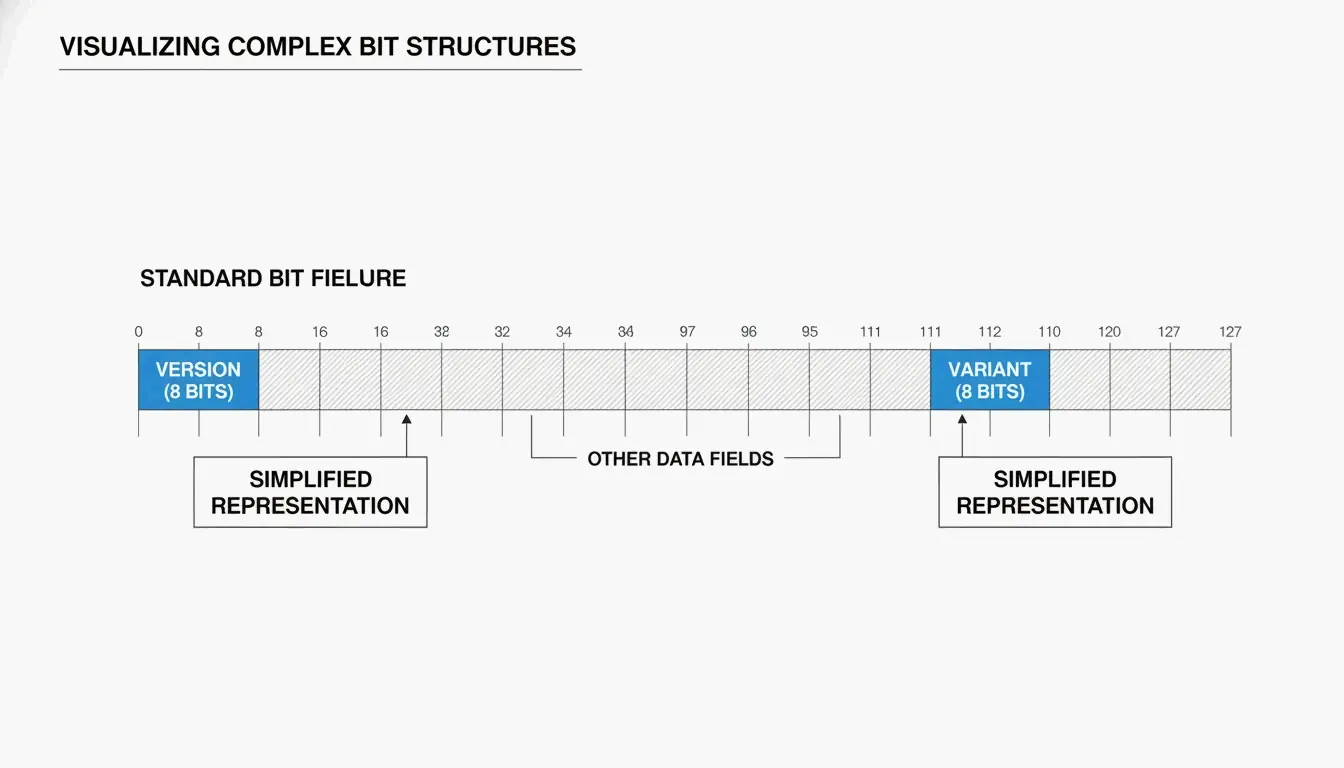
    You’ll typically see a UUID as 32 hexadecimal characters split into five groups by hyphens (8-4-4-4-12):

    550e8400-e29b-41d4-a716-446655440000
                ^
              version
    

    Two key fields tell you how the UUID was generated:

    Field Location What It Tells You
    Version bits First 4 bits of the 7th byte (first char of the 3rd group) Which algorithm was used (e.g., “4” = v4, “7” = v7)
    Variant bits 9th byte The UUID variant — RFC 9562 uses a 10 bit pattern

    As SnapUtils explains, the variant bits separate modern RFC 9562 UUIDs from older Apollo or Microsoft formats.

    UUID 结构拆解示意图

    Why UUID v7 Is the New Gold Standard for Databases

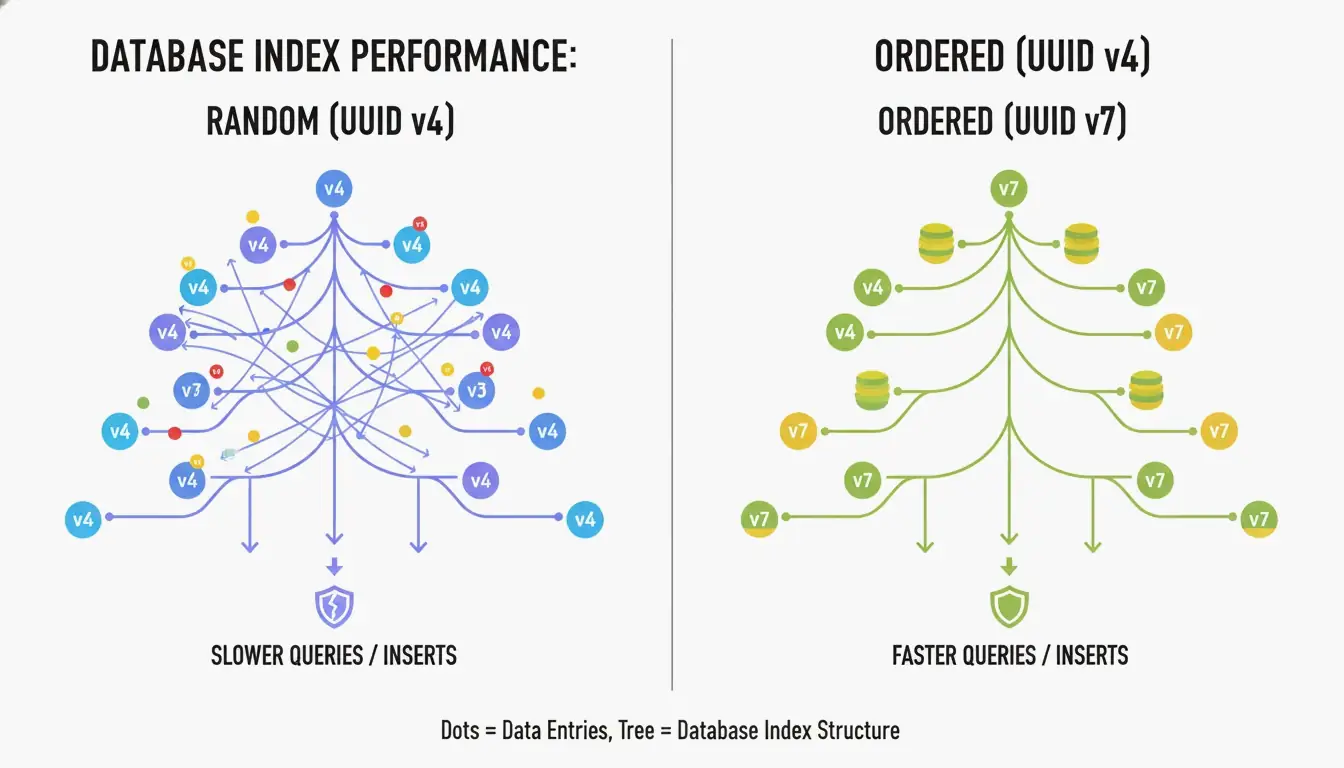
    The biggest drawback of UUID v4 is that it’s completely random. When used as a primary key in a B-tree index, the database has to insert new rows at unpredictable positions. According to CreateUUID, this causes “page splits” — the database must constantly reorganize data to make room, leading to slower writes and wasted memory.

    UUID v7 solves this by placing a 48-bit Unix Epoch timestamp (millisecond precision) at the start of the ID. This makes IDs monotonically increasing — new ones are always larger than old ones. The database can simply append to the end of the index, giving you the performance of a sequential integer with the global uniqueness of a UUID.

    UUID v4 随机插入 vs UUID v7 顺序插入的对比

    How UUID v7 Balances Time and Entropy

    UUID v7 fills the remaining 74 bits using a CSPRNG (Cryptographically Secure Pseudo-Random Number Generator). According to Wikipedia, you’d need to generate about 1 billion UUIDs per second for 85 years to reach a 50% collision probability. For any real application, UUID v7 is effectively collision-proof.

    Storage Best Practices: Binary(16) vs. String(36)

    How you store UUIDs matters as much as which version you use:

    Storage Format Space Index Performance Recommendation
    Binary(16) 16 bytes High (compact) Best practice
    Native UUID type 16 bytes High (optimized) Best for PostgreSQL
    String (Char 36) 36–72 bytes Low (fragmented) Avoid

    SnapUtils recommends always using native types over strings. In PostgreSQL, the native uuid type stores data in a compact 16-byte binary format while still supporting standard string-based queries.

    UUID vs GUID: Is There a Difference?

    A GUID (Globally Unique Identifier) is Microsoft’s implementation of the UUID standard. Historically, there was a difference in byte ordering (endianness) — early Microsoft GUIDs used little-endian for the first three fields, while standard UUIDs used big-endian (network byte order) (SnapUtils).

    By 2026, this is mostly a naming convention. Under RFC 9562, they work identically. A Guid.NewGuid() in .NET is fully compatible with a uuid.uuid4() in Python. You’ll hear “GUID” in Windows/Azure circles and “UUID” in Linux and open-source communities.

    Implementing Modern UUIDs: Language-by-Language

    Language UUID v4 UUID v7
    Python Built-in uuid module uuid6 or uuid7 package
    JavaScript crypto.randomUUID() uuid npm package (v10+)
    PostgreSQL gen_random_uuid() (PG 13+) Native uuidv7() (PG 17+) or extensions
    .NET Guid.NewGuid() Community packages
    Rust uuid crate (v1.7+) uuid crate with v7 feature

    Deterministic IDs: UUID v5

    If you need the same ID every time for a given input (like a URL or username), use UUID v5. It hashes a Namespace UUID and a name string using SHA-1 — perfect for deduplication when you can’t check a central database.

    The Privacy Lesson of UUID v1

    UUID v1 uses a timestamp and the computer’s MAC address. It’s been largely abandoned because it leaks hardware information. A famous example: the Melissa Virus creator was caught because UUIDs in infected Word documents contained his specific MAC address.

    Advanced RFC 9562: v6, v8, and Special UUIDs

    RFC 9562 added specialized versions for niche distributed system needs:

    Version Purpose Use When
    v6 Reordered v1 timestamp — sortable while keeping v1’s precision Migrating legacy v1 systems
    v8 Custom — 122 bits for developer-defined data Experimental or vendor-specific schemes
    Nil UUID 00000000-0000-0000-0000-000000000000 Null placeholder
    Max UUID FFFFFFFF-FFFF-FFFF-FFFF-FFFFFFFFFFFF Range endpoint marker

    Conclusion

    RFC 9562 has updated unique identifiers for the modern cloud era. The practical guidance:

    • Database primary keys → Use UUID v7 for time-ordered, fragmentation-free inserts
    • General randomness → UUID v4 remains perfectly fine
    • Deduplication → UUID v5 gives you deterministic IDs
    • Storage → Always use Binary(16) or native UUID types, never strings

    Action item: Check your database schemas. If you’re using UUID v4 as a primary key in tables with millions of rows, migrating to UUID v7 is a straightforward change that can significantly reduce index fragmentation and speed up queries.

    FAQ

    Is a UUID the same as a GUID?

    Functionally, yes. A GUID is Microsoft’s implementation of the UUID standard. Under RFC 9562, they are identical in behavior — you can use them interchangeably across .NET, Java, and Python applications.

    Can two UUIDs ever collide in a real-world scenario?

    Mathematically possible, practically impossible. For UUID v4, you’d need to generate approximately 2.71 quintillion IDs to reach a 50% collision probability. According to Generate-Random.org, generating 1 billion UUIDs per second for 85 years gives you only a 50% chance of a single collision.

    Should I store UUIDs as strings or binary in my database?

    Always prefer Binary(16) or the native UUID type (available in PostgreSQL). A 36-character string consumes more than twice the space and significantly slows down index lookups and joins. SnapUtils notes that the performance benefits of RFC 9562 are maximized when storage stays compact.

    When should I use UUID v5 instead of UUID v4?

    Use v5 when you need deterministic IDs — the same input always produces the same UUID, without checking a database. Use v4 when you need complete randomness and want to ensure the identifier can’t be reverse-engineered to its source.

  • Master AI Image Generator Prompts: The 2026 Framework for Pro Visuals

    Master AI Image Generator Prompts: The 2026 Framework for Pro Visuals

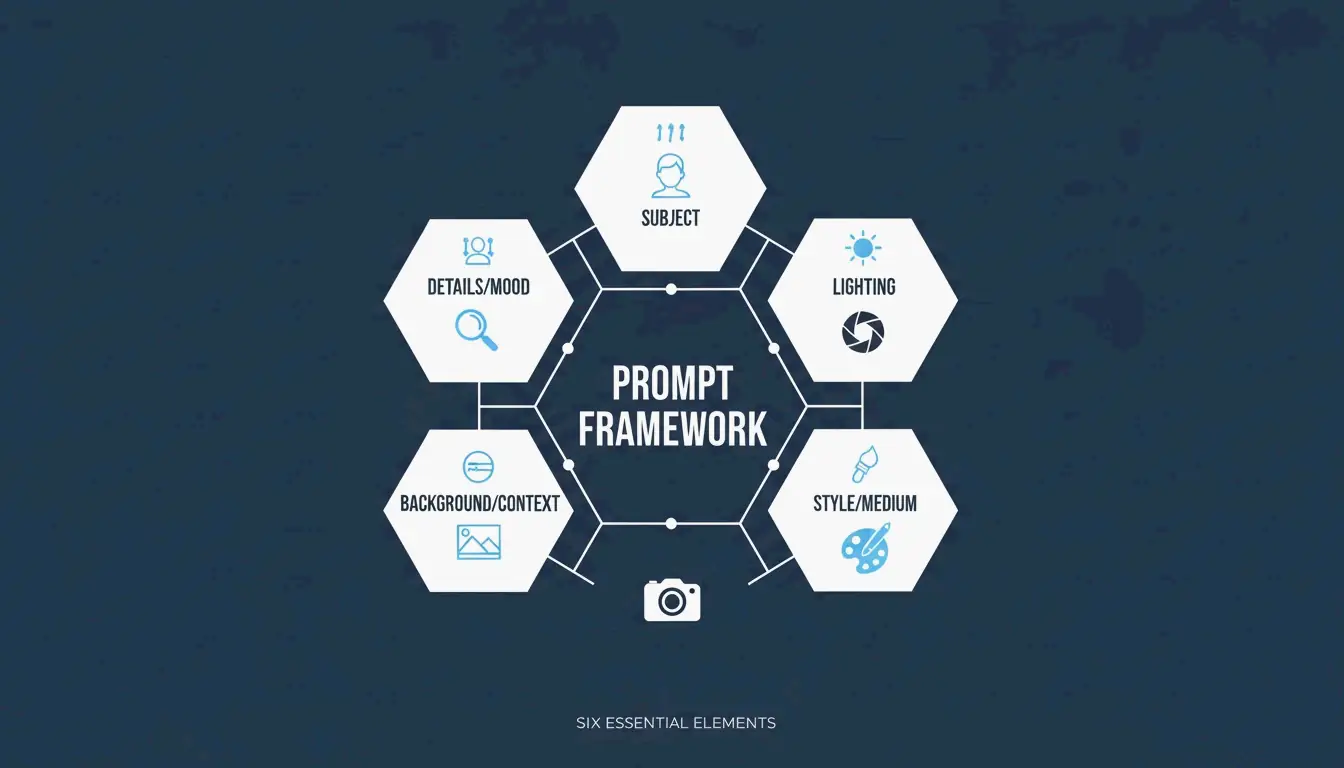
    Getting great results from an AI image generator isn’t about luck or typing “make it beautiful.” In 2026, professional visuals come from structured prompting — treating the AI like a camera and art director combined. The approach that’s emerged as the industry standard is the Six-Element Framework: Subject, Environment, Style, Lighting, Composition, and Quality Modifiers.

    This guide covers the full framework, compares the top models (GPT Image 2, Nano Banana 2, Flux 1.1 Pro, Midjourney), and shows you how to iterate from a rough draft to a production-ready image.

    The Six-Element Prompt Framework

    The key shift: stop describing and start instructing. Data from Adobe shows that by 2025, 67% of marketing teams had integrated AI generation into daily workflows — making prompt engineering a core professional skill.

    Here’s the framework that ensures every element of your image is a deliberate choice:

    Element What to Specify Example
    Subject Main focus with physical details “a slim silver laptop open at a 90-degree angle on a white oak desk”
    Environment Background or setting “minimalist studio with soft gray walls”
    Style Medium or visual genre “editorial photography,” “flat illustration,” “3D render”
    Lighting Direction, quality, temperature “soft natural window light from the left, warm tone”
    Composition Camera angle and framing “wide angle, eye-level perspective, shallow depth of field”
    Quality Technical output targets “4K, ultra-realistic, high-fidelity”

    A clean, minimalist diagram showing the 6 interconnected elements of the prompt framework.

    Why Precision Beats Adjectives

    Words like “stunning” or “beautiful” don’t tell an AI model anything useful. Specifying a “50mm lens” or “DSLR-style photography” forces the AI to simulate real-world optics — including natural background blur (bokeh). According to the ImagineArt Guide, controlling the lighting is the single most effective way to move from a “fake AI look” to a professional photograph.

    Case Study: 75% Cost Reduction in E-commerce

    This framework isn’t just about aesthetics — it’s changing the economics of content production. As reported by Pixazo, one e-commerce platform used structured prompting with Seedream 4.5 and 5.0 to generate over 10,000 product images per month. By replacing traditional photoshoots (typically $2,000–$10,000 each), the company cut creative costs by 75% and accelerated time-to-market.

    GPT Image 2: Typography and Complex Instructions

    GPT Image 2 is a 2026 breakthrough because it handles layered instructions and renders legible text within images — something earlier models struggled with. To get clean typography:

    • Put the desired text in quotes: "SALE 50% OFF"
    • Specify the font style: “bold sans-serif” or “thin serif”
    • Define placement: “centered on a white banner, top third of the image”

    The 2K Reliability Boundary

    Technical precision extends to resolution. While GPT Image 2 can target 4K (3840×2160), OpenAI’s documentation suggests treating anything above 2560×1440 (2K) as an “experimental boundary.” For consistent textures and logic in production, stay within 2K. Always ensure dimensions are a multiple of 16.

    Prompting for Brand Consistency

    GPT Image 2 is built for “Context-Rich Prompts.” Instead of just describing the image, tell the AI what it’s for. IndianPrompt recommends framing like: “Generate a professional image for a blog article about productivity… the mood should be optimistic.” This helps the model select color palettes and layouts that fit professional design standards automatically.

    Nano Banana 2 and Flux 1.1 Pro: Photorealism Leaders

    If your goal is absolute photographic realism, here’s how the top models compare:

    Model Strength Best For
    Nano Banana 2 (Gemini 3 Pro Image) Micro-textures: skin pores, fabric weaves, aged materials at 4K Architecture, product photography, hyper-realism
    Flux 1.1 Pro Natural light simulation — how light bounces, where shadows fall Developer pipelines, consistent lighting, high-volume work
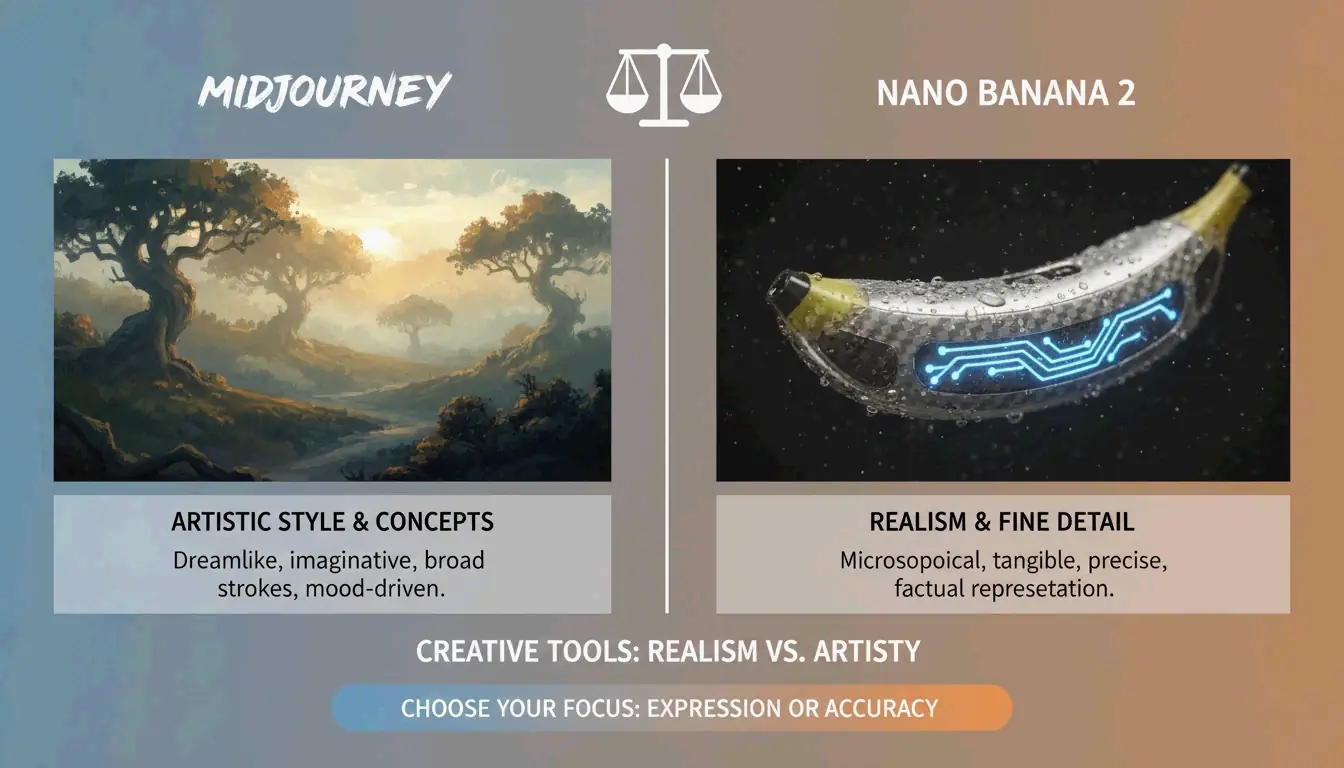
    Midjourney Artistic mood, atmospheric imagery, editorial style Abstract concepts, brand storytelling, “feeling over accuracy”

    AIMLAPI notes that Nano Banana 2 is currently the most detailed model for architecture and product shots. Midjourney still holds a 26.8% market share in 2026 (Prodia), making it the go-to when you need an “artistic vibe” rather than a literal document.

    A high-contrast comparison between 'Artistic Mood' (Midjourney) and 'Photorealistic Truth' (Nano Banana 2).

    Advanced Techniques: Iterative Refinement

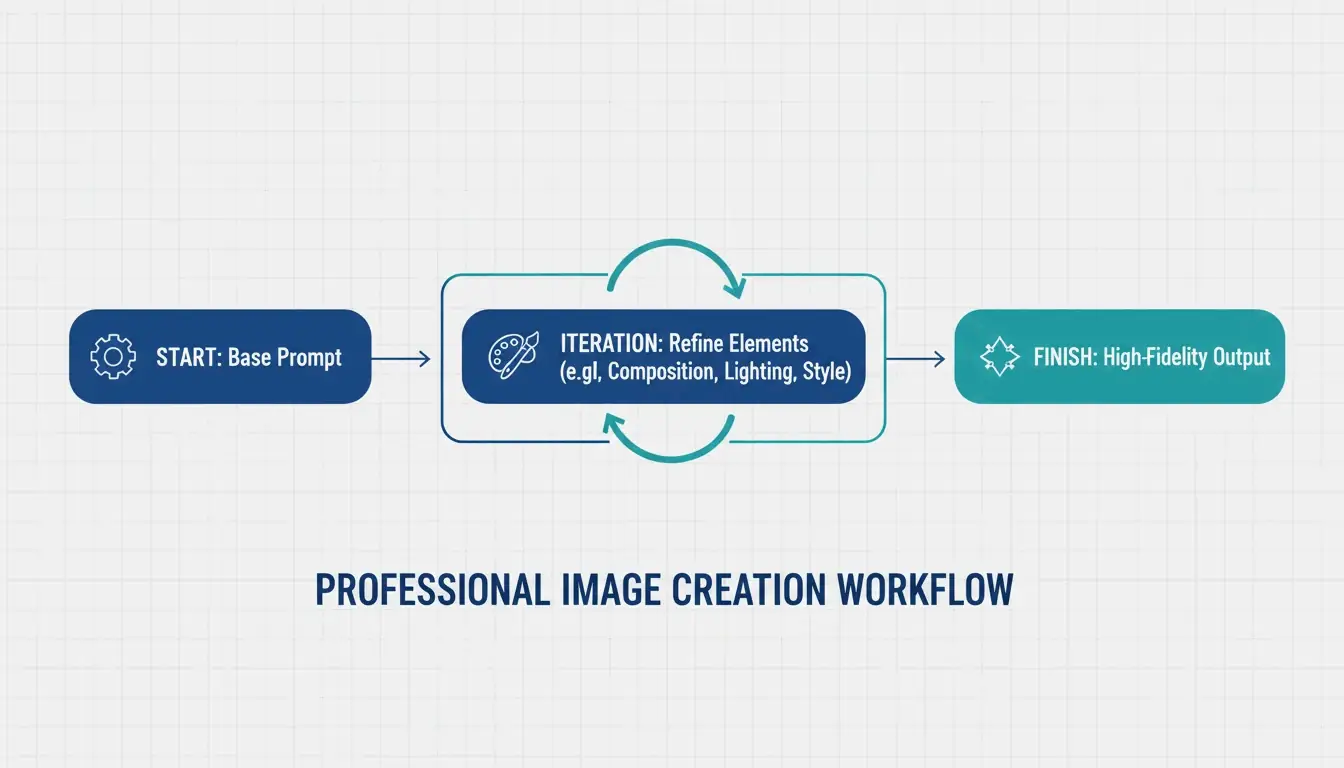
    Professional AI images are rarely perfect on the first try. The industry standard is a 3–5 step refinement loop:

    1. Base prompt — Get the composition and subject right
    2. Refinement passes — Use targeted instructions like “change only the jacket color, keep the face identical”
    3. Final polish — Adjust lighting, fix artifacts, ensure brand alignment

    ImagineArt emphasizes the importance of restating invariants — explicitly telling the AI what should not change between iterations. Without this, the model tends to drift.

    A 3-step iterative loop: Base Prompt -> Refinement -> Final Polish.

    Negative Prompts for Quality Control

    Negative prompting remains essential — tell the AI what to exclude:
    "extra fingers, extra limbs" — Classic AI artifacts
    "text overlays, watermarks" — Unwanted additions
    "stock photo aesthetic, over-smoothed skin" — The generic “plastic” look common in high-saturation outputs

    Preparing for Image-to-Video

    A major 2026 trend: generating static images optimized for video tools like Kling or Grok. When creating visuals for the Image-to-Video (I2V) pipeline, ensure high-resolution keyframes with consistent features so the AI can animate the scene without glitches.

    Specialized Workflows: SVG Output and Brand Consistency

    For designers who need scalable files, Recraft V4 is the standout — the only major model that outputs true SVG (scalable vector) files. According to AIMLAPI, its native brand kit support lets you upload your own color palettes and logos, ensuring every generation fits your company’s design language.

    Character Consistency Across Scenes

    Tools like Midjourney and Nano Banana 2 now support “Character Reference” (Cref) tags, allowing the same character to appear consistently across different scenes. Combined with a “Character Seed” prompt that defines fixed traits (age, hair color, clothing), this is a major win for brand storytelling.

    Legal Safety for Commercial Use

    Adobe Firefly, with over 6.5 billion visuals created, remains the top choice for enterprise use because it’s trained on licensed content and offers commercial protection that open-source models can’t match. Always verify the latest AI disclosure requirements for your market.

    Conclusion

    Professional AI imagery in 2026 has moved from creative guesswork to structured engineering. The practical approach:

    • Use the Six-Element Framework for every prompt — Subject, Environment, Style, Lighting, Composition, Quality
    • Choose the right model — GPT Image 2 for typography and layouts, Nano Banana 2 for photorealism, Midjourney for artistic mood
    • Iterate 3–5 times — Start with composition, refine details, then polish
    • Think beyond static — Optimize for the Image-to-Video pipeline when needed

    Mastering these technical instructions turns AI from a novelty toy into a high-performance digital studio.

    FAQ

    Which AI image generator is best for rendering clear text in 2026?

    GPT Image 2 is the current leader for typography (AIMLAPI). It follows complex layout instructions better than Nano Banana 2 or Midjourney. For best results, place text in quotes and specify font style and placement.

    Can I use AI-generated images for commercial marketing?

    Yes, but it depends on the tool’s license. Enterprise tiers of GPT Image 2 and Adobe Firefly generally allow commercial use. Prodia notes that Adobe Firefly is particularly safe as it’s trained on licensed content. Always check current AI disclosure requirements for your region.

    How do I maintain character consistency across multiple scenes?

    Use Character Reference (Cref) tags in Midjourney or Nano Banana 2. Create a “Character Seed” prompt defining fixed physical traits. ImagineArt suggests using iterative refinement to adjust backgrounds while keeping the subject static.

    What are the recommended resolution settings for GPT Image 2?

    For production use, stay at 2560×1440 (2K). While 3840×2160 (4K) is possible, OpenAI’s Cookbook treats the 3840px cap as experimental. Always ensure dimensions are multiples of 16.

  • What Is a Data Matrix Barcode? Definition, Specs, and Industrial Uses

    What Is a Data Matrix Barcode? Definition, Specs, and Industrial Uses

    A Data Matrix is a high-density 2D barcode — a grid of black and white cells arranged in a square or rectangle — defined by ISO/IEC 16022. It uses ECC200 (Reed-Solomon) error correction to remain readable even when damaged, and it can store up to 2,335 alphanumeric characters in a space smaller than a fingernail. As of 2026, it’s the global standard for marking small industrial components and regulated pharmaceutical items.

    This guide covers what a Data Matrix is, how it works technically, where it’s used in the real world, and how to choose between it and a QR code.

    Technical Definition: What Is a Data Matrix Barcode?

    Unlike traditional 1D barcodes that encode data in the width and spacing of parallel lines, a Data Matrix encodes information in both dimensions — horizontally and vertically. This 2D approach allows it to pack significantly more data into a much smaller physical footprint.

    Every Data Matrix features an L-shaped Finder Pattern — two solid borders that tell the scanner exactly where the symbol is and how it’s oriented, even if the code is upside down or tilted. According to Wikipedia, the current rules are defined by ISO/IEC 16022:2024 (Edition 3). The standard is in the public domain, so anyone can use it without paying royalties.

    Anatomy: Cells, Modules, and the Quiet Zone

    Component Purpose
    Finder Pattern (“L”) Two solid borders that help the scanner locate the code and determine orientation
    Timing Pattern Alternating dark/light cells opposite the “L” — tells the reader the grid dimensions
    Data Region The interior area where actual information is encoded (grows as data increases)
    Quiet Zone A mandatory blank margin outside the pattern that prevents nearby text/graphics from confusing the scanner

    The technology is remarkably scalable. Wikipedia notes that you’ll find Data Matrix codes as small as 300 micrometers etched onto silicon chips, and as large as one-meter squares painted on the roofs of train cars.

    Why ECC200 and Reed-Solomon Error Correction Matter

    Modern Data Matrix reliability comes from ECC200, which uses the Reed-Solomon algorithm to add redundant “backup” data to each symbol. This means the code still works even when part of it is scratched, dirty, or torn.

    Wikipedia reports that ECC200 can reconstruct the full data string even with up to 30% damage — as long as the L-shaped finder pattern remains visible. This makes it the top choice for harsh environments where parts face chemicals, heavy friction, or extreme heat.

    Feature ECC200 (Current Standard) ECC 000–140 (Legacy)
    Error correction Reed-Solomon Older methods
    Damage tolerance Up to 30% Lower
    Use today Global standard Only in closed systems
    Data capacity Up to 3,116 digits Lower

    Error rates are incredibly low. Wikipedia notes that scanners typically report only one error per 15,000 to 36 trillion characters, depending on code quality.

    Core Specifications: Capacity, Size, and Data Density

    The Data Matrix’s biggest advantage is data density — it holds a massive amount of information relative to its physical size.

    Data Type Maximum Capacity
    Alphanumeric characters 2,335
    Numeric digits 3,116
    Binary / byte data 1,556 bytes

    Grid sizes for ECC200 range from 10×10 up to 144×144 modules. The key measurement for calibration is the X-dimension — the size of a single module (dot or square). Most industrial scanners are calibrated for an X-dimension of at least 10 mil (0.254 mm) to ensure reliable reads.

    As Peak Technologies explains, the physical length of the code adjusts based on data content, and a checksum is always required. This flexibility lets manufacturers squeeze serial numbers, lot codes, and expiration dates onto something as small as the head of a screw.

    Industrial Uses: From Aerospace to Healthcare Compliance

    Data Matrix barcodes are the hidden engine behind global supply chains. Here’s where they show up in the real world.

    Pharmaceuticals: FDA Compliance

    In the U.S., the GS1 DataMatrix is the official standard for the FDA’s Drug Supply Chain Security Act (DSCSA). Pharmaceutical companies must mark every unit with a unique identifier to prevent counterfeit drugs from entering the market.

    Direct Part Marking (DPM) in Automotive and Electronics

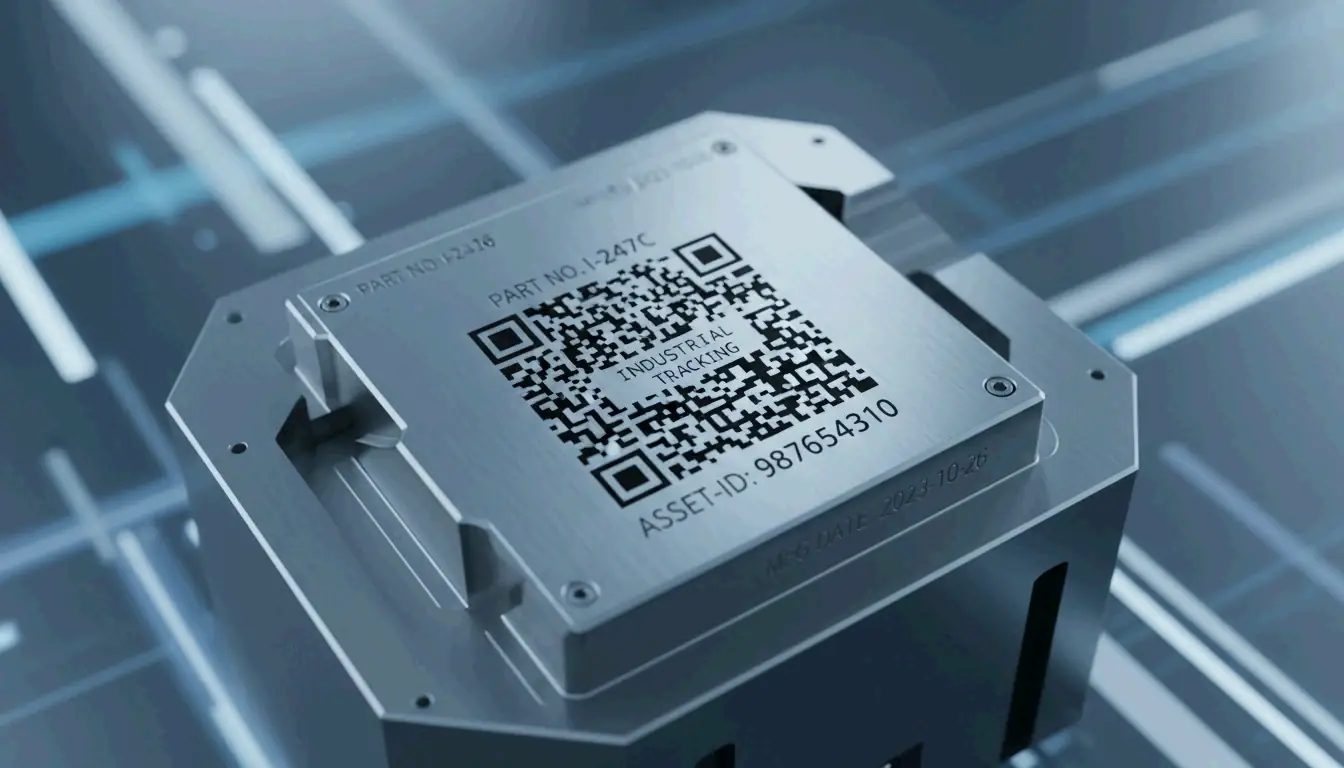
    For permanent part identification, Direct Part Marking (DPM) etches the code directly into the material rather than applying a label:

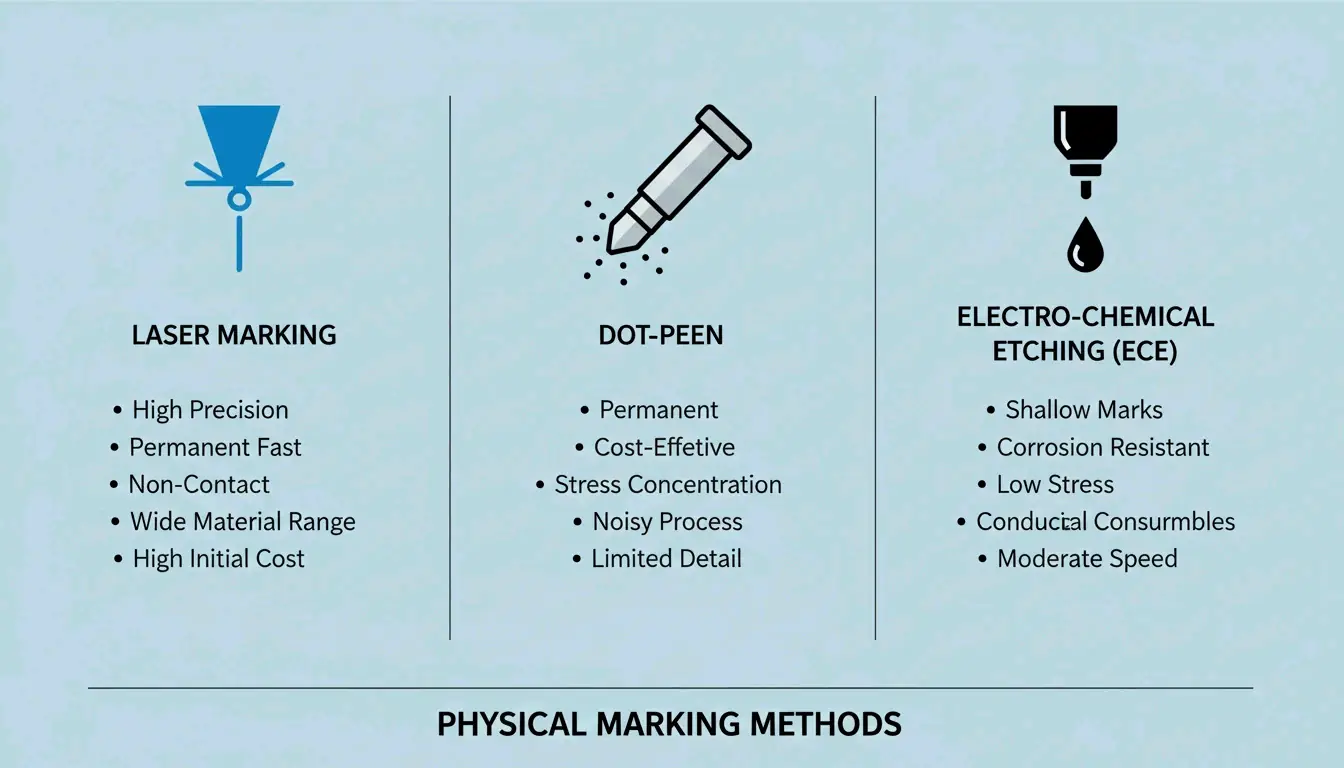
    Method How It Works Best For
    Laser marking Etches the code into metal or plastic with high-precision lasers Metal parts, plastics
    Dot-peen marking A metal stylus punches a grid of round dots into the surface Hard metals, harsh environments
    Electrolytic Chemical Etching (ECE) Chemical process creates a permanent mark on metal Conductive metals

    Comparison of different DPM marking methods

    Labels vs. Direct Marking: How to Choose

    When setting up a marking system, the choice depends on the application:

    1. Polyimide labelsCleverence calls these the “gold standard” for circuit boards (PCBs) because they survive reflow ovens and chemical washes.
    2. Laser etching — The go-to for aerospace parts where labels might peel off, or for tiny silicon chips with no room for a sticker.
    3. Contrast requirements — No matter the method, Elmed emphasizes that you need sharp contrast between light and dark cells for camera-based scanners to read the code reliably.

    Data Matrix vs. QR Code: Which Should You Choose?

    Both are 2D barcodes, but they’re designed for different purposes:

    Feature Data Matrix QR Code
    Physical size (same data) Smaller Larger
    GS1-approved for healthcare Yes (only 2D code approved) No
    Smartphone scanning Requires specialized app Native on most phones
    Best for Industrial tracking, small parts, pharma Consumer marketing, URLs, menus
    Durability Excellent (DPM compatible) Lower (typically printed labels)

    For industrial tracking — where space is tight and environments are harsh — the Data Matrix wins due to its smaller footprint, higher durability, and DPM compatibility. For consumer-facing applications, QR codes are the practical choice because anyone with a smartphone can scan them.

    Conclusion

    The Data Matrix barcode remains the gold standard for high-density industrial tracking in 2026, backed by the updated ISO/IEC 16022:2024 standards. Its ability to encode thousands of characters into a microscopic footprint — and survive 30% damage through ECC200 error correction — makes it indispensable from factory floors to pharmaceutical supply chains.

    When implementing a system:
    Always use ECC200 for global compatibility
    Choose DPM (laser/dot-peen) for parts facing harsh conditions
    Use polyimide labels for PCBs and high-temperature applications
    Ensure strong contrast between light and dark cells for reliable scanning

    FAQ

    What is the maximum data capacity of a Data Matrix barcode?

    Under ISO/IEC 16022, a Data Matrix can store up to 2,335 alphanumeric characters or 3,116 numeric digits. The physical size of the code depends on the X-dimension (module size) chosen for the application and scanner capabilities.

    Can a Data Matrix barcode be read if it is partially damaged?

    Yes — provided it uses the ECC200 standard. The Reed-Solomon error correction algorithm allows the symbol to remain fully scannable even when up to 30% of the surface area is damaged or obscured. This makes it ideal for parts exposed to chemicals, abrasion, or high heat.

    Do I need a license to use Data Matrix barcodes?

    No. The Data Matrix symbology is in the public domain. The original patents (held by International Data Matrix, Inc.) have expired. The specifications are now governed by ISO/IEC standards, and any organization can generate and use Data Matrix barcodes freely without paying royalty fees.

  • ISBN 10 vs 13: Key Differences, Conversion Guide, and the 979 Prefix Explained

    ISBN 10 vs 13: Key Differences, Conversion Guide, and the 979 Prefix Explained

    Every book published today carries a 13-digit ISBN — the universal identifier that makes it scannable at any checkout counter worldwide. But if you’ve been around books long enough, you’ve probably seen the older 10-digit format too. Understanding the difference between them, how to convert between the two, and why the newer “979” prefix changes everything is essential knowledge for publishers, librarians, and anyone working with book metadata in 2026.

    This guide covers the structural differences, walks through the conversion math, explains why 979-prefixed ISBNs can’t go back to 10 digits, and breaks down what you’ll pay for ISBNs today.

    ISBN-10 vs ISBN-13: Core Differences

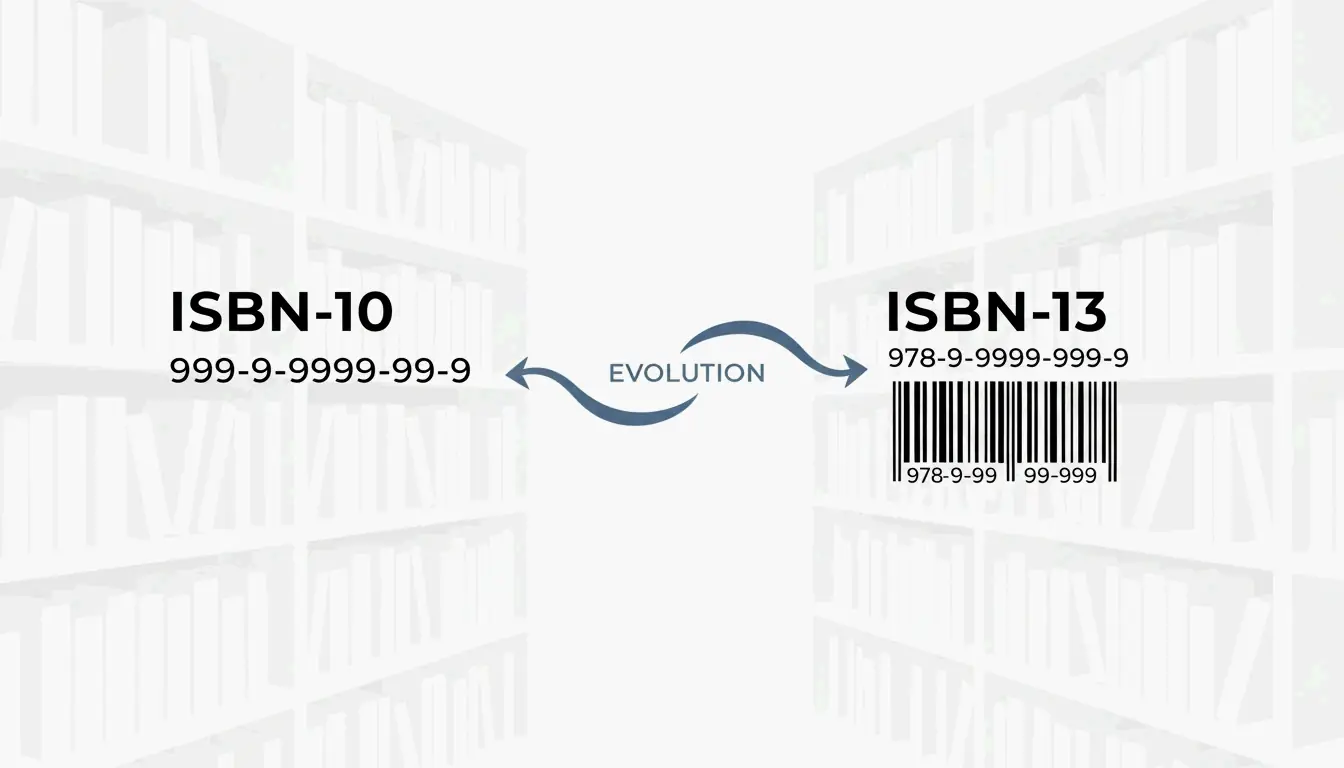
    The ISBN system’s biggest transition happened on January 1, 2007, when the industry moved from 10 digits to 13. As Wikipedia documents, the change served two purposes: expanding the pool of available numbers globally and aligning books with the EAN-13 barcode system used by virtually every retailer.

    Structural Breakdown

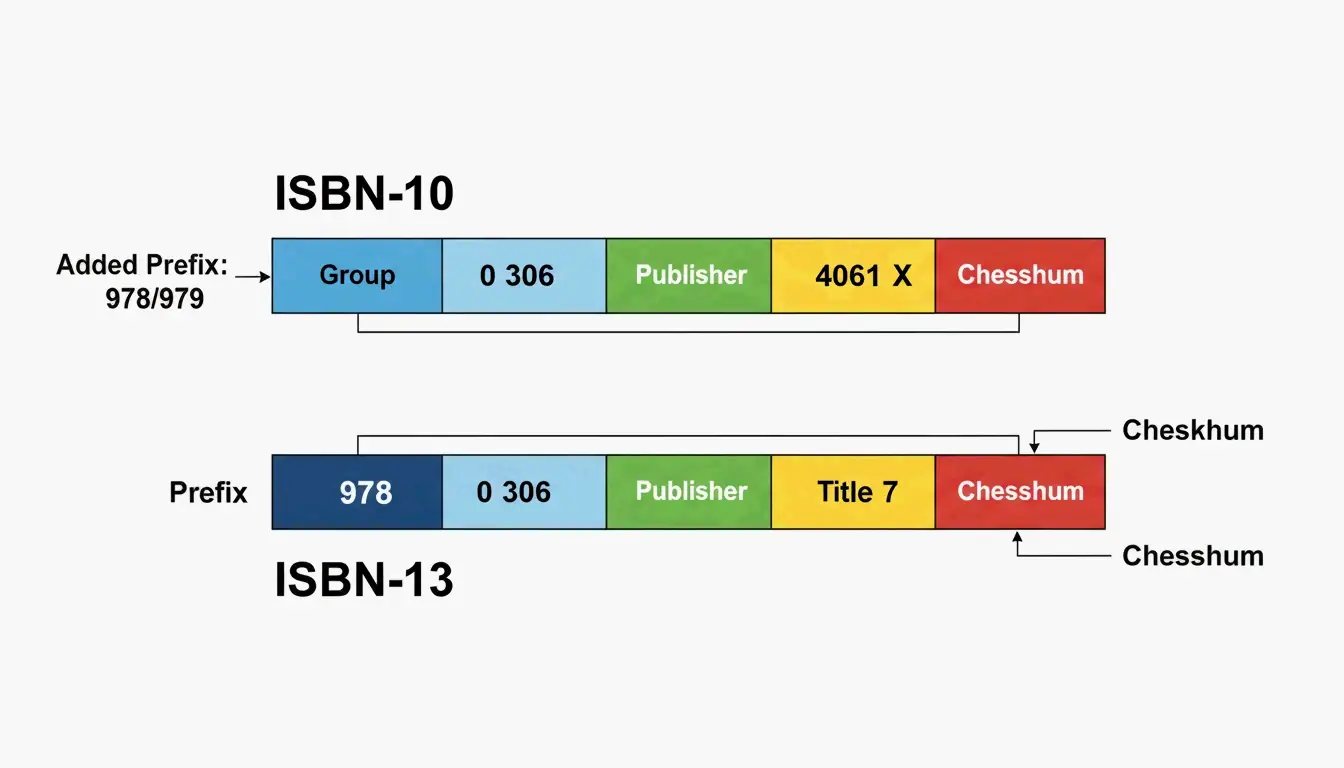
    Component ISBN-10 ISBN-13
    Total digits 10 13
    GS1 prefix None 978 or 979
    Registration group Language/country Language/country
    Registrant Publisher Publisher
    Publication Specific title/edition Specific title/edition
    Check digit Modulus 11 (0–9 or X) Modulus 10 (0–9 only)

    LiteDevTools notes that ISBN-13 is now required for modern inventory systems — it allows a book to be scanned at checkout using the same GTIN-13 data fields as any other consumer product.

    ISBN-10与ISBN-13结构的直观对比

    When to Use Which Format

    • Modern publications — Any book published after 2007 must have an ISBN-13.
    • Legacy databases — ISBN-10 is still useful for tracking old backstock or organizing library catalogs.
    • Barcodes — The scannable EAN-13 barcode on a book’s back cover requires the 13-digit version.

    The 979 Prefix: Why You Can’t Convert It Back

    The “979” prefix was a turning point for the ISBN system. Originally, all 13-digit ISBNs started with “978” — essentially a bridge connecting the 10-digit world to the 13-digit one. But as the supply of 978 numbers began running out in certain regions, GS1 introduced the 979 prefix as a new namespace.

    Regional 979 Assignments (2026)

    According to EAN Check, specific 979 prefixes are now locked in for high-output regions:

    Prefix Region / Use
    979-8 United States
    979-10 France
    979-11 Republic of Korea
    979-12 Italy
    979-0 International Standard Music Numbers (ISMN)

    Why 979 Has No ISBN-10 Equivalent

    This is a common source of confusion. While 978-prefixed ISBNs have a direct mathematical link to a 10-digit equivalent, 979 ISBNs have no ISBN-10 counterpart. As Wikipedia explains, these registration groups never existed in the old 10-digit system. If your book is assigned a 979-8 prefix in the US, it exists only as a 13-digit identifier — there is no way to “downgrade” it.

    Step-by-Step ISBN Conversion Guide

    Converting an ISBN-10 to ISBN-13 isn’t just about adding “978” to the front — the final check digit must be recalculated from scratch.

    How to Convert ISBN-10 to ISBN-13

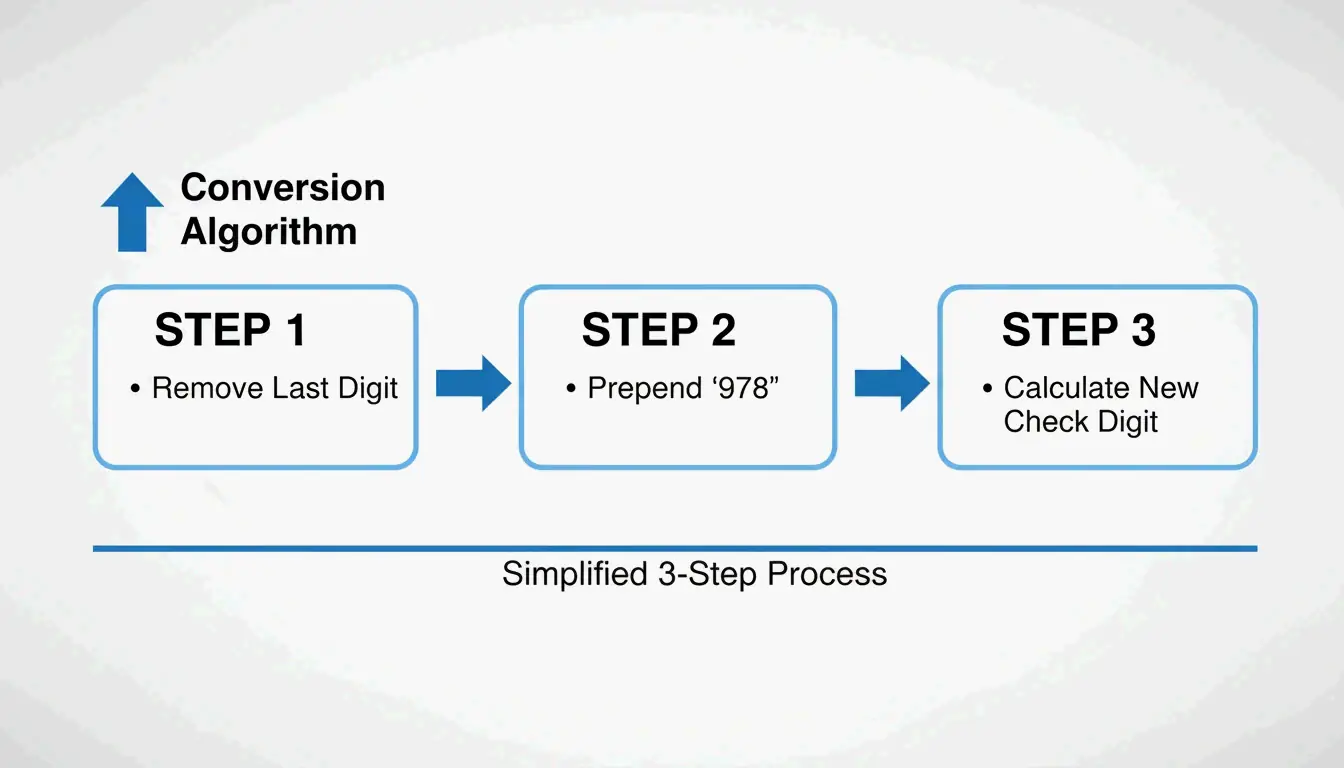
    1. Drop the check digit — Remove the last character (the 10th digit) from your ISBN-10.
    2. Prepend “978” — Add it to the front of the remaining 9 digits.
    3. Calculate the new check digit using the GS1 Modulo-10 algorithm:
    4. Multiply each of the 12 digits by alternating weights of 1 and 3 (starting with 1).
    5. Add up all the products.
    6. Find the remainder when divided by 10.
    7. Subtract the remainder from 10. (If the result is 10, the check digit is 0.)

    ISBN-10到13的转换三步法

    Worked Example

    EAN Check demonstrates that ISBN-10 0-306-40615-2 converts to ISBN-13 978-0-306-40615-7. Notice the check digit changed from 2 to 7 — this happens because the weighting and modulus are different between the two systems.

    Why the Check Digit Changes

    ISBN-10 uses Modulus 11 (which allows the letter “X” to represent 10), while ISBN-13 uses Modulus 10 (digits 0–9 only). Because the math and weights differ, the check digit almost always changes during conversion.

    2026 Publishing Standards: Costs and Requirements

    In the US, Bowker is the sole authorized ISBN agency. For self-published authors, the cost structure matters.

    Bowker Pricing (2026)

    According to Books.by:

    Quantity Price Per ISBN
    1 ISBN $125 $125.00
    10 ISBNs $295 $29.50
    100 ISBNs $575 $5.75

    Books.by points out that the $125 single-ISBN price is a bit of a trap — since every format of your book (paperback, hardcover, ebook, audiobook) needs its own ISBN, a 10-pack is almost always the smarter choice for indie publishers.

    You Need a Separate ISBN for Each Format

    Format ISBN Required? Notes
    Print (paperback/hardcover) Yes Required for bookstores and libraries
    Ebook (Amazon KDP) Optional Amazon assigns its own ASIN
    Ebook (other platforms) Yes OverDrive and library platforms require it
    Audiobook Yes Required by ACX, Findaway Voices

    International Comparison

    The US is unusual in charging for ISBNs. Wikipedia and Books.by report that ISBNs are free in Canada, India, and New Zealand, where the government manages the system directly.

    Conclusion

    The shift from ISBN-10 to ISBN-13 isn’t just a technical detail — it’s a requirement for getting your book into the modern supply chain. ISBN-10 remains useful as a historical tool for legacy databases, but the 13-digit format is the global language of the 2026 book market. The rise of the 979 prefix in the US and Europe reinforces this: the old 10-digit system has reached its limits.

    For most publishers, the practical takeaway is simple: buy ISBN-13 codes in bulk (10 or 100 packs) to cover every format, use validation tools to keep your metadata clean, and don’t try to convert 979-prefixed numbers back to 10 digits — it can’t be done.

    FAQ

    Why did the ISBN change from 10 to 13 digits in 2007?

    To prevent a shortage of available numbers as global book production grew, and to align the ISBN system with the GS1 EAN-13 barcode standard used by retailers worldwide. This allows books to be scanned using the same equipment as any other consumer product.

    Can every ISBN-13 be converted to an ISBN-10?

    No. Only ISBN-13 numbers beginning with “978” can be converted back to 10 digits. Numbers starting with “979” belong to a newer namespace that was never part of the 10-digit system — they have no ISBN-10 equivalent.

    What is the “X” found in some ISBN-10 numbers?

    The “X” represents the value 10 as a check digit. Because ISBN-10 uses Modulus 11 for error detection, there are 11 possible remainders (0–10). To keep the ISBN at exactly 10 characters, the Roman numeral “X” was adopted for a remainder of 10.

    Do I need a different ISBN for my ebook and my paperback?

    Yes. Every distinct format and edition — paperback, hardcover, ebook, and audiobook — requires its own unique ISBN. This allows retailers and libraries to track each product separately, even when the text content is identical.

    Where should the ISBN be placed on a physical book?

    According to the ISBN User’s Manual, the number must appear on the copyright page (verso of the title page) and on the lower section of the outside back cover. For print books, the ISBN is typically integrated into an EAN-13 barcode for retail scanning.

  • Everything About Your Xbox Gamertag: How to Change It, Rules for 2026, and the Asha Sharma Controversy

    Everything About Your Xbox Gamertag: How to Change It, Rules for 2026, and the Asha Sharma Controversy

    The Xbox ecosystem in 2026 looks very different from even a year ago. Under new CEO Asha Sharma, the brand has dropped the “Microsoft Gaming” label, restructured Game Pass pricing, and modernized its identity systems. Your gamertag now serves as a unified ID across consoles, PCs, phones, and cloud setups — part of a platform that has grown to over 500 million players.

    This guide covers everything: the 12-character naming rules, how to change your gamertag on any device, the new shared account policies, and the leadership changes reshaping Xbox.

    The Post-Spencer Era: Who Is Asha Sharma?

    In February 2026, the gaming world saw a major leadership shift when Asha Sharma replaced Phil Spencer as Xbox CEO. Coming from executive roles at Meta (VP of Messenger and Instagram Direct) and Instacart (COO), with a background leading Microsoft’s CoreAI division, Sharma was a surprising pick — beating out internal favorites like Sarah Bond.

    GeekWire reports her appointment was driven by a “Challenger Mindset” — a push for aggressive growth after years of flat console sales.

    The initial controversy centered on her background outside of gaming. Critics questioned whether someone from social media and grocery delivery could protect Xbox’s identity. Sharma addressed this directly in a company-wide memo, vowing to reject “soulless AI slop” and refocus on creators.

    As Asha Sharma wrote in her “We Are Xbox” message:

    “Xbox will be where the world plays and creates… we will build a global platform that connects players and creators everywhere.”

    The “We Are Xbox” Memo: 10 Core Principles

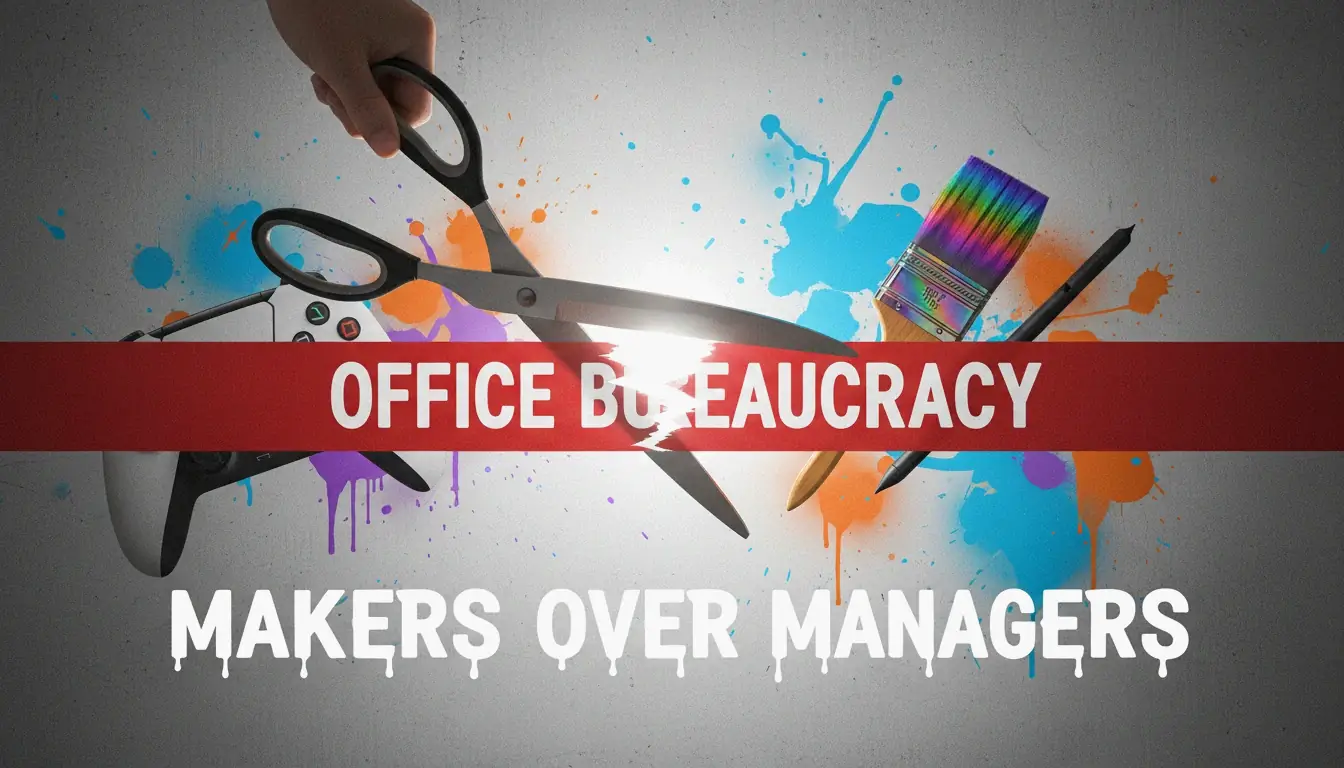
    Sharma and Chief Content Officer Matt Booty rolled out ten guiding principles for the team. The central theme: “Makers over managers” — cutting corporate red tape to prioritize game development and the player experience. With slogans like “Earn every player,” “Protect our art,” and “Stay rebellious,” the company is trying to recapture its 2001 roots as the scrappy underdog of the living room.

    "创作者优先"的视觉隐喻:打破官僚束缚

    Xbox Gamertag Rules for 2026

    By 2026, your Xbox gamertag functions as a single identity across the entire ecosystem. According to Xbox Wire, the updated system keeps your name, friends list, and progress synced across consoles, PCs, mobile apps, and cloud sessions.

    The core rules:

    Rule Detail
    Character limit 12 characters for the base name (spaces included)
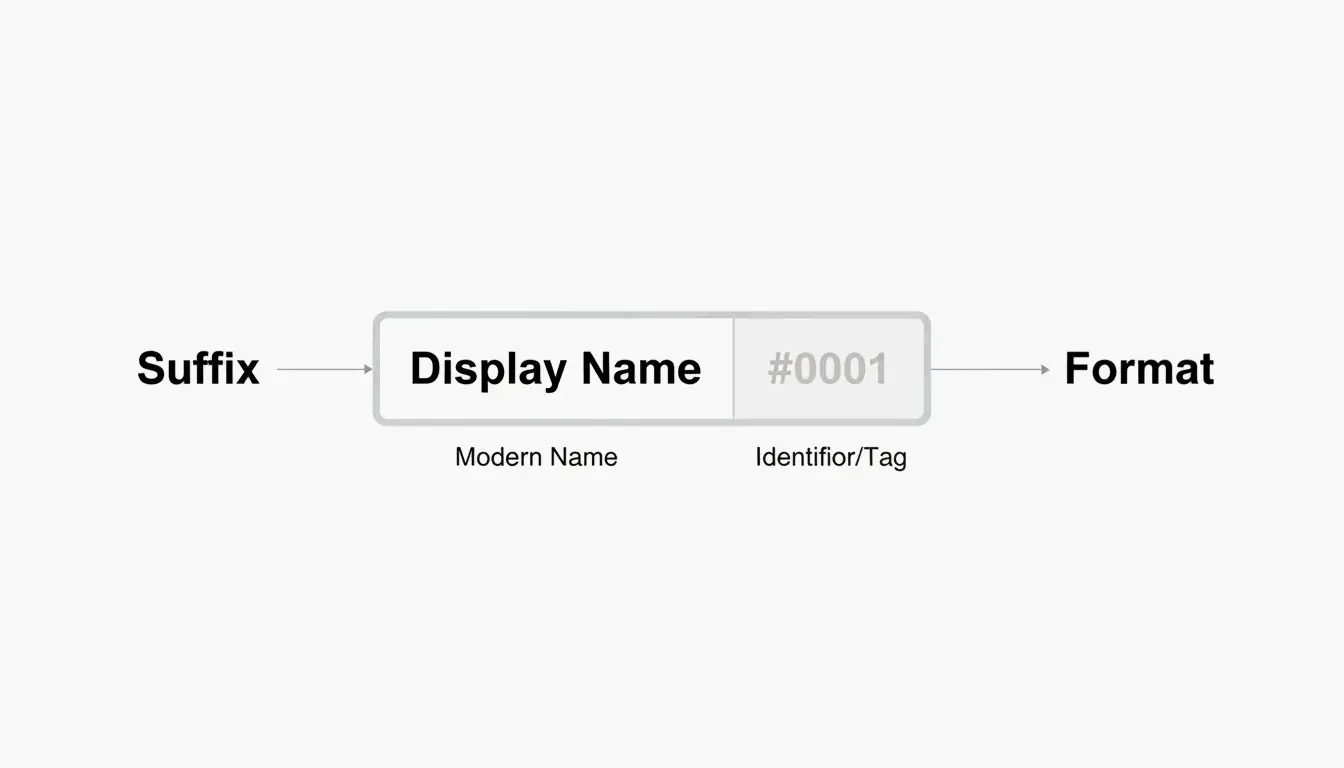
    Suffix system If your name is taken, Xbox adds #1234 automatically — doesn’t count toward the 12-char limit
    International support Non-Latin scripts and alphabets supported
    Classic tags Legacy 15-character tags remain valid if never changed
    First change Free
    Subsequent changes $9.99 USD, with a 30-day cooldown

    The suffix system is especially important as Xbox expands into emerging markets like China — it allows millions of new players to use display names they want without global name conflicts.

    Personal vs. Shared: The New Account Policy

    A notable 2026 update addresses Personal Gamertags versus Shared Home Accounts. This became a talking point after a small controversy involving Sharma’s own tag, AMRAHSAHSA, which displayed a mix of achievements from different players. Sharma explained on X that she had been using a “shared home account” with her family.

    The 2026 rules now recommend:
    Individual profiles for personal achievements and saves
    “Project Helix” sharing to distribute your full game library to everyone in the household

    How to Change Your Xbox Gamertag in 2026

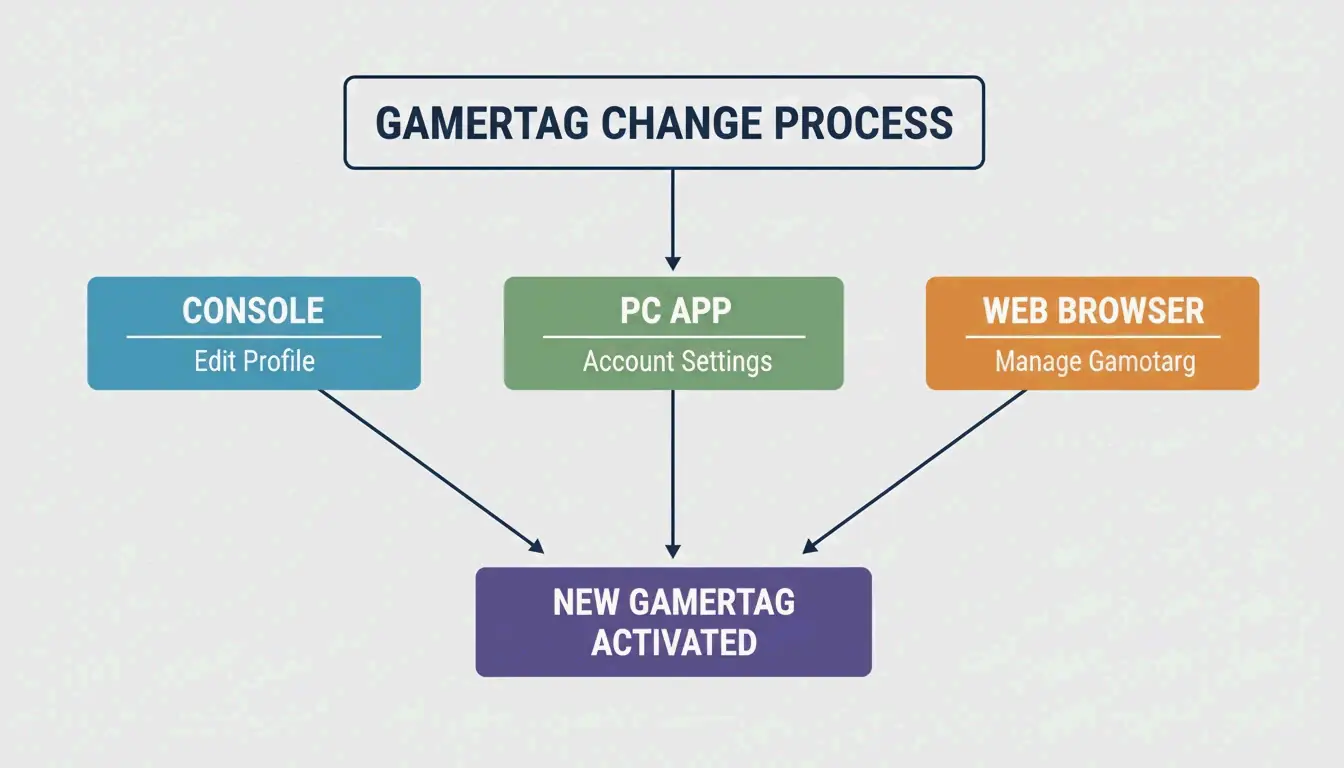
    The process works across all devices. Your cloud saves, friends list, and game purchases are tied to a hidden internal ID — changing your display name won’t affect any of them.

    On Console (Series X|S or Project Helix)

    1. Press the Xbox button to open the guide
    2. Go to Profile & system → select your profile
    3. Choose My profileCustomize profile
    4. Click your current gamertag and type the new one
    5. Confirm

    On PC (Xbox App)

    1. Click your profile photo (top-left corner)
    2. Go to SettingsChange Gamertag
    3. Complete the change on the secure web page

    On the Web

    1. Go to xbox.com and sign in
    2. Navigate to your profile and follow the prompts

    修改Gamertag的三个核心渠道流程

    Updating on Project Helix Hardware

    If you’re using Project Helix — the 2026 initiative to make consoles and PCs perform identically — name changes propagate instantly. Your updated gamertag appears in multiplayer lobbies and friend lists across all active sessions without needing a restart.

    Why Is Xbox Game Pass Changing?

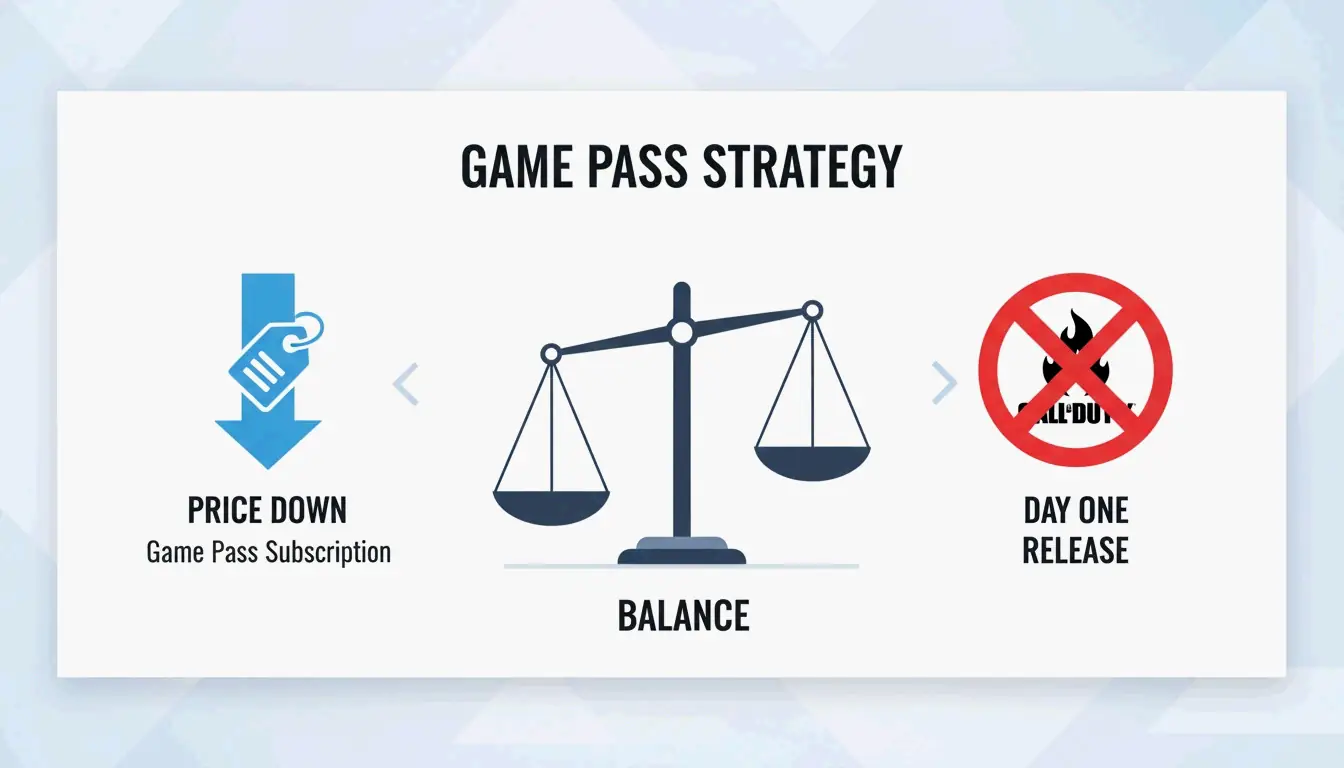
    Under Sharma, Game Pass has seen its biggest shake-up yet. The most controversial move: Microsoft stopped putting new Call of Duty games on the service on “Day One.”

    Change Detail
    Call of Duty on Game Pass No longer available on release day
    Reason Drive direct sales for Activision Blizzard titles, help recoup the $69.7B acquisition
    Subscription price Lowered in early 2026, reversing a 50% hike from 2025
    Success metric Shifted from subscriber count to daily active users (DAU)

    In Game News reports the CoD decision was made to increase direct sales. To offset the loss, Sharma lowered subscription prices — Pure Xbox notes the goal is to make Game Pass “affordable and open” again.

    2026年Game Pass策略对比:价格下降 vs 独占权调整

    Additionally, leadership is taking a “data-driven” approach to exclusives — evaluating which titles might perform better on other platforms to reach wider audiences, rather than locking everything behind the Xbox brand.

    Conclusion

    The 2026 Xbox era is defined by a return to the “Xbox” identity and a more sustainable business model. By moving away from the “Microsoft Gaming” corporate feel and adjusting Game Pass pricing, the company is trying to recapture its challenger energy.

    For players, it’s a good time to:
    Review your gamertag settings — Make sure they align with the new shared home account rules
    Reevaluate Game Pass — The 2026 price drops may change the value equation for you
    Watch for Project Helix — Cross-device identity syncing is coming

    Even though losing Day-One Call of Duty is a disappointment for some, the focus on affordability and creators suggests a more stable path forward for the 500 million people playing on Xbox.

    FAQ

    Is Call of Duty still available on Xbox Game Pass on day one in 2026?

    No. Starting in early 2026, under CEO Asha Sharma’s new strategy, Call of Duty titles no longer launch on Game Pass on their release date. This change was made to increase direct sales for Activision Blizzard’s biggest games.

    Who is Asha Sharma and what is her professional background?

    Asha Sharma became Xbox CEO in February 2026, replacing Phil Spencer. Before this, she led Microsoft’s CoreAI division and held major leadership roles at Instacart (COO) and Meta (VP of Messenger and Instagram Direct).

    What is “Project Helix” and how does it affect Xbox hardware?

    Project Helix is a 2026 hardware initiative focused on unifying the experience across Xbox consoles and PCs. Players get the same performance, identity, and progress tracking on any high-end device — gamertag changes propagate instantly across all sessions.

    How much does it cost to change an Xbox Gamertag in 2026?

    Your first gamertag change is free. After that, it costs $9.99 USD with a 30-day cooldown between changes. Changing your name won’t affect your achievements, friends list, cloud saves, or game purchases.

  • How to Make QR Codes for Websites: A 2026 Guide to Secure and Custom Designs

    How to Make QR Codes for Websites: A 2026 Guide to Secure and Custom Designs

    A QR code on a flyer, business card, or storefront window is a direct bridge from the physical world to your website. In 2026, the process is straightforward: copy your URL, paste it into a generator like Bitly or Adobe Express, customize the look, and download an SVG for print.

    But doing it well — with proper tracking, brand consistency, and security — takes a bit more thought. This guide walks through the full process: from preparing your URL and choosing between static and dynamic codes, to preventing quishing attacks and getting the print size right.

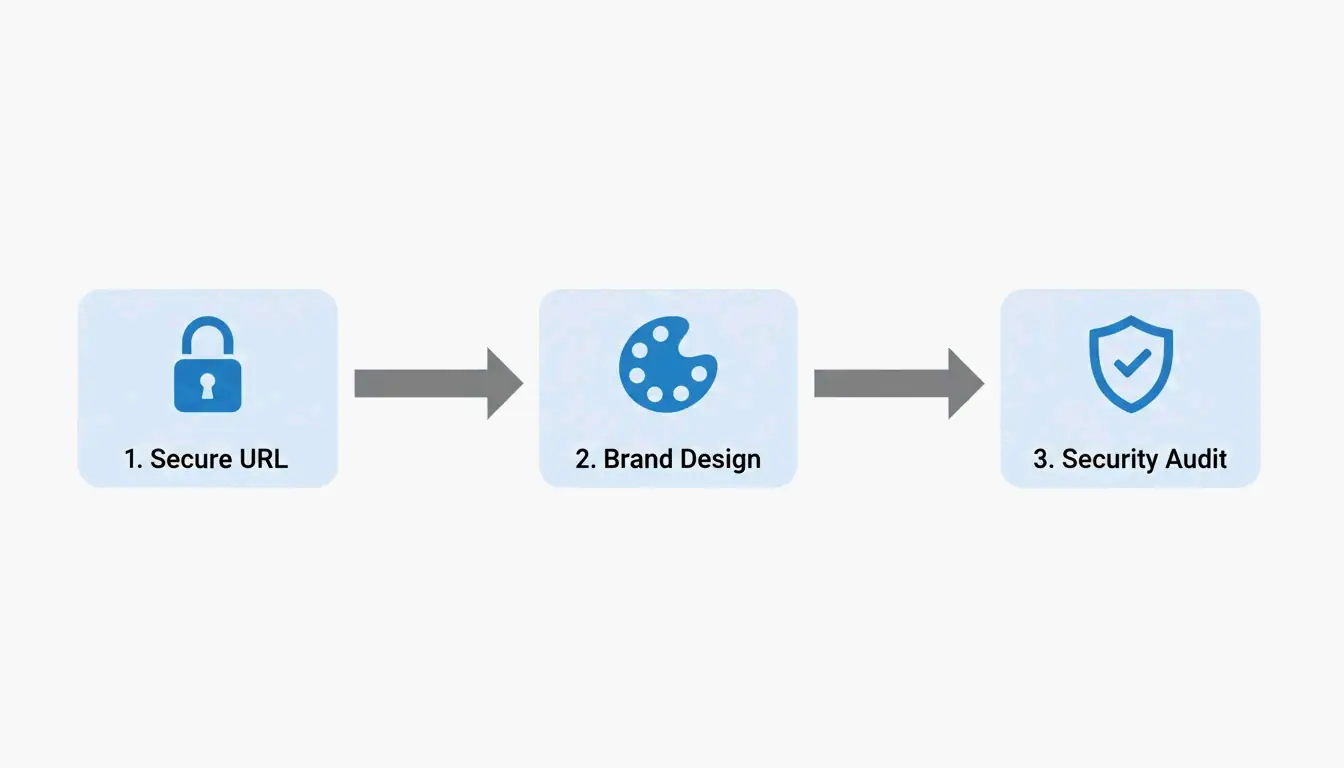
    The 2026 Framework: 4 Steps to a Professional Website QR Code

    Data from QR Code AI 2026 shows that custom-branded QR codes get up to 30% more scans than plain black-and-white ones. Here’s how to get there.

    Step 1: URL Preparation and UTM Tagging

    Before you generate anything, prepare your destination URL:

    1. Use HTTPS — Always. An HTTP link will trigger browser security warnings that scare users away.
    2. Add UTM parameters — Append tags like ?utm_source=flyer&utm_campaign=spring_sale to track exactly which QR code drove the traffic in Google Analytics.
    3. Shorten long URLs — For static codes, a shorter URL produces a simpler, faster-scanning pattern. Use a URL shortener before generating the code.

    Step 2: Customize for Brand Identity

    Modern generators (Canva, Bitly, Adobe Express) go well beyond the basic black-and-white grid. You can:

    • Add your brand colors to the foreground modules
    • Place a logo in the center of the code
    • Include a Call to Action frame like “Scan to Order” or “Scan for Menu”
    • Use AI-powered tools to blend the QR pattern with artistic brand imagery

    The key is making the code feel like part of your design, not an afterthought bolted onto the corner.

    Step 3: Pre-Print Security Audit

    Don’t send anything to print until you’ve verified:

    • The destination URL is live and loading correctly
    • Any redirects are functioning as expected
    • The code is not vulnerable to quishing (QR phishing — where scammers swap your code for a malicious one)
    • The exported file is SVG format, which stays sharp at any print size

    3-step creation process: Secure URL, Custom Brand, Security Audit

    Step 4: Choose Your Format (Static or Dynamic)

    This decision shapes everything else — see the detailed comparison below.

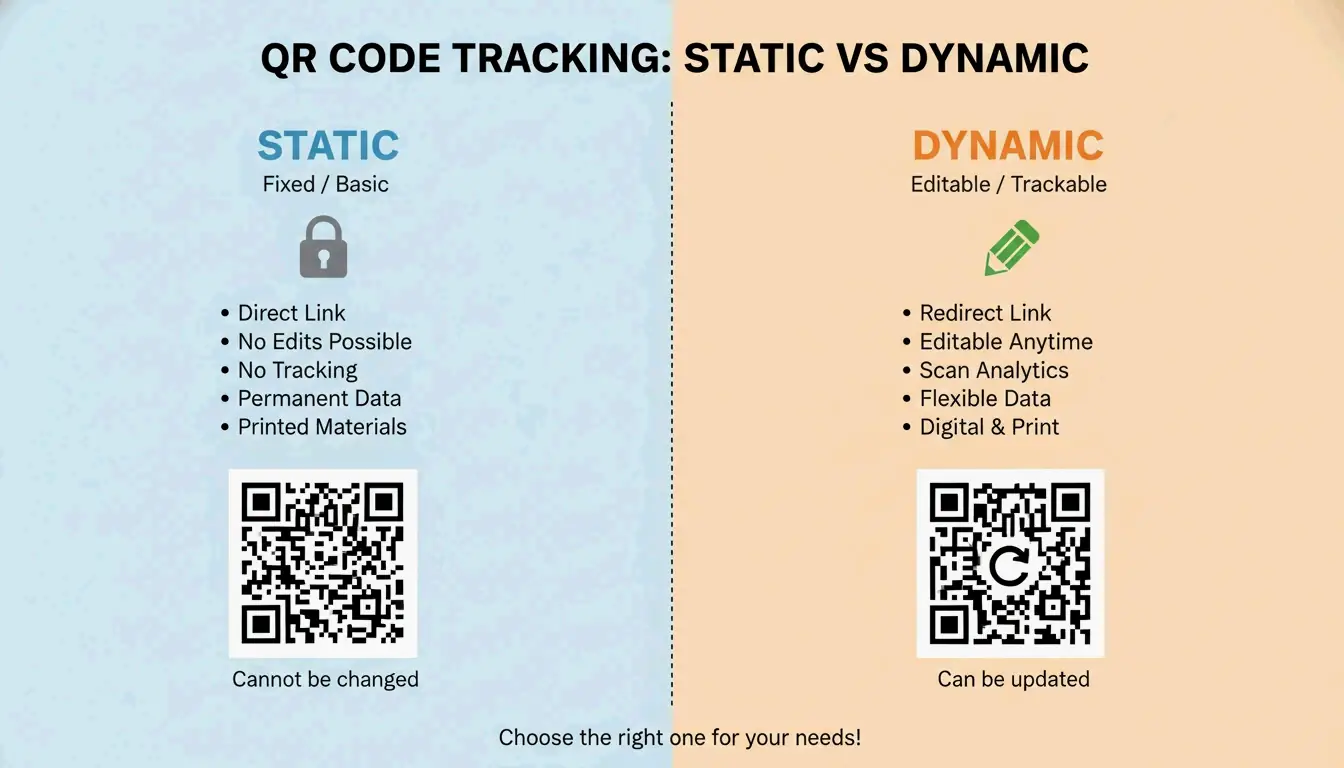
    Static vs. Dynamic QR Codes: Which Should You Choose?

    As the DoItQR Industry Guide puts it, “A URL is invisible on a printed surface” — which is why the flexibility of your format matters so much.

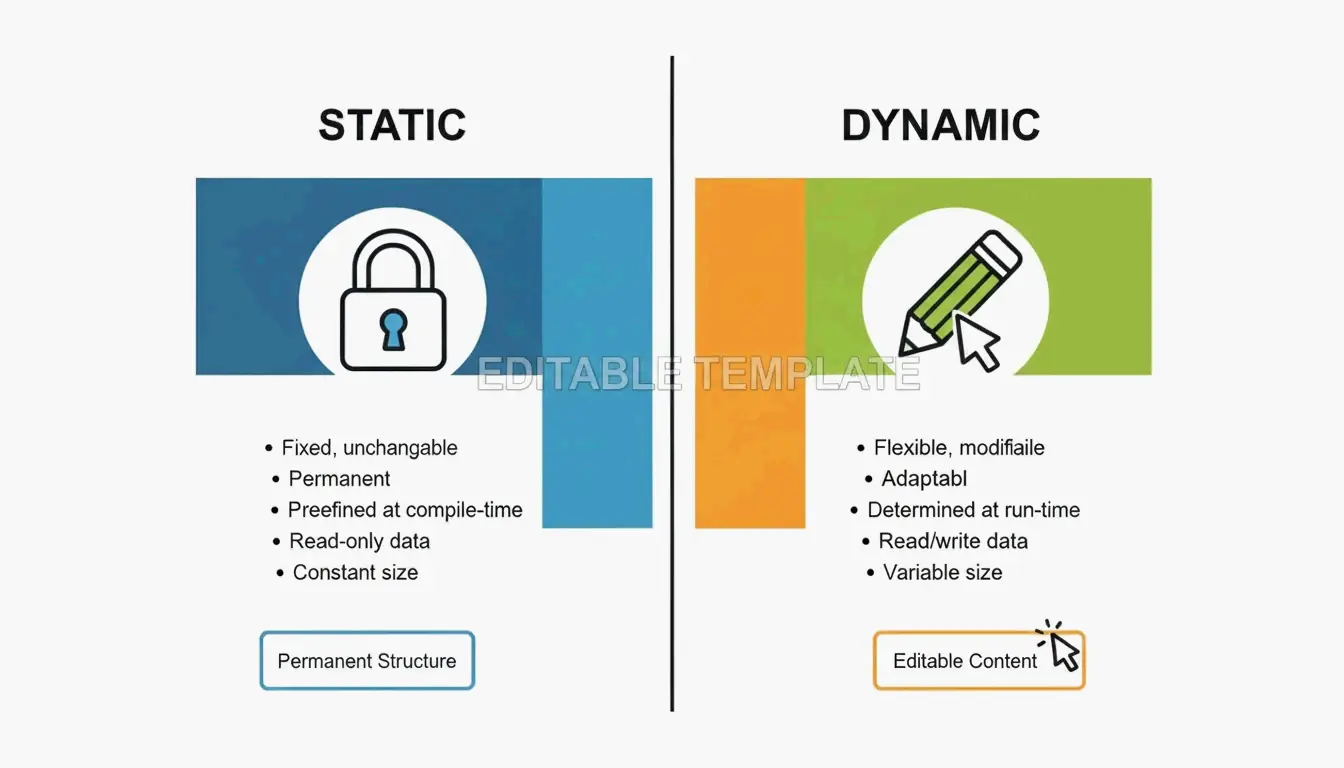
    Feature Static QR Code Dynamic QR Code
    Data storage Baked into the pattern Uses a redirect link
    Change URL after printing? No — permanent Yes — anytime
    Scan tracking Not available Time, location, device
    Pattern complexity Depends on URL length Always clean (short redirect)
    Cost Free Typically paid plan
    Best for Permanent links (“About Us” page) Campaigns, menus, promotions

    Simple comparison: Static (Fixed) vs Dynamic (Flexible/Trackable)

    In 2026, most professional creators default to dynamic codes for the flexibility and analytics — unless the use case is truly permanent and doesn’t need tracking.

    Advanced Design: Error Correction, Logos, and the Quiet Zone

    Good QR code design is a balance between looking great and actually scanning. Statista reported nearly 100 million US users scanning codes by 2025 — your design needs to work on every device.

    Error Correction and Logo Placement

    QR codes use Reed-Solomon error correction, which allows the code to remain readable even when partially covered or damaged — up to 30% in the highest setting.

    Level Tolerance When to Use
    L 7% Digital screens only
    M 15% Standard marketing (default)
    Q 25% Small logo in center
    H 30% Logo overlay or heavy customization

    If you’re placing a logo in the center, you must use Level H to ensure scanners can still read the data hidden behind the logo.

    The Quiet Zone and Sizing Rules

    Two physical requirements that trip people up:

    1. Quiet Zone — Every QR code needs a blank white border on all sides (at least 4 module widths). Without it, scanners can’t find the code’s edges.
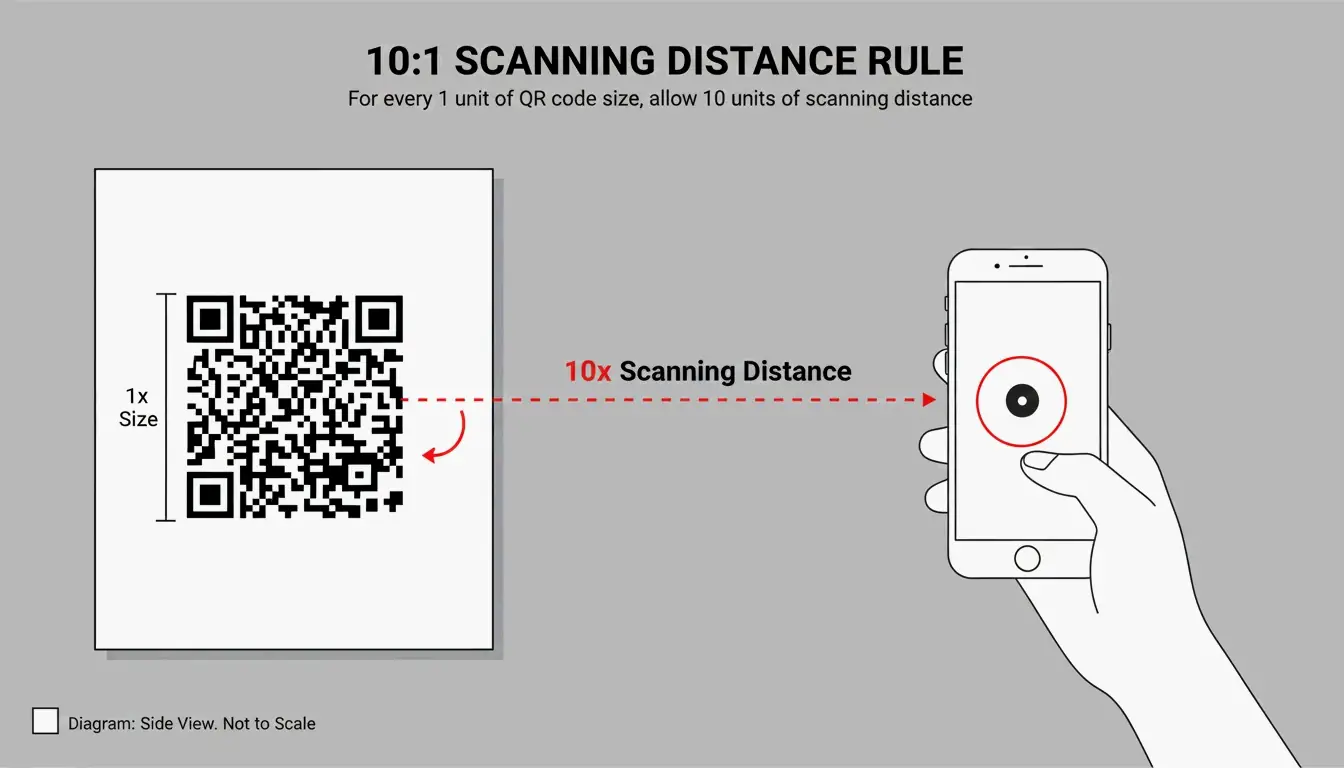
    2. The 10:1 distance rule — The code’s size should be roughly 1/10th of the scanning distance.
    Use Case Scanning Distance Minimum Code Size
    Business card ~8 in (20 cm) 0.8 × 0.8 in (2 × 2 cm)
    Table tent ~20 in (50 cm) 2 × 2 in (5 × 5 cm)
    Poster ~40 in (1 m) 4 × 4 in (10 × 10 cm)

    Never go smaller than 0.8 × 0.8 inches (2 × 2 cm) on a business card — anything smaller and older phone cameras will struggle.

    2026 Security: Preventing Quishing (QR Phishing)

    With the global QR market projected to hit $33 billion by 2030 (DoItQR), security is no longer optional. Quishing — QR phishing — happens when fraudsters replace legitimate codes with malicious ones that steal data or install malware.

    Three rules for 2026:

    1. Enforce HTTPS everywhere — Never link to an unencrypted (HTTP) page.
    2. Use preview-capable generators — Tools that show a safety preview or diagnostic report before the user reaches the destination add a trust layer.
    3. Automate with controlled platforms — For bulk projects, use tools like Zapier to generate unique, trackable codes in a controlled environment rather than creating them manually across multiple services.

    Conclusion

    Making a QR code for a website is simple. Making one that’s professional, trackable, and secure takes a bit more work — but it’s worth it. Follow the four-step framework:

    1. Prepare your URL — HTTPS + UTM tags + shorten if needed
    2. Customize the design — Brand colors, logo, CTA frame
    3. Audit security — Verify the link, check for quishing risks
    4. Pick the right format — Dynamic for campaigns, static for permanent links

    Start with a dynamic QR code, set error correction to Level H if you’re adding a logo, and always test on multiple phones before printing.

    FAQ

    Do QR codes for websites ever expire?

    Static QR codes never expire — the data is hardcoded into the pattern. They only become useless if the destination URL is deleted. Dynamic QR codes don’t technically expire either, but the redirect will stop working if your subscription to the generator service ends.

    Can I change the destination URL after printing?

    Only with dynamic QR codes. Static codes embed the URL directly into the pixel pattern — if the URL changes, you need to generate and reprint a completely new code.

    Why is my QR code not scanning correctly?

    The usual culprits: low contrast between code and background, a missing Quiet Zone (white border), or — for static codes — a URL that’s too long, making the pattern too dense for older phone cameras to resolve.

    Is it possible to track website QR scans for free?

    Yes — add UTM parameters to your URL and monitor the traffic in Google Analytics. While some free generators offer basic scan counts, detailed analytics (device type, location, time) typically require a premium dynamic plan.

  • How Can I Make a QR Code? A Complete Guide to Free & Custom Generators (2026 Update)

    How Can I Make a QR Code? A Complete Guide to Free & Custom Generators (2026 Update)

    Need a QR code? You’re closer than you think. Open a free generator like QR Code Generator or Adobe Express, paste your link, tweak the design if you want, and download it as a PNG or SVG. In 2026, you can even create one straight from Chrome or Safari’s built-in Share menu — no extra tools required.

    Whether you’re putting a QR code on a business card, a restaurant menu, or a conference banner, this guide walks through every method, helps you pick the right type (static vs. dynamic), and shows you how to make sure it actually scans every time.

    The Fastest Way to Make a QR Code (Step-by-Step)

    Creating a QR code has become a basic digital skill. According to Wikipedia, 89 million US users scanned a QR code in 2022 — a 26% increase from 2020 — mostly to open digital menus or make payments.

    Method 1: Online Generators (Best for Customization)

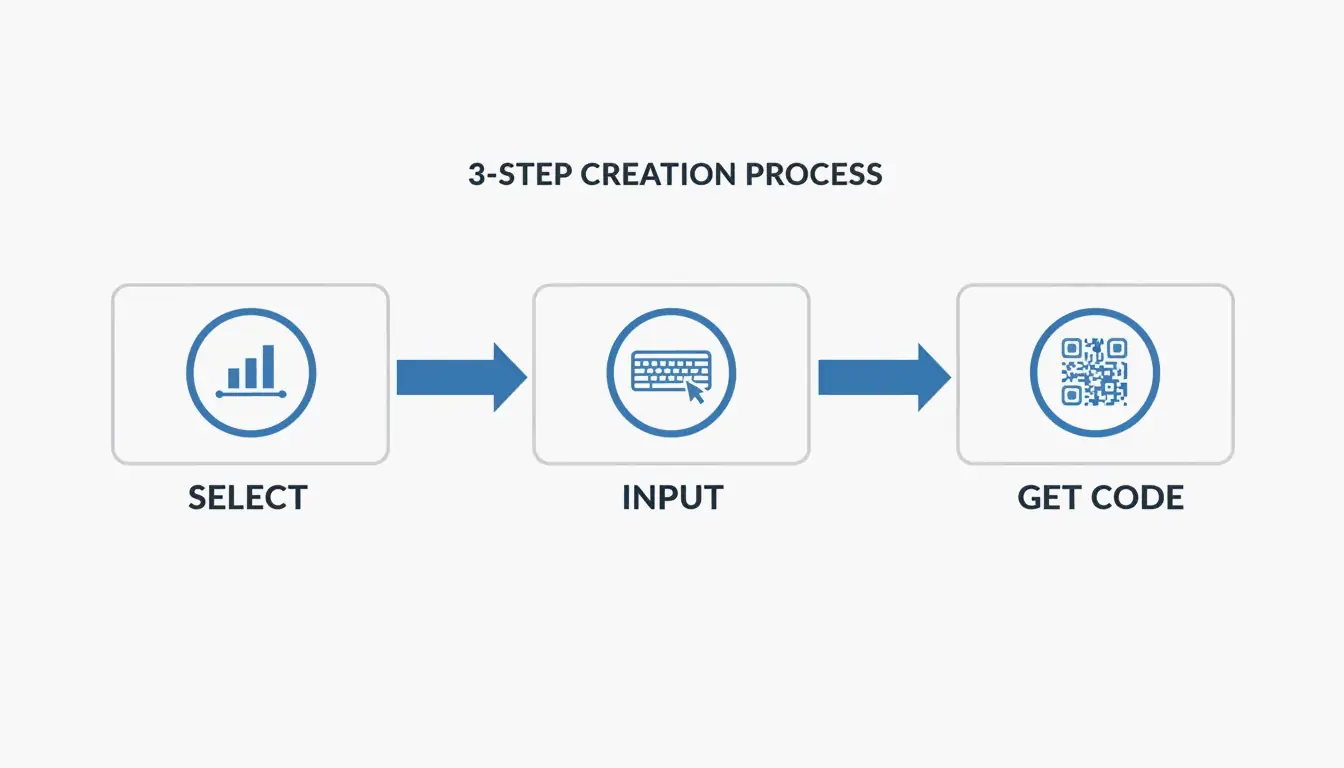
    Online tools give you the most control over branding, format, and image quality. According to QR Code Generator, the standard workflow is three steps:

    1. Select the data type — Choose what you want to share: a URL, vCard (contact info), plain text, or WiFi credentials.
    2. Enter your information — Paste your link or type your text. If your URL is very long, Freetool24 recommends using a URL shortener first. Shorter URLs produce simpler patterns that are easier for older phones to scan.
    3. Customize and download — Adjust colors, add a frame, or choose your format. Use PNG for digital use (emails, social media) and SVG for anything that will be printed — vector files stay sharp at any size.

    3-step creation process: Select Data -> Input Info -> Customize/Download

    Pro tip: Always test the scan on your screen before you finalize. If it takes more than two seconds to register, try increasing the contrast or simplifying the design.

    Method 2: Built-in Browser Tools (Chrome & Safari)

    If you just need a quick code for a webpage, your browser already has this built in:

    • Chrome (Desktop): Go to the page → three-dot menu → “Cast, Save, and Share” → “Create QR Code.”
    • Chrome / Safari (Mobile): Tap the Share icon in the address bar → “Create a QR Code.”

    This is the fastest option for instant sharing, though customization is limited to the standard black-and-white pattern (plus the occasional Chrome dinosaur logo).

    Static vs. Dynamic QR Codes: Which Should You Choose?

    This is the most important decision for any QR code you plan to use long-term.

    Feature Static QR Code Dynamic QR Code
    Data storage Baked directly into the pattern Uses a redirect short link
    Can change the URL later? No — permanent once printed Yes — update anytime
    Expires? Never Only if subscription ends
    Scan analytics Not available Location, time, device type
    Cost Free Typically requires paid plan

    Side-by-side comparison of Static (permanent) vs Dynamic (editable) codes

    According to QR Code AI, custom-branded codes can produce a +30% marketing engagement lift over plain black-and-white designs. That said, be aware of “quishing” (QR phishing). By 2026, security best practices recommend using dynamic links from reputable providers that offer encrypted, GDPR-compliant redirection to prevent malicious link swaps.

    Optimizing for Scannability: The 10:1 Rule and Error Correction

    A QR code that looks great but doesn’t scan is wasted space. Most scanning failures come down to two things: size and error correction.

    The 10:1 Distance Rule

    Your QR code’s physical size should be about 1/10th of the expected scanning distance:

    Use Case Scanning Distance Minimum QR Code Size
    Business card ~20 cm 2 × 2 cm
    Table tent / menu ~50 cm 5 × 5 cm
    Poster on a wall ~1 meter 10 × 10 cm
    Billboard ~5 meters 50 × 50 cm

    Visualization of the 10:1 ratio between scanning distance and QR code size

    Error Correction Levels (L, M, Q, H)

    QR codes use Reed-Solomon error correction, which acts as a built-in backup system. The code remains scannable even when partially damaged or covered.

    Level Damage Tolerance Best For
    L 7% Digital screens — always clear, no damage risk
    M 15% General marketing materials (default choice)
    Q 25% Adding a small logo in the center of the code
    H 30% Heavy customization, outdoor signage, harsh environments

    If you’re adding a logo overlay, use Level Q or H to compensate for the data area you’re covering.

    Advanced Use Cases: vCards, WiFi, and Design Integration

    QR codes aren’t limited to URLs — they can trigger specific actions on a smartphone:

    vCard / Digital Business Card
    Instead of a link, encode your name, phone, and email. When scanned, the phone prompts “Add to Contacts.” SkyToolz recommends the vCard 3.0 format for the best cross-platform compatibility between iPhones and Androids.

    WiFi Credentials
    Let guests join your network without typing a password. Use this format:

    WIFI:S:NetworkName;T:WPA;P:Password;;
    

    Scan it and the phone connects automatically.

    Design Integration
    Tools like Canva and Adobe Express now let you generate QR codes directly inside your design project. This makes it easy to match the code’s colors to your brand while keeping the Quiet Zone (the required white border) intact.

    The global reach of QR technology is remarkable — Wikipedia notes that China had an 83% QR payment adoption rate as far back as 2018.

    Conclusion

    Making a QR code comes down to three steps: choose your data, generate the pattern, and download the file. The key decisions are:

    • Static vs. Dynamic — Use static for simple, permanent links; use dynamic if you need to track scans or update the URL later.
    • PNG vs. SVG — PNG for digital, SVG for print.
    • Size it right — Follow the 10:1 distance rule and test before you print.

    With the right generator and a basic understanding of error correction, anyone can create a professional, reliable QR code in under a minute.

    FAQ

    Do QR codes expire?

    Static QR codes never expire — the data is hardcoded into the pattern. They’ll work as long as the destination (your website) stays online. Dynamic QR codes may stop working if your subscription to the generator service ends or if the provider deletes the redirect link from their database.

    Why is my QR code not scanning?

    The most common culprits: low contrast (light-colored code on a light background), the code being too small for the scanning distance, or a missing Quiet Zone (the white border around the code). For print, always use SVG files — pixelation from raster images is a leading cause of scan failures.

    Can I track QR code scans for free?

    Most free generators only track scans for dynamic codes, which typically require a paid plan. A practical workaround for static codes: use a free URL shortener with built-in analytics (like Bitly) as your destination link. You won’t track the QR scan itself, but you’ll see every click that came through it.

  • What Is a Data Matrix 2D Barcode? A Technical Guide for 2026

    What Is a Data Matrix 2D Barcode? A Technical Guide for 2026

    If you’ve ever looked closely at a tiny electronic component, a pharmaceutical package, or an aerospace part, you might have spotted a small square pattern of black and white cells. That’s a Data Matrix 2D barcode — and unlike the QR codes you scan with your phone, this one is built for the industrial world.

    Defined by ISO/IEC 16022 and using ECC200 error correction, Data Matrix is the go-to standard for tracking small items across global supply chains. As of 2026, it’s the required format for pharmaceutical serialization and Direct Part Marking on metal and plastic components.

    This guide covers how Data Matrix works, when to choose it over a QR code, what the GS1 Sunrise 2027 deadline means for your business, and even how to generate one programmatically.

    Understanding the Data Matrix 2D Barcode: Definition and Core Principles

    A Data Matrix is a grid of black and white “cells” (modules) arranged in a square or rectangle. Unlike traditional 1D barcodes that store data in a single horizontal line, Data Matrix encodes information in both dimensions — horizontally and vertically. This 2D approach lets it pack significantly more data into a much smaller footprint.

    According to Wikipedia, a single Data Matrix symbol can hold:
    – Up to 2,335 alphanumeric characters
    – Up to 3,116 numeric digits

    The technology is governed by the ISO/IEC 16022 standard, which is in the public domain — meaning anyone can implement it without licensing fees. Its ability to encode complex data into a space smaller than 1 mm² has made it indispensable in electronics manufacturing, aerospace, and medical device tracking.

    The Anatomy of a Data Matrix Symbol

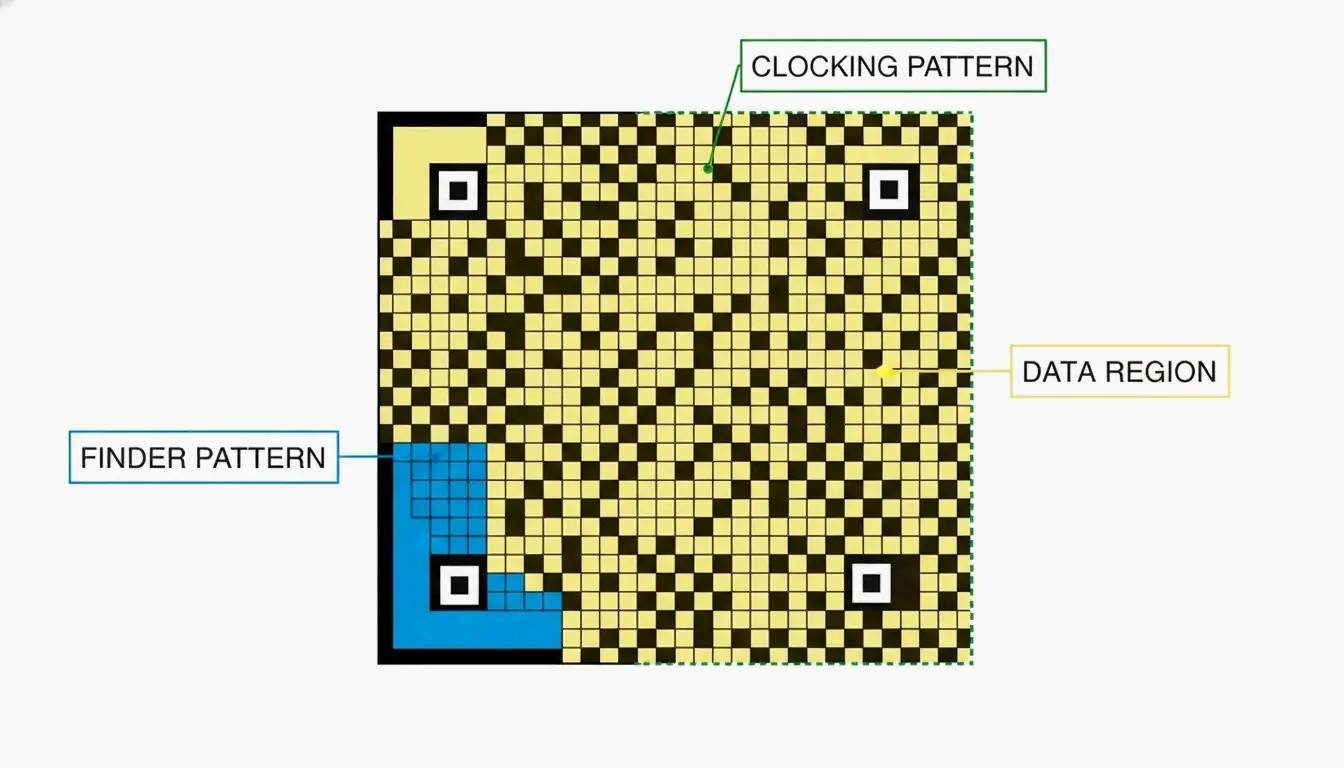
    Every Data Matrix code has three structural components that tell a scanner how to read it:

    Component What It Does
    Finder Pattern An “L” shape formed by two solid borders. Helps the scanner locate the code and determine its orientation.
    Clocking Pattern The two borders opposite the “L,” made of alternating dark and light cells. Tells the reader the grid’s row/column count.
    Data Region The interior area where actual information is stored. The grid grows as more data is added (10×10 up to 144×144 modules).

    A minimalist diagram identifying the three structural components of a Data Matrix code.

    Why ECC200 Is the Industry Standard for Error Correction

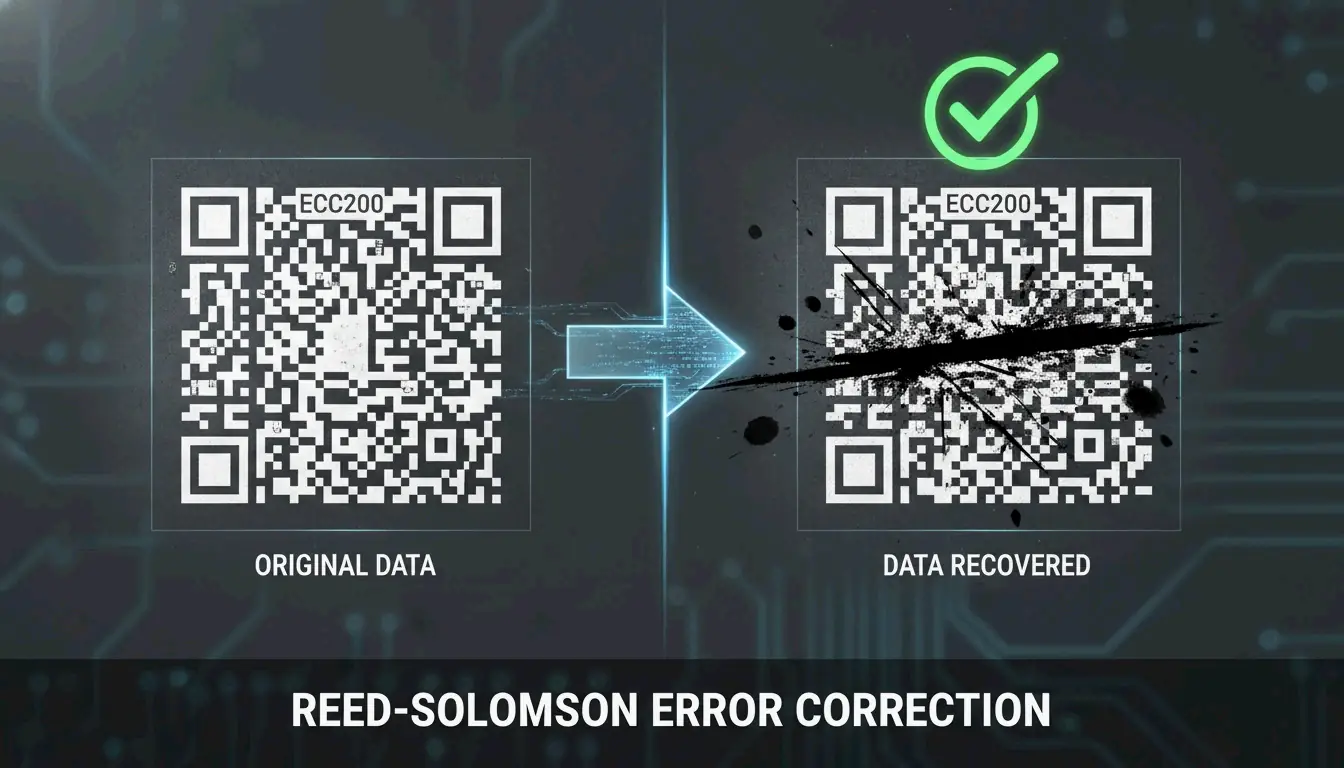
    The reliability of modern Data Matrix codes comes from ECC200, which uses Reed-Solomon error correction to add redundant data to each symbol. This backup information allows a scanner to reconstruct the original message even when the code is partially damaged.

    How much damage can it survive? Wikipedia notes that ECC200 can typically be read even when up to 30% of the symbol is damaged — as long as the “L” finder pattern remains intact.

    This is a significant upgrade over older error correction versions (ECC000–ECC140), which are now largely retired and only appear in “closed” systems where the same organization handles both printing and scanning.

    Feature ECC200 (Current) ECC000–140 (Legacy)
    Error tolerance Up to 30% damage Varies, generally lower
    Standard today Yes — global standard Only in closed systems
    Data capacity Up to 3,116 digits Lower

    A visual demonstration of error correction: a partially obscured barcode still being successfully scanned.

    Data Matrix vs. QR Code: Which 2D Symbology Should You Choose?

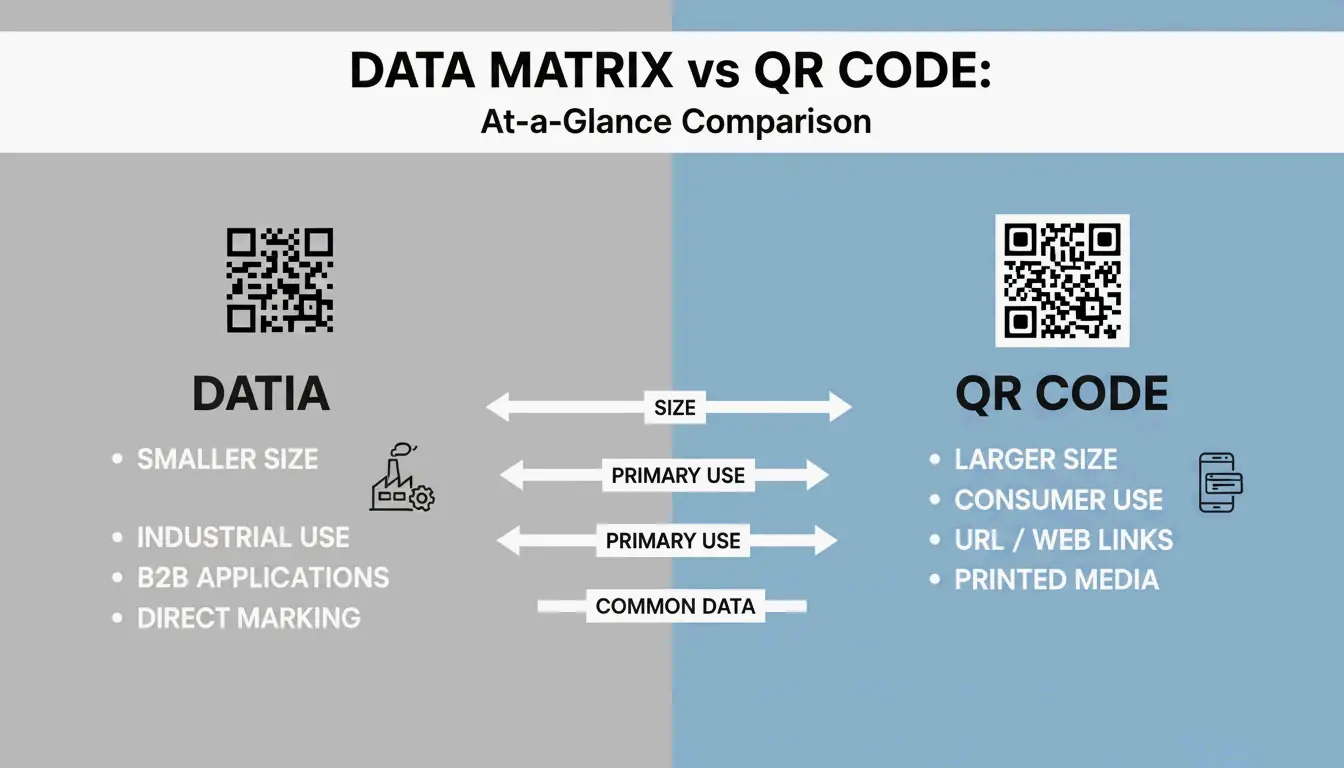
    Both are 2D barcodes, but they’re built for different purposes. Data Matrix serves industrial B2B applications; QR Codes are designed for consumer-facing marketing and engagement.

    When Data Matrix Is the Right Choice

    • Small parts and tight spaces — Data Matrix modules can be as small as 0.1 mm, making the overall code much smaller than a QR Code carrying the same data (Alsace Techniques Etiquetage).
    • Pharmaceutical serialization — Legally required for drug tracking in many markets.
    • Direct Part Marking (DPM) — Etched directly onto metal or plastic parts for permanent identification.

    When QR Codes Make More Sense

    • Consumer engagement — Almost any smartphone (iOS 11+ and Android 8+) can scan QR codes natively, no special app required.
    • URLs and marketing — QR Codes support branding elements like logos in the center.
    • General public use — While Data Matrix can technically hold a URL, most consumers don’t have software that reads it.

    A side-by-side scale comparison between a Data Matrix and a QR Code containing the same data.

    2026 Update: GS1 DataMatrix and the Sunrise 2027 Deadline

    If you work in logistics or healthcare, GS1 DataMatrix is likely already on your radar. It’s important to understand that a standard Data Matrix and a GS1 DataMatrix aren’t identical — the GS1 version embeds a hidden “Function 1” (FNC1) character at the start to signal that the data follows GS1 global standards.

    Two major regulatory forces are driving adoption:

    1. DSCSA (Drug Supply Chain Security Act) — In the U.S., GS1 DataMatrix is required for pharmaceutical tracking.
    2. GS1 Sunrise 2027 — A global initiative to ensure all Point of Sale (POS) systems can scan 2D barcodes by 2027 (GS1 Sweden).

    Sunrise 2027 Preparation Checklist

    1. Hardware audit — Verify your scanners are imagers, not older laser models. Laser scanners cannot read 2D codes.
    2. Software update — Ensure your inventory systems recognize GS1-specific fields like Expiration Dates and Batch Numbers.
    3. Label redesign — Begin transitioning from 1D UPC barcodes to GS1 DataMatrix or GS1 QR Codes to carry richer product data.

    Industrial Implementation: Direct Part Marking (DPM) and Verification

    For parts that need to be tracked for years — or decades — companies use Direct Part Marking (DPM). Instead of printing a label, the Data Matrix is etched directly into the metal or plastic surface using lasers or chemical etching. The mark survives heat, chemicals, abrasion, and heavy wear.

    The accuracy is remarkable. BarcodeFactory reports that barcode scanners make a substitution error roughly once in every 15,000 to 36 trillion characters — making Data Matrix one of the most reliable identification methods available.

    To maintain this accuracy in production, businesses use ISO/IEC 15415 verification, which grades codes on a scale from A (best) to F (fail). For most industrial applications, a grade of C or better is required to ensure the code can be read reliably by different scanners across the supply chain.

    Developer’s Corner: Generating Data Matrix in C#/.NET

    If you’re building barcode generation into your own software, libraries like IronBarcode make it straightforward. Iron Software demonstrates that creating a compliant ECC200 symbol takes just a few lines:

    using IronBarCode;
    
    // Generate a Data Matrix barcode
    var myBarcode = BarcodeWriter.CreateBarcode(
        "GS1-GTIN-12345",
        BarcodeWriterEncoding.DataMatrix
    );
    
    // Customize size and save
    myBarcode.ResizeTo(250, 250);
    myBarcode.SaveAsPng("datamatrix-label.png");
    

    Tip for 2026: Always leave a Quiet Zone (blank border) of at least 1–2 module widths around your code. Without it, scanners may misread the edges.

    Conclusion

    The Data Matrix 2D barcode is the workhorse of industrial and healthcare identification — small enough to fit on a pill bottle, durable enough to survive laser etching onto metal, and reliable enough to remain readable even when 30% damaged.

    With the GS1 Sunrise 2027 deadline approaching, now is the time to audit your scanning hardware, update your software to handle GS1 fields, and start transitioning your labels. Whether you’re a supply chain manager or a developer building the next barcode tool, understanding Data Matrix is no longer optional — it’s a competitive advantage.

    FAQ

    Can a standard smartphone camera app read a Data Matrix code?

    Most iPhone and Android cameras default to QR code scanning. For Data Matrix, you’ll typically need a third-party app or a specific “business mode.” For professional or industrial environments, dedicated scanning hardware or specialized apps are strongly recommended.

    What is the maximum data capacity of a Data Matrix ECC200 symbol?

    An ECC200 symbol can hold up to 3,116 numeric digits or 2,335 alphanumeric characters. The physical size of the code grows as you add more data, reaching a maximum grid of 144×144 modules.

    What is the difference between a standard Data Matrix and a GS1 DataMatrix?

    A GS1 DataMatrix begins with a hidden “Function 1” (FNC1) character that tells the scanner the data follows GS1 standards — using specific Application Identifiers for fields like Expiration Date, Batch Number, or GTIN. This is required for pharmaceutical and food safety regulations in most markets.

  • Xbox Gamertag Character Limit in 2026: Rules, Costs, and the 12-Character Rule

    Xbox Gamertag Character Limit in 2026: Rules, Costs, and the 12-Character Rule

    Your Xbox gamertag is your identity across the entire Xbox Network — the name that shows up in multiplayer lobbies, friend lists, and achievement feeds. But if you’re thinking about changing yours in 2026, there’s a hard rule you need to know: all new gamertags are capped at 12 characters, including spaces.

    Legacy “Classic Gamertags” from the Xbox 360 era can still be up to 15 characters long — but only if they’ve never been changed since the modern system took over. Once you modify your name, there’s no going back to the old length.

    This guide covers everything: the current character limit, how the suffix system works, what it costs to change, and tips for finding a short, clean name.

    Understanding the 12-Character Limit in 2026

    Every new Xbox gamertag — whether you’re creating a fresh account or renaming an existing one — must fit within 12 characters. According to CodeItBro, this standard replaced the old 15-character cap from the Xbox 360 era to create a more consistent, globally unified naming system.

    The limit applies across the entire ecosystem:
    – Xbox Series X|S consoles
    – Xbox One consoles
    – Xbox App on PC
    – Xbox mobile apps (iOS and Android)

    With over 120 million active users on the network as of early 2023 (Wikipedia), finding a truly unique name has become harder over the years. To address this, Xbox now supports non-Latin scripts and alphabets — but even those must still fit within the 12-character display window.

    The Suffix System: How Duplicate Names Work

    Here’s where things get interesting. If the name you want is already taken, you can still claim it — Xbox appends a hashtag suffix (like #1234) to differentiate you from the person who had it first.

    A few things worth knowing about suffixes:
    – They’re assigned automatically — you don’t pick the numbers.
    – They don’t count toward your 12-character limit.
    – They appear in a smaller font in most game UIs, so your core name still looks clean.
    – Friends can find you by searching just your base name.

    So a full-length name like “ShadowWalker” would display as “ShadowWalker#9999” — but only the “ShadowWalker” part needs to fit within 12 characters.

    现代 Gamertag 的组成结构:名字 + 后缀

    The “Point of No Return”: Classic vs. Modern Gamertags

    This is the most important thing to understand before changing your name in 2026.

    If your current gamertag was created before the 2019 update and is longer than 12 characters, changing it means you permanently lose that extra length. Think of it as a one-way door.

    According to Microsoft Q&A, there is no technical way to revert to a classic-length tag once you’ve made the switch. The current infrastructure simply doesn’t support creating tags longer than 12 characters — not even for legacy users.

    A Real Example from 2026

    In April 2026, a user named Armonster attempted to restore their 13-character legacy tag after a name change. The system blocked the request entirely. Even though the name had been theirs originally, the modern system couldn’t process a tag longer than 12 characters.

    Bottom line: If you’re sitting on a classic 13–15 character gamertag that you like, think carefully before changing it.

    How to Change Your Xbox Gamertag (Step-by-Step)

    Whether you’re on a console or your phone, the process is straightforward. The system checks name availability in real time as you type.

    On Console (Xbox Series X|S)

    1. Press the Xbox button on your controller.
    2. Navigate to Profile & System.
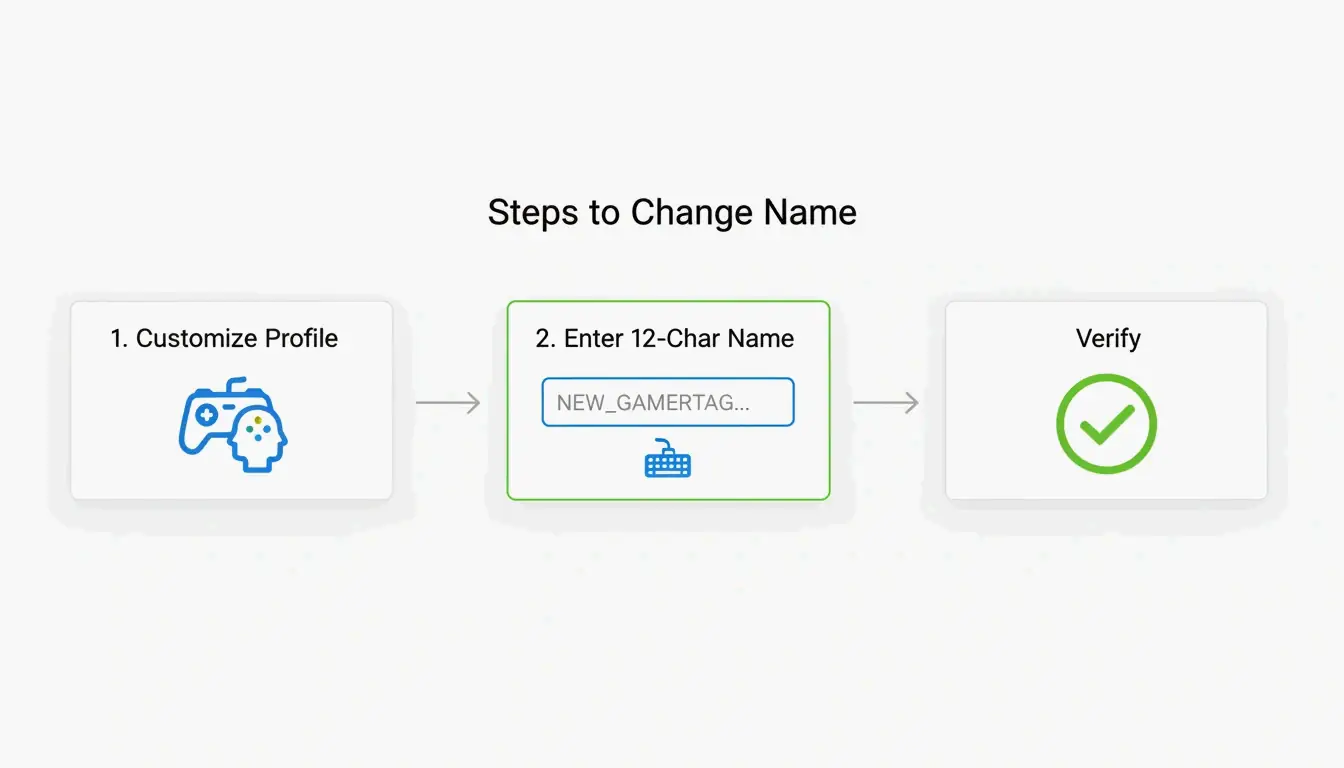
    3. Select your profile, then choose Customize Profile.
    4. Click your current gamertag.
    5. Type your new name (up to 12 characters).
    6. Confirm the change.

    On the Xbox Mobile App

    1. Open the Xbox App.
    2. Tap your profile picture.
    3. Go to SettingsEdit Gamertag.
    4. Enter your new name and confirm.

    Verification

    According to Theportablegamer, you’ll see a green checkmark if the name is available, or a red X if it’s taken. If it’s taken, the system will automatically offer you a suffix version.

    修改 Gamertag 的精简步骤

    Troubleshooting: Verification Loops

    Some players in 2026 have reported getting stuck in “verification loops” — the app keeps asking them to sign in repeatedly without completing the name change. If this happens:

    1. Clear the app cache (Settings → Apps → Xbox → Clear Cache).
    2. Try the change through a web browser at account.xbox.com instead.
    3. Check your Enforcement Status — if you have an active ban or strike, name changes are blocked until the penalty expires.

    How Much Does It Cost to Change Your Gamertag?

    Microsoft uses a simple pricing model:

    Change Cost
    First change (new accounts) Free
    Every subsequent change $9.99 USD or 800 Microsoft Points
    Cooldown between changes 30 days

    The fee exists to discourage abuse — without it, people could constantly rename themselves to evade moderation or confuse other players. As Theportablegamer notes, this price has remained unchanged for years.

    The Rare Name Hunt: Finding a 4-Letter Gamertag

    Short gamertags — especially 4-letter ones — are the holy grail. They look clean, never need a suffix, and are easy to remember.

    The reality: most 4-letter English words were claimed years ago. But you can still find options if you’re persistent:

    • Alphanumeric combos — Mix letters and numbers (e.g., “K7VR”, “N3XT”).
    • Non-dictionary words — Unique letter combinations that are pronounceable but not real words.
    • Generator tools — The CodeItBro Gamertag Generator has a “Hunt 4-Letter Tags” mode that checks availability for short handles.

    If your dream 4-letter name is taken, the suffix system is a solid fallback. Since suffixes render in a smaller font in most game menus, a name like “Raven#3847” still looks relatively clean on-screen.

    Conclusion

    The 12-character limit is the firm standard for the Xbox Network in 2026. The suffix system makes it possible to share a display name with others, but the length cap itself is non-negotiable for any new or changed gamertag.

    Before making a change:
    Count your characters carefully — 12 is the max, spaces included.
    Protect your classic tag — If you have a legacy 15-character name you like, think twice before changing it. You can’t go back.
    Budget for the fee — Your first change is free, but every one after that costs $9.99 with a 30-day cooldown.

    FAQ

    Can I change my 12-character modern tag back to a 15-character classic tag?

    No. Once you move to the modern system, the 15-character legacy option is permanently lost. There is no tool, setting, or support path that can revert your tag to the old length.

    Why do some players still have 15-character names in 2026?

    Those are “Classic Gamertags” created before the 2019 system update. As long as those players never change their name, they keep the old length. But the moment they modify it — even to fix a typo — they’ll be moved to the 12-character system.

    What special characters are allowed in Xbox gamertags?

    Spaces are allowed and count as one of your 12 characters. Numbers are fine too. Most special symbols (!, @, #, %, etc.) are blocked to maintain compatibility across all Xbox games. The # symbol is reserved exclusively for the system-generated suffix and can’t be used in the name itself.