Category: Story

  • Fonts Generator: Create Unique Text Styles Easily in 2026

    Fonts Generator: Create Unique Text Styles Easily in 2026

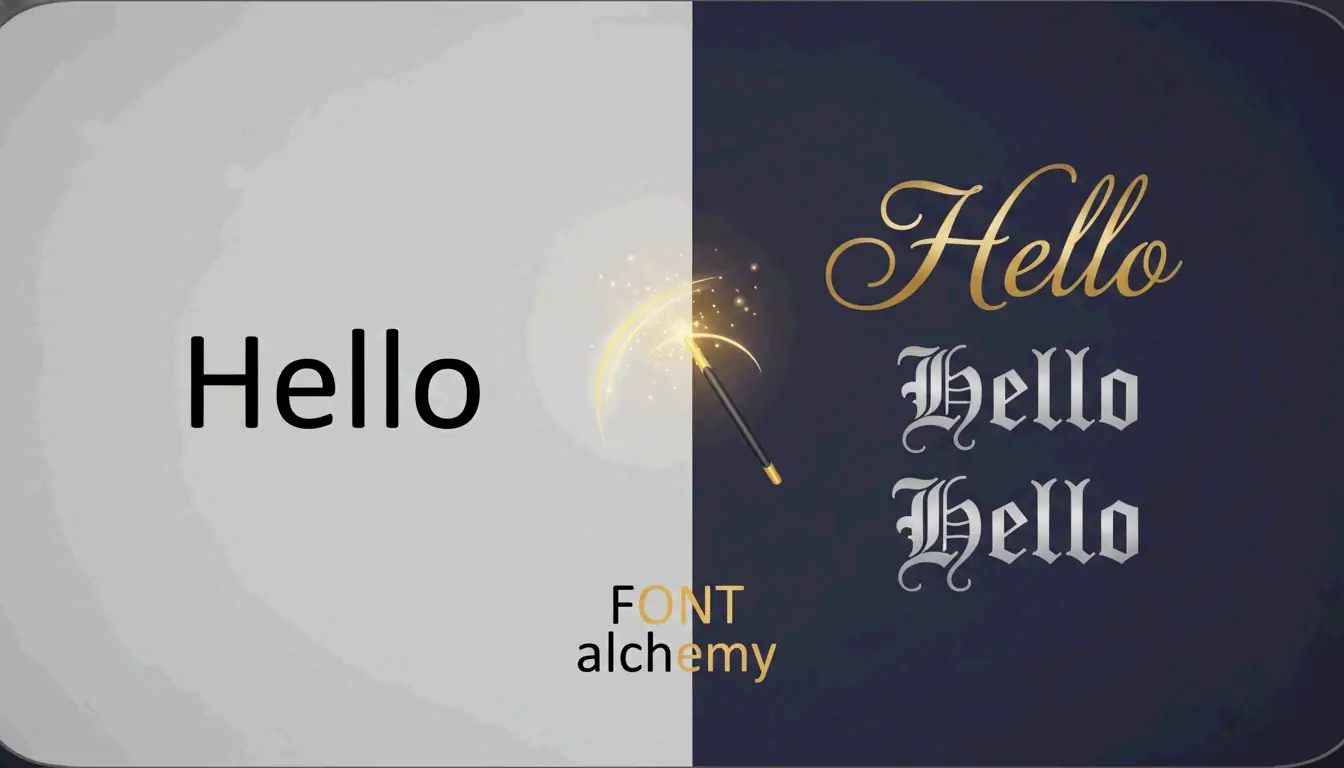
    A fonts generator converts ordinary text into decorative Unicode characters that you can copy and paste anywhere — Instagram bios, Discord nicknames, TikTok captions — without installing any software. The trick relies on the Unicode standard’s library of over 143,000 characters, which includes stylized alphabets that look like custom fonts to the human eye but are actually distinct symbols to your device.

    This guide walks through how these generators work, which styles make the biggest impact on social media, and how to stay accessible while looking great.

    How a Fonts Generator Works: Unicode, Not Font Files

    A fonts generator is not a font installer. It does not upload .ttf or .otf files to your device. Instead, it maps each letter you type to a visually similar character from the Unicode standard — a global encoding system that assigns a unique number to every character in every writing system.

    The key enabler is a Unicode block called Mathematical Alphanumeric Symbols. This block contains bold, italic, script, fraktur (gothic), and monospace versions of the Latin alphabet. Because your phone or browser treats these as “symbols” rather than “fonts,” they render correctly across iPhones, Androids, and desktop browsers without any special software.

    The 3-Step Workflow

    1. Type your text into the generator’s input box.
    2. Browse the live preview list. Most tools, like Online Fonts Generator, offer 200+ styles — from elegant cursive to bubble letters to small caps.
    3. Copy and paste the result directly into Instagram, X (Twitter), Discord, or anywhere else.
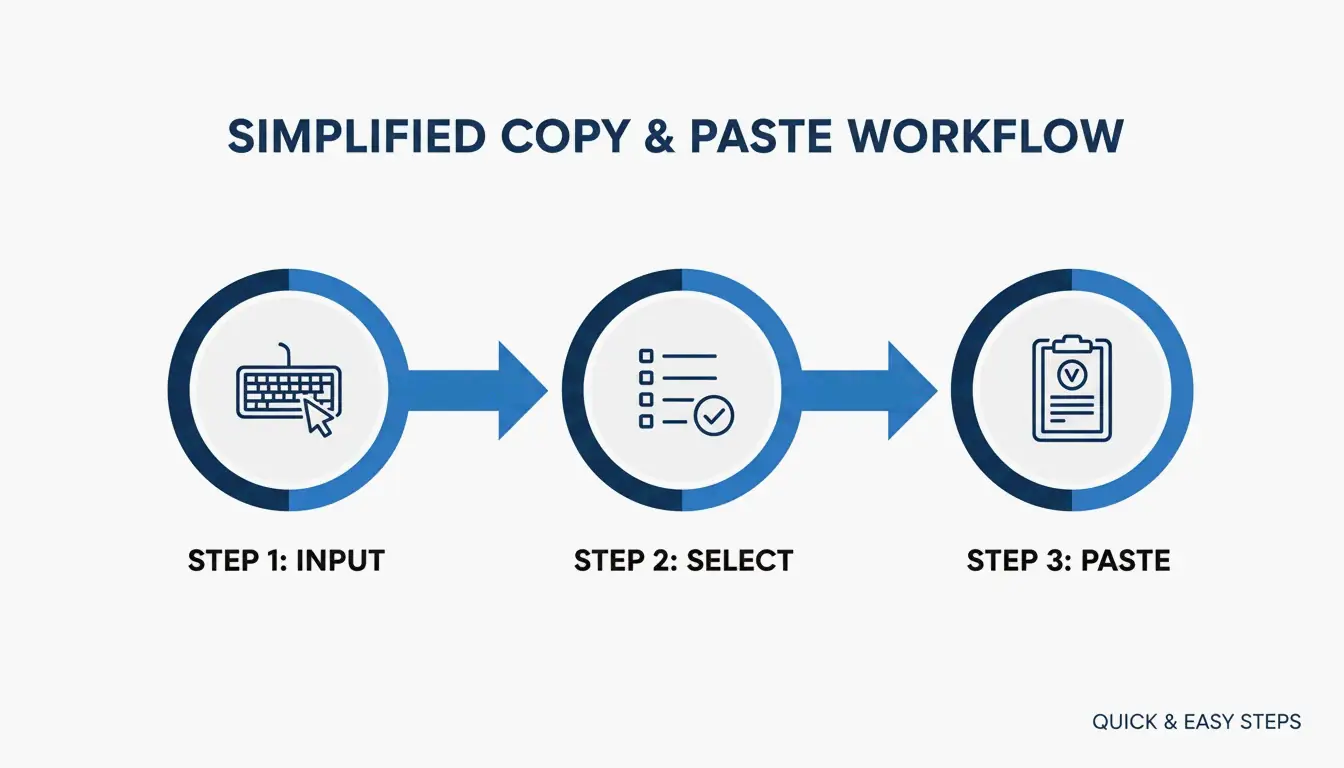
    Simple 3-step process: Input, Select, and Paste.

    Which Styles Work Best? A Platform-by-Platform Guide

    Different platforms call for different visual strategies. Here is what tends to perform well where.

    Instagram Bios: Bold + Cursive Combo

    The most effective Instagram bios mix two styles at most:

    Element Recommended Style Example
    Name / Headline Bold sans-serif 𝗝𝗘𝗦𝗦𝗜𝗖𝗔
    Tagline or quote Cursive / Script 𝒥𝓇𝒾𝓋𝓎 𝒜𝓇𝓉𝒾𝓈𝓉
    Contact info / Links Plain text [email protected]

    According to Fonts Generator Pro, a user who updated their Instagram bio with styled fonts saw a 40% increase in profile visits within two weeks. Captions with styled headers outperformed plain text by 130–150% in comment growth, acting as a visual “pattern interrupt” that stops the scroll.
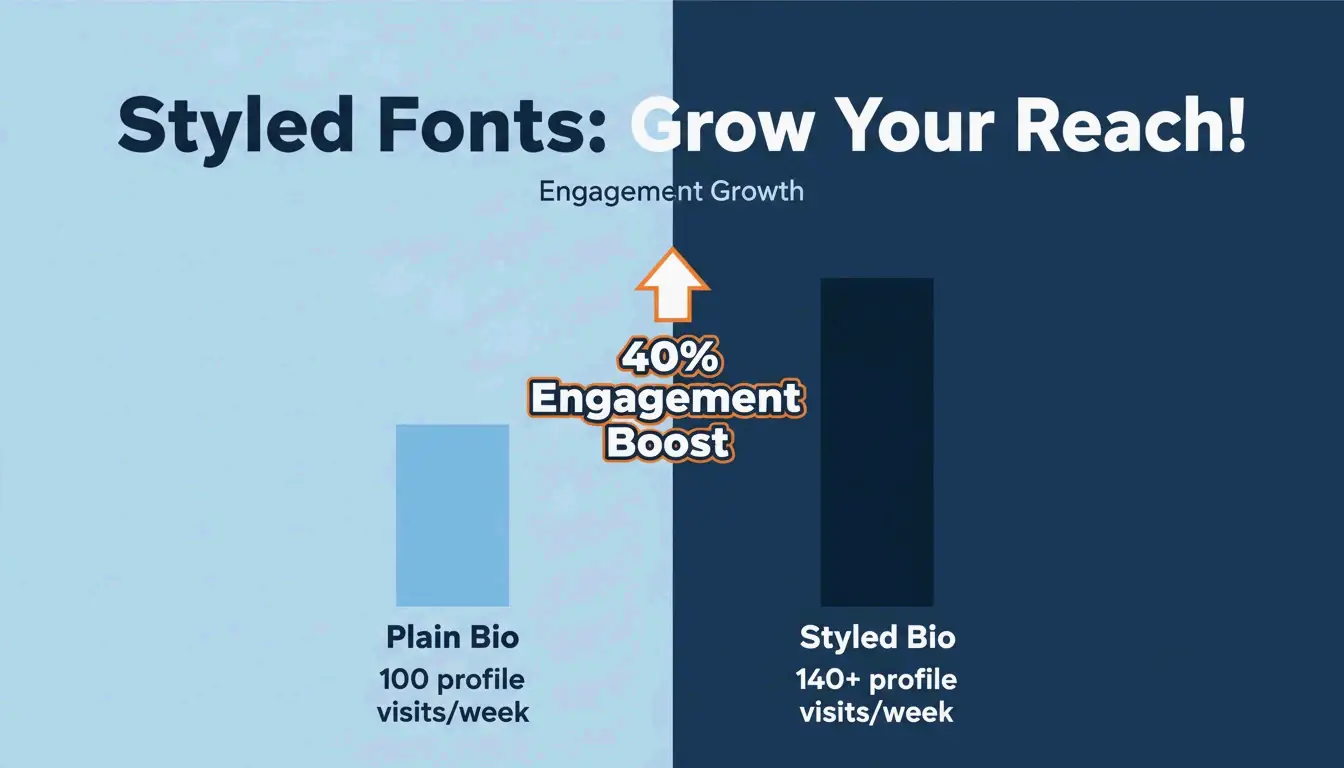
    Data visualization showing the 40% increase in profile visits and 130%+ growth in engagement.

    Discord and Gaming: Gothic, Glitch, and Identity Building

    In gaming communities — PUBG Mobile, Free Fire, Roblox — your username is your brand. Two styles dominate:

    • Gothic / Old English (Fraktur): Medieval-style characters that set a dark, dramatic tone. Ideal for RPGs and gothic-themed Discord servers. Example: 𝔉𝔯𝔬𝔰𝔱𝔎𝔦𝔫𝔤.
    • Glitch / Zalgo Text: Uses Unicode “combining characters” to stack diacritical marks above and below letters, creating a corrupted, horror-movie aesthetic.

    Safety check: Some games restrict excessive symbols to prevent “name spoofing” or UI glitches. Always verify your styled name displays correctly in the actual game lobby before committing.

    Accessibility: The Screen Reader Gap

    Styled Unicode text can create a serious accessibility problem. Screen readers for visually impaired users often read the technical Unicode name of each symbol rather than the letter it resembles. For example:

    • A user sees: 𝗔
    • A screen reader says: “Mathematical Bold Capital A”

    This makes long stretches of styled text unreadable for assistive technology users.

    The “Safe Mode” Font List

    Following W3C and WebAIM accessibility guidelines, these styles balance visual interest with readability:

    Safe Style Example Screen Reader Behavior
    Small Caps ꜱᴍᴀʟʟ ᴄᴀᴘꜱ Generally recognized
    Bold Serif 𝐁𝐨𝐥𝐝 Adds emphasis, minimal distortion
    Monospace 𝙼𝚘𝚗𝚘𝚜𝚙𝚊𝚌𝚎 Clean, widely supported

    Rule of thumb: Use decorative text as a highlight — for names, headers, or short taglines. Never style essential information like dates, addresses, or instructions. Keep contact details and links in plain text.

    Common Rendering Issues and How to Avoid Them

    The “Tofu” Problem

    If a styled character appears as an empty rectangle (□) or question mark, it means the recipient’s operating system or app does not support that Unicode block. This is called “tofu.” Older Android versions and outdated browsers are the most susceptible.

    Fix: Stick to widely supported styles — Bold, Small Caps, or Monospace. Avoid exotic Unicode blocks for content that needs to display reliably across all devices.

    Copyright and Safety

    Generated styles are not font files — they are Unicode symbols from an open, global standard. No licensing is required for personal or commercial use on social media platforms.

    Conclusion

    A fonts generator is a fast, free way to create unique text styles using Unicode — no design skills or software installs needed. The most effective approach is to use 2–3 complementary styles strategically: bold for headers, cursive for accents, plain text for utility. For gaming, gothic and glitch styles build memorable identities. And for accessibility, stick to the “Safe Mode” list (Small Caps, Bold Serif, Monospace) and never style essential information.

    Start with a subtle bold or small-cap style for your bio, check how it looks on different devices, and scale up from there.

    FAQ

    Why do some fancy fonts appear as boxes or question marks on my device?

    This is called “tofu” rendering. It happens when the recipient’s operating system or app lacks support for the specific Unicode block used. Older Android versions and outdated browsers are most affected. Switch to a more common style like Bold or Small Caps for reliable display.

    Are generated fonts safe to use and free from copyright?

    Yes. These are not actual font files — they are Unicode symbols from a global, standardized character set. No installation or licensing is needed for personal or commercial use on social media.

    Do styled fonts affect screen reader accessibility?

    Yes, significantly. Screen readers read the technical Unicode description (e.g., “Mathematical Bold Capital A”) instead of the letter “A.” Use styled fonts only for decorative accents — never for essential information like contact details or important announcements.
  • Random Number Generator: The Ultimate Guide to Fair Choices

    Picking a random number sounds simple — but doing it in a way that’s truly fair, verifiable, and trustworthy requires more than clicking a “randomize” button. In 2026, running a fair digital draw means using the right algorithm (CSPRNG), the right settings (unique mode), and providing transparent proof of the result.

    This guide covers the practical framework for unbiased digital selection — from raffles and classroom picks to corporate giveaways and simulations.

    The 2026 Fairness Framework: Setting Up a Random Draw

    According to Wheel of Names, these tools are in massive demand — the platform recorded over 462 million wheel spins in 2026 alone. At that scale, keeping things fair requires a structured setup.

    Step 1: Choose Your Mode

    Mode Best For Key Feature
    Integer mode Raffles, giveaways, classroom picks Supports “Unique Mode” — prevents duplicate picks
    Decimal mode Simulations, probability testing Precision up to 10 decimal places (MyClickTools)

    Step 2: Pre-Draw Audit Checklist

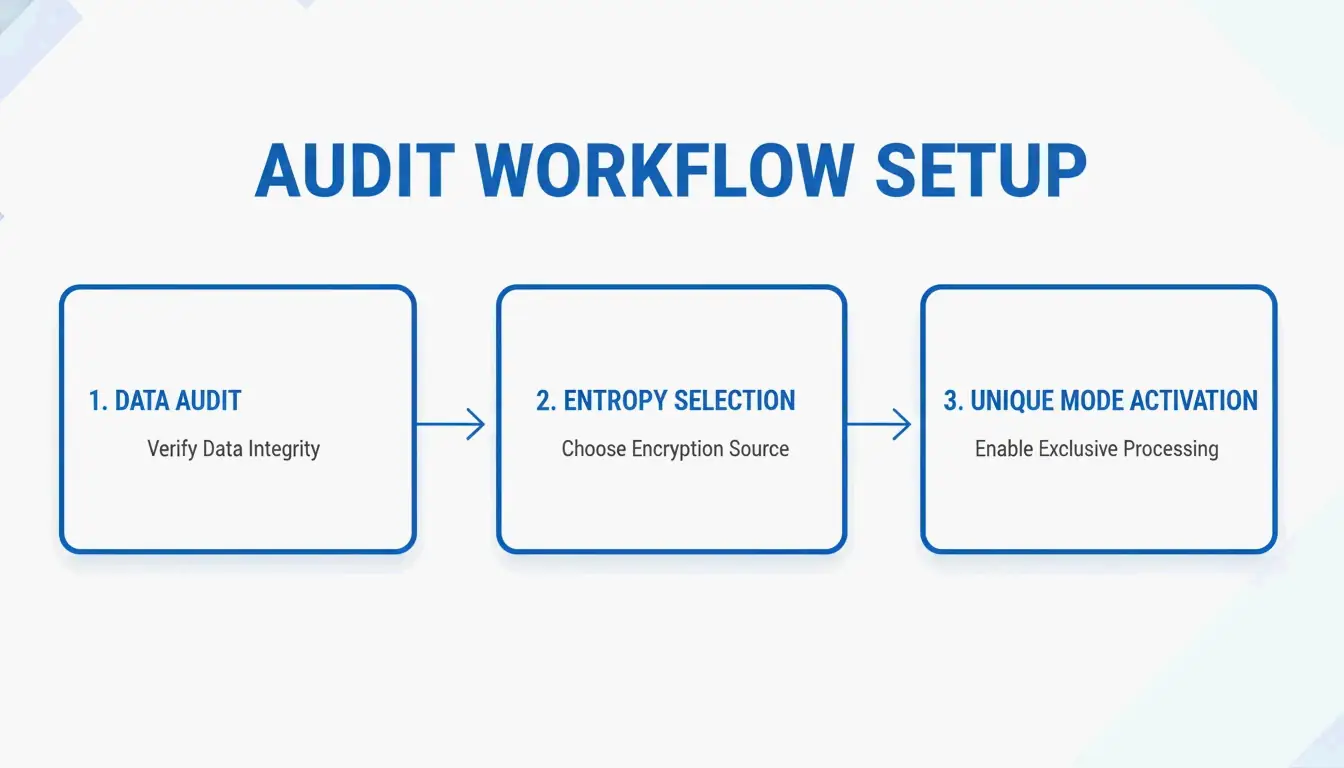
    Before hitting “generate,” run through this checklist:

    1. Check your entry list — Remove accidental duplicates from your data.
    2. Pick a secure entropy source — Choose “Secure (Crypto)” mode over basic Math.random. Tools like GadgetKit let you toggle between fast and secure modes.
    3. Enable Unique Mode — For giveaways, disable “Allow Duplicates.” A good tool should warn you if you try to pick 11 unique winners from a pool of 10.
    4. Choose sorting — Decide whether results display randomly or sorted (ascending/descending) for easier auditing.

    极简预抽奖审计流程:核对列表 -> 选择模式 -> 开启唯一项

    CSPRNG vs. PRNG: Why It Matters

    Most people think all “random” buttons work the same way. They don’t. As computer scientist John von Neumann famously said in 1951:

    “Anyone who considers arithmetical methods of producing random digits is, of course, in a state of sin.”

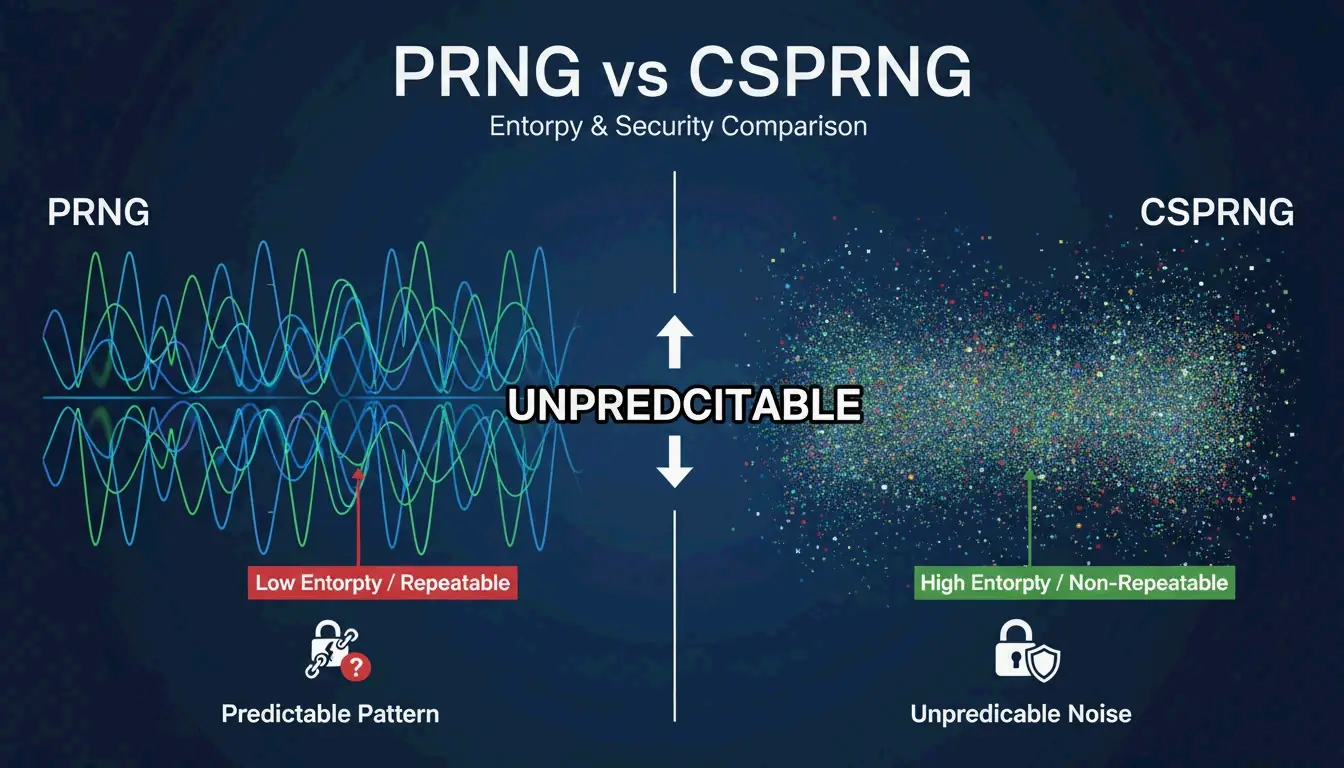
    Feature PRNG (e.g., Mersenne Twister) CSPRNG
    Predictability Predictable if the seed is known Impossible to predict
    Entropy source Mathematical formula Hardware timings, mouse movements, system events
    Standard Fine for simulations Required by NIST SP 800-90A for high-stakes draws
    Example Math.random() crypto.getRandomValues()

    PRNG(可预测)与 CSPRNG(不可预测)的核心差异对比

    The Stakes Are Real

    A historical case involved a $16.5 million lottery fraud where an insider rigged a secure RNG computer to make winning numbers predictable. Modern tools like Wheel of Names prevent this by using crypto.getRandomValues() instead of Math.random().

    Weighted Selection: When Not Everyone Has Equal Odds

    Weighted selection lets certain entries have better odds while keeping the final result random — for example, giving VIP members extra entries in a draw. According to YesOrNoWheelPicker, the key is being 100% transparent about the rules before the draw.

    When announcing results, be clear:

    “To reward our most active community members, this draw used a weighted selection process. Everyone had a chance to win, but those in our ‘Loyalty Tier’ received [X] additional entries. The final pick was processed through a CSPRNG algorithm to ensure it was entirely random and unbiased.”

    Selection Type How It Works When to Use
    Standard Everyone has equal odds (1 in N) Simple raffles, classroom picks
    Weighted Some entries get more “tickets” Loyalty rewards, tiered giveaways

    If you use weighted draws, disclose the weighting rules beforehand — otherwise participants lose trust.

    Compliance and Data Privacy (2026)

    Fairness and privacy go hand-in-hand. If you’re handling participant data, GDPR and CCPA requirements apply. The best platforms use client-side generation — random numbers are created in your browser and never sent to a server.

    Public Verification vs. Data Protection

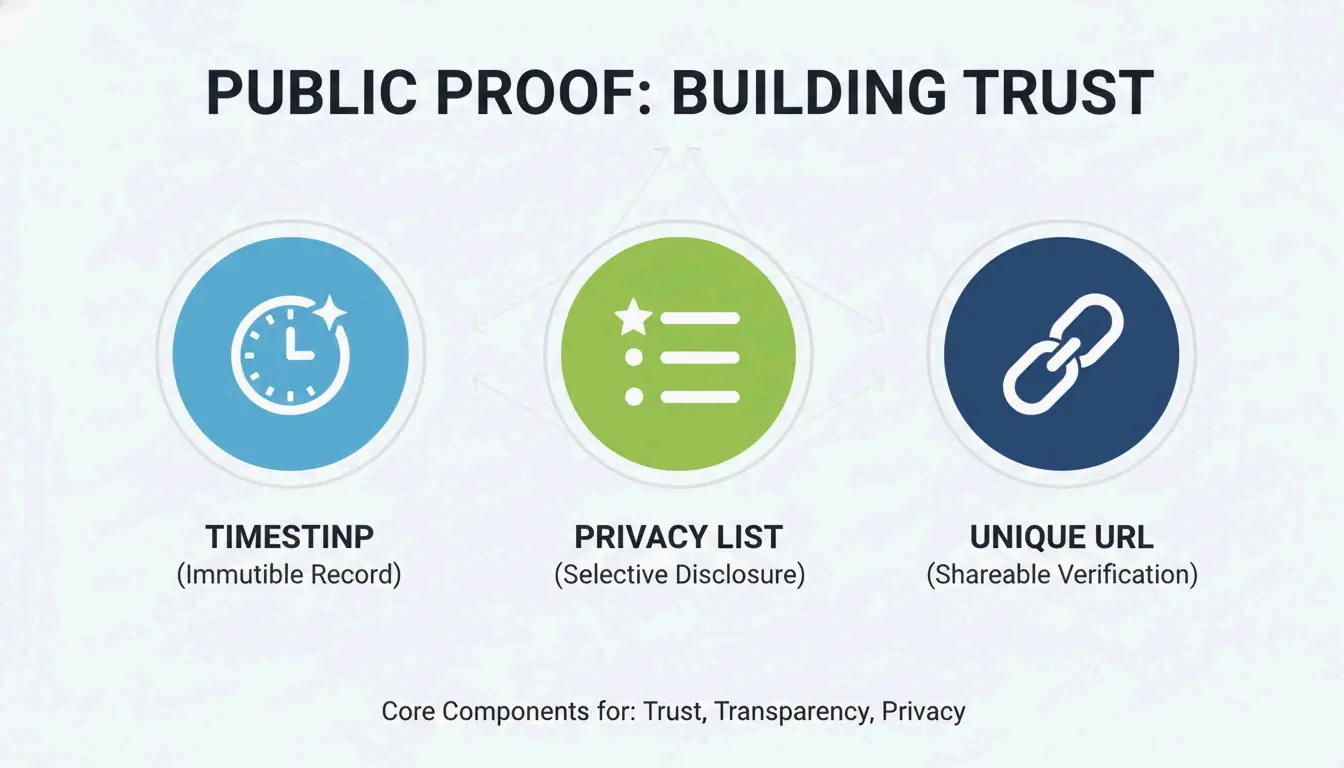
    A RandomPicker study recommends using Public Proof Pages — permanent records that show:

    Proof Element What It Shows
    Timestamp Exact date and time of the draw
    Redacted entry list Participant emails masked (e.g., j***@email.com) — auditable without exposing private info
    Unique URL Proves results weren’t changed or deleted after the fact

    公开证明页面的三大核心要素:时间戳、脱敏数据、唯一链接

    Conclusion

    Fairness in digital selection comes down to three things:

    1. The right algorithm — CSPRNG for any draw involving prizes or money
    2. The right settings — Unique Mode to prevent duplicates, secure entropy source
    3. Clear transparency — Public proof pages with timestamps and redacted entry lists

    In 2026, “trust me” doesn’t cut it. You need to show your work with timestamped logs, NIST-compliant tools, and verifiable proof pages. Whether you’re picking a student in a classroom or running a major giveaway, the same standards apply.

    FAQ

    Is Math.random() fair enough for a high-stakes giveaway?

    No. Math.random() is a PRNG that can technically be predicted. For any draw involving prizes or money, use a tool based on CSPRNG (like crypto.getRandomValues()) to ensure results are truly unpredictable.

    How do I pick a winner from a list without manual bias?

    Use a “List Randomizer” or “Winner Generator” tool. Paste your names, enable Unique Mode, and run the draw. For maximum trust, record your screen during the process and share a timestamped results link or public proof page.

    What’s the difference between standard and weighted random selection?

    Standard: Everyone has equal odds (1 in N). Weighted: Certain entries get more chances (e.g., a VIP gets 5 entries instead of 1). If using weighted selection, you must disclose the rules before the draw so all participants understand how it works.

  • Best Markdown Table Generator: Convert Excel, CSV, JSON to GFM Fast

    Best Markdown Table Generator: Convert Excel, CSV, JSON to GFM Fast

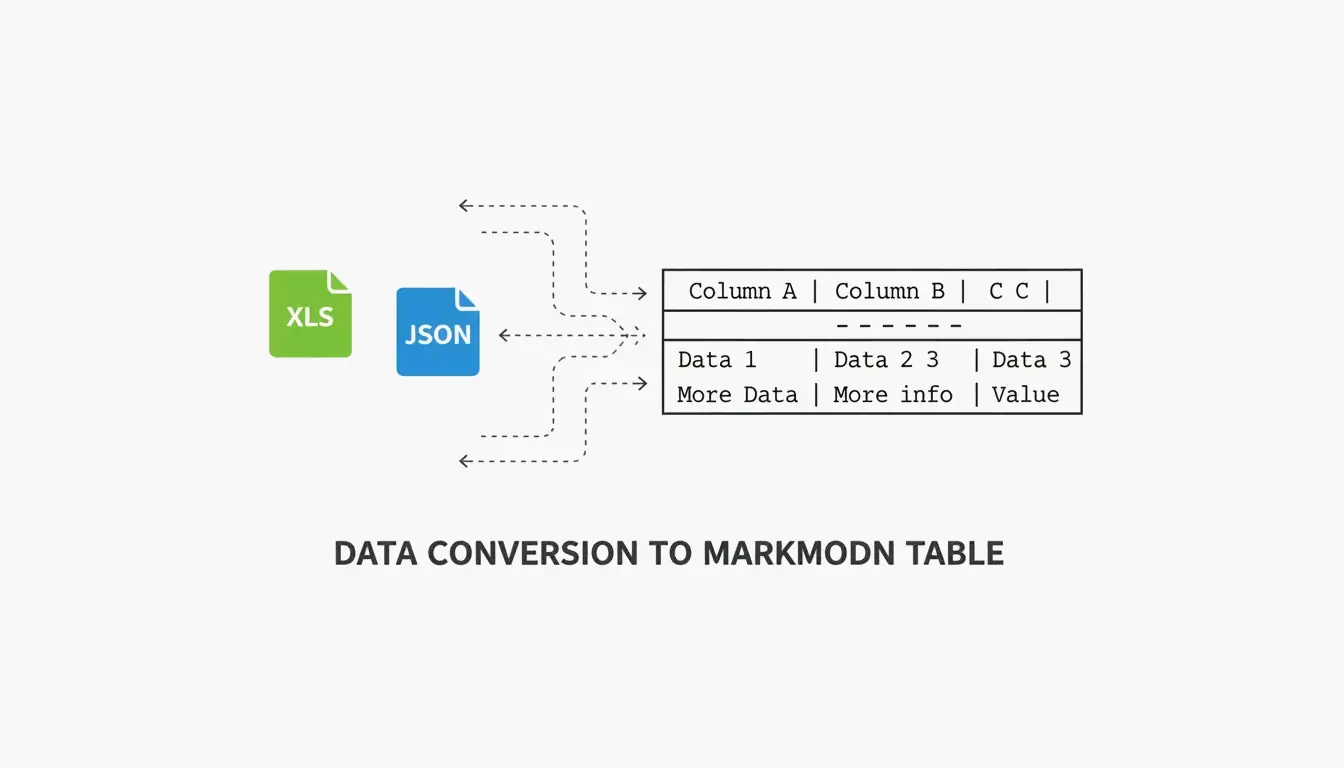
    Need to turn a spreadsheet, CSV, or JSON file into a clean Markdown table? In 2026, the process is straightforward — the right tool depends on whether you’re doing a quick one-off conversion or automating documentation at scale.

    This guide covers the best tools for each scenario: visual editors for manual work, CLI tools for automation, and CI/CD integration for keeping documentation in sync with your codebase.

    Top Tools at a Glance

    Tool Best For Type Key Strength
    TableGenerator.com Quick visual edits Web (client-side) Grid-based editor, alignment controls
    AnywayData Messy JSON files Web / library Flattening nested structures, AST parsing
    MarkItDown (Microsoft) Excel/Word automation Python CLI Preserves headers and table grids from Office files
    Pandoc Multi-format conversion CLI Supports dozens of formats, stable at scale
    EaseCloud Excel → GFM Web Simple browser-based converter
    GoConverter Excel → GFM Web Fast conversion with alignment options

    According to DasRoot (2026), modern Markdown tools can process 15–30 tables per second for mid-sized datasets — and the best ones use client-side processing, meaning your data never leaves your browser.

    Why GFM Compliance Matters

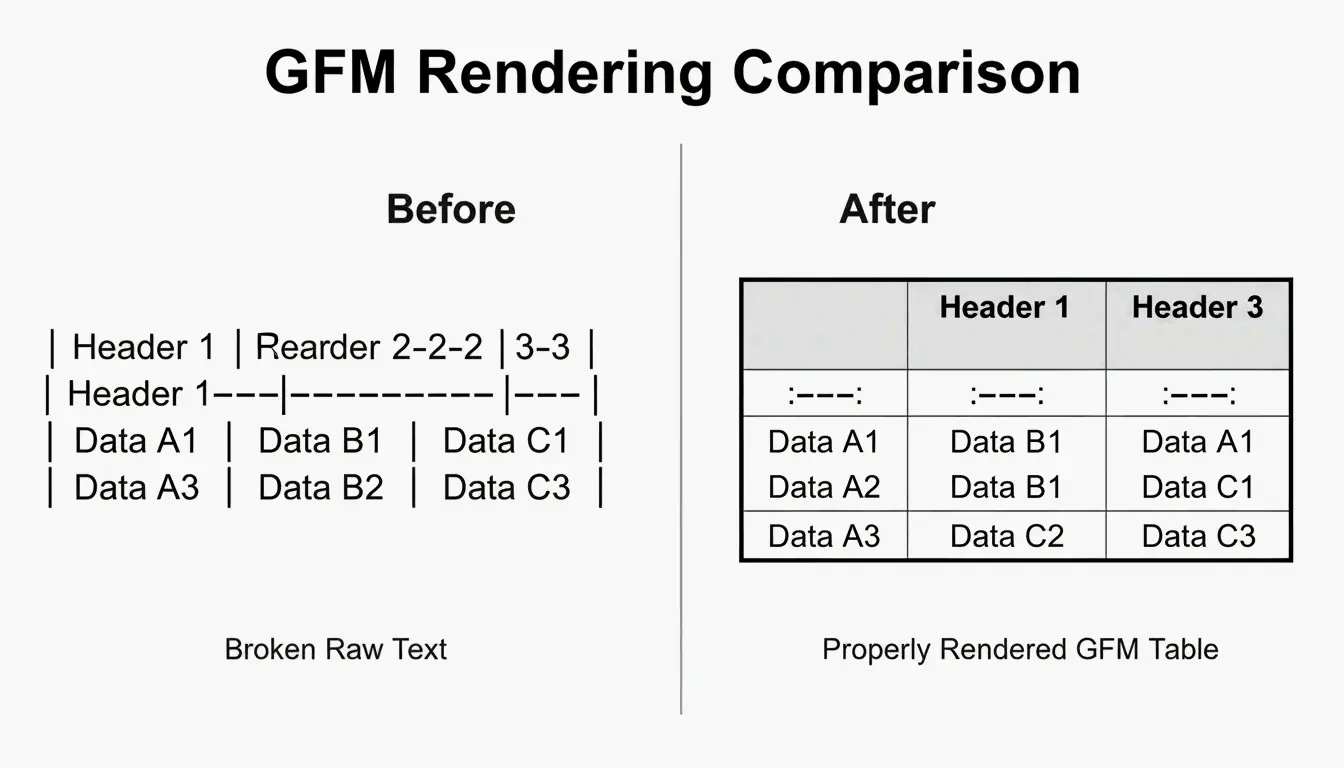
    GitHub Flavored Markdown (GFM) is the specific dialect used by GitHub, GitLab, and Discord. The original Markdown spec didn’t support tables at all — GFM added the familiar “pipe-and-dash” syntax. A GFM-compliant generator ensures your tables render correctly with bold headers and aligned columns, rather than appearing as raw text.

    Visual comparison of raw data vs. a rendered GFM table

    How to Convert Excel and CSV to GFM

    The process is two steps:

    1. Export to CSV — Save your Excel or Google Sheets file as CSV. This strips heavy formatting while preserving the data grid.
    2. Convert — Use a browser-based tool like EaseCloud or GoConverter to generate GFM code.

    Column Alignment

    GFM controls alignment through the separator row (the line under the header):

    Syntax Alignment
    :--- Left-aligned (default)
    ---: Right-aligned
    :---: Center-aligned

    Escaping Pipe Characters

    Markdown uses | to mark column edges. If your data contains a pipe (in a code snippet or formula, for example), it will break the table. Escape it with:

    • HTML entity: |
    • Backslash: \|
    • Code backticks: `|`

    Handling Large Datasets (100+ Rows)

    For datasets over 100 rows, web-based visual editors may lag. Modern converters use incremental parsing to stay responsive. According to AnywayData, using “pairwise combinatorial data logic” can reduce necessary test cases by 90–99%, which helps when documenting complex configurations.

    For truly large datasets, consider splitting into multiple tables or providing a downloadable CSV link alongside the Markdown version.

    Converting JSON to GFM: Flattening Nested Data

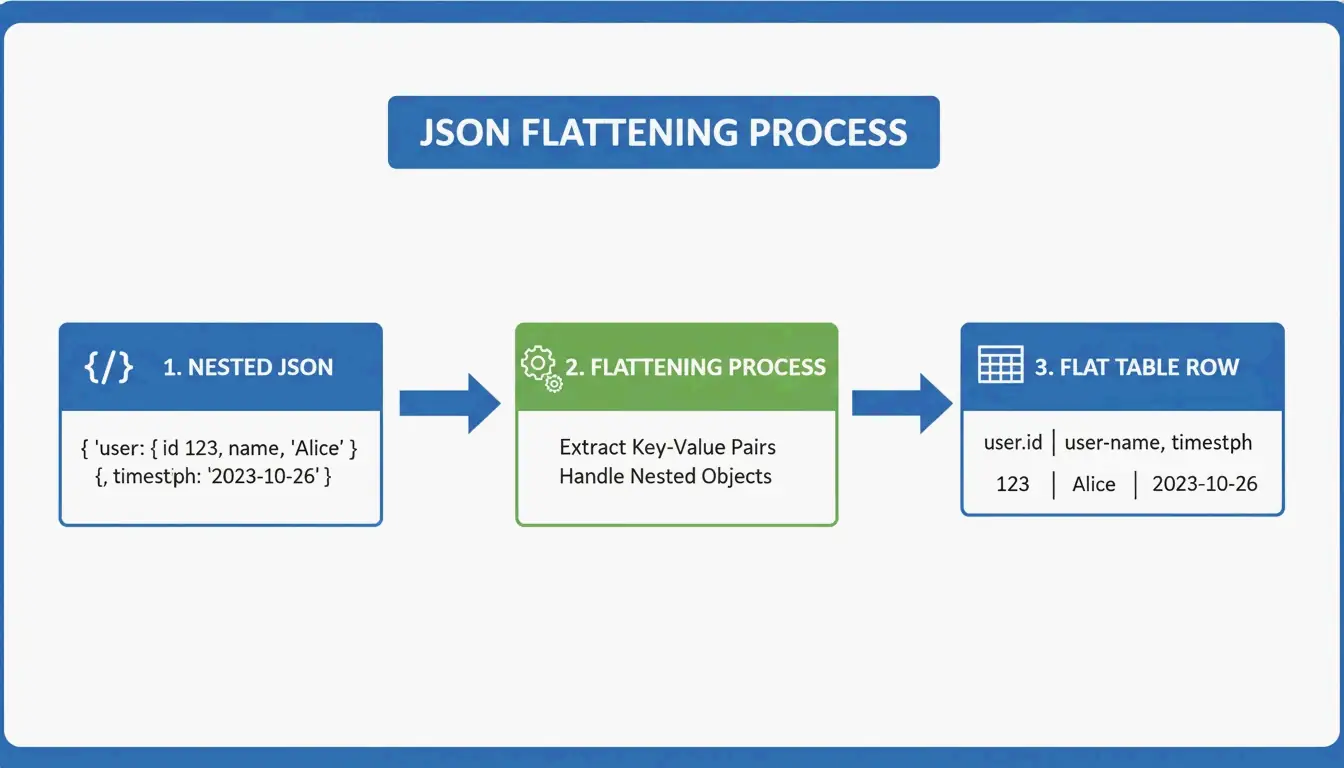
    JSON is hierarchical — data nested like Russian dolls. Markdown tables are flat 2D grids. The conversion requires flattening logic:

    user.address.city  →  "User Address City" (single column header)
    

    3-step visualization of flattening nested JSON into a flat table row

    AnywayData’s Grid Table Editor excels here — it lets you import JSON and manually control how nested layers get flattened. The quality of the conversion depends on whether the tool uses AST (Abstract Syntax Tree) construction rather than simple text pattern matching. AST-based parsers build a logical map of the data structure, handling deeper nesting and inconsistent schemas far more accurately.

    Automating with CI/CD

    For engineering teams, manual conversion is a waste of time. Integrating table generation into your CI/CD pipeline ensures README files stay current automatically:

    • Convert JSON API responses into GFM during the build process
    • Treat documentation as code — it updates when your data changes
    • Prevent the common problem of stale or incorrect information in your repo

    Tools like Terraform-docs v0.17.0 (2026) automatically inject resource tables directly into README files — proving that CLI tools often beat web interfaces for infrastructure-level documentation.

    MarkItDown vs. Pandoc: Which Should You Use?

    Factor MarkItDown (Microsoft) Pandoc
    Optimized for Office files (Excel, Word) Universal document conversion
    Markdown flavors GFM-focused CommonMark, GFM, and many others
    Best for Quick XLSX → GitHub table Multi-format, high-volume CLI work
    Latest version 2026 3.9.0.2 (stable)
    Speed Faster for single Office files Better for batch processing
    Use when You need one Excel file converted You need to convert between dozens of formats

    For most developers, MarkItDown is faster for the common case (Excel → GitHub table). Pandoc is the better choice when you’re juggling many document formats or running large-scale batch conversions.

    Conclusion

    Converting data to GFM tables in 2026 comes down to volume and workflow:

    • One-off edits → TableGenerator.com or AnywayData for visual control
    • Recurring Office conversions → MarkItDown integrated into your Python workflow
    • Multi-format or high-volume → Pandoc for CLI batch processing
    • Infrastructure docs → CI/CD automation with terraform-docs or custom scripts

    The key principle: documentation should update when your data updates. Automating the conversion prevents stale tables and keeps your project’s documentation trustworthy.

    FAQ

    How do I escape pipe characters (|) within a Markdown table cell?

    Use the HTML entity | instead of the literal pipe. Alternatively, use a backslash escape \| if your GFM parser supports it, or wrap the content in code backticks. All three methods prevent the pipe from being interpreted as a column separator.

    Does GFM support merged cells or multi-line content?

    No. Standard GFM doesn’t support colspan or rowspan. Each cell must be independent. For multi-line content within a cell, use HTML <br> tags to force line breaks while keeping the data in a single row.

    What’s the best approach for datasets over 100 rows?

    Skip web-based visual editors (they’ll lag). Use CLI tools like MarkItDown or Pandoc instead. If the resulting table is too large for a single page, split it into multiple tables or provide a link to a downloadable CSV file to maintain readability.

  • What Is a UUID? The Complete Guide to RFC 9562 and Modern Unique Identifiers

    What Is a UUID? The Complete Guide to RFC 9562 and Modern Unique Identifiers

    Every modern database, distributed system, and API uses unique identifiers — and in 2026, the standard that governs them has fundamentally changed. UUID (Universally Unique Identifier) is a 128-bit label that can identify information across computer systems without any central coordination. Under the new RFC 9562 (which replaced RFC 4122 in May 2024), the landscape has shifted: UUID v4 remains the go-to for random IDs, but UUID v7 is now the recommended standard for database primary keys because its time-ordered structure prevents B-tree index fragmentation.

    This guide covers the full picture: how UUIDs work, which version to use when, and how to implement them correctly.

    Understanding RFC 9562: The Modern UUID Standard

    A UUID is a 128-bit number that’s practically guaranteed to be unique — no central authority needed. According to Wikipedia, the chance of two UUIDs colliding is so close to zero it’s considered impossible for real-world applications. Different teams can label data independently, confident their IDs won’t clash.

    In May 2024, the IETF published RFC 9562, retiring the old RFC 4122. The update responded to the demands of modern distributed systems, which needed IDs that are both unique and sortable by time. Three new versions were introduced: v6, v7, and v8.

    Anatomy of a UUID: Versions and Variants

    You’ll typically see a UUID as 32 hexadecimal characters split into five groups by hyphens (8-4-4-4-12):

    550e8400-e29b-41d4-a716-446655440000
                ^
              version
    

    Two key fields tell you how the UUID was generated:

    Field Location What It Tells You
    Version bits First 4 bits of the 7th byte (first char of the 3rd group) Which algorithm was used (e.g., “4” = v4, “7” = v7)
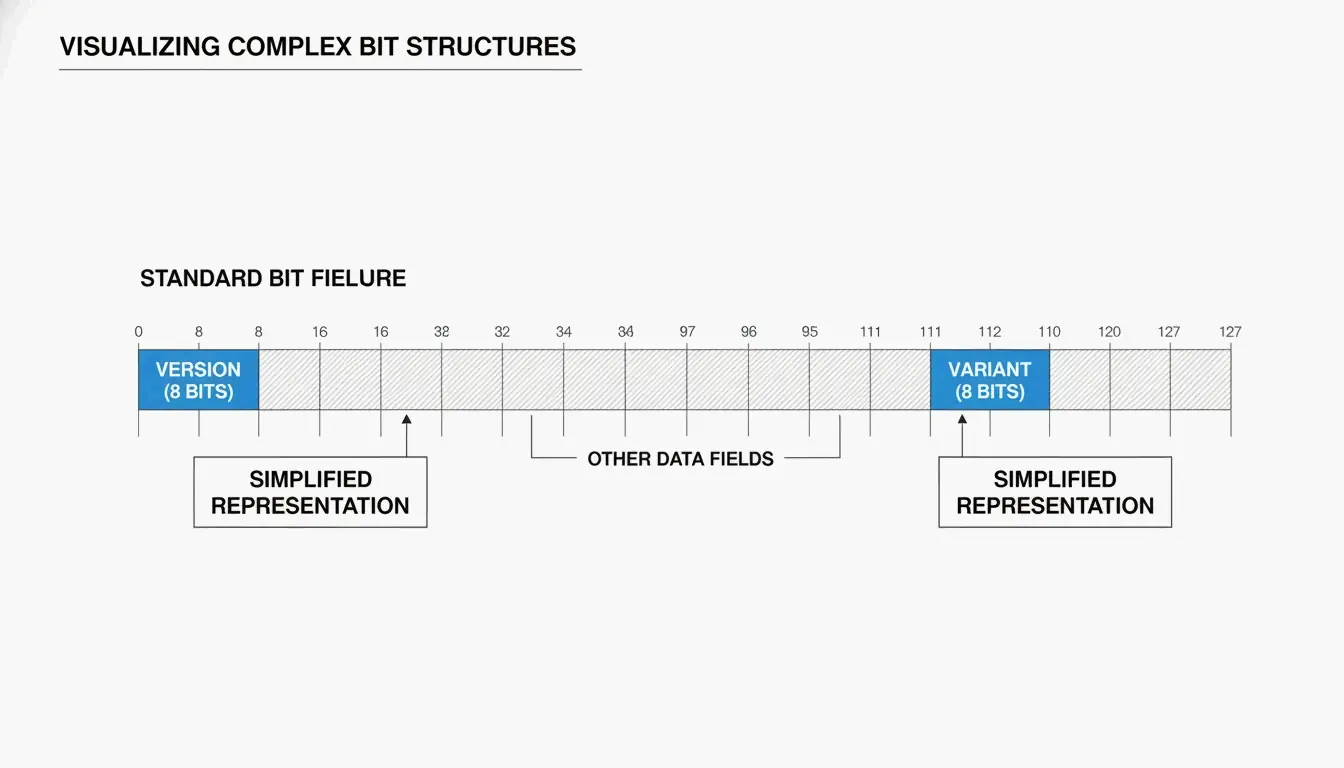
    Variant bits 9th byte The UUID variant — RFC 9562 uses a 10 bit pattern

    As SnapUtils explains, the variant bits separate modern RFC 9562 UUIDs from older Apollo or Microsoft formats.

    UUID 结构拆解示意图

    Why UUID v7 Is the New Gold Standard for Databases

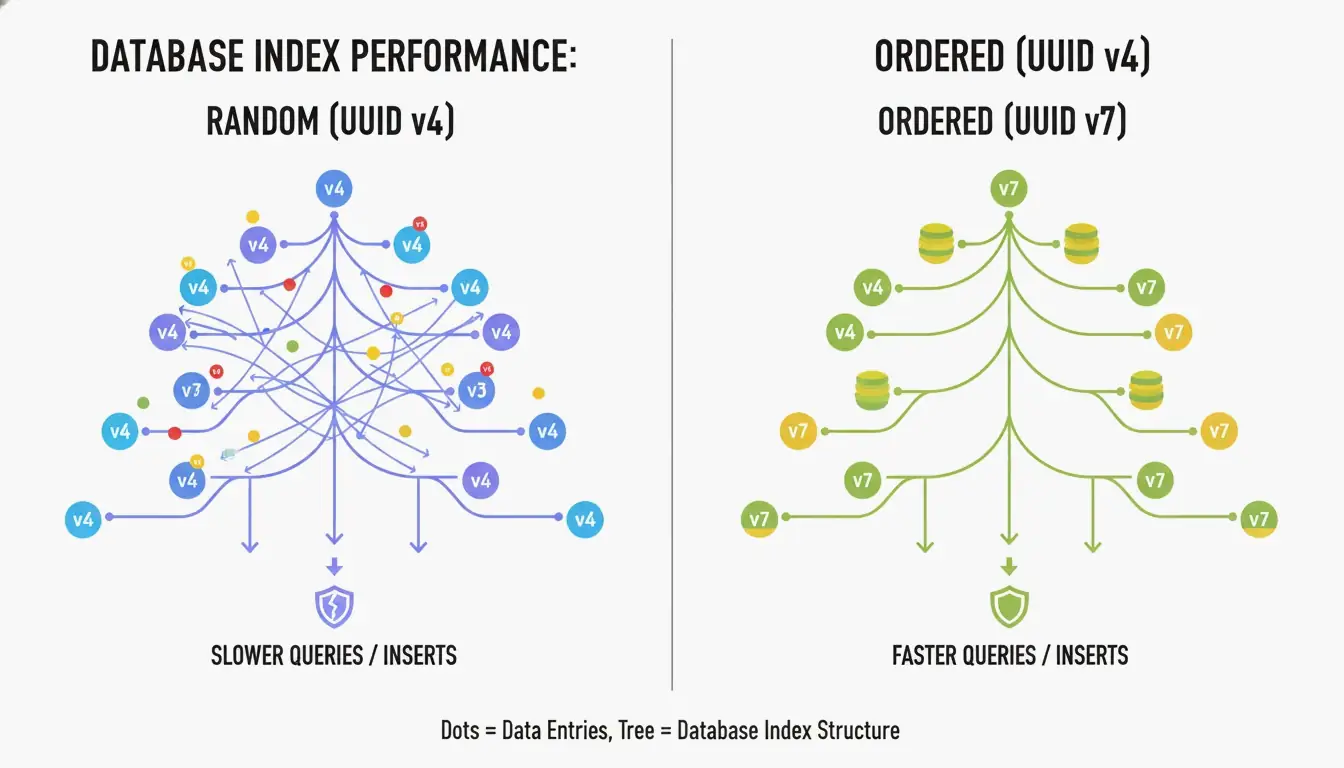
    The biggest drawback of UUID v4 is that it’s completely random. When used as a primary key in a B-tree index, the database has to insert new rows at unpredictable positions. According to CreateUUID, this causes “page splits” — the database must constantly reorganize data to make room, leading to slower writes and wasted memory.

    UUID v7 solves this by placing a 48-bit Unix Epoch timestamp (millisecond precision) at the start of the ID. This makes IDs monotonically increasing — new ones are always larger than old ones. The database can simply append to the end of the index, giving you the performance of a sequential integer with the global uniqueness of a UUID.

    UUID v4 随机插入 vs UUID v7 顺序插入的对比

    How UUID v7 Balances Time and Entropy

    UUID v7 fills the remaining 74 bits using a CSPRNG (Cryptographically Secure Pseudo-Random Number Generator). According to Wikipedia, you’d need to generate about 1 billion UUIDs per second for 85 years to reach a 50% collision probability. For any real application, UUID v7 is effectively collision-proof.

    Storage Best Practices: Binary(16) vs. String(36)

    How you store UUIDs matters as much as which version you use:

    Storage Format Space Index Performance Recommendation
    Binary(16) 16 bytes High (compact) Best practice
    Native UUID type 16 bytes High (optimized) Best for PostgreSQL
    String (Char 36) 36–72 bytes Low (fragmented) Avoid

    SnapUtils recommends always using native types over strings. In PostgreSQL, the native uuid type stores data in a compact 16-byte binary format while still supporting standard string-based queries.

    UUID vs GUID: Is There a Difference?

    A GUID (Globally Unique Identifier) is Microsoft’s implementation of the UUID standard. Historically, there was a difference in byte ordering (endianness) — early Microsoft GUIDs used little-endian for the first three fields, while standard UUIDs used big-endian (network byte order) (SnapUtils).

    By 2026, this is mostly a naming convention. Under RFC 9562, they work identically. A Guid.NewGuid() in .NET is fully compatible with a uuid.uuid4() in Python. You’ll hear “GUID” in Windows/Azure circles and “UUID” in Linux and open-source communities.

    Implementing Modern UUIDs: Language-by-Language

    Language UUID v4 UUID v7
    Python Built-in uuid module uuid6 or uuid7 package
    JavaScript crypto.randomUUID() uuid npm package (v10+)
    PostgreSQL gen_random_uuid() (PG 13+) Native uuidv7() (PG 17+) or extensions
    .NET Guid.NewGuid() Community packages
    Rust uuid crate (v1.7+) uuid crate with v7 feature

    Deterministic IDs: UUID v5

    If you need the same ID every time for a given input (like a URL or username), use UUID v5. It hashes a Namespace UUID and a name string using SHA-1 — perfect for deduplication when you can’t check a central database.

    The Privacy Lesson of UUID v1

    UUID v1 uses a timestamp and the computer’s MAC address. It’s been largely abandoned because it leaks hardware information. A famous example: the Melissa Virus creator was caught because UUIDs in infected Word documents contained his specific MAC address.

    Advanced RFC 9562: v6, v8, and Special UUIDs

    RFC 9562 added specialized versions for niche distributed system needs:

    Version Purpose Use When
    v6 Reordered v1 timestamp — sortable while keeping v1’s precision Migrating legacy v1 systems
    v8 Custom — 122 bits for developer-defined data Experimental or vendor-specific schemes
    Nil UUID 00000000-0000-0000-0000-000000000000 Null placeholder
    Max UUID FFFFFFFF-FFFF-FFFF-FFFF-FFFFFFFFFFFF Range endpoint marker

    Conclusion

    RFC 9562 has updated unique identifiers for the modern cloud era. The practical guidance:

    • Database primary keys → Use UUID v7 for time-ordered, fragmentation-free inserts
    • General randomness → UUID v4 remains perfectly fine
    • Deduplication → UUID v5 gives you deterministic IDs
    • Storage → Always use Binary(16) or native UUID types, never strings

    Action item: Check your database schemas. If you’re using UUID v4 as a primary key in tables with millions of rows, migrating to UUID v7 is a straightforward change that can significantly reduce index fragmentation and speed up queries.

    FAQ

    Is a UUID the same as a GUID?

    Functionally, yes. A GUID is Microsoft’s implementation of the UUID standard. Under RFC 9562, they are identical in behavior — you can use them interchangeably across .NET, Java, and Python applications.

    Can two UUIDs ever collide in a real-world scenario?

    Mathematically possible, practically impossible. For UUID v4, you’d need to generate approximately 2.71 quintillion IDs to reach a 50% collision probability. According to Generate-Random.org, generating 1 billion UUIDs per second for 85 years gives you only a 50% chance of a single collision.

    Should I store UUIDs as strings or binary in my database?

    Always prefer Binary(16) or the native UUID type (available in PostgreSQL). A 36-character string consumes more than twice the space and significantly slows down index lookups and joins. SnapUtils notes that the performance benefits of RFC 9562 are maximized when storage stays compact.

    When should I use UUID v5 instead of UUID v4?

    Use v5 when you need deterministic IDs — the same input always produces the same UUID, without checking a database. Use v4 when you need complete randomness and want to ensure the identifier can’t be reverse-engineered to its source.

  • Master AI Image Generator Prompts: The 2026 Framework for Pro Visuals

    Master AI Image Generator Prompts: The 2026 Framework for Pro Visuals

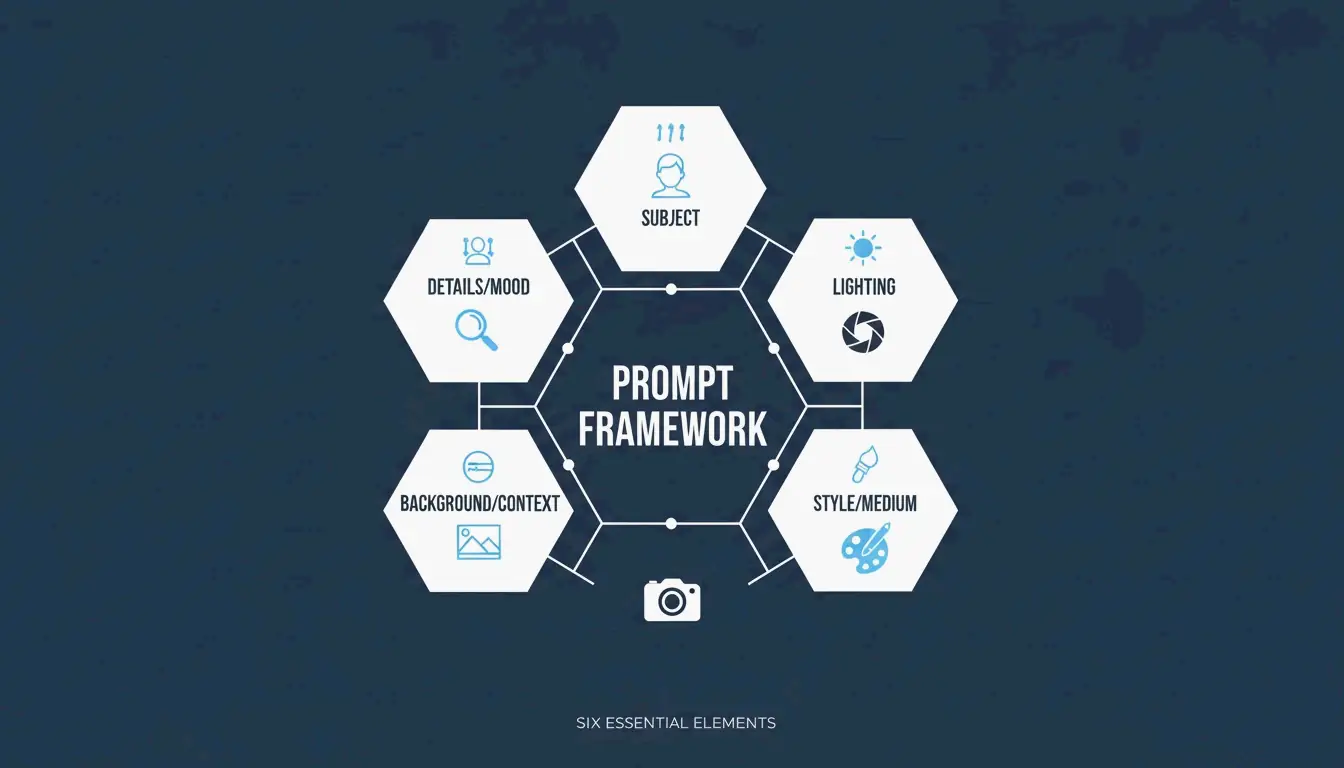
    Getting great results from an AI image generator isn’t about luck or typing “make it beautiful.” In 2026, professional visuals come from structured prompting — treating the AI like a camera and art director combined. The approach that’s emerged as the industry standard is the Six-Element Framework: Subject, Environment, Style, Lighting, Composition, and Quality Modifiers.

    This guide covers the full framework, compares the top models (GPT Image 2, Nano Banana 2, Flux 1.1 Pro, Midjourney), and shows you how to iterate from a rough draft to a production-ready image.

    The Six-Element Prompt Framework

    The key shift: stop describing and start instructing. Data from Adobe shows that by 2025, 67% of marketing teams had integrated AI generation into daily workflows — making prompt engineering a core professional skill.

    Here’s the framework that ensures every element of your image is a deliberate choice:

    Element What to Specify Example
    Subject Main focus with physical details “a slim silver laptop open at a 90-degree angle on a white oak desk”
    Environment Background or setting “minimalist studio with soft gray walls”
    Style Medium or visual genre “editorial photography,” “flat illustration,” “3D render”
    Lighting Direction, quality, temperature “soft natural window light from the left, warm tone”
    Composition Camera angle and framing “wide angle, eye-level perspective, shallow depth of field”
    Quality Technical output targets “4K, ultra-realistic, high-fidelity”

    A clean, minimalist diagram showing the 6 interconnected elements of the prompt framework.

    Why Precision Beats Adjectives

    Words like “stunning” or “beautiful” don’t tell an AI model anything useful. Specifying a “50mm lens” or “DSLR-style photography” forces the AI to simulate real-world optics — including natural background blur (bokeh). According to the ImagineArt Guide, controlling the lighting is the single most effective way to move from a “fake AI look” to a professional photograph.

    Case Study: 75% Cost Reduction in E-commerce

    This framework isn’t just about aesthetics — it’s changing the economics of content production. As reported by Pixazo, one e-commerce platform used structured prompting with Seedream 4.5 and 5.0 to generate over 10,000 product images per month. By replacing traditional photoshoots (typically $2,000–$10,000 each), the company cut creative costs by 75% and accelerated time-to-market.

    GPT Image 2: Typography and Complex Instructions

    GPT Image 2 is a 2026 breakthrough because it handles layered instructions and renders legible text within images — something earlier models struggled with. To get clean typography:

    • Put the desired text in quotes: "SALE 50% OFF"
    • Specify the font style: “bold sans-serif” or “thin serif”
    • Define placement: “centered on a white banner, top third of the image”

    The 2K Reliability Boundary

    Technical precision extends to resolution. While GPT Image 2 can target 4K (3840×2160), OpenAI’s documentation suggests treating anything above 2560×1440 (2K) as an “experimental boundary.” For consistent textures and logic in production, stay within 2K. Always ensure dimensions are a multiple of 16.

    Prompting for Brand Consistency

    GPT Image 2 is built for “Context-Rich Prompts.” Instead of just describing the image, tell the AI what it’s for. IndianPrompt recommends framing like: “Generate a professional image for a blog article about productivity… the mood should be optimistic.” This helps the model select color palettes and layouts that fit professional design standards automatically.

    Nano Banana 2 and Flux 1.1 Pro: Photorealism Leaders

    If your goal is absolute photographic realism, here’s how the top models compare:

    Model Strength Best For
    Nano Banana 2 (Gemini 3 Pro Image) Micro-textures: skin pores, fabric weaves, aged materials at 4K Architecture, product photography, hyper-realism
    Flux 1.1 Pro Natural light simulation — how light bounces, where shadows fall Developer pipelines, consistent lighting, high-volume work
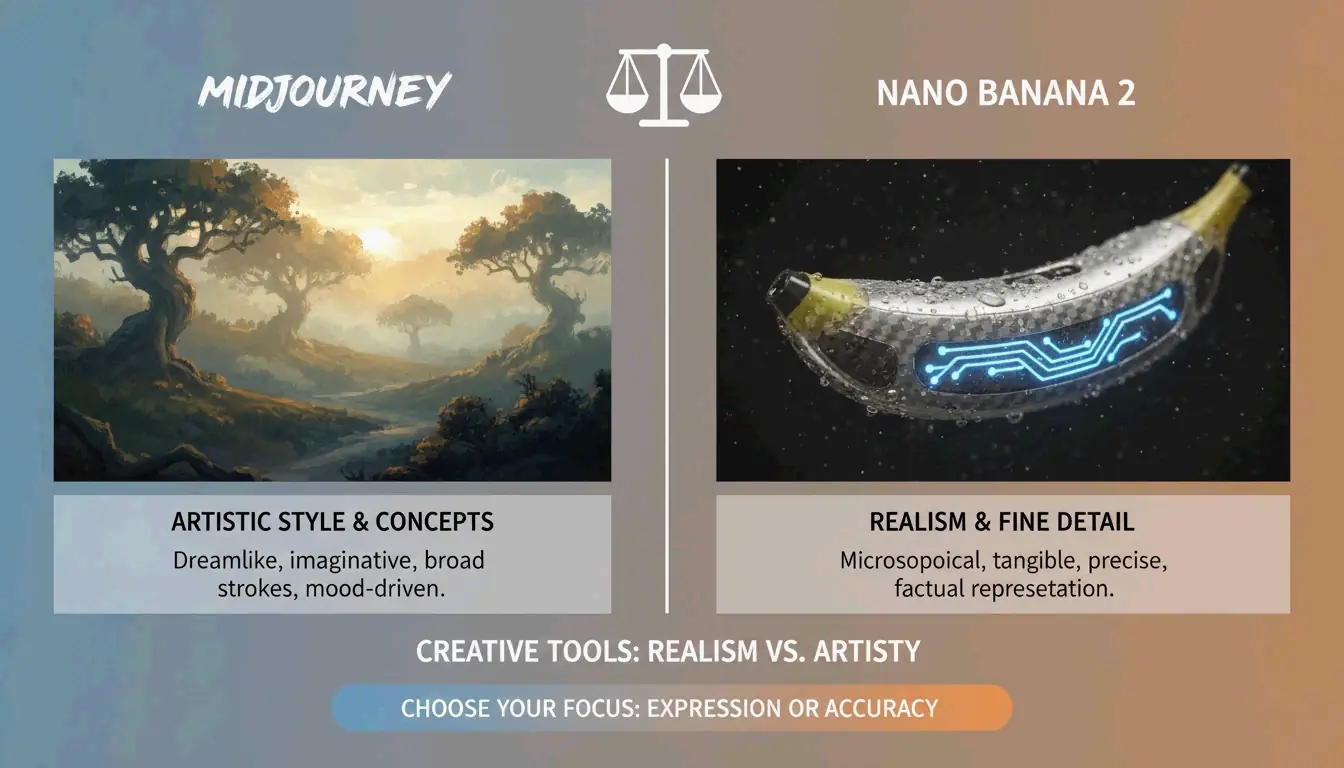
    Midjourney Artistic mood, atmospheric imagery, editorial style Abstract concepts, brand storytelling, “feeling over accuracy”

    AIMLAPI notes that Nano Banana 2 is currently the most detailed model for architecture and product shots. Midjourney still holds a 26.8% market share in 2026 (Prodia), making it the go-to when you need an “artistic vibe” rather than a literal document.

    A high-contrast comparison between 'Artistic Mood' (Midjourney) and 'Photorealistic Truth' (Nano Banana 2).

    Advanced Techniques: Iterative Refinement

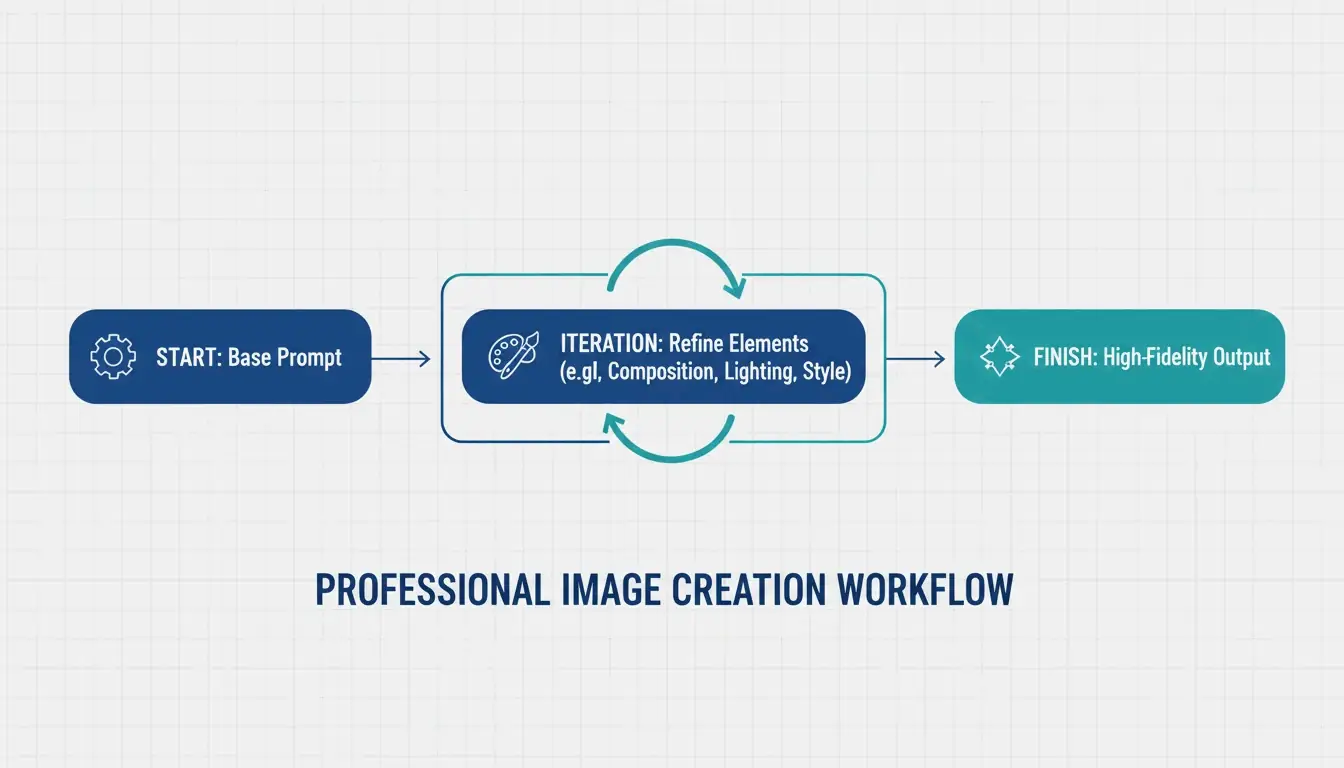
    Professional AI images are rarely perfect on the first try. The industry standard is a 3–5 step refinement loop:

    1. Base prompt — Get the composition and subject right
    2. Refinement passes — Use targeted instructions like “change only the jacket color, keep the face identical”
    3. Final polish — Adjust lighting, fix artifacts, ensure brand alignment

    ImagineArt emphasizes the importance of restating invariants — explicitly telling the AI what should not change between iterations. Without this, the model tends to drift.

    A 3-step iterative loop: Base Prompt -> Refinement -> Final Polish.

    Negative Prompts for Quality Control

    Negative prompting remains essential — tell the AI what to exclude:
    "extra fingers, extra limbs" — Classic AI artifacts
    "text overlays, watermarks" — Unwanted additions
    "stock photo aesthetic, over-smoothed skin" — The generic “plastic” look common in high-saturation outputs

    Preparing for Image-to-Video

    A major 2026 trend: generating static images optimized for video tools like Kling or Grok. When creating visuals for the Image-to-Video (I2V) pipeline, ensure high-resolution keyframes with consistent features so the AI can animate the scene without glitches.

    Specialized Workflows: SVG Output and Brand Consistency

    For designers who need scalable files, Recraft V4 is the standout — the only major model that outputs true SVG (scalable vector) files. According to AIMLAPI, its native brand kit support lets you upload your own color palettes and logos, ensuring every generation fits your company’s design language.

    Character Consistency Across Scenes

    Tools like Midjourney and Nano Banana 2 now support “Character Reference” (Cref) tags, allowing the same character to appear consistently across different scenes. Combined with a “Character Seed” prompt that defines fixed traits (age, hair color, clothing), this is a major win for brand storytelling.

    Legal Safety for Commercial Use

    Adobe Firefly, with over 6.5 billion visuals created, remains the top choice for enterprise use because it’s trained on licensed content and offers commercial protection that open-source models can’t match. Always verify the latest AI disclosure requirements for your market.

    Conclusion

    Professional AI imagery in 2026 has moved from creative guesswork to structured engineering. The practical approach:

    • Use the Six-Element Framework for every prompt — Subject, Environment, Style, Lighting, Composition, Quality
    • Choose the right model — GPT Image 2 for typography and layouts, Nano Banana 2 for photorealism, Midjourney for artistic mood
    • Iterate 3–5 times — Start with composition, refine details, then polish
    • Think beyond static — Optimize for the Image-to-Video pipeline when needed

    Mastering these technical instructions turns AI from a novelty toy into a high-performance digital studio.

    FAQ

    Which AI image generator is best for rendering clear text in 2026?

    GPT Image 2 is the current leader for typography (AIMLAPI). It follows complex layout instructions better than Nano Banana 2 or Midjourney. For best results, place text in quotes and specify font style and placement.

    Can I use AI-generated images for commercial marketing?

    Yes, but it depends on the tool’s license. Enterprise tiers of GPT Image 2 and Adobe Firefly generally allow commercial use. Prodia notes that Adobe Firefly is particularly safe as it’s trained on licensed content. Always check current AI disclosure requirements for your region.

    How do I maintain character consistency across multiple scenes?

    Use Character Reference (Cref) tags in Midjourney or Nano Banana 2. Create a “Character Seed” prompt defining fixed physical traits. ImagineArt suggests using iterative refinement to adjust backgrounds while keeping the subject static.

    What are the recommended resolution settings for GPT Image 2?

    For production use, stay at 2560×1440 (2K). While 3840×2160 (4K) is possible, OpenAI’s Cookbook treats the 3840px cap as experimental. Always ensure dimensions are multiples of 16.

  • What Is a Data Matrix Barcode? Definition, Specs, and Industrial Uses

    What Is a Data Matrix Barcode? Definition, Specs, and Industrial Uses

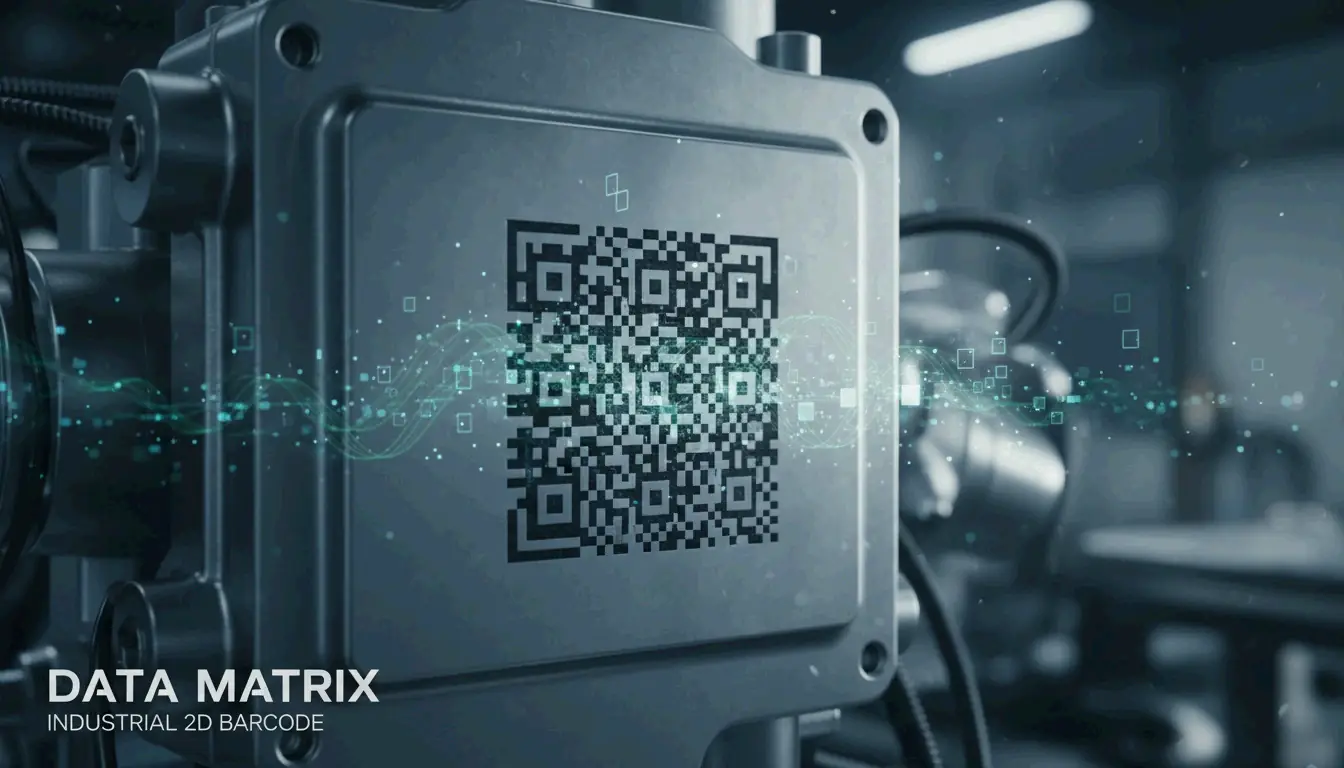
    A Data Matrix is a high-density 2D barcode — a grid of black and white cells arranged in a square or rectangle — defined by ISO/IEC 16022. It uses ECC200 (Reed-Solomon) error correction to remain readable even when damaged, and it can store up to 2,335 alphanumeric characters in a space smaller than a fingernail. As of 2026, it’s the global standard for marking small industrial components and regulated pharmaceutical items.

    This guide covers what a Data Matrix is, how it works technically, where it’s used in the real world, and how to choose between it and a QR code.

    Technical Definition: What Is a Data Matrix Barcode?

    Unlike traditional 1D barcodes that encode data in the width and spacing of parallel lines, a Data Matrix encodes information in both dimensions — horizontally and vertically. This 2D approach allows it to pack significantly more data into a much smaller physical footprint.

    Every Data Matrix features an L-shaped Finder Pattern — two solid borders that tell the scanner exactly where the symbol is and how it’s oriented, even if the code is upside down or tilted. According to Wikipedia, the current rules are defined by ISO/IEC 16022:2024 (Edition 3). The standard is in the public domain, so anyone can use it without paying royalties.

    Anatomy: Cells, Modules, and the Quiet Zone

    Component Purpose
    Finder Pattern (“L”) Two solid borders that help the scanner locate the code and determine orientation
    Timing Pattern Alternating dark/light cells opposite the “L” — tells the reader the grid dimensions
    Data Region The interior area where actual information is encoded (grows as data increases)
    Quiet Zone A mandatory blank margin outside the pattern that prevents nearby text/graphics from confusing the scanner

    The technology is remarkably scalable. Wikipedia notes that you’ll find Data Matrix codes as small as 300 micrometers etched onto silicon chips, and as large as one-meter squares painted on the roofs of train cars.

    Why ECC200 and Reed-Solomon Error Correction Matter

    Modern Data Matrix reliability comes from ECC200, which uses the Reed-Solomon algorithm to add redundant “backup” data to each symbol. This means the code still works even when part of it is scratched, dirty, or torn.

    Wikipedia reports that ECC200 can reconstruct the full data string even with up to 30% damage — as long as the L-shaped finder pattern remains visible. This makes it the top choice for harsh environments where parts face chemicals, heavy friction, or extreme heat.

    Feature ECC200 (Current Standard) ECC 000–140 (Legacy)
    Error correction Reed-Solomon Older methods
    Damage tolerance Up to 30% Lower
    Use today Global standard Only in closed systems
    Data capacity Up to 3,116 digits Lower

    Error rates are incredibly low. Wikipedia notes that scanners typically report only one error per 15,000 to 36 trillion characters, depending on code quality.

    Core Specifications: Capacity, Size, and Data Density

    The Data Matrix’s biggest advantage is data density — it holds a massive amount of information relative to its physical size.

    Data Type Maximum Capacity
    Alphanumeric characters 2,335
    Numeric digits 3,116
    Binary / byte data 1,556 bytes

    Grid sizes for ECC200 range from 10×10 up to 144×144 modules. The key measurement for calibration is the X-dimension — the size of a single module (dot or square). Most industrial scanners are calibrated for an X-dimension of at least 10 mil (0.254 mm) to ensure reliable reads.

    As Peak Technologies explains, the physical length of the code adjusts based on data content, and a checksum is always required. This flexibility lets manufacturers squeeze serial numbers, lot codes, and expiration dates onto something as small as the head of a screw.

    Industrial Uses: From Aerospace to Healthcare Compliance

    Data Matrix barcodes are the hidden engine behind global supply chains. Here’s where they show up in the real world.

    Pharmaceuticals: FDA Compliance

    In the U.S., the GS1 DataMatrix is the official standard for the FDA’s Drug Supply Chain Security Act (DSCSA). Pharmaceutical companies must mark every unit with a unique identifier to prevent counterfeit drugs from entering the market.

    Direct Part Marking (DPM) in Automotive and Electronics

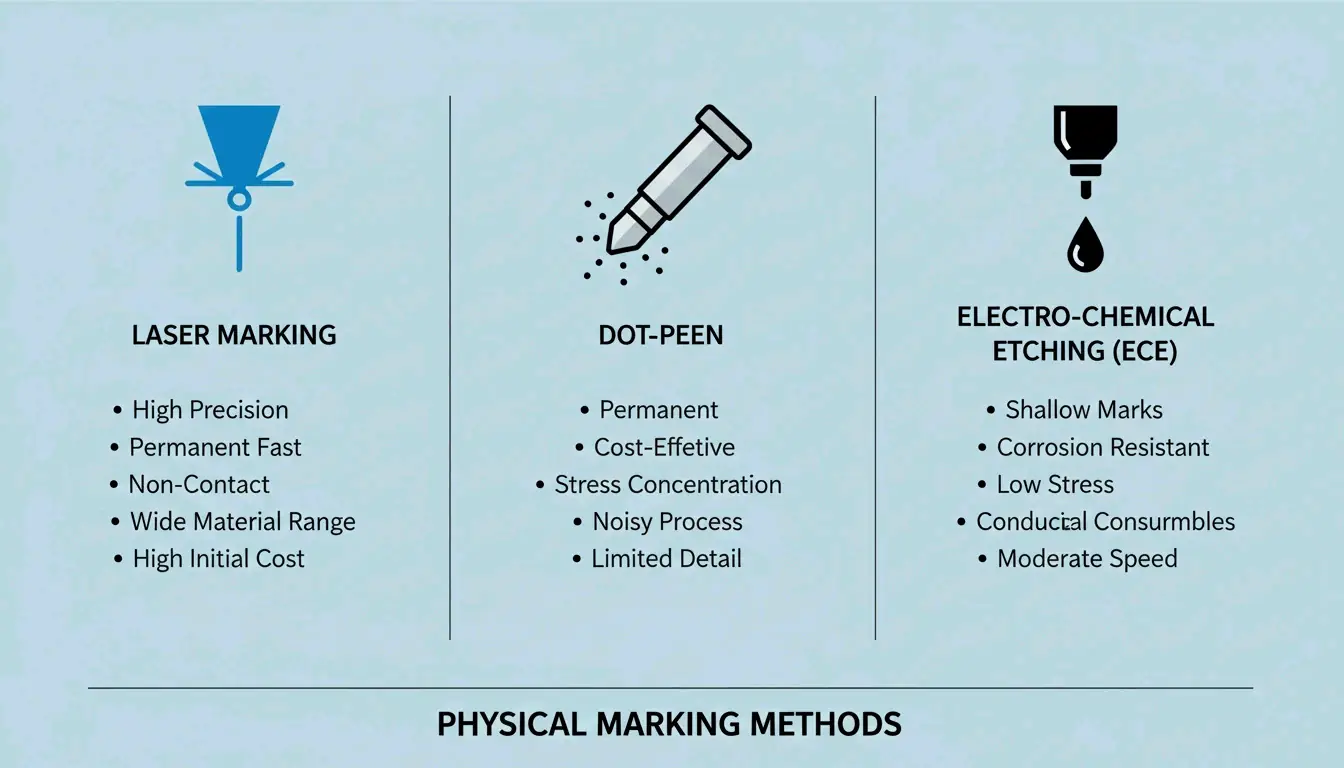
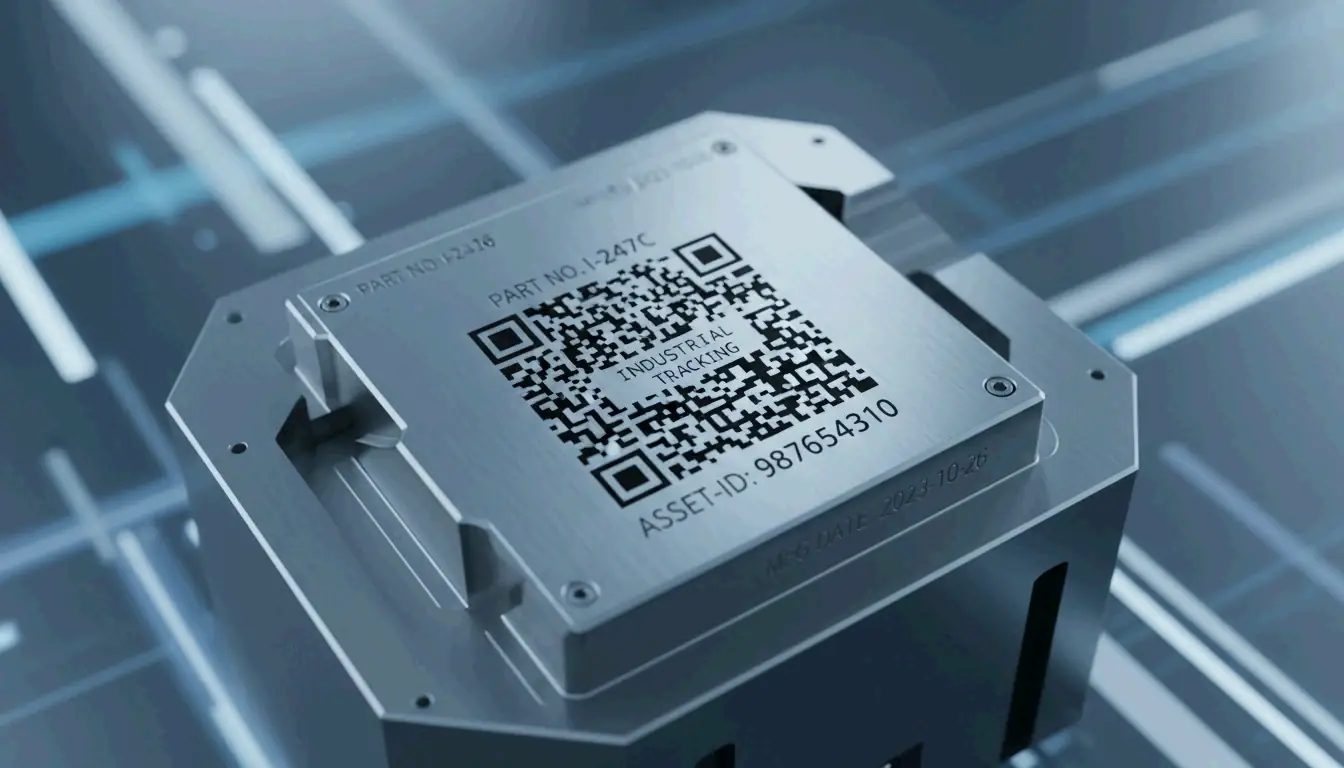
    For permanent part identification, Direct Part Marking (DPM) etches the code directly into the material rather than applying a label:

    Method How It Works Best For
    Laser marking Etches the code into metal or plastic with high-precision lasers Metal parts, plastics
    Dot-peen marking A metal stylus punches a grid of round dots into the surface Hard metals, harsh environments
    Electrolytic Chemical Etching (ECE) Chemical process creates a permanent mark on metal Conductive metals

    Comparison of different DPM marking methods

    Labels vs. Direct Marking: How to Choose

    When setting up a marking system, the choice depends on the application:

    1. Polyimide labelsCleverence calls these the “gold standard” for circuit boards (PCBs) because they survive reflow ovens and chemical washes.
    2. Laser etching — The go-to for aerospace parts where labels might peel off, or for tiny silicon chips with no room for a sticker.
    3. Contrast requirements — No matter the method, Elmed emphasizes that you need sharp contrast between light and dark cells for camera-based scanners to read the code reliably.

    Data Matrix vs. QR Code: Which Should You Choose?

    Both are 2D barcodes, but they’re designed for different purposes:

    Feature Data Matrix QR Code
    Physical size (same data) Smaller Larger
    GS1-approved for healthcare Yes (only 2D code approved) No
    Smartphone scanning Requires specialized app Native on most phones
    Best for Industrial tracking, small parts, pharma Consumer marketing, URLs, menus
    Durability Excellent (DPM compatible) Lower (typically printed labels)

    For industrial tracking — where space is tight and environments are harsh — the Data Matrix wins due to its smaller footprint, higher durability, and DPM compatibility. For consumer-facing applications, QR codes are the practical choice because anyone with a smartphone can scan them.

    Conclusion

    The Data Matrix barcode remains the gold standard for high-density industrial tracking in 2026, backed by the updated ISO/IEC 16022:2024 standards. Its ability to encode thousands of characters into a microscopic footprint — and survive 30% damage through ECC200 error correction — makes it indispensable from factory floors to pharmaceutical supply chains.

    When implementing a system:
    Always use ECC200 for global compatibility
    Choose DPM (laser/dot-peen) for parts facing harsh conditions
    Use polyimide labels for PCBs and high-temperature applications
    Ensure strong contrast between light and dark cells for reliable scanning

    FAQ

    What is the maximum data capacity of a Data Matrix barcode?

    Under ISO/IEC 16022, a Data Matrix can store up to 2,335 alphanumeric characters or 3,116 numeric digits. The physical size of the code depends on the X-dimension (module size) chosen for the application and scanner capabilities.

    Can a Data Matrix barcode be read if it is partially damaged?

    Yes — provided it uses the ECC200 standard. The Reed-Solomon error correction algorithm allows the symbol to remain fully scannable even when up to 30% of the surface area is damaged or obscured. This makes it ideal for parts exposed to chemicals, abrasion, or high heat.

    Do I need a license to use Data Matrix barcodes?

    No. The Data Matrix symbology is in the public domain. The original patents (held by International Data Matrix, Inc.) have expired. The specifications are now governed by ISO/IEC standards, and any organization can generate and use Data Matrix barcodes freely without paying royalty fees.

  • What Is a Data Matrix 2D Barcode? A Technical Guide for 2026

    What Is a Data Matrix 2D Barcode? A Technical Guide for 2026

    If you’ve ever looked closely at a tiny electronic component, a pharmaceutical package, or an aerospace part, you might have spotted a small square pattern of black and white cells. That’s a Data Matrix 2D barcode — and unlike the QR codes you scan with your phone, this one is built for the industrial world.

    Defined by ISO/IEC 16022 and using ECC200 error correction, Data Matrix is the go-to standard for tracking small items across global supply chains. As of 2026, it’s the required format for pharmaceutical serialization and Direct Part Marking on metal and plastic components.

    This guide covers how Data Matrix works, when to choose it over a QR code, what the GS1 Sunrise 2027 deadline means for your business, and even how to generate one programmatically.

    Understanding the Data Matrix 2D Barcode: Definition and Core Principles

    A Data Matrix is a grid of black and white “cells” (modules) arranged in a square or rectangle. Unlike traditional 1D barcodes that store data in a single horizontal line, Data Matrix encodes information in both dimensions — horizontally and vertically. This 2D approach lets it pack significantly more data into a much smaller footprint.

    According to Wikipedia, a single Data Matrix symbol can hold:
    – Up to 2,335 alphanumeric characters
    – Up to 3,116 numeric digits

    The technology is governed by the ISO/IEC 16022 standard, which is in the public domain — meaning anyone can implement it without licensing fees. Its ability to encode complex data into a space smaller than 1 mm² has made it indispensable in electronics manufacturing, aerospace, and medical device tracking.

    The Anatomy of a Data Matrix Symbol

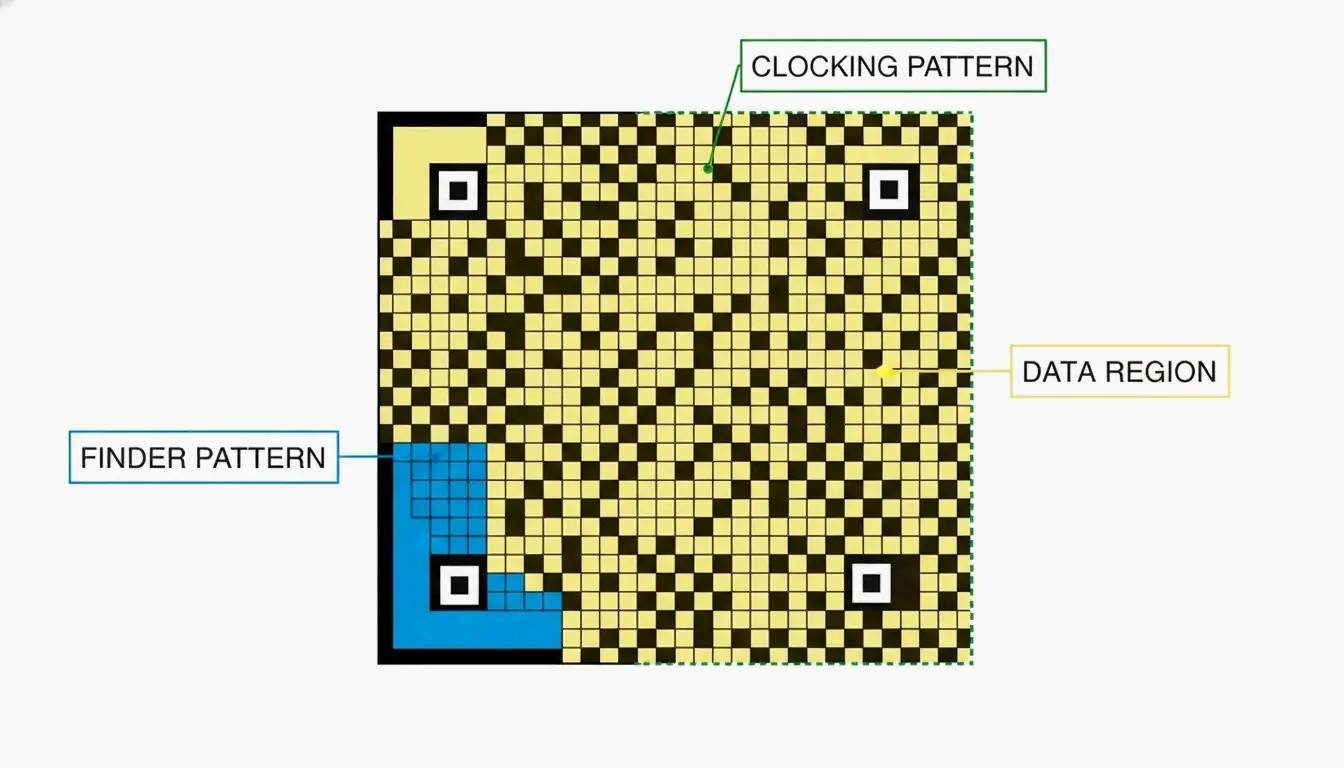
    Every Data Matrix code has three structural components that tell a scanner how to read it:

    Component What It Does
    Finder Pattern An “L” shape formed by two solid borders. Helps the scanner locate the code and determine its orientation.
    Clocking Pattern The two borders opposite the “L,” made of alternating dark and light cells. Tells the reader the grid’s row/column count.
    Data Region The interior area where actual information is stored. The grid grows as more data is added (10×10 up to 144×144 modules).

    A minimalist diagram identifying the three structural components of a Data Matrix code.

    Why ECC200 Is the Industry Standard for Error Correction

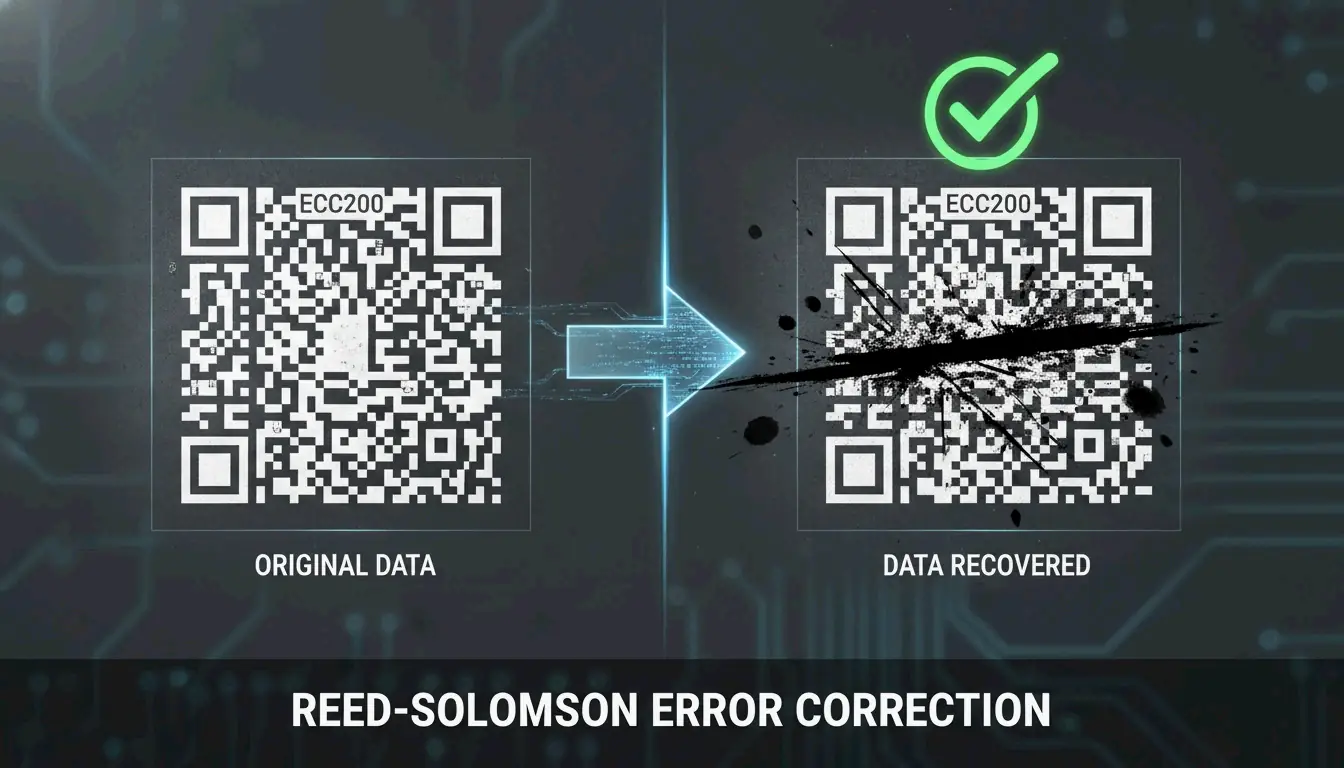
    The reliability of modern Data Matrix codes comes from ECC200, which uses Reed-Solomon error correction to add redundant data to each symbol. This backup information allows a scanner to reconstruct the original message even when the code is partially damaged.

    How much damage can it survive? Wikipedia notes that ECC200 can typically be read even when up to 30% of the symbol is damaged — as long as the “L” finder pattern remains intact.

    This is a significant upgrade over older error correction versions (ECC000–ECC140), which are now largely retired and only appear in “closed” systems where the same organization handles both printing and scanning.

    Feature ECC200 (Current) ECC000–140 (Legacy)
    Error tolerance Up to 30% damage Varies, generally lower
    Standard today Yes — global standard Only in closed systems
    Data capacity Up to 3,116 digits Lower

    A visual demonstration of error correction: a partially obscured barcode still being successfully scanned.

    Data Matrix vs. QR Code: Which 2D Symbology Should You Choose?

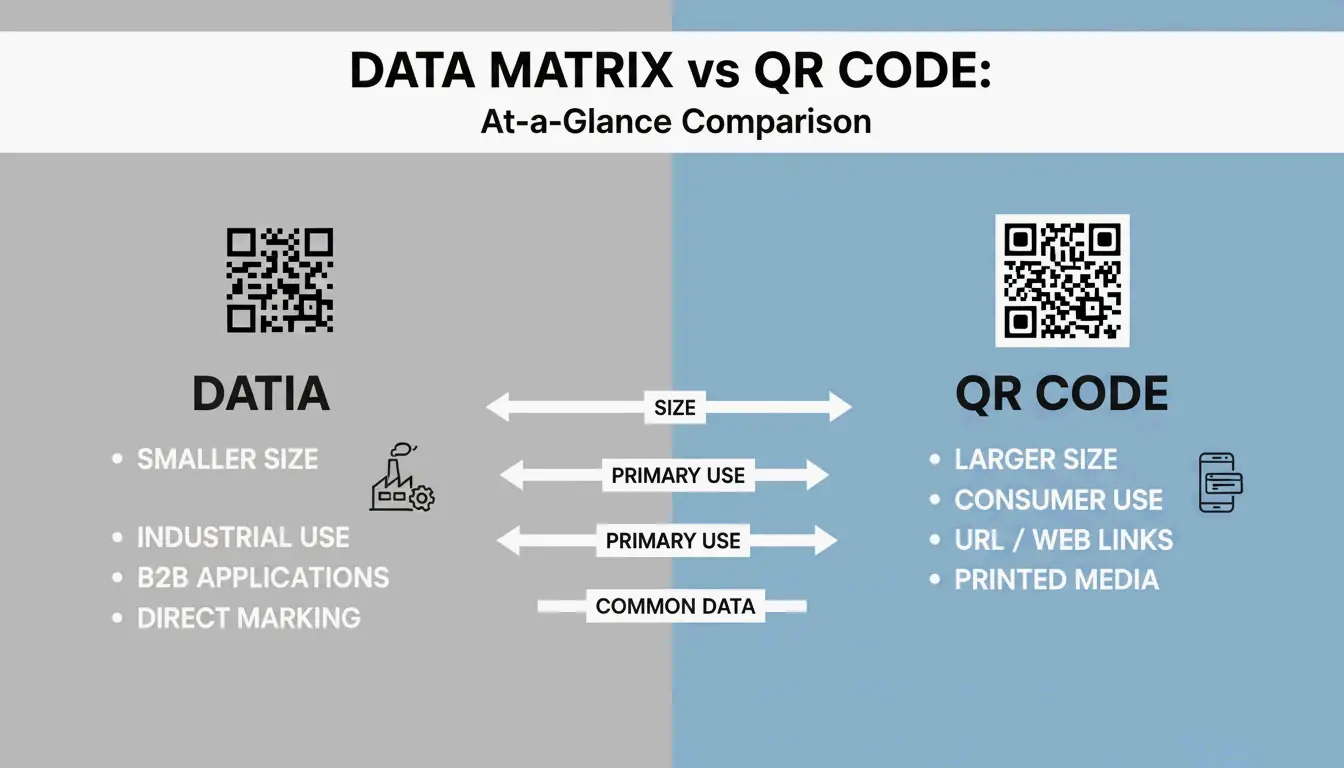
    Both are 2D barcodes, but they’re built for different purposes. Data Matrix serves industrial B2B applications; QR Codes are designed for consumer-facing marketing and engagement.

    When Data Matrix Is the Right Choice

    • Small parts and tight spaces — Data Matrix modules can be as small as 0.1 mm, making the overall code much smaller than a QR Code carrying the same data (Alsace Techniques Etiquetage).
    • Pharmaceutical serialization — Legally required for drug tracking in many markets.
    • Direct Part Marking (DPM) — Etched directly onto metal or plastic parts for permanent identification.

    When QR Codes Make More Sense

    • Consumer engagement — Almost any smartphone (iOS 11+ and Android 8+) can scan QR codes natively, no special app required.
    • URLs and marketing — QR Codes support branding elements like logos in the center.
    • General public use — While Data Matrix can technically hold a URL, most consumers don’t have software that reads it.

    A side-by-side scale comparison between a Data Matrix and a QR Code containing the same data.

    2026 Update: GS1 DataMatrix and the Sunrise 2027 Deadline

    If you work in logistics or healthcare, GS1 DataMatrix is likely already on your radar. It’s important to understand that a standard Data Matrix and a GS1 DataMatrix aren’t identical — the GS1 version embeds a hidden “Function 1” (FNC1) character at the start to signal that the data follows GS1 global standards.

    Two major regulatory forces are driving adoption:

    1. DSCSA (Drug Supply Chain Security Act) — In the U.S., GS1 DataMatrix is required for pharmaceutical tracking.
    2. GS1 Sunrise 2027 — A global initiative to ensure all Point of Sale (POS) systems can scan 2D barcodes by 2027 (GS1 Sweden).

    Sunrise 2027 Preparation Checklist

    1. Hardware audit — Verify your scanners are imagers, not older laser models. Laser scanners cannot read 2D codes.
    2. Software update — Ensure your inventory systems recognize GS1-specific fields like Expiration Dates and Batch Numbers.
    3. Label redesign — Begin transitioning from 1D UPC barcodes to GS1 DataMatrix or GS1 QR Codes to carry richer product data.

    Industrial Implementation: Direct Part Marking (DPM) and Verification

    For parts that need to be tracked for years — or decades — companies use Direct Part Marking (DPM). Instead of printing a label, the Data Matrix is etched directly into the metal or plastic surface using lasers or chemical etching. The mark survives heat, chemicals, abrasion, and heavy wear.

    The accuracy is remarkable. BarcodeFactory reports that barcode scanners make a substitution error roughly once in every 15,000 to 36 trillion characters — making Data Matrix one of the most reliable identification methods available.

    To maintain this accuracy in production, businesses use ISO/IEC 15415 verification, which grades codes on a scale from A (best) to F (fail). For most industrial applications, a grade of C or better is required to ensure the code can be read reliably by different scanners across the supply chain.

    Developer’s Corner: Generating Data Matrix in C#/.NET

    If you’re building barcode generation into your own software, libraries like IronBarcode make it straightforward. Iron Software demonstrates that creating a compliant ECC200 symbol takes just a few lines:

    using IronBarCode;
    
    // Generate a Data Matrix barcode
    var myBarcode = BarcodeWriter.CreateBarcode(
        "GS1-GTIN-12345",
        BarcodeWriterEncoding.DataMatrix
    );
    
    // Customize size and save
    myBarcode.ResizeTo(250, 250);
    myBarcode.SaveAsPng("datamatrix-label.png");
    

    Tip for 2026: Always leave a Quiet Zone (blank border) of at least 1–2 module widths around your code. Without it, scanners may misread the edges.

    Conclusion

    The Data Matrix 2D barcode is the workhorse of industrial and healthcare identification — small enough to fit on a pill bottle, durable enough to survive laser etching onto metal, and reliable enough to remain readable even when 30% damaged.

    With the GS1 Sunrise 2027 deadline approaching, now is the time to audit your scanning hardware, update your software to handle GS1 fields, and start transitioning your labels. Whether you’re a supply chain manager or a developer building the next barcode tool, understanding Data Matrix is no longer optional — it’s a competitive advantage.

    FAQ

    Can a standard smartphone camera app read a Data Matrix code?

    Most iPhone and Android cameras default to QR code scanning. For Data Matrix, you’ll typically need a third-party app or a specific “business mode.” For professional or industrial environments, dedicated scanning hardware or specialized apps are strongly recommended.

    What is the maximum data capacity of a Data Matrix ECC200 symbol?

    An ECC200 symbol can hold up to 3,116 numeric digits or 2,335 alphanumeric characters. The physical size of the code grows as you add more data, reaching a maximum grid of 144×144 modules.

    What is the difference between a standard Data Matrix and a GS1 DataMatrix?

    A GS1 DataMatrix begins with a hidden “Function 1” (FNC1) character that tells the scanner the data follows GS1 standards — using specific Application Identifiers for fields like Expiration Date, Batch Number, or GTIN. This is required for pharmaceutical and food safety regulations in most markets.

  • Xbox Gamertag Character Limit in 2026: Rules, Costs, and the 12-Character Rule

    Xbox Gamertag Character Limit in 2026: Rules, Costs, and the 12-Character Rule

    Your Xbox gamertag is your identity across the entire Xbox Network — the name that shows up in multiplayer lobbies, friend lists, and achievement feeds. But if you’re thinking about changing yours in 2026, there’s a hard rule you need to know: all new gamertags are capped at 12 characters, including spaces.

    Legacy “Classic Gamertags” from the Xbox 360 era can still be up to 15 characters long — but only if they’ve never been changed since the modern system took over. Once you modify your name, there’s no going back to the old length.

    This guide covers everything: the current character limit, how the suffix system works, what it costs to change, and tips for finding a short, clean name.

    Understanding the 12-Character Limit in 2026

    Every new Xbox gamertag — whether you’re creating a fresh account or renaming an existing one — must fit within 12 characters. According to CodeItBro, this standard replaced the old 15-character cap from the Xbox 360 era to create a more consistent, globally unified naming system.

    The limit applies across the entire ecosystem:
    – Xbox Series X|S consoles
    – Xbox One consoles
    – Xbox App on PC
    – Xbox mobile apps (iOS and Android)

    With over 120 million active users on the network as of early 2023 (Wikipedia), finding a truly unique name has become harder over the years. To address this, Xbox now supports non-Latin scripts and alphabets — but even those must still fit within the 12-character display window.

    The Suffix System: How Duplicate Names Work

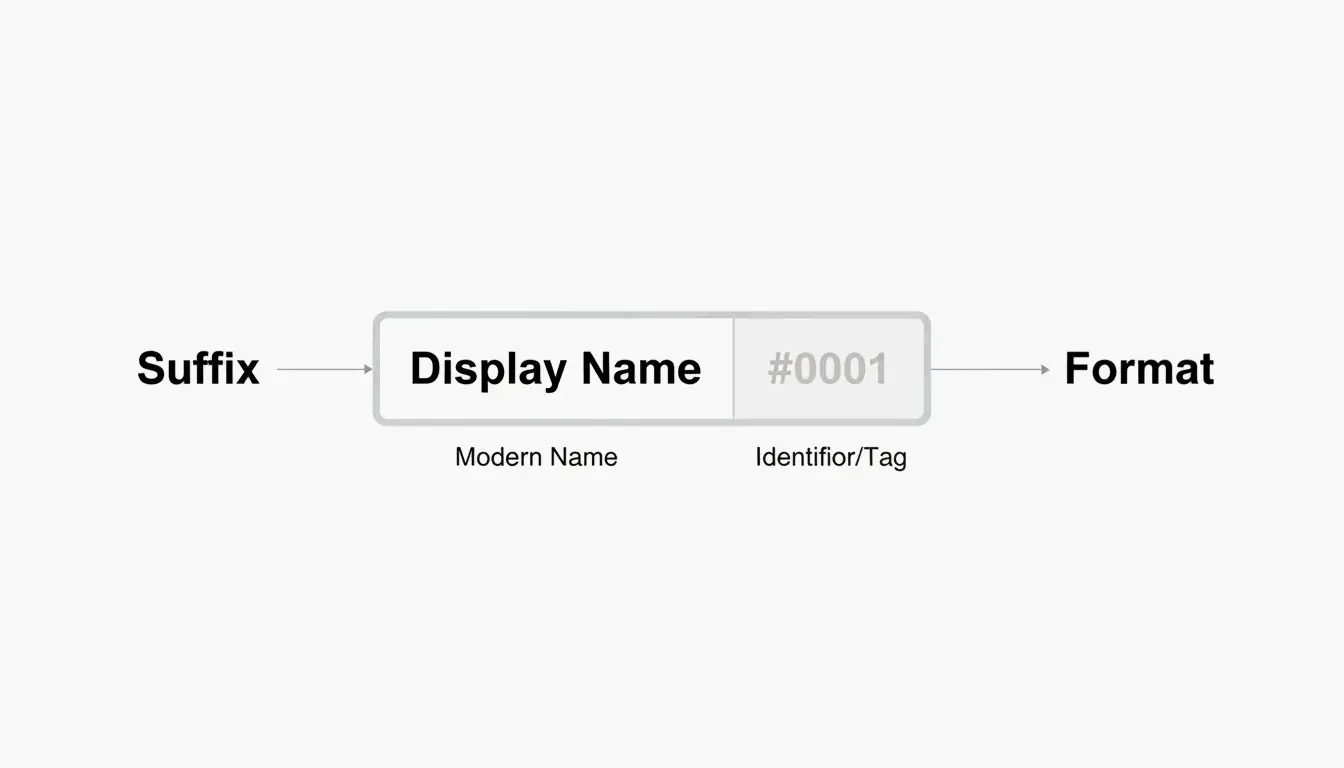
    Here’s where things get interesting. If the name you want is already taken, you can still claim it — Xbox appends a hashtag suffix (like #1234) to differentiate you from the person who had it first.

    A few things worth knowing about suffixes:
    – They’re assigned automatically — you don’t pick the numbers.
    – They don’t count toward your 12-character limit.
    – They appear in a smaller font in most game UIs, so your core name still looks clean.
    – Friends can find you by searching just your base name.

    So a full-length name like “ShadowWalker” would display as “ShadowWalker#9999” — but only the “ShadowWalker” part needs to fit within 12 characters.

    现代 Gamertag 的组成结构:名字 + 后缀

    The “Point of No Return”: Classic vs. Modern Gamertags

    This is the most important thing to understand before changing your name in 2026.

    If your current gamertag was created before the 2019 update and is longer than 12 characters, changing it means you permanently lose that extra length. Think of it as a one-way door.

    According to Microsoft Q&A, there is no technical way to revert to a classic-length tag once you’ve made the switch. The current infrastructure simply doesn’t support creating tags longer than 12 characters — not even for legacy users.

    A Real Example from 2026

    In April 2026, a user named Armonster attempted to restore their 13-character legacy tag after a name change. The system blocked the request entirely. Even though the name had been theirs originally, the modern system couldn’t process a tag longer than 12 characters.

    Bottom line: If you’re sitting on a classic 13–15 character gamertag that you like, think carefully before changing it.

    How to Change Your Xbox Gamertag (Step-by-Step)

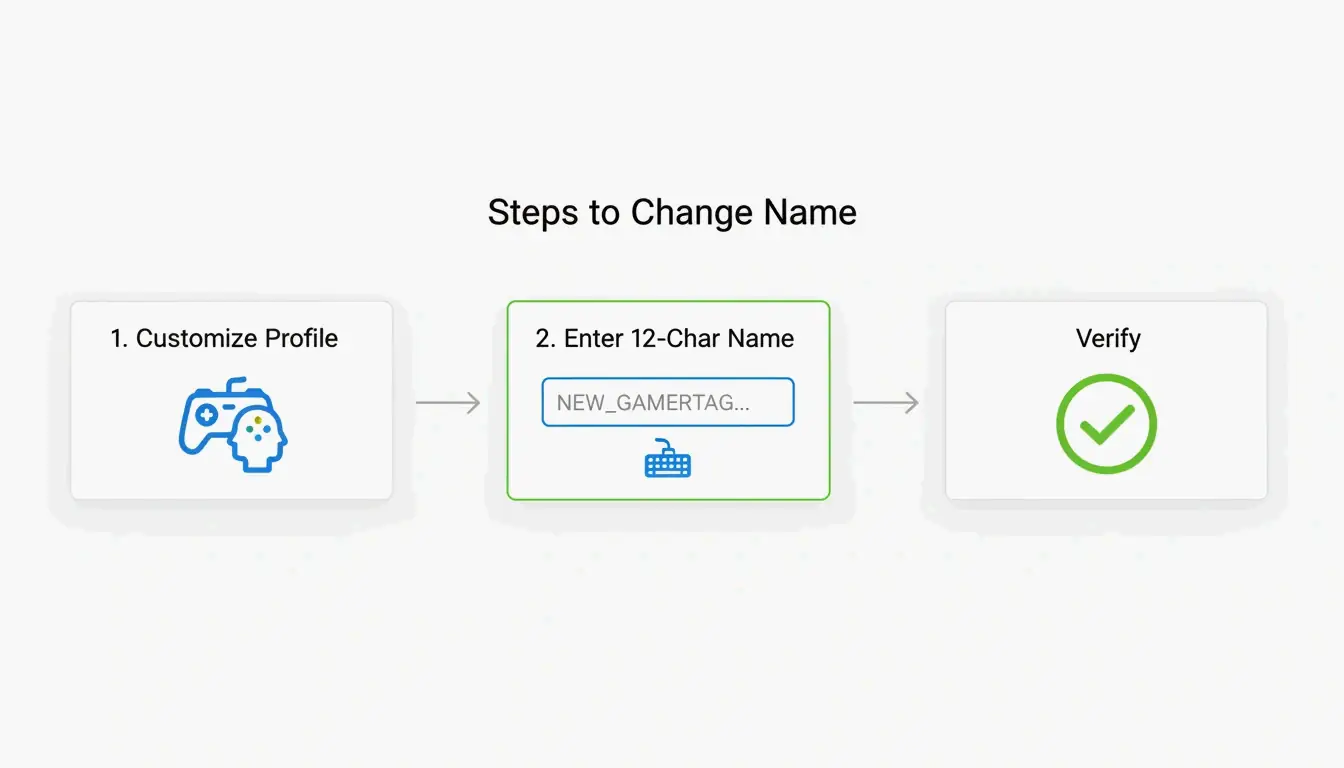
    Whether you’re on a console or your phone, the process is straightforward. The system checks name availability in real time as you type.

    On Console (Xbox Series X|S)

    1. Press the Xbox button on your controller.
    2. Navigate to Profile & System.
    3. Select your profile, then choose Customize Profile.
    4. Click your current gamertag.
    5. Type your new name (up to 12 characters).
    6. Confirm the change.

    On the Xbox Mobile App

    1. Open the Xbox App.
    2. Tap your profile picture.
    3. Go to SettingsEdit Gamertag.
    4. Enter your new name and confirm.

    Verification

    According to Theportablegamer, you’ll see a green checkmark if the name is available, or a red X if it’s taken. If it’s taken, the system will automatically offer you a suffix version.

    修改 Gamertag 的精简步骤

    Troubleshooting: Verification Loops

    Some players in 2026 have reported getting stuck in “verification loops” — the app keeps asking them to sign in repeatedly without completing the name change. If this happens:

    1. Clear the app cache (Settings → Apps → Xbox → Clear Cache).
    2. Try the change through a web browser at account.xbox.com instead.
    3. Check your Enforcement Status — if you have an active ban or strike, name changes are blocked until the penalty expires.

    How Much Does It Cost to Change Your Gamertag?

    Microsoft uses a simple pricing model:

    Change Cost
    First change (new accounts) Free
    Every subsequent change $9.99 USD or 800 Microsoft Points
    Cooldown between changes 30 days

    The fee exists to discourage abuse — without it, people could constantly rename themselves to evade moderation or confuse other players. As Theportablegamer notes, this price has remained unchanged for years.

    The Rare Name Hunt: Finding a 4-Letter Gamertag

    Short gamertags — especially 4-letter ones — are the holy grail. They look clean, never need a suffix, and are easy to remember.

    The reality: most 4-letter English words were claimed years ago. But you can still find options if you’re persistent:

    • Alphanumeric combos — Mix letters and numbers (e.g., “K7VR”, “N3XT”).
    • Non-dictionary words — Unique letter combinations that are pronounceable but not real words.
    • Generator tools — The CodeItBro Gamertag Generator has a “Hunt 4-Letter Tags” mode that checks availability for short handles.

    If your dream 4-letter name is taken, the suffix system is a solid fallback. Since suffixes render in a smaller font in most game menus, a name like “Raven#3847” still looks relatively clean on-screen.

    Conclusion

    The 12-character limit is the firm standard for the Xbox Network in 2026. The suffix system makes it possible to share a display name with others, but the length cap itself is non-negotiable for any new or changed gamertag.

    Before making a change:
    Count your characters carefully — 12 is the max, spaces included.
    Protect your classic tag — If you have a legacy 15-character name you like, think twice before changing it. You can’t go back.
    Budget for the fee — Your first change is free, but every one after that costs $9.99 with a 30-day cooldown.

    FAQ

    Can I change my 12-character modern tag back to a 15-character classic tag?

    No. Once you move to the modern system, the 15-character legacy option is permanently lost. There is no tool, setting, or support path that can revert your tag to the old length.

    Why do some players still have 15-character names in 2026?

    Those are “Classic Gamertags” created before the 2019 system update. As long as those players never change their name, they keep the old length. But the moment they modify it — even to fix a typo — they’ll be moved to the 12-character system.

    What special characters are allowed in Xbox gamertags?

    Spaces are allowed and count as one of your 12 characters. Numbers are fine too. Most special symbols (!, @, #, %, etc.) are blocked to maintain compatibility across all Xbox games. The # symbol is reserved exclusively for the system-generated suffix and can’t be used in the name itself.