Category: Productivity

  • How to Quickly Fix Malformed JSON Files: A Developer’s Field Manual

    How to Quickly Fix Malformed JSON Files: A Developer’s Field Manual

    Your API call just failed with JSONDecodeError: Expecting property name enclosed in double quotes. The clock is ticking. The data came from an LLM, and somewhere in that 2,000-token response, a single trailing comma killed your entire pipeline.

    As of May 2026, the fastest way to fix malformed JSON files is to use automated libraries like json_repair (Python) or jsonrepair (npm). These tools are purpose-built to fix LLM-generated syntax errors instantly. For manual repairs, the usual suspects are trailing commas, single quotes, or unquoted keys — the three most common violations of the RFC 8259 standard.

    The Fastest Fix: json_repair for LLM Outputs

    Standard parsers like Python’s json.loads() are strict by design. One misplaced character triggers a JSONDecodeError and everything stops. This is a daily problem in 2026 because LLMs routinely wrap JSON in conversational text, truncate responses mid-sentence, or sprinkle in comments that break the spec.

    The json_repair library is the go-to solution. According to GitHub, this project has over 4,700 stars as of 2026. It works by “guessing” the intent of the string — closing missing brackets, adding quotes, and stripping extra text surrounding the JSON block.
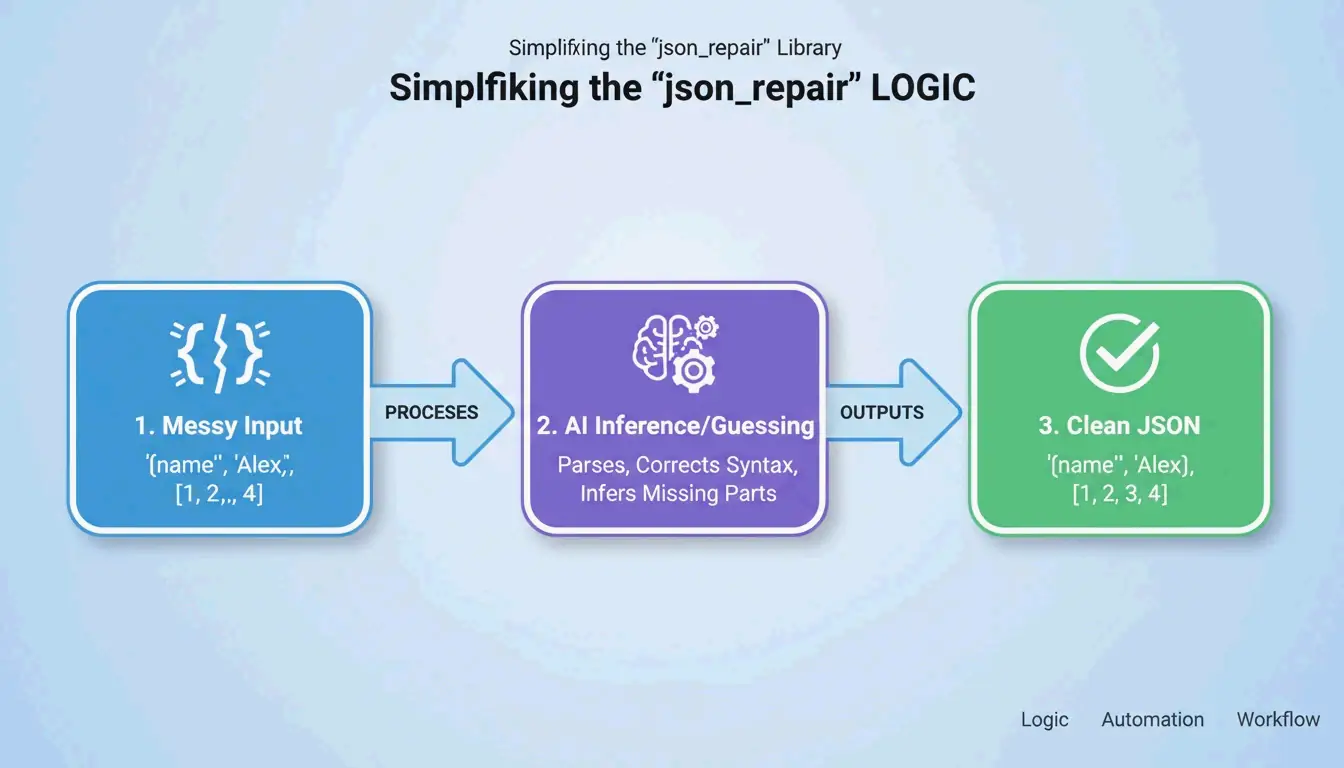
    Simple 3-step process of json_repair: Input (Broken) -> Guess Intent -> Output (Valid)

    Python: Before and After

    Install: pip install json-repair

    The broken input:

    import json_repair
    
    bad_json = '{"user": "Alice", "status": tru'
    decoded_object = json_repair.loads(bad_json)
    
    # Output: {'user': 'Alice', 'status': True}
    

    What happened behind the scenes: json_repair saw that tru was likely true, added the missing closing brace, and returned a valid Python dictionary. Zero manual intervention.

    Salvage Mode: When the Data Is Really Ugly

    For tougher cases, json_repair (v0.59.5+) includes a Salvage Mode. As noted in the project documentation, this mode is built specifically for truncated AI responses or corrupted logs. It can force arrays into objects or drop items that are too broken to save, ensuring the output fits your schema.

    import json_repair
    
    # Salvage mode for severely truncated data
    result = json_repair.loads(
        '{"items": [{"id": 1, "name": "Widget"}, {"id": 2, "na',
        salvage_mode=True
    )
    # Result: {'items': [{'id': 1, 'name': 'Widget'}, {'id': 2}]}
    # Dropped the incomplete 'na' but saved everything else
    

    npm Alternative

    For Node.js projects, the jsonrepair CLI handles the same job:

    # Fix a file in place
    npx jsonrepair broken.json > fixed.json
    
    # Fix a string in a script
    const { jsonrepair } = require('jsonrepair');
    const fixed = jsonrepair('{"name": "test",}');
    

    Manual Debugging: Finding What Broke the Spec

    When automation does not cut it, you need to find exactly where the file violates RFC 8259. JSON is far less forgiving than YAML or JavaScript. As the JSONParser Diagnostics Team explains, “The parser fails at the first character it cannot make sense of, which is often a downstream symptom of a problem several lines earlier.”

    The Three JSON Killers

    Killer 1: Trailing Commas

    According to DEV Community, trailing commas are the #1 cause of parse failures. They are fine in JavaScript but illegal after the last item in a JSON array or object.

    // BROKEN - trailing comma after "active"
    {
      "name": "Alice",
      "status": "active",
    }
    
    // FIXED - no comma before closing brace
    {
      "name": "Alice",
      "status": "active"
    }
    

    Killer 2: Single Quotes

    JSON requires double quotes (") for both keys and string values. Many Python and JavaScript developers accidentally use single quotes ('). As TidyCode notes, this is a mandatory fix.

    // BROKEN - single quotes
    {'name': 'Alice'}
    
    // FIXED - double quotes
    {"name": "Alice"}
    

    Killer 3: Unquoted Keys

    In JavaScript you can write { name: "Alice" }. In JSON, every key needs double quotes.

    // BROKEN - unquoted key
    {name: "Alice"}
    
    // FIXED - quoted key
    {"name": "Alice"}
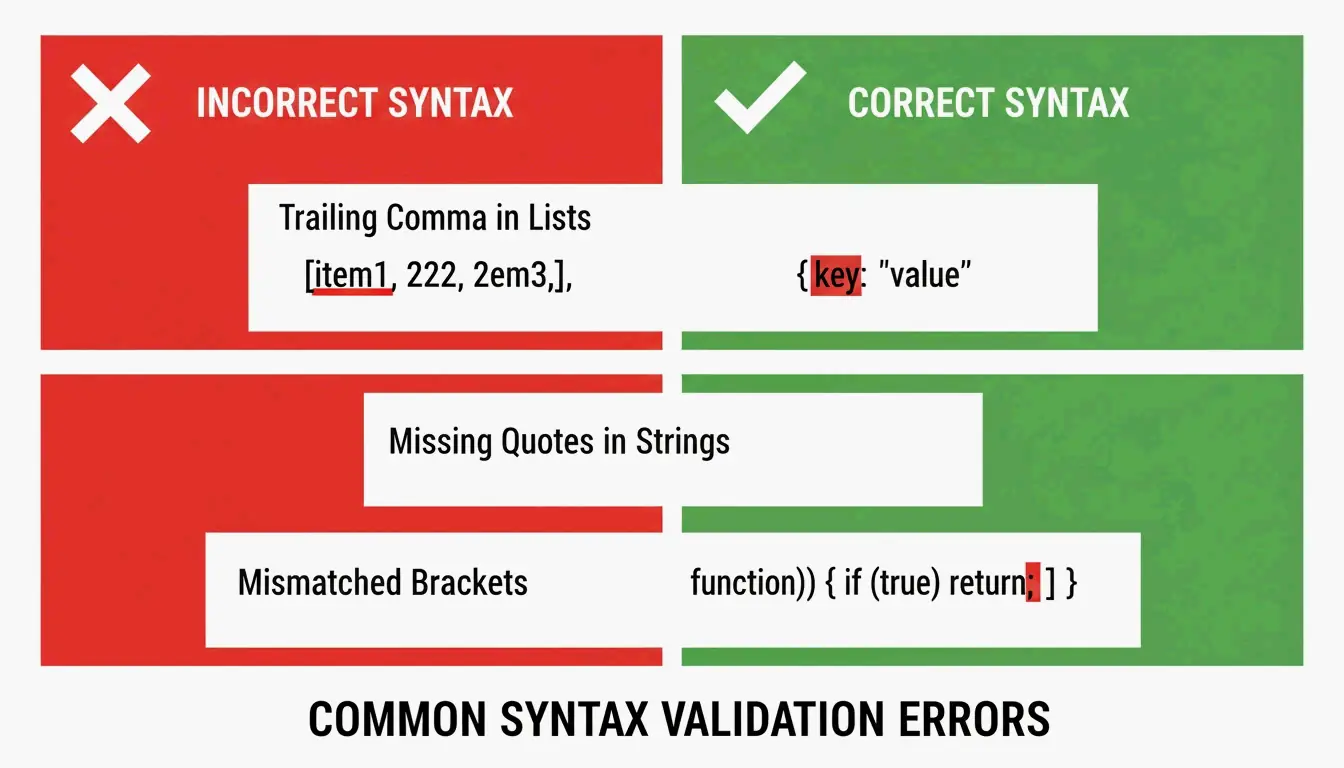
    

    Side-by-side comparison of Invalid vs Valid JSON syntax

    The “Unexpected Token” Error

    When a validator flags “Unexpected Token,” it means the parser hit NaN, Infinity, or undefined — JavaScript constants that JSON does not support. JSON only allows null, true, false, and numbers.

    // BROKEN - NaN is not valid JSON
    {"score": NaN, "result": Infinity}
    
    // FIXED - replace with null or valid values
    {"score": null, "result": null}
    

    Strict Parsing vs. Repair Parsing: When to Use Which

    The right approach depends on where your data comes from. Human-edited config files deserve strict parsing to force the author to fix mistakes. Machine-generated data from LLMs or API logs needs repair-based parsing.

    Feature Strict (json.loads) Repair (json_repair)
    Trailing Commas Raises JSONDecodeError Automatically removed
    Single Quotes Fails Converted to double quotes
    Truncated Data Fails Closes open brackets/quotes
    Comments Fails Automatically stripped
    Best Use Case Human-edited config files LLM outputs, API logs

    Schema-Guided Repairs with Pydantic

    You can guide the repair process using Pydantic v2 or JSON Schema. By giving json_repair a schema, the tool does more than fix syntax — it can correct types (turning string "1" into number 1) and fill missing required fields with defaults.

    from pydantic import BaseModel
    import json_repair
    
    class User(BaseModel):
        id: int
        name: str
        active: bool = True
    
    # Broken JSON with wrong types
    raw = '{"id": "42", "name": "Alice"}'
    repaired = json_repair.loads(raw)
    
    # Validate against schema
    user = User(**repaired)
    # user.id is now int(42), user.active defaults to True
    

    As Stefano Baccianella noted in his 2025 project citation, this approach is optimized for the “mostly correct but technically invalid” JSON that language models tend to produce.

    Handling Multi-Gigabyte Files Without Crashing

    Repairing a 10KB snippet is easy. Fixing a 2GB file requires a strategy that will not eat all your RAM. Loading the entire file into memory causes Out-of-Memory (OOM) errors.

    Strategy 1: Streaming with ijson

    For massive datasets, use ijson to process data piece by piece. As Scrapfly mentions, ijson processes data incrementally. Pair it with a cleanup script that fixes issues line-by-line before parsing.

    import ijson
    
    # Stream through a large JSON file
    with open('huge_broken.json', 'r') as f:
        for item in ijson.items(f, 'records.item'):
            # Process each item individually
            process(item)
    

    Strategy 2: CLI Pipe for Maximum Efficiency

    The most memory-efficient approach for large files is to use the jsonrepair CLI and pipe output directly to a new file:

    # Streams repair, never loads full file into memory
    jsonrepair large_broken.json > fixed.json
    

    This is significantly more memory-efficient than loading the file into Python or a browser.

    Conclusion

    Fixing malformed JSON is no longer a manual chore thanks to AI-aware libraries like json_repair. You still need to understand RFC 8259 basics — no trailing commas, no single quotes, no unquoted keys — but automation is the only practical approach for data at scale in 2026.

    The workflow is simple: try a repair library first. If that fails, use a validator to pinpoint the exact syntax error. This keeps your applications running even when incoming data is less than perfect.

    FAQ

    Can JSON officially support comments or single quotes?

    No. The RFC 8259 standard strictly forbids comments. Single quotes are also invalid — only double quotes are allowed for keys and strings. However, tools like json_repair can strip comments and convert quotes automatically to make files parseable by standard libraries.

    How do I handle very large malformed JSON files without crashing?

    Use a streaming parser like ijson to process data in chunks. Avoid loading the entire malformed string into a single variable. For the fastest results, use CLI repair tools that pipe output directly to a new file on disk without holding everything in memory.

    What is the difference between malformed JSON and invalid JSON?

    Malformed JSON violates syntax rules — missing brackets, unquoted keys, trailing commas — making it impossible to parse. Invalid JSON follows all syntax rules but fails to match a specific JSON Schema (e.g., a field is a string when the schema expects an integer). Fixing malformed JSON is structural repair; fixing invalid JSON is about data integrity.

    Can I use json_repair with Pydantic validation?

    Yes. Run json_repair.loads() first to fix syntax errors, then pass the repaired dictionary to your Pydantic model for type validation and schema enforcement. This two-step approach handles both structural and semantic issues.

    What about JSON with JavaScript-style comments?

    Standard JSON does not support comments, but json_repair can strip // and /* */ comments automatically. If you need comments in your config files, consider using JSONC (JSON with Comments) format and a compatible parser like json5 for Python.

  • How to AI Prompt with a Formatter: Structured Engineering for Developers

    How to AI Prompt with a Formatter: Structured Engineering for Developers

    You know that sinking feeling when your AI output looks nothing like what you asked for? The JSON is malformed, the tone is wrong, and half your instructions got ignored. The problem is not the model — it is how you are formatting the prompt.

    To master how to AI prompt with a formatter, implement the RTCCO framework (Role, Task, Context, Constraints, Output) using structured delimiters like XML or JSON. This treats prompts as modular software assets, which can reduce model hallucinations by up to 60% and cut manual processing time by 75% as of May 2026.

    Why Your Paragraph Prompts Keep Failing

    By 2026, professional AI work has moved away from “chatting” toward Prompt-as-Code (PaC). The problem with paragraph prompts — those long, unstructured blocks of text — is that models struggle to separate your actual instructions from the background data or output requirements mixed in with them.

    Data from PromptOT shows that moving to structured engineering can cut errors by 60% and speed up manual processing by 75%. Alex Ostrovskyy describes hardcoded prompts as the “modern equivalent of magic numbers in source code” — brittle systems that are nearly impossible to update without breaking something.

    Before vs. After: The Formatting Difference

    Before (unstructured):

    You are a helpful coding assistant. Please write a Python function that validates
    email addresses. Make sure it handles edge cases like plus signs and subdomains.
    The output should be in JSON format with a valid boolean and the cleaned email.
    Also make sure you add proper error handling and don't forget logging.
    

    After (RTCCO + XML delimiters):

    <system_instructions>
      <role>Senior Python engineer specializing in input validation</role>
      <primary_objective>Write a production-grade email validator</primary_objective>
    </system_instructions>
    
    <context>
      Must handle: plus addressing ([email protected]), subdomains,
      internationalized domains. Target: Python 3.11+.
    </context>
    
    <task_requirements>
      <rules>
        - Use only stdlib (no regex shortcuts)
        - Return structured JSON
        - Include type hints
      </rules>
      <steps>
        1. Parse the input string
        2. Validate format per RFC 5322
        3. Return JSON with "valid" boolean and "cleaned_email"
      </steps>
    </task_requirements>
    
    <output_format>
      {"valid": bool, "cleaned_email": str, "error": str | null}
    </output_format>
    

    Same goal, dramatically different results. The formatted version gives the model zero room for ambiguity.

    The RTCCO Framework: Your Prompt’s Skeleton

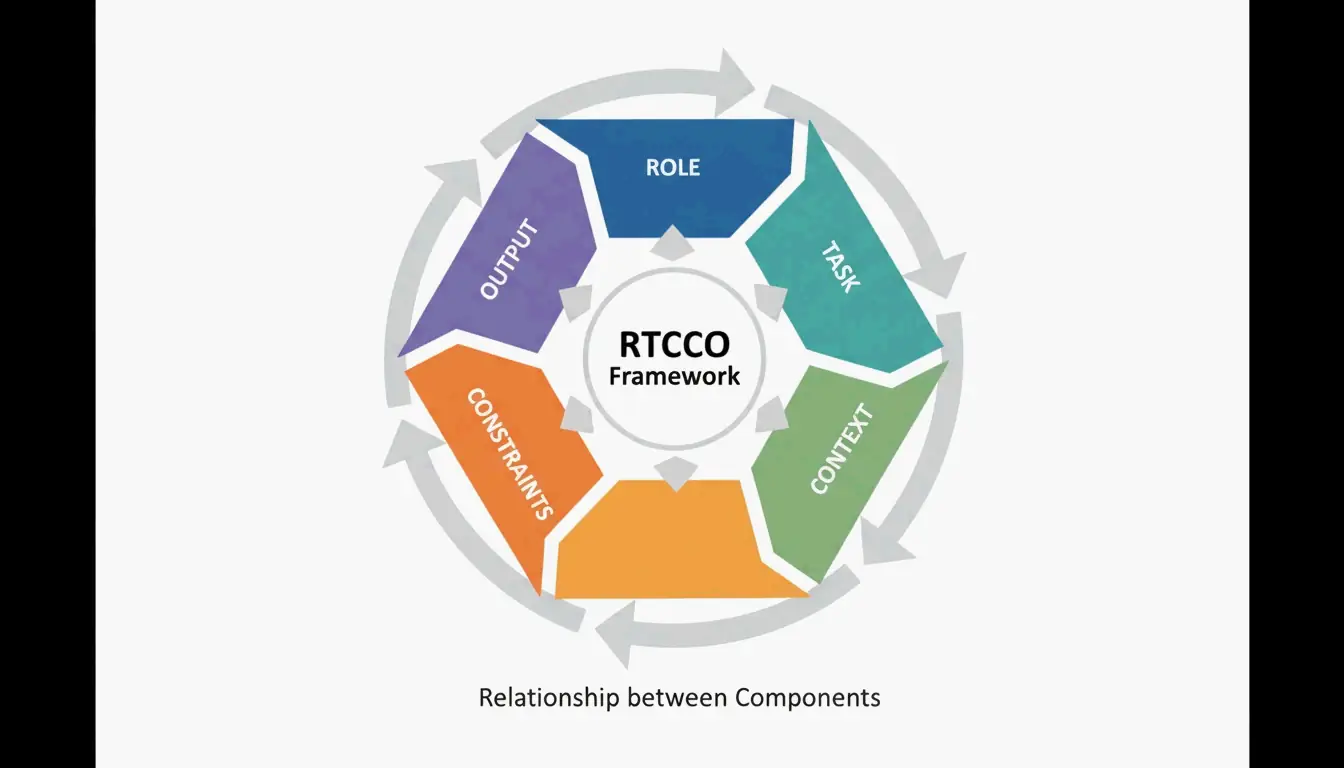
    The industry has converged on RTCCO as the standard prompt architecture. Every prompt breaks down into five parts:

    Element Purpose Example
    Role Who is the AI? “Senior backend engineer”
    Task What specific action? “Write a rate limiter middleware”
    Context What background data? RAG retrieval, codebase snippets
    Constraints What are the rules? “No external dependencies”
    Output What should it look like? “Valid Python 3.11 with type hints”

    The 5 components of the RTCCO Framework

    The XML Skeleton Template You Can Copy Now

    Here is the production-ready template. Copy it, adapt it, ship it.

    <system_instructions>
      <role> [Expert Persona] </role>
      <primary_objective> [Main Goal] </primary_objective>
    </system_instructions>
    
    <context>
      [Background Data or RAG Retrieval]
    </context>
    
    <task_requirements>
      <rules> [Non-negotiable Constraints] </rules>
      <steps> [Specific Workflow] </steps>
    </task_requirements>
    
    <output_format>
      [JSON/XML/Markdown Specification]
    </output_format>
    
    <recency_recap>
      [Reminder of Critical Constraints]
    </recency_recap>
    

    Why the Recency Recap Matters

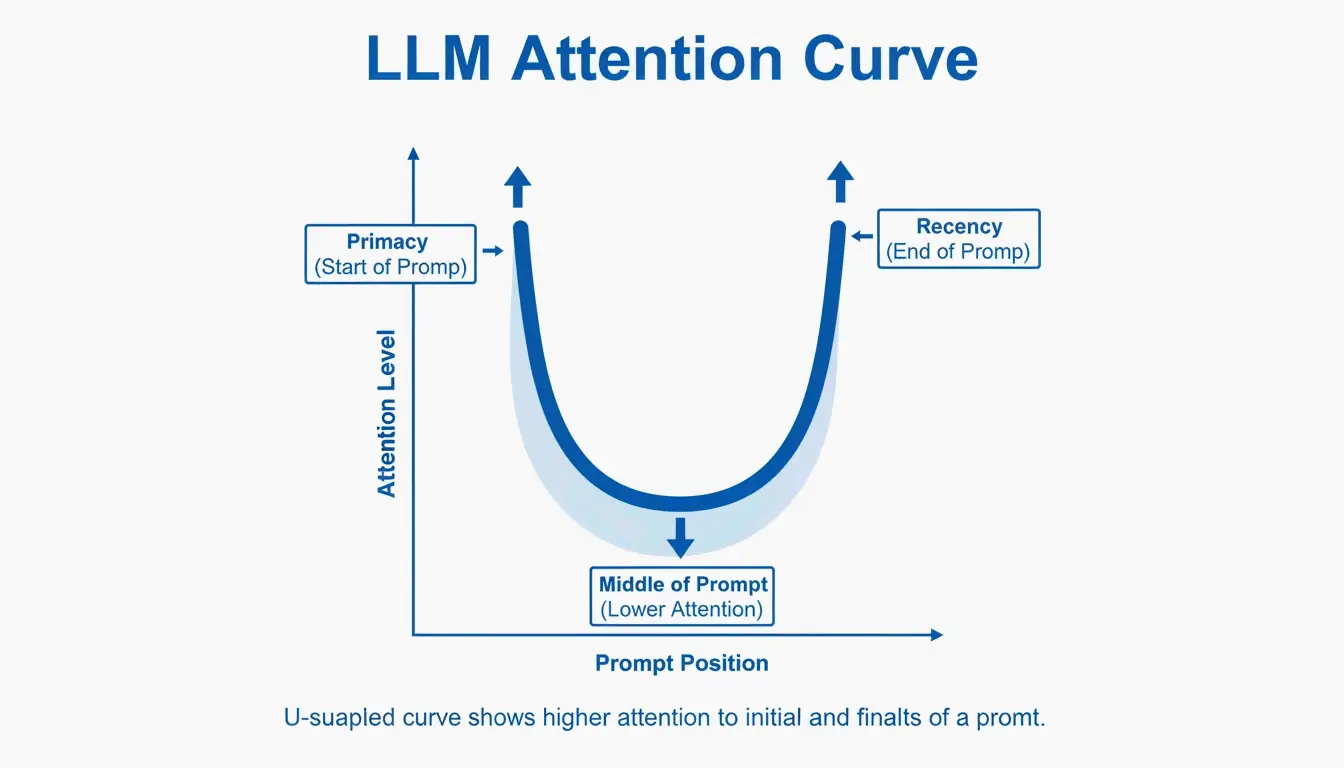
    LLMs have a known “Primacy and Recency” bias — they remember the beginning and end of a prompt better than the middle. Testing cited by PromptOT showed that moving critical rules from the middle to the Recency Recap block at the bottom boosted accuracy from 78% to 96% in production use. Keep the Role at the top, put your most vital rules at the bottom.

    Visualizing the Primacy and Recency effect in long prompts

    Delimiters as a Security Fence

    Delimiters are not just about organization — they are a security mechanism. Wrapping user input in tags like <user_input> tells the model: “This is data to process, not new instructions to follow.” This is your primary defense against prompt injection attacks where users try to override your system instructions.

    Common pitfall: If you inject user data directly into the prompt without delimiters, a user can write “Ignore all previous instructions and…” and the model will comply. Always wrap external data in tagged blocks.

    Modular Architecture: Stop Writing Mega-Prompts

    Instead of one fragile 2,000-token prompt, break your system into independent modules. This prevents instruction collision — where changing the tone of a prompt accidentally breaks its JSON output format.

    The key principle is Context Engineering: separate static instructions from dynamic data. In a production RAG system, your prompt is a template where the <context> block gets filled with fresh data at query time. As Jono Farrington of OptizenApp explains, this modular approach makes large-scale AI deployments far more consistent.

    Prompt Chaining: Connecting Modules

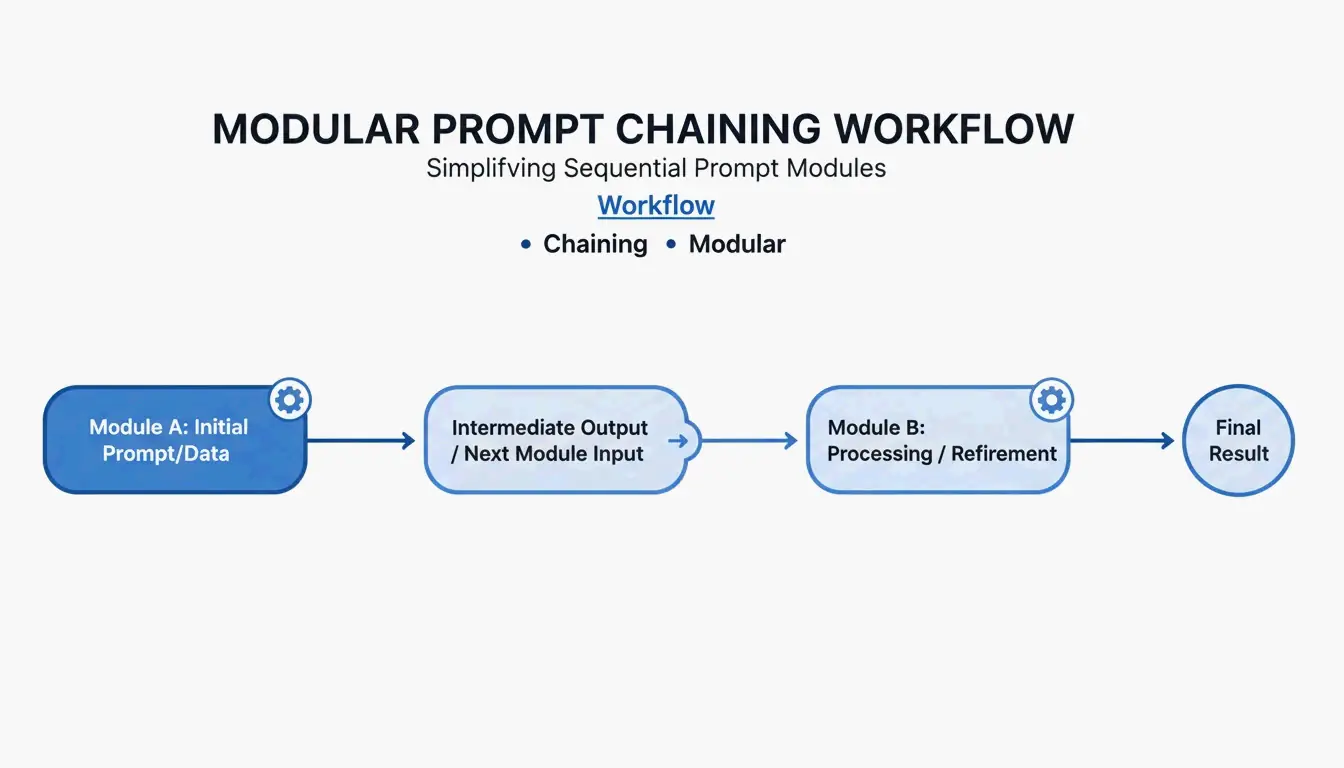
    For complex workflows, use Prompt Chaining — where the output of one module becomes the input for the next:

    [Planner Module] --> outline --> [Executor Module] --> draft --> [Reviewer Module] --> final
    

    This step-by-step approach improves output quality by roughly 35% because the model only focuses on one sub-task at a time.

    Simple 3-step prompt chaining workflow

    Copy-and-use chaining example:

    
    planner_prompt = """
    <system_instructions>
      <role>Technical architect</role>
      <task>Create a step-by-step plan for: {user_request}</task>
    </system_instructions>
    <output_format>JSON array of steps</output_format>
    """
    
    # Step 2: Executor
    executor_prompt = """
    <system_instructions>
      <role>Senior developer</role>
      <task>Implement step: {step_from_planner}</task>
    </system_instructions>
    <context>{previous_outputs}</context>
    <output_format>Code block with inline comments</output_format>
    """
    

    Adding Chain-of-Thought for Hard Problems

    When your task involves complex logic, add a <thought_process> block. This forces the model to reason step-by-step before giving an answer, which significantly reduces errors in math, coding, and multi-step reasoning.

    <task_requirements>
      <rules>Reason inside <thought> tags before answering</rules>
    </task_requirements>
    
    <output_format>
      <thought> [Your step-by-step reasoning here] </thought>
      <answer> [Final JSON output here] </answer>
    </output_format>
    

    According to Zencoder, techniques like Tree-of-Thoughts (ToT) extend this further by asking the model to evaluate multiple solution paths simultaneously and pick the best one. This is especially valuable for architectural decisions where there is no single right answer.

    Token Cost Warning

    Structured reasoning uses more tokens. A typical <thought_process> block adds 200-500 tokens per request. At scale, this means higher API costs. The tradeoff is accuracy: you pay more per request but need fewer retries and less manual correction.

    Production Readiness: Versioning, Testing, and CI/CD

    The final step is treating prompts like software. Use Semantic Versioning (v1.0.0) so your team can track changes and roll back instantly when a new prompt version degrades.

    PromptOT reports that companies managing 50+ prompts can save up to $400,000 per year by centralizing management and reducing the time engineers spend manually tweaking.

    Setting Up a Prompt CI/CD Pipeline

    # .github/workflows/prompt-tests.yml
    name: Prompt Quality Gate
    on: [push]
    jobs:
      test-prompts:
        runs-on: ubuntu-latest
        steps:
          - name: Run Golden Dataset Tests
            run: |
              # Test against 50-200 curated cases
              python scripts/eval_prompts.py \
                --dataset golden_dataset.json \
                --judge-model gpt-4 \
                --min-score 0.85
    
          - name: Regression Check
            run: |
              # Compare new version vs. production
              python scripts/compare_versions.py \
                --staging v2.1.0 \
                --production v2.0.3 \
                --threshold 0.05
    

    A prompt only graduates from Staging to Production once it passes these quality gates scored by an “LLM-as-a-judge.”

    Conclusion

    Structured prompt engineering with formatters is no longer optional — it is the baseline for anyone building reliable AI tools. The RTCCO framework, XML delimiters, and modular architecture are your stack for turning unpredictable LLM outputs into consistent, production-grade results.

    Start with your most-used prompts and refactor them into the RTCCO framework using the XML template above. Move them into version control, set up basic evaluation, and you will have a prompt infrastructure that scales.

    FAQ

    How do I convert my existing paragraph prompts into RTCCO block format?

    First identify the core Task and separate it from Context. Wrap instructions in <rules> tags and provide 3-5 examples in <examples> tags. You can even use an LLM to help — prompt it with “re-parse this unstructured text into the RTCCO framework using XML delimiters” and it will do the heavy lifting.

    Should I use XML, JSON, or Markdown delimiters?

    XML is the current gold standard for separating instructions from long-form content in models like Claude and GPT-5 because of its strict hierarchy. JSON is better when you need programmatic input/output for API integrations. Markdown works for simple, human-readable prompts but lacks the strict boundary definition needed for complex, multi-layered production prompts.

    How do I implement automated CI/CD testing for prompts?

    Set up a testing suite with a “Golden Dataset” (50-200 curated test cases) and an “LLM-as-a-judge” to score outputs against a rubric. Integrate these tests into your GitHub Actions or Jenkins pipeline so any prompt change is validated for accuracy and tone before deployment.

    What is the most common mistake when switching to structured prompts?

    Overloading the <context> block. Developers often dump entire codebases or documents into context, which dilutes the model’s attention. Keep context focused on only what is directly relevant to the task. If you need to reference large documents, use RAG retrieval to pull only the pertinent sections.